A virtual assistant hours tracker that bills for you
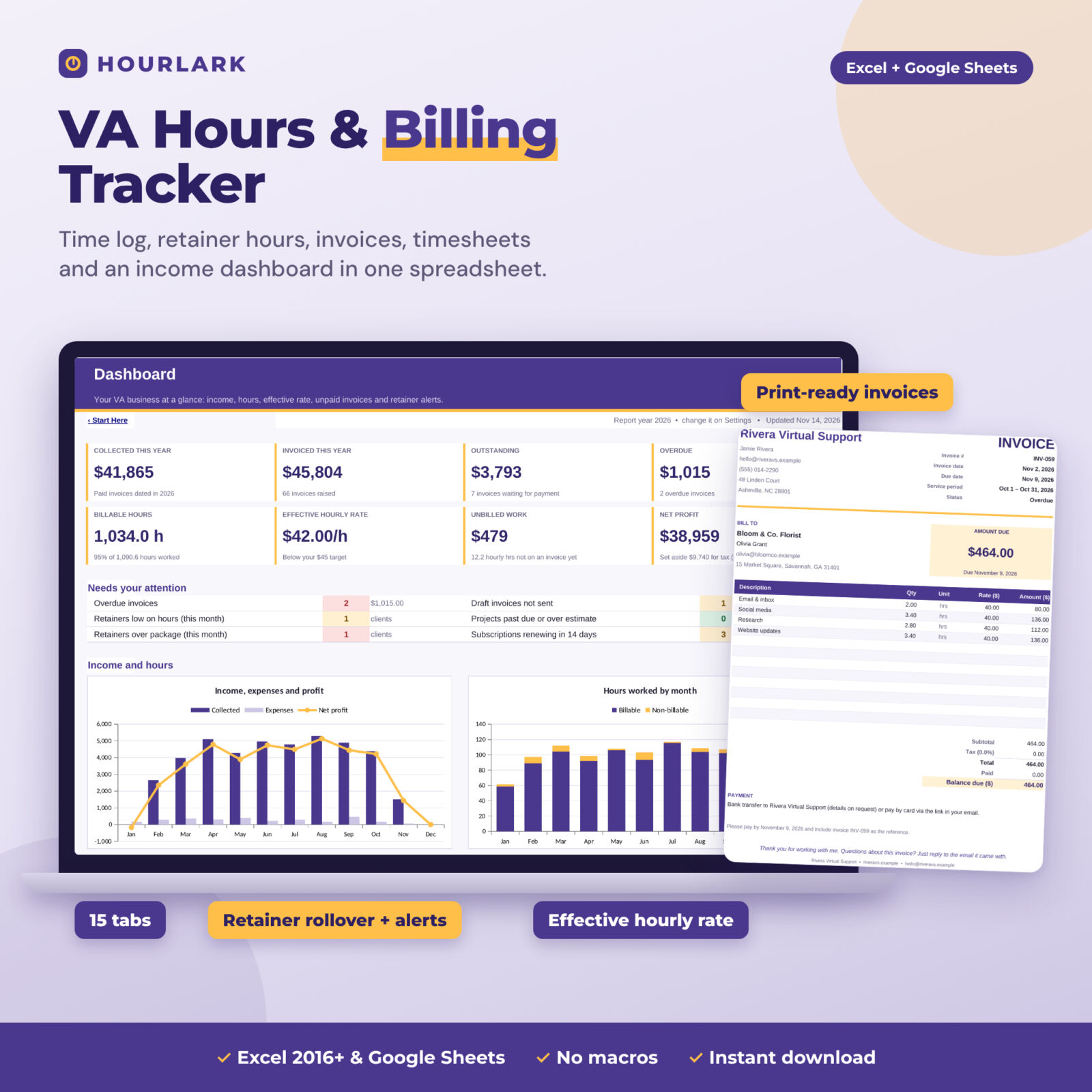
Hourlark is a virtual assistant hours tracker and billing system in one spreadsheet. Log your work once and it rounds the time, prices it for each client, keeps retainer balances, builds invoices and client timesheets, follows up on unpaid invoices and shows what you really earn per hour. It works in Microsoft Excel and Google Sheets, with no macros, add-ons or monthly fees.
Most VA time sheets stop at “hours x rate”. Hourlark also handles the parts that make VA billing messy: monthly retainer packages, unused hours that roll over (or expire), overage, free work you don’t bill, and clients who pay late.
Who it is for
- Freelance virtual assistants, online business managers and executive or admin assistants
- VAs with a mix of hourly clients, monthly retainers and fixed-fee projects
- New VAs who want a professional system from day one, and established VAs who have outgrown a basic timesheet
Main benefits
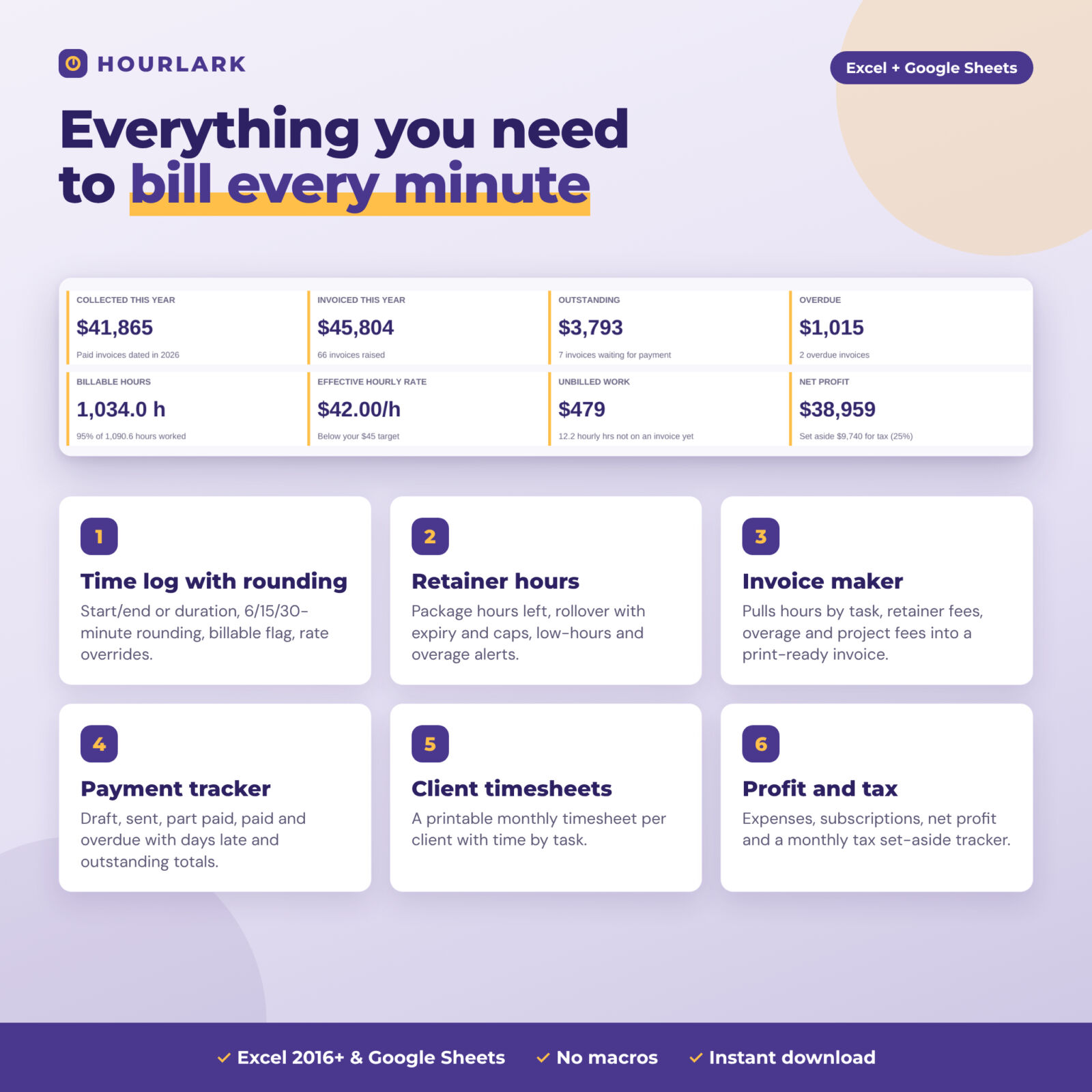
- Stop losing billable minutes. Every entry is rounded your way and flagged Unbilled until an invoice covers it.
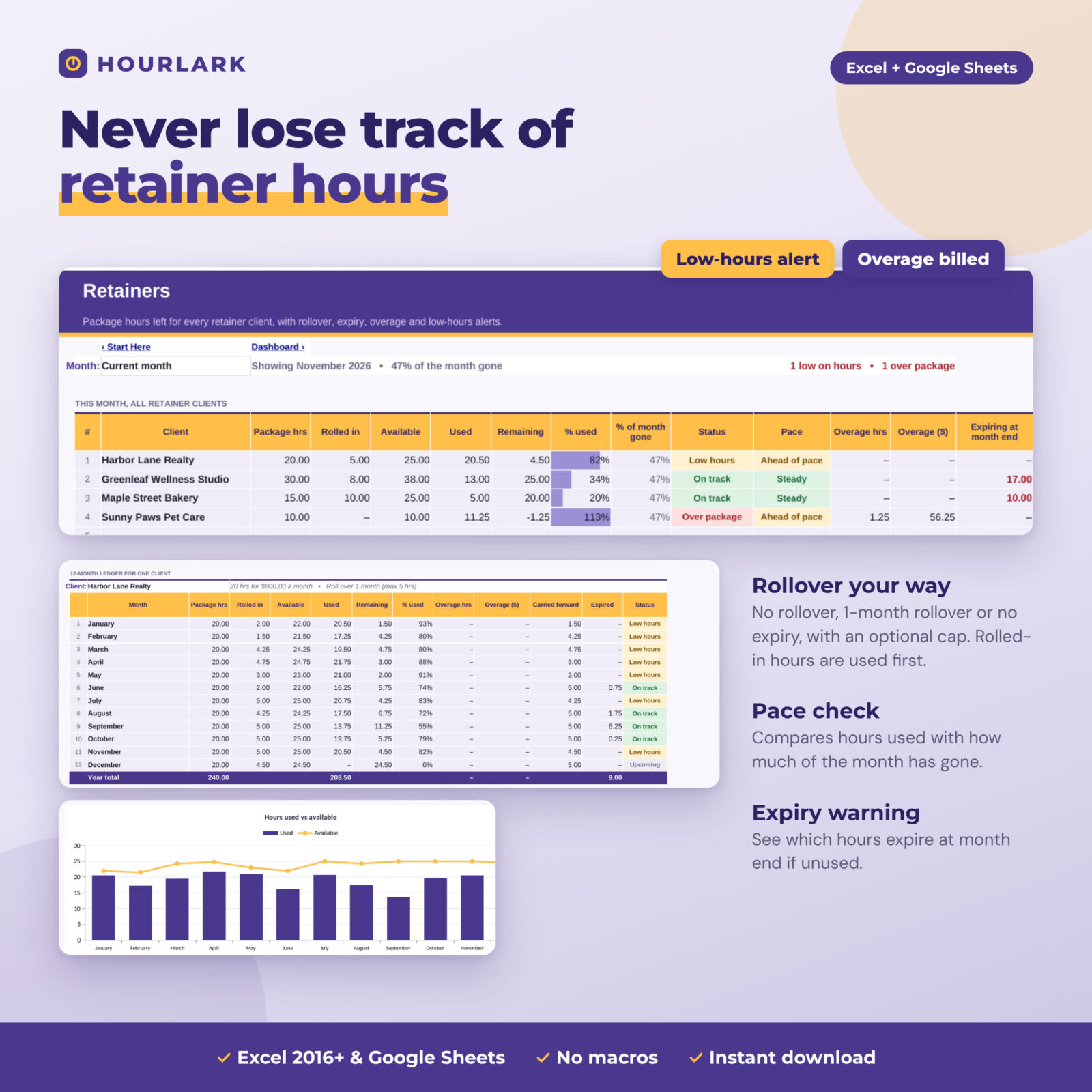
- Never guess retainer hours. See hours used, hours left and hours expiring for every retainer client this month.
- Invoice in minutes. Add one invoice row and the hours, retainer fee, overage and project fees are added for you.
- Get paid on time. Status moves from Draft to Sent, Part paid, Paid or Overdue, with days late.
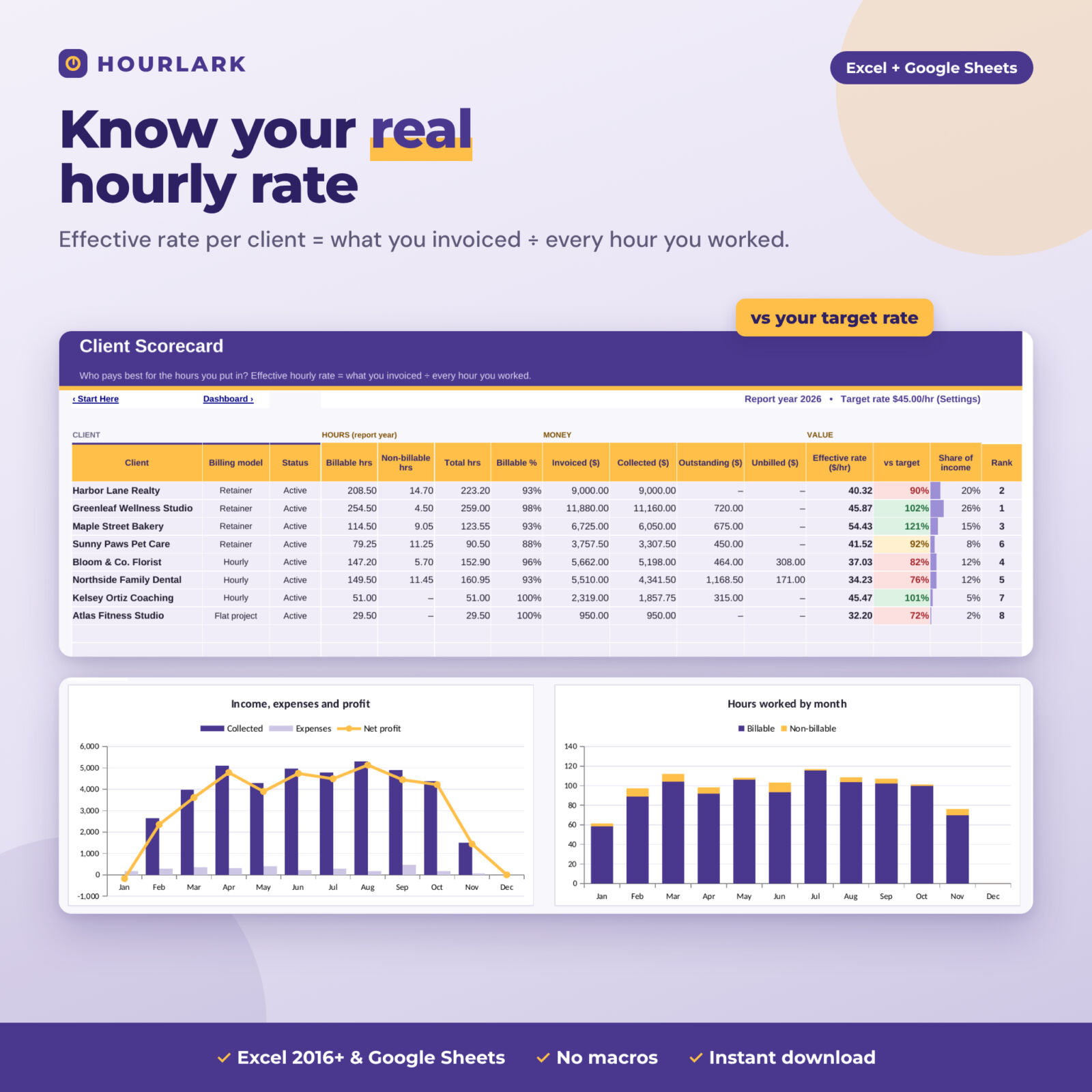
- Know your real rate. Effective hourly rate per client compares what you billed with every hour you worked.
Features of this VA time and billing spreadsheet
Time Log (1,500 entries)
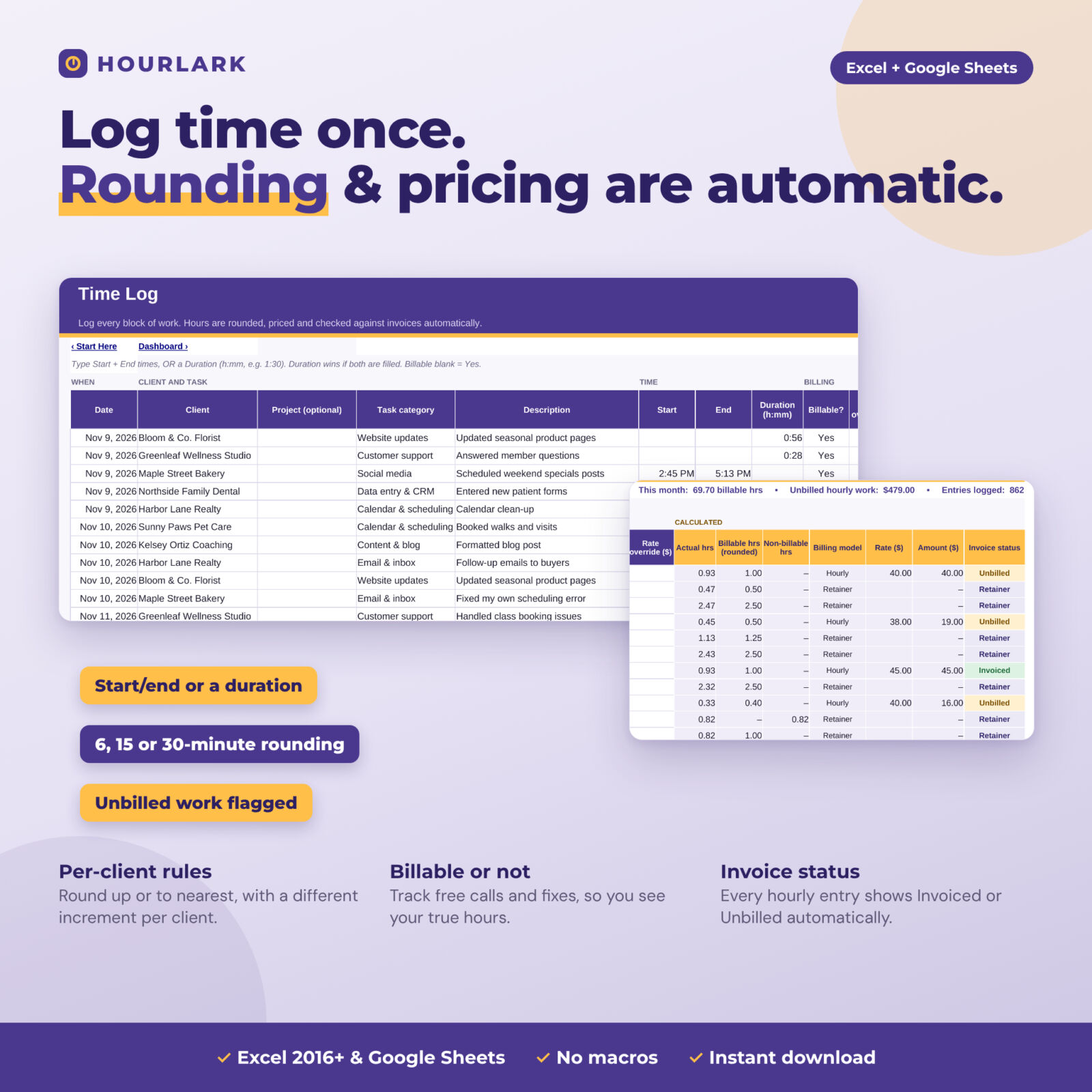
Enter the date, client, task category and a short description, then either start and end times or a duration. Choose a rounding increment of 1, 5, 6, 10, 15 or 30 minutes (round up or to nearest), with a different rule per client if you need one. Mark free work as non-billable, add a one-off rate override for rush work, and link entries to projects. Each row shows actual hours, rounded billable hours, rate, amount and invoice status.
Clients and retainer tracking
Set up to 50 clients as Hourly, Retainer or Flat project. For retainers, enter the monthly fee, package hours, overage rate and a rollover policy: no rollover, roll over for one month, or roll over with no expiry, each with an optional cap. The Retainers tab shows every retainer client for the month you pick, with % used, a pace check against the days gone, Low hours and Over package alerts, overage and the hours that will expire at month end. A 12-month ledger and chart show one client’s whole year.
Invoices, Invoice Maker and payment tracking
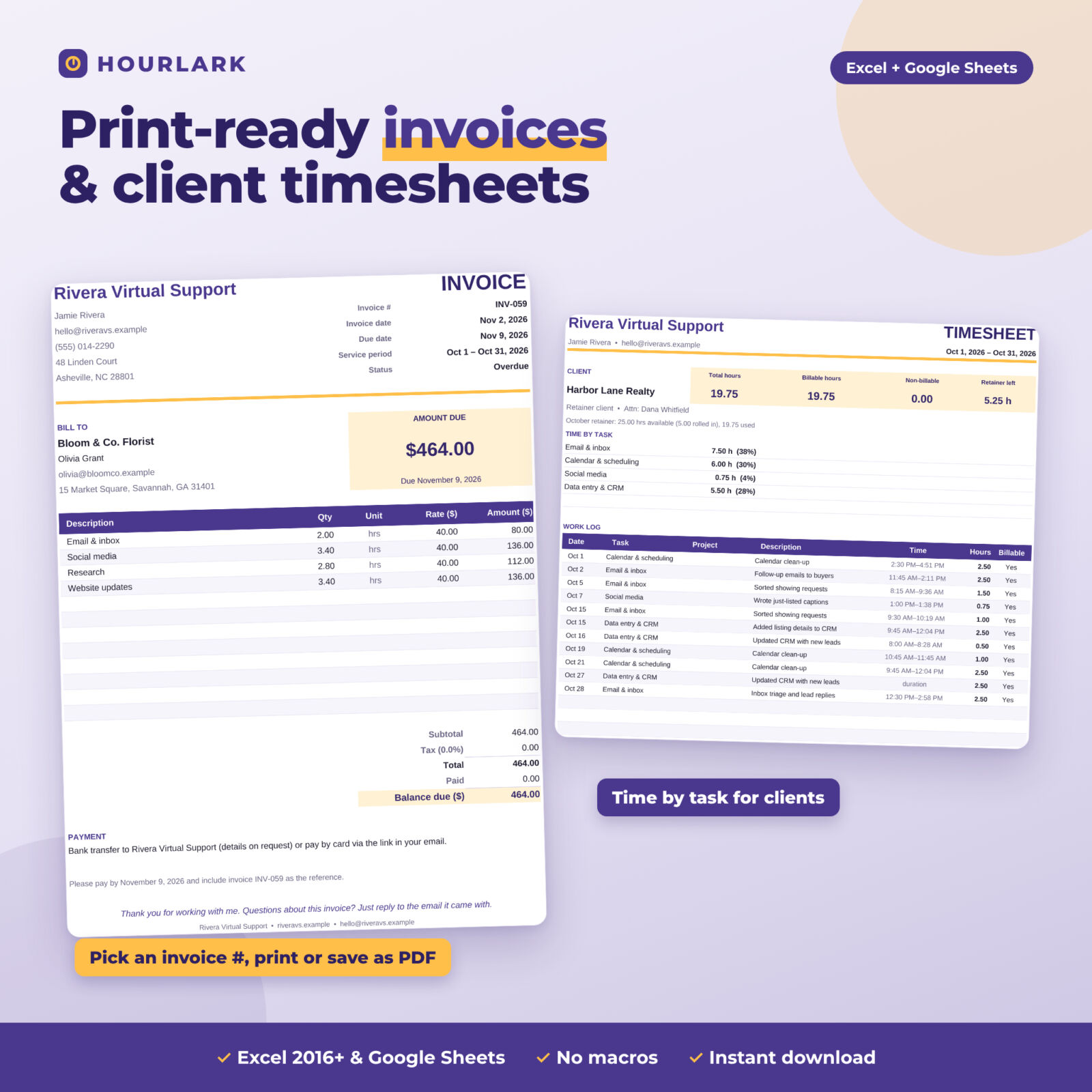
The invoice register holds 300 invoices. Pick the client and service period and Hourlark totals hourly work, retainer fees, overage, flat project fees, one extra item, a discount and optional sales tax. Choose an invoice number on Invoice Maker for a clean, print-ready invoice with your business details and lines grouped by task. Enter the date sent and payments to track Draft, Sent, Part paid, Paid and Overdue.
Client timesheets
Pick a client and date range to print a professional timesheet with total, billable and non-billable hours, time by task, the retainer balance and up to 60 itemized entries to attach to your invoice.
Dashboard, scorecard and money tools
- Dashboard with 8 KPI tiles, 6 alerts and 4 charts: income, expenses and profit; hours by month; income by client; top tasks
- Client Scorecard: hours, invoiced, collected, outstanding, unbilled work, effective rate vs your target rate, share of income
- Projects: flat fee vs hours logged, % of estimate and effective rate
- Expenses (800 rows) with categories, deductible and receipt flags
- Subscriptions with monthly and yearly cost and renewal alerts
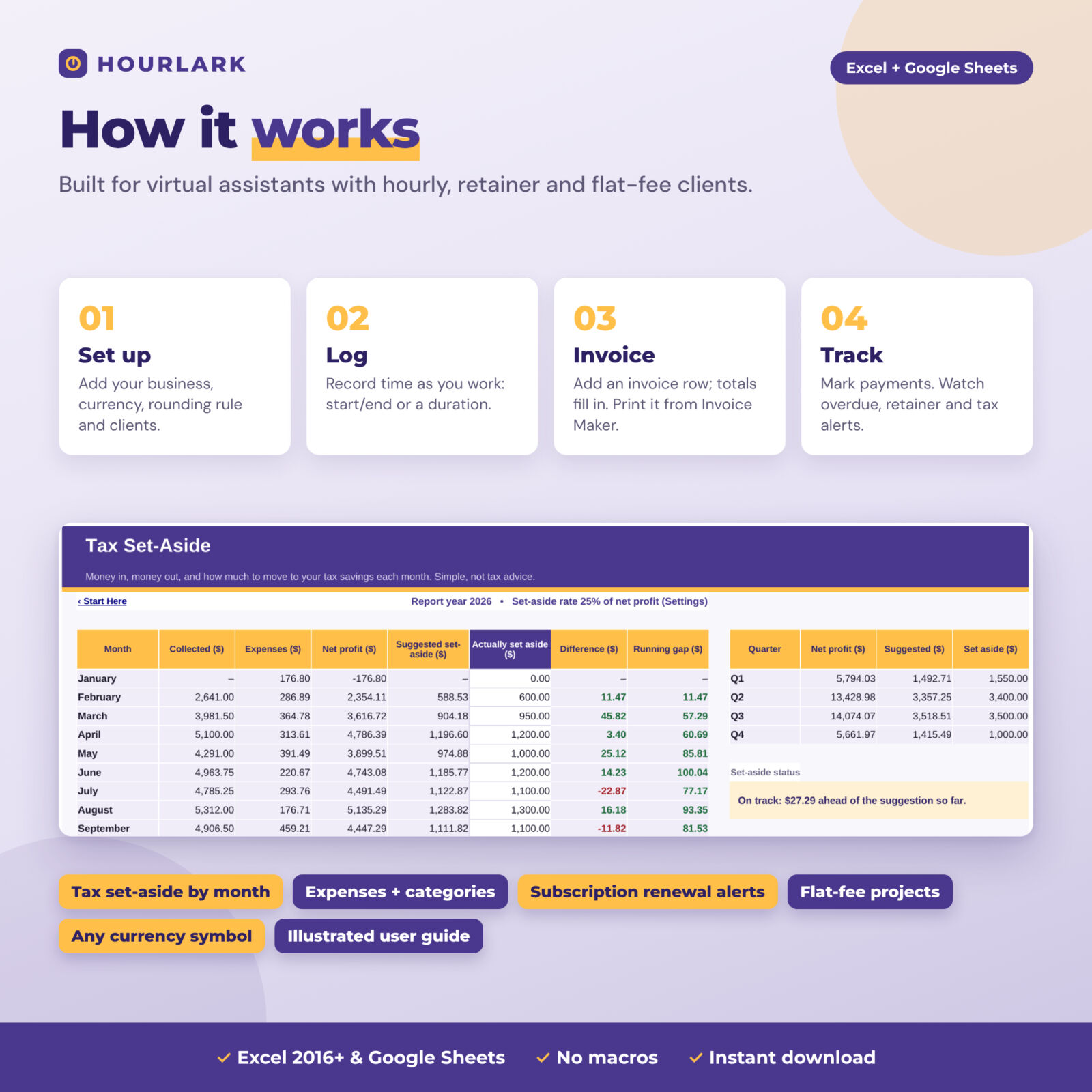
- Tax Set-Aside: net profit by month, suggested savings at your % and the gap
What is included
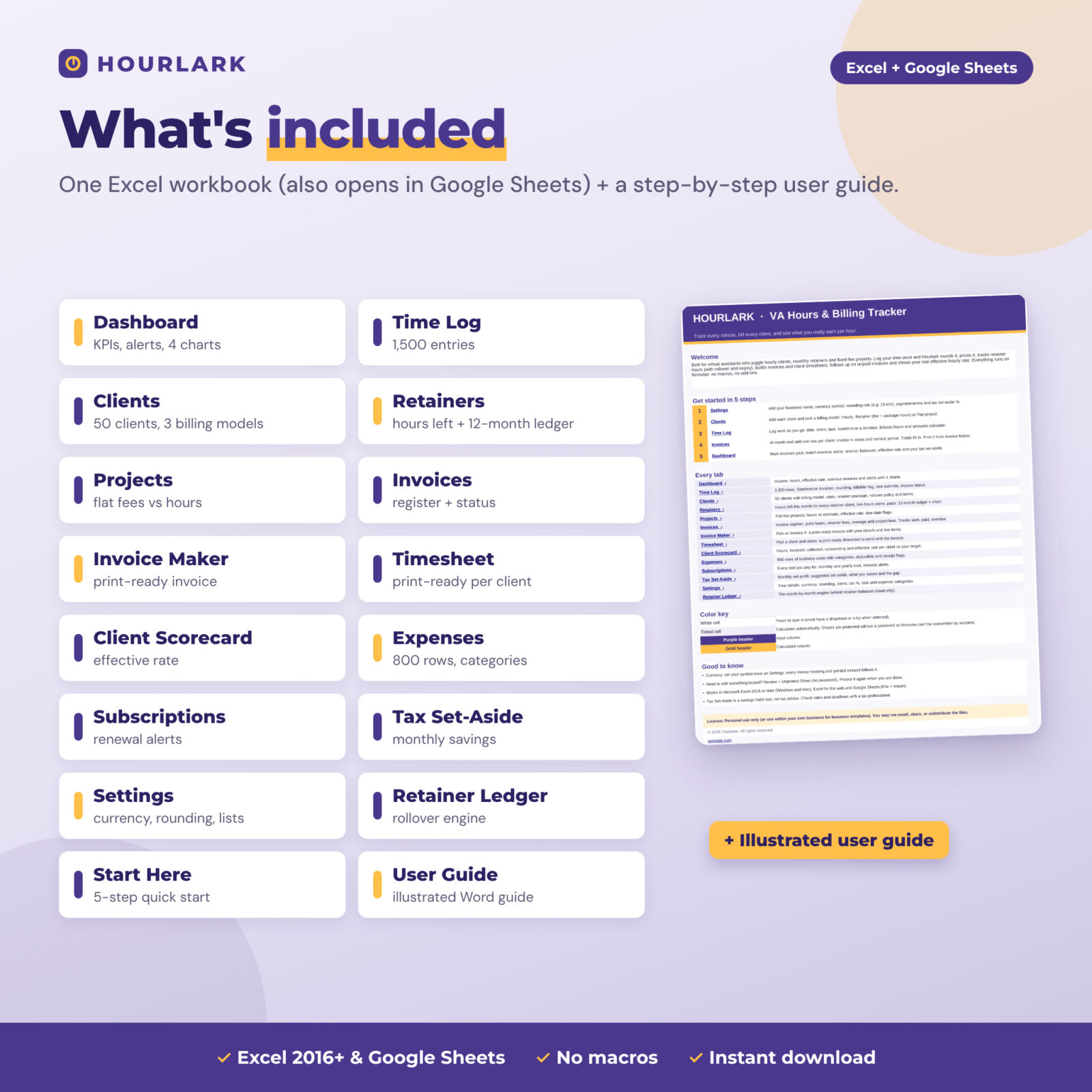
- Hourlark VA Hours & Billing Tracker (.xlsx) with 15 tabs: Start Here, Dashboard, Time Log, Clients, Retainers, Projects, Invoices, Invoice Maker, Timesheet, Client Scorecard, Expenses, Subscriptions, Tax Set-Aside, Settings and Retainer Ledger
- Illustrated user guide (.docx) with setup steps, feature walkthroughs, troubleshooting and FAQ
How it works
- Fill in Settings: business details, currency symbol, rounding, payment terms, target rate and tax set-aside %.
- Add your clients and their billing model.
- Log time as you work.
- At month end, add an invoice row per client and print it from Invoice Maker, with a timesheet if the client wants one.
- Record payments and check the Dashboard and Retainers tab each week.
File formats and software requirements
You get a Microsoft Excel workbook (.xlsx) and a Word user guide (.docx). It works in Excel 2016 or later on Windows and Mac, Excel for the web, and Google Sheets (upload, then File > Save as Google Sheets). It does not use macros, scripts or add-ons. Apple Numbers is not supported.
Customization
Use any currency symbol, rename task and expense categories, set your own rounding, alert level, payment terms and tax %, and override rounding and terms per client. Sheets are protected without a password so formulas are safe, and you can unprotect them to change colors or add your logo.
Digital download
This is a digital product. Your files are available to download right after purchase. Nothing is shipped.
Use cases
- A VA with three retainer clients checks mid-month that one client has used 82% of their hours and sends a heads-up before overage.
- An hourly VA bills in 6-minute increments for one client and 15-minute increments for the rest.
- A new VA sees that one client pays well on paper but earns under the target rate once unbilled calls are counted, and raises the price.
- At month end a VA prints invoices and timesheets for every client in under 20 minutes.
FAQ
Does this work in Google Sheets?
Yes. Upload the .xlsx to Google Drive and save it as a Google Sheet. Formulas, dropdowns, charts and color alerts carry over.
Can I track retainer hours that roll over?
Yes. Choose no rollover, a one-month rollover or no expiry per client, with an optional cap. Rolled-in hours are used first.
Does it have a live timer?
No. Spreadsheets can’t run a timer without scripts. Type start and end times or a duration, or copy durations from any timer app.
Can I use my own currency?
Yes. Set your symbol once on Settings; every money heading and printed amount follows it.
How many clients can I track?
Up to 50 clients, 1,500 time entries, 300 invoices, 50 projects, 800 expenses and 50 subscriptions per workbook.
Does it calculate my taxes?
No. Tax Set-Aside suggests how much to save at the percentage you choose. It is not tax advice; check with a tax professional.
Is my client data private?
Yes. The file stays on your computer or in your own Google Drive.
License: personal use only (or use within your own business for business templates). You may not resell, share, or redistribute the files.
Reviews
There are no reviews yet.