Best Food Budget Tracker: How to Choose the Right One
If you want the best food budget tracker, start with how you shop. A spreadsheet such as Plateful or TableTally works out costs for you. A printable kit such as Fresh Week or Larder & Ladle suits you better if you like pen and paper. A tablet planner such as Basil & Birch fits if you write with a stylus.
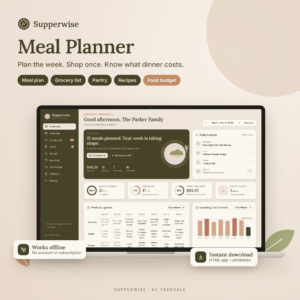 Digital Meal Planner & Grocery List App | Weekly Meal Plan, Recipes, Pantry & Food Budget | Supperwise
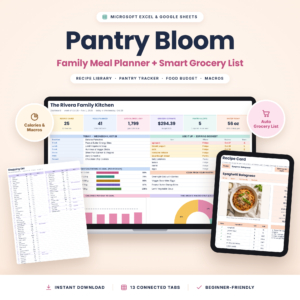 Pantry Bloom Meal Planner Spreadsheet | Excel & Google Sheets Weekly Meal Plan, Smart Grocery List, Recipe Organizer & Pantry Inventory
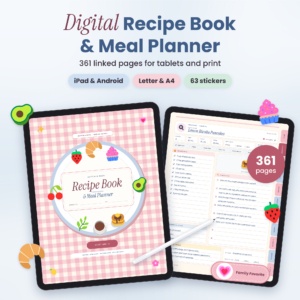 Butter & Basil Digital Recipe Book & Meal Planner: Hyperlinked GoodNotes Recipe Organizer with Grocery Lists, Pantry Inventory & Printable PDF
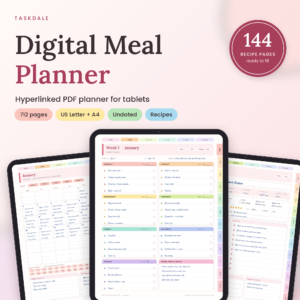 Basil & Birch Digital Meal Planner, Undated Hyperlinked PDF for Tablets (US Letter + A4)
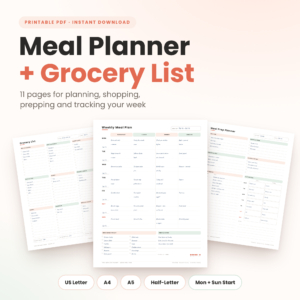 Fresh Week Meal Planner Printable Bundle: Weekly Planner, Grocery List, Meal Prep & Food Tracker (US Letter, A4, A5, Half-Letter PDF)
 Fresh Week Meal Planner and Grocery System: Printable and Fillable PDF (US Letter, A4, A5)
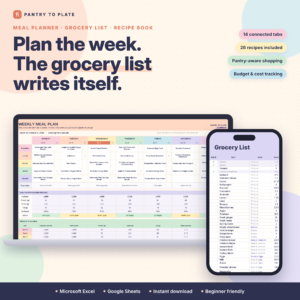
Table of Contents
- Key facts at a glance
- What makes a food budget tracker worth using?
- Which food budget tracker suits which person?
- How do you use a food budget tracker week to week?
- What mistakes spoil a food budget tracker?
- What affects the price of a food budget tracker?
- Which food budget tracker should you choose?
- Common questions
Food spending is hard to pin down because it happens in small amounts, several times a week. A good tracker makes it visible without turning your kitchen into an accounts office. Every option here is a digital download, and each links the plan for the week to the shopping list and the money spent.
Key facts at a glance
- A food budget tracker is a planner, spreadsheet or app that records what you plan to spend on food and what you actually spent.
- Spreadsheets (Plateful, TableTally, Pantry Bloom) can add up recipe costs automatically. Printable PDFs rely on you to write the figures in.
- Pantry tracking matters as much as the budget page, because food you already own should not go on the shopping list.
- Printables come in sizes from Half Letter and A5 up to US Letter and A4, so you can match your printer or binder.
- You can browse all 13 options below and compare them on format, not just looks.
What makes a food budget tracker worth using?
A food budget tracker is worth using when it links three things: the meals you plan, the list you shop from, and the money you spend. If any link is missing, you end up retyping figures, and most people stop within a fortnight. These are the factors that separate the good ones.
Does it build the grocery list for you?
The best trackers turn your chosen meals into a shopping list automatically. Plateful, TableTally and Pantry Bloom all do this from dropdown choices, and the lists are sorted by aisle. Supperwise does it in a browser app, skipping anything already in your pantry.
Printables give you a grocery list page instead. You write it yourself, which takes minutes, but nothing checks it against your cupboards.
Does it subtract what is already in your pantry?
Pantry subtraction stops you buying a fourth tin of tomatoes. Plateful, Pantry Bloom, Supperwise and the Excel and Google Sheets edition of Pantry to Plate all remove pantry items from the list before you shop. Pantry to Plate also adds expiry alerts, useful if you throw away food you forgot you had.
Printable kits include pantry pages, but you update them by hand. That works if you do a quick stock check on the same day each week.
Does it show the cost of each meal or just a weekly total?
A weekly total tells you whether you overspent. A cost per meal tells you why. Supperwise shows what each meal really costs once you log what you paid. Plateful shows weekly food cost against your budget, and Pantry Bloom prices every recipe.
Expect to enter or check ingredient prices at the start. That is a one-off job, and it is what makes later weeks quicker.
Which format fits the way you already plan?
Format decides whether you keep using the thing. Spreadsheets suit people who are happy on a laptop. Printable PDFs suit people who like a clipboard on the fridge. Hyperlinked PDFs, such as Basil & Birch and Butter & Basil, suit a tablet with a stylus, where you tap a tab to jump between pages.
Butter & Basil is built for GoodNotes. Check you have a compatible app before you choose it.
Is it undated and reusable?
An undated planner lets you start any week and reprint a page when you need to. Rainbow Plate, Basil & Birch and Larder & Ladle are all undated. That matters because a dated planner punishes you for missing a month, and an undated one doesn't.
How do the main food budget trackers compare?
The table sets out the main options by format, how each handles budgeting, and what it suits. The spreadsheets and the browser app are covered in the next section.
| Product | Format | Budget features | Best for |
|---|---|---|---|
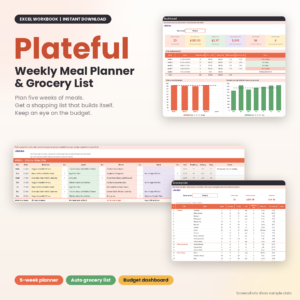 Plateful Weekly Meal Planner & Grocery List | Excel workbook (.xlsx) | Weekly food cost against your budget, five weeks of meals, daily calories per person | Households that want automatic costing |
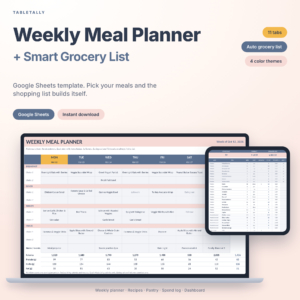 TableTally: Weekly Meal Planner Google Sheets Template with Auto Grocery List | Google Sheets | Spend log, dashboard, pantry tracker, 160 meal ideas | Shared planning on any device |
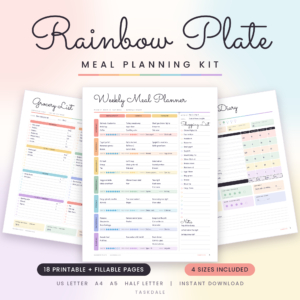 Rainbow Plate Meal Planning Kit | Printable PDF, 18 pages | Budget tracker, grocery list, food diary | A simple, low-effort start |
| Basil & Birch Digital Meal Planner, Undated Hyperlinked PDF for Tablets (US Letter + A4) | Hyperlinked tablet PDF | Monthly food budgets, 60 weekly plans, pantry and freezer trackers | Stylus users on a tablet |
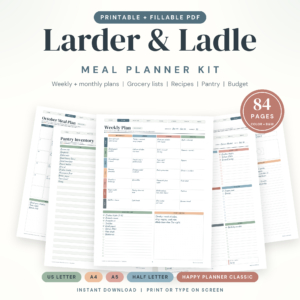 Larder & Ladle Meal Planner Printable Kit: Fillable PDF, 84 Pages, 5 Sizes | Printable, fillable PDF | Food budget pages, pantry tracker, recipe pages | Printing a custom binder |
| Fresh Week Meal Planner Printable Bundle: Weekly Planner, Grocery List, Meal Prep & Food Tracker (US Letter, A4, A5, Half-Letter PDF) | Printable PDF, 11 pages | Budget tracker, three grocery lists, pantry inventory | A compact weekly routine |
| Fresh Week Meal Planner and Grocery System: Printable and Fillable PDF (US Letter, A4, A5) | Printable and fillable PDF, 18 landscape pages | Budget tracker, weekly review, monthly pages | Reviewing spending each week |
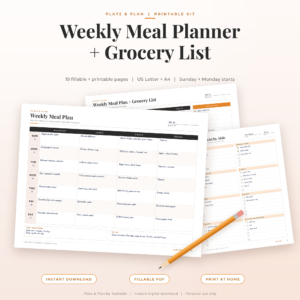 Plate & Plan Weekly Meal Planner Printable: Grocery List, Meal Prep and Pantry Inventory, Fillable PDF (US Letter + A4) | Fillable and print-only PDFs, 19 pages | Budget page, pantry, fridge, 4 week dinner rotation | Dinner-focused planning |
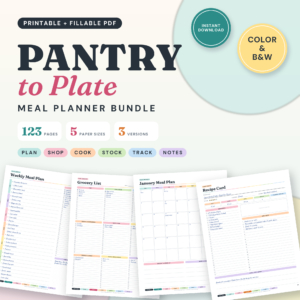 Pantry to Plate Meal Planner Printable Bundle, 123 Pages, Fillable PDF, 5 Sizes | Printable, fillable PDF, 123 pages | Budget pages, pantry tracking, recipe saving | Large households or heavy planners |
| Butter & Basil Digital Recipe Book & Meal Planner: Hyperlinked GoodNotes Recipe Organiser with Grocery Lists, Pantry Inventory & Printable PDF | GoodNotes PDF, 361 linked pages | Food budget pages, pantry, fridge and freezer | Building a recipe book and budget together |
Three more suit people who want more automation. Supperwise runs in your web browser, offline, with no account and no subscription. Pantry Bloom is an Excel and Google Sheets workbook with 13 connected tabs. The Excel and Google Sheets edition of Pantry to Plate adds expiry alerts and rounds up to real pack sizes.
Which food budget tracker suits which person?
The right tracker depends on who does the shopping and how much typing you will tolerate. Match yourself to one of these.
- You want the numbers done for you: Plateful, Pantry Bloom, or Pantry to Plate in Excel and Google Sheets. Choose them if you will happily set up recipes once and then let the sheet work.
- You share planning with a partner or family: TableTally, since Google Sheets can be opened on several devices.
- You want no spreadsheet and no account: Supperwise. It lives in your browser and also gives you six printable pages.
- You want to print and write: Rainbow Plate for simplicity, Fresh Week for a short weekly routine, Larder & Ladle or Pantry to Plate Printable Bundle for a bigger set.
- You work on a tablet: Basil & Birch for a year of undated weeks, or Butter & Basil if you want a large recipe collection with linked indexes.
One note on Fresh Week Meal Planner and Grocery System: it is not editable. You type into the fill-in pages or print the clean version, but you cannot change the layout.
How do you use a food budget tracker week to week?
You use a food budget tracker by running the same five steps every week. The routine matters more than the product.
- Set a weekly food figure you can live with, based on what you actually spent recently.
- Check your pantry, fridge and freezer and note what needs using up.
- Choose the week's meals, starting with the ingredients you already own.
- Build the grocery list from those meals, then shop from the list only.
- Log what you paid and compare it with your budget before you plan the next week.
Keep the review short. Five minutes on the same day each week is enough to spot a pattern, such as snacks pushing you over.
What mistakes spoil a food budget tracker?
The most common mistake is choosing a tracker that is more detailed than you will maintain. A 123-page bundle looks thorough, but if you only print three pages a week, a small kit would have served you better.
Other mistakes to avoid:
- Skipping the pantry page. Without it, the list and the budget both drift.
- Budgeting a perfect week. Allow room for the odd takeaway, or the figure will feel like a failure by Wednesday.
- Never logging real spending. A plan without actuals is only a wish list.
- Ignoring pack sizes. Plateful and Pantry to Plate round up to whole packs, which is how shops actually sell food. A hand-written list does not.
- Choosing the wrong file type. Excel, Google Sheets, GoodNotes and plain PDF are not interchangeable. Check what you can open first.
What affects the price of a food budget tracker?
Price depends mainly on how much the file automates and how many pages it contains. A spreadsheet that prices recipes, subtracts pantry stock and rounds to pack sizes involves more build work than a printed page, so it tends to sit higher. Larger page counts, multiple paper sizes and included stickers or covers also push it up.
You are paying once per download, so there is no monthly fee on the products supplied here. Supperwise states plainly that it has no subscription. The live product cards show current prices.
Which food budget tracker should you choose?
Pick the tracker that matches the effort you will really put in. If you will not enter ingredient prices, choose a printable. If you hate writing lists, choose a spreadsheet or Supperwise. If you live on a tablet, choose Basil & Birch or Butter & Basil.
When two look equal, choose the one that opens in software you already use. A planner you open every Sunday beats a cleverer one you forget.
Common questions
Can I use a food budget tracker without a subscription?
Yes. Every product on this page is a one-off download. Supperwise says explicitly that it has no account and no subscription, and it works offline in your web browser.
Do I need Excel for the spreadsheet planners?
Not always. TableTally is built for Google Sheets. Pantry Bloom and the Pantry to Plate spreadsheet work in both Excel and Google Sheets. Plateful is an .xlsx workbook, so you need Excel or software that opens that format.
Can I print the digital planners?
Yes, most of them. Supperwise includes six printable pages. Butter & Basil includes a printable PDF in US Letter and A4. Basil & Birch is designed for tablets, with US Letter and A4 PDFs, so check your use before printing.
Which paper sizes are available?
It varies. Larder & Ladle and Pantry to Plate Printable Bundle offer five sizes, including a 7 x 9.25 in planner size. Fresh Week and Rainbow Plate offer four or three, and Plate & Plan covers US Letter and A4 only.
Are these planners for personal or commercial use?
Rainbow Plate and Fresh Week Meal Planner and Grocery System state personal use. For the others, no licence terms are supplied here, so check the product listing before using any of them outside your own household.