A 2027 digital student planner built around your classes
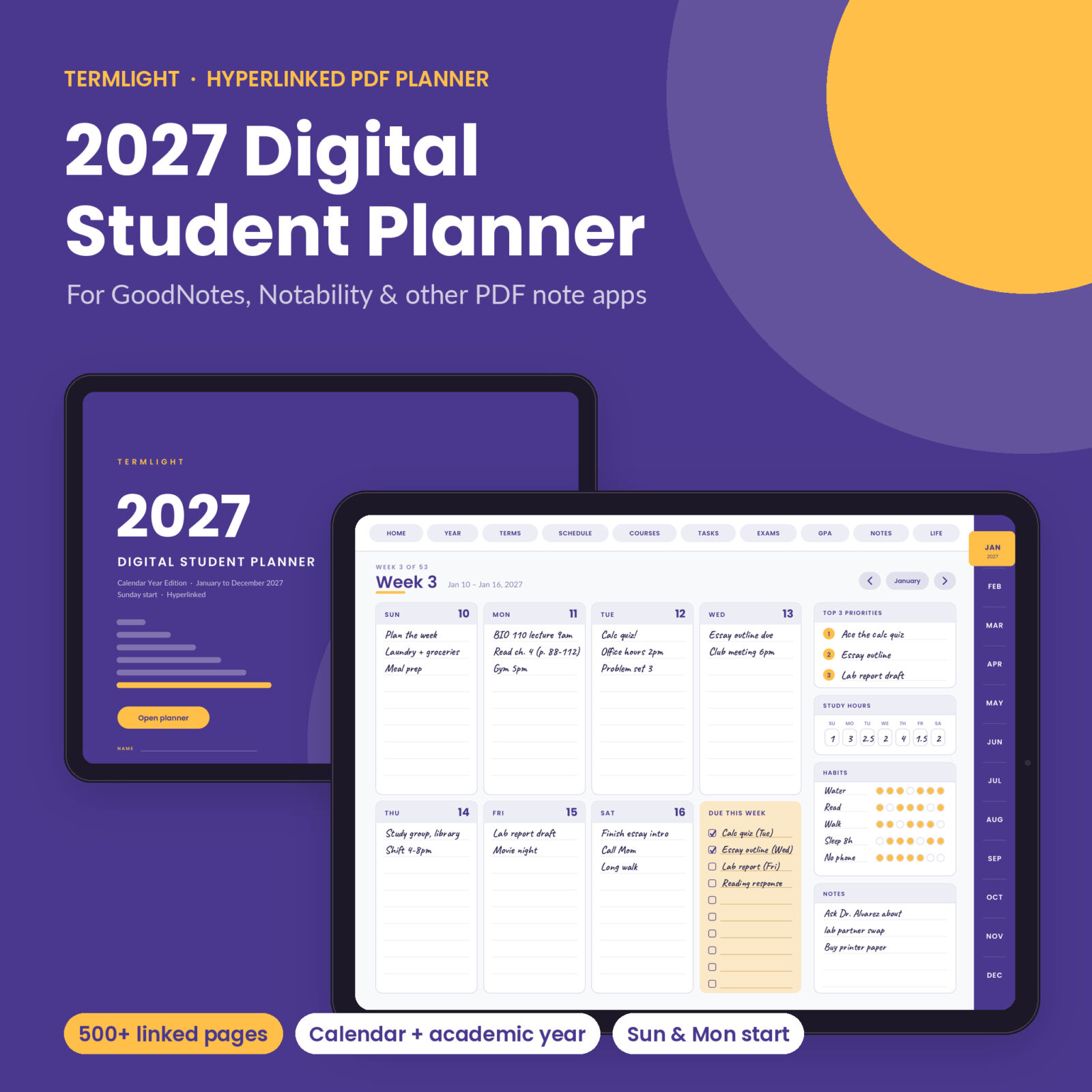
Termlight is a 2027 digital student planner for your tablet. It is a hyperlinked PDF you import into GoodNotes, Notability or another PDF note app, then write in with your stylus. Every date, week and month is linked. So is every student page: term plans, class timetables, course hubs, grade logs, an assignment tracker, an exam planner and GPA worksheets.
Most digital planners are life planners with a “school” tab bolted on. This one starts with the syllabus. Your quiz on Tuesday, your lab grade and your finals week all live one tap apart.
What you get
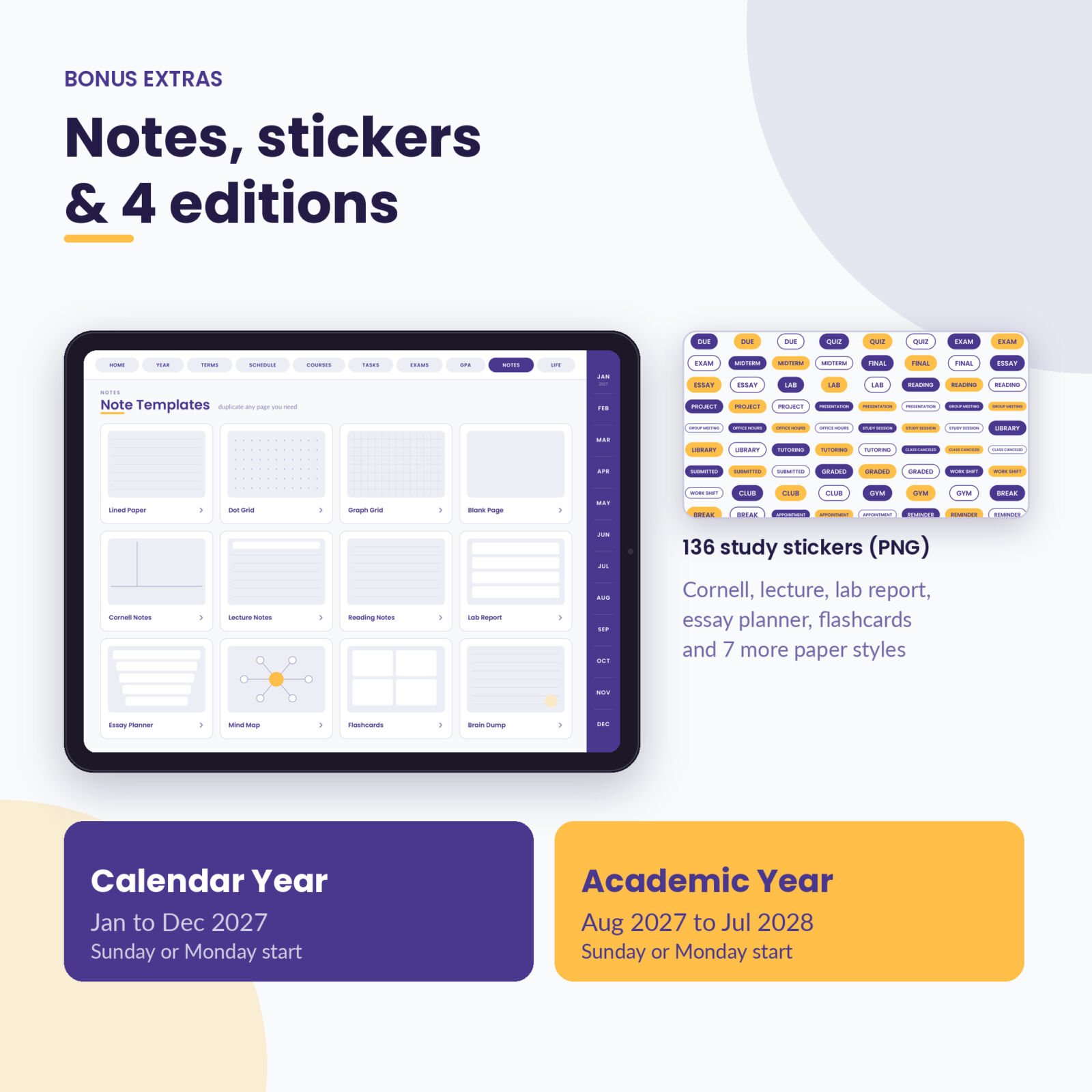
- 4 planner PDFs: Calendar Year (January to December 2027) and Academic Year (August 2027 to July 2028), each with a Sunday start and a Monday start
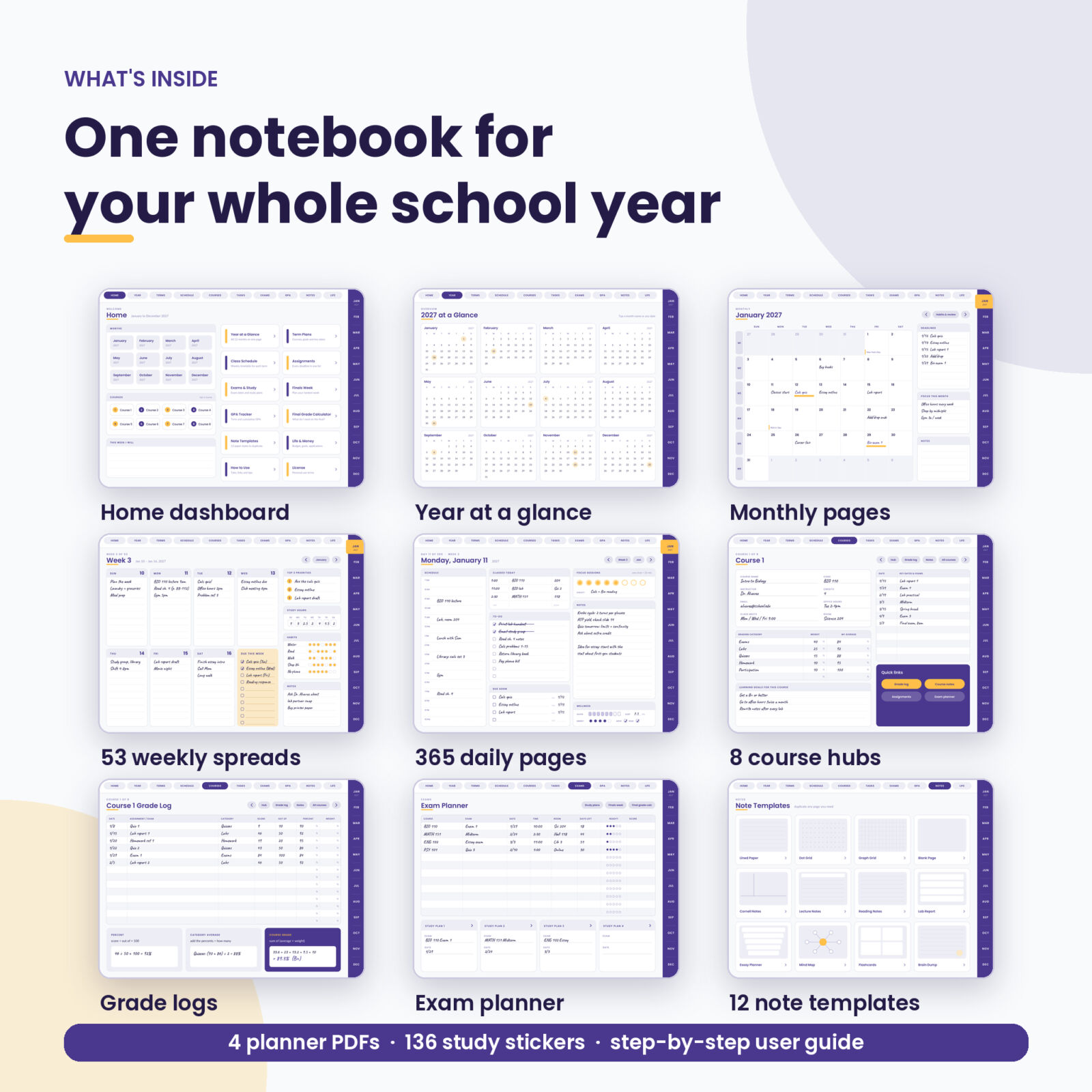
- 500+ pages per planner with more than 15,000 working links
- 136 study stickers as transparent PNG files: DUE, QUIZ, EXAM, LAB, OFFICE HOURS, status chips, date dots, progress bars and more
- User guide (DOCX) with setup steps, a link map, grade math examples, tips and troubleshooting
Inside each planner
Calendar pages
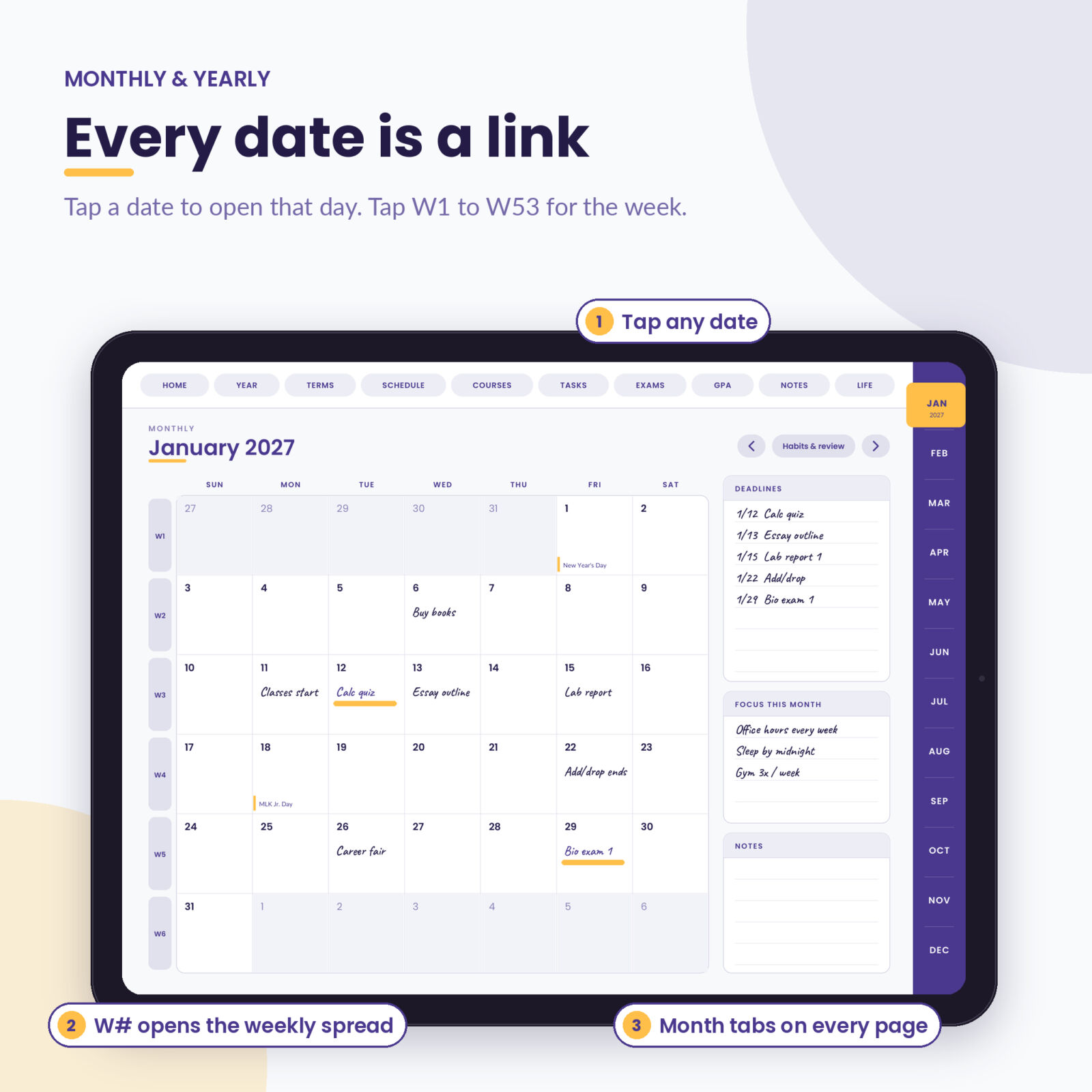
- Year at a glance with every date linked and US federal holidays marked
- 12 monthly calendars with a deadlines list, monthly focus and notes. Tap a date for the day, or W1 to W53 for the week
- 12 monthly habits & review pages with an 8-habit tracker, a monthly budget (planned vs actual), wins and next month’s focus
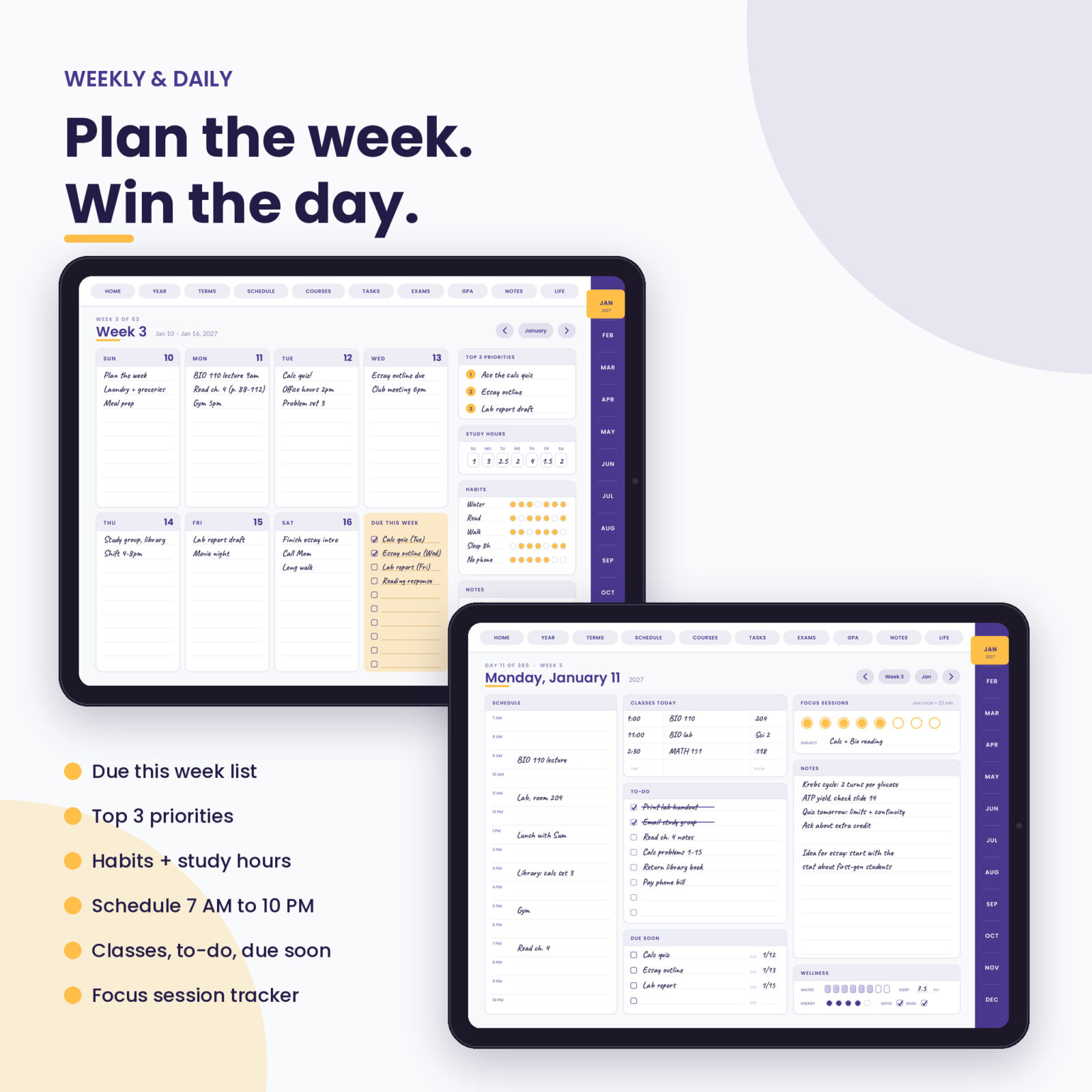
- 53 weekly spreads with day boxes, a Due This Week checklist, top 3 priorities, study hours and a habit tracker
- 365 dated daily pages (366 in the academic edition) with a 7 AM to 10 PM schedule, classes today, to-do list, due soon, focus session tracker, notes and a quick wellness check
Student pages
- 4 term plans that work for semesters, trimesters or quarters: courses, credits, instructors, goals and key dates
- 4 class timetables from 7 AM to 10 PM with a numbered class key
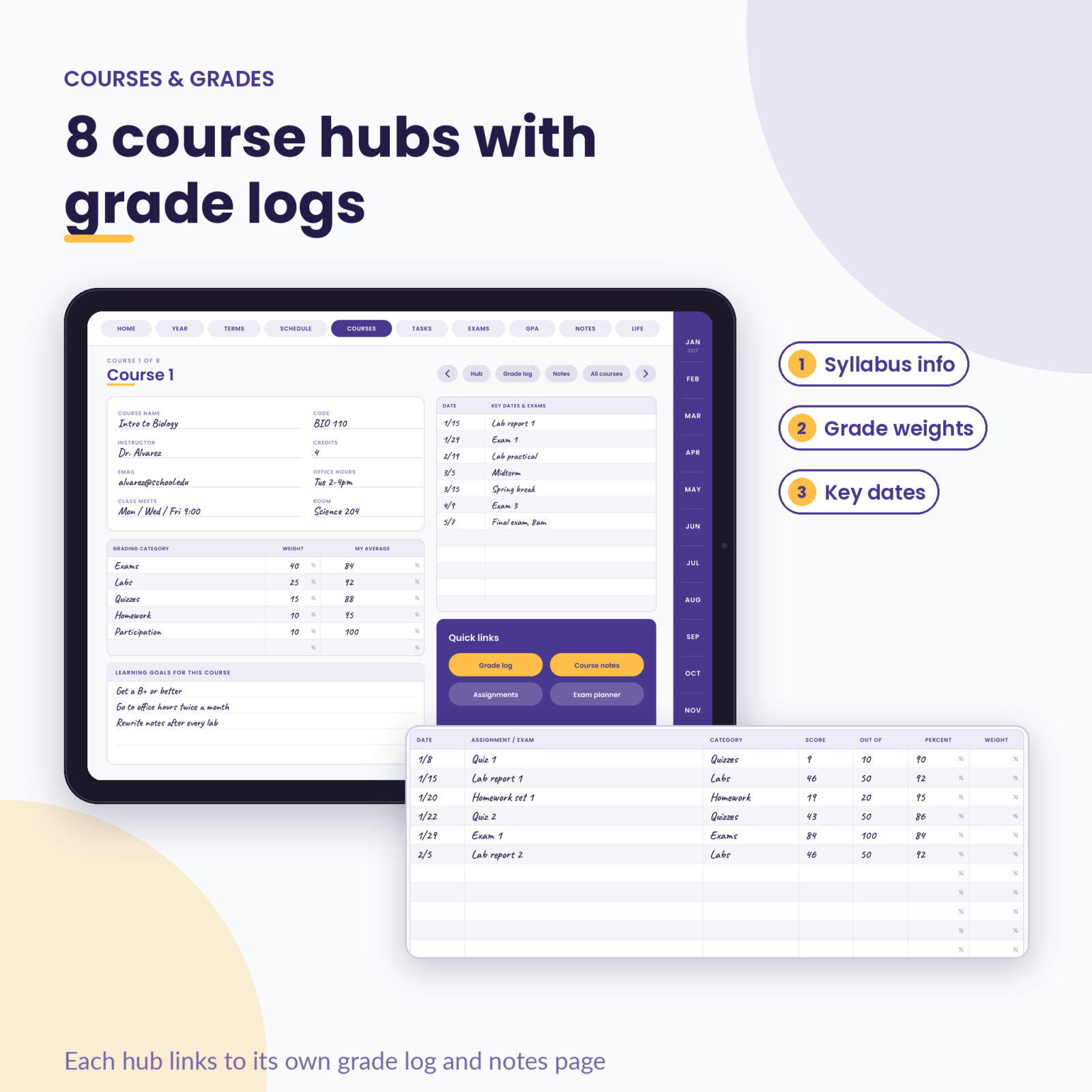
- 8 course hubs for syllabus details, grading weights and key dates, each linked to its own grade log and Cornell notes page
- Assignment tracker with 80 rows: due date, course, type, priority and grade
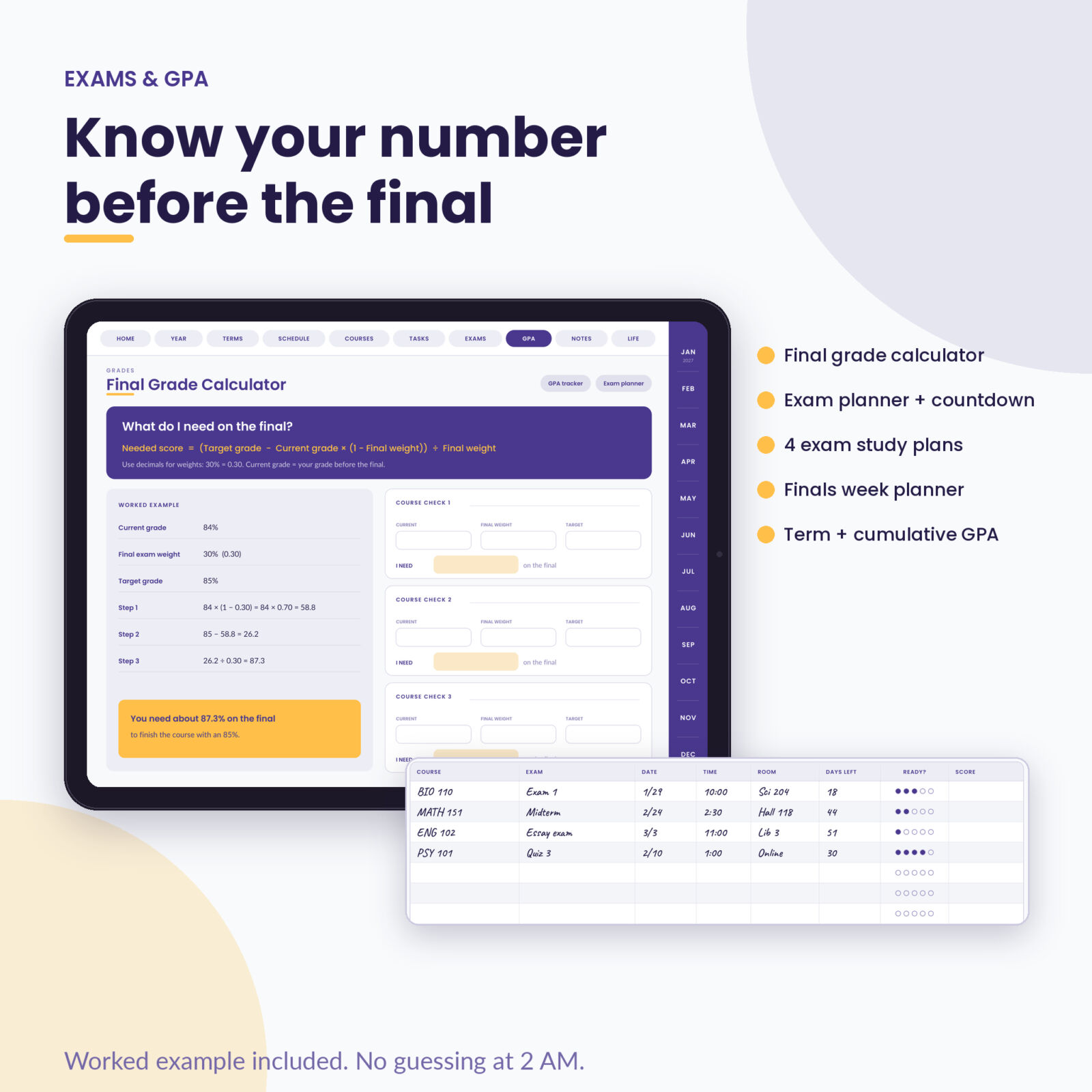
- Exam planner with days left and a readiness score, 4 exam study plans with a 7-day countdown, and a finals week planner
- Term GPA worksheets, a cumulative GPA tracker and a final grade calculator page with the formula and a worked example
- Life & money: goals, student budget, contacts, internship and scholarship applications, activities and volunteer hours, reading list
- 12 note templates: lined, dot grid, graph, blank, Cornell, lecture, reading notes, lab report, essay planner, mind map, flashcards and brain dump
How the links work
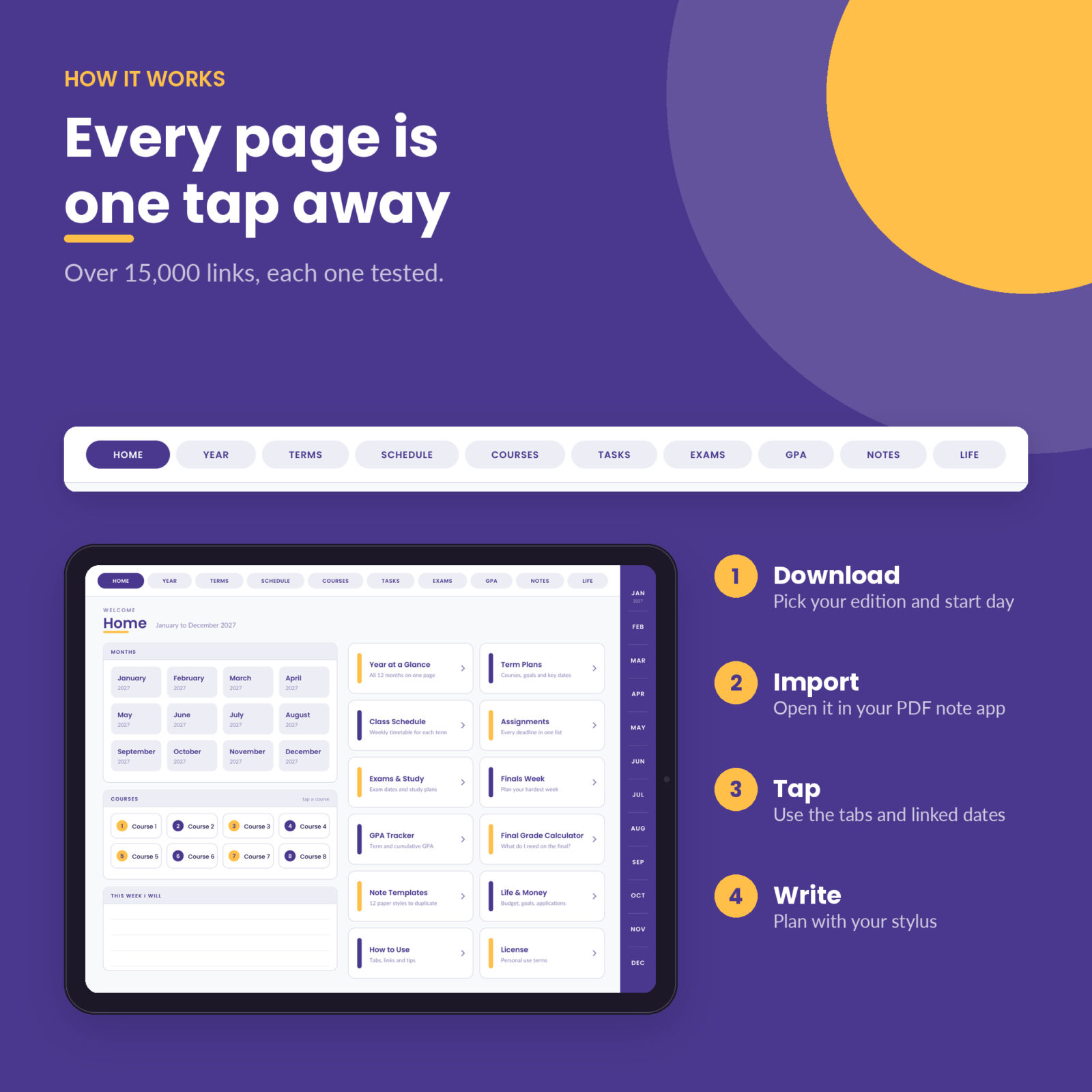
Ten tabs run across the top of every page: Home, Year, Terms, Schedule, Courses, Tasks, Exams, GPA, Notes and Life. The twelve months sit down the right side, and the current month lights up in yellow. Arrow buttons move you to the previous or next day, week, month or course. Pill buttons jump to related pages, like the grade log from a course hub or the week from a daily page.
We checked every link in every edition with an automated test that confirms each one lands on the right page and that each date label matches the day it opens. That is over 15,000 links per planner, and none of them go to the wrong place.
Who it is for
- College and university students taking 3 to 8 courses
- High school students who want deadlines and grades in one place
- Grad students, online learners and adults going back to school while working
- Anyone starting spring 2027 now, or planning ahead for the 2027-2028 school year
Real ways students use it
- Syllabus week: copy every quiz, paper and exam date into the course hubs and the monthly calendar once. Then stop worrying about surprise deadlines.
- Sunday reset: open the weekly spread, fill Due This Week, pick three priorities and block study time on the daily pages.
- Midterm season: list the topics in a study plan, tick off two review passes and practice, and watch the 7-day countdown.
- “What do I need on the final?”: plug your current grade, the final’s weight and your target into the calculator page. The worked example shows every step.
- Scholarship and internship season: track deadlines and follow-ups on the applications page.
Design
Clean grape purple and mango yellow on a soft white page, with Poppins headings and Lato body text. Writing lines are spaced for handwriting, tables are roomy, and nothing is crammed in. Pages are landscape in a 4:3 tablet shape, so they fill an iPad screen.
File formats and requirements
- PDF planners, landscape, 4:3 (1024 x 768 pt), fonts embedded, under 4 MB each so they open quickly
- Needs a note app that keeps PDF hyperlinks, such as GoodNotes or Notability on iPad, or Xodo or Noteshelf on Android tablets
- Stickers: PNG with transparent backgrounds (ZIP)
- User guide: DOCX (opens in Word, Pages or Google Docs)
Customizing
Write your own term names and course names, color-code each course with a highlighter, and duplicate any page you need more of. Duplicated pages keep their links. Money fields have a blank currency space, so any currency works.
Digital download
This is an instant digital download. No physical item is shipped. After checkout, download the files to your tablet and import the PDF edition you want into your note app.
License: personal use for one person on all of their own devices. Please do not share or resell the files.
FAQ
Does it work with GoodNotes and Notability?
Yes. It is a standard hyperlinked PDF made for note apps like GoodNotes and Notability. If a tap writes instead of jumping, switch to read-only or view mode to follow the link.
Can I use it on an Android tablet?
Yes, with a PDF note app that supports links, such as Xodo or Noteshelf.
Which edition should I pick?
You get all four. Use the Calendar Year edition for January to December 2027, and the Academic Year edition for August 2027 to July 2028.
Does it work for quarters or trimesters?
Yes. There are four term pages, each with a write-in term name and dates.
Will it calculate my GPA automatically?
PDF pages cannot run formulas. The GPA worksheets and the final grade calculator page walk you through each step with a worked example.
Can I print it?
Yes, for personal use. Choose landscape and fit to page.
Is there a free sample?
Yes. Our free sample covers the first two weeks of January 2027 so you can test the links in your app first.
Reviews
There are no reviews yet.