

A digital reading journal that works like a real bookshelf
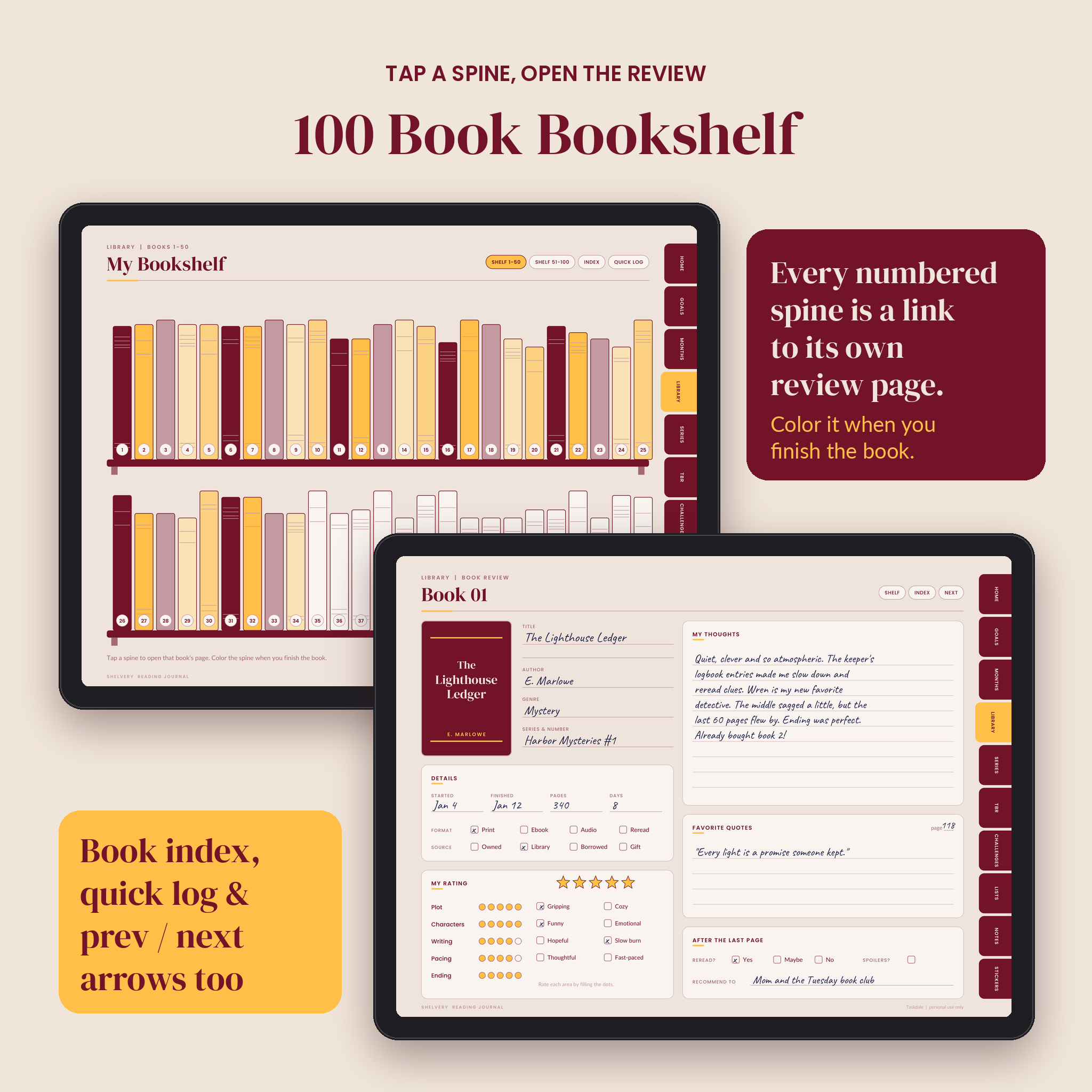
Shelvery is a digital reading journal for GoodNotes, Notability and other PDF note apps. Open it on your tablet and you see a bookshelf with 100 numbered spines. Tap spine 12 and you land on the review page for book 12. Finish the book, color the spine, and watch your shelf fill up over the year.
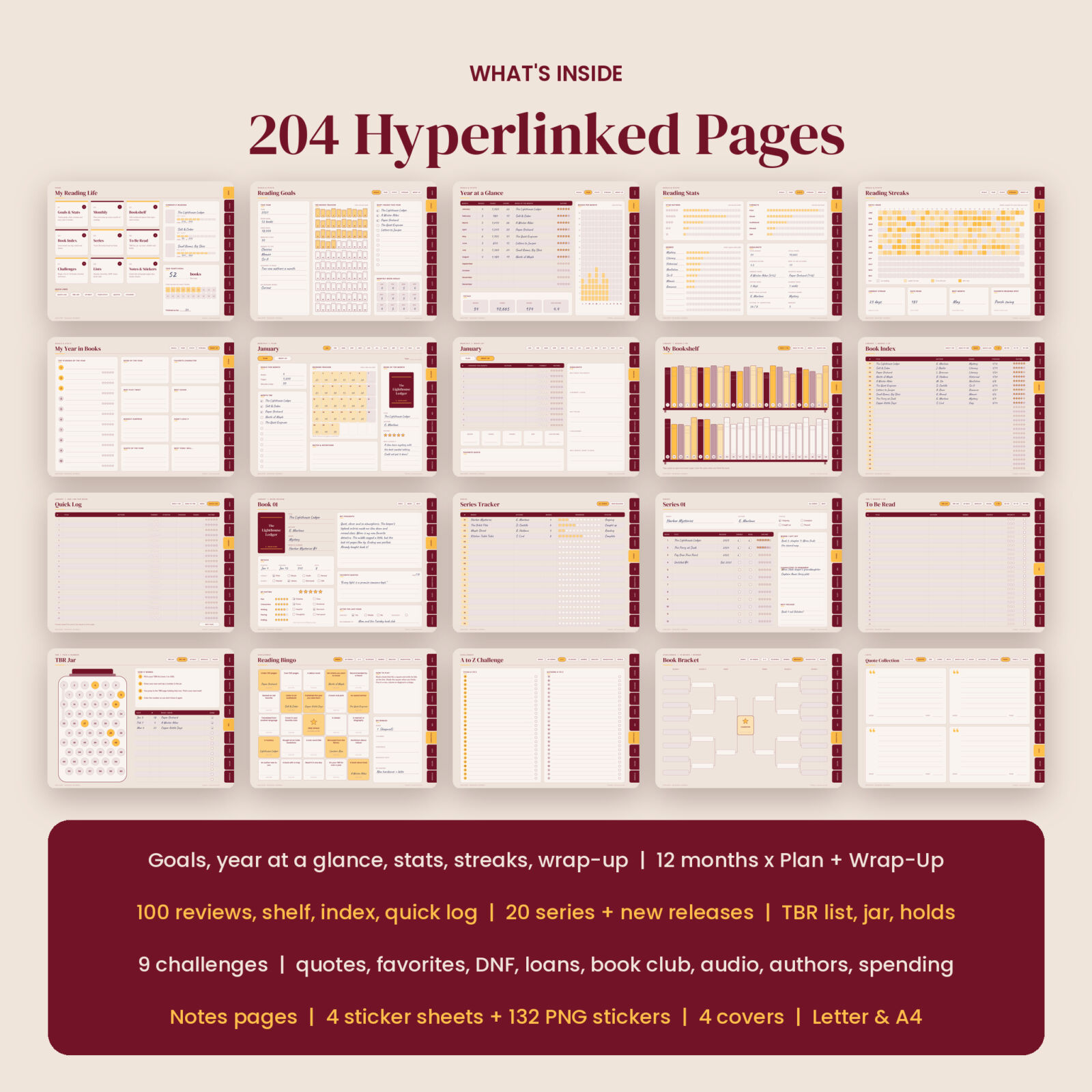
Every page is linked. Side tabs take you to each section, chips at the top take you to the pages inside it, and numbers in the index, the TBR jar and the series list jump straight to the right page. That is more than 3,600 links across 204 pages, all tested.
It looks good without hours of decorating. The layouts are already designed in a warm sand, deep burgundy and mango palette, so you can just write.
What’s inside the reading journal
Start and home
- Home dashboard with nine section tiles, three “currently reading” progress bars and your yearly goal
- Welcome page with a quick how-to and quick links
Goals and reading stats
- Reading goals with a 100-book color-in tracker (each little spine links to its book page)
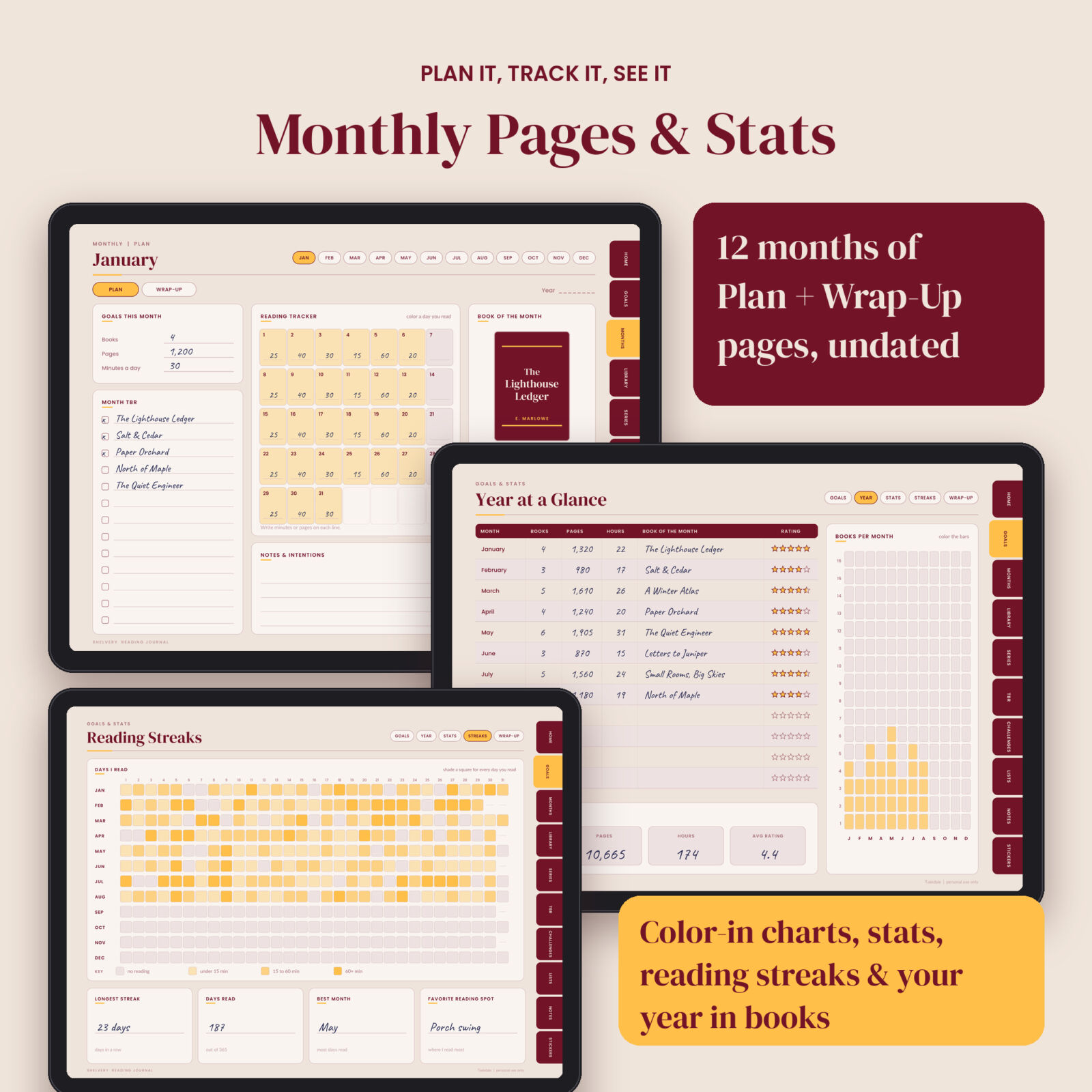
- Year at a glance with books, pages, hours and book of the month, plus a color-in bar chart
- Reading stats tallies for star ratings, formats and genres, and a highlights panel
- Reading streaks calendar: one square per day, 365 days, with a 4-step shading key
- My year in books: top 10 list and 8 awards
Monthly pages
- 12 Plan pages: monthly goals, month TBR, a 31-day reading tracker and a book of the month card
- 12 Wrap-Up pages: finished books table, five stat boxes, favorite quote and reflection prompts
Book log and book reviews
- Bookshelf: 100 numbered spines over two pages, each a link
- Book index: 100 rows with title, author, genre, date and rating
- Quick log: 80 one-line entries for books you don’t want to review in full
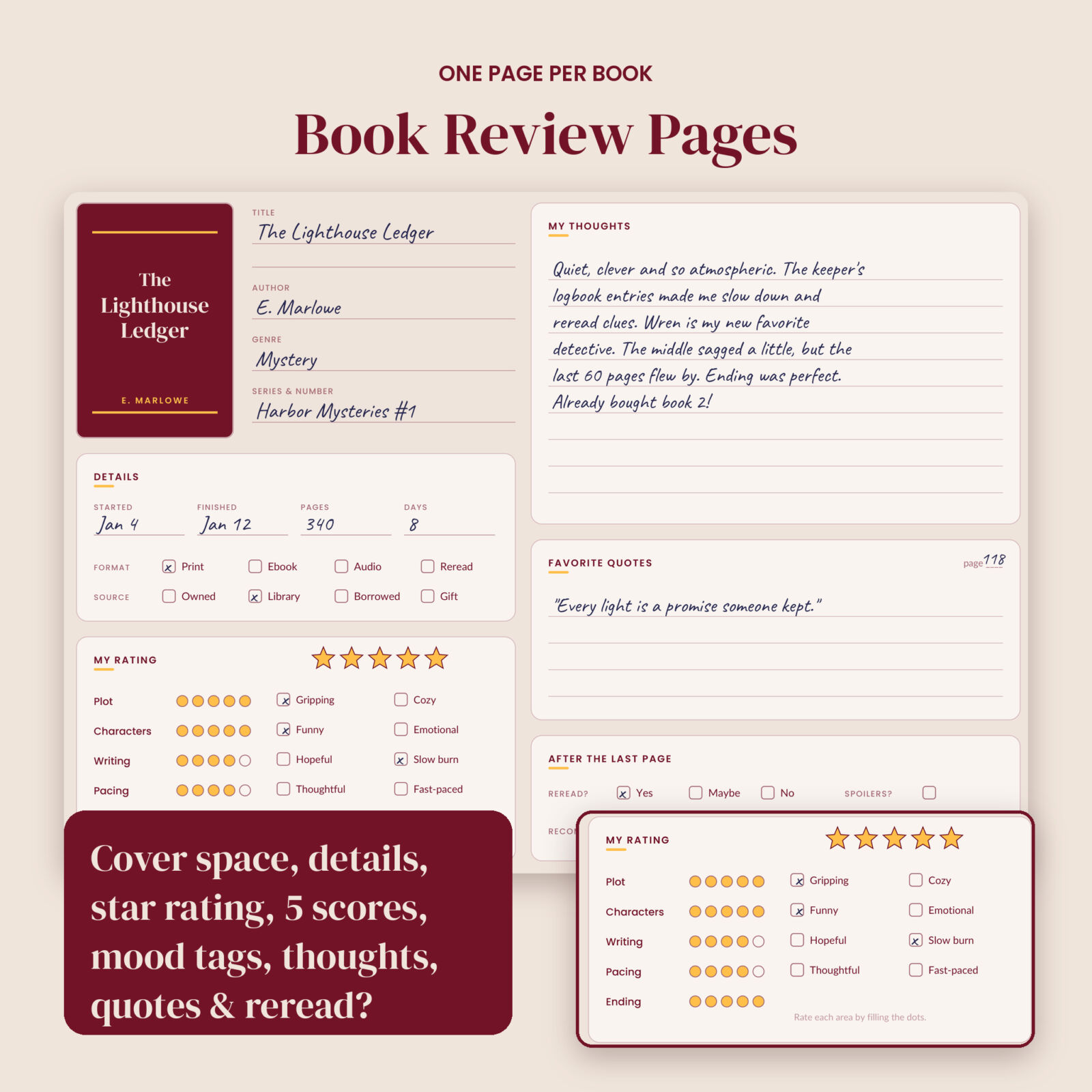
- 100 book review pages: cover space, details, format and source, 5-star rating, five dot scores (plot, characters, writing, pacing, ending), mood tags, thoughts, favorite quotes, reread and recommend
Series tracker and TBR
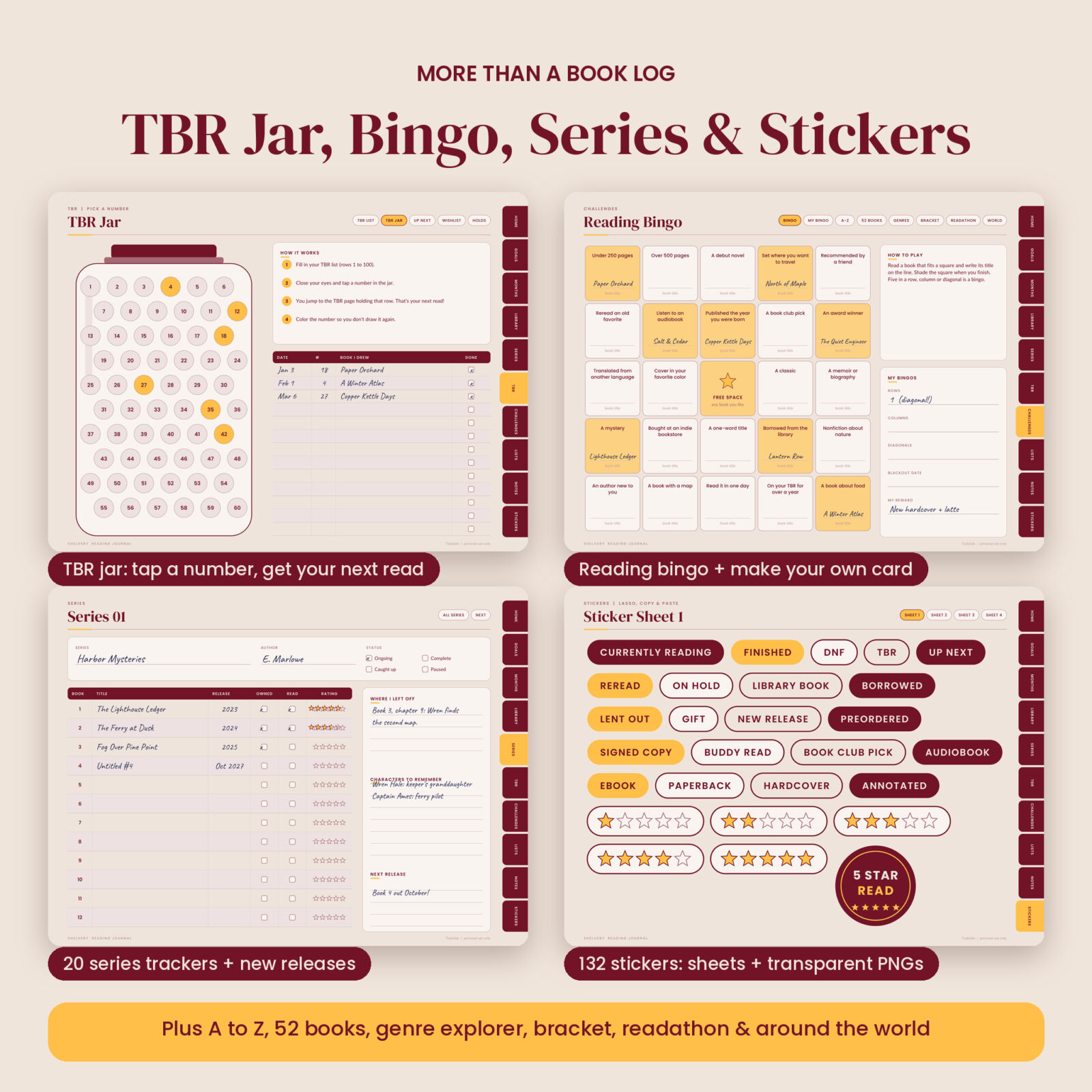
- Series tracker with 20 series pages (12 books each) and a new releases list
- TBR list for 100 books with priority dots
- TBR jar: tap a number and you jump to that row of your TBR list. Your next read, picked for you.
- Up next queue, book wishlist and library holds tracker
Reading challenges
- Reading bingo with 24 prompts, plus a blank card for your own
- A to Z titles and authors, a 52 book challenge with weekly prompts, genre explorer
- 16-book bracket, readathon planner and read around the world (40 places)
Lists, notes and stickers
- Favorites, 3 pages of quotes, did not finish, lent and borrowed, recommendations, 2 book club meeting pages, audiobook log, author tracker and a book spending log with a neutral Amount column for any currency
- Lined, dot grid, graph, blank and Cornell notes pages
- 4 sticker sheets inside the journal plus 132 transparent PNG stickers: status labels, reaction banners, month tabs, genre labels, rating strips, stamps, bookmarks, page flags, washi strips and more
- 4 cover designs as tablet-size PNG files
Who this book journal is for
It suits readers who want one tidy place for everything: the 12-books-a-year reader and the 150-books-a-year reader, book club members, series fans who lose track of which book comes next, and anyone who has started a paper reading journal and stopped because the decorating took longer than the reading.
Real ways people use it
- Logging every book of a yearly reading challenge and seeing the shelf fill up
- Keeping track of a 9-book series with release dates and where you left off
- Picking the next read from a 60-book TBR with the jar instead of scrolling for 20 minutes
- Bringing discussion questions and notes to book club on your tablet
- Running a family or classroom bingo card over the summer
How it works
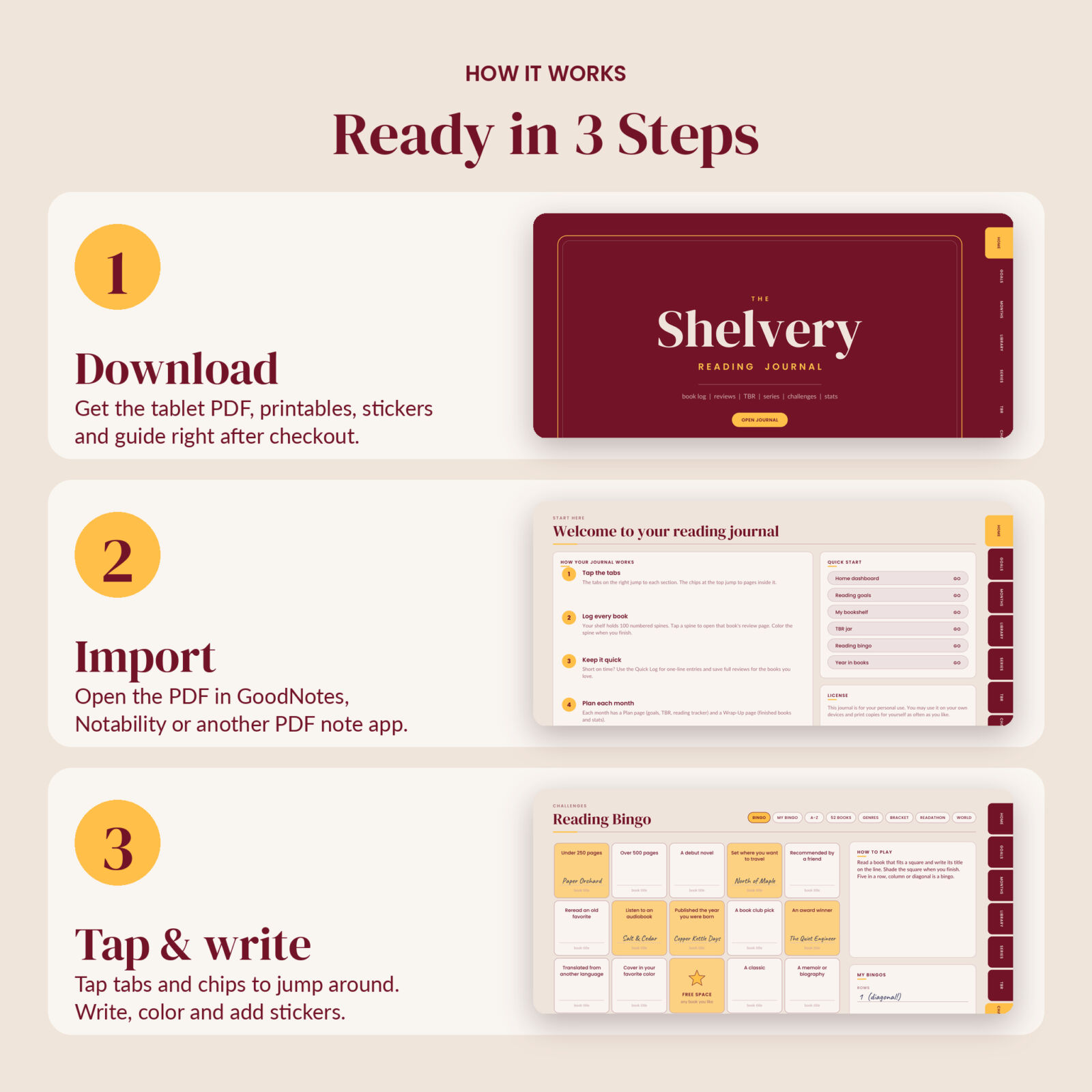
- Download your files right after checkout.
- Import the tablet PDF into GoodNotes, Notability or another PDF annotation app.
- Tap the tabs and chips to move around, then write, color and add stickers.
The included user guide walks you through importing, using links in read-only mode, adding stickers, duplicating pages and printing.
File formats and requirements
- Tablet PDF: 204 pages, landscape 4:3, hyperlinked, about 1.6 MB so it opens fast
- Printable PDFs: US Letter and A4 (landscape), white background to save ink, same pages and links
- PNG stickers and covers in a ZIP file
- User guide as a Word document (DOCX)
You need a PDF annotation app such as GoodNotes or Notability on an iPad or Android tablet, or a PDF reader on a computer. A stylus is helpful but not required. The links are standard PDF links, and most apps follow them in read-only or viewing mode.
Customize it
The journal is undated, so you can start in March or September. Write your own genres, bingo prompts and categories on the blank lines. Duplicate any page in your app when you need more, paste in cover photos, and add stickers wherever you like.
Digital download
This is an instant digital download. Nothing is shipped. The files are for your personal use only: please do not share, resell or redistribute them.
FAQ
Is this reading journal dated?
No. It is undated, so you can start any month and use it any year.
Does it work with GoodNotes and Notability?
It is a standard hyperlinked PDF made for PDF note apps like GoodNotes and Notability. Tap links in read-only mode, write in pen mode.
Can I use it on an Android tablet?
Yes, in any Android PDF app that supports handwriting and internal links.
Can I print it?
Yes. US Letter and A4 printable PDFs are included.
How many books can I track?
100 full book reviews, 80 quick log entries, 100 TBR rows and 20 series. Duplicate pages if you need more.
Are the stickers included?
Yes. There are 4 sticker sheets inside the journal and 132 separate transparent PNG stickers.
Can I use it on my phone?
It opens on a phone, but the pages are designed for tablet screens.
Reviews
There are no reviews yet.