A good free AMOLED wallpaper is harder to find than it should be. Many “black” wallpapers online are actually dark gray, heavily compressed or full of noise, which defeats the point on an OLED screen. Below you can download three true black designs made for iPhone and Android, then read how AMOLED screens handle black, what it means for battery life, and how to build a dark home screen that still looks good.
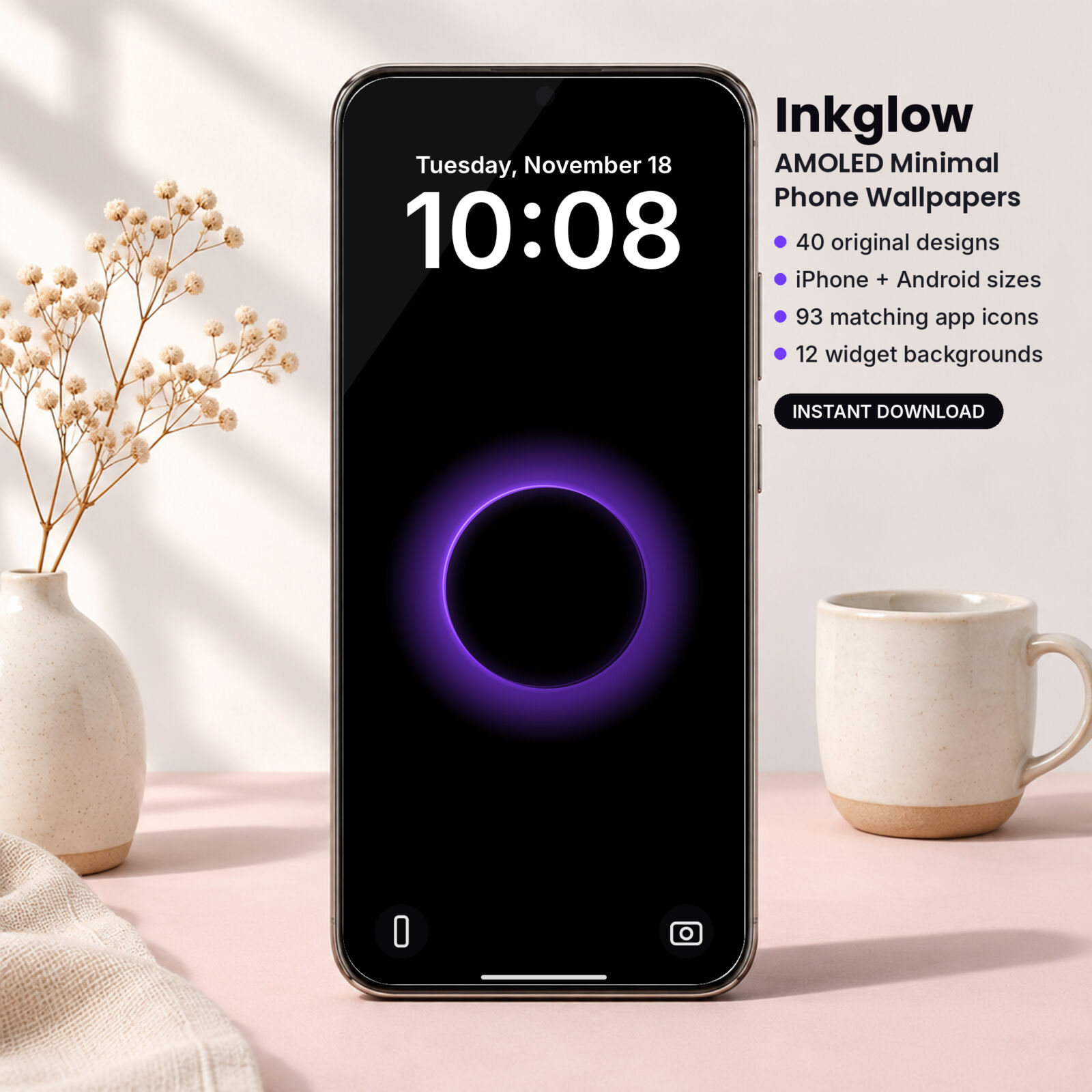
Download 3 free true black AMOLED wallpapers
The free set includes three designs from the Inkglow collection: Orbit Lines in violet, Contour Map in ice and Rim Light in azure. The backgrounds are pure #000000, and each design comes in iPhone (1290 x 2796) and Android (1440 x 3200) sizes.
Free AMOLED Wallpapers (3 True Black Designs, iPhone + Android)
3 true black AMOLED wallpapers from the Inkglow pack (Orbit Lines Violet, Contour Map Ice and Rim Light Azure), each in iPhone 1290 x 2796 and Android 1440 x 3200 PNG, plus a quick guide to the full 40-design pack.
Want everything unlocked?
The free file is a sample. The full version has every page, tab and feature, plus the user guide.
See the full versionWhat makes a wallpaper “AMOLED”?
AMOLED and OLED screens don’t use a backlight. Every pixel makes its own light. When a pixel shows pure black, it switches off completely. That gives you two things an LCD screen can’t match:
- Real black. The screen looks like a sheet of glass with shapes floating on it.
- Less power for dark areas. A pixel that is off draws close to nothing.
An AMOLED wallpaper is simply one built to take advantage of that: mostly pure black, with small areas of light. Most current iPhones (from the iPhone X onward, apart from the XR, 11 and SE models) and a large share of Android phones use OLED panels.
True black vs. “almost black”
This is where most free wallpapers fall short. A background of #0A0A0A looks black to your eye, but every one of those pixels stays on. JPEG compression makes it worse by adding faint blocks of gray around shapes.
We measured every design in the Inkglow pack: between 80% and 95% of the pixels are exactly #000000. The files are PNG, so there is no compression haze.
| Check | Typical free download | Inkglow designs |
|---|---|---|
| Background value | Often #050505 to #121212 | #000000 |
| File type | JPEG, often recompressed | PNG, lossless |
| Pure black pixels | Often under 50% | 80% to 95% |
| Sized for your phone | Rarely | iPhone + Android versions |
Do black wallpapers save battery?
Yes, on OLED screens, but keep your expectations realistic. The wallpaper is only visible on the lock screen and behind your icons. Once you open an app, the app’s colors decide the power draw.
What makes the biggest difference:
- Screen brightness. Black saves more at high brightness, because lit pixels cost more.
- How much of the screen is lit. A thin glowing line costs almost nothing; a bright full-screen gradient costs much more.
- Dark mode in apps. Pair a black wallpaper with system dark mode and the savings carry into the apps you use most.
- Always-on display. If your phone shows a dimmed lock screen all day, a black wallpaper keeps that view light on power.
On an LCD phone, a black wallpaper saves nothing, because the backlight is on regardless. The designs still look sharp and calm, though.
How to set your free AMOLED wallpaper
iPhone
- Unzip the download in the Files app (tap the ZIP once).
- Open a file from the iPhone folder, tap Share, then Save Image.
- In Photos, tap Share, then Use as Wallpaper, then Add.
- Choose Customize Home Screen and turn off Blur if you want the black to stay pure behind your icons.
Android
- Extract the ZIP with your Files app.
- Open the Android version in Gallery or Photos.
- Tap the menu, choose Set as wallpaper, and pick Lock screen, Home screen or both.
Some Android phones add a dim or blur effect to the home screen wallpaper. Check Wallpaper settings and switch it off to keep the black pure.
Want all 40 designs?
TASKDALE PICK
Inkglow: Dark Mode AMOLED Minimal Phone Wallpapers
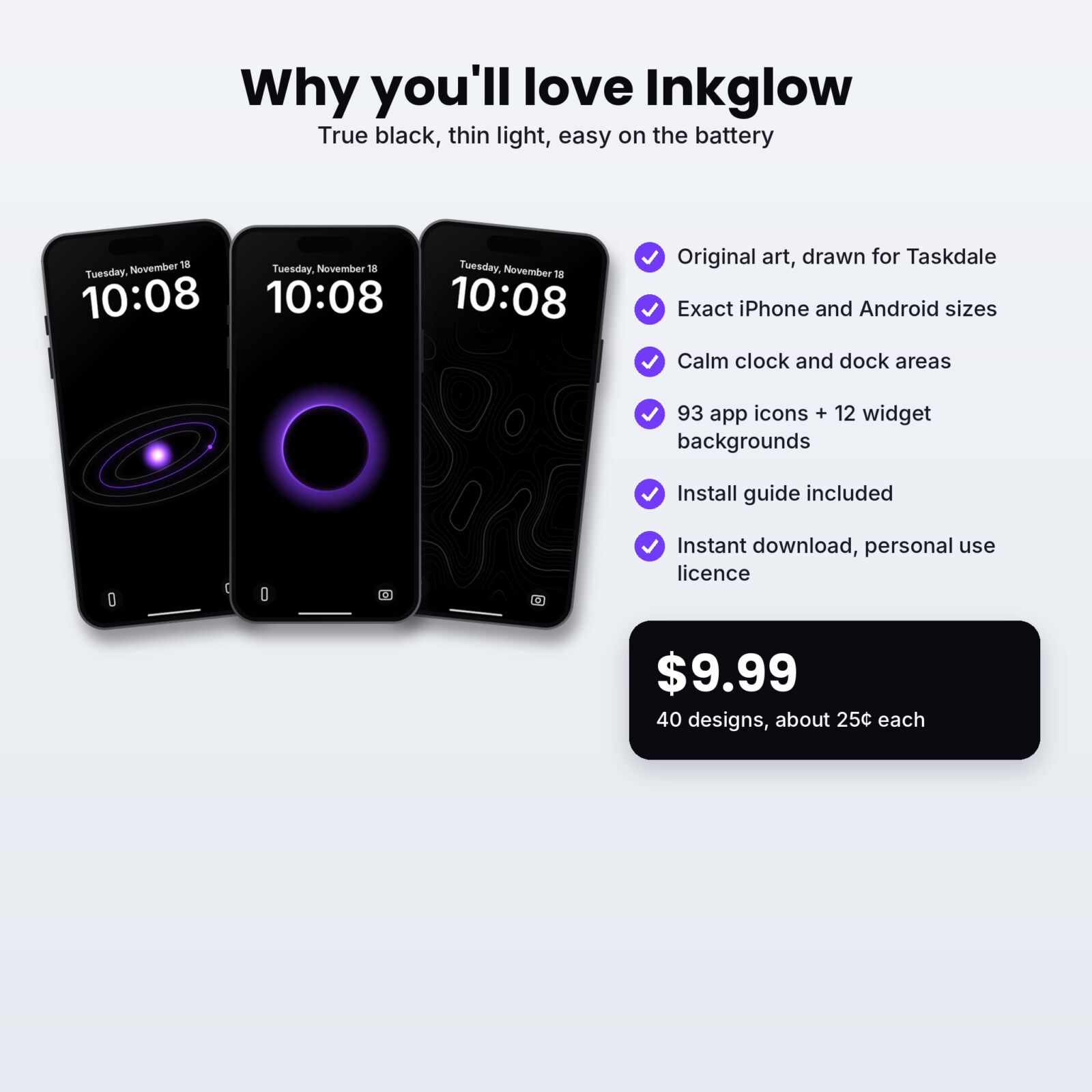
The full Inkglow pack is built for dark mode from top to bottom: wallpapers, icons and widgets all sit on pure black.
- 40 true black wallpapers in violet, ice, azure, lime and ember
- 8 motifs: orbit lines, horizon rim, glow wave, drift dust, contour map, wire sphere, light slit, rim light
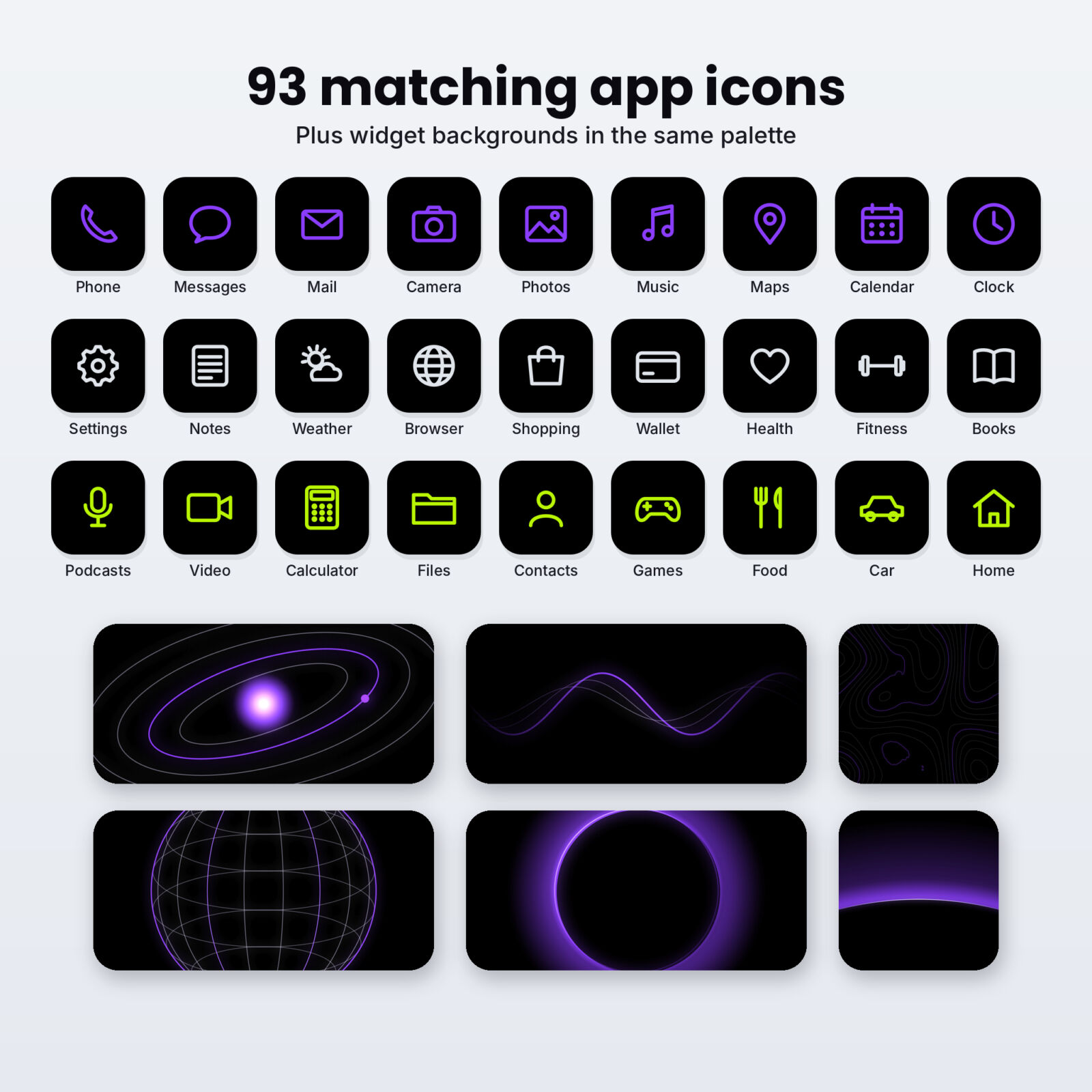
- 93 glow app icons in 3 colors
- 12 dark widget backgrounds
- iPhone + Android sizes and a DOCX setup guide
One-time purchase, instant download
Free sample vs. full pack
| What you get | Free sample | Full pack |
|---|---|---|
| Wallpaper designs | 3 | 40 |
| iPhone + Android sizes | Yes | Yes |
| Colorways | 1 or 2 | 5 |
| Matching app icons | No | 93 |
| Widget backgrounds | No | 12 |
| Contact sheet + DOCX guide | Quick card only | Yes |
Building a dark home screen that doesn’t feel gloomy
An all-black phone can look flat. These small choices keep it interesting:
Pick one glow color
Choose violet, ice, azure, lime or ember and stick with it. Match your icons and widgets to it. One accent color looks deliberate; five looks random.
Use the middle of the screen for the art
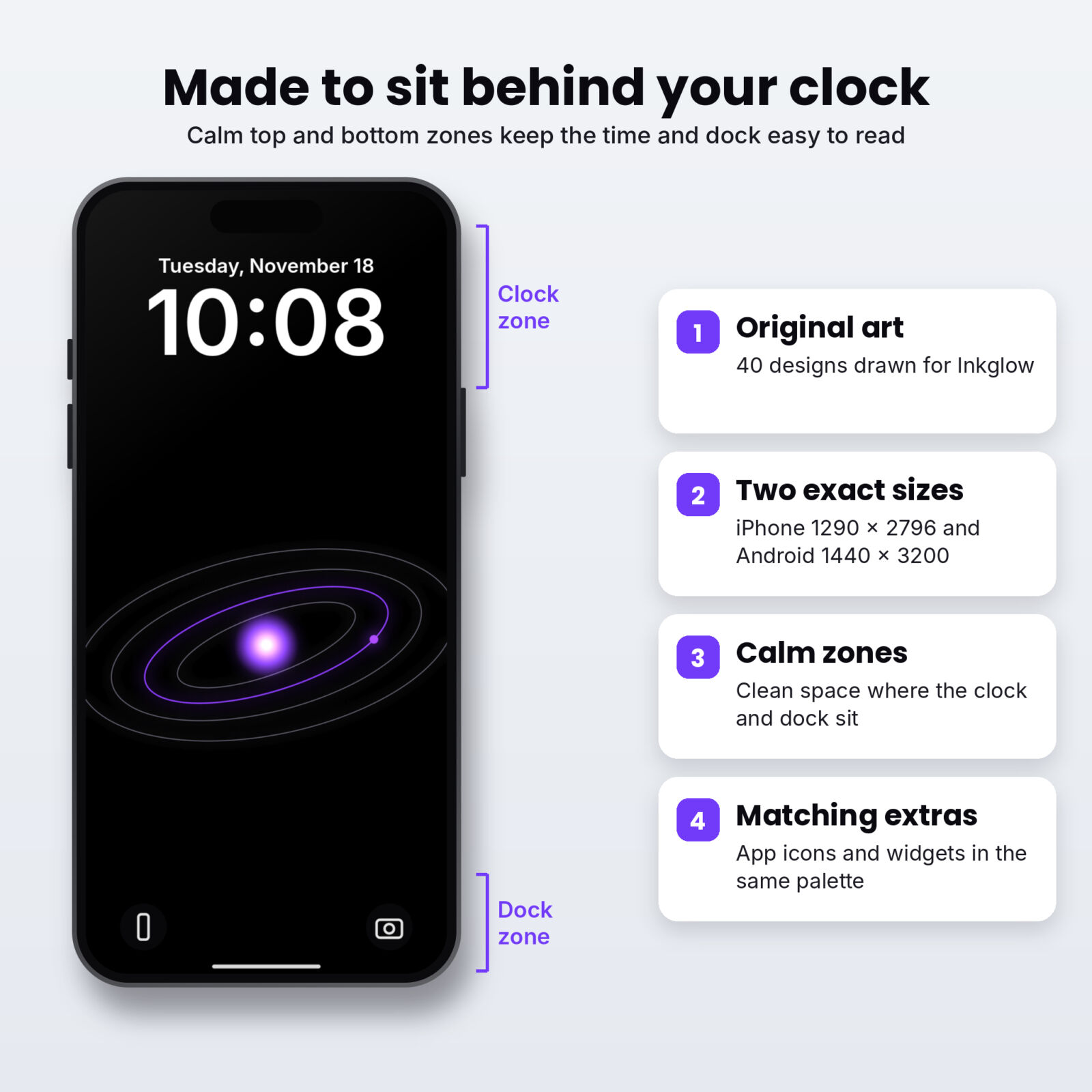
Every Inkglow design places its light in the center third. Your clock sits on black at the top and your dock sits on black at the bottom, so both stay crisp.
Choose icons with outlines, not filled tiles
Bright filled icon tiles undo the effect of a black wallpaper. Outline glyphs on black tiles keep the screen dark and still easy to read.
Use a different design for night
On iPhone you can link a lock screen to a Focus. Try a dim design like Drift Dust for Sleep and a brighter one like Rim Light for the day.
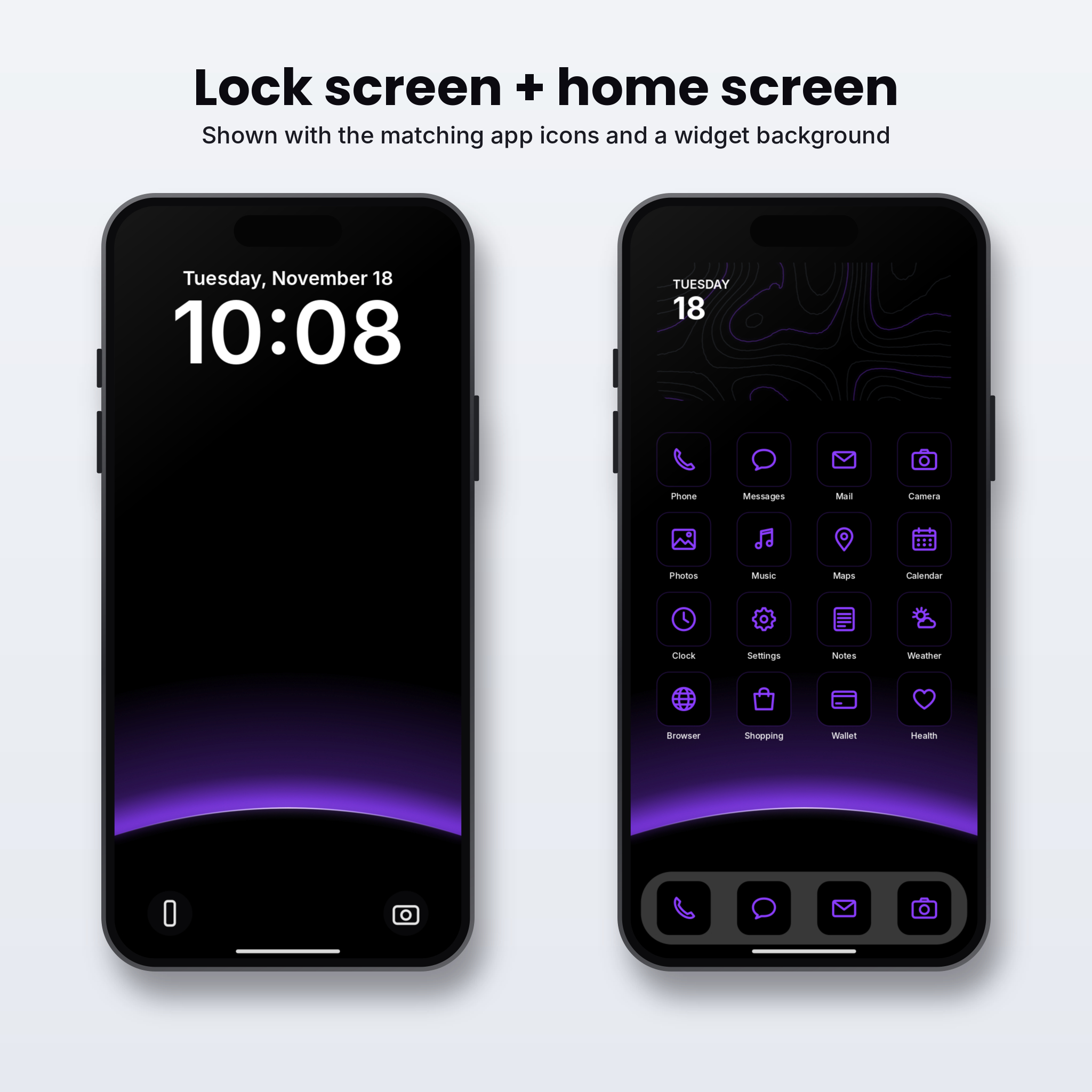
Lock screen and home screen pairs that work
- Rim Light Violet + Contour Map Violet: a strong lock screen and a textured but quiet home screen.
- Horizon Rim Azure + Glow Wave Azure: a planet edge above the dock and a soft wave behind your apps.
- Light Slit Ice + Drift Dust Ice: the most minimal pairing, almost entirely black.
- Wire Sphere Lime + Orbit Lines Lime: a techy, sci-fi feel.
Which file should I use on my phone?
The download has an iPhone folder and an Android folder. Both folders hold the same designs. The only difference is the shape of the file, so pick the one closest to your screen.
| Your phone | Folder to use | Why |
|---|---|---|
| iPhone 12 and newer, including Plus and Pro Max | iPhone | Made at 1290 x 2796 (Plus and Pro Max size), so it fits every recent iPhone |
| iPhone SE or older iPhone 8 style models | iPhone | The phone trims a little from the top and bottom; the art in the middle stays whole |
| Samsung Galaxy S and A series, Pixel, Motorola, OnePlus | Android | Made at 1440 x 3200, which matches most tall Android screens |
| Foldables (cover screen) | Android | Tall and narrow, so the Android file fits best |
| Tablets | Either | Works, but the sides will be cropped because the files are phone shaped |
If you are not sure, try the iPhone file first on an iPhone and the Android file first on anything else. You can always switch in a few seconds.
Dark mode settings that pair with a black wallpaper
A true black wallpaper looks its best when the rest of the phone follows along. These settings take a minute and make the whole phone feel consistent.
iPhone
- Settings, then Display and Brightness, then choose Dark. Set it to Automatic if you only want it after sunset.
- On the home screen, press and hold, tap Edit, then Customize, and choose Dark for your app icons.
- Lower Reduce White Point in Accessibility settings if the glow feels too bright at night.
Android
- Settings, then Display, then Dark theme (the wording varies by phone maker).
- Many phones let you choose a dark always-on display. Pick a minimal clock so the screen stays mostly black.
- Some launchers offer a pure black app drawer. Turn it on to match the wallpaper.
How we designed for OLED screens
A few rules guided every Inkglow design, and you can use them to judge any dark wallpaper you find:
- No gray backgrounds. The background value is exactly zero, not “very dark”.
- Glow only where it means something. Light sits on the main shape and fades fast, so most of the screen stays black.
- Thin lines. A thin bright line looks crisp on OLED and lights very few pixels.
- Lossless files. PNG keeps every black pixel black. A JPEG version of the same design would add a faint gray fog around the lines.
- Calm top and bottom. The clock and dock always sit on pure black, which also makes them easier to read.
If a wallpaper you download looks slightly washed out on your phone, that is usually a sign of near-black backgrounds or compression. Compare it side by side with one of the free files here and you will see the difference right away.
Minimal dark home screen in five steps
- Set an Inkglow design on the lock screen and turn off Blur for the home screen.
- Move every app you don’t use daily into the App Library or app drawer.
- Keep one page of icons and leave the top rows empty so the glow shows.
- Switch to outline icons that match your glow color.
- Turn on dark mode and lower the brightness a notch. Done.
More from Taskdale for your digital setup
| Product | What it is | Link |
|---|---|---|
| Gridbloc Bauhaus Phone Wallpapers | 30 bold geometric designs with home screen pairs + 93 icons | View on Taskdale |
| Mellowmist Pastel Gradient Wallpapers | 24 calm pastel designs + 93 icons + 12 widgets | View on Taskdale |
| Dunewren Boho Phone Wallpapers | 36 neutral boho designs + 93 icons + 12 widgets | View on Taskdale |
| Termlight 2027 Digital Student Planner | Hyperlinked iPad planner with grade log and exam planner | View on Taskdale |
| Tallyfern 2027 Digital Budget Planner | Hyperlinked paycheck budget planner for GoodNotes | View on Taskdale |
Grab your free AMOLED wallpapers
Download the three true black designs below and try them for a week. If you like the look, the full pack has 37 more plus matching icons.
FAQ
Is an AMOLED wallpaper the same as a dark wallpaper?
Not quite. A dark wallpaper can be any dark color. An AMOLED wallpaper uses true black (#000000) so the pixels switch off on OLED screens.
Will AMOLED wallpapers cause burn-in?
Wallpapers are a low risk because icons and widgets move as you swipe and the lock screen dims and turns off. Static, very bright elements shown for hours are the usual cause. Changing your wallpaper now and then helps too.
Do these work on LCD phones?
Yes. They look sharp and dark on any phone; you just won’t get the pixel-off benefit.
Why PNG and not JPEG?
PNG keeps the black pure and the thin lines clean. JPEG adds gray noise around edges.
Can I share the free files?
Please share a link to this page instead. The free set is for your own devices.
Which glow color is easiest on the eyes at night?
Ember and violet are the warmest and feel softest in the dark. Ice and lime are brighter, so they suit daytime.
Do I need an app to set these?
No. Use your phone’s own wallpaper settings. Custom icons on iPhone use the free Shortcuts app.