Scenario analysis works best when every case runs through the same formulas in one workbook.
Put the best, base and worst assumptions in three columns of one workbook, then run the same formulas across all three. For printing and assembling planner inserts, that lets you see whether a job still fits your budget when the printer spoils more sheets or trimming and punching take longer than expected.
Keep a ready-made refill as a price benchmark, not as a fourth print scenario. Match the binding first: compare the 11-disc letter refill or the 7/3-hole letter refill for 8.5 × 11 inch systems, the Forvencer A5 monthly refill or A5 project planning refill for A5 six-hole systems, and the six-ring monthly inserts only after confirming the dimensions and ring spacing.
Set up one workbook for scenario analysis of the print and assembly job
Define the finished insert before entering any costs. Write down the finished size, binding pattern and PDF page count. Keep three units separate: a page is one printed face in the PDF, a leaf is one finished piece of paper, and a parent sheet is what goes into the printer. With 96 PDF pages, duplex printing and two A5 leaves cut from each A4 parent sheet, the job needs 48 finished leaves from 24 good parent sheets.
Print and assemble one proof. Confirm the PDF size and printer settings, then print one parent sheet at actual size rather than selecting ‘Fit’. For two-up duplex, use a proof with four distinguishable pages and check both faces after cutting. Duplex flip settings depend on how the file is laid out and fed, so test the result rather than relying on the setting name. Measure the finished leaf, punch the binding edge, and turn it in the actual planner. A front that looks centred on the uncut sheet can still leave too little room for a ring hole.
Put fixed inputs in one block and case assumptions in another. In Excel or Google Sheets, use
B2:B8for PDF pages, leaves per parent sheet, printed sides per sheet, paper cost per sheet, print cost per side, active labour cost per hour and the job budget, in that order. UseD1:F1for Best, Base and Worst,D2:F2for extra parent sheets andD3:F3for active minutes. Hold the file, paper and binding method fixed across the three cases. If the worst case switches from home printing to a print shop, that’s a separate method comparison with its own charges, not part of this scenario analysis.Write the calculations once and copy them across. Enter the formulas below in column
D, then fill them right throughF. The dollar signs hold the shared inputs in place, whileD2andD3change to the right case. The formulas assume every fed sheet, including a spoiled sheet, uses the planned number of printed sides. If a job loses several blank sheets to a feed fault, track those separately so the ink estimate doesn’t count them as printed.Row Output Formula for the Best column 5 Finished leaves =ROUNDUP($B$2/$B$4,0)6 Good parent sheets =ROUNDUP(D5/$B$3,0)7 Parent sheets fed =D6+D28 Printed parent-sheet sides =D7*$B$49 Paper and printing cost =D7*$B$5+D8*$B$610 Active labour cost =D3/60*$B$711 Total job cost =SUM(D9:D10)12 Budget remaining =$B$8-D11Read the outputs against the decision you need to make. Keep the cash cost in row 9 visible beside the full cost in row 11. A personal planner might have a hard spending limit but no hourly charge. A batch for sale needs both figures, plus any packaging or order costs outside this model. For a recurring insert line, the Evenmark Break-Even Analysis Spreadsheet & Calculator is useful once you have a production cost per pack and need to estimate how many packs must sell to cover fixed costs.

Worked example: 48 A5 project leaves on a $15 budget
For this scenario analysis, suppose a project planner PDF has 96 pages. The print plan is two-up on A4, with both sides printed and each parent sheet cut into two A5 leaves. Enter 96, 2 and 2 in B2:B4. Two A5 widths total 296 mm against A4’s 297 mm width, which leaves little room for crop marks. Use a file laid out for that sheet size, with content inside the printer’s printable area. Full bleed may need a larger parent sheet and a different cost model.
For this illustrative job, enter $0.12 per parent sheet, $0.09 per printed side, $12 per active hour and a $15 budget in B5:B8. These are example inputs, not supplier quotes. Count hands-on setup, refeeding, cutting, punching and sorting in each scenario analysis time estimate. Don’t count unattended printing as paid labour unless it ties up the person doing the work.
For the scenario analysis, use one extra sheet and 20 active minutes for Best, three sheets and 30 minutes for Base, and seven sheets and 45 minutes for Worst. The extra sheets include the proof and any unusable prints. The seven-sheet case could represent a duplex alignment problem caught after several sheets, plus a recut or repunch. It’s a planning bound, not a prediction of printer failure.
| Result | Best | Base | Worst |
|---|---|---|---|
| Finished A5 leaves | 48 | 48 | 48 |
| Parent sheets fed | 25 | 27 | 31 |
| Printed sides | 50 | 54 | 62 |
| Paper and printing cost | $7.50 | $8.10 | $9.30 |
| Active labour cost | $4.00 | $6.00 | $9.00 |
| Total job cost | $11.50 | $14.10 | $18.30 |
| Budget remaining | $3.50 | $0.90 | −$3.30 |
Base fits, but with little room. An extra sheet printed on both sides adds $0.30, and one active minute adds $0.20. The $0.90 buffer covers three extra sheets or four and a half extra minutes, not both. At the base waste allowance of three extra sheets, the job can take up to 34 minutes and 30 seconds. If the active time reaches 35 minutes, it runs $0.10 over budget.
That makes the next test specific: time a short batch through cutting, punching and sorting before committing to the full run. If the timed result points to 40 active minutes, cutting spoilage from three sheets to zero still leaves a $15.20 job. At that point, change the assembly process, raise the budget or buy a compatible refill. For larger scenario analysis where the limit isn’t as easy to calculate by hand, work backwards from the target result to the input required.
Check the ready-made benchmark before committing the batch
Compare the whole pack cost if only one pack is needed. A 100-sheet refill still costs the full listing price if you use 48 sheets and store the rest. The prices and ratings below are supplied listing figures; check the delivered total and the binding fit before using one as the budget ceiling.
A5 project tracking. The A5 six-hole project planning refill is listed at $9.99 with a 3.9 rating. It has 100 sheets and 200 double-sided pages for goals, milestones, tasks and deadlines. It costs less than the example’s $14.10 base job before delivery, if its layout replaces the custom PDF. On consumables alone, the sample print job costs less at $8.10.

A5 monthly planning. The Forvencer 2027 six-hole A5 refill is listed at $11.99 with a 4.8 rating. Use it as the comparison for an A5 monthly calendar job, rather than for the project trackers in the example.

Letter-size disc binding. The 2027–2028 11-disc monthly refill is listed at $11.99 with a 4.6 rating. It includes 18 monthly calendars at 8.5 × 11 inches. Use this benchmark if the print plan otherwise requires making the disc slots yourself.

Letter-size hole-punched binding. The 2027–2028 7/3-hole monthly refill is also listed at $11.99 with a 4.6 rating and includes 18 monthly calendars at 8.5 × 11 inches. Check the 7/3-hole pattern against the binder rather than treating this as interchangeable with an 11-disc refill.

Six-ring monthly planning. The Beautiful 2027–2028 monthly inserts for six-ring binders are listed at $5.69 with a 4.8 rating. Six rings describe the binding, not the paper size. Confirm both the closed planner’s page dimensions and the hole spacing before using $5.69 as the alternative to printing.

Fix the problems that distort the case comparison
The sheet count is right, but the backs are wrong
A two-up layout can produce the correct number of leaves with the wrong pages paired. If the front holds pages 1 and 3, the reverse must put page 2 behind page 1 and page 4 behind page 3. The positions in the print file depend on how the printer turns the paper. Cut the numbered proof and check both leaves in reading order before printing the remaining 23 good sheets. If the job has an odd page count, place any blank deliberately so it doesn’t land inside a dated spread.
The labour estimate misses a second pass
A six-hole punch that takes a thin stack may need several passes on heavier paper. Time the batch with the actual stock, using the same trimming guide and punch stop intended for production. A useful measure is elapsed hands-on time from collecting the printed sheets to turning a complete insert in the binder. If cutting and punching vary independently of spoilage, use a two-variable sensitivity table with waste down one side and active minutes across the top. That turns the scenario analysis into a grid showing exactly which combinations exceed $15 instead of testing only three paired assumptions.
A layout change makes the original proof obsolete
Changing from A5 to letter, swapping portrait for landscape, or moving the binding edge is a change to the production specification, not a scenario analysis input. Save the revised print settings with the PDF and make a new proof. In scenario analysis, update the shared inputs rather than quietly changing a formula in the Worst column. If paper stock and assembly hours are both limited across several orders, choose a production mix based on labour hours and materials rather than assuming every insert format should get the same batch size.
The worksheet starts comparing different jobs as if they were cases
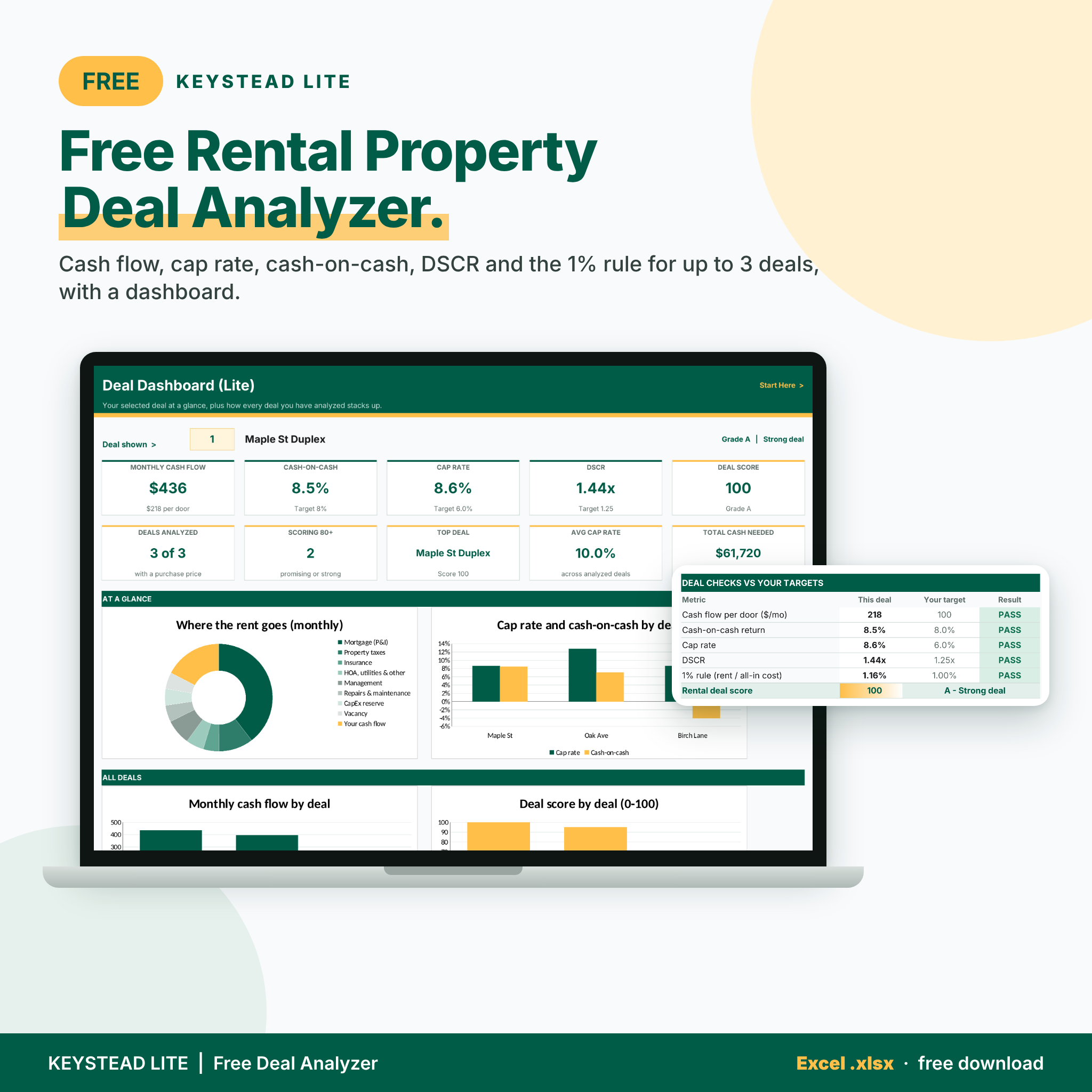
Use case columns for uncertain inputs on one job. If the same workbook method is being adapted to rental analysis, for instance, three properties are three separate deals, while three occupancy assumptions for a single property are scenarios. The free Keystead Deal Analyzer Lite for Excel fits the deal-screening task: it analyses up to three properties against targets such as cash flow and debt service coverage, and requires a free Taskdale account.
Likewise, one insert batch is a production estimate, not a funding forecast. If a planner business needs to see how sales and expenses affect cash over time, the Stonepath Business Plan Kit pairs a Word business plan with 36 months of Excel projections, including cash flow and a recommended funding amount. The batch estimate can inform the production cost input without becoming the forecast itself.
For the $15 job, release the full print run only after the cut and punched proof fits and a timed batch supports the 34-minute, 30-second limit at base waste. If either check fails, change the print or assembly method and rerun the same workbook before feeding another stack.
