Bouquet Recipe Calculator for Farmers Market Flower Growers
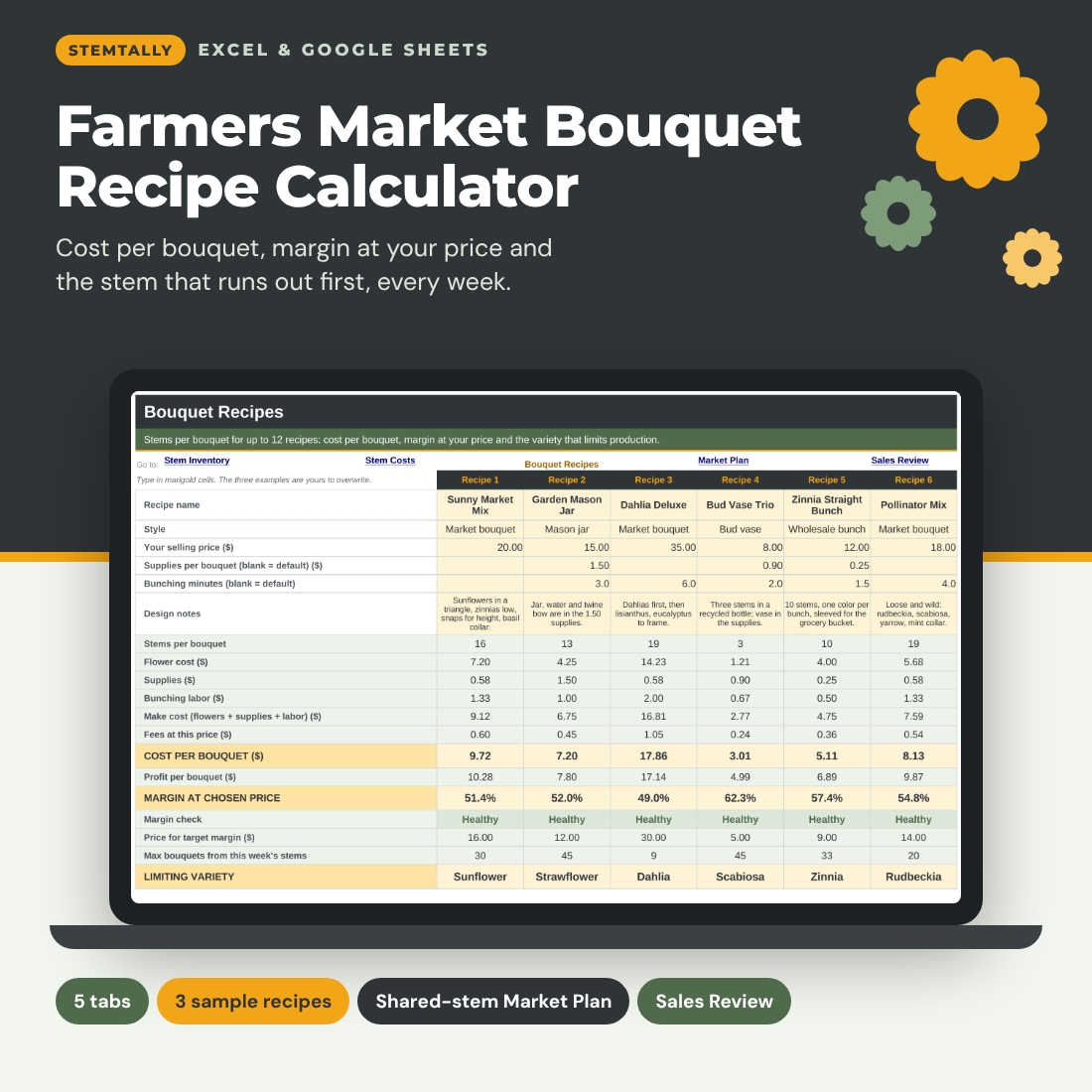
Stemtally is a bouquet recipe calculator spreadsheet for flower growers who price mixed bouquets from a harvest that changes every week. You list your varieties once, enter what a stem really costs you, type how many stems of each variety go into each recipe, and the workbook shows three numbers for every bouquet: the cost per bouquet, the margin at the price you chose, and the stem variety that limits how many you can make this week.
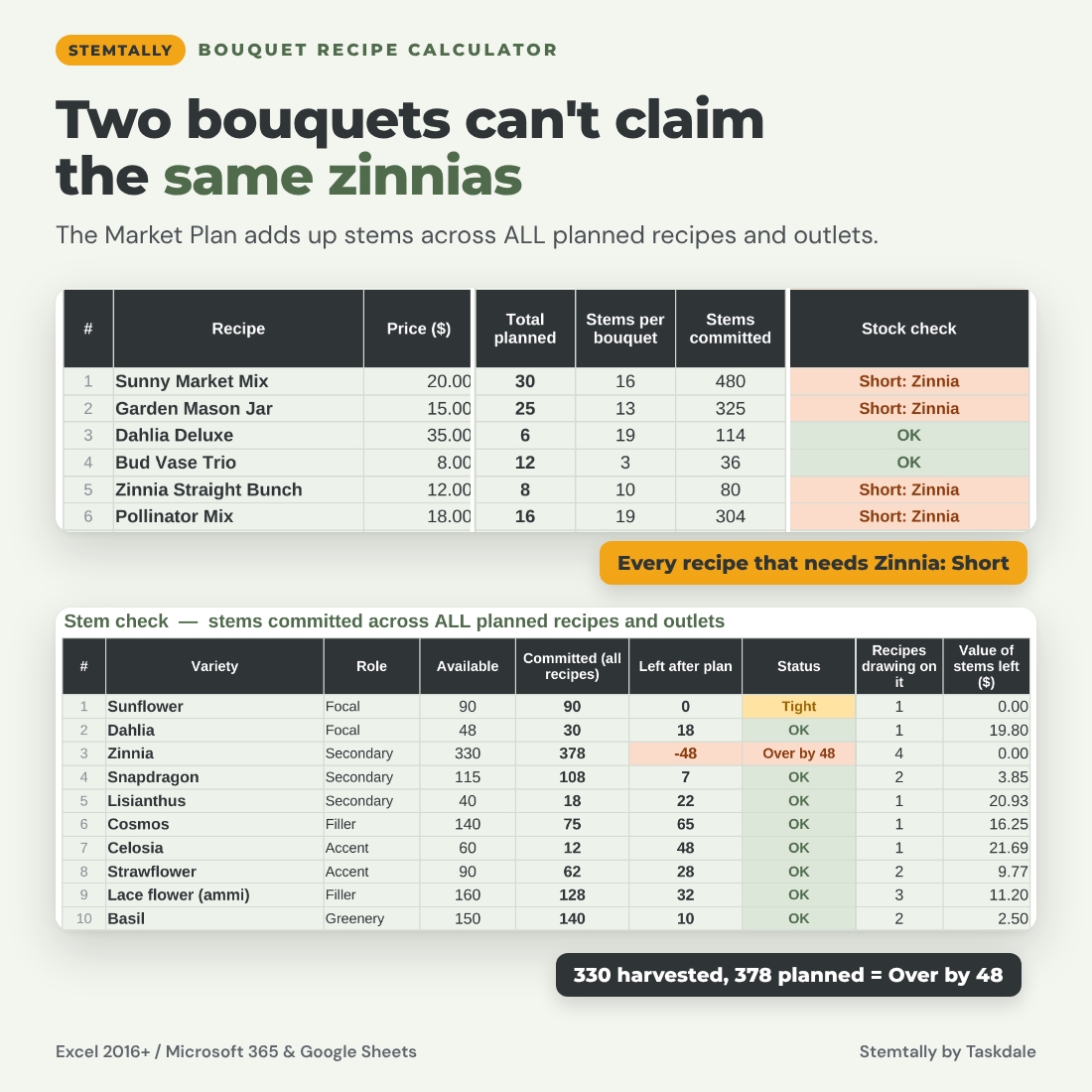
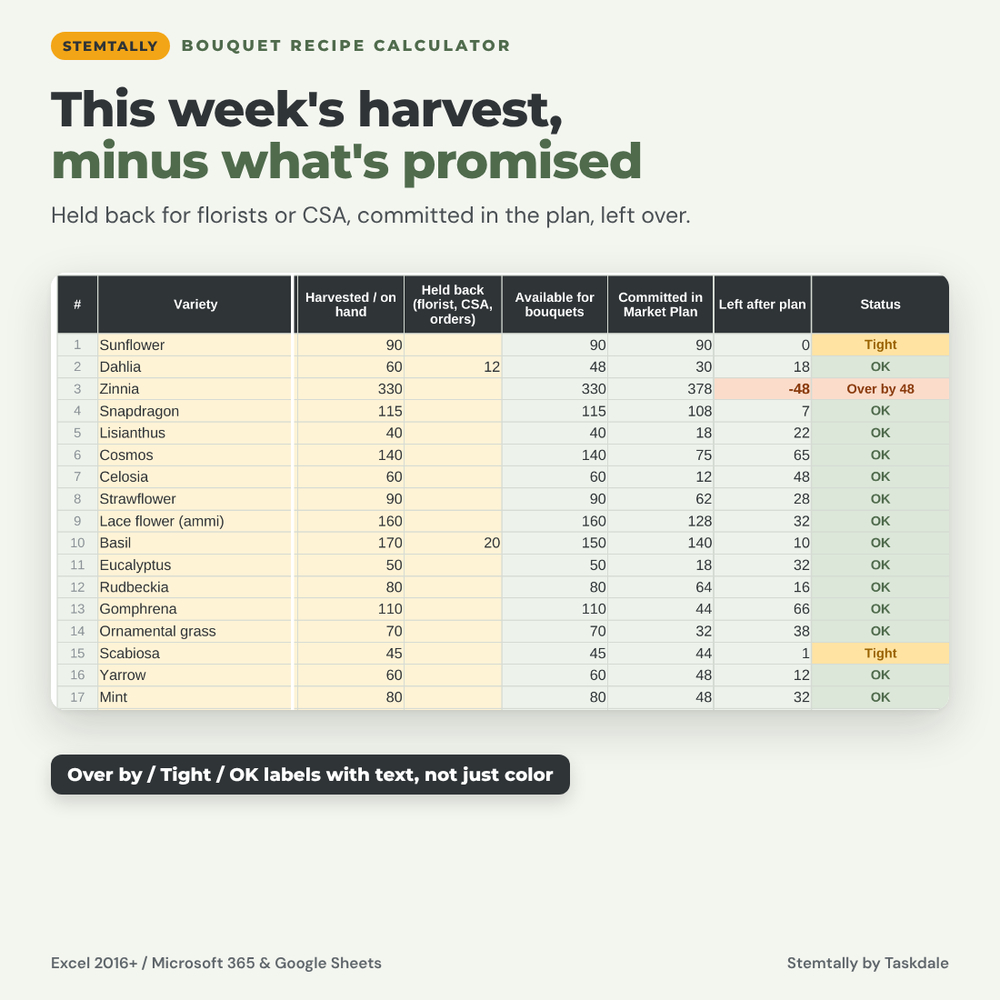
Then it does the job most flower pricing sheets skip. The Market Plan adds up the stems that every planned recipe needs, across up to three outlets, and subtracts them from one shared pool. If your market bouquets and your mason jars both count on the same 300 zinnias, Stemtally flags the variety as over-committed before you start bunching, instead of letting two recipes quietly claim the same stems.
Who it is for
- Cut flower farmers and market gardeners selling bouquets at farmers markets, farm stands and CSA pickups
- Growers who also sell wholesale bunches to a grocery store or florist and need a lower price for that outlet
- Established growers who want to know which recipes and markets actually earn their keep
What the flower pricing spreadsheet does
Stem Inventory
Your master list of up to 60 varieties with role (focal, secondary, filler, greenery or accent) and color. Each week you type the stems harvested or on hand and any stems held back for florist orders, CSA shares or wholesale buckets. Stemtally shows stems available for bouquets, stems committed in the Market Plan, stems left after the plan, and a status in words: Over by, Count needed, Tight, OK, Not planned or Not counted.
Stem Costs
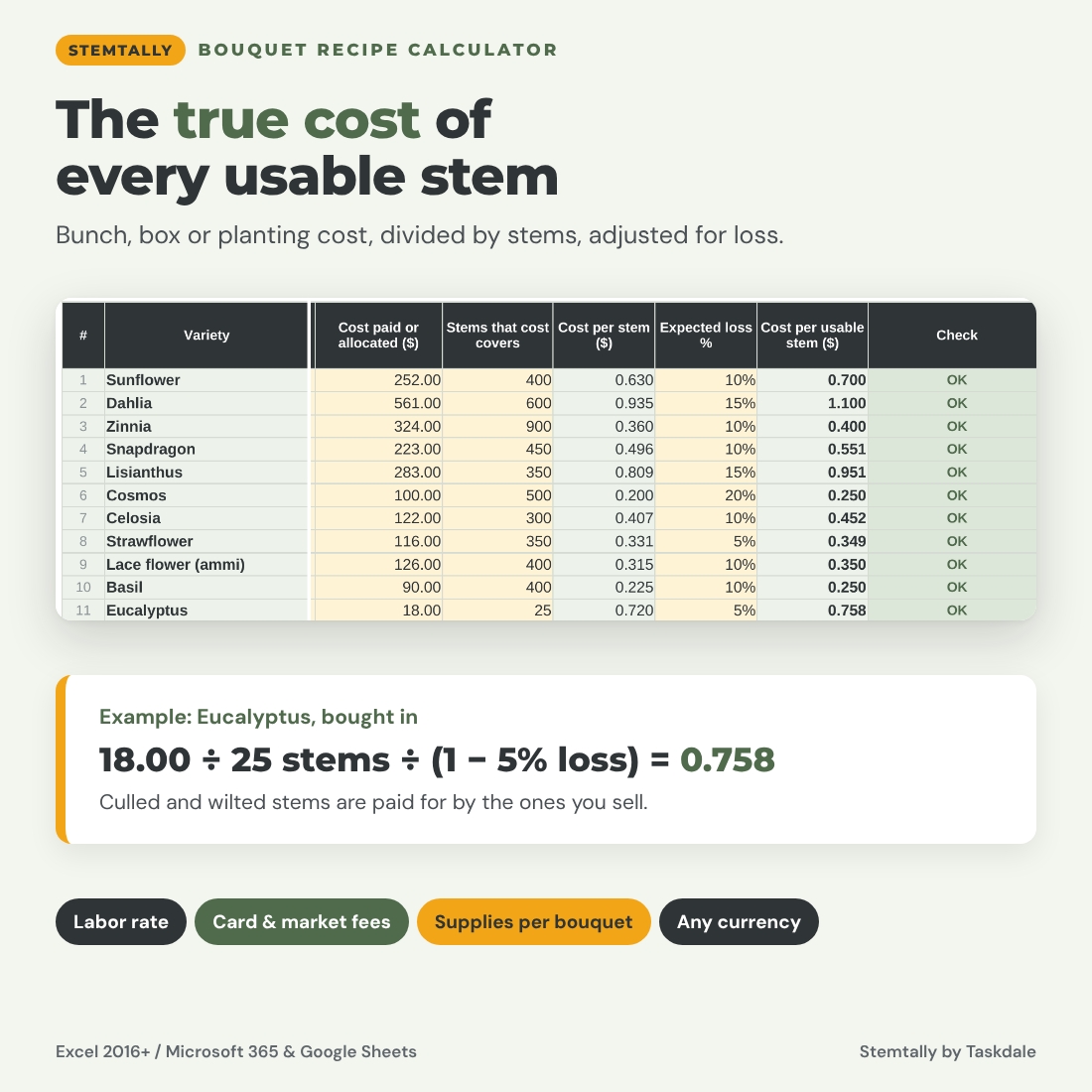
Turn a bunch price, a box price or your share of a planting into a cost per usable stem. Enter the cost and the stems it covered, add an expected loss percentage for culls and wilting, and the sheet spreads that loss across the stems you actually use. The cost settings live here too: currency symbol, your labor rate per hour, default bunching minutes, card fee, market commission, target margin, price rounding and a default supplies list (sleeve, band, flower food, label).
Bouquet Recipes
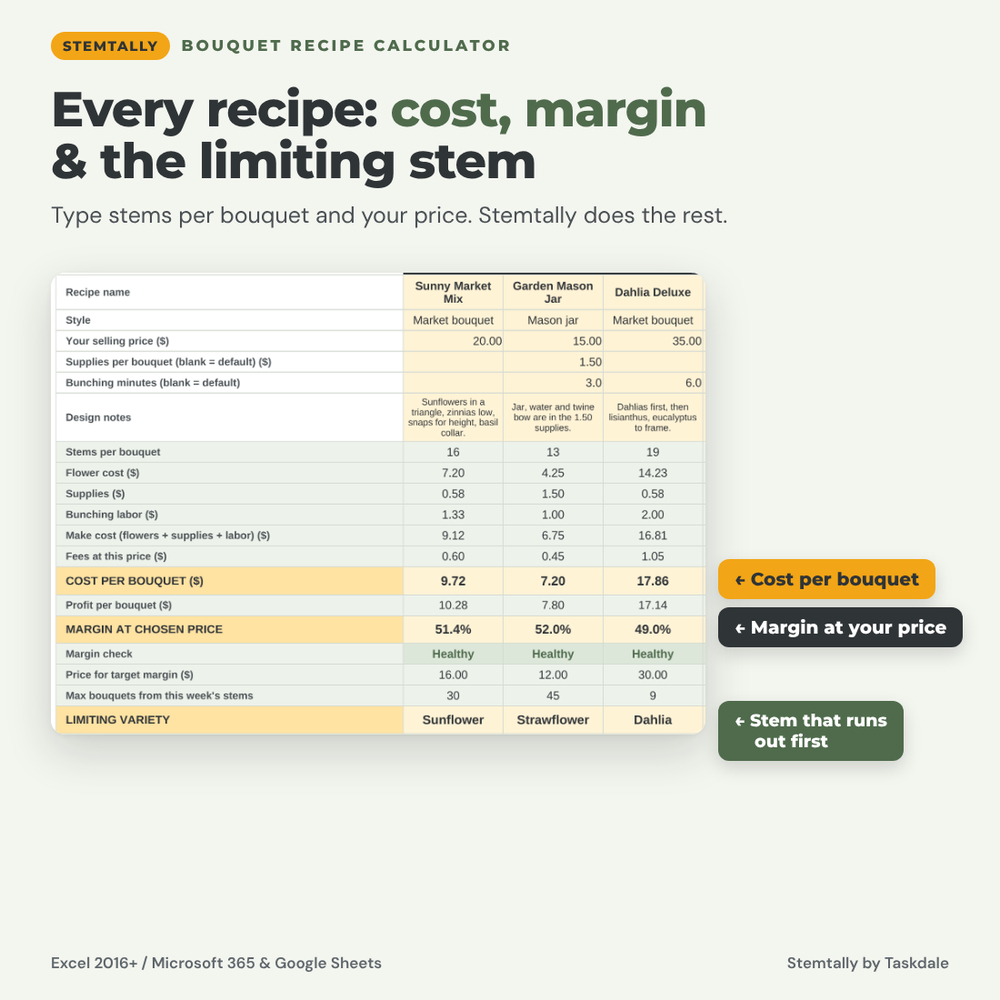
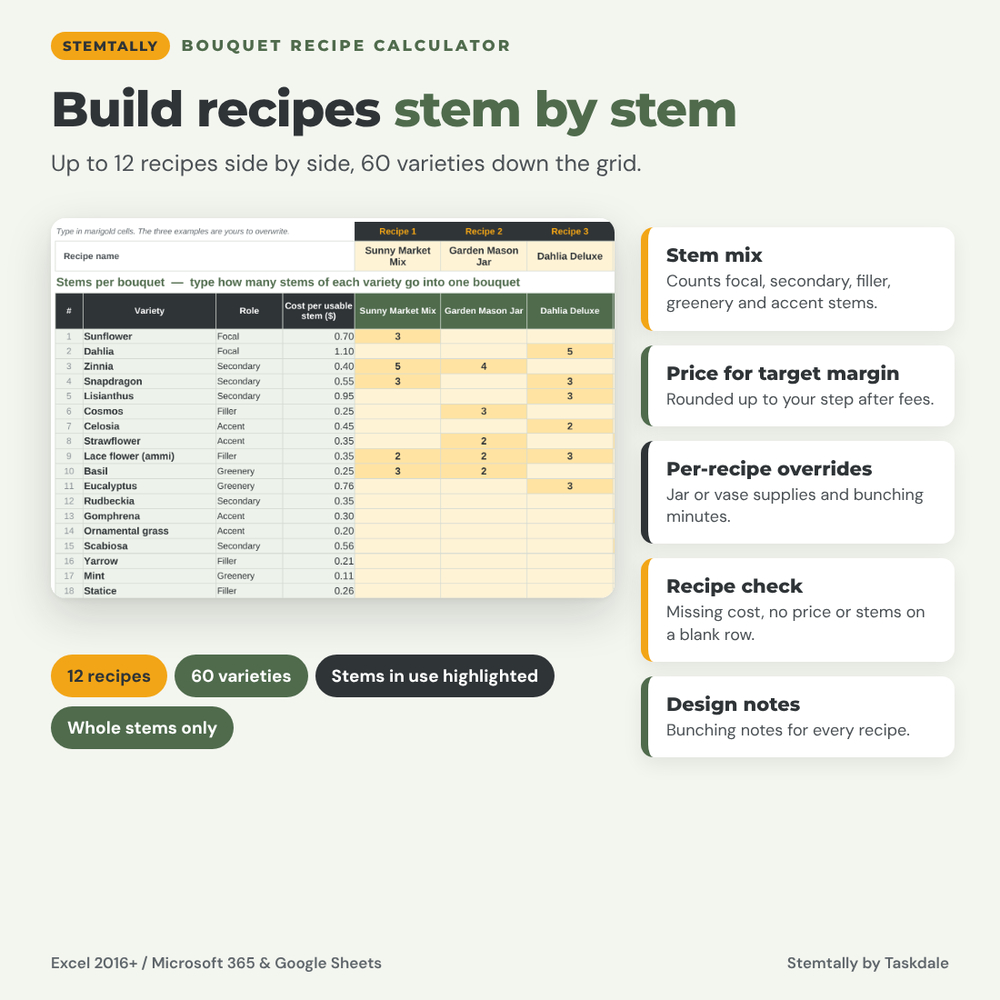
Up to 12 recipes side by side, each with a name, style, price, design notes and optional overrides for supplies and bunching minutes. The stems grid has one row per variety and one column per recipe. For every recipe you see stems per bouquet, flower cost, supplies, bunching labor, make cost, fees, cost per bouquet, profit, margin at the chosen price with a Healthy, Thin or Loss label, the price that reaches your target margin, the maximum bouquets this week’s stems can make and the limiting variety. A stem mix line counts focal, secondary, filler, greenery and accent stems, and a recipe check catches missing costs, missing prices and stems typed on a blank row.
Three sample recipes (Sunny Market Mix, Garden Mason Jar, Dahlia Deluxe) show it working straight away; overwrite them with your own.
Market Plan
Name up to three outlets, such as a Saturday market, a midweek market and a grocery account, with a date, a price percentage (for example 60% for wholesale) and the stall fee. Type the bouquets planned for each recipe and outlet. Stemtally totals stems committed, projected revenue, costs including fees, profit before and after stall fees, and how many more of each recipe the stems left after the whole plan could make. The stem check lists every variety with available, committed across all recipes, left after plan, status and how many planned recipes draw on it.
Sales Review
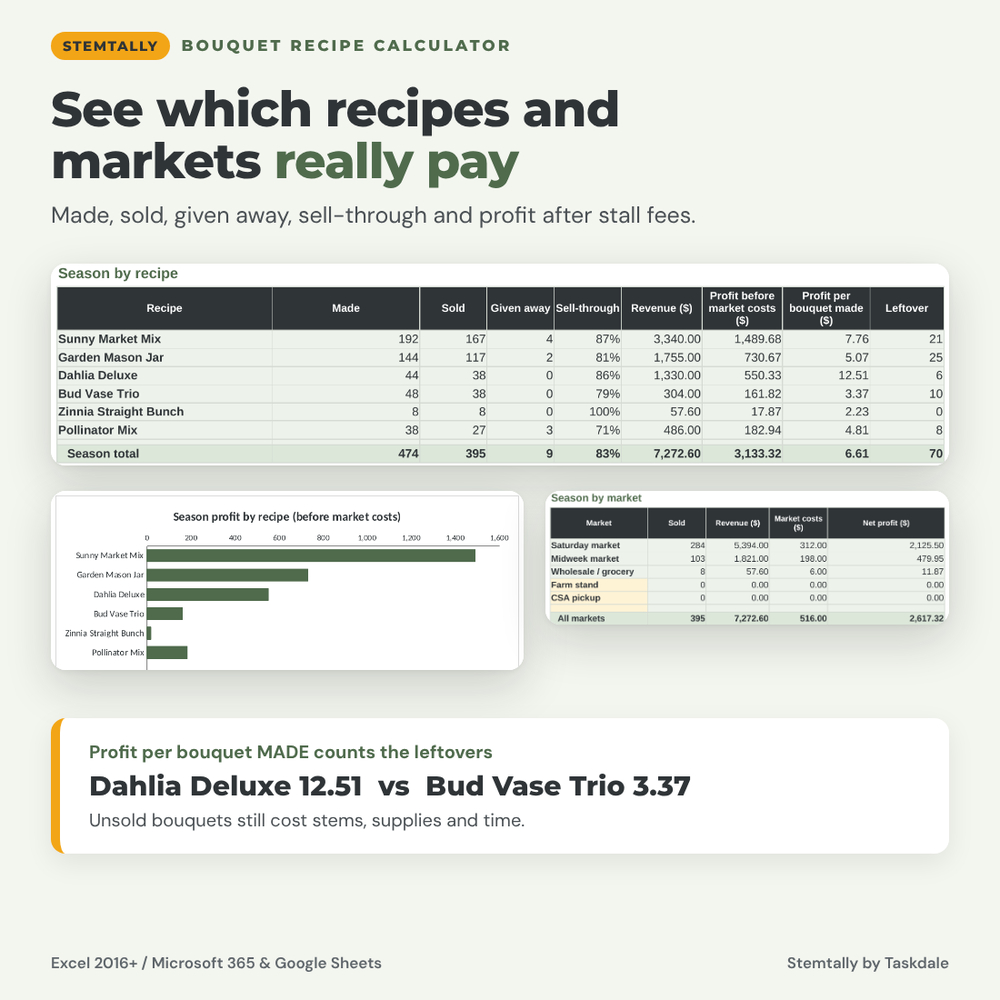
Log each market day by recipe: bouquets made, sold and given away, with optional price and cost overrides and the stall fee entered once per day. You get leftovers, sell-through, revenue, bouquet costs and profit per line, plus season results by recipe (including profit per bouquet made, which counts the leftovers) and by market, and a chart of season profit by recipe. The log holds 400 lines.
Why growers choose Stemtally
- Shared stem pool: committed stems add up across every recipe and outlet, so over-commitment is flagged, not hidden.
- Limiting variety: see which stem runs out first and how many bouquets the harvest supports.
- True cost per stem: bunch or planting cost, stems covered and loss percentage in one place.
- Your time counts: bunching minutes and your hourly rate are part of every bouquet cost.
- Beginner friendly: marigold cells are for typing, sage cells calculate and are locked (no password) so formulas stay safe.
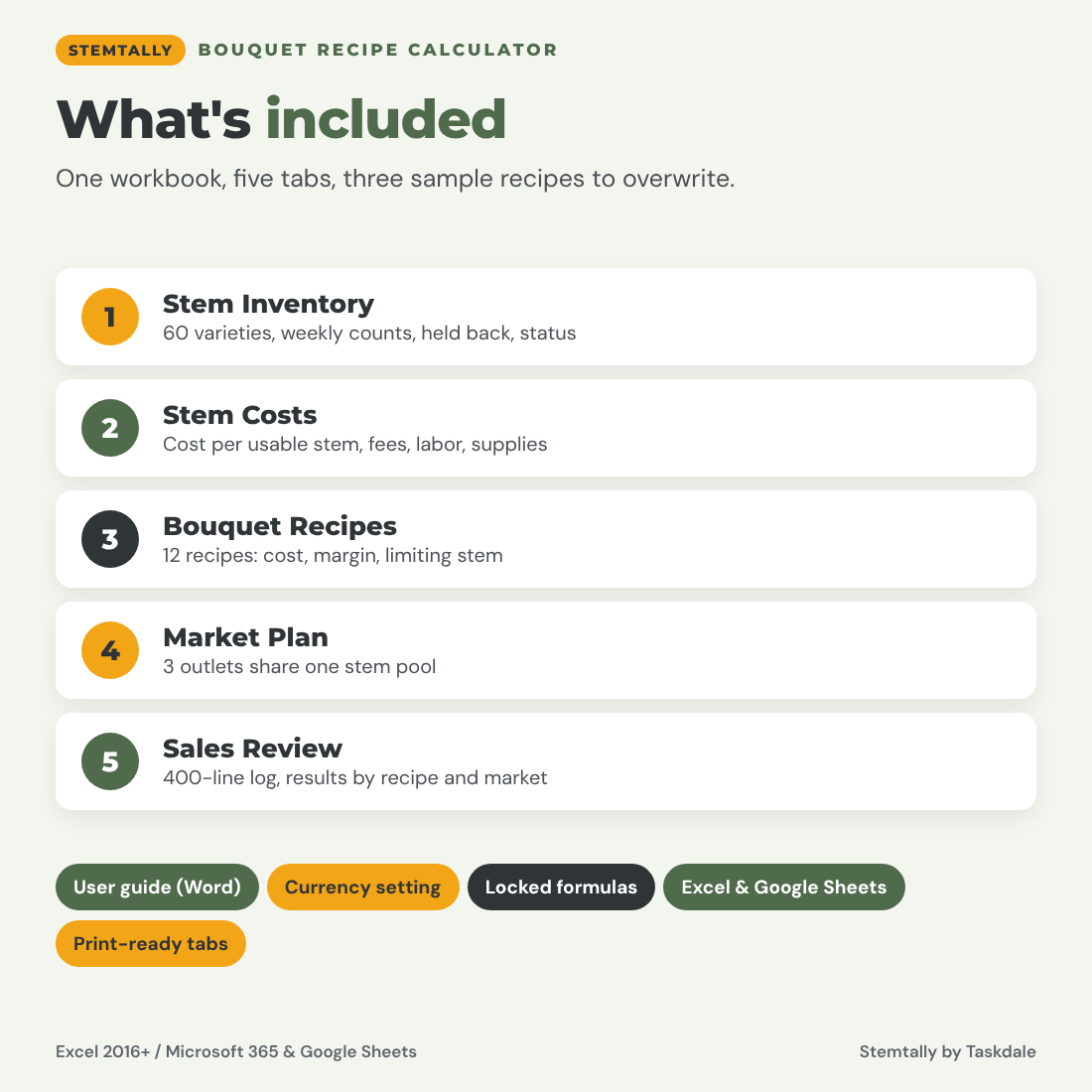
What is included
- Stemtally Bouquet Recipe Calculator (.xlsx): five tabs, 14 example varieties and three sample recipes to overwrite
- User guide (Word .docx) with screenshots, a worked example, tips and troubleshooting
How it works
- Set your currency, labor rate, fees, target margin and supplies on Stem Costs.
- List your varieties in Stem Inventory and enter what each stem costs.
- Build or edit recipes by typing stems per bouquet and a price.
- Each week, enter the harvest, plan quantities per outlet and fix anything flagged Over or Short.
- After market, log what sold and compare recipes and markets in Sales Review.
File format and software
One .xlsx workbook that works in Microsoft Excel 2016 or later (including Microsoft 365) and in Google Sheets (File > Import > Upload). No macros or add-ins. Sheets are protected without a password, any currency symbol works, and print areas are set on every tab. Capacity: 60 varieties, 12 recipes, 3 outlets and 400 sales lines, sized to stay quick in Google Sheets. The user guide is a Word document that also opens in Google Docs.
Digital download
This is a digital product. After purchase you download the files instantly; nothing is shipped. Personal use only (or use within your own business). You may not resell, share or redistribute the files. Stemtally is a planning tool, not financial or tax advice.
FAQ
Does this bouquet pricing calculator work in Google Sheets?
Yes. Upload the .xlsx to Google Sheets. All formulas use functions that work the same in Excel and Google Sheets.
How does it work out the limiting stem?
For each variety in a recipe it divides the stems available by the stems per bouquet and rounds down. The smallest result is the maximum number of bouquets, and that variety is the limiting stem.
What happens if two recipes need the same flowers?
The Market Plan adds the stems for every planned recipe and outlet together. If the total is more than you have, the variety shows Over by and every recipe using it shows Short.
Can I include my labor and supplies?
Yes. Set a labor rate and bunching minutes, plus supplies per bouquet. Any recipe can override the minutes and supplies.
Can I price wholesale bunches differently?
Yes. Give the wholesale outlet a price percentage in the Market Plan, or type a price override on the sales line.
Is margin the same as markup?
No. Margin is profit divided by price. Stemtally shows margin, and the price it suggests reaches your target margin after fees.


Reviews
There are no reviews yet.