


A tax preparer SOP template written for independent tax preparers running a seasonal practice from home
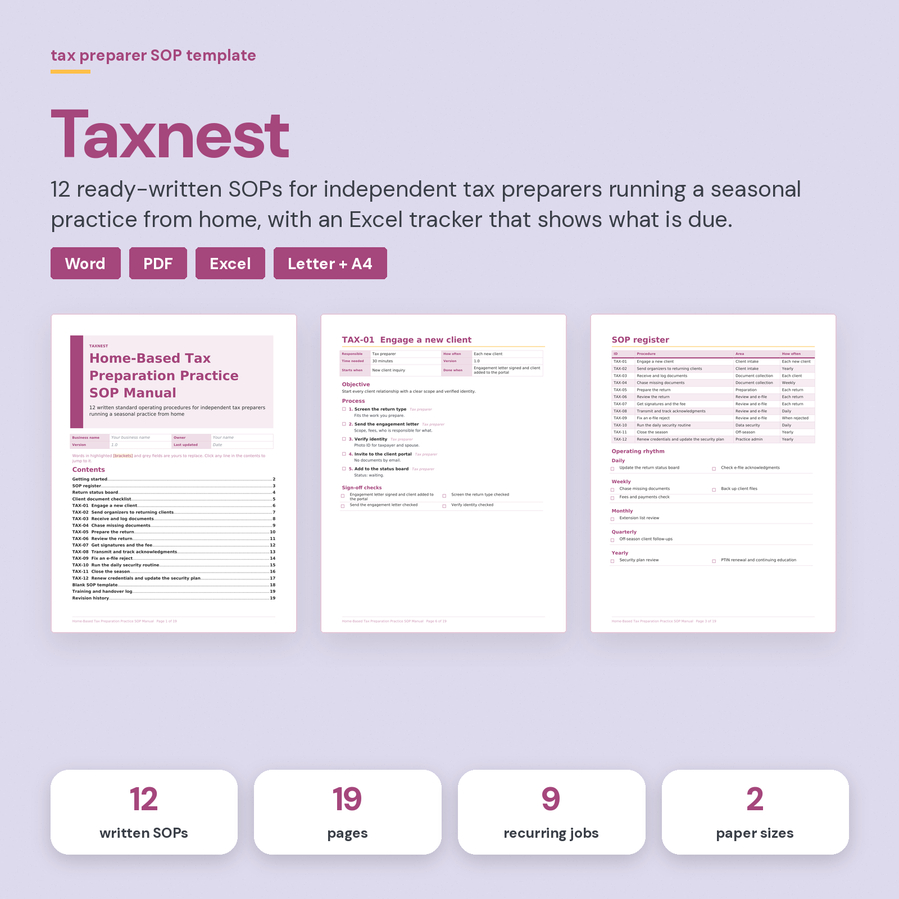
Tax season gives you about twelve weeks to do a year of work. The preparers who stay calm in April ran the same steps on every return in February. This tax preparer SOP template gives you 12 procedures written out step by step, so you edit instead of starting from a blank page.
A home tax practice lives or dies on intake. Missing 1099s, unsigned authorizations and returns stuck waiting on the client eat the season. These SOPs set the engagement and intake steps, a document checklist and chase routine, preparation and a second-look review, signatures, e-file tracking and reject fixes, plus a daily data security routine. Federal, state and local rules for preparers come first, and nothing here is tax advice.
Built for
- Independent tax preparers working from a home office
- Seasonal preparers adding an intake assistant
- Enrolled agents and CPAs who want the season written down
Files included
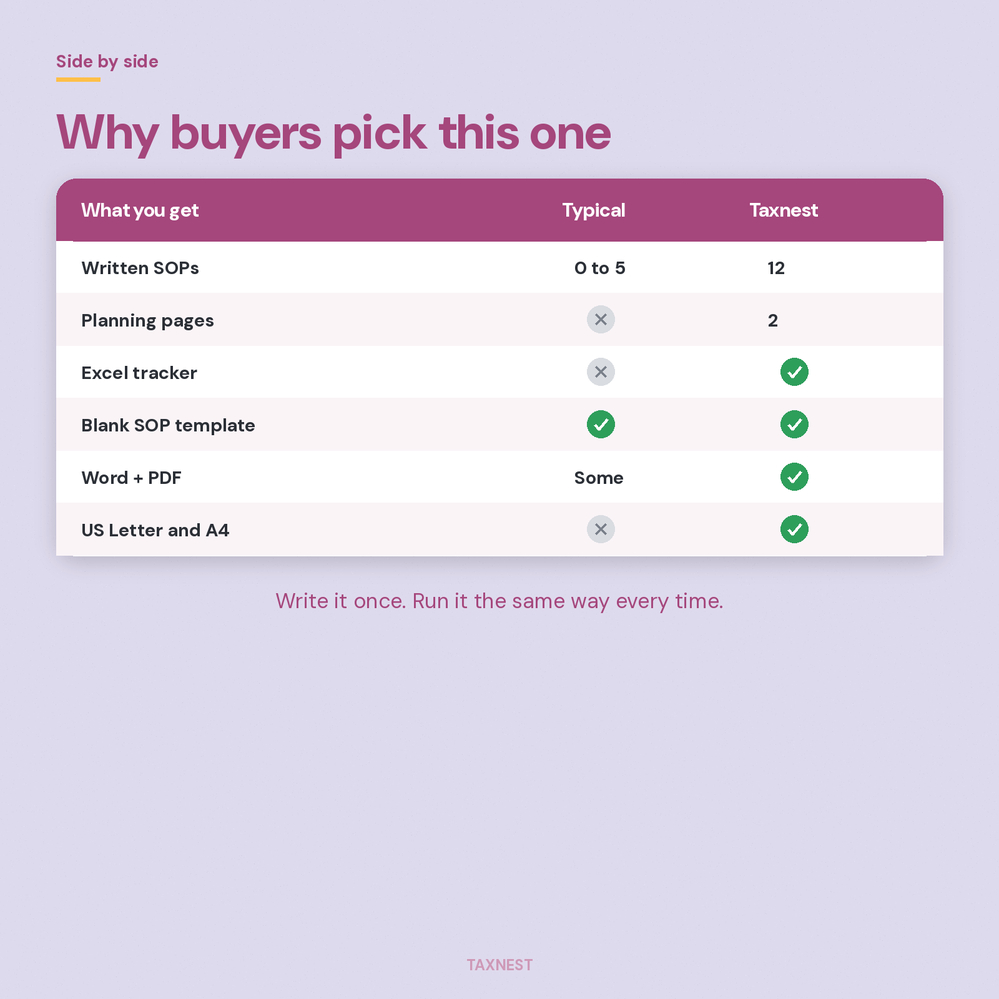
- Editable Word manual in US Letter and A4
- Print-ready PDF
- Blank SOP template (Word)
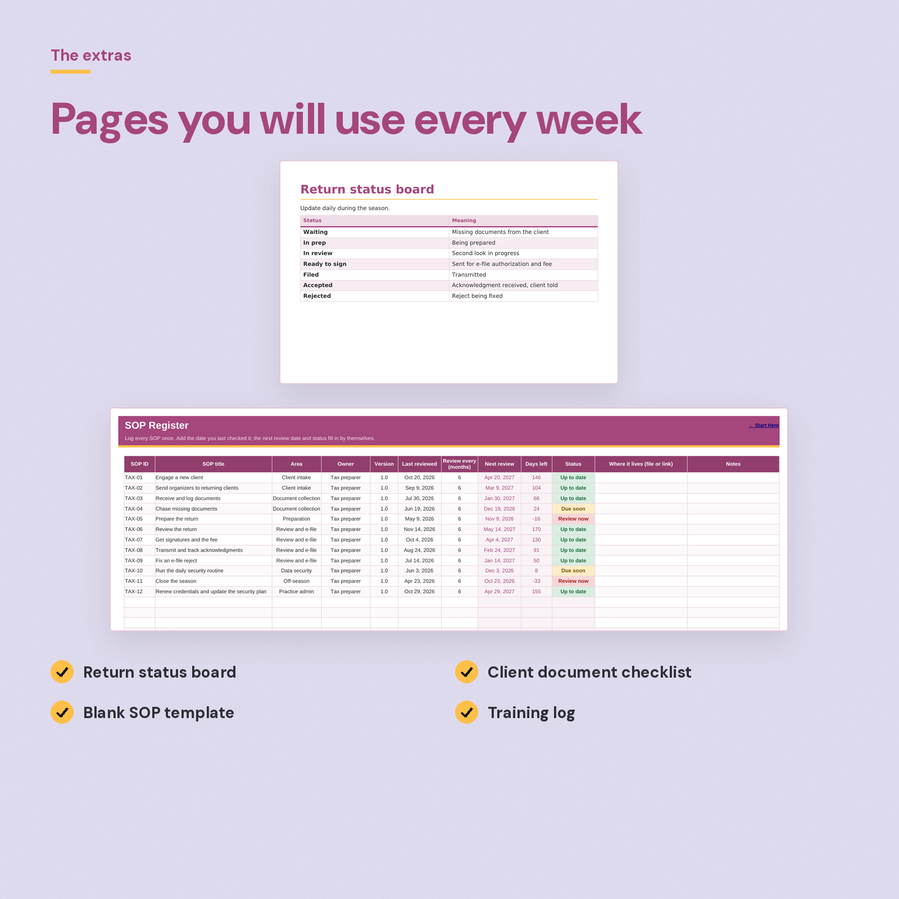
- Excel SOP tracker with dashboard
- User guide (Word)
Procedures inside
12 written SOPs, grouped by area:
- Client intake: Engage a new client, send organizers to returning clients
- Document collection: Receive and log documents, chase missing documents
- Preparation: Prepare the return
- Review and e-file: Review the return, get signatures and the fee, transmit and track acknowledgments, fix an e-file reject
- Data security: Run the daily security routine
- Off-season: Close the season
- Practice admin: Renew credentials and update the security plan
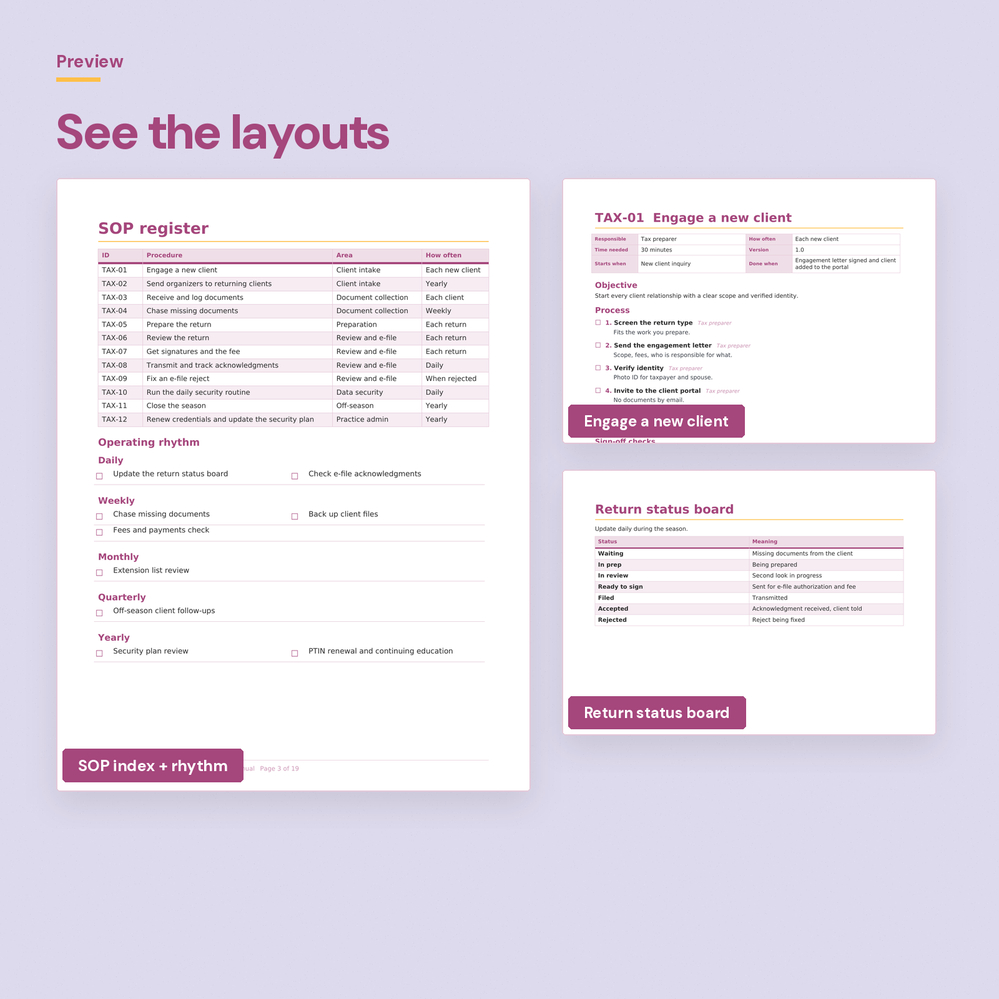
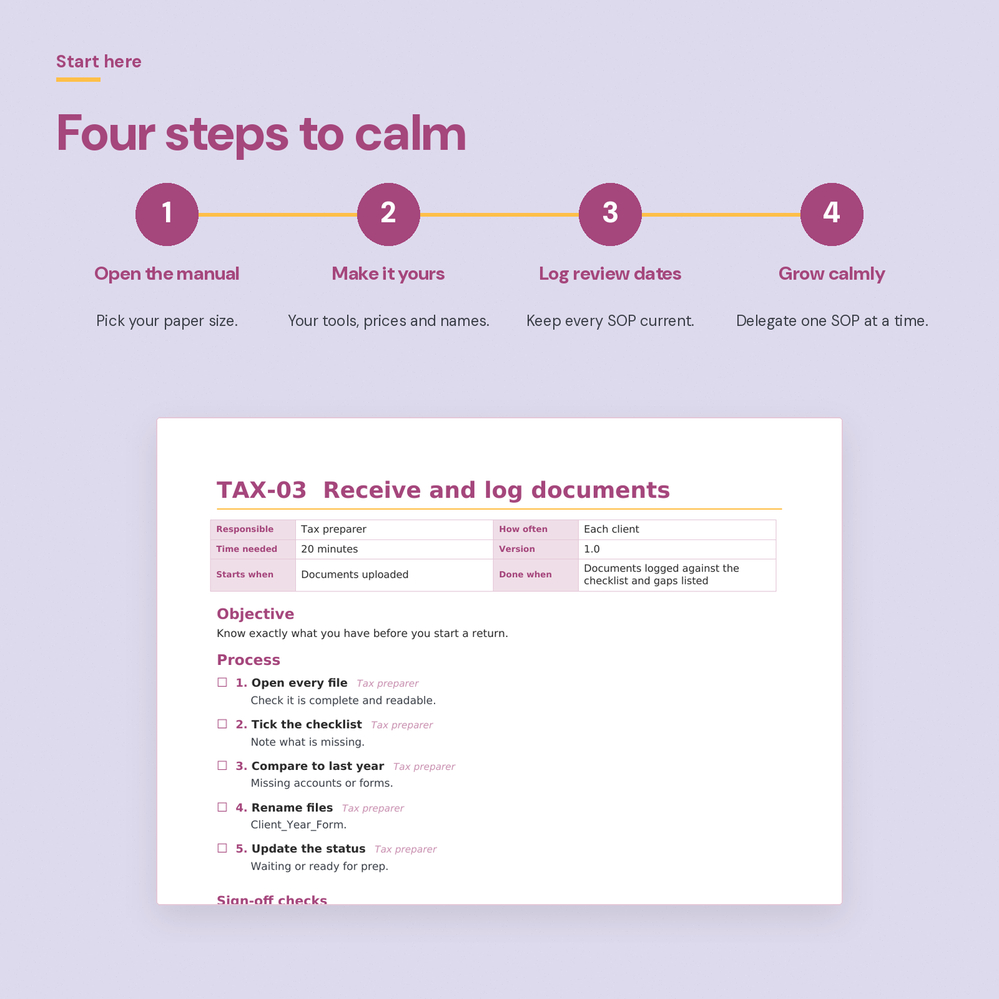
Each one lists who does it, how often, the time it takes, what starts it and what done looks like, followed by numbered steps with tick boxes, common mistakes and a final check.
Also included
A business snapshot, the SOP index, a daily, weekly and monthly rhythm, return status board, client document checklist, a blank SOP template, a training log and a revision history.
The Excel SOP tracker
- All 12 SOPs listed with automatic review dates and status
- 9 recurring jobs with next due dates and overdue flags
- A dashboard with a health score, status counts and charts
- Settings for your areas, people, review cycle and currency
Your first hour
- Open the manual in your paper size.
- Read the SOPs you use most and change the [bracketed] details.
- Use the tick boxes the first few times through.
Compatibility
- Word .docx for Microsoft Word 2016 or newer, Microsoft 365 or LibreOffice
- PDF for printing or reading on a tablet
- Excel .xlsx for Excel 2016 or newer or LibreOffice Calc
- Fonts: Verdana and Verdana, already on Windows and Mac
Who uses it and how
- A preparer handles 220 individual returns in one season with each return tracked from intake to accepted on the status board.
- An intake assistant halves missing-document calls by sending the checklist with every organizer in early January.
- A practice clears 9 e-file rejects within 48 hours using the reject SOP.
Digital download
Instant download with unlimited re-downloads from your Taskdale account. Nothing is shipped. For use in your own business. Please do not resell or share the files.
Frequently asked questions
Is this tax advice?
No. It is a process manual. Tax law, deadlines and preparer rules depend on where you and your clients are. Follow those first.
Which tax software does it fit?
The steps work with any professional tax software. Fill in your own software names and settings.
Can I edit it?
Yes, every page is editable in Microsoft Word, and the tracker in Excel.
Does it work in Google Docs?
You can upload the files to Google Drive and open them there. Word gives the best results because the tick boxes and click-to-type fields are Word features.
Which paper sizes?
US Letter and A4 are both included.
Reviews
There are no reviews yet.