
The Haulwise moving company inventory app puts your whole inventory process on the crew lead’s phone. Survey the home, tag and describe every article, check items onto the truck and off at delivery, and get the customer’s signature at both ends. It is one file you open in a browser, it works in a basement with no signal, and there is no per-user monthly fee.
A Moving Company Inventory App for the Crew Lead’s Phone
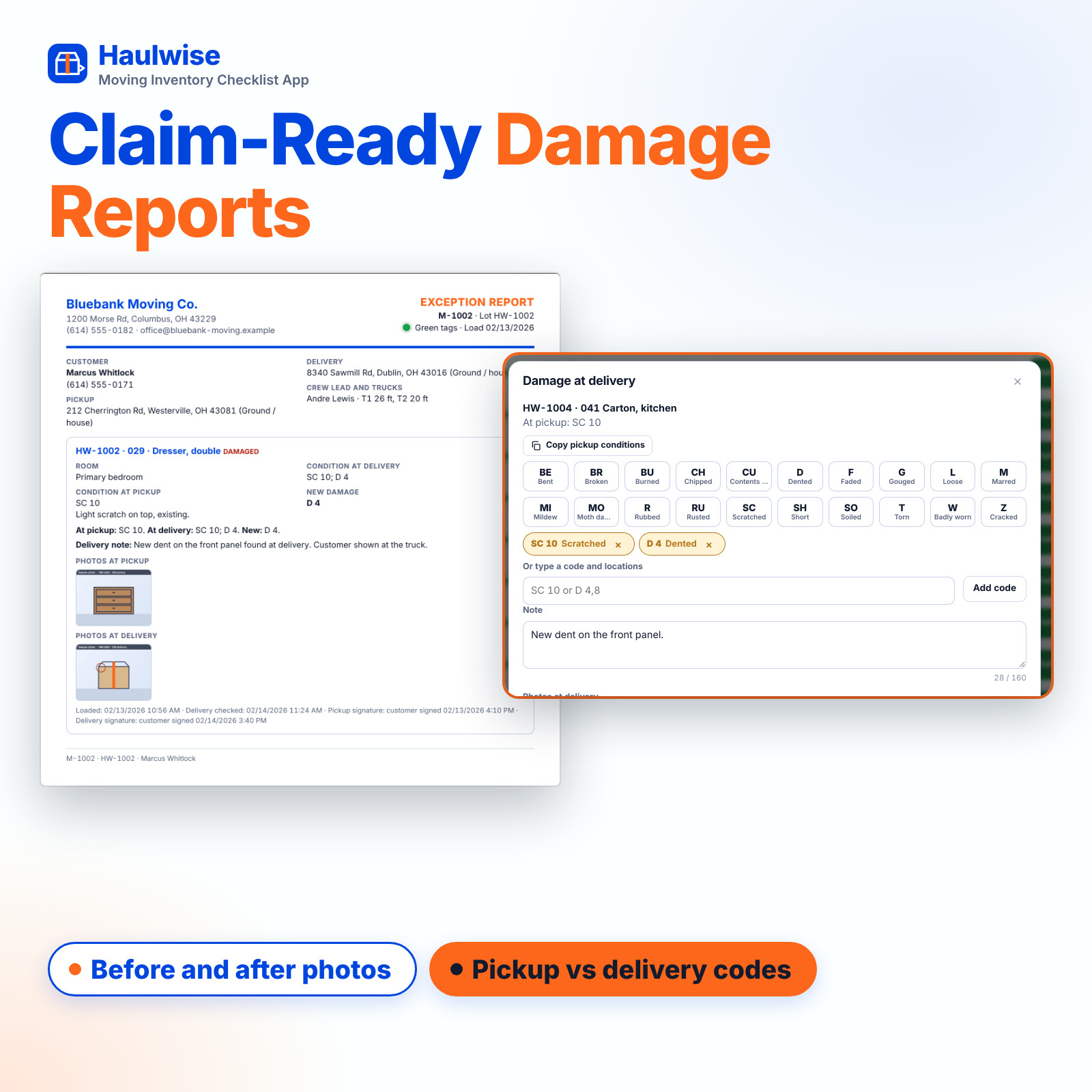
Paper pads get rained on, torn and misread. Haulwise replaces the pad with a movers inventory sheet that totals itself, numbers every tag for you and keeps a time-stamped record of what each item looked like before it went on the truck. When a customer says the dresser was already scratched, you open tag 012 and read “SC 10” with the photo beside it.
What the Moving Inventory App Does
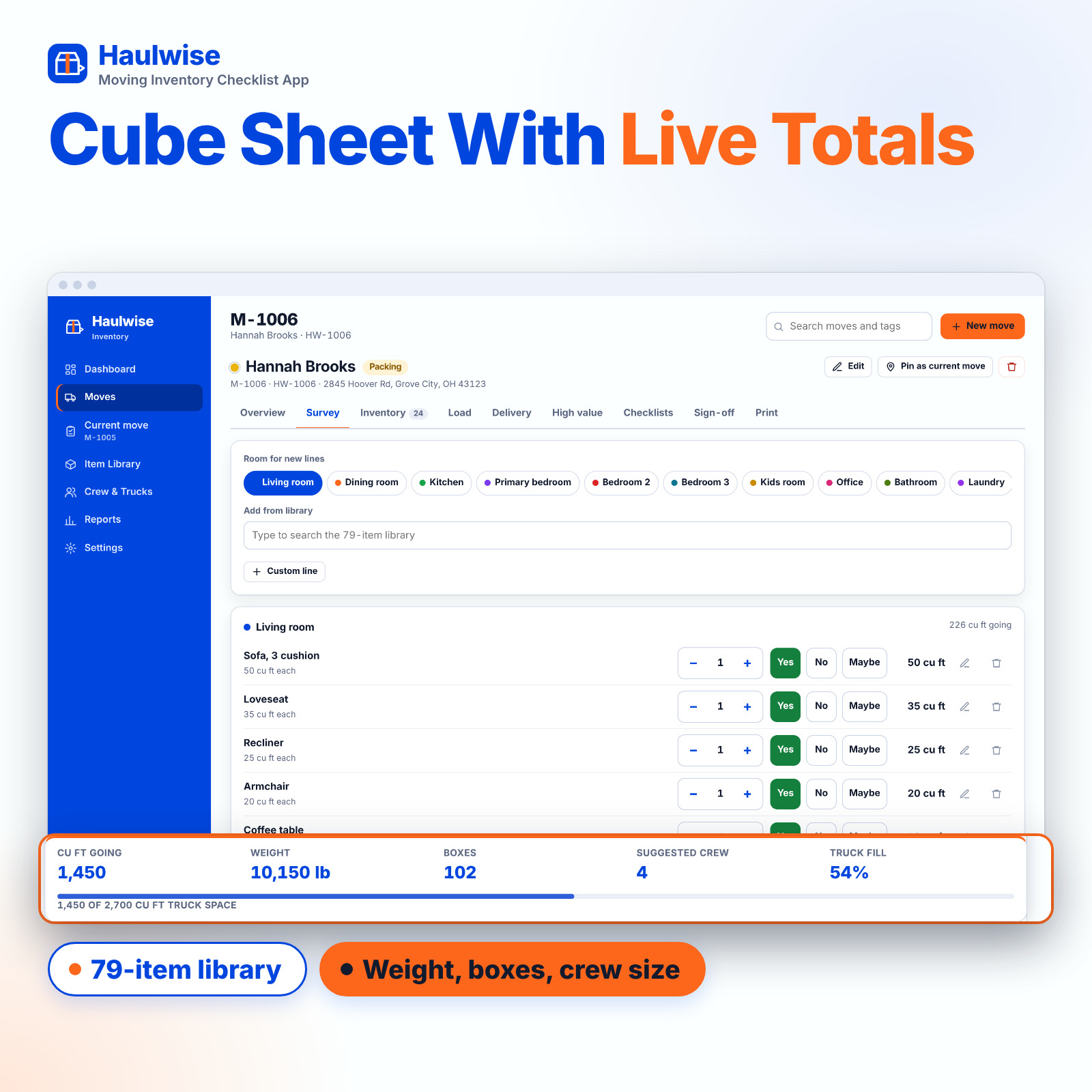
- Survey. Build a cube sheet room by room from a 79-item library. Mark each line Going, Not going or Maybe and watch cubic feet, estimated weight, boxes, suggested crew size and truck fill update as you tap.
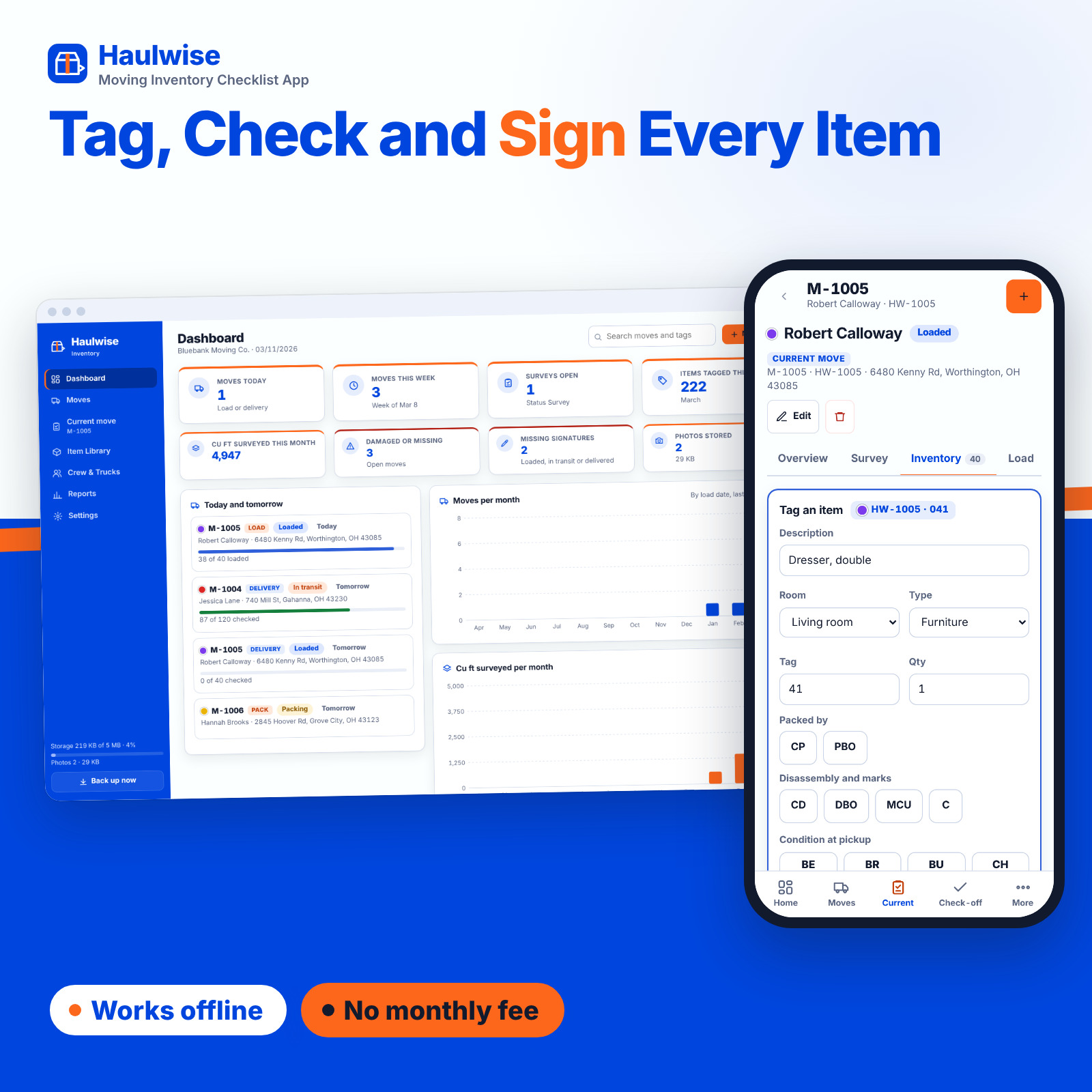
- Tag and describe. Every article gets a lot number, a tag color and a sequential tag, such as HW-1001 · 007. Add the room, description, carrier packed or packed by owner, disassembly marks and its condition with exception codes and location numbers.
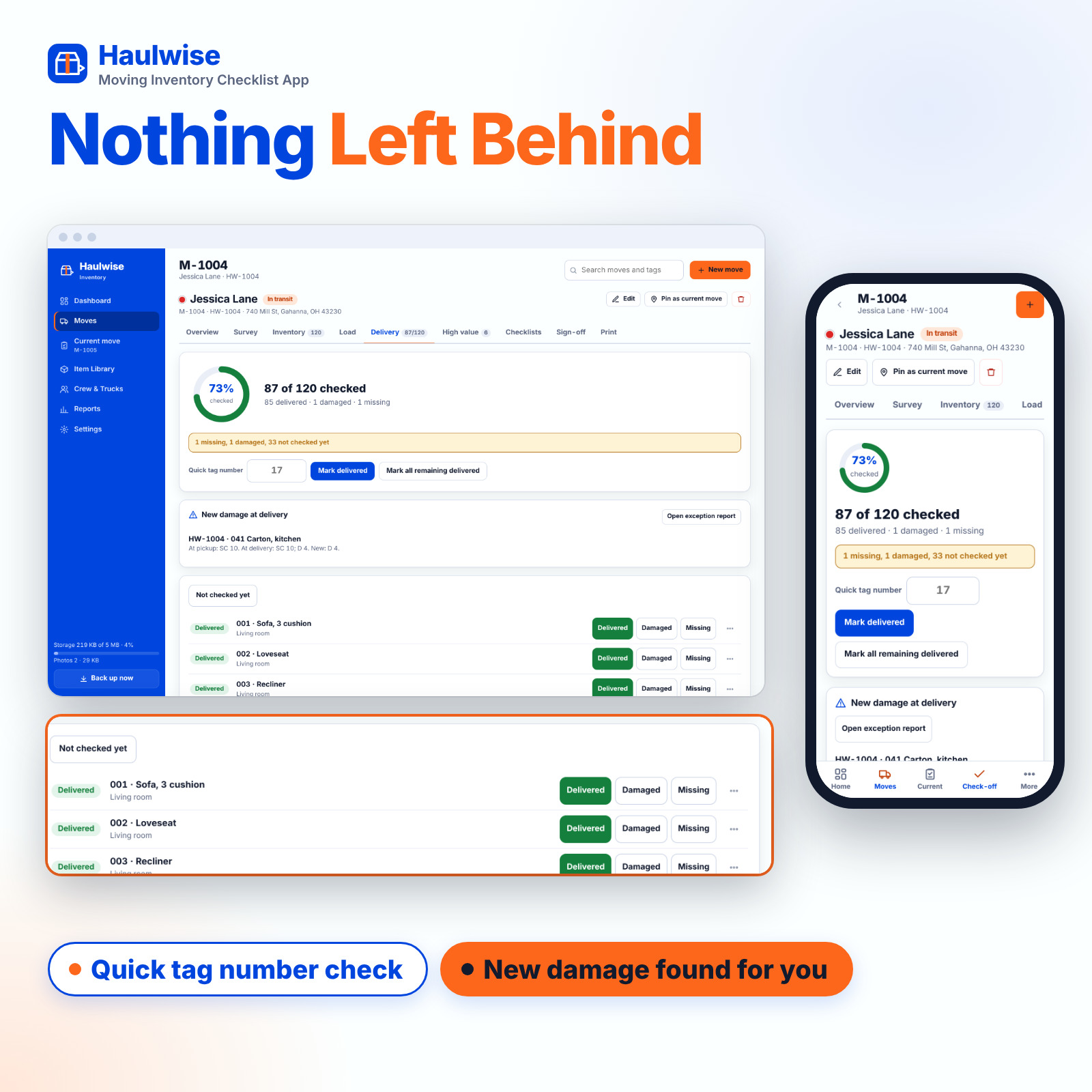
- Load and deliver. Tick each tag onto the truck, then mark it Delivered, Damaged or Missing at the other end. Damage that was not on the pickup record is flagged as new for you.
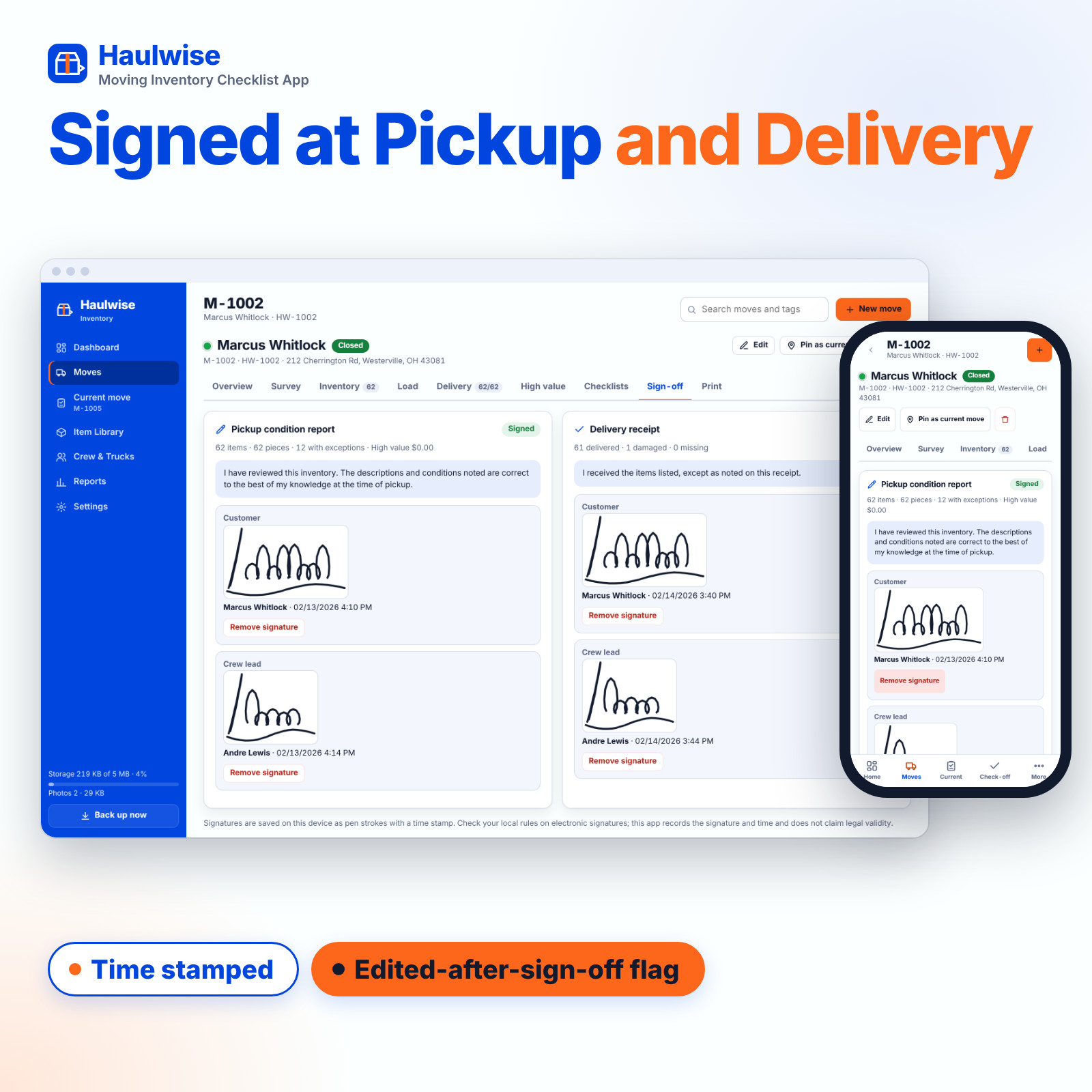
- Sign off. The customer and the crew lead sign on screen at pickup and again at delivery, each with a time stamp.
- Print and export. Eight printable documents, four CSV files and a JSON backup.
Who Uses This Moving Company Software Offline
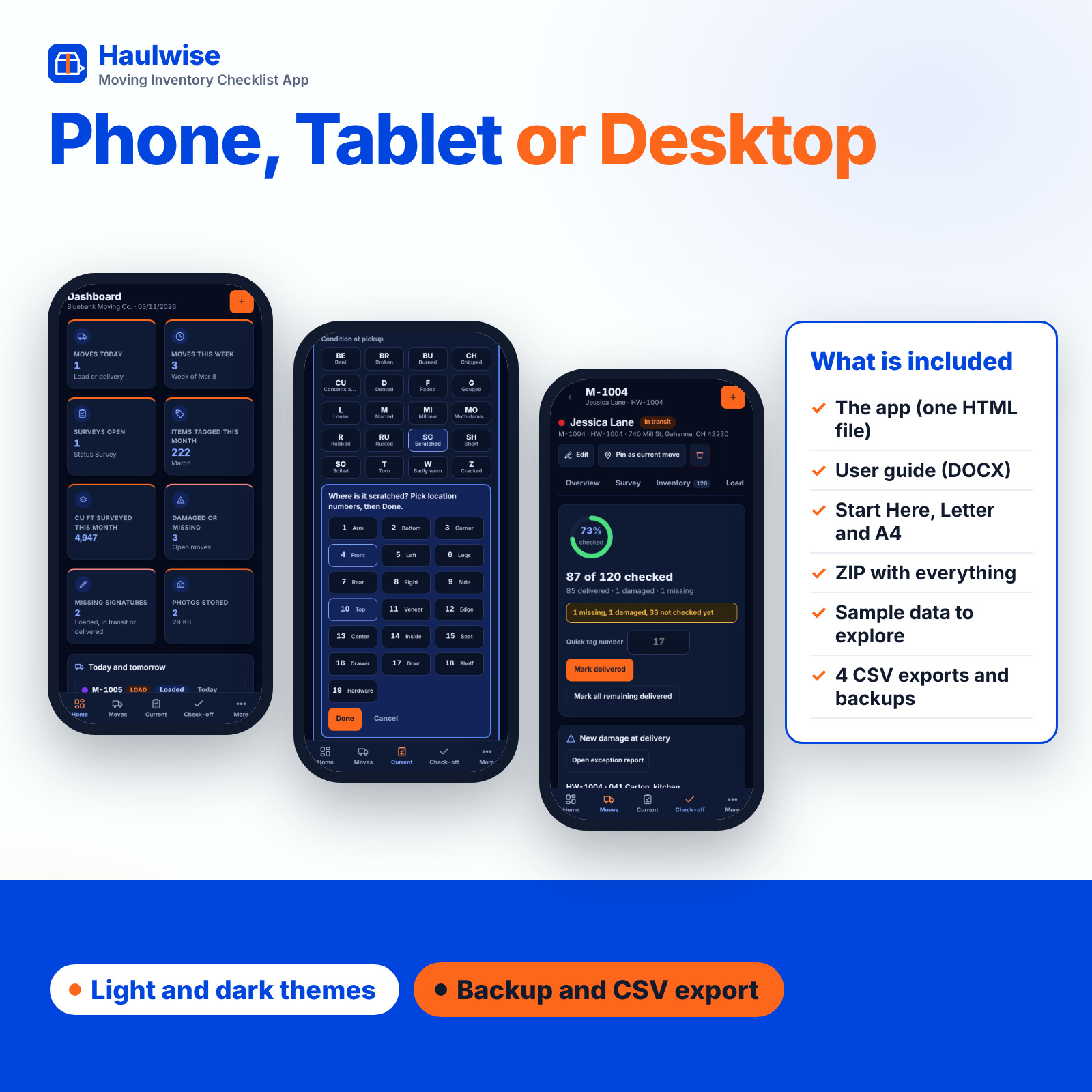
Owners and crew leads of local and regional moving companies with one to five trucks who still write inventories on paper, and small long-distance movers who need a clean household goods descriptive inventory for every shipment. It is built for the person standing at the truck door, so the buttons are big and the code chips are at least 44 pixels tall.
Main Benefits
- Fewer disputed claims, because conditions are recorded and signed at pickup.
- Nothing left behind, because every tag is checked off at the truck door and again at delivery.
- Faster, cleaner inventories than a pad, with the Save and next button keeping the room and numbering the next tag.
- Surveys that feed the crew and truck plan, so the cube sheet and the dispatch decision agree.
Features
- Dashboard with 8 tiles and 4 charts, including origin exceptions by code and the delivery damage rate.
- Moves list with status tabs, search, sorting and load and delivery progress on every row.
- Cube sheet app for movers with a 79-item library, Maybe lines, weight at 7 lb per cubic foot (editable), box count, crew suggestion and truck fill.
- Descriptive inventory with bulk cartons, CP, PBO, CD, DBO, MCU and crated marks, 20 exception codes and 19 location numbers.
- Moving inventory condition codes you can edit to match your own paper pads.
- Up to 4 photos at pickup and 4 at delivery per item, added from your camera or gallery.
- High-value list with declared values and a running total, plus a basic liability limit by weight.
- Quick tag number box for loading and delivery.
- One currency setting, date formats, light and dark themes, and sample data to try everything first.
What Is Included
- Haulwise-Moving-Inventory-Checklist-App.html, the app, which ships empty with a Load sample data option.
- A User Guide in DOCX with worked examples.
- A one-page Start Here PDF in US Letter and A4.
- A ZIP with all of the above in one download.
How It Works
Open the file in your browser and choose Explore with sample data, or Set up my business. Create a move with a customer name, pickup address and load date. Survey the home, tag items on the Inventory tab, let the customer sign, check items onto the truck, check them off at delivery and sign again. Export a backup at the end of the day and send it to the office.
Eight Printable Documents
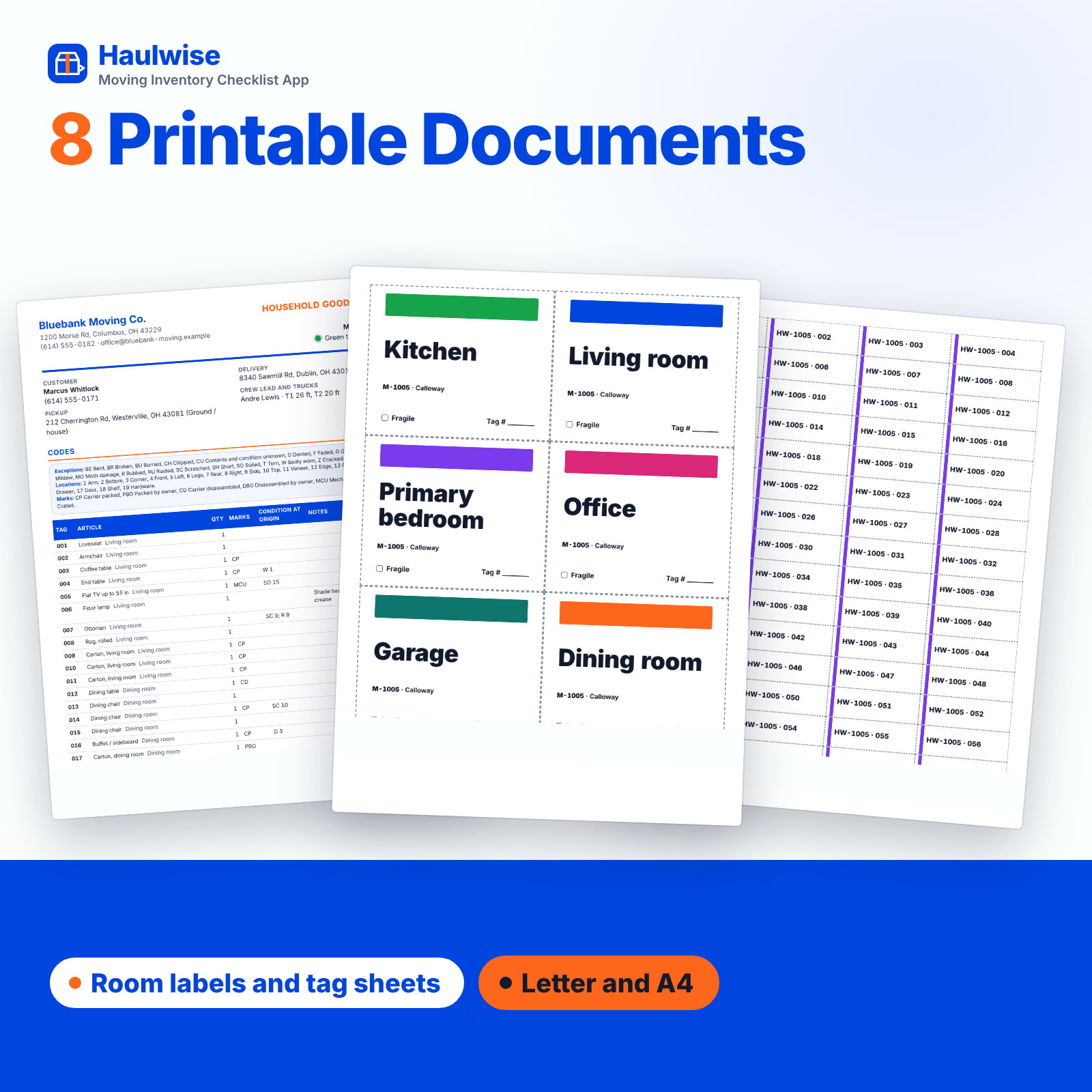
The Descriptive Inventory carries a codes legend, a delivered column and four signature lines. The Exception Report prints pickup and delivery photos side by side. Room Labels print six to a page with a big room name and a Fragile box, and the Tag Sheet prints 60 numbered tags per page in your tag color. The High-Value Inventory, Cube Sheet, Delivery Receipt and Move-Day Checklist complete the set. Every document fits US Letter and A4.
File Format and Software Requirements
Haulwise is a single HTML file with the styles and code inside it, so it needs no installation and makes no network requests. Open it in any modern browser: Chrome, Edge, Safari or Firefox. We tested it in Chrome and Edge, at desktop, tablet and phone sizes. On a phone, open it with a browser app, not the Files preview. Records live in the browser’s storage of about 5 MB. In our test that held about 100 moves of 60 tagged items with four signatures each, and a meter warns you at 80%. Photos are stored separately on the device.
Customize It to Match Your Paper Forms
Edit the exception, location and room lists, the cubic feet in the library, the crew size table, numbering, checklists and the terms text above the signatures. Pick your own currency symbol.
Real Situations
- A three-bedroom local move tagged room by room, with 12 kitchen cartons added in one step.
- A scratched table found at delivery, with the pickup photo and the delivery photo on one exception report.
- A crew lead checking 120 tags off a truck at dusk with the quick tag box.
Digital Download and License
This is a digital product. After purchase you download the files straight away. License: for use in one moving business on the devices of that business. You may not resell, share, upload or give away the file or any copy of it. Haulwise helps you record inventories. It is not legal advice and does not claim compliance with any regulation, so check the inventory and liability rules that apply to your moves.
Frequently Asked Questions
Is this for moving companies or for people who are moving?
For moving companies and their crews. It is a crew tool, not a household move planner.
Does the moving inventory app need internet?
No. It works offline and makes no network requests.
Is it an App Store app?
No. It is a file you open in your browser.
Can my whole crew share data live?
No. There is no live sync. Each device keeps its own records. Export a backup and import it in the office.
Where are photos stored?
In your browser on that device. They are not uploaded anywhere. Include them when you export a backup.
Can I change the codes to match my paper forms?
Yes. Add, edit, reorder and delete exception and location codes in Settings.
Is there a monthly fee?
No. You pay once for the file.



Reviews
There are no reviews yet.