Woodworking Business Software for Custom Furniture and Cabinet Makers
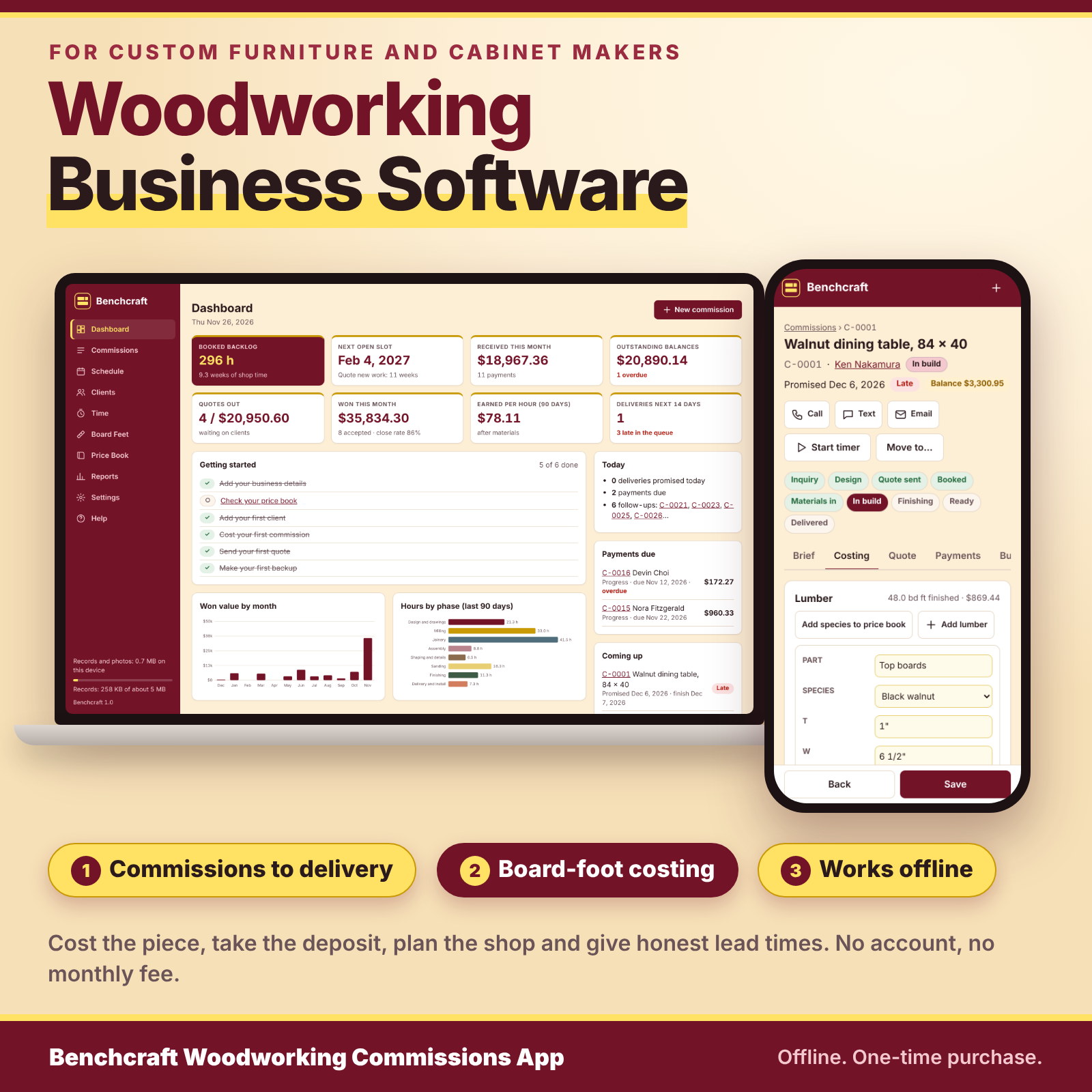
Benchcraft is woodworking business software for makers who build pieces to order. A “commission” here means a custom piece a client orders from you, such as a walnut dining table, a built-in bookcase or a set of kitchen cabinets. It has nothing to do with sales commission. Benchcraft runs each piece from the first inquiry to the day you hand it over, in one file that works offline and costs one time.
Open the file in a browser and you have a client list, a costing sheet that prices lumber by the board foot, a quote with a signature, a payment schedule, a shop timer, a queue with projected finish dates and a care card to print at delivery. No account, no monthly fee, and your data stays on your own device.
Who Benchcraft Is For
It is built for solo and small-team furniture makers, cabinet makers and custom woodworkers who take roughly 15 to 120 commissions a year. You quote from a sketch and a lumber list, take a deposit, build for weeks and deliver. If you run that today with a notebook, a lumber spreadsheet, a text thread and a bank app, this puts it all in one place.
Main Benefits
- Price pieces with real lumber math. Enter finished sizes and Benchcraft picks the rough quarter stock, adds your allowances and waste by species, and tells you how many board feet to buy.
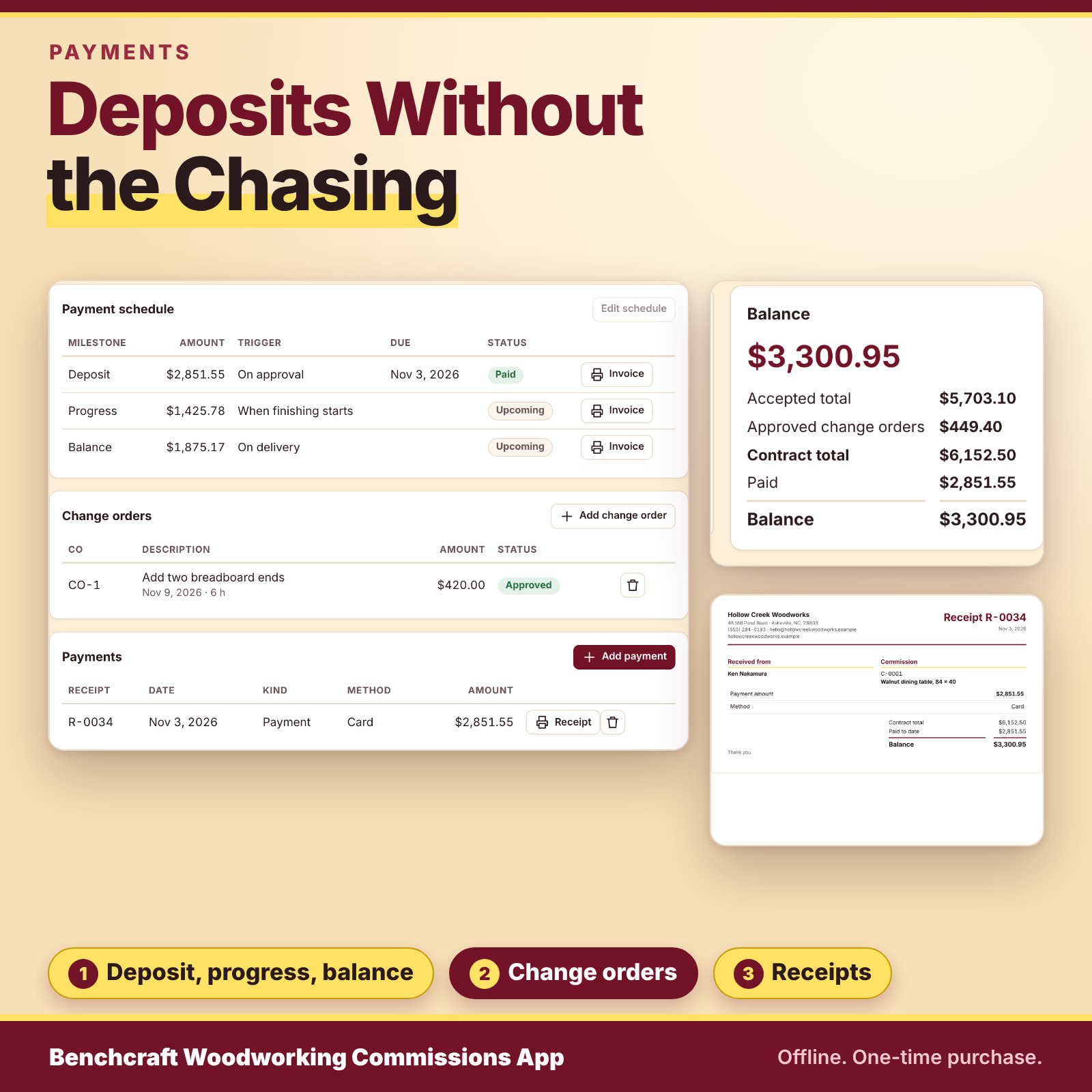
- Never lose track of a deposit or a balance. Milestones tie to build stages, change orders flow into the balance, and overdue payments show in red.
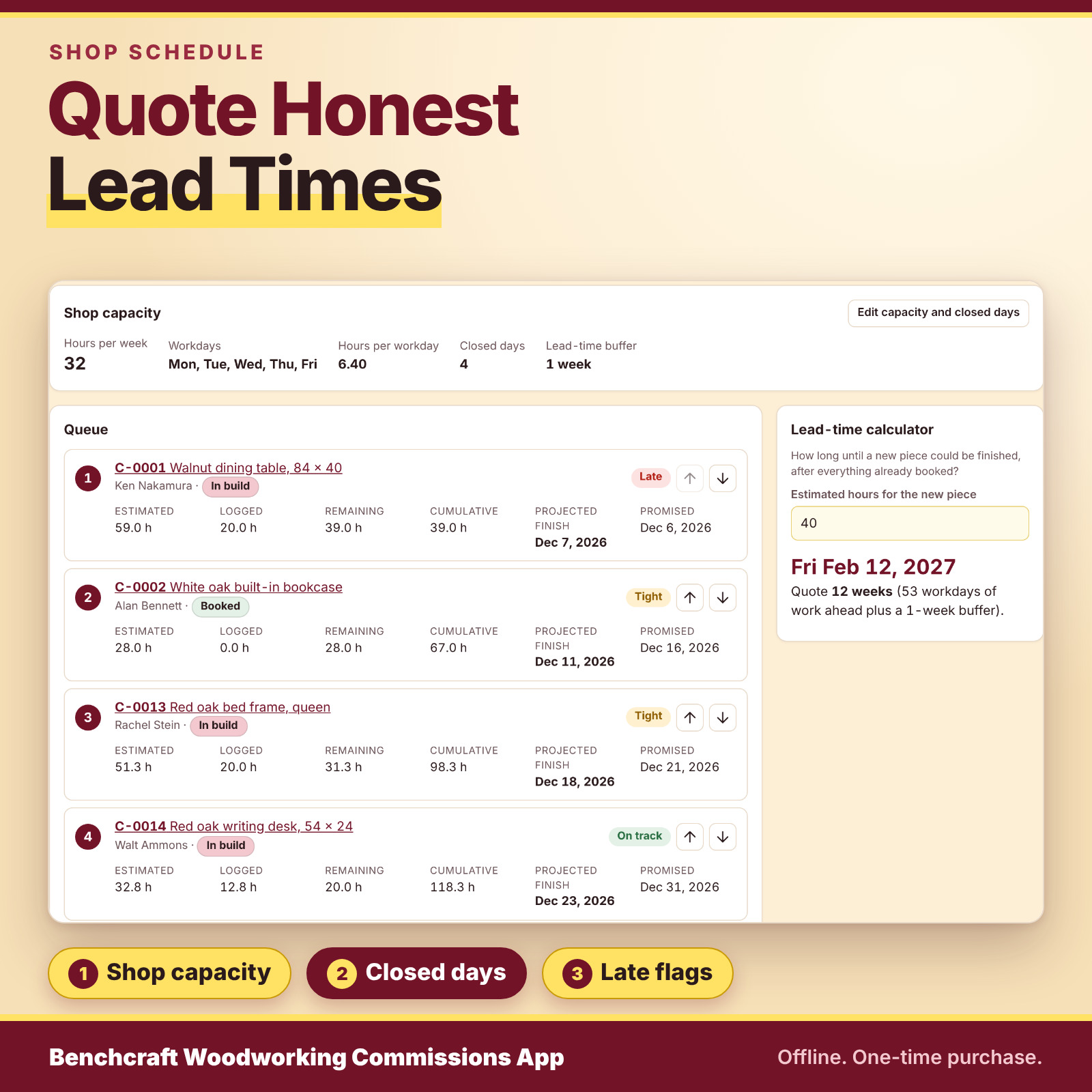
- Tell clients a finish date you can keep. The schedule stacks remaining hours down your queue and answers “how long for a new piece?” with a date and a number of weeks.
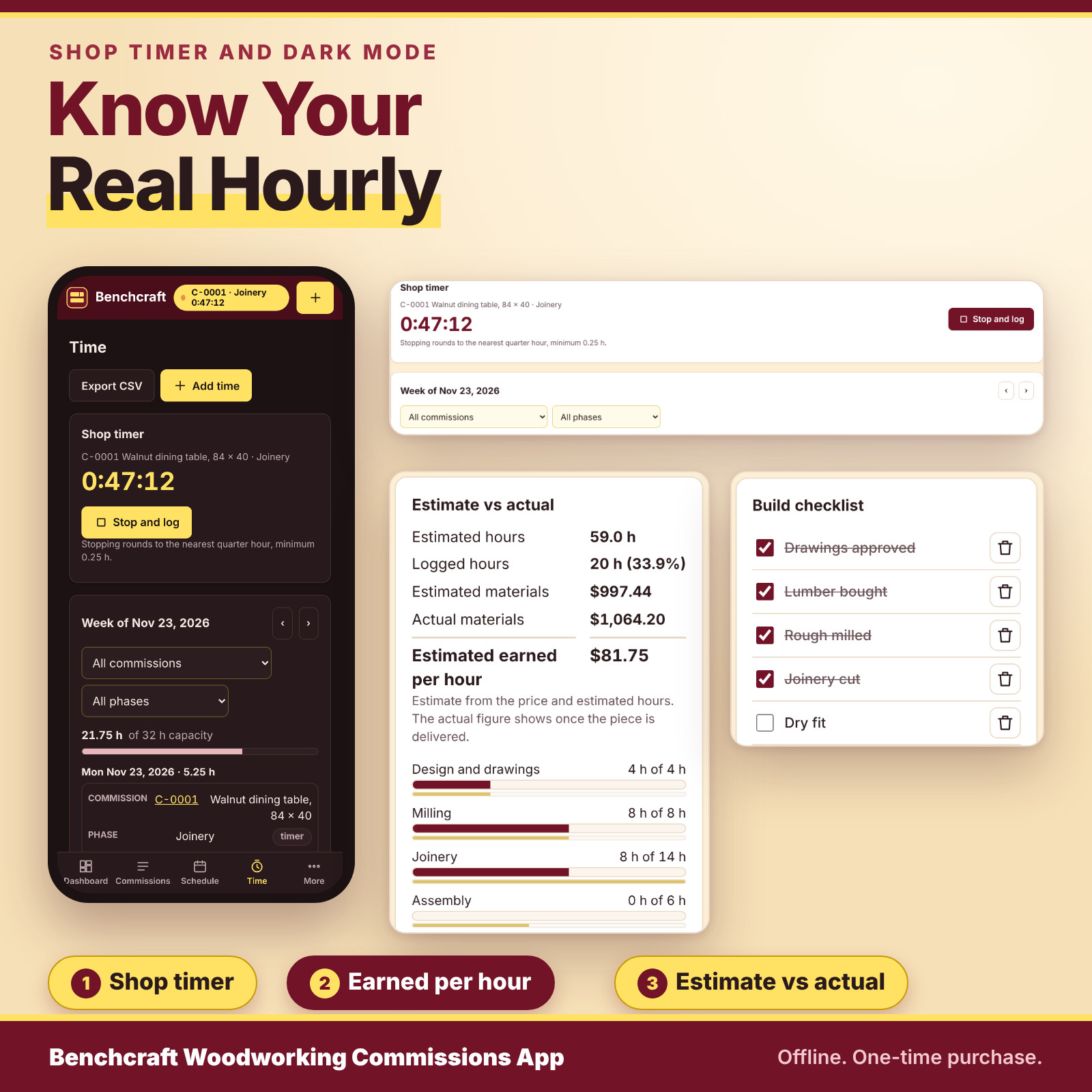
- See what you really earn per hour. Log shop time with a timer, enter what you actually spent, and compare with your estimate.
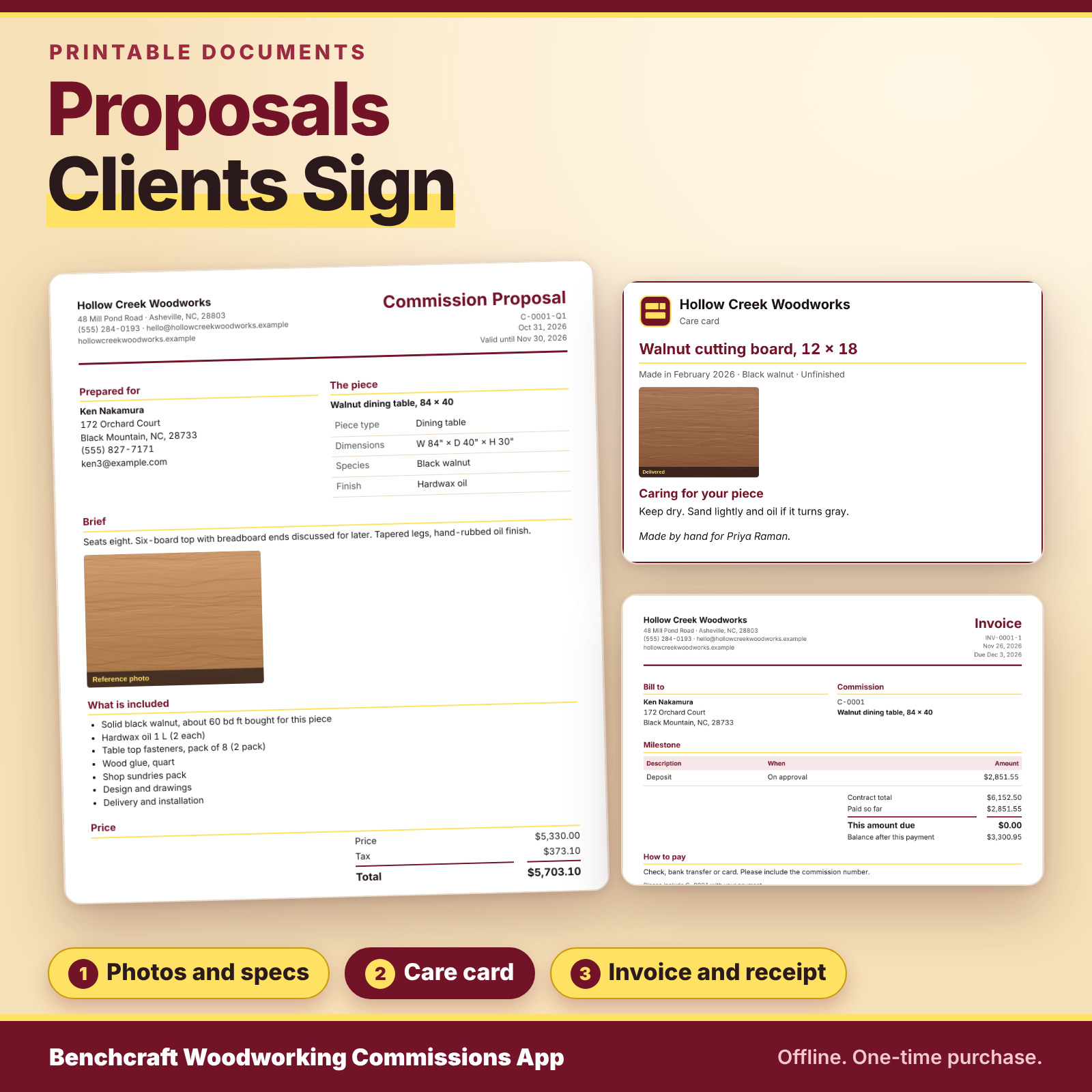
- Look professional. Print proposals, invoices, receipts, shop tickets, care cards and delivery sign-offs.
Features: Board Foot Costing, Quotes, Deposits, Shop Hours and Lead Times
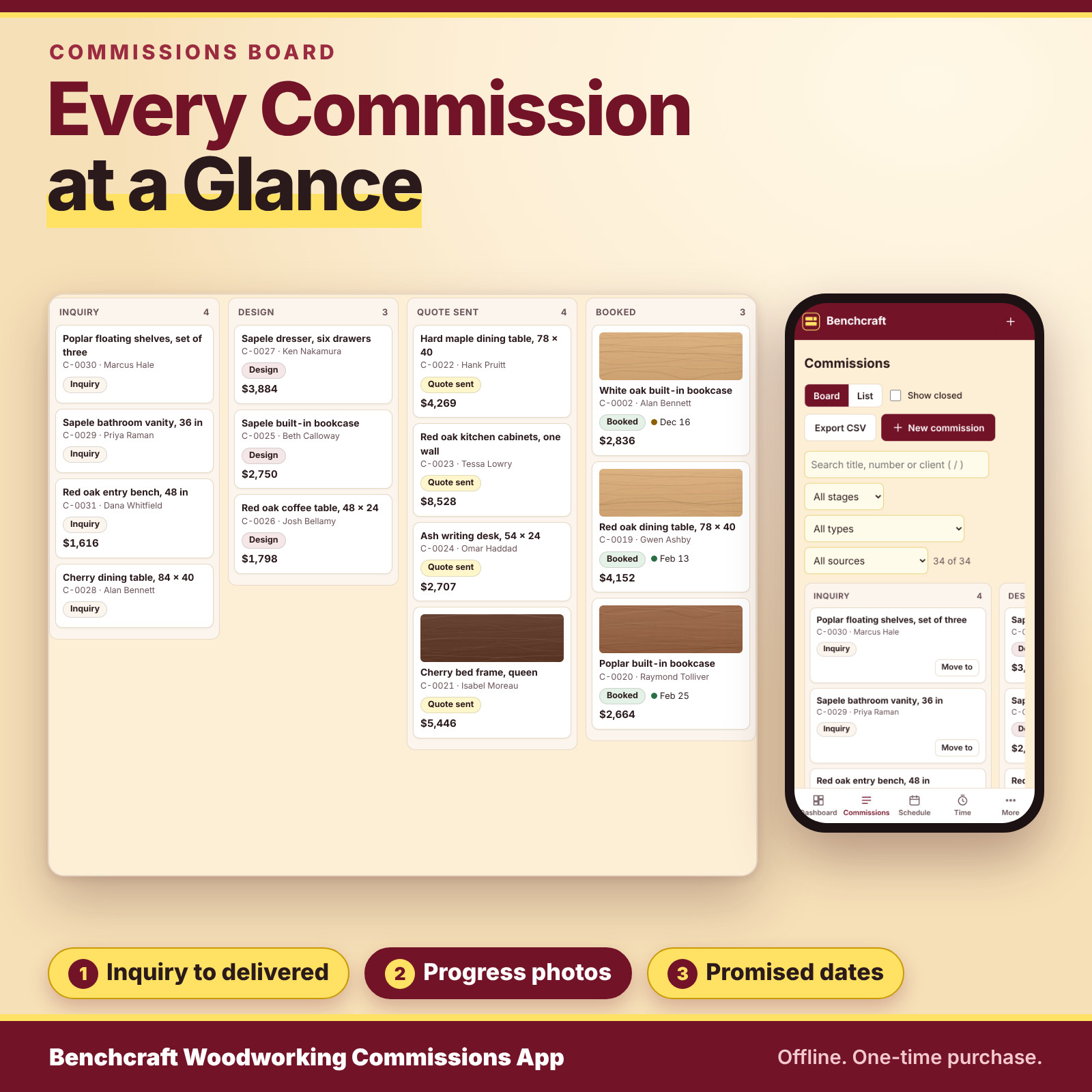
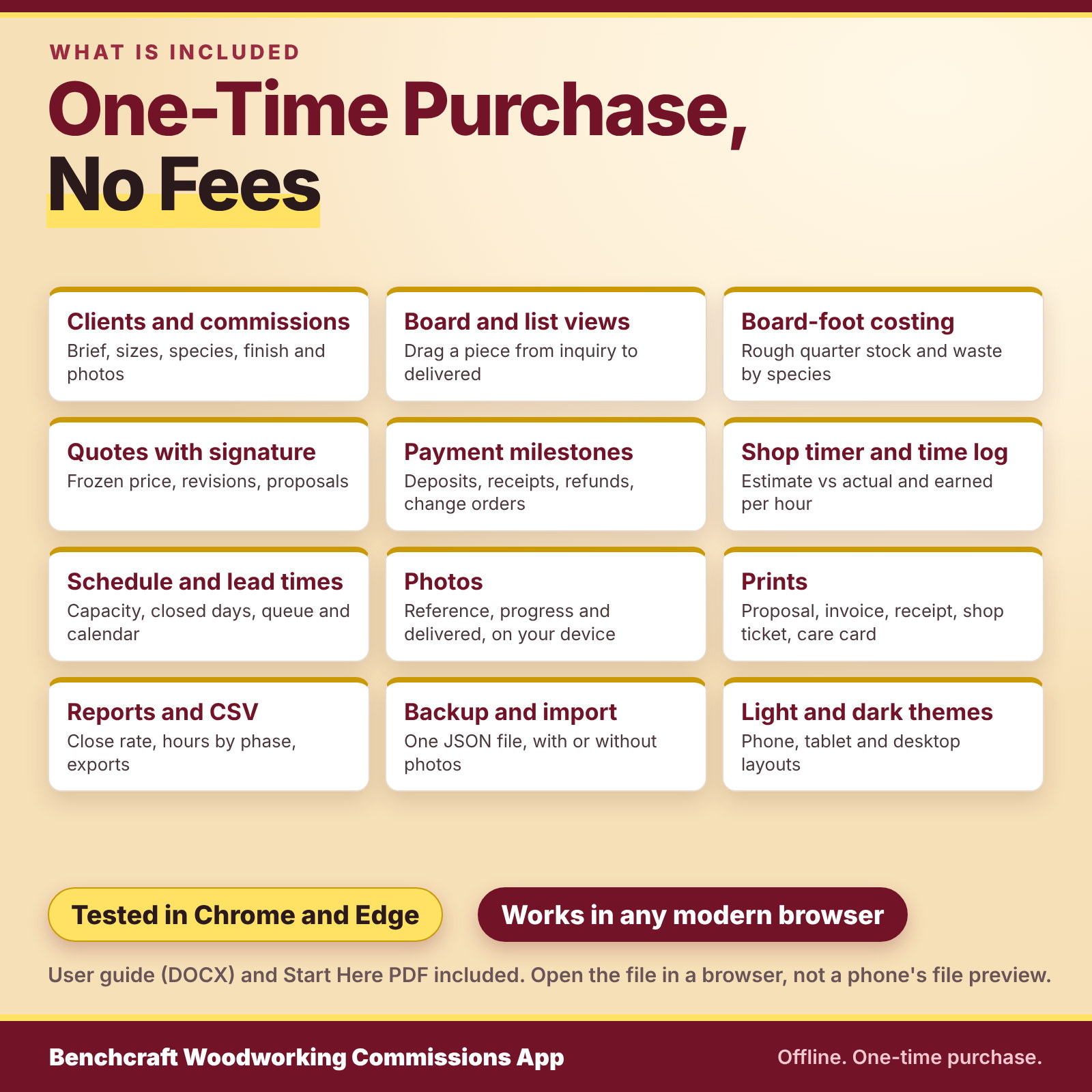
- Clients and commissions with brief, dimensions, species, finish and photos; board and list views.
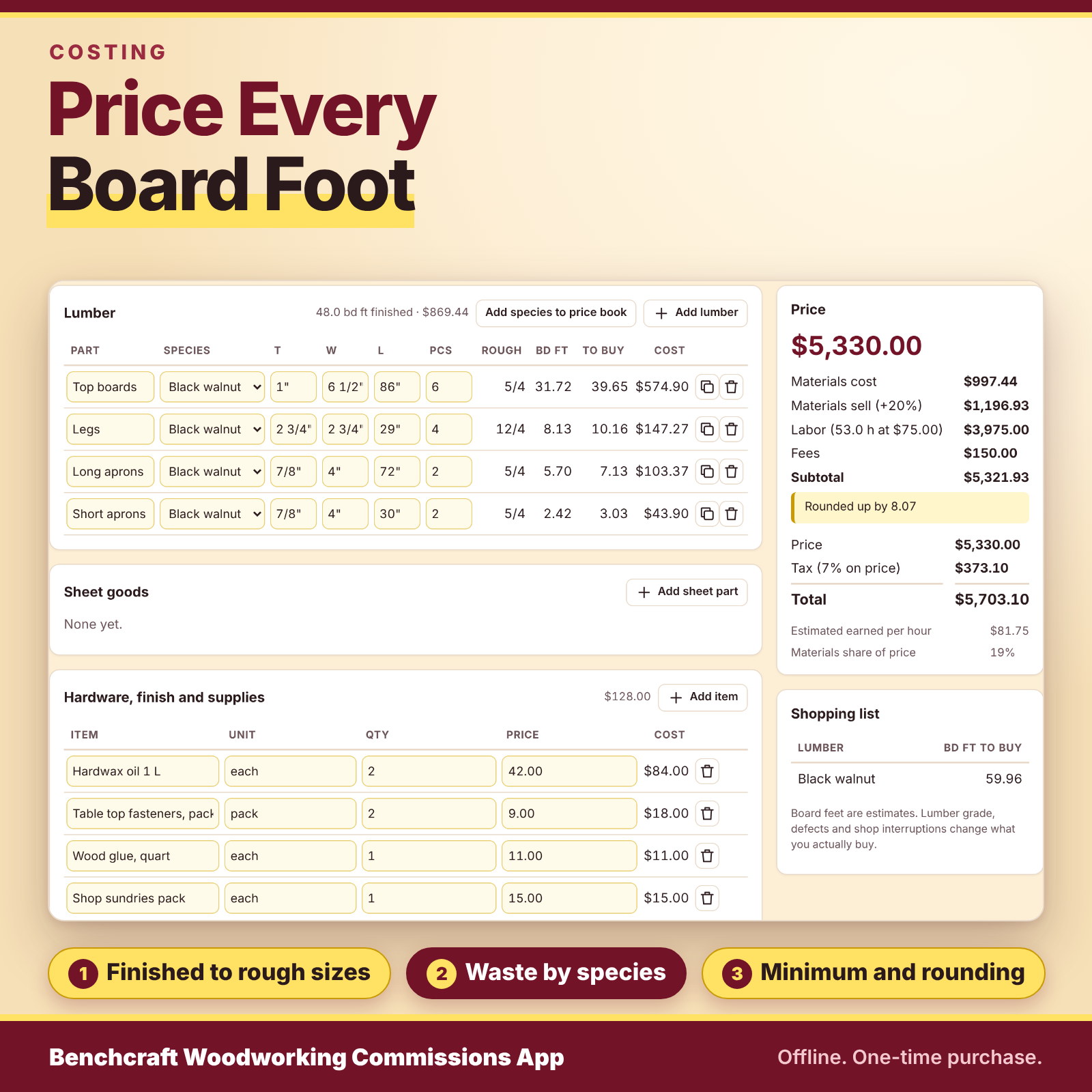
- Costing with board foot math from finished sizes, rough quarter thickness (4/4 to 16/4), width and length allowances and waste by species.
- Sheet goods by area and yield, items, outside work, labor by build phase, fees, custom lines, markup, minimum price, price rounding and tax modes.
- Quote revisions, acceptance with a signature and a frozen price that later edits cannot change.
- Payment milestones, deposit invoices, receipts, refunds and change orders.
- Build stages, a checklist, a shop timer, a time log, expenses, estimate versus actual and earned per hour.
- Schedule with weekly capacity, workdays, closed days, a queue, projected finish dates, a lead-time calculator and a calendar.
- A standalone board foot calculator, reports, CSV exports, JSON backup and import, light and dark themes, and one currency setting.
What Is Included
- Benchcraft Woodworking Commissions App (HTML): the app itself, one file.
- User guide (DOCX): every screen, worked examples and troubleshooting.
- Start Here (PDF): a one-page quick start.
- A ZIP with all three files.
The app ships empty and ready for your numbers. A “Load sample data” button fills it with a fictional shop, so you can click around before you enter anything real.
How It Works
Add a client and a commission, then open Costing. Type sizes the way you say them in the shop: 6 1/2, 3/4, 7′ 2″. Take a walnut table with six top boards at 1 x 6 1/2 x 86 in. Benchcraft turns that into 5/4 rough stock, 31.72 board feet, and 39.65 board feet to buy at 25% waste. Add legs, aprons, hardware and 53 hours of labor, and the price card lands on 5,330.00 before tax with the rounding shown.
Mark the quote sent, then accept it with a signature. The deposit milestone appears, the piece joins your queue, and the app asks for a promised date with an honest lead time already filled in.
Use Cases
- Quoting a walnut dining table from a sketch and a lumber list.
- Pricing a built-in bookcase with plywood sides, a face frame and a back panel.
- Telling an inquiry “about five weeks” and being right.
- Logging hours with the timer at the bench.
- Taking a 50% deposit and a progress payment when finishing starts.
- Adding breadboard ends as a change order.
- Handing over a care card with the finished piece.
File Format and Requirements
Benchcraft is a single HTML file with the script and styles inside. Tested in Chrome and Edge. It should work in any modern browser, including Safari and Firefox, on Windows, Mac, iPhone, iPad and Android, and it works offline. Open the file in a browser, not in the phone’s file preview. There is nothing to install and the app makes no network requests.
Customize It
Set your business name, logo and currency. Edit species prices and waste, sheet goods, hardware, build phases, finishes and care text, piece types and client sources. Change the default payment schedule, the six proposal terms, your shop hours, workdays and closed days. Prints come in US Letter or A4.
Your Data and Capacity
Everything lives in your browser on your device. Records use browser storage of about 5 MB, which is shared with other files you open from your computer, and a meter in Settings shows how much is used. In testing, about 500 fully worked commissions fit before the 80% storage warning, and photos are stored separately. Export a JSON backup (with or without photos) and import it on another device.
Digital Download
You receive the files instantly after purchase. Unzip, keep the HTML file in a folder, open it in a browser and bookmark it. License: single business use, no resale or sharing. Board feet, sheet counts, prices and lead times are planning aids, not legal or tax advice.
Frequently Asked Questions
What does “commissions” mean here?
A custom piece a client orders from a maker. It is not sales commission.
Does this woodworking business software work offline?
Yes. It is one file with no network requests, so it runs with no internet.
Is there a subscription?
No. It is a one-time purchase.
Does it work on iPhone and Android?
Open the file in a browser and add it to your home screen. It was tested in Chrome and Edge and should work in any modern browser.
Where is my data saved?
In your browser, on your device. Nothing is uploaded. Clearing browser data erases it, so export a backup often.
How are board feet calculated?
Finished thickness picks the rough quarter size, allowances are added to width and length, and thickness x width x length / 144 x pieces gives board feet. Waste by species gives the amount to buy.
Can I change the currency?
Yes. Pick a symbol or type your own and every money value follows it.
Can I move data to a new computer?
Yes. Export a backup and import it on the other device. There is no live sync.
Reviews
There are no reviews yet.