Sunday night. You know the drill. Scroll for recipes, scribble a list, get to the store, forget the onions. This planner fixes the middle part. You pick the meals. It writes the list.
What it does
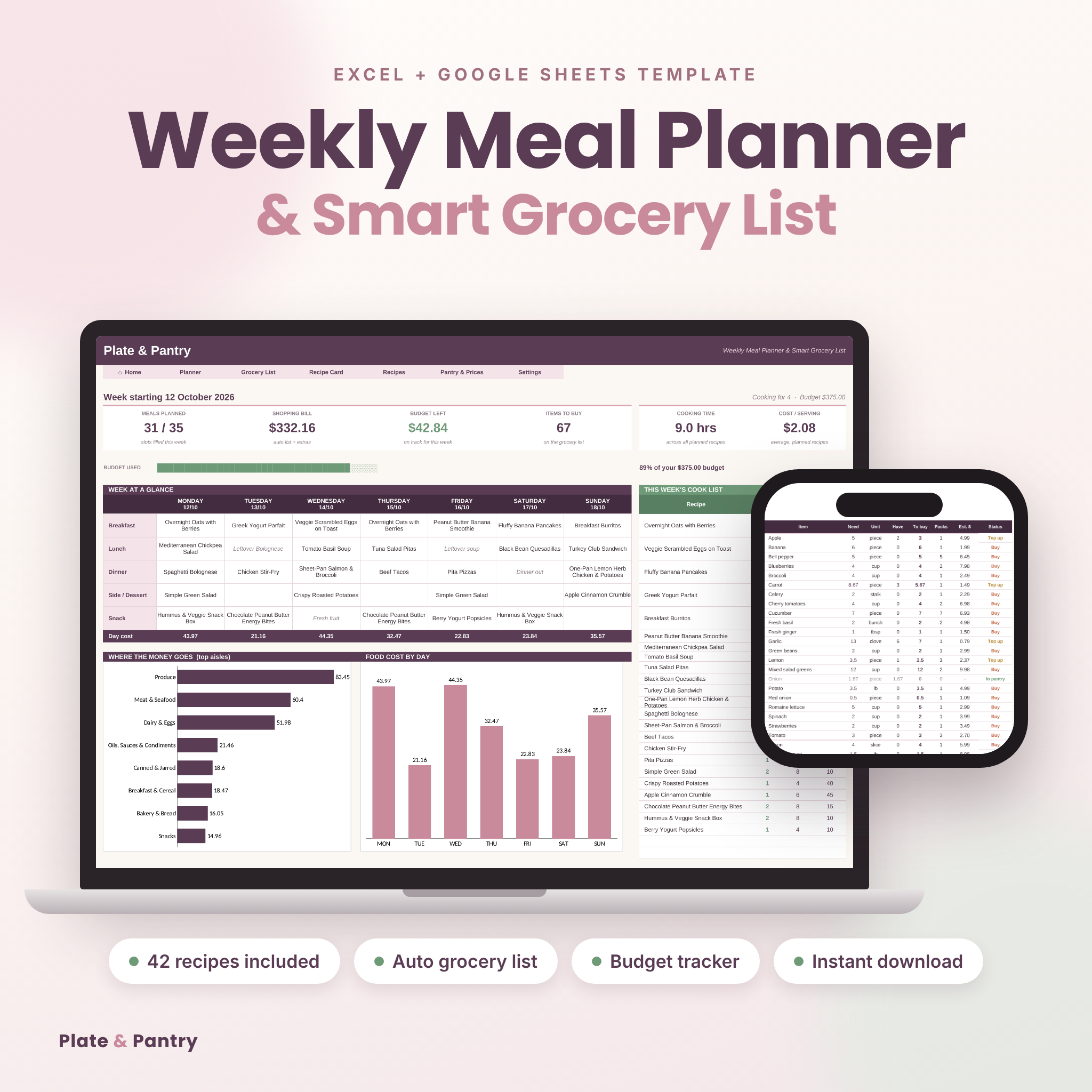
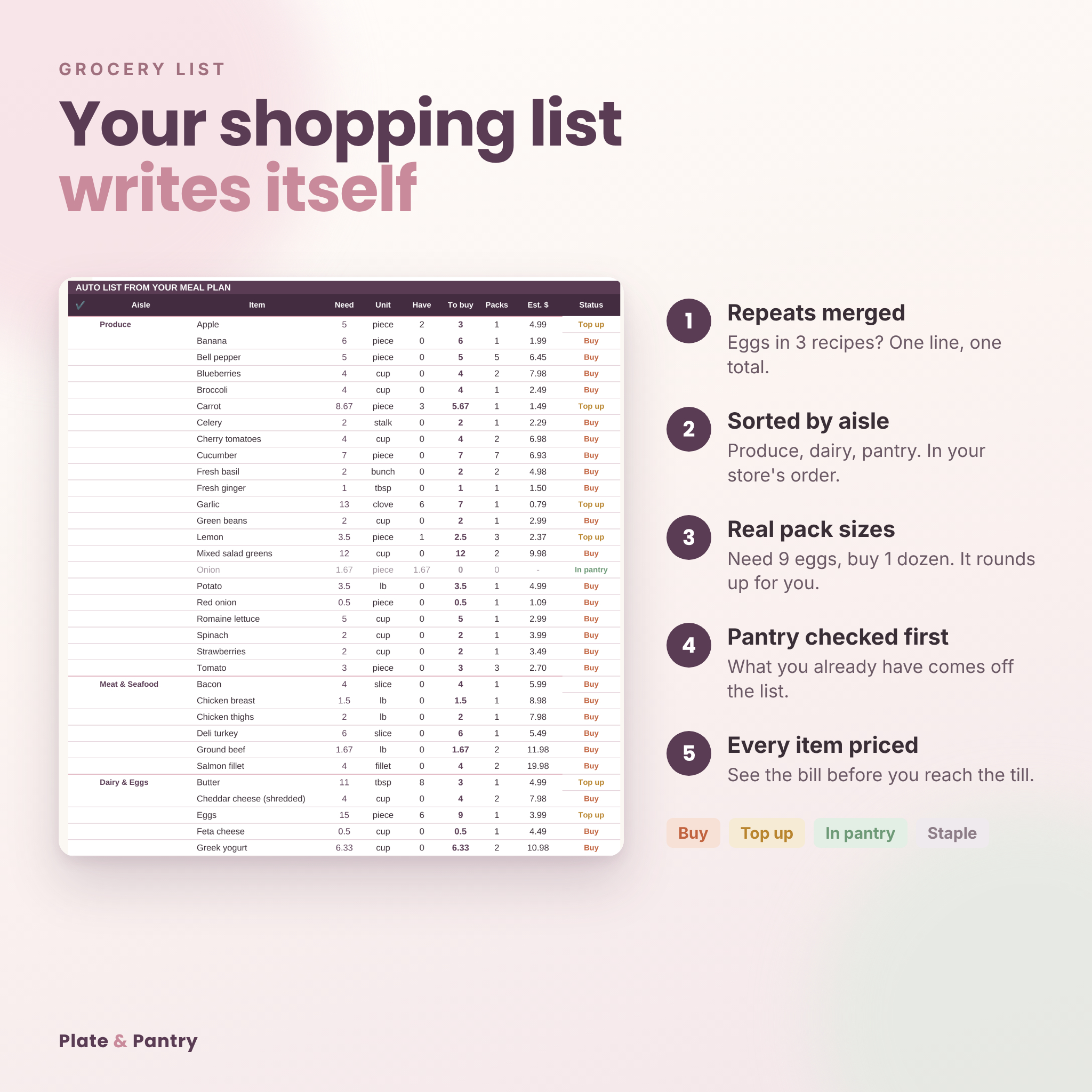
Choose a meal for each slot in your week from a dropdown. Plate & Pantry pulls every ingredient from those recipes, scales them to the number of people eating, and builds one shopping list. Eggs used in three recipes become one line with one total. The list is grouped by aisle, rounded up to the packs you actually buy, checked against what’s already in your cupboards, and priced, so you see the bill before you reach the till.
Who it’s for
- Families who want one list and one trip to the store
- Anyone shopping on a weekly food budget
- Meal preppers who batch cook and need a clear cook list
- Beginners. If you can pick from a dropdown, you can use this
Why it beats a basic meal planner template
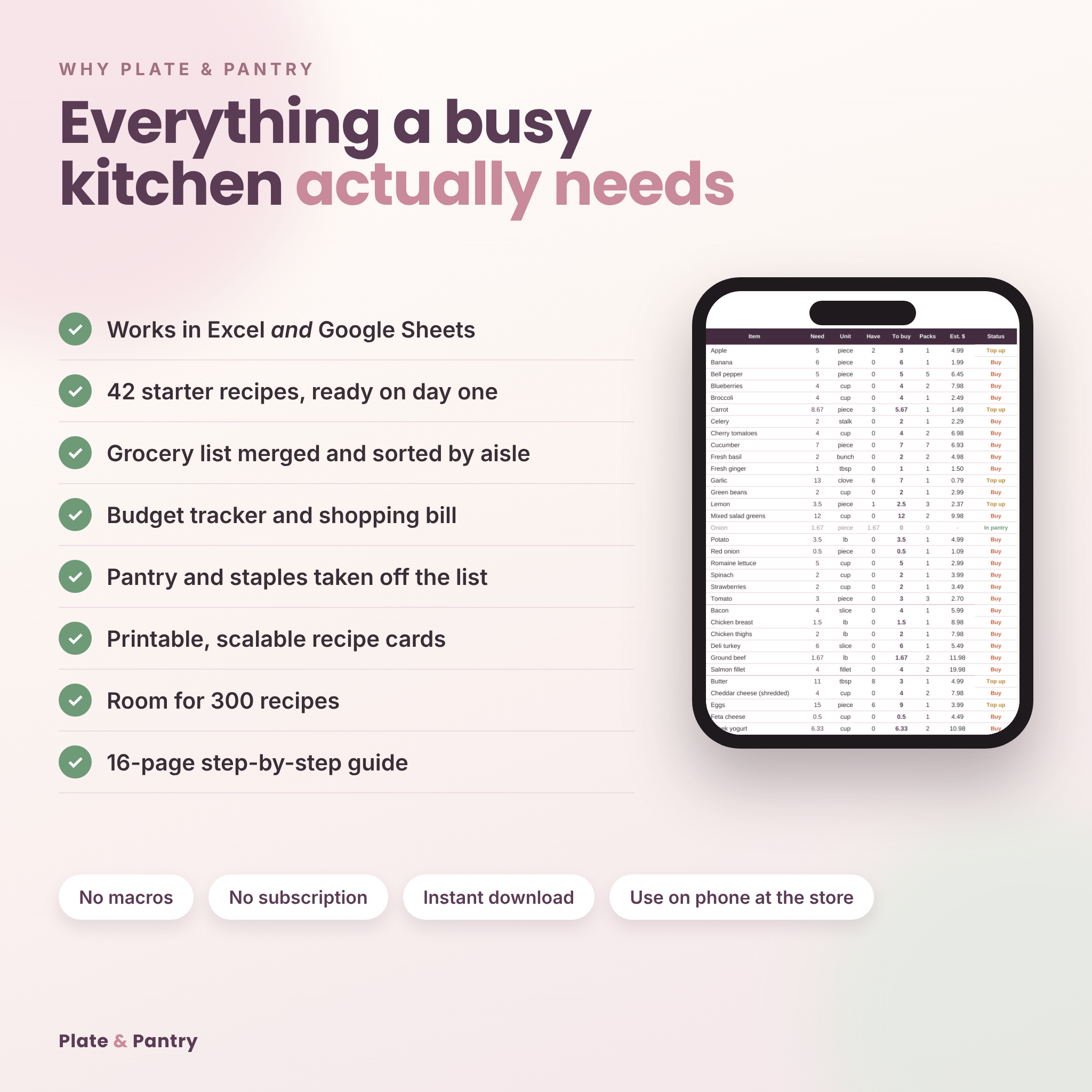
- Works in Microsoft Excel and Google Sheets, not just one
- 42 starter recipes already loaded, so it’s useful from the first minute
- Duplicate ingredients merged into a single line
- Shopping list sorted by store aisle, in the order you choose
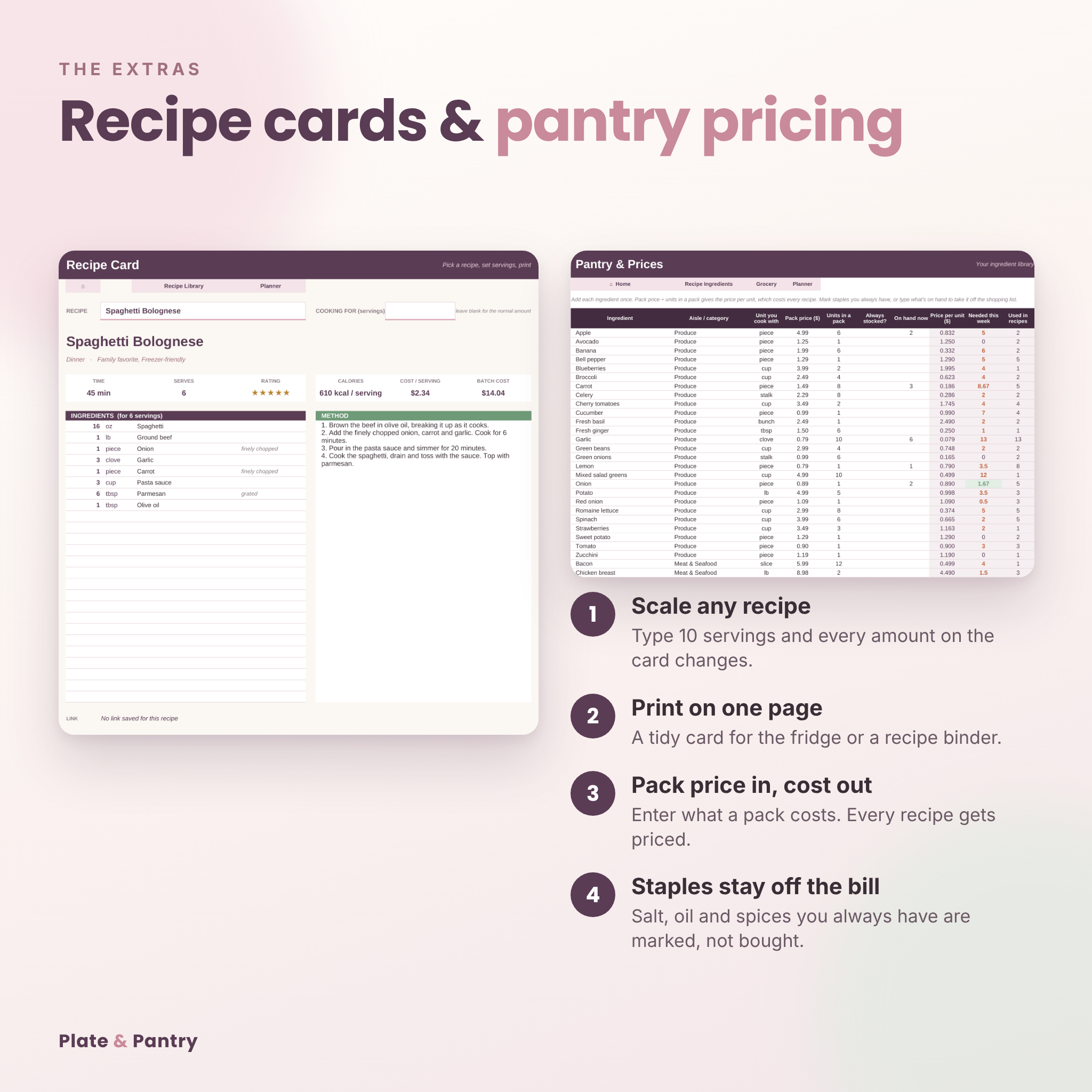
- Pack sizes and prices built in. Need 9 eggs? It tells you 1 dozen and what it costs
- Pantry check: items you have on hand or always stock come off the bill
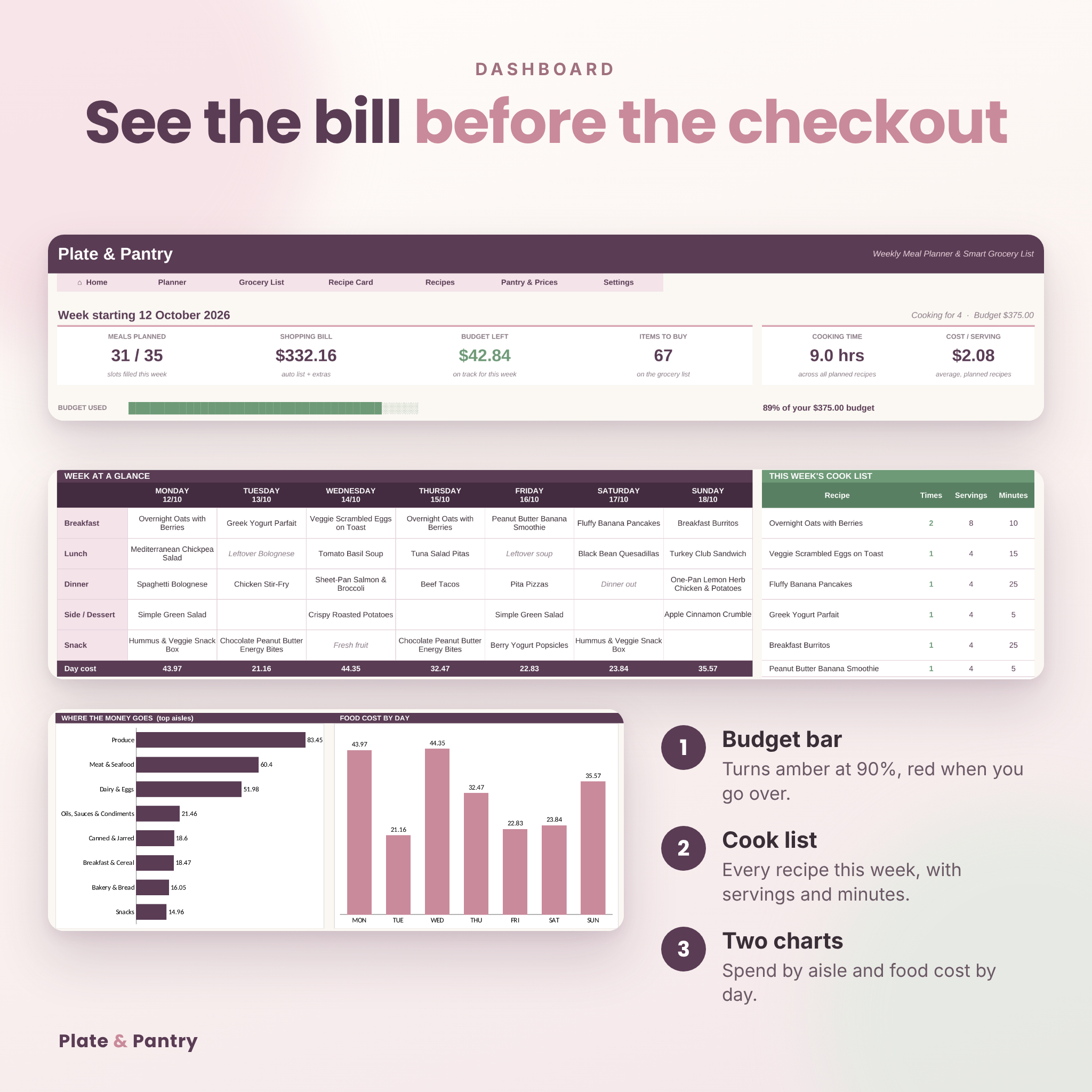
- Weekly budget tracker with a live shopping bill
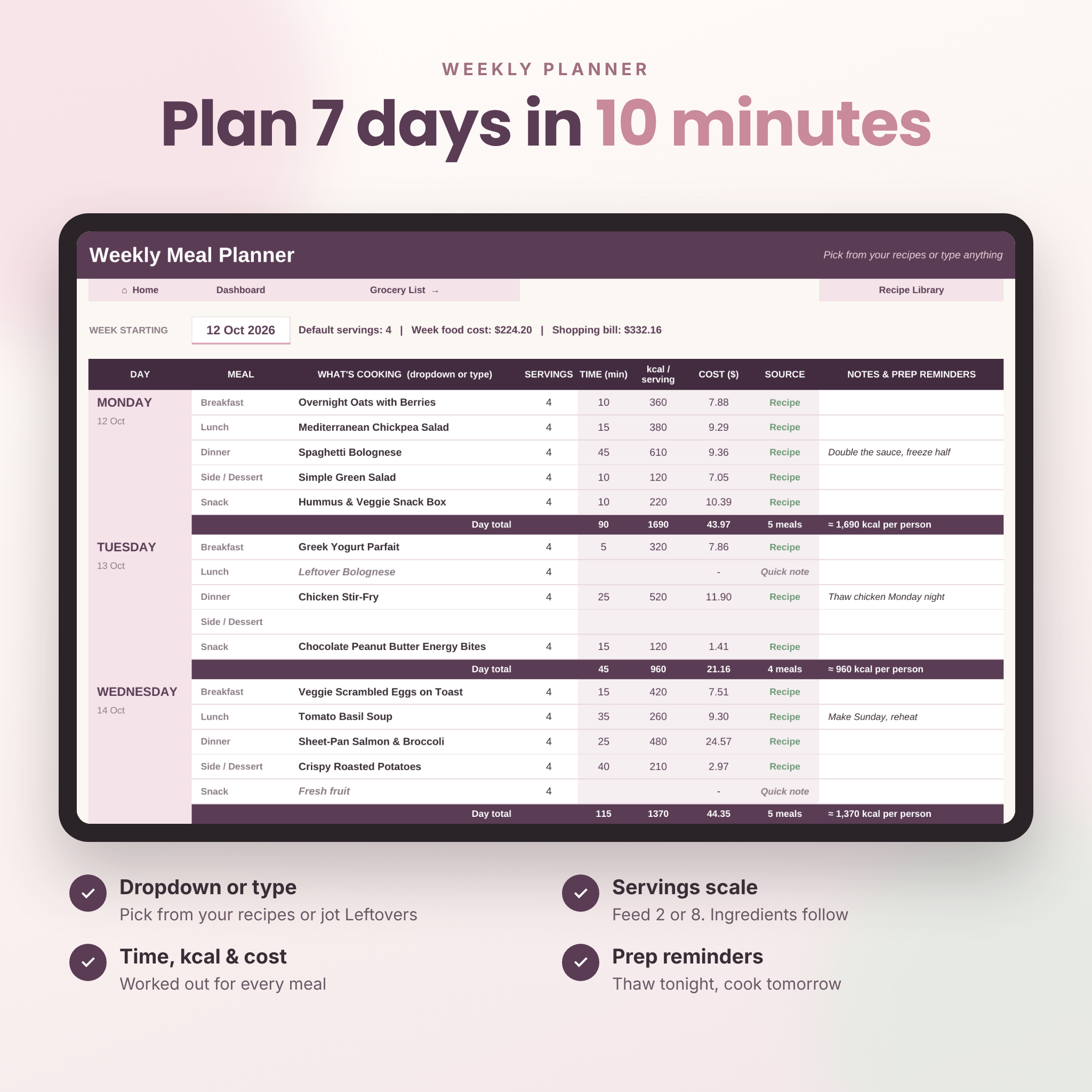
- Type quick notes like Leftovers or Dinner out without adding a recipe
- No copy and paste needed to edit your list. There’s a separate extras section for anything else
What’s included
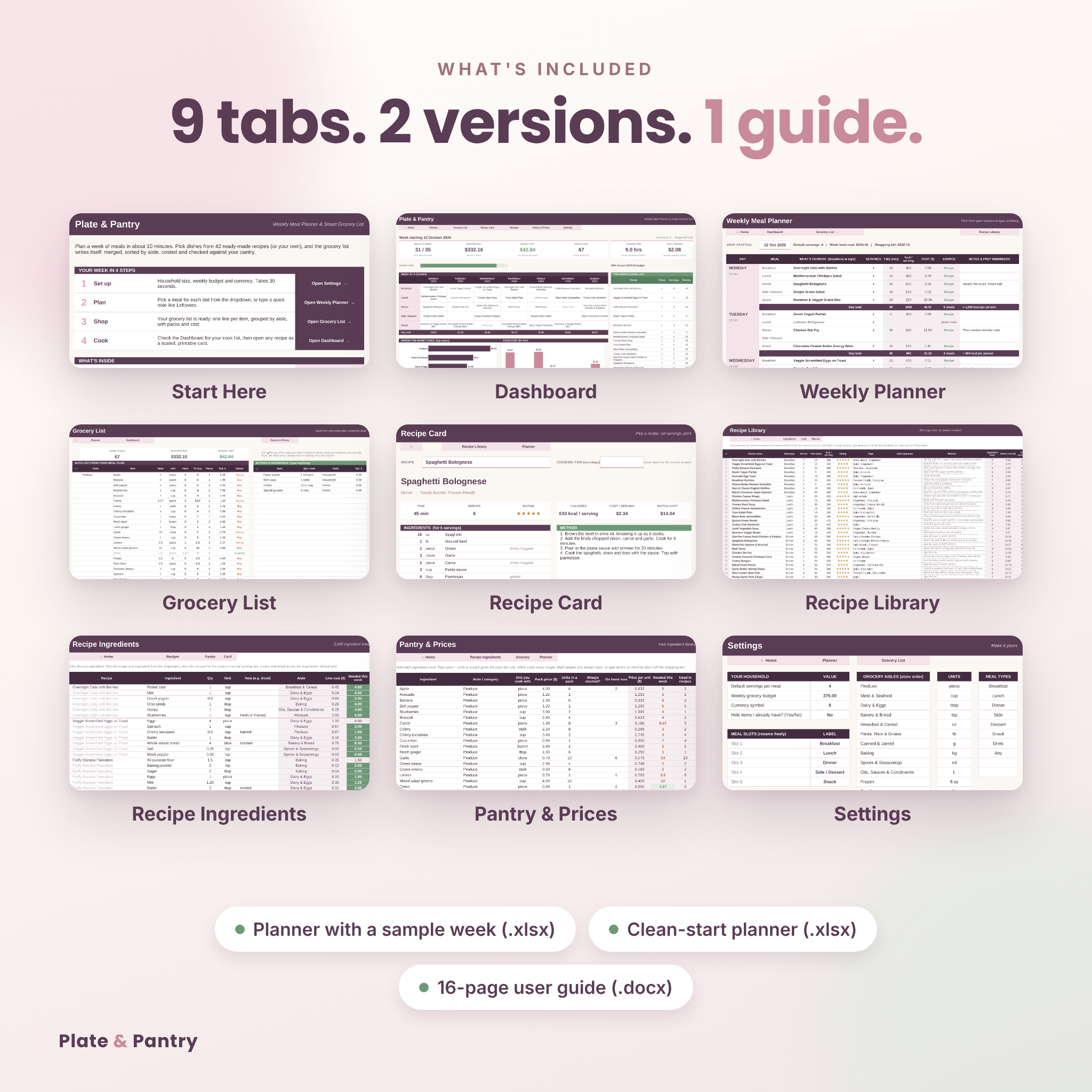
- Plate-and-Pantry-Meal-Planner.xlsx: the planner with a full example week filled in
- Plate-and-Pantry-Meal-Planner-Clean-Start.xlsx: an empty week with the 42 recipes and prices kept
- Plate-and-Pantry-User-Guide.docx: a 16-page illustrated guide with troubleshooting and FAQs
Inside the workbook (9 tabs)
- Start Here: 4-step quick start with buttons to every tab
- Dashboard: shopping bill, budget left, meals planned, items to buy, cooking time, cost per serving, budget bar, week at a glance, cook list and two charts
- Weekly Planner: 7 days x 5 meal slots with servings, time, calories, cost and prep notes
- Grocery List: automatic list with Need, Have, To buy, Packs, Est. cost and Buy / Top up / In pantry / Staple labels, a tick-off column and an extras section
- Recipe Card: pick any recipe, set the servings, print a one-page card
- Recipes: room for 300 recipes with meal type, servings, time, calories, rating, tags, link and method
- Recipe Ingredients: 2,000 ingredient lines
- Pantry & Prices: 104 priced ingredients to start, with aisle, pack price, pack size, staples and on-hand amounts
- Settings: household size, budget, currency, aisle order, units, meal types and meal slot names
How it works
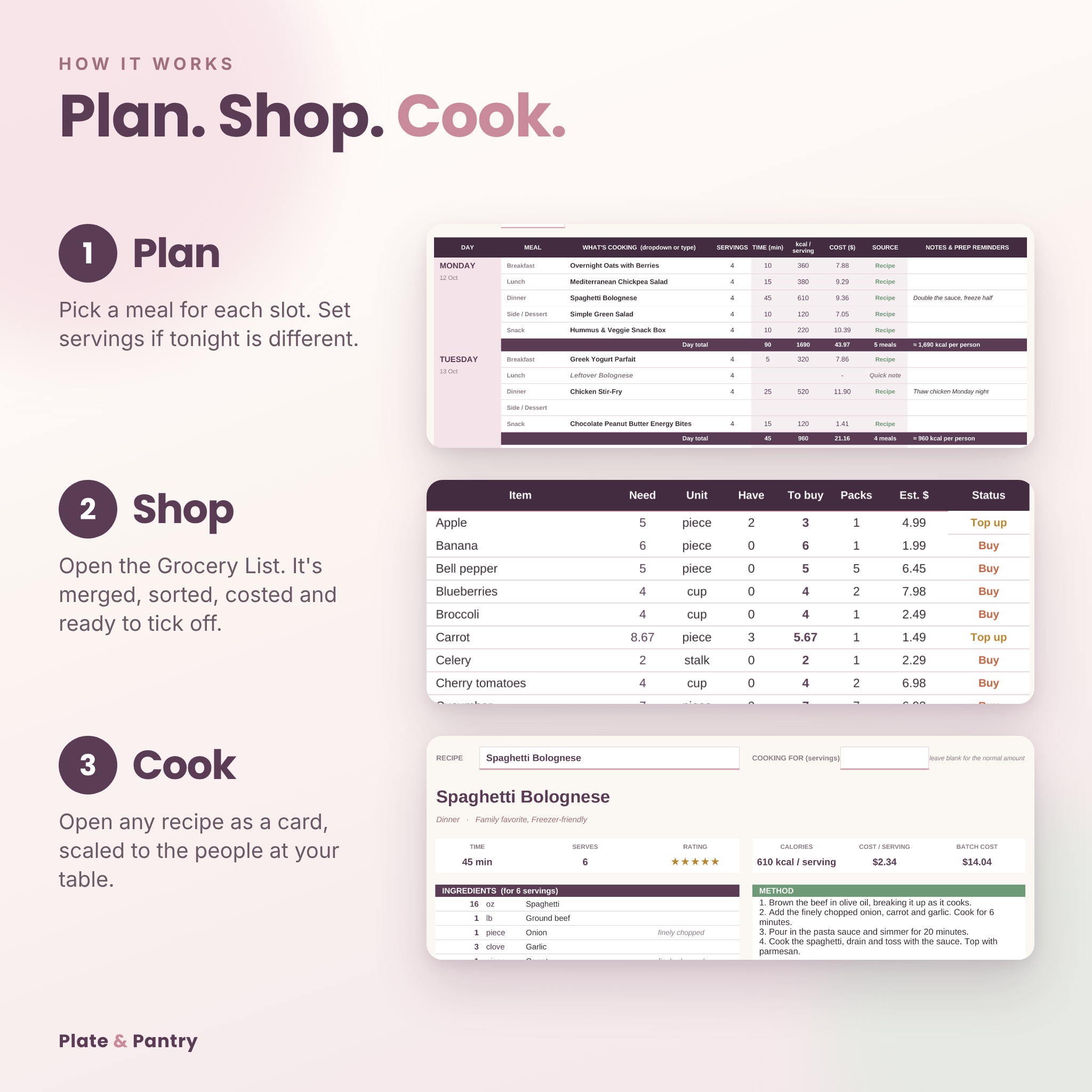
- Set your household size, weekly budget and currency on Settings
- Pick meals for the week on the Weekly Planner
- Open the Grocery List. It’s done. Tick items off as you shop
- Check the Dashboard and open any recipe as a scaled, printable card
Make it yours
Add your own recipes, change prices, rename the meal slots, reorder the aisles to match your store, use metric or imperial units and any currency symbol. Print areas are already set for the planner, recipe card, dashboard and grocery list.
File format and requirements
- Format: .xlsx spreadsheet (2 files) and .docx user guide
- Works with Microsoft Excel 2016 or newer (Windows and Mac), Microsoft 365, Excel for the web, Google Sheets (free) and LibreOffice
- Opens on phones and tablets in the Excel or Google Sheets app, which is handy at the store
- No macros, no add-ons, no subscription
Digital download
This is a digital product. Nothing will be shipped. Your files are available to download straight after checkout. Sample prices are typical US supermarket prices and are there so the costs make sense on day one; swap in your own as you shop. Calorie figures for the starter recipes are estimates. For personal use.
Reviews
There are no reviews yet.