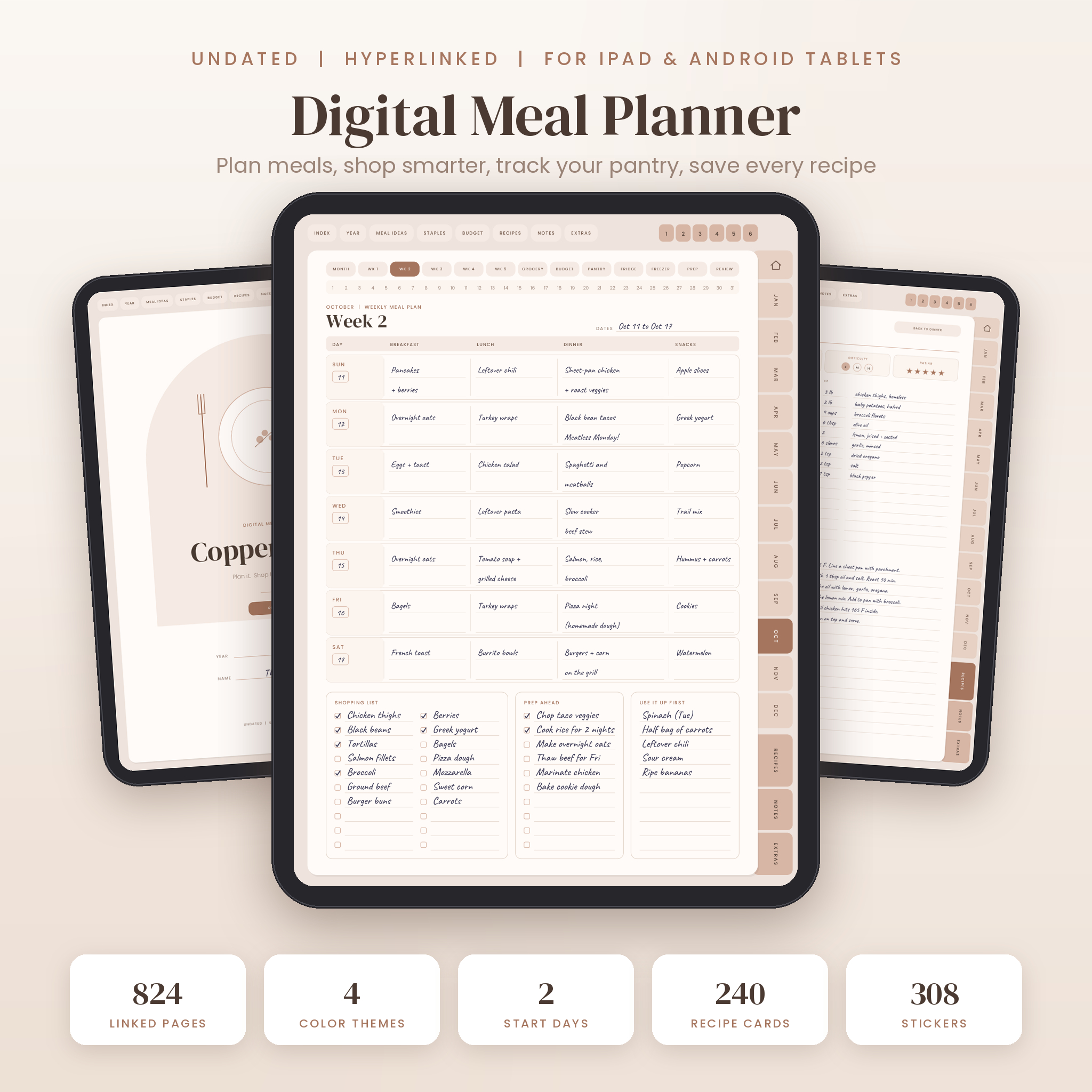
Copper Kettle is a digital meal planner for people who are done deciding dinner at 5:30 pm. It is one undated, hyperlinked PDF that holds your meal plans, grocery lists, pantry and freezer inventory, grocery budget and recipe book. Open it in GoodNotes, Notability or your favorite PDF note app, tap a tab, and you are on the right page.
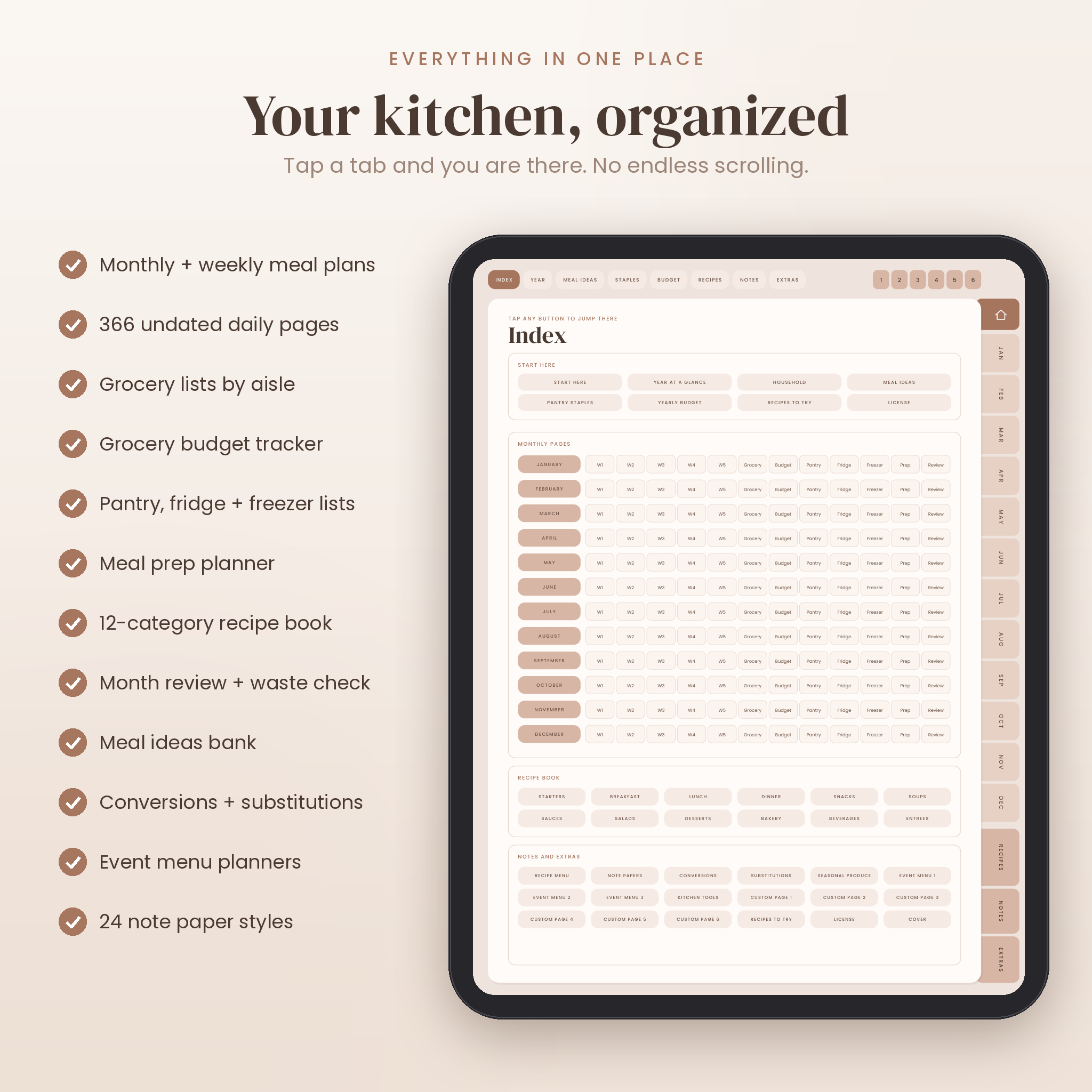
There are 824 pages in each planner file and more than 49,000 working links. In practice that means you never scroll. January, Week 3, the freezer list, the lasagna recipe: each one is a tap or two away.
What this digital meal planner does for you
Most meal planners stop at a weekly grid. This one follows the food from the plan to the store to the shelf to the plate.
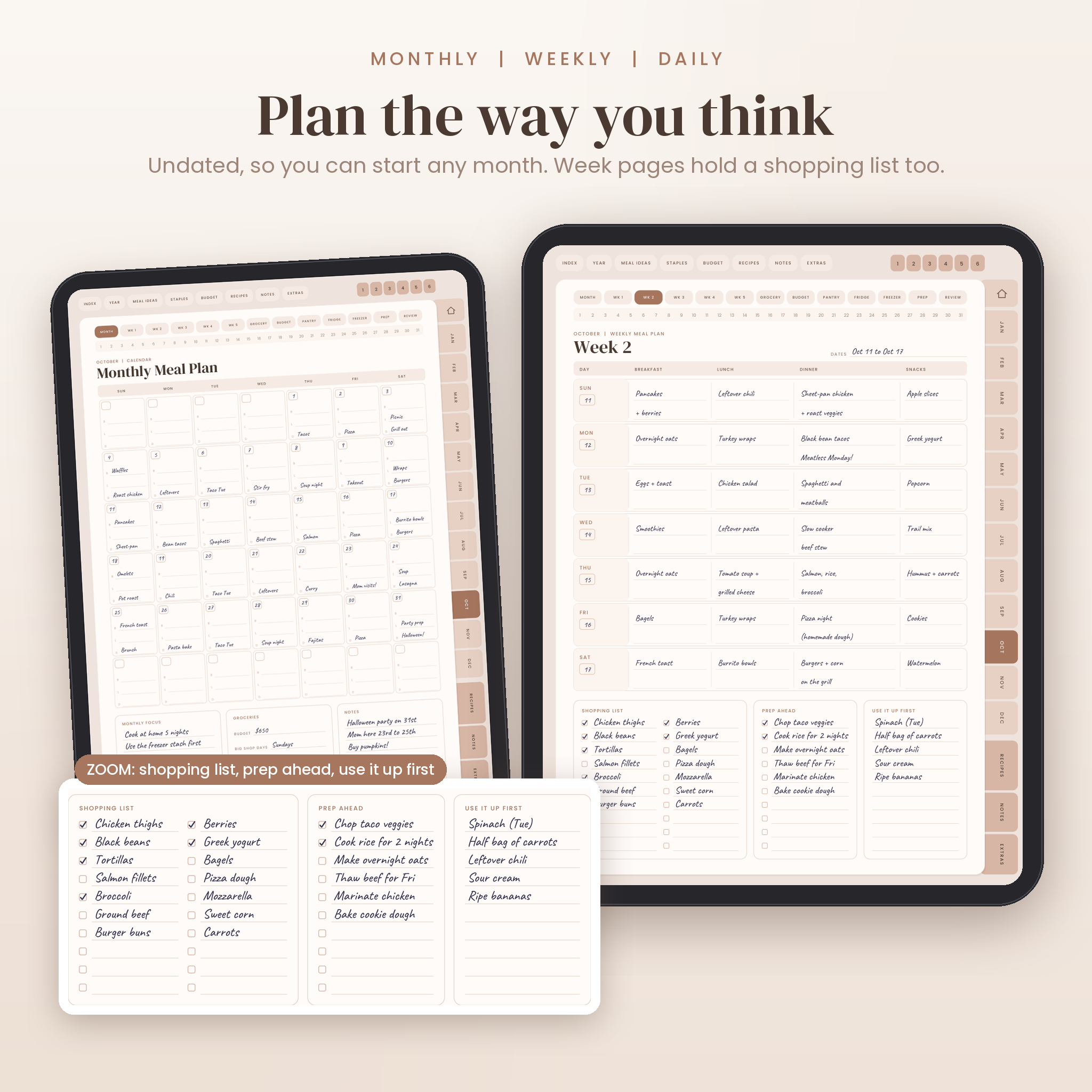
- Plan the month, the week or a single day. Weekly pages include a shopping list, prep tasks and a use-it-up box.
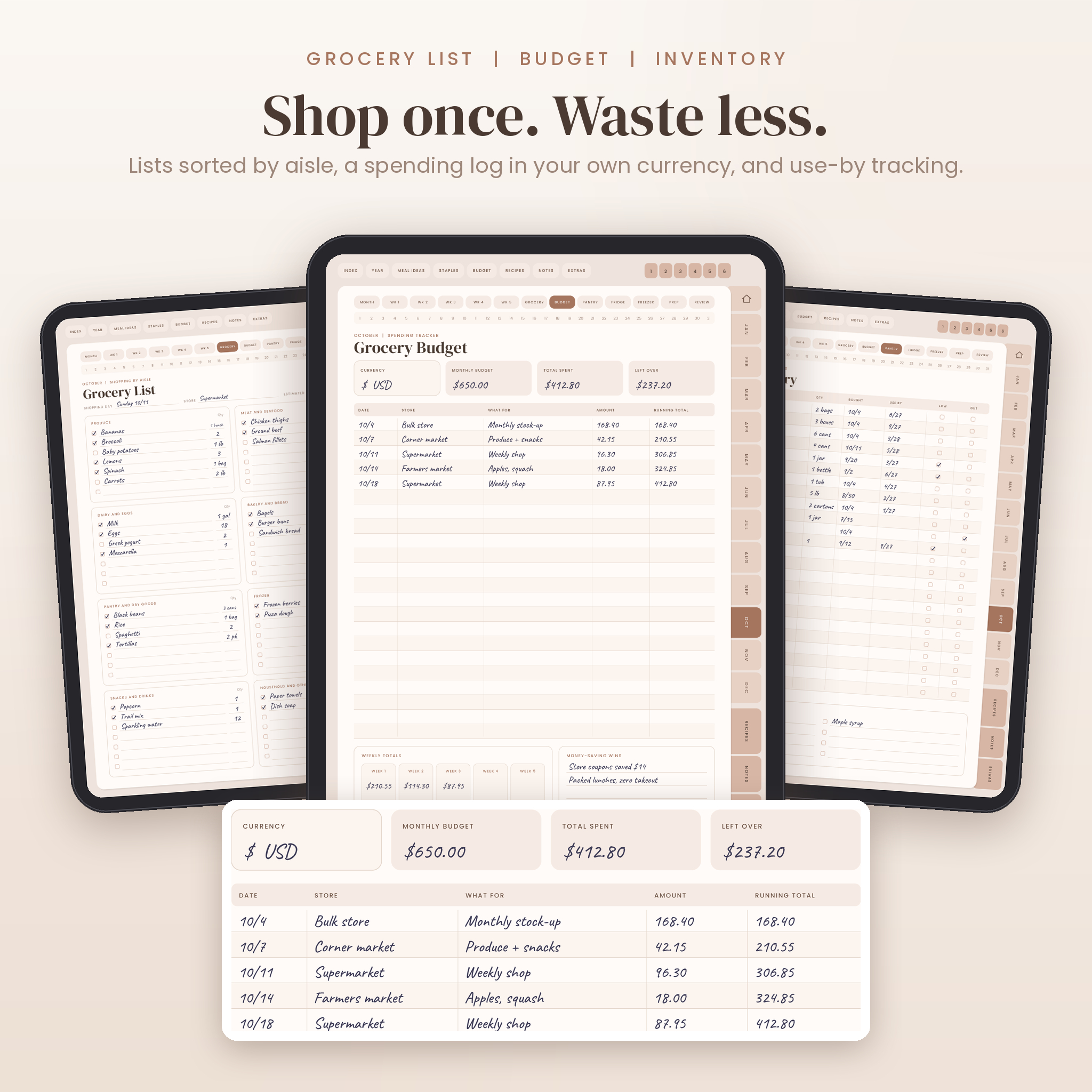
- Shop with a grocery list sorted into eight aisles, each line with a quantity column.
- Track what is in the pantry, fridge and freezer, with use-by dates and low or out checkboxes.
- Budget every grocery trip in your own currency and watch the running total.
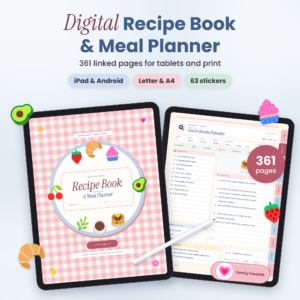
- Cook from a 12-category recipe book with 240 recipe cards and a doubling column.
- Review the month: favorites, flops, food waste and money saved.
Who it is for
Busy parents. Couples who keep ordering takeout because nobody planned. People cooking for one who are tired of throwing out half a bag of spinach. Meal preppers. Anyone trying to bring the grocery bill down without eating the same three meals forever.
You do not need to be organized already. One planned week is a great start.
What is included
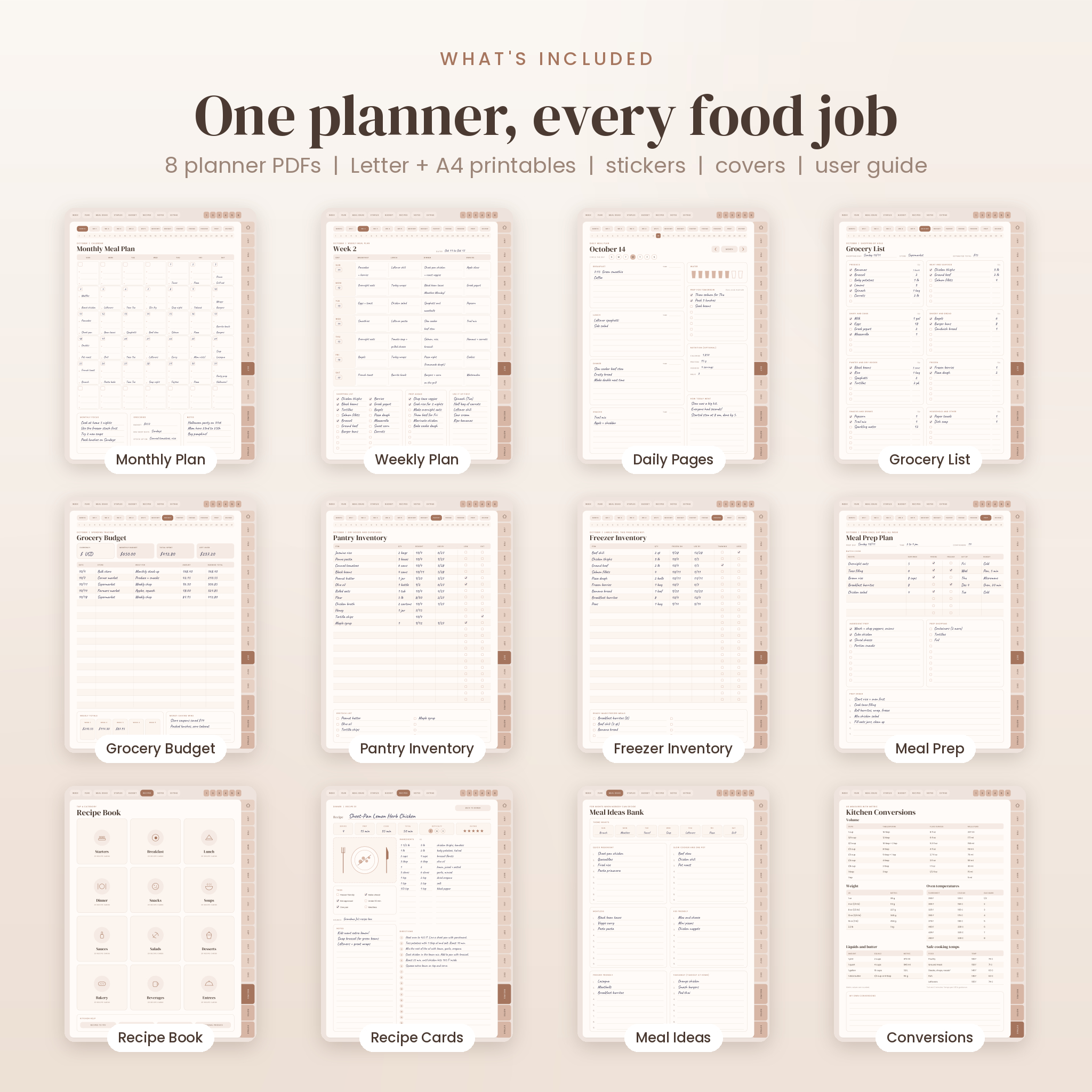
8 planner PDFs
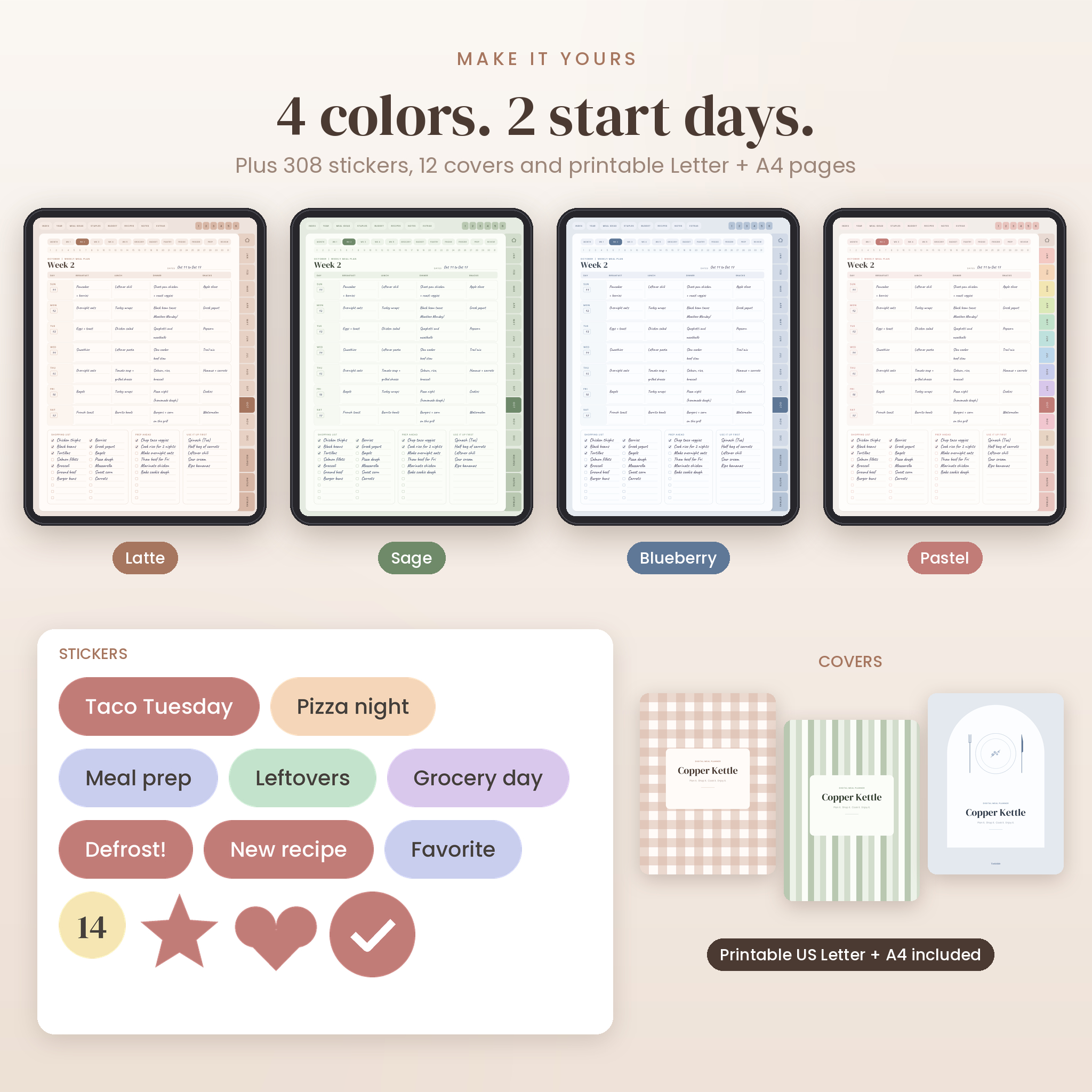
Four color themes (Latte, Sage, Blueberry and Pastel), each in a Sunday start and a Monday start version. Every file has the same 824 pages:
- Cover, hyperlinked index and a Start Here page
- Year at a Glance, Household page (likes, dislikes, allergies), Meal Ideas Bank, Pantry Staples checklist with 64 items already listed, and a Yearly Grocery Budget
- For each of the 12 months: monthly meal plan calendar, 5 weekly meal plans, grocery list, grocery budget, pantry inventory, fridge inventory, freezer inventory, meal prep plan and a month in review
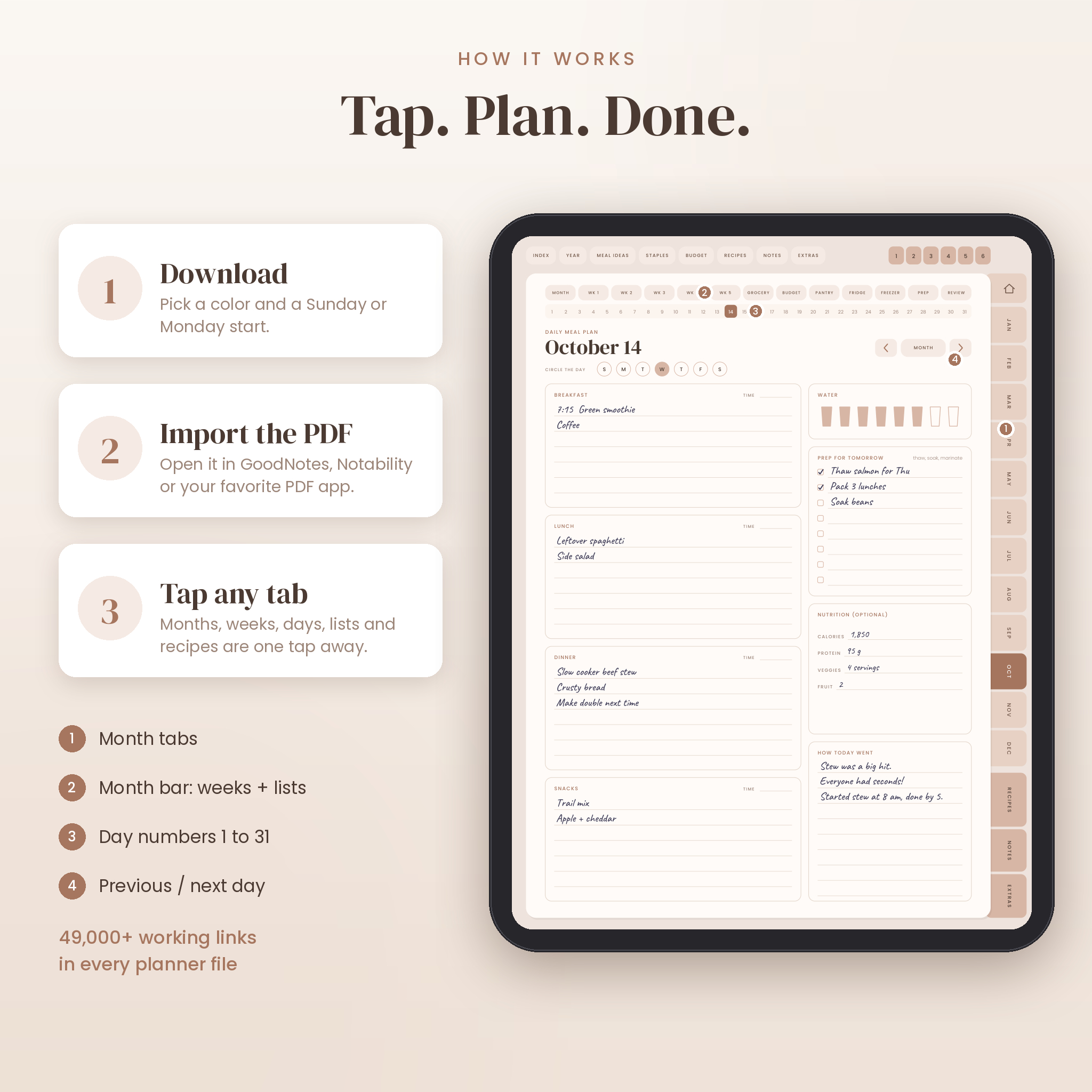
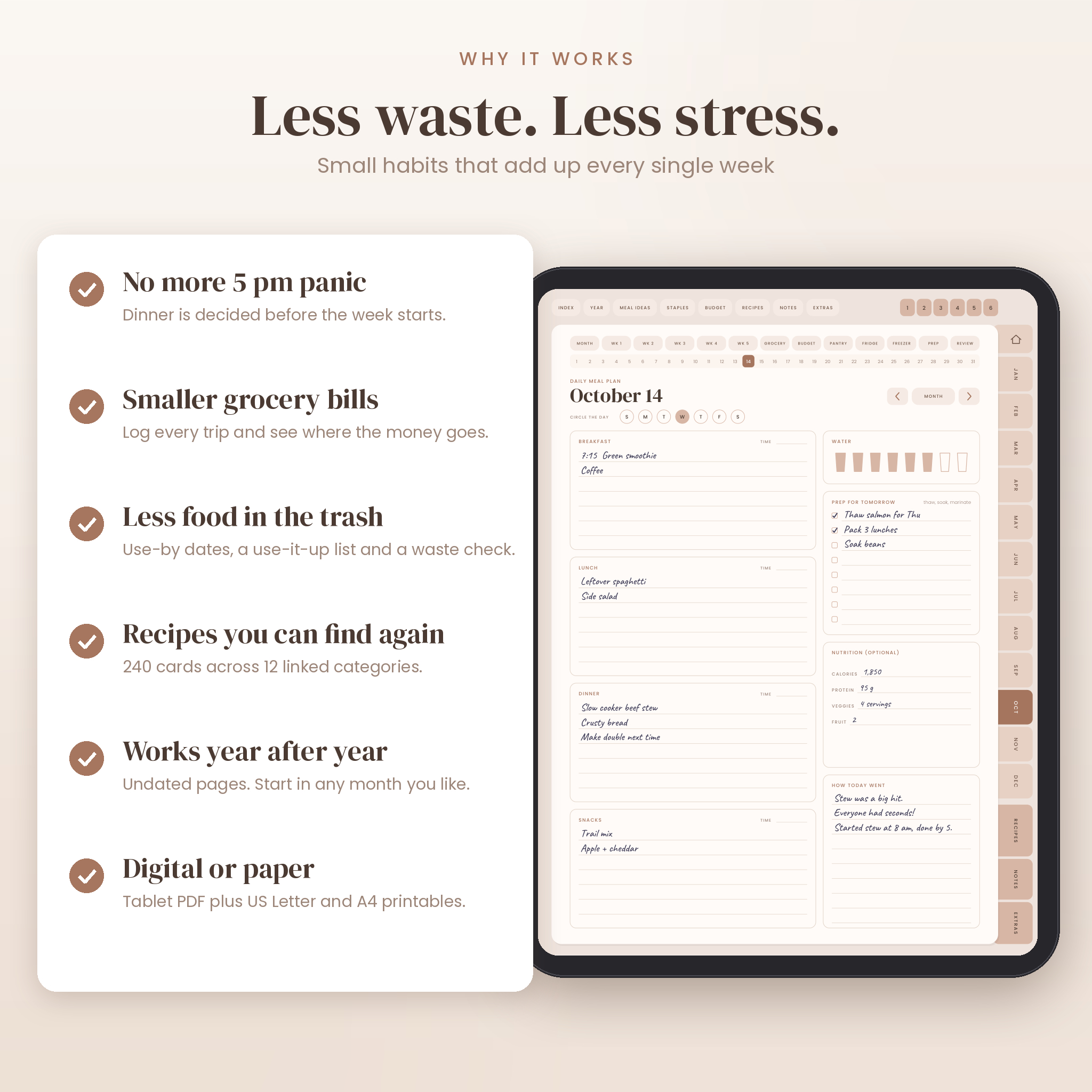
- 366 daily meal pages with water tracker, prep for tomorrow and optional nutrition notes
- Recipe book: 12 categories (starters, breakfast, lunch, dinner, snacks, soups, sauces, salads, desserts, bakery, beverages, entrees), each with a linked index and 20 recipe cards
- 24 note paper styles and 6 custom pages
- Kitchen conversions, 16 ingredient substitutions, seasonal produce guide, 3 event menu planners, kitchen tools list and a Recipes to Try page
Printable pages
Thirty print-ready pages in US Letter and in A4, with half-inch margins. Weekly and monthly plans come in both start days.
Stickers, covers and a user guide
308 PNG stickers in four color sets (meal labels, weekday labels, dates 1 to 31, stars, hearts and checkmarks), a Sticker Sheets PDF for copy and paste, 12 cover designs and a step-by-step user guide in Word format.
How the hyperlinks work
The month tabs down the right side open each month’s calendar. The top bar opens the index, yearly pages, recipes, notes and extras. On any month page, a second row of buttons jumps between that month’s weeks, lists and trackers, and a strip of numbers opens each daily page. Daily pages have previous and next arrows, and the last day of one month rolls straight into the first day of the next. The current tab is always highlighted, so you know where you are.
Every link was tested before release. If your app ignores links, the PDF outline (bookmarks) still lists every month and section.
Features that set it apart
- Undated. Start in any month and use a fresh copy every year. February has 29 daily pages, so leap years are covered.
- Grocery budget in any currency. Write $, CA$, GBP or anything else in the currency box. No amounts are printed in advance.
- Waste less food. Use-by dates on every inventory page, a Use It Up First box on every week and a food waste check in each monthly review.
- Readable on a tablet. Clear type, roomy writing lines and tap targets big enough for a fingertip.
- Doubling made easy. Each recipe card has an x2 column next to the ingredient amounts.
Real ways people use it
- Sunday night: check the freezer page, plan five dinners, copy the gaps onto the grocery list.
- At the store: tick items off by aisle, then log the receipt on the budget page in the parking lot.
- Prep day: batch cook oats, rice and breakfast burritos using the meal prep plan, with fridge or freezer and eat-by dates noted.
- Holidays: plan Thanksgiving or a birthday with the event menu planner and its prep timeline.
- Month end: star the meals everyone loved and move them to the Meal Ideas Bank.
File formats and requirements
- Planner: PDF, portrait, 3:4 page size that suits iPad and most Android tablets. About 7 MB per file.
- Printables: PDF in US Letter and A4.
- Stickers and covers: PNG files in a zip, plus a sticker sheet PDF.
- User guide: DOCX (opens in Word, Google Docs, Pages and LibreOffice).
- You need a PDF annotation app such as GoodNotes, Notability, Samsung Notes, Xodo or Noteshelf, and a stylus is nice but optional. You can also type with your app’s text tool.
Customizing your planner
Pick the color you like, swap in one of the 12 covers, decorate with stickers, and name the six custom pages for whatever your household needs: a kids’ lunch rotation, a holiday baking list or a restaurant wish list.
Instant digital download
This is a digital product. Nothing will be shipped. After checkout you can download every file straight away from your order confirmation and your account. Save the planner PDF to the Files app on iPad or to your computer, import it into your note app, and start planning. The stickers and covers come in one zip file.
Frequently asked questions
Does this digital meal planner work with GoodNotes and Notability?
It is a standard hyperlinked PDF built for apps like GoodNotes and Notability. In GoodNotes, links respond in read-only mode or with a finger tap when your pencil is set to draw only.
Can I use it on an Android tablet?
Yes, in PDF and note apps that follow internal links, such as Samsung Notes, Xodo or Noteshelf. The bookmarks panel also lists every section.
Is the planner dated?
No. It is undated, so you can start any month and reuse it every year.
Can I print the pages?
Yes. Thirty printable pages are included in both US Letter and A4.
Which currency does the budget use?
Any currency. There is a blank currency box on each budget page.
Can I type instead of handwrite?
Yes. Use the text tool in your note app on any line.
Can I share it with a friend?
The license covers you and your own household. Please do not share, resell or redistribute the files. Your friend can grab their own copy.
Personal use license. Copyright Taskdale. All rights reserved.
Reviews
There are no reviews yet.