Best A4 Planner: Printable Options to Suit Your Week
A4 planner is a planner printed or filled on A4 paper, which measures 210 x 297 mm. The best one for you depends on how you plan: pick a daily layout for busy days, a weekly hourly grid for time blocking, a monthly spread for appointments, or a specialist planner for homeschool records. Every option here is a digital download in A4.
- A4 is 210 x 297 mm, which is slightly taller and narrower than US Letter, so A4 files print cleanly on UK paper without shrinking.
- Most planners on this page are undated, so you can start in any month and reprint pages as often as you need.
- Several listings include a fillable PDF as well as a print-ready one, so you can type into the pages or write by hand.
- Clearweek, FlowBlock and Focus Planner Set suit weekly planning, while Softspread and Tile & Tally suit monthly planning for 2027.
- Thistlewood and Schoolhouse Compass are built for homeschool records, which makes them a different choice from a general diary.
Choosing a planner can feel bigger than it should, because so many look alike at first glance. This guide explains what separates them, so you can pick one with confidence and avoid printing something you'll abandon by February. Browse all 16 options below once you know what you need.
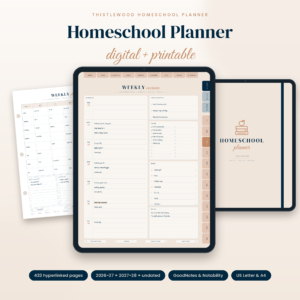 Homeschool Planner 2026-2027 Digital & Printable | Thistlewood Hyperlinked GoodNotes Planner with Lesson Plans, Attendance Tracker, Reading Log & Transcript | US Letter & A4
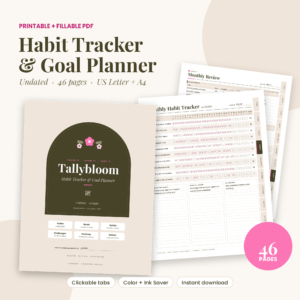 Printable Habit Tracker & Goal Planner PDF | Tallybloom Fillable Undated Planner with 30, 66 & 100-Day Challenges & Routine Builder | US Letter & A4
 Undated Homeschool Planner Printable | Schoolhouse Compass Hyperlinked PDF with Weekly Lesson Plans, Attendance Tracker, Hours Log, Reading Log & High School Transcript | US Letter & A4
 Tidyhue Cleaning Planner | Fillable Cleaning Schedule Printable, ADHD Cleaning Checklist & Family Chore Chart | US Letter & A4
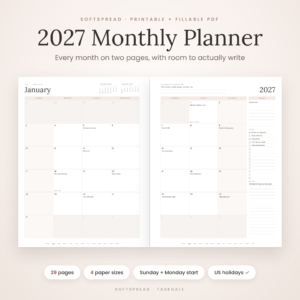
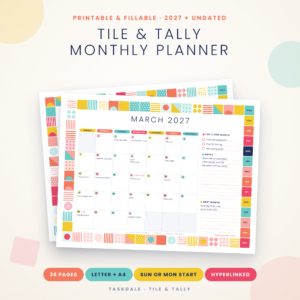 Tile & Tally Printable Monthly Planner 2027 | Fillable PDF Calendar, Habit Tracker, Budget & Family Planner | US Letter & A4
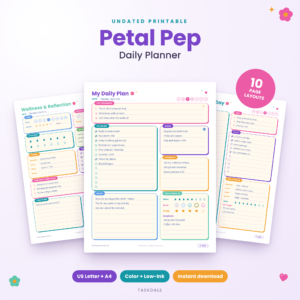 Petal Pep Printable Daily Planner | Undated To-Do List, Time Blocking Schedule, Habit Tracker & Meal Planner PDF (Letter & A4)
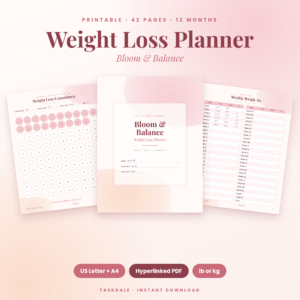 Bloom & Balance Weight Loss Planner: Printable 42-Page Weight Loss Tracker Bundle (US Letter + A4)
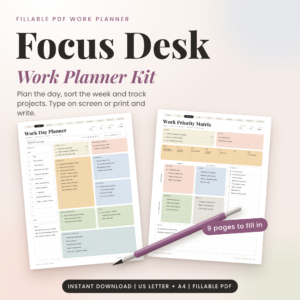 Focus Desk Work Planner Kit: Fillable Work Day Planner PDF, Priority Matrix and Weekly Planner (US Letter and A4)
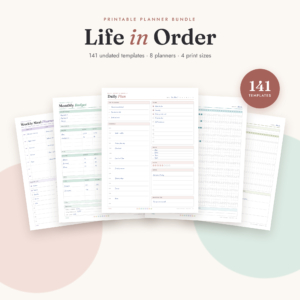 Life in Order Planner Bundle: 141 Printable Undated Pages for Daily, Weekly, Budget, Fitness, Meal & Habit Planning (Letter, A4, A5, Half Letter)
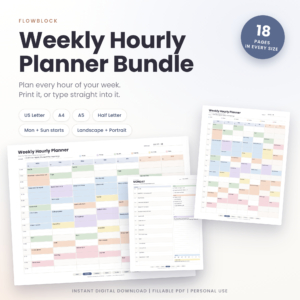 FlowBlock Weekly Hourly Planner | Printable & Fillable PDF Time Block Schedule, Daily Pages, Habit Tracker, Letter A4 A5 Half Letter
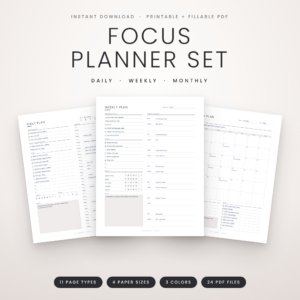 Focus Planner Set: Printable Daily, Weekly & Monthly Planner (Fillable PDF, Letter, A4, A5, Half Letter)
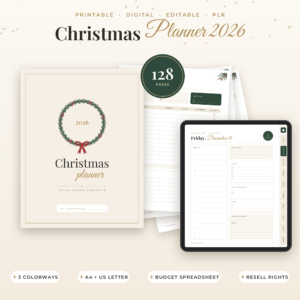
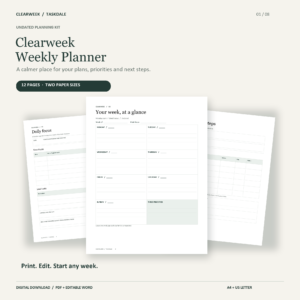
Table of Contents Toggle
- What should you look for in the best A4 planner?
- How do the best A4 planners compare?
- Which A4 planner suits which person?
- How do you print and use an A4 planner at home?
- What mistakes should you avoid when choosing an A4 planner?
- What affects the price of an A4 planner?
- Which A4 planner should you choose?
- Common questions
What should you look for in the best A4 planner?
The best A4 planner is the one whose page layout matches the way you already think about your time. Six factors do most of the work: layout, dating, fillable pages, ink use, navigation and licence terms. We'll take them one at a time.
Layout that matches how you plan
A planner layout is the arrangement of boxes, lines and grids on each page. A4 gives you roughly the space of two A5 pages, which suits hourly grids, multi-column weekly spreads and monthly calendars with room to write.
If you plan by the hour, FlowBlock Weekly Hourly Planner offers landscape or portrait grids with renamable hour labels and six colour categories. If you plan by priority, Focus Desk Work Planner Kit includes a Priority Matrix and a Time Blocker. If you only need a few lines a day, a smaller size may serve you better than A4.
Dated or undated pages
An undated planner is one with blank date fields, so you fill in the dates yourself and can begin on any day. A dated planner has the calendar printed in.
Undated suits anyone who starts and stops, because a missed fortnight leaves no wasted pages. Dated suits people who want the year at a glance. Softspread 2027 Monthly Planner is dated for 2027 with a 2028 preview, while Tile & Tally Printable Monthly Planner 2027 gives you 12 dated months plus 8 undated pages to reuse.
Fillable PDF or print-only
A fillable PDF is a file with text fields you can type into on screen before or instead of printing. It helps if your handwriting is cramped or you reuse the same entries each week.
Check which software the listing names. Tile & Tally says you can type in Adobe Reader or Chrome, and Tidyhue Cleaning Planner works in Chrome or Firefox. Thistlewood is built for GoodNotes and Notability, which suits tablet users. If you print and write by hand, fillable fields are a bonus rather than a need.
Ink and colour options
Ink-saver versions are files with lighter backgrounds that use less printer ink. This matters more than it sounds, because a 40-page planner in full colour can empty a cartridge faster than you'd expect.
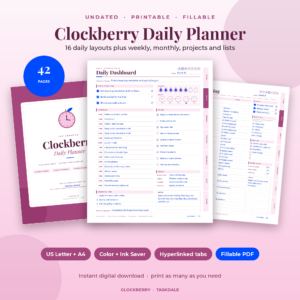
Undated Daily Planner Printable PDF, Fillable & Hyperlinked | Clockberry, Tile & Tally and Petal Pep Printable Daily Planner all offer colour and low-ink versions. If you print at home on a basic inkjet, favour those.
Clickable navigation
Clickable tabs are links built into the PDF that jump you to another section. They're useful on screen and harmless on paper.
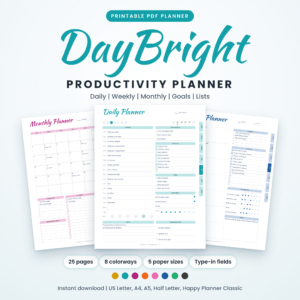
The Clockberry daily planner has 42 linked pages with side tabs and a clickable contents page. DayBright Printable Productivity Planner has clickable tabs on every page. On a long file, this saves a lot of scrolling.
Licence terms
A personal-use licence means you can print for yourself, but not resell or share the file. DayBright states personal use only. The Christmas Planner 2026 is different: it includes PLR resell rights and editable PPTX templates, which only matters if you plan to sell it on.
How do the best A4 planners compare?
The planners below differ mainly in purpose, page count and file options, as the table shows. All of them include A4.
Which A4 planner suits which person?
Each A4 planner here suits a particular kind of planner, and picking by purpose beats picking by looks.
If you want one weekly page and nothing more: Clearweek keeps it simple, with editable Word files if you want to change the wording.
If your day runs on a timetable: FlowBlock is the clearest fit. You can rename the hour labels, so a shift pattern or school run fits in.
If you want to try different layouts: Focus Planner Set covers daily, weekly and monthly pages plus a review page and habit tracker in three colour choices. Life in Order Planner Bundle goes wider, with 141 undated pages across 8 planners, including budget, fitness and meal pages.
If appointments drive your month: Softspread gives each month its own two-page spread. Tile & Tally adds a plan page per month for bills, goals and a month-end review.
If you work at a desk: Focus Desk Work Planner Kit has 18 single-page files and is designed to take about five minutes to set up.
If you educate at home: Undated Homeschool Planner Printable | Schoolhouse Compass covers weekly lesson plans for one or more children, an hours log with a running total and a high school transcript. Homeschool Planner 2026-2027 Digital & Printable | Thistlewood is dated from July 2026 and records up to four students. Check what your own area asks you to keep before relying on either.
If your goal is a habit or health change: Printable Habit Tracker & Goal Planner PDF | Tallybloom has 30, 66 and 100-day challenges, and Bloom & Balance Weight Loss Planner offers 42 pages of weigh-ins, measurements and food tracking in lb or kg.
How do you print and use an A4 planner at home?
To use an A4 planner, download the PDF in A4, print only the pages you need on standard A4 paper, and keep them in a folder or binder. The whole process takes a few minutes.
- Download the file and choose the A4 version, not US Letter.
- Open the PDF and set your printer's scaling to "actual size" or 100%, so margins stay intact.
- Pick the colour or ink-saver file, depending on your cartridge.
- Print a trial page first and check that nothing is cut off.
- Print the sections you need now. Most listings say you can reprint as often as you like, so there's no need to print the lot.
- Punch holes if you use a binder, or keep the pages in a folder.
- Fill in the contents page or tabs first, so you can find things later.
For fillable files, type your entries before printing if you want them neat, or print blank and write by hand.
What mistakes should you avoid when choosing an A4 planner?
The most common mistake is buying more pages than you'll use. Several bundles contain over a hundred pages, which is useful only if you'll print and maintain them.
- Choosing by page count. A 141-page bundle sounds generous, but a focused 18-page weekly planner may suit you better.
- Printing the wrong size. US Letter is shorter and wider than A4, so printing a Letter file on A4 can leave odd margins.
- Ignoring software. A fillable file may work in Chrome or Adobe Reader but not in a basic preview app. Check the listing.
- Picking dated pages and starting late. If you begin mid-year, a dated planner leaves empty months. Undated avoids that.
- Skipping the user guide. Most listings include one, and it explains tabs and fillable fields in a few minutes.
- Forgetting licence terms. Personal-use files are for you only.
What affects the price of an A4 planner?
The price of an A4 planner depends mainly on how many pages and file versions it includes, whether it is dated, and what extras come with it. We aren't quoting figures here, as live prices appear on each product card.
Larger bundles with many sizes and colour options generally cost more than a single-purpose planner. Extras such as editable Word or PPTX files, spreadsheets or resell rights also add to the cost. The cheaper choice is often the narrower one, which is fine if it covers what you need. Because the files are reprintable, a one-off download can serve you for years, though your own paper and ink are an ongoing cost.
Which A4 planner should you choose?
Choose by the thing you plan most often. Weekly timetable: FlowBlock or Clearweek. Whole-day variety: Clockberry or Focus Planner Set. Month-by-month planning for 2027: Softspread or Tile & Tally. Records for home education: Schoolhouse Compass or Thistlewood.
If you're unsure, start with an undated planner in A4 with an ink-saver option, print two weeks, and see whether the layout earns its place on your desk.
Common questions
Can I print an A4 planner on US Letter paper?
You can, but the page will be scaled or cropped slightly, because A4 is taller and narrower. Most listings here include both sizes, so download the version that matches your paper and avoid scaling altogether.
Do I need an app to fill in a fillable PDF planner?
Not usually. Tile & Tally says it works in Adobe Reader or Chrome, and Tidyhue works in Chrome or Firefox. Thistlewood is designed for GoodNotes and Notability if you prefer a tablet. Check each listing for the software it names.
Can I reprint pages once I've used them?
Several listings, including Clockberry, Schoolhouse Compass, Petal Pep and Life in Order, say you can print as often as you like. Personal-use licences cover your own printing, but not reselling or sharing the files.
Is A4 too big to carry around?
A4 suits a desk, a kitchen counter or a binder better than a handbag. If you travel with your planner, FlowBlock, Softspread, Focus Planner Set and DayBright also come in A5 or Half Letter, which fit smaller bags.
Is a dated or undated planner better for a first-time user?
For most first-time users, undated is safer. You can start on any day and skip a busy week without wasting pages. Choose dated, such as Softspread, only when you want a fixed 2027 calendar from January.