Printable Productivity Planner That Covers the Whole Year, Down to the Hour
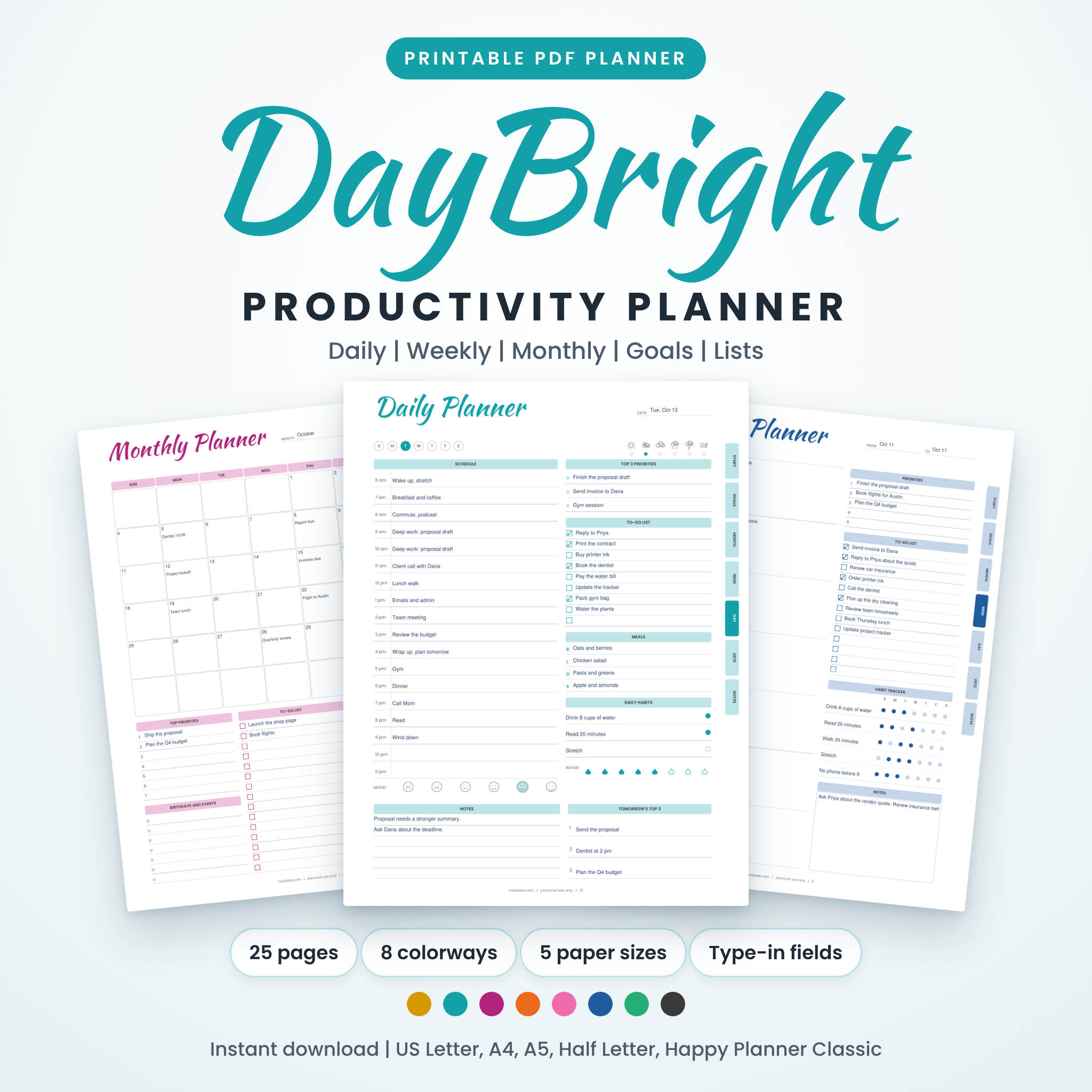
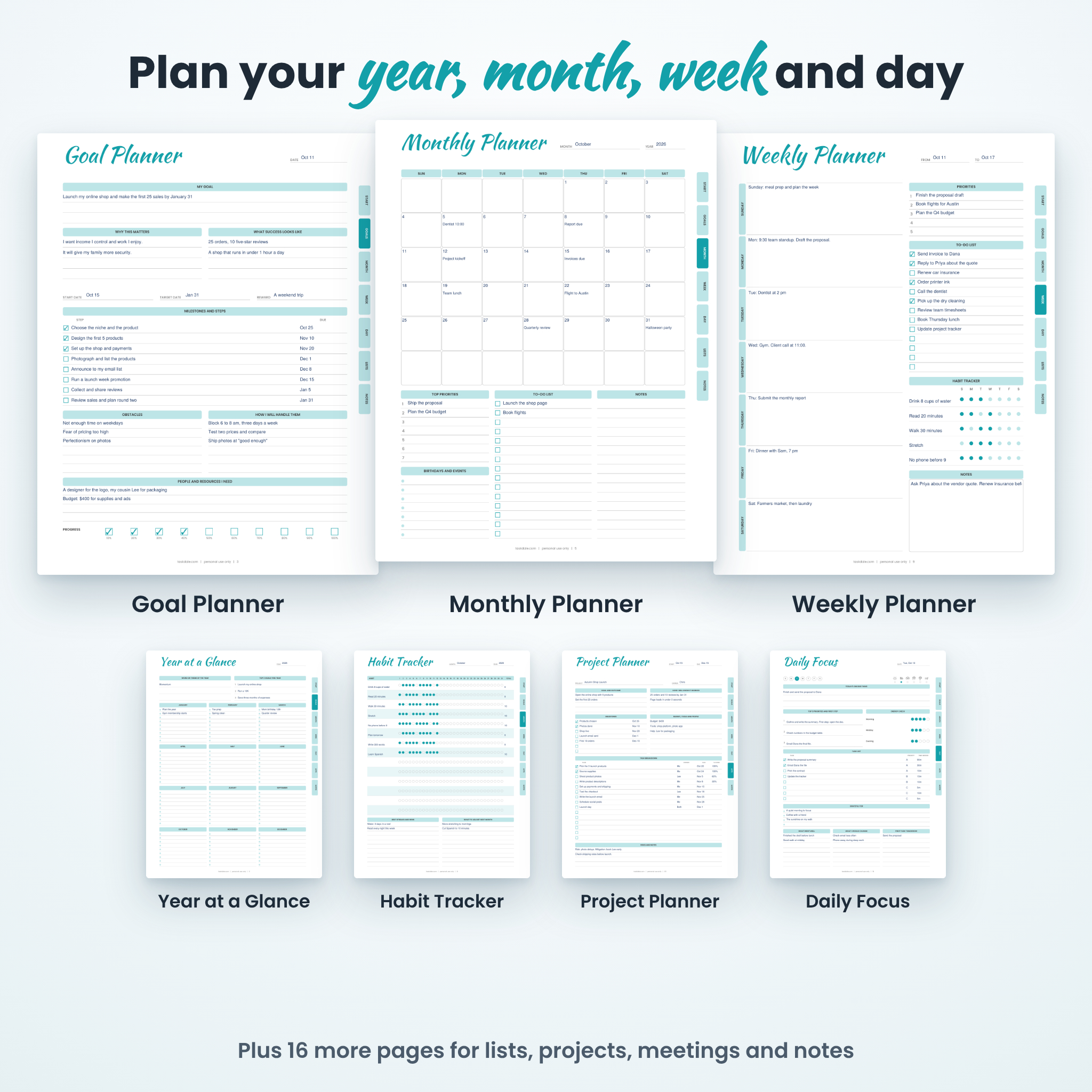
Most planners make you pick: big goals or daily tasks. DayBright does both. This printable productivity planner starts with a year at a glance and works down through goals, months, weeks and single days, so what you do at 2 pm on Tuesday ties back to what you want by December.
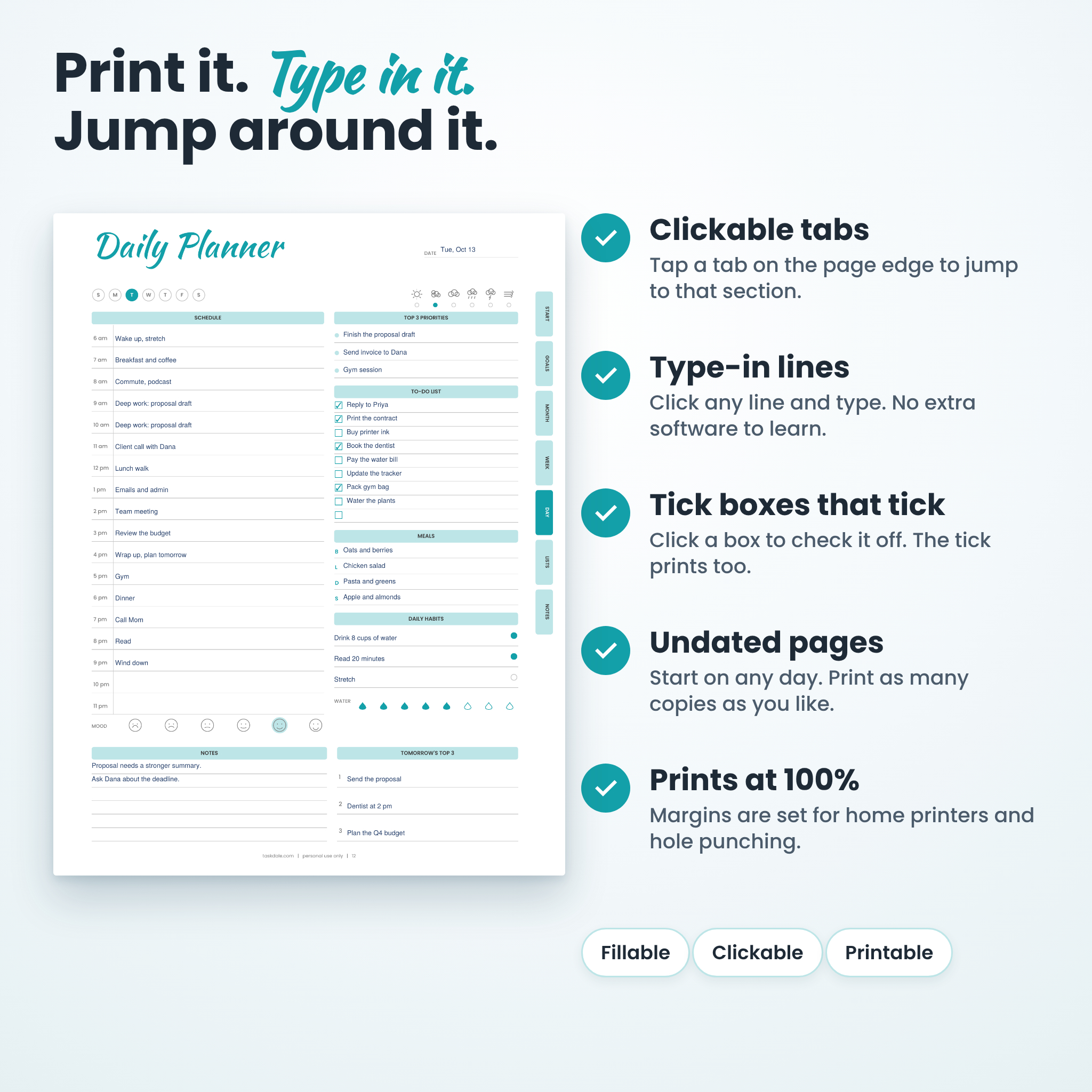
It is undated. Start on any day of the year, skip a week without guilt, and print fresh pages whenever you run out. Print it on paper, or open the PDF and type into the lines before you print.
What You Get
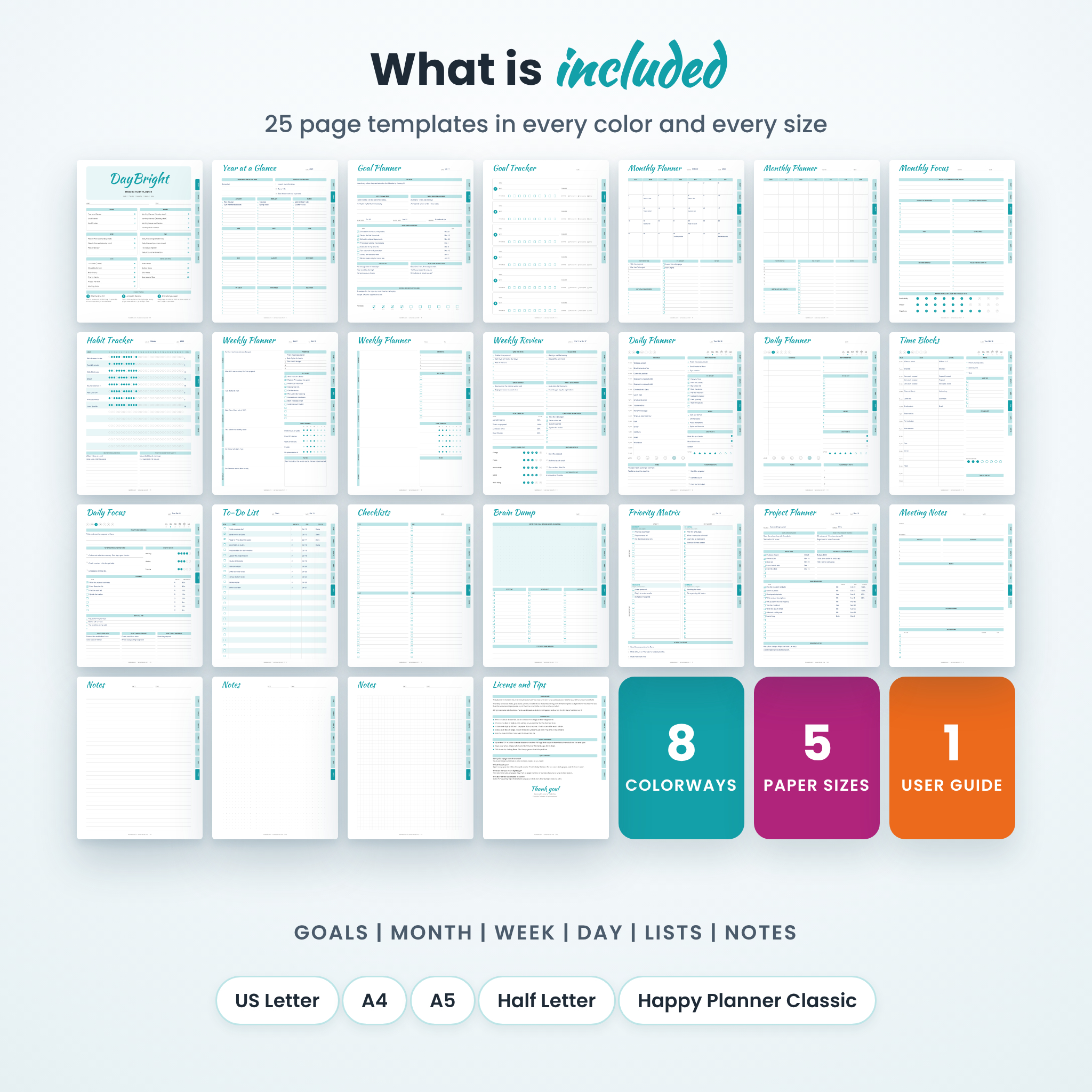
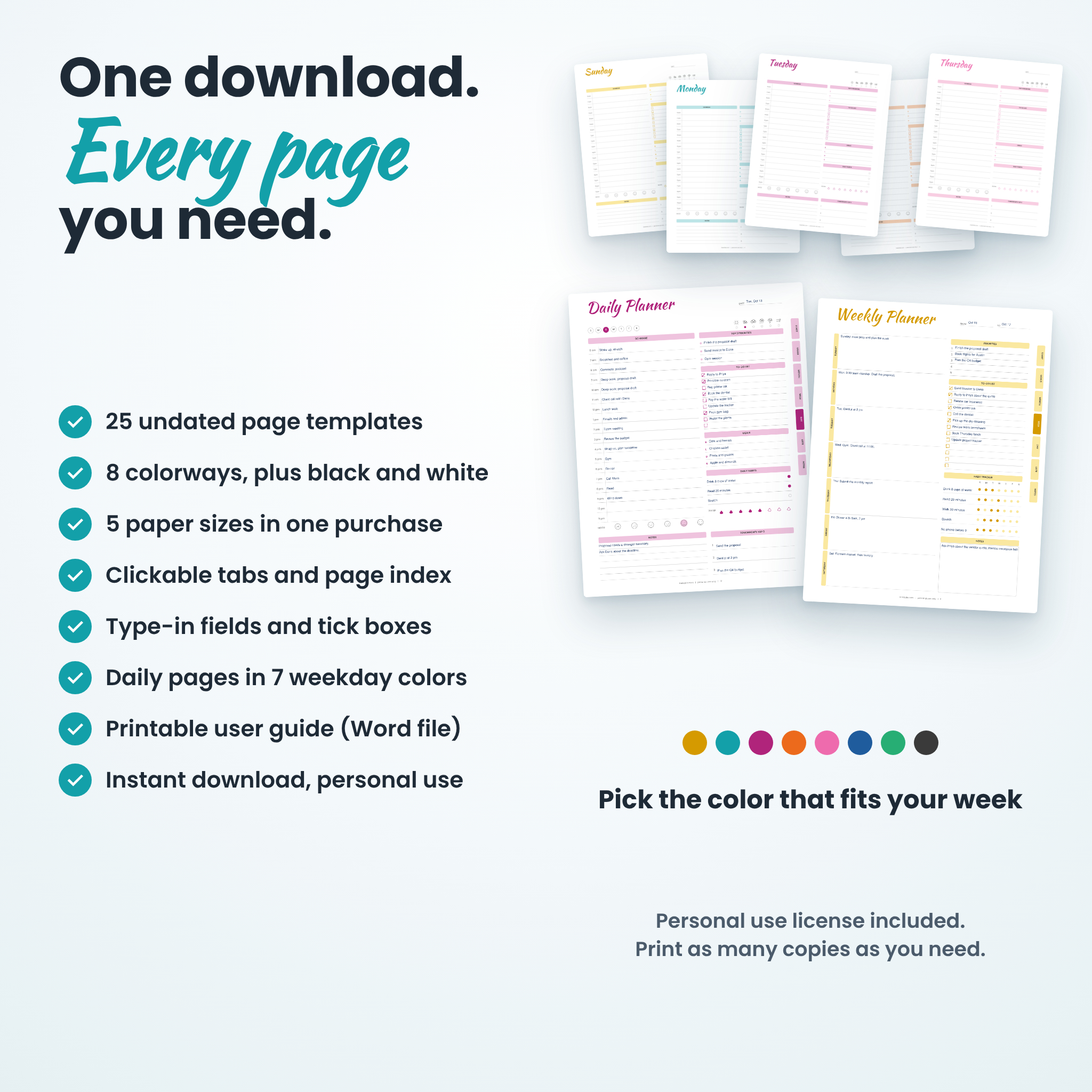
- 25 page templates covering goals, months, weeks, days, lists and notes.
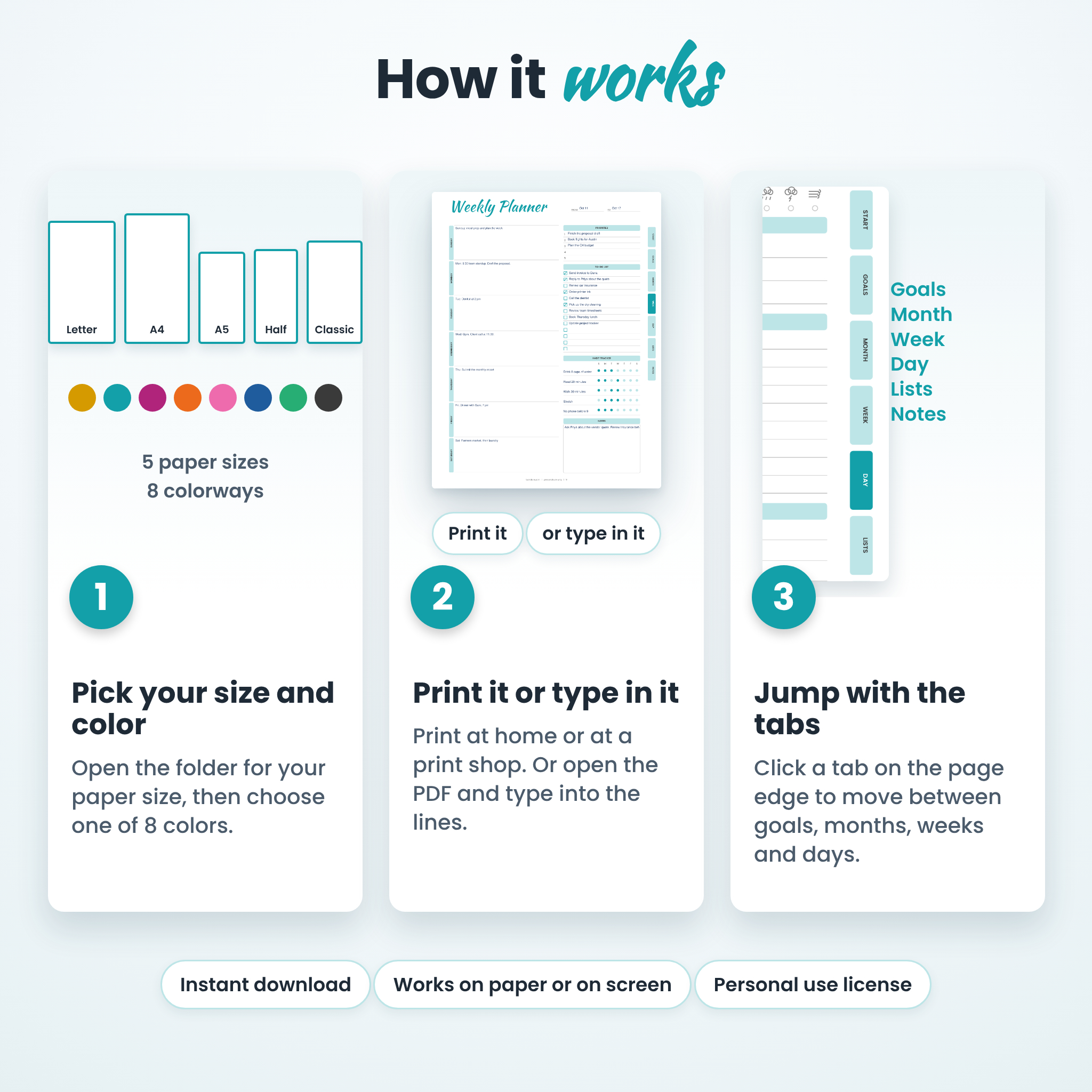
- 8 colors: Sunshine, Lagoon, Orchid, Tangerine, Blossom, Ocean, Meadow and Graphite (black and white, good for saving ink).
- 5 paper sizes: US Letter, A4, A5, Half Letter and Classic Happy Planner size (7 x 9.25 in).
- 45 PDF files in total: one full planner per color and size, plus a Weekday Rainbow Daily Pages file for every size.
- A user guide in Word format with setup, printing tips, troubleshooting and answers to common questions.
Features Built Into Every Page
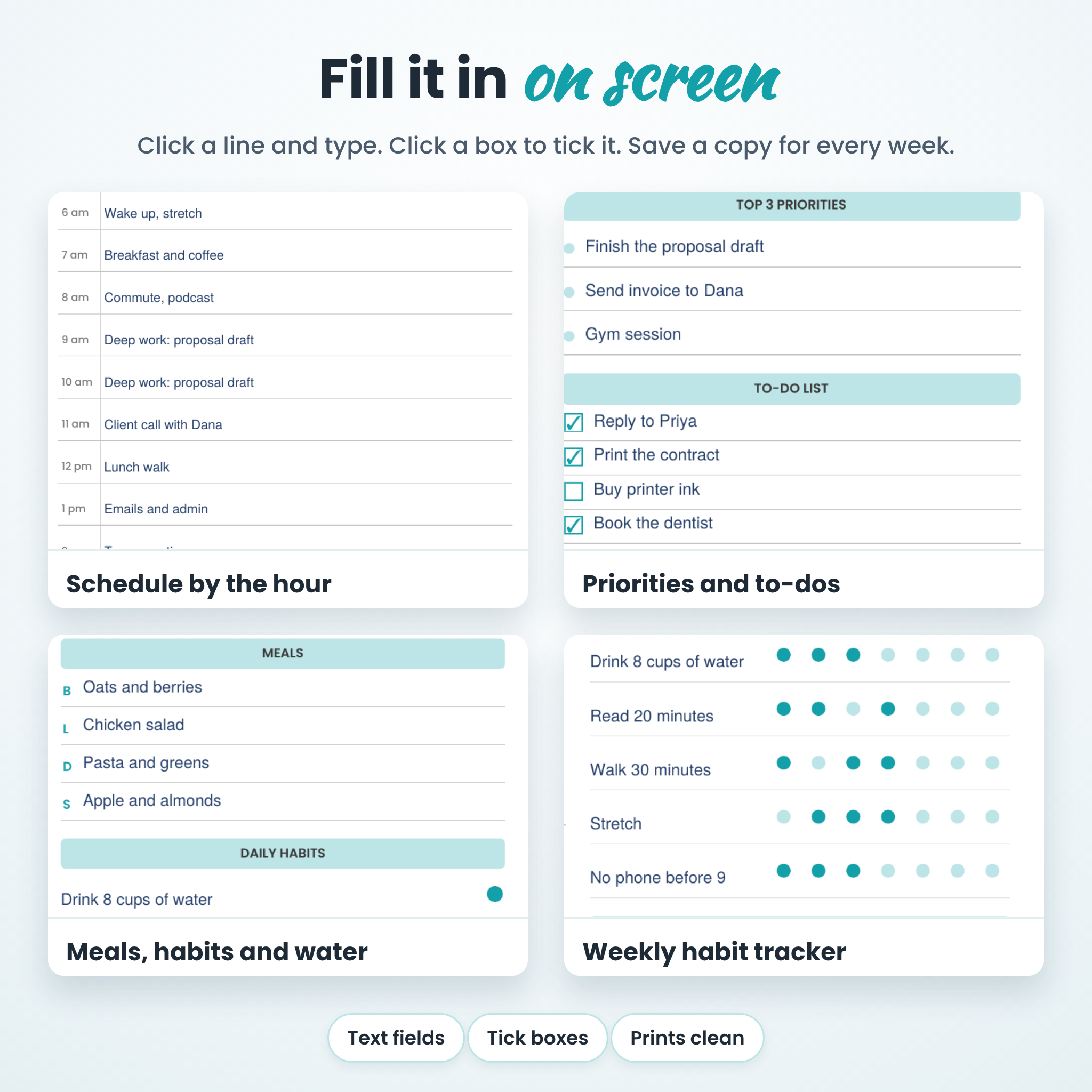
Type-in lines and tick boxes
Open a PDF in Adobe Acrobat Reader or another PDF app that supports forms. Click a line and type. Click a box to tick it. Your typing prints with the page.
Clickable index tabs
Seven tabs run down the right edge: Start, Goals, Month, Week, Day, Lists and Notes. On screen, click a tab to jump there. On paper, they work as page markers when you flip through.
A Start Here index
Page 1 lists every page by name and number. Click a name and you are there.
Weekday Rainbow daily pages
Fourteen daily pages, seven with printed times and seven with blank times. Each weekday has its own color, so you can spot Thursday at a glance.
All 25 Pages
Goals
Year at a Glance, Goal Planner and Goal Tracker. Set a theme, pick your top three goals, break each one into steps with due dates and watch the progress bar fill.
Month
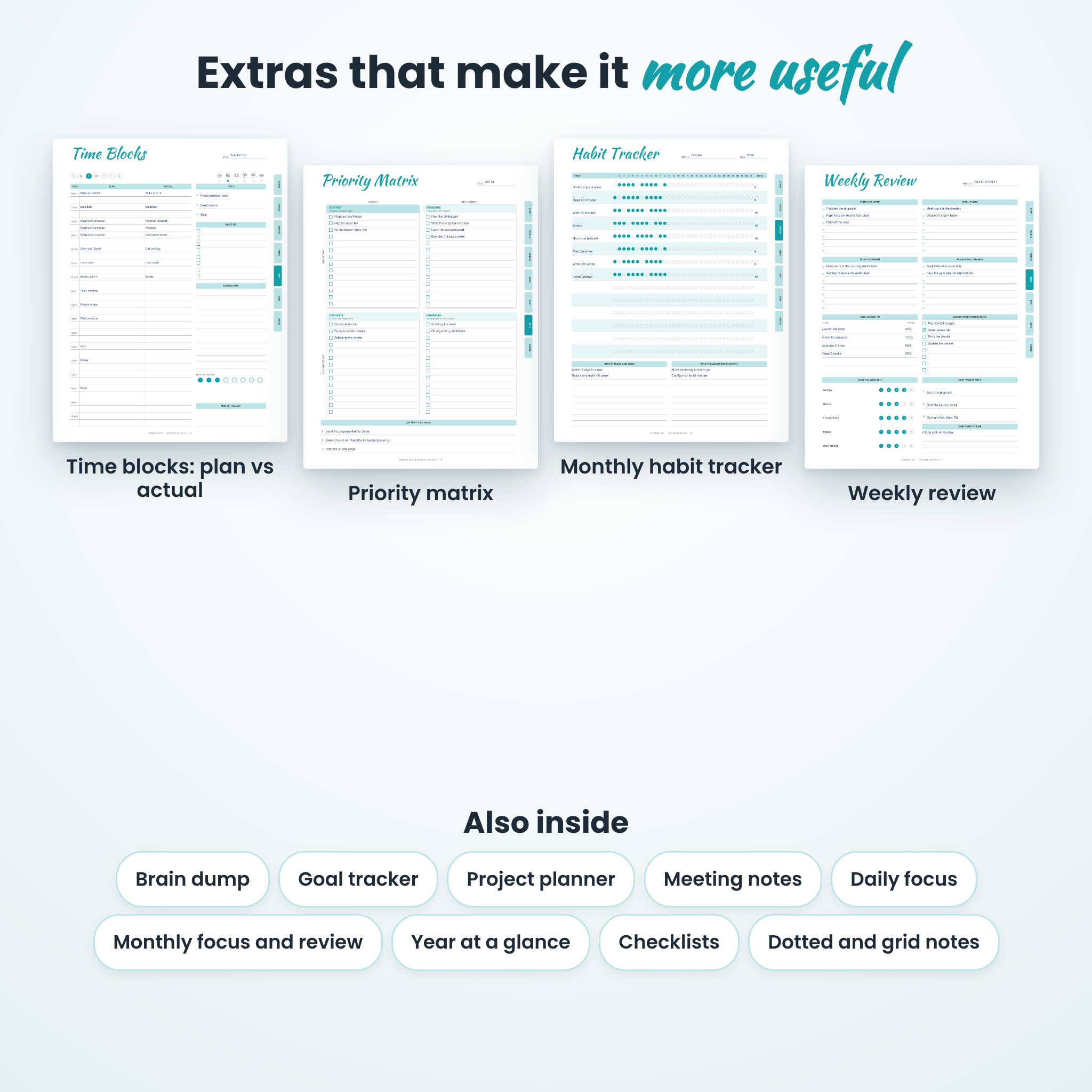
Monthly Planner with a Sunday start, Monthly Planner with a Monday start, Monthly Focus and Review, and a 14 habit Monthly Habit Tracker with a full 31 day grid.
Week
Weekly Planner in Sunday and Monday versions, plus a Weekly Review with wins, challenges, a goal check-in and 1 to 5 ratings for energy, focus, productivity, mood and well-being.
Day
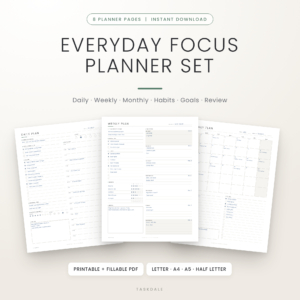
Daily Planner with printed times (6 am to 11 pm), Daily Planner with blank times, a half-hour Time Block Planner with Plan and Actual columns, and a Daily Focus and Reflection page.
Lists
To-Do List, four-up Checklists, Brain Dump, Priority Matrix, Project Planner and Meeting Notes.
Notes
Lined, dotted and grid note pages, plus a License and Tips page.
How It Works
- Buy and download. You receive a user guide and five ZIP files, one for each paper size.
- Unzip the size you want and open a color.
- Print the pages you need at 100 percent scale, or type into the PDF first and then print.
- Punch the pages, clip them or bind them. Use a binder, a disc system or a clipboard.
File Formats and What You Need
All planners are PDF files. You need a PDF reader such as the free Adobe Acrobat Reader and a printer. To type into the fields, use a PDF app that supports form fields. If your app does not, you can still print the pages and write by hand. The guide is a DOCX file you can open in Word or any app that reads Word documents. Nothing is shipped. This is a digital download only.
Make It Yours
Mix colors by section: blue months, green weeks, rainbow days. Choose Sunday or Monday week starts. Use printed times for a normal day or blank times for night shifts and early starts. Name your own habits, lists and goals. Build a full year binder, or print a Daily Focus page, a To-Do List and a Weekly Review for a small starter set.
The colors, layout and printed text are fixed. What you can change is everything you type, and which pages, colors and sizes you print.
Who It Is For
- Busy people who want one planner for work, home and side projects.
- Students and teachers who plan by the week.
- Small business owners who need a daily plan, a project page and meeting notes together.
- Anyone who wants goals and habits on the same pages as their to-do list.
Digital Download Information
After checkout you can download your files straight away from your order confirmation page and from your account. No physical item is shipped. If something looks wrong, contact Taskdale and tell us the file and page. License: personal use only. You may print as many copies as you need for yourself. Please do not resell, share or redistribute the files.
Frequently Asked Questions
Is the planner dated?
No. All pages are undated, so you can start any time and reuse them.
Can I type on the pages?
Yes, in a PDF app that supports form fields, such as Adobe Acrobat Reader. Click a line and type. The text prints with the page.
Which size should I choose?
Pick US Letter or A4 for standard printer paper. Pick A5, Half Letter or Classic Happy Planner size for a smaller planner. You can print more than one size.
Will it work in GoodNotes or other tablet apps?
This product is made for printing and for typing in a form-capable PDF reader. It has not been tested in tablet note-taking apps, so we do not promise it works there.
Can I change the colors or fonts?
No. The files are finished PDFs. That is why there are eight colors to pick from.
Can I sell the pages or use them with clients?
No. This is a personal use license.
How do I print at the right size?
Set the scale to 100 percent or Actual Size, and choose the paper size that matches the file you opened. The guide has the full steps.
Reviews
There are no reviews yet.