Best A4 Resume Templates for Word and Google Docs
The best A4 resume is a template sized to 210 x 297 mm that applicant tracking systems can read and that you can edit in Word or Google Docs. For most UK and European applicants, Everett or Shortlist suit a plain ATS-first CV, while Marlowe and Northline give the most page lengths and design choice.
Choosing a template can feel more complicated than it should, with photo layouts, page counts and file formats all competing for attention. We'll take it one factor at a time, so you can pick a template and start writing today.
Key facts at a glance
- An A4 page measures 210 x 297 mm, slightly narrower and taller than US Letter, so a layout built for one will shift on the other.
- Every template on this page includes A4 files, and most also include US Letter.
- Single-column layouts are the safest choice for online application portals, and each kit here includes at least one.
- Marlowe and Northline offer the widest range of page lengths, from one page up to three and five respectively.
- Several kits add a job search tracker for Excel, with Google Sheets versions in some.
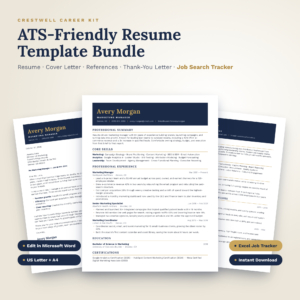 Crestwell ATS Resume Template Bundle | Editable Word Resume, Cover Letter, References & Thank-You Letter + Excel Job Search Tracker | US Letter & A4
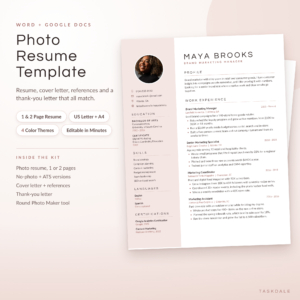 Photo Resume Template for Word & Google Docs | Calla Resume Kit with Cover Letter, References & Thank You Letter | 1 & 2 Page CV | ATS Version | US Letter & A4
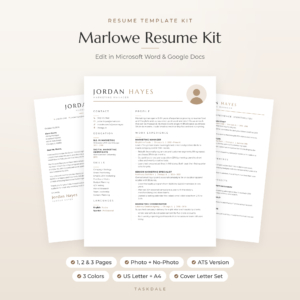 Marlowe Resume Template for Word & Google Docs | Minimalist Resume with Photo, Cover Letter & References | 1, 2 & 3 Page CV | ATS Resume | US Letter & A4
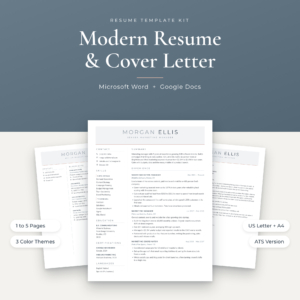
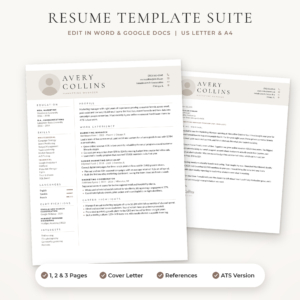 Sloane Resume Template for Word & Google Docs | Modern Resume with Photo, Cover Letter & References | 1, 2 & 3 Page CV | ATS Resume | US Letter & A4
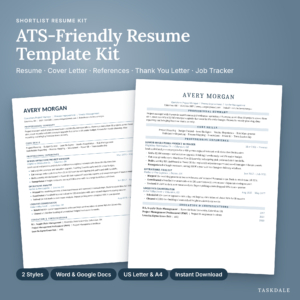
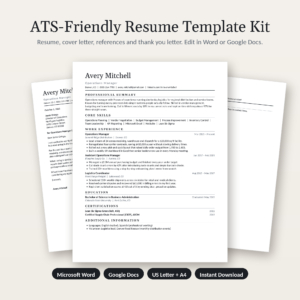
Table of Contents
Toggle
- What should you look for in the best A4 resume template?
- How do the A4 resume templates on this page compare?
- Which A4 resume template suits which job seeker?
- How do you use an A4 resume template properly?
- What mistakes should you avoid with an A4 resume?
- What affects the price of an A4 resume template?
- Which A4 resume should you choose?
- Common questions
What should you look for in the best A4 resume template?
The best A4 resume template has genuine A4 files, a layout that applicant tracking systems can read, a page length that matches your experience, and an editor you already use. Everything else is a bonus. Here is how each factor plays out.
Are the files genuinely A4?
An A4 resume is a CV set on 210 x 297 mm paper, the standard in the UK, Ireland, most of Europe and Australia. US Letter is 8.5 x 11 inches, a little wider and shorter. If you resize a Letter file, margins and line breaks move, and a clean one-pager can spill onto a second page.
All the kits here list A4 alongside US Letter. That means the margins were set for A4 in the first place, not stretched afterwards.
Will an applicant tracking system read it?
An applicant tracking system (ATS) is software that scans and sorts applications before a person sees them. It reads a single column of text far more reliably than a two-column design with text boxes.
Crestwell, Everett and Shortlist are built around ATS-friendly layouts. Calla, Marlowe, Northline and Sloane each include a separate ATS version beside their designed ones, so you can send the plain file to portals and the designed one by email.
How many pages do you need?
A one-page resume suits early-career applicants and anyone changing direction. A two-page version suits most people with a decade or more of relevant work. Three pages or more is for academic, clinical or senior technical records.
Everett, Shortlist and Calla stop at two pages. Marlowe and Sloane go to three, and Northline goes to five. Pick the range you might need, not the one you hope to fill.
Do you want a photo?
A photo resume has a portrait slot in the header. In the UK, a photo is generally not expected on a CV, and some employers prefer you leave it off. In parts of continental Europe it is more common.
Calla, Marlowe and Sloane all supply photo and no-photo versions, so you can decide per application. Calla adds a Round Photo Maker tool for cropping.
Word, Google Docs or both?
Word is the safest editor for exact formatting. Google Docs is easier if you work across devices. Marlowe, Calla, Northline, Sloane, Shortlist and Everett all work in both. Calla supplies separate Word and Google Docs editions so the layout holds in each. Crestwell is a Microsoft Word product, so check that before buying if you work in Google Docs.
What comes with the resume?
A matching cover letter, references page and thank-you letter make your application look consistent. Several kits also include a job search tracker and a writing guide. These save more time than another colour option does, so weigh them honestly.
How do the A4 resume templates on this page compare?
The templates differ mainly in page lengths, photo options and bonus tools, not in basic quality. This table shows what each listing states, so you can see the trade-offs side by side.
Sloane's listing names a cover letter and references page but no thank-you letter, which is the one small gap in an otherwise full set.
Which A4 resume template suits which job seeker?
Each template suits a different applicant, depending on how much design, page length and support you want. Match yourself to the closest description below.
You want the plainest, safest ATS file. Everett is the simplest: a single-column layout, guided placeholder text and an ATS checklist in its guide. It is a good fit for first-time applicants who worry about portals rejecting a fancy design.
You apply for many roles and want to stay organised. Shortlist and Crestwell both bundle a tracker with a live dashboard and follow-up alerts. Crestwell adds offer comparison, which helps once interviews turn into offers.
You want a designed resume with a photo option. Calla suits creative and customer-facing roles, with four colour themes and a photo tool. Marlowe is the minimalist alternative with more page lengths and 24 icons.
You have a long career record. Northline runs from one to five pages and includes 127 icons. That range suits consultants, academics and senior managers who need room for publications or projects.
You prefer a muted, modern look. Sloane comes in Stone, Sage and Navy, with photo and no-photo versions across 42 editable files.
How do you use an A4 resume template properly?
You use an A4 resume template by choosing the right file, replacing the placeholder text, and checking the result as a PDF before sending. Follow these steps in order.
- Download the kit and open the A4 folder, not the US Letter one.
- Install the supplied free fonts first, unless the fonts are embedded, as Marlowe's are.
- Pick one layout and one colour theme, and delete the rest from your working copy.
- Type over the placeholder text, using the guide's prompts and action verbs to write each bullet.
- Keep to the page length you chose. Trim older roles before shrinking the font.
- Save a PDF, then open it on another device to confirm nothing has moved.
- Save the ATS version separately for online portals and the designed version for email.
Keep one master file and make a copy for each application, so you can tailor the wording without losing the original.
What mistakes should you avoid with an A4 resume?
The most common mistakes are using the wrong paper size, picking a design that portals cannot read, and sending a document that looks different on another screen. All three are easy to prevent.
- Printing or exporting at US Letter. Check the page size in your editor before you export.
- Sending a two-column design to a portal. Use the ATS or single-column version where the employer asks you to upload.
- Leaving placeholder text behind. Search the file for template wording before you send it.
- Adding a photo by habit. Add one only if the employer or country expects it.
- Filling extra pages for the sake of it. A tight two pages reads better than a padded three.
- Skipping the PDF check. Fonts and spacing can shift between Word and Google Docs.
What affects the price of an A4 resume template?
The price of an A4 resume template depends mainly on how much is in the kit, not on how the resume looks. Product prices are shown on the cards beside this text, so we'll compare in words.
Kits with more files, such as Marlowe's 60 or Sloane's 42, generally cost more up front than a tighter set like Everett's 10. Bundled tools matter too: an Excel tracker, a long guide and icon packs all add value to a listing. Photo tools and extra colour themes can also lift the cost.
Ask what you will genuinely use. If you only need one clean resume and a cover letter, the simpler kit does the job. If you will apply for dozens of roles over several months, a tracker earns its place.
Which A4 resume should you choose?
Choose by your main need: a plain ATS file points to Everett or Shortlist, a long career record points to Northline, and a photo option points to Calla, Marlowe or Sloane. Crestwell fits you best if you work in Word and want the most extensive job search toolkit.
Browse all 7 options in the grid, open the two that match your situation, and compare their file lists. Then download one and write your first draft today.
Common questions
Can I print an A4 template on US Letter paper? You can, but the page will scale or crop slightly. Most kits here include both sizes, so use the US Letter files if you are applying in North America. Use the A4 files for the UK, Europe and Australia.
Do I need Microsoft Word to edit these templates? Not for most of them. Calla, Marlowe, Northline, Sloane, Shortlist and Everett work in both Word and Google Docs. Crestwell is a Word product, so check that listing if Google Docs is your only editor.
Should I send a PDF or a Word file? Send a PDF unless the employer asks for Word. A PDF keeps fonts and spacing fixed on any device. Some portals ask for .docx, so keep an editable copy ready.
Does an ATS resume guarantee I get shortlisted? No. An ATS-friendly layout only makes sure the software can read your text. Your wording, relevant keywords and experience still decide whether you progress.
How often should I change my resume? Adjust it for each role. Mirror the key skills in the job advert, reorder your bullets if needed, and keep a master copy untouched. A tracker helps you record which version went where.