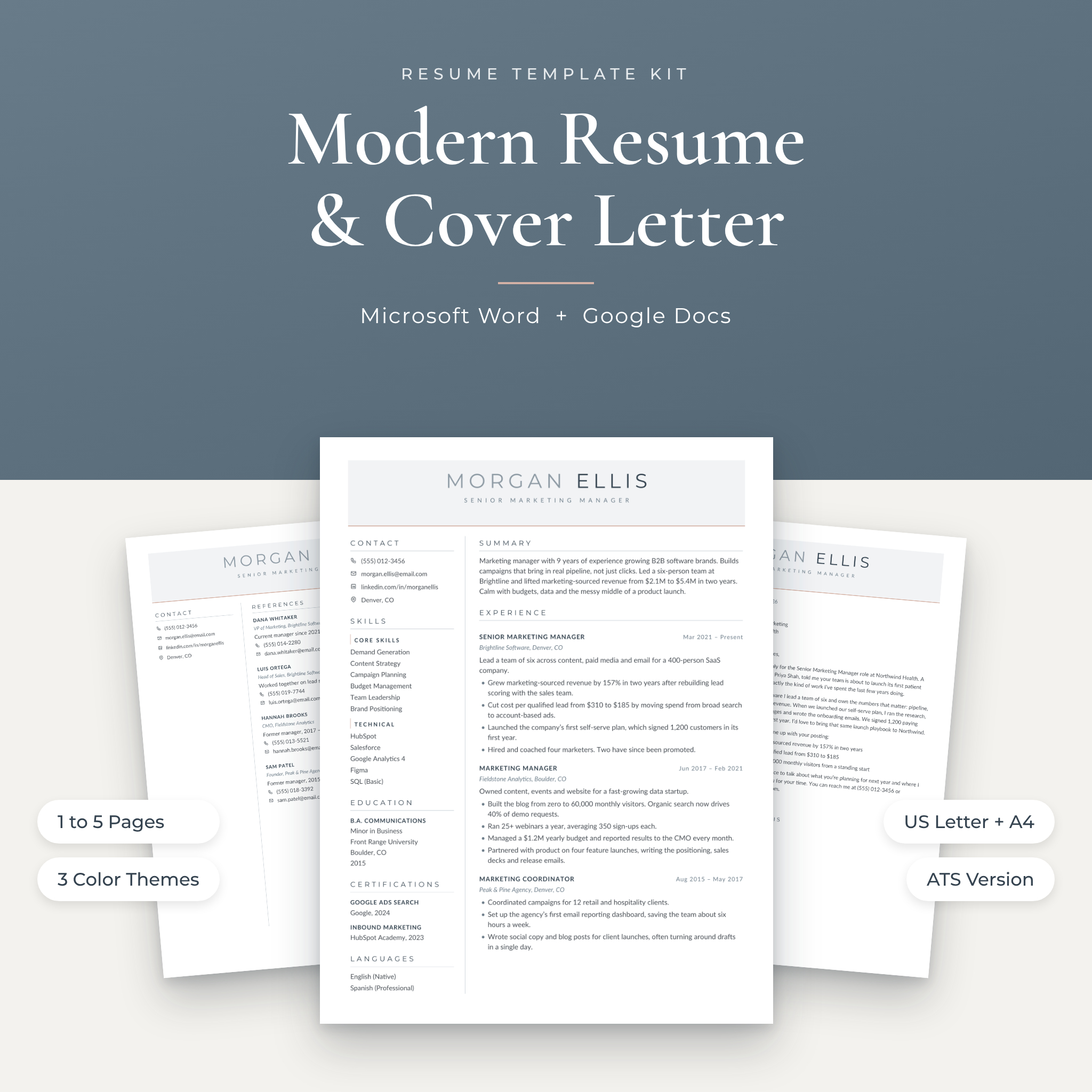
Writing a resume is hard enough. Fighting the layout shouldn’t be part of the job. The Northline Modern Resume Kit is a modern resume template set for Microsoft Word and Google Docs, built so you can drop in your details, keep the design tidy and send a PDF the same day.
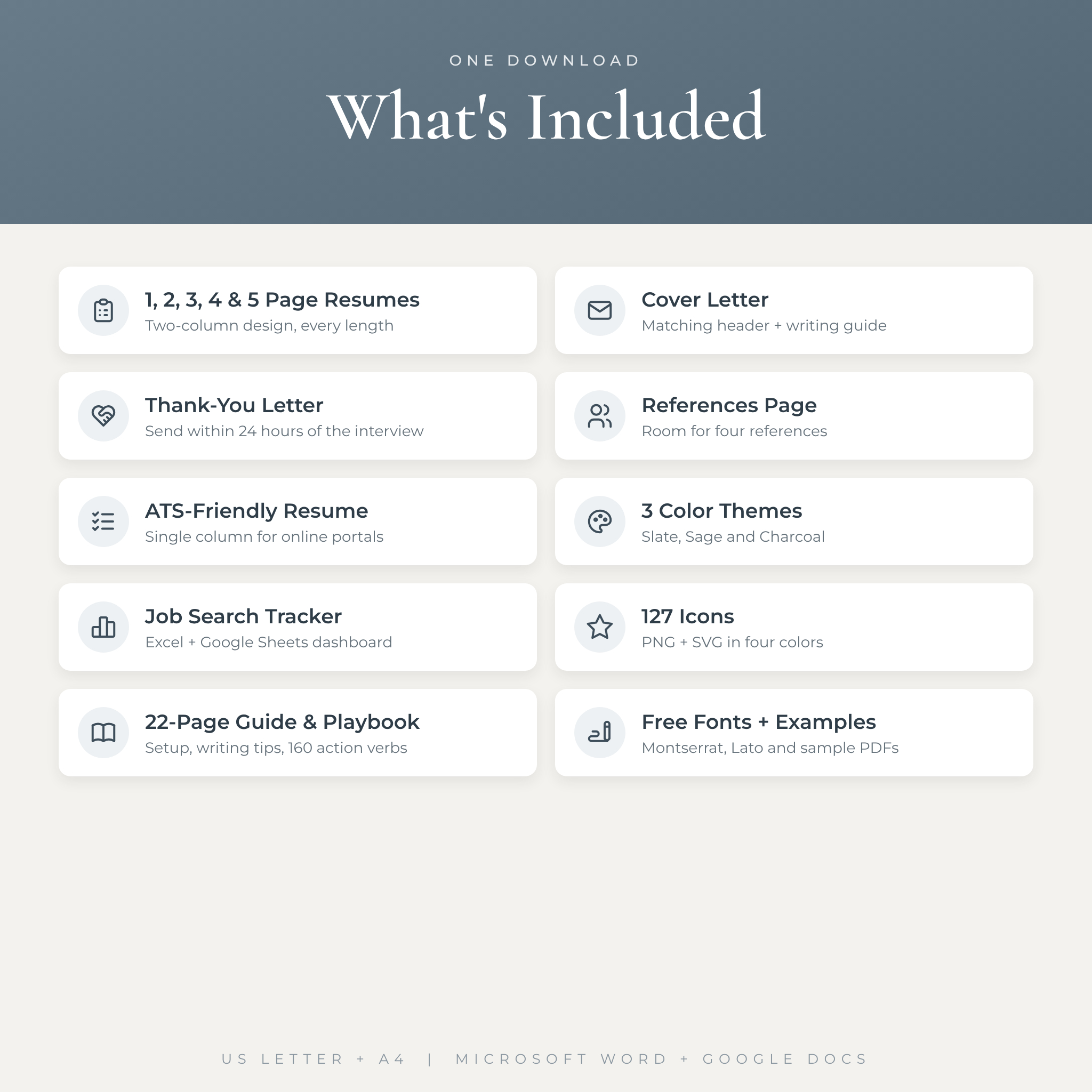
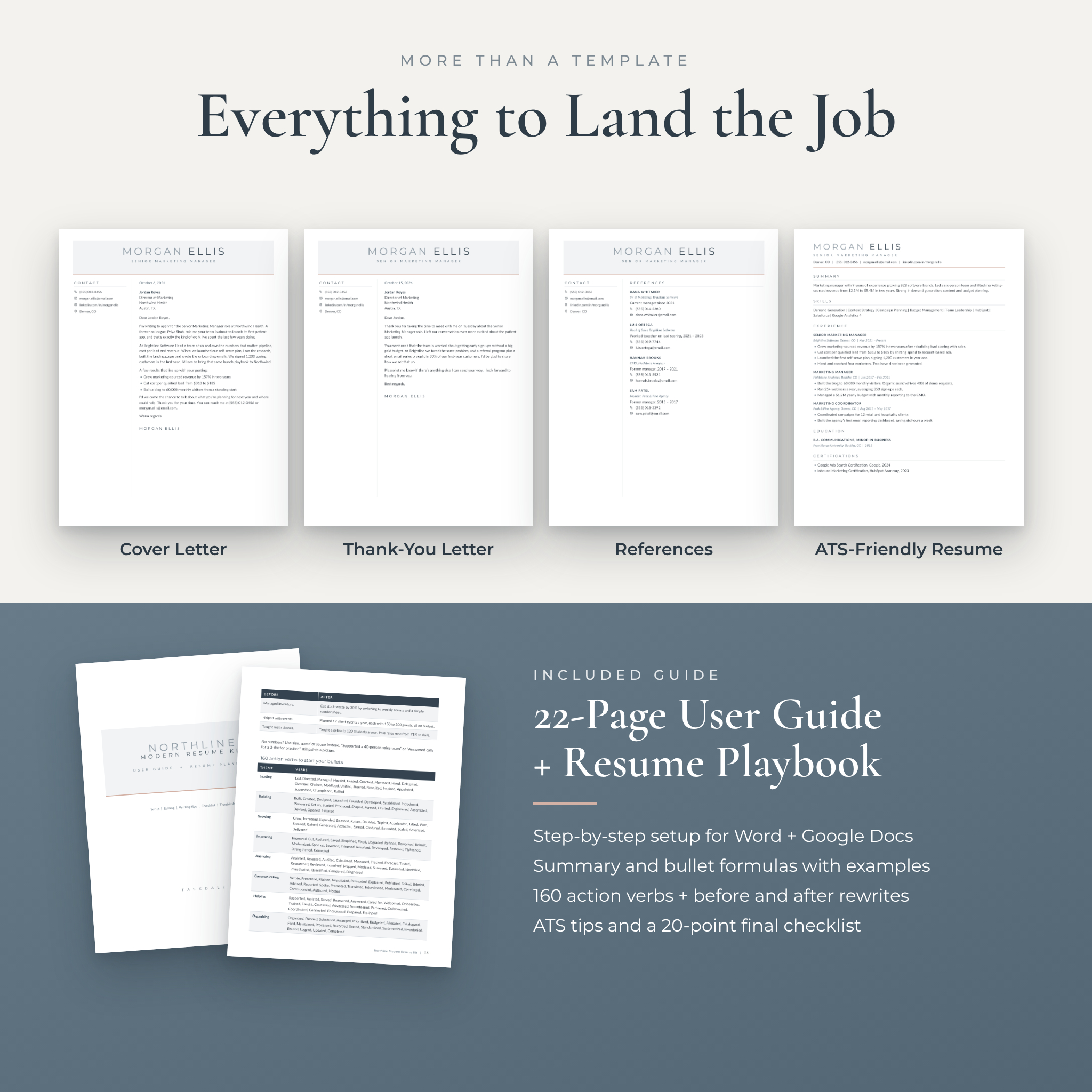
You get 54 ready-to-edit files: two-column resumes from one to five pages, a matching cover letter, a thank-you letter, a references page and a plain ATS version for online job portals. Every file comes in three color themes and two paper sizes. On top of that there’s a job search tracker, an icon library and a 22-page guide that walks you through the writing itself.
What makes this modern resume template different
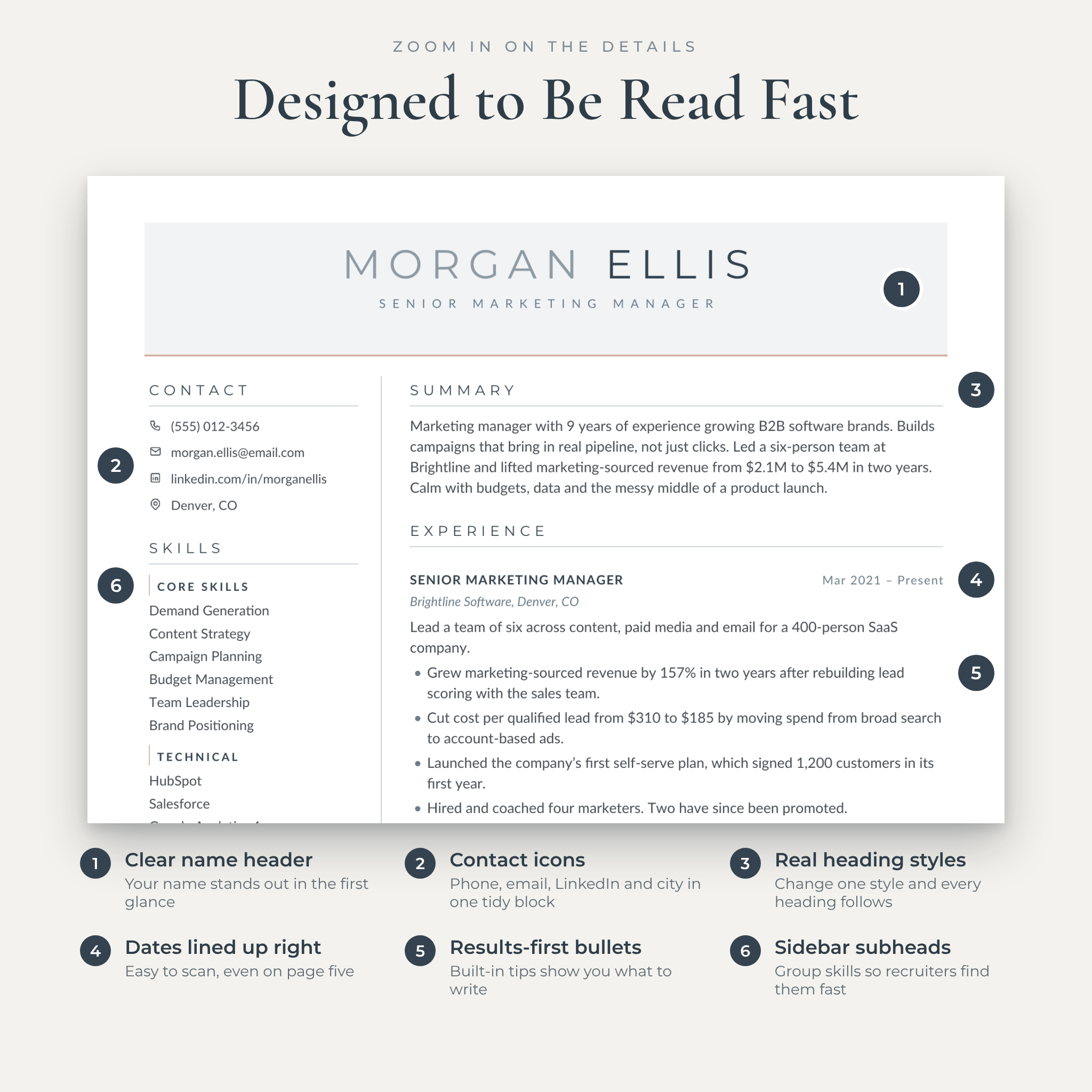
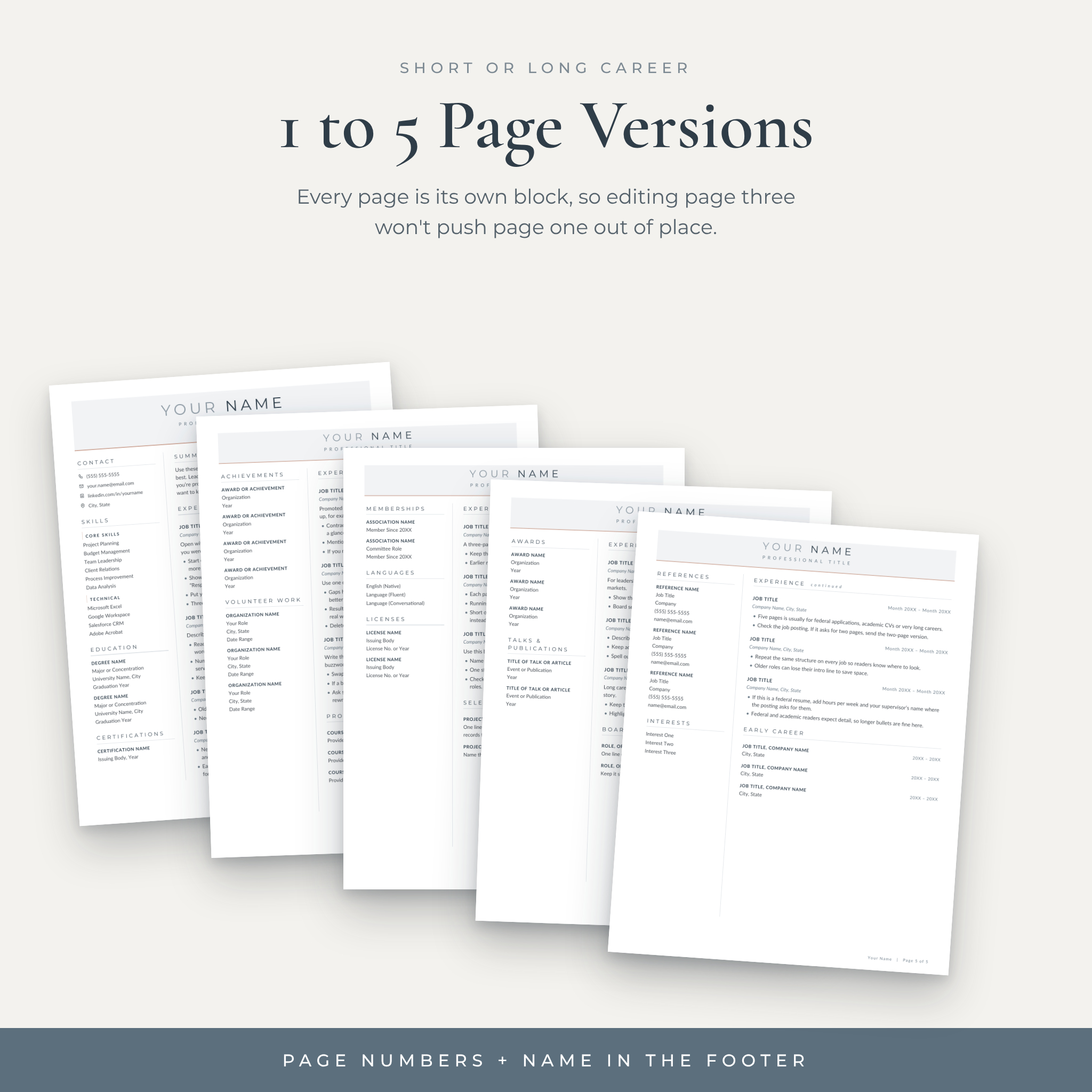
- Pages that stay put. Each page is its own block. Edit page three and page one doesn’t budge.
- Writing tips built in. The placeholder text tells you what to write in each spot, so you’re never staring at filler text wondering what goes there.
- An ATS-friendly version included. Lots of applications pass through tracking software first. The single-column version has no tables, columns or icons, so the software can read every word.
- Real heading styles. Change Heading 1 once and every section title updates. Fonts work the same way.
- Fonts that just work in Google Docs. Montserrat and Lato are already in Google Docs. Word users get the free font files in the download.
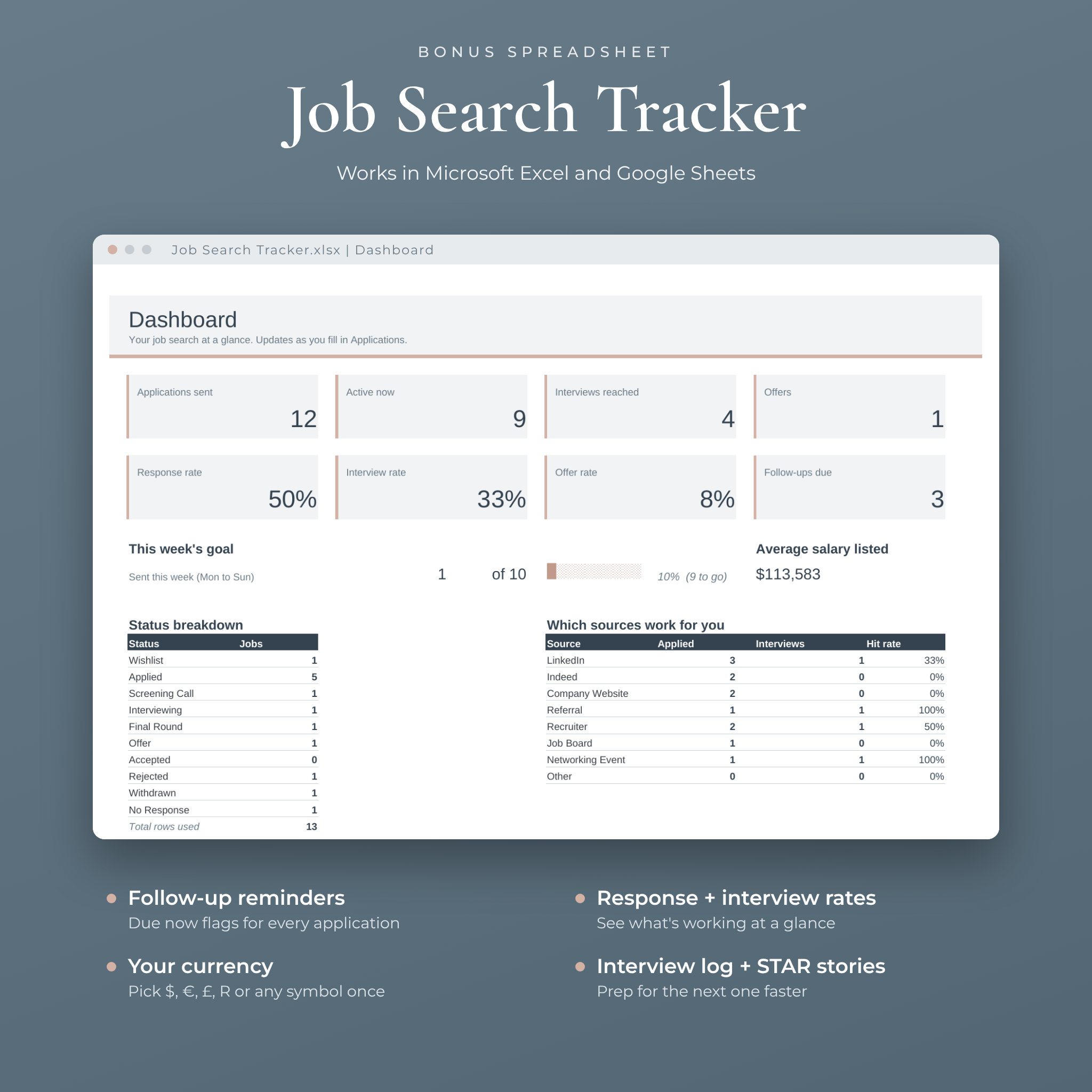
- A tracker for the hunt itself. Log applications, get follow-up reminders and watch your response rate on a dashboard.
What’s included
Resume templates
- 1-page, 2-page, 3-page, 4-page and 5-page resume templates
- ATS-friendly single-column resume
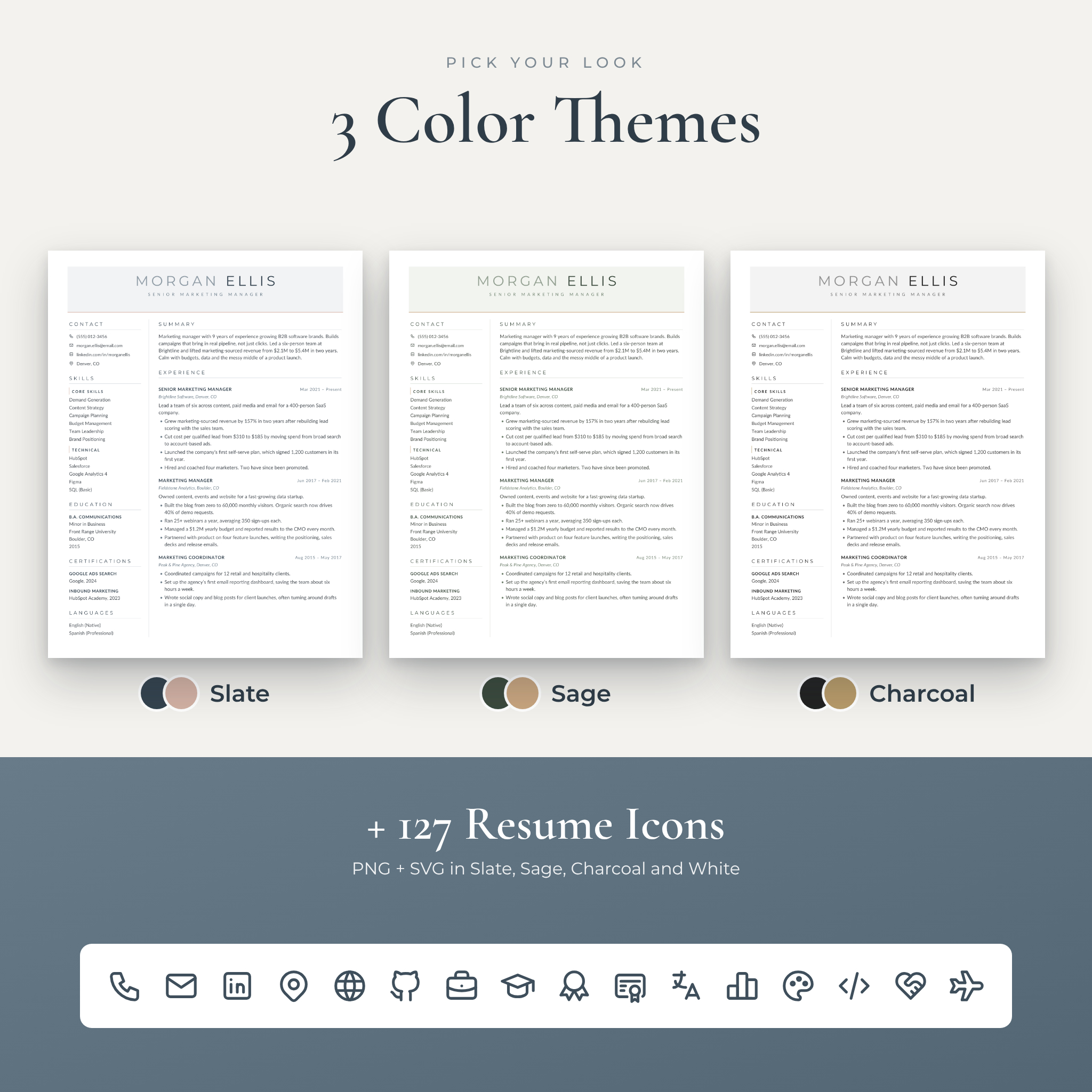
- 3 color themes: Slate (blue-gray with a blush accent), Sage (muted green with a sand accent) and Charcoal (near-black with a champagne accent)
- US Letter and A4 sizes for every file
Matching documents
- Cover letter with a simple four-part writing framework
- Interview thank-you letter
- References page with room for four contacts
Bonus extras
- Job Search Tracker for Excel and Google Sheets. It has an applications list with dropdowns, automatic follow-up dates, a dashboard with response, interview and offer rates, an interview log, a STAR story bank and a networking list. One currency setting controls every money value, with $ as the default.
- 127 resume icons in PNG and SVG, in Slate, Sage, Charcoal and White, plus an Icon Library file to copy from.
- 22-page User Guide and Resume Playbook with setup steps, summary and bullet formulas, before and after rewrites, 160 action verbs, ATS tips, troubleshooting and a 20-point final checklist.
- Free fonts (Montserrat and Lato, SIL Open Font License).
- Filled-in example PDFs so you can see the finished look.
How it works
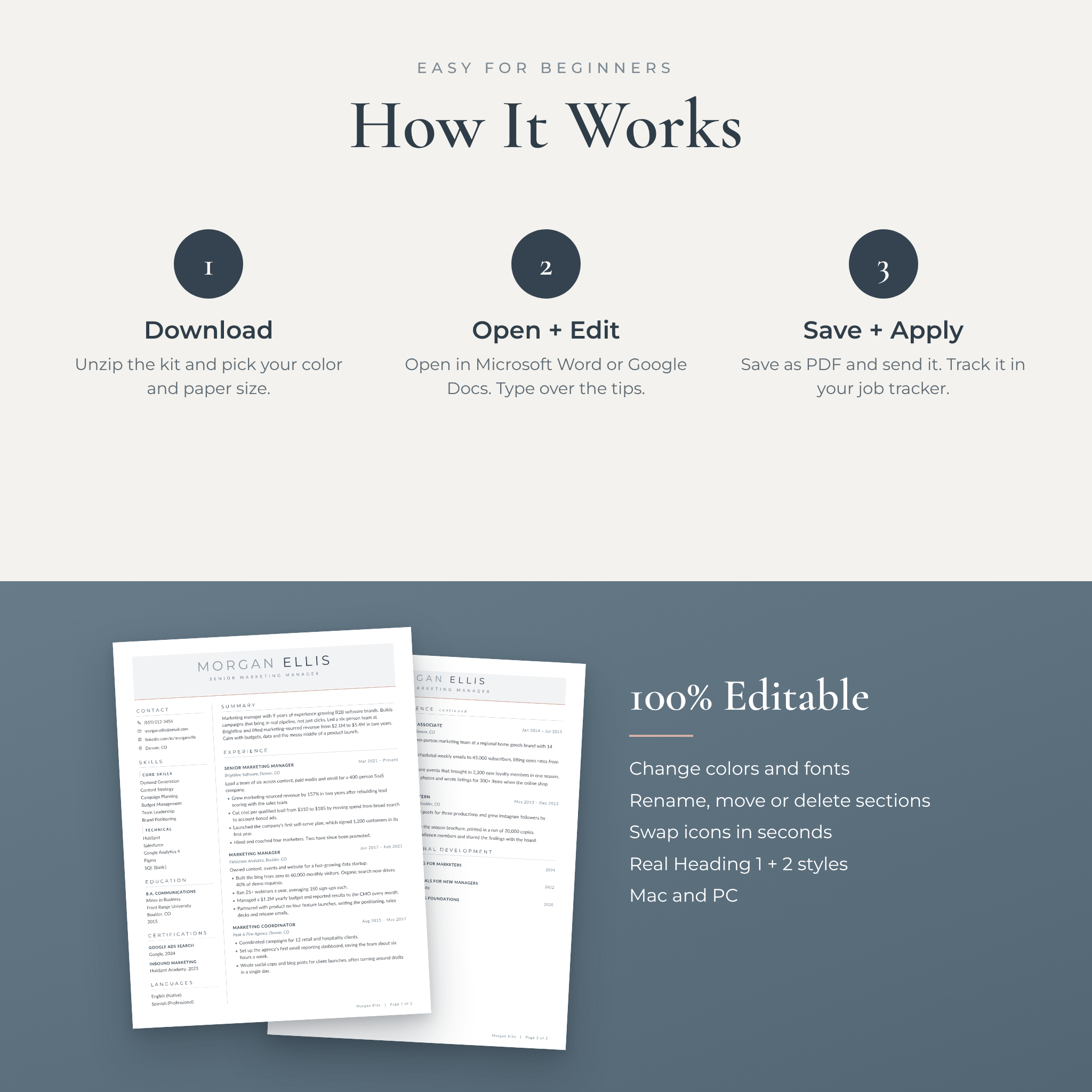
- Check out and download the files instantly.
- Pick your color theme and paper size.
- Open the file in Microsoft Word, or upload it to Google Drive and open it in Google Docs.
- Type over the tips with your own details.
- Save as PDF and apply. Then log the job in your tracker so you remember to follow up.
File formats and software
- Resumes, letters and guide: .docx for Microsoft Word 2016 or newer, Microsoft 365 or Google Docs
- Job Search Tracker: .xlsx for Microsoft Excel or Google Sheets
- Icons: PNG and SVG. Fonts: TTF. Examples and quick-start guide: PDF
- Works on Mac and PC. A laptop or desktop computer is best for editing.
Apple Pages and Canva versions are not included.
Easy to customize
Every word, color and font can be changed. Rename sections, move them between columns, delete what you don’t need or copy a job block to add another role. The guide shows each step for both Word and Google Docs. Fancy a different accent color? Update the Heading 1 style and the whole resume follows.
Who it’s for
Graduates writing a first resume, people stepping up into management, career changers and senior professionals with long histories. A few real situations where it helps:
- A nurse moving from hospital work to a clinic role who needs a fresh one-page resume by Friday
- A marketing manager applying to ten companies who wants a designed resume for referrals and an ATS version for portals
- A federal or academic applicant who needs four or five pages that still look organized
- A recent graduate who wants writing help inside the template, not in a separate course
- Anyone juggling a dozen applications who keeps forgetting to follow up
Instant digital download
This is a digital product, so nothing ships. Your files are ready as soon as payment goes through. You’ll get the full kit as a ZIP file, plus the User Guide and the Job Search Tracker as separate downloads.
License: personal use only. Use the kit for your own job search as often as you like. Please don’t resell it, share it or use it for paid client work.
Resume template FAQ
Does this resume template work in Google Docs?
Yes. Upload the .docx to Google Drive, open it, then choose File > Save as Google Docs. The fonts are already built into Google Docs.
Is the resume ATS-friendly?
The kit includes a separate single-column ATS resume for online portals. Use the two-column design for email, networking and interviews.
Can I change the colors and fonts?
Yes, everything is editable. Change a heading style once and every section heading updates.
Do I need Microsoft Word?
No. A free Google account works too. If you prefer Word, version 2016 or newer is recommended.
Which paper size should I choose?
US Letter for the United States and Canada. A4 for most other countries. Both are included.
How many pages should my resume be?
One page if you have under five years of experience, two for most mid-career roles, and three or more for senior, federal or academic applications. The guide has a quick chart.
Can I edit it on my phone?
You can view the files on a phone, but editing a layout is much easier on a laptop or desktop.
Can I use it more than once?
Yes. Keep the original files and save a copy for each job you apply to.
Reviews
There are no reviews yet.