Best Budget Tracker in Notion: Three Planners Compared
The best budget tracker for Notion is the one whose money pages connect to the rest of your routine. Of the three planners here, Hearth & Horizon 2027 Notion Life Planner suits detailed finances, Everkept Life OS suits a daily check-in habit, and Calm Chaos ADHD Life Planner suits anyone who abandons rigid systems.
Choosing can feel more complicated than it should. Notion templates look alike in screenshots, and a budget page that dazzles on day one can be forgotten by week three. This guide separates what actually helps you keep a budget going from what simply looks tidy, so you can pick with confidence.
All three products are life planners with a budget built in, not stand-alone spending sheets. That suits people who want money, bills and habits in one workspace. If you only want a single grid of income and outgoings, you may find them more than you need.
Key facts at a glance
- Hearth & Horizon 2027 Notion Life Planner has a Finances hub with budget status lights, account balances and debt payoff dates, and it works in any currency.
- Everkept Life OS combines budget and net worth tracking with a 60-second Daily Check-in that also records no-spend days.
- Calm Chaos ADHD Life Planner covers budget and bills alongside a focus timer, brain dump and chore chart, and it is built to plan by energy rather than guilt.
- Hearth & Horizon 2027 Notion Life Planner and Calm Chaos ADHD Life Planner both state that they work on the free Notion plan.
- None of the three listings mention automatic bank syncing, so expect to enter transactions yourself.
Table of Contents
Toggle
- What should you look for in a Notion budget tracker?
- How do the three budget trackers compare?
- Which Notion budget tracker suits which person?
- How do you get a Notion budget tracker working?
- What mistakes should you avoid?
- What affects the price of a Notion budget template?
- How should you decide?
- Common questions
What should you look for in a Notion budget tracker?
A good Notion budget tracker does the arithmetic for you, shows your position at a glance, and takes less than a minute to update. Five factors separate the useful ones from the decorative ones.
Does it calculate automatically?
A Notion database is a table of linked pages, and formulas inside it can add up spending so you never do sums by hand. Hearth & Horizon 2027 Notion Life Planner uses 65+ linked databases that do the maths, so budget status lights and account balances update on their own. If a template makes you total columns yourself, you've bought a spreadsheet with nicer fonts.
How quickly can you log a purchase?
Logging has to feel quick or you'll stop. Hearth & Horizon 2027 Notion Life Planner includes 47 quick-add buttons, which cut the steps to record an entry. Everkept Life OS takes a different route, with one 60-second Daily Check-in that updates habits, mood, sleep and no-spend days everywhere.
Does it show bills and debts, not just spending?
Spending totals tell you what happened. Upcoming bills and payoff dates tell you what to do next. Everkept Life OS has an Assistant that shows what is due today and upcoming bills. Hearth & Horizon 2027 Notion Life Planner calculates debt payoff dates. Calm Chaos ADHD Life Planner groups budget and bills in one space.
Will it cope with your currency and plan?
Currency matters if you don't spend in dollars. Hearth & Horizon 2027 Notion Life Planner works in any currency, and Everkept Life OS uses a single currency setting. Hearth & Horizon 2027 Notion Life Planner and Calm Chaos ADHD Life Planner both state that they run on the free Notion plan. Check the Everkept Life OS listing for its plan requirements before you buy.
Does the rest of the planner help or distract?
A planner with hubs for nutrition, fitness and studies can motivate you or bury the budget page. Everkept Life OS has seven connected hubs, Hearth & Horizon 2027 Notion Life Planner has nine, and Calm Chaos ADHD Life Planner has 14 spaces. More spaces means more to set up. Decide whether you want one workspace for everything or a calm corner for money.
How do the three budget trackers compare?
The three differ most in how many hubs they include, how they prompt you to update, and who they are built for. Money features sit inside each one rather than being the whole product.
| Product | Structure | Money features | Free Notion plan | Best for |
|---|---|---|---|---|
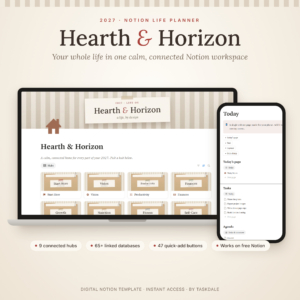 Hearth & Horizon 2027 Notion Life Planner – All-in-One Life OS Template | 9 hubs, 65+ linked databases | Budget status lights, account balances, debt payoff dates, any currency | Yes, stated | Detailed finances and goal tracking |
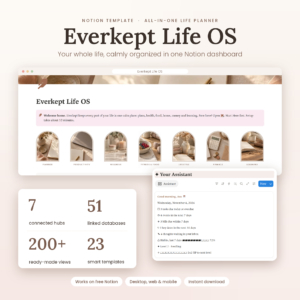 Notion Life Planner Template | Everkept Life OS All-in-One Second Brain Dashboard with Habit Tracker, Budget, Meal Planner, Wellness & Student Hub | 7 hubs, 51 linked databases | Budget and net worth tracking, upcoming bills, no-spend days | Not stated in the details supplied | A daily check-in routine |
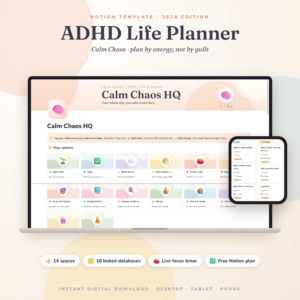 ADHD Notion Template 2026 | Calm Chaos ADHD Life Planner & Notion Dashboard with Focus Timer, Habit Tracker, Budget, Brain Dump and Chore Chart | 14 spaces, 18 connected databases | Budget and bills, smart columns that update daily | Yes, stated | Low-pressure planning with ADHD |
Which Notion budget tracker suits which person?
Each planner suits a different temperament, and the right choice depends on how you behave with money rather than how much you earn.
Hearth & Horizon 2027 Notion Life Planner suits people who like numbers and want more than a spending log. If you're paying down a debt and want a payoff date, or you want several account balances in one place, this is the most finance-led of the three. It also has goal progress bars and a Life Wheel chart, so your budget sits beside your wider goals. The 10-minute Start Here setup and DOCX user guide help if you haven't used Notion much.
Everkept Life OS suits people who build habits better than they build spreadsheets. The Daily Check-in is short, and recording no-spend days turns saving into a streak you can see. Net worth tracking helps if you want the bigger picture beyond monthly spending. It also covers meal planning with an automatic grocery list, which can help with food spending.
Calm Chaos ADHD Life Planner suits people who start budgets enthusiastically and drop them after a missed week. It plans by energy, not guilt, and its smart columns update every day on their own, so a gap in logging doesn't leave a mess behind. The brain dump and chore chart sit beside the budget and bills space, which gives you somewhere to put the admin that tends to cause late payments.
How do you get a Notion budget tracker working?
Setting up a Notion budget tracker takes a short session of one-off work, then a minute or two of upkeep each day. Follow the same order with any of the three.
- Duplicate the template into your own Notion workspace and read the start guide first.
- Set your currency, since Everkept Life OS has one setting for this and Hearth & Horizon 2027 Notion Life Planner works in any currency.
- Enter your accounts and opening balances from your latest statements.
- Add your fixed bills with their due dates, so upcoming payments show before they're late.
- Set a monthly limit for each spending category, starting with three or four rather than twenty.
- Log spending at the same time every day, using quick-add buttons or the daily check-in.
- Review once a week and adjust one limit, no more.
On a phone, Calm Chaos ADHD Life Planner states that it works on desktop and phone, which helps if you log purchases while out.
What mistakes should you avoid with a Notion budget tracker?
The most common mistake is building a system too elaborate to maintain. Most abandoned budgets fail on effort, not on design.
- Switching on every hub at once. Start with the money pages and add the rest later.
- Using too many categories. Twenty categories turn each purchase into a decision. Begin with a handful.
- Skipping opening balances. Account balances and net worth only mean something if the starting figures are right.
- Forgetting irregular bills. Annual insurance and car costs belong in your bills list with a date.
- Expecting automatic bank feeds. None of the listings mention them, so manual entry is part of the deal.
- Judging your first month harshly. The first month shows where your money goes. Adjust limits in month two.
What affects the price of a Notion budget template?
The price of a Notion budget template mostly reflects how much is included and how much support comes with it. A larger planner with many hubs and databases usually costs more up front than a focused one.
Other factors include the number of page templates, whether a written user guide is supplied (Hearth & Horizon 2027 Notion Life Planner includes a full DOCX guide, and Everkept Life OS includes a full user guide), and whether the template is dated to a particular year. Hearth & Horizon 2027 Notion Life Planner is a 2027 edition, and the Calm Chaos ADHD Life Planner is marked 2026, so check how each fits your planning year.
Also consider the plan you'll use in Notion itself. A template that works on the free plan avoids a second cost. The live product cards show the current prices, so compare them there.
How should you decide between these Notion budget trackers?
Pick by the habit that most often lets your budget slip. If you ignore your numbers, choose Hearth & Horizon 2027 Notion Life Planner for its status lights and balances. If you forget to log, choose Everkept Life OS for its 60-second check-in. If you drop systems when life gets busy, choose Calm Chaos ADHD Life Planner. Browse all 3 options below and compare the cards before you commit.
Common questions
Can I use these Notion budget trackers in pounds?
Hearth & Horizon 2027 Notion Life Planner works in any currency, and Everkept Life OS uses one currency setting that you can change. The Calm Chaos ADHD Life Planner listing does not state currency support, so check with the seller if that matters to you.
Do I need a paid Notion plan?
Hearth & Horizon 2027 Notion Life Planner and Calm Chaos ADHD Life Planner both state that they work on the free Notion plan. The Everkept Life OS details supplied here don't confirm a plan requirement, so read its full listing before you buy.
Will these connect to my bank account?
None of the three listings mention automatic bank syncing. Plan on adding transactions yourself, using quick-add buttons in Hearth & Horizon 2027 Notion Life Planner or the daily check-in in Everkept Life OS. A few minutes a day keeps balances accurate.
How long does setup take?
Hearth & Horizon 2027 Notion Life Planner offers a 10-minute Start Here setup plus a full DOCX user guide. Everkept Life OS includes a full user guide. Allow longer if you want to enter several accounts, bills and debts, since those figures drive the automatic calculations.
Is a life planner too much if I only want a budget?
It can be, but you don't have to use every hub. Start with the money pages in whichever planner you choose and leave the rest alone. If you still find the extras distracting after a month, a simpler stand-alone budget template may suit you better.