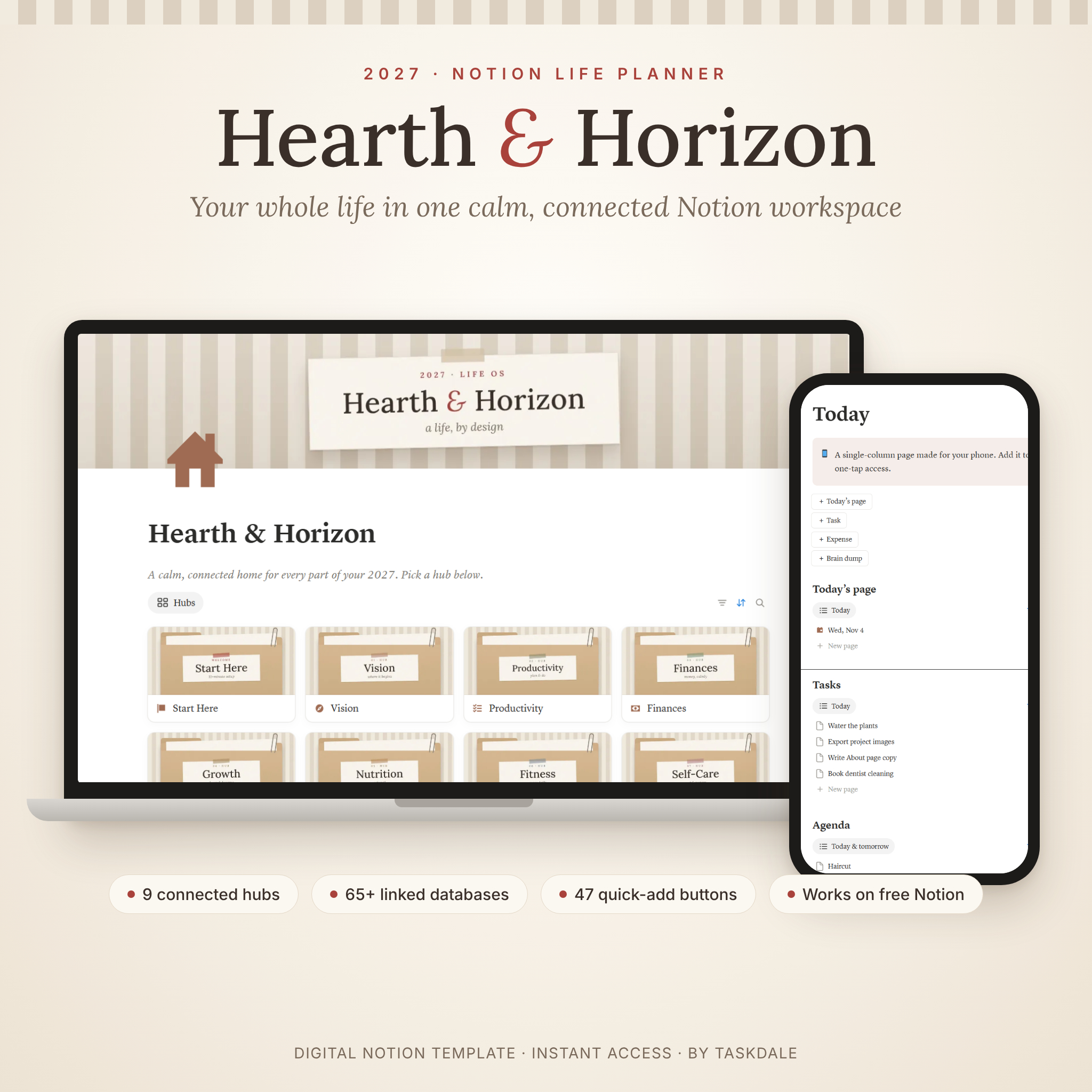
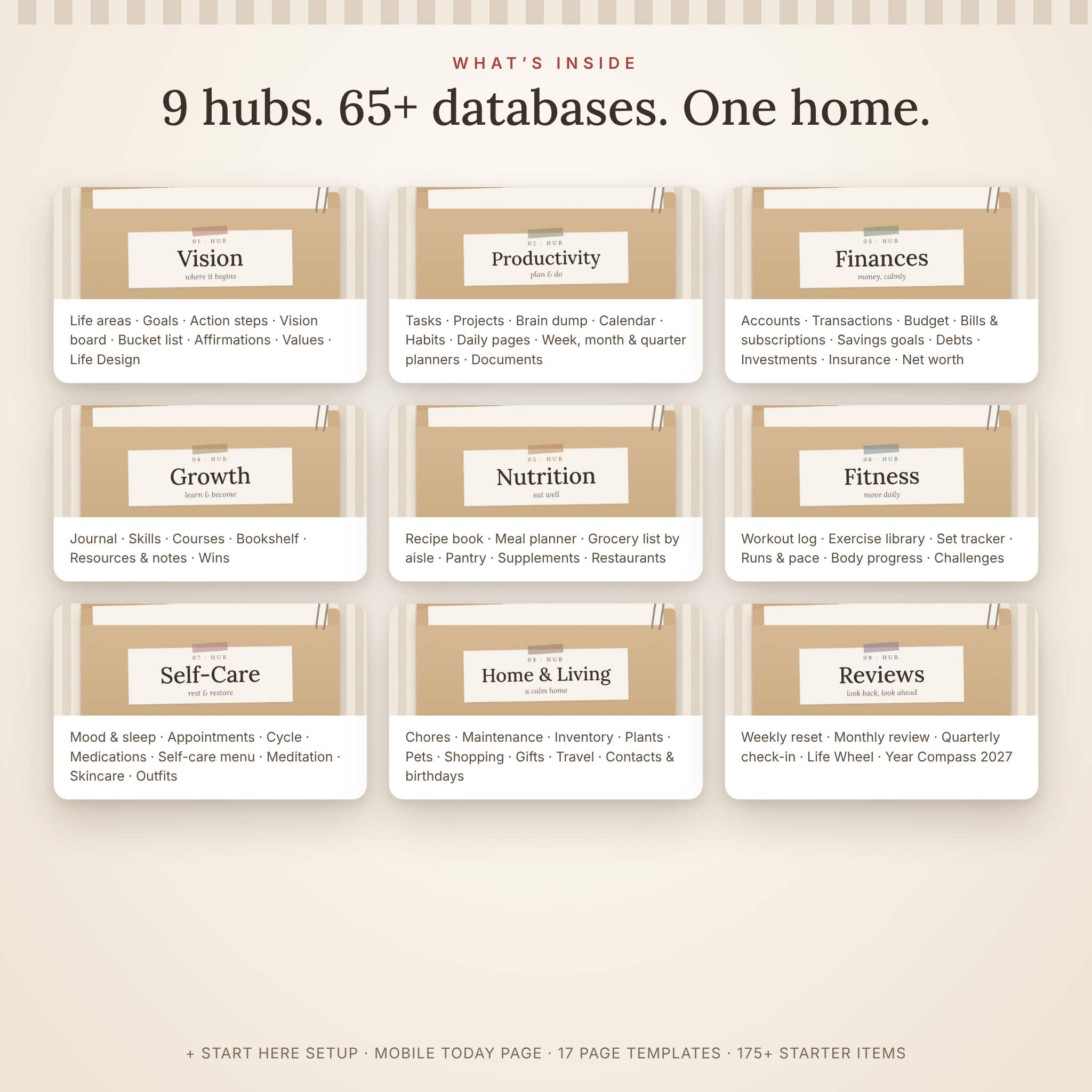

Hearth & Horizon is a 2027 Notion life planner that brings your goals, days, money, health, home and reflections into one calm, connected workspace. Nine linked hubs, more than 65 databases and dashboards that do the math for you mean you always know what matters today and how far you have come this year. It is the all-in-one Notion life OS for people who want structure that feels personal, not overwhelming.
What this Notion life planner template does
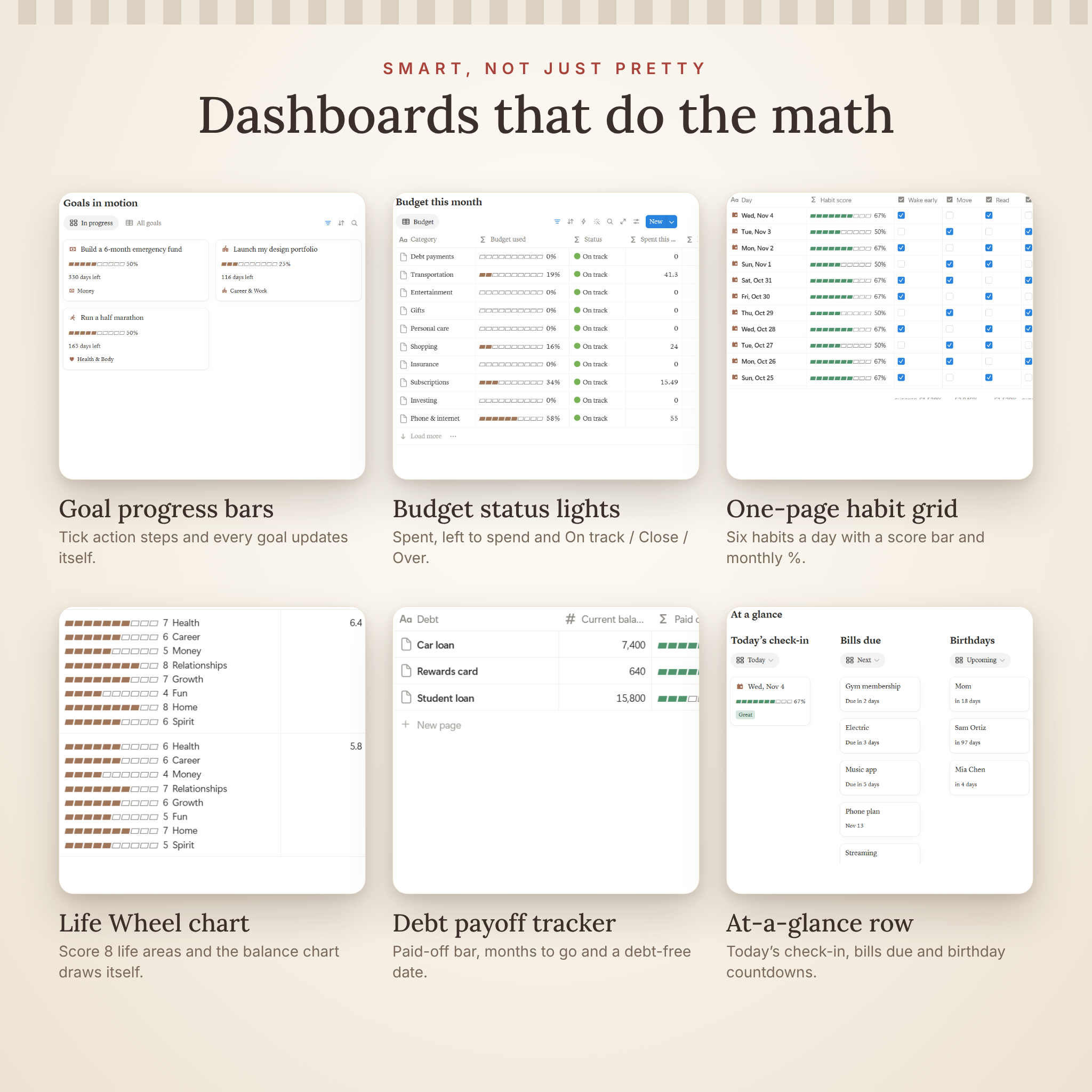
Most Notion templates give you pages. Hearth & Horizon gives you a system. Every hub is connected: tasks and action steps move your goal progress bars, transactions update account balances and budget status lights, and one Daily Page per day logs your habits, mood, sleep, water and steps so your Self-Care, Fitness and Reviews dashboards fill themselves in.
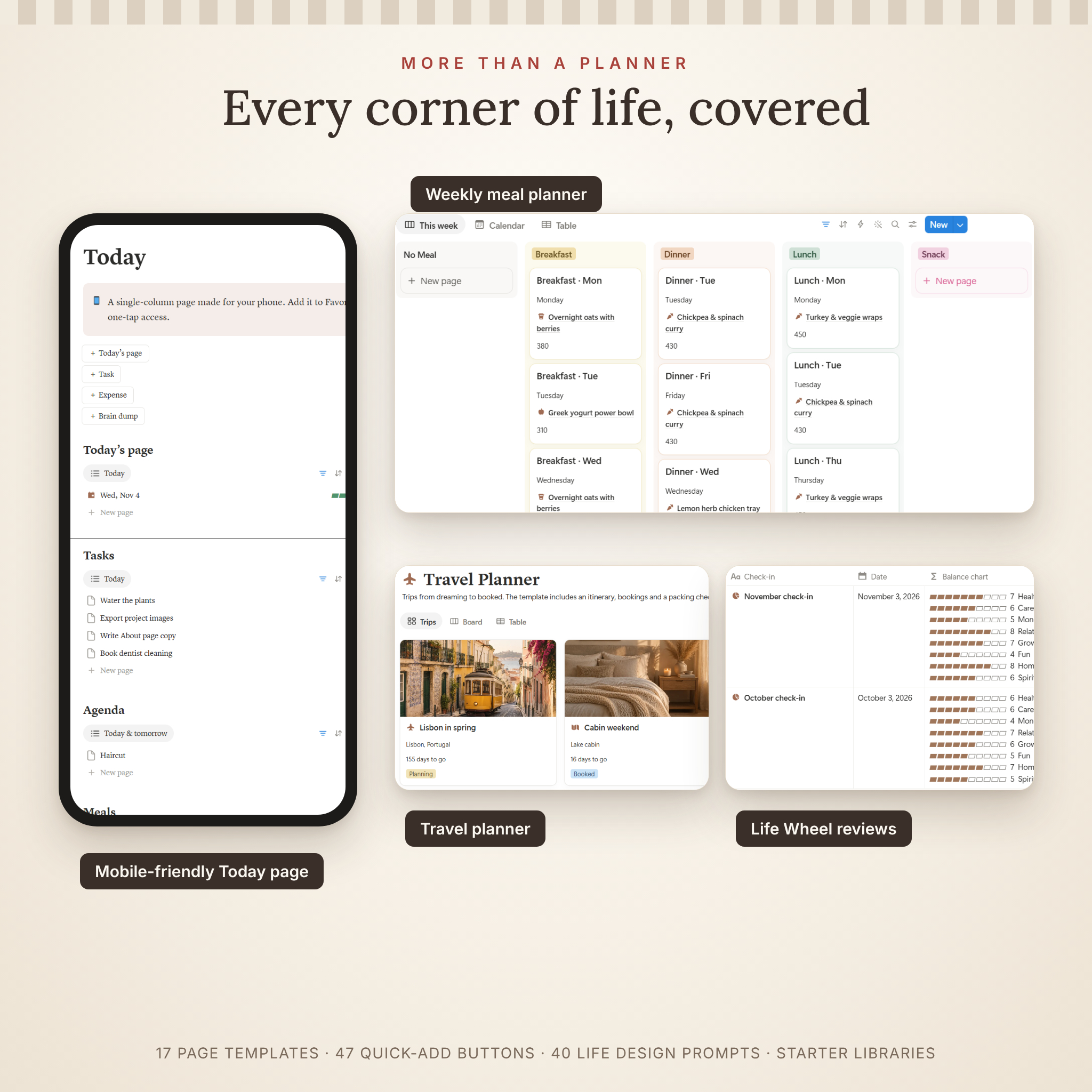
Quick-add buttons sit in every hub, so adding a task, an expense, today’s page or a journal entry takes one click, often with today’s date already filled in. A single-column Today page gives you a simple view for your phone.
Who it is for
- Busy people who want one place for everything instead of five apps and a pile of sticky notes
- Planners who love a warm, aesthetic workspace with real structure underneath
- Notion beginners: a 10-minute Start Here checklist, starter libraries and a full user guide mean you never face a blank page
- Notion fans who want relational databases, formulas, templates and dashboards already wired up
What’s included: 9 connected hubs
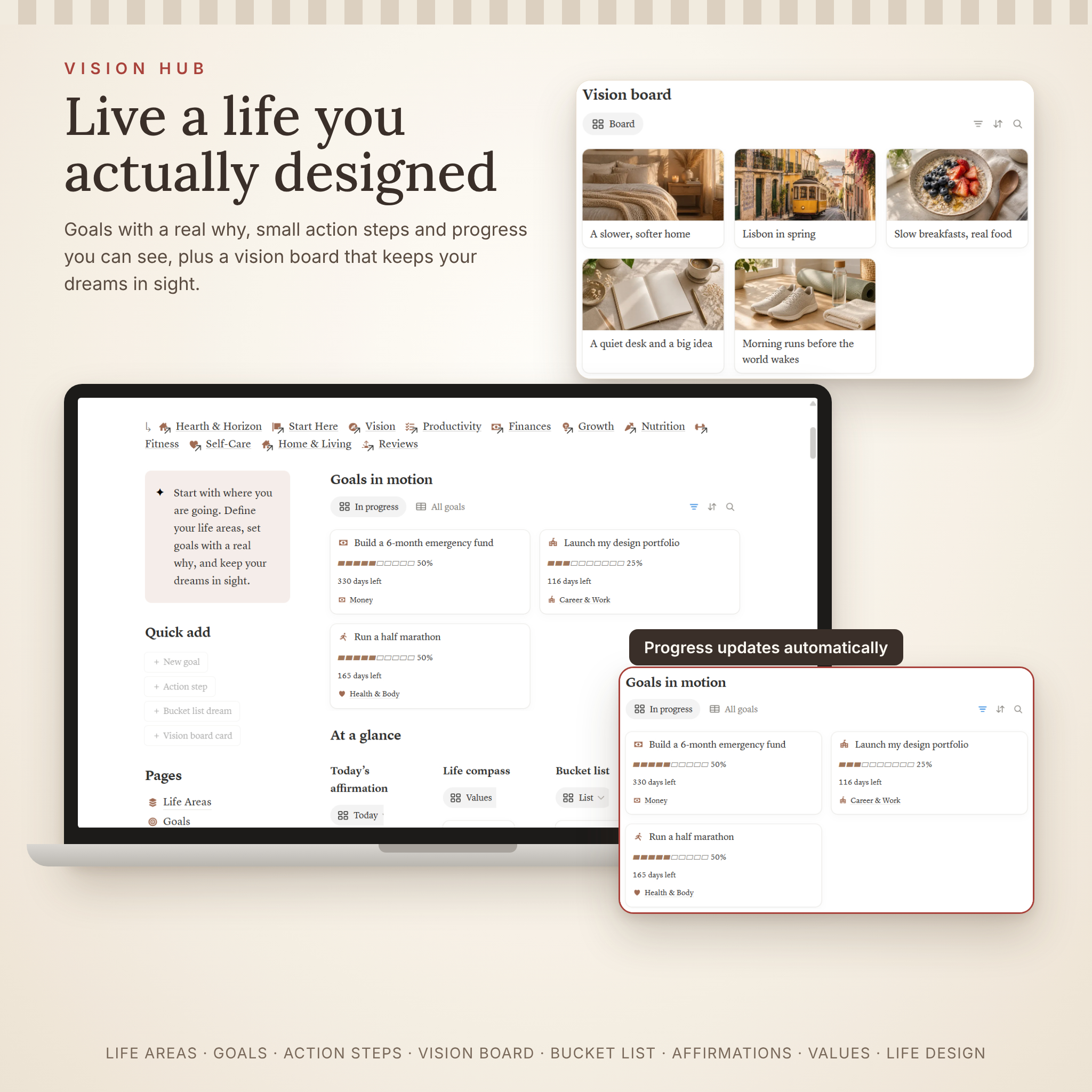
Vision
Life Areas with satisfaction scores, Goals with live progress bars and countdowns, Action Steps, a Vision Board, Bucket List, Affirmations that appear on the right weekday, a Life Compass for your values and Life Design, a guided journey of 40 prompts in five chapters.
Productivity
Tasks with automatic Today / Overdue / This week labels and repeating tasks, Projects with progress, Brain Dump, a master Calendar for appointments, birthdays, deadlines and vet visits, a Habit Builder, Daily Pages with a six-habit grid, and Weekly, Monthly and Quarterly planners with all 12 months and four quarters of 2027 ready to go. Plus Documents with expiry alerts and an Account Directory that stores password hints only.
Finances
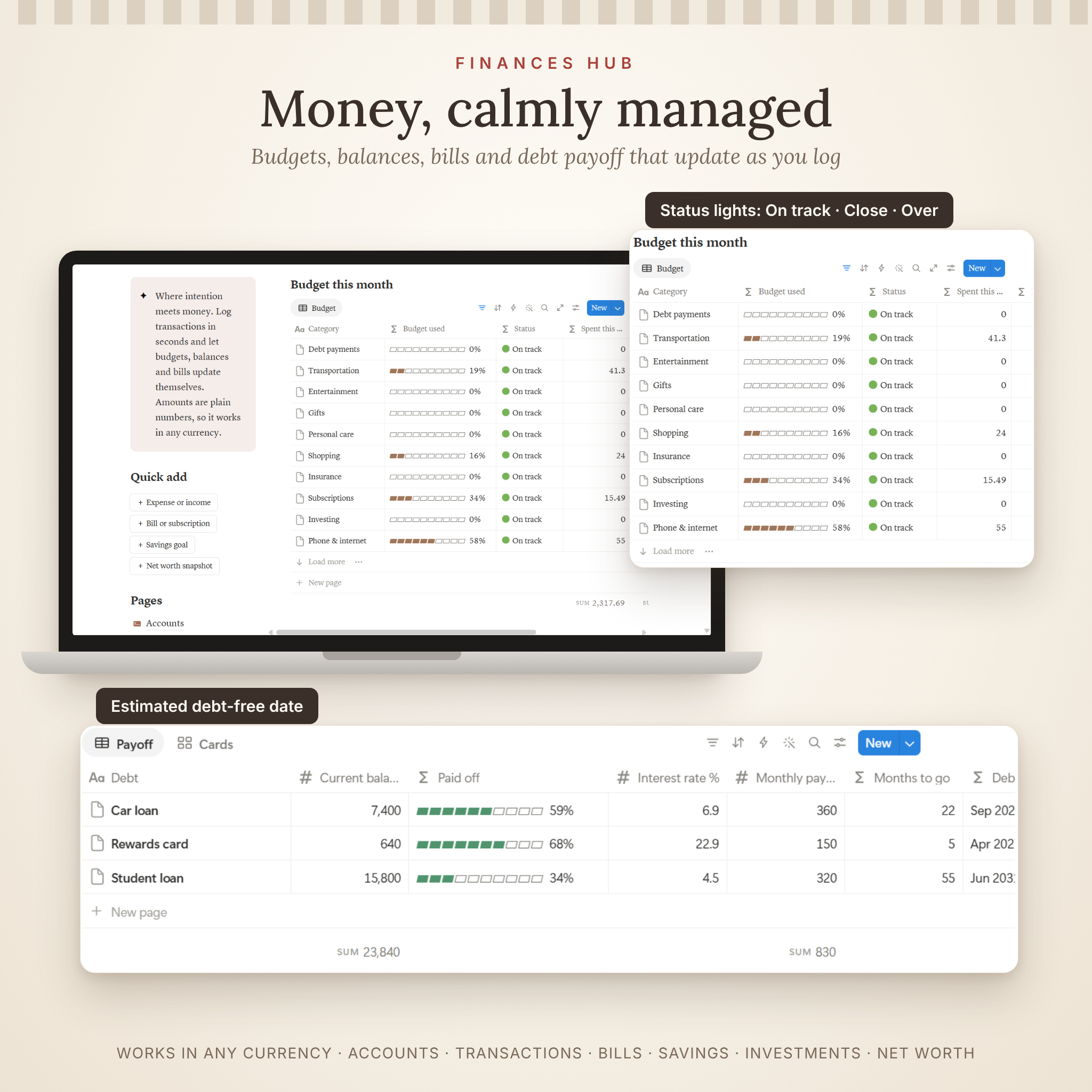
Accounts with automatic balances, Transactions with a monthly income and spending summary, Budget Categories with spent, left to spend and On track / Close / Over status lights, Bills & Subscriptions with true monthly and yearly cost, Savings Goals with a per-month target, Debts & Loans with an estimated debt-free date, Investments and a watchlist, Insurance renewals and Net Worth snapshots.
Growth
A Journal with morning pages, evening reflection and gratitude templates, Skills with a mastery bar, Courses, a Bookshelf with reading progress, Resources & Notes and a Wins folder.
Nutrition
A Recipe Book, a weekly Meal Planner that pulls calories and protein from your recipes, a Grocery List grouped by aisle, Pantry & Fridge freshness alerts, Supplements with reorder reminders and Restaurants to try.
Fitness
A Workout Log, an Exercise Library with 24 starter exercises, a Set Tracker that calculates volume, Runs & Cardio with automatic pace, Body Progress and Challenges.
Self-Care
Mood, sleep and water from your Daily Pages, health and care appointments, a Cycle Tracker with next expected date, Medications with refill warnings, a Self-Care Menu of 24 ideas, Meditation, Beauty & Skincare with replace-by dates and an Outfit Planner.
Home & Living
A ready-made Chores & Cleaning schedule and Home Maintenance plan that reset their own due dates, Home Inventory with warranty status, Plant Care, Pet Care, Shopping & Wishlist, a Gift Planner, a Travel Planner with a packing checklist, Contacts & Family with birthday countdowns and a Watch & Play List.
Reviews
Weekly reset, monthly review, quarterly check-in and year in review templates, a Life Wheel that draws your balance chart for you and a Year Compass 2027 page to close out 2026 and set your intentions.
Why it is better than a typical Notion life planner
- One Daily Page logs everything, so you are not jumping between separate mood, sleep, water and habit trackers
- 47 quick-add buttons and 17 page templates make daily use fast
- Formulas do the work: goal progress, budget status, account balances, debt-free dates, refill and renewal reminders
- Starts clean with 175+ helpful starter items (life areas, prompts, affirmations, budget categories, exercises, chores, maintenance tasks, self-care ideas and 2027 planners)
- Works in any currency: money fields are plain numbers, so dollars, pounds or euros all work
- Safer by design: the Account Directory is built for password hints, never passwords
How it works
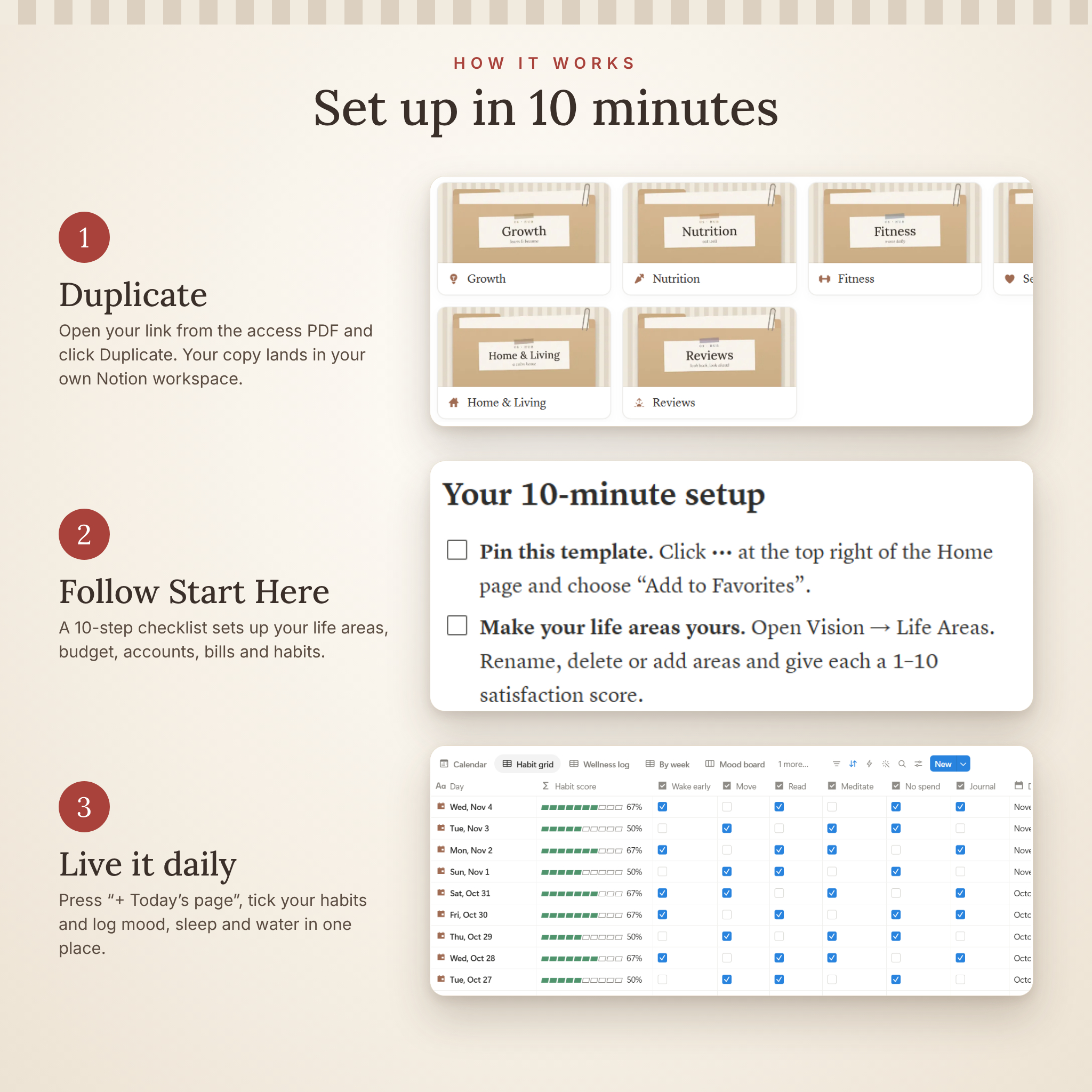
- Download the Access Guide PDF after purchase.
- Click the template link and press Duplicate to copy it into your own Notion workspace.
- Open Start Here and follow the 10-minute setup checklist.
- Press + Today’s page each morning and let the dashboards do the rest.
Real ways to use it
- Plan your 2027 goals in January and watch each progress bar move as you tick off steps
- Run a Sunday weekly reset: clear the brain dump, check bills due and pick next week’s big three
- Log expenses in seconds and see which budget categories are close to the limit
- Plan the week’s meals, then shop from a grocery list sorted by aisle
- Keep every doctor, dentist, therapy and vet appointment on one calendar
File formats and requirements
- Format: Notion template (duplicate link), delivered in a 2-page Access Guide PDF
- Also included: a 13-page User Guide (DOCX) covering setup, every hub, customizing, troubleshooting and FAQ
- Requires a free Notion account (notion.com). No paid plan needed
- Designed for Notion on a computer; the single-column Today page is the easiest page to use on a phone
- Fully customizable: rename anything, change covers and icons, add or hide sections
- Instant digital download. No physical item will be shipped
FAQ
Do I need a paid Notion plan?
No. Hearth & Horizon works on Notion’s free plan.
How do I get the template after I buy?
Download the Access Guide PDF, click the link and press Duplicate. The template is copied into your workspace in a few seconds.
Is this good for Notion beginners?
Yes. Quick-add buttons, a 10-minute Start Here checklist, starter content and a full user guide walk you through everything.
Can I use my own currency?
Yes. Money fields are plain numbers, so any currency works, and you can switch a column to show a currency symbol.
Can I use it on my phone?
Your pages open in the Notion app. The Today page is designed as a single column for small screens; the wide hub dashboards are best on a computer.
Can I customize the colors, covers and sections?
Yes. Every cover, icon, property and view can be changed, and formulas keep working when you rename things.
Licence
For personal use only. You may use and customize this template for yourself and your household. You may not resell, share, redistribute or give away the template, its link or the guides, in whole or in part, even if modified. Due to the digital nature of this product, it is delivered instantly after purchase.

Reviews
There are no reviews yet.