Planning a baby shower has a lot of moving parts. Guests, food, games, gifts, a budget that never quite matches the receipts. This workbook keeps all of it in one place and does the adding up for you.
What it does
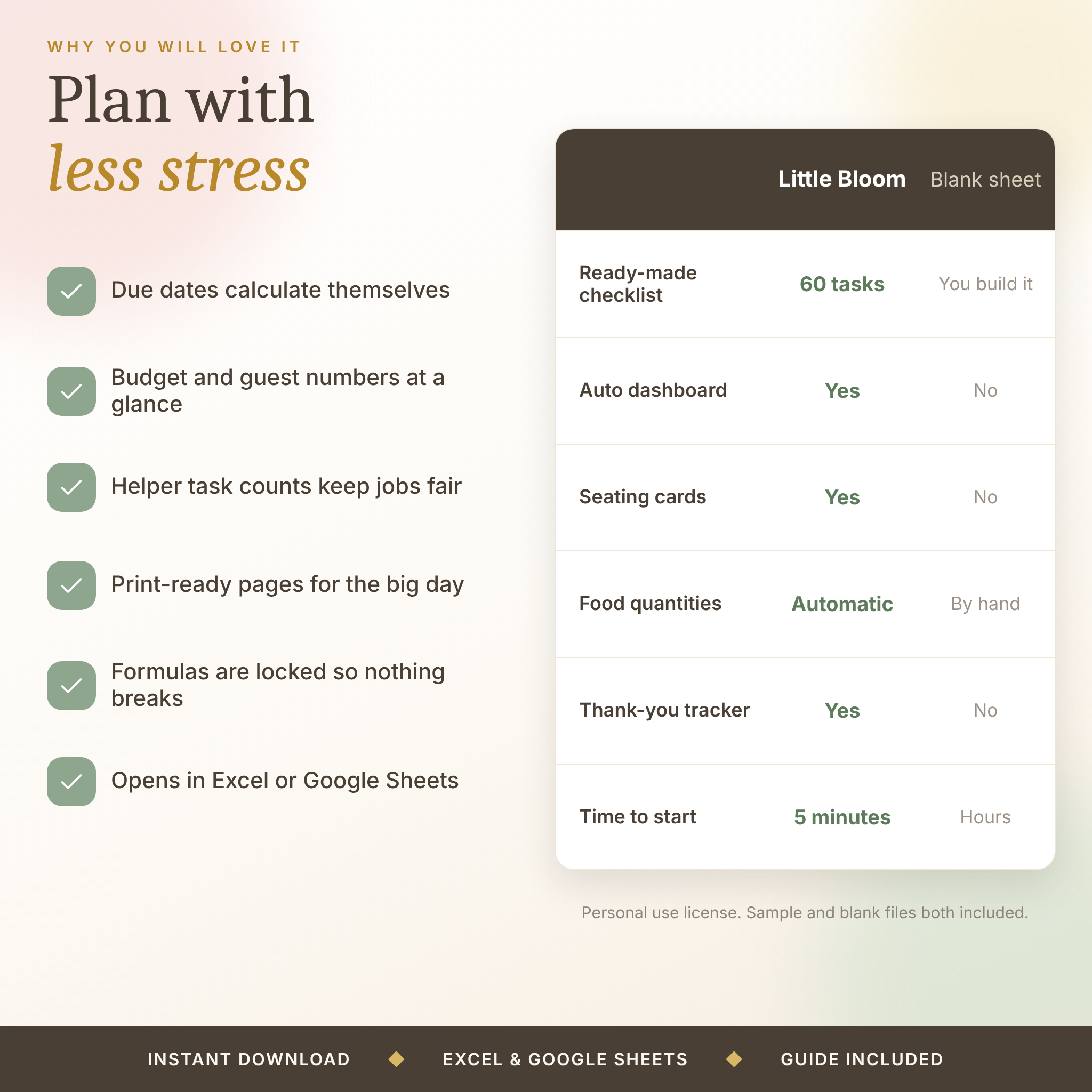
Type your event date once and every due date counts back from it. Add guests and the seating cards, headcount and food quantities catch up. Log a gift and your thank-you count goes up. The Dashboard shows where you stand in about ten seconds.
It is an Excel workbook with 24 connected tabs. It also opens in Google Sheets. There are no macros and nothing to install.
Who it is for
Hosts, sisters, friends, moms and colleagues who have said yes to organizing a shower and want a calm way to do it. It suits a living-room gathering of ten and a rented hall of forty. It also suits parents-to-be who like to see the numbers.
What you get
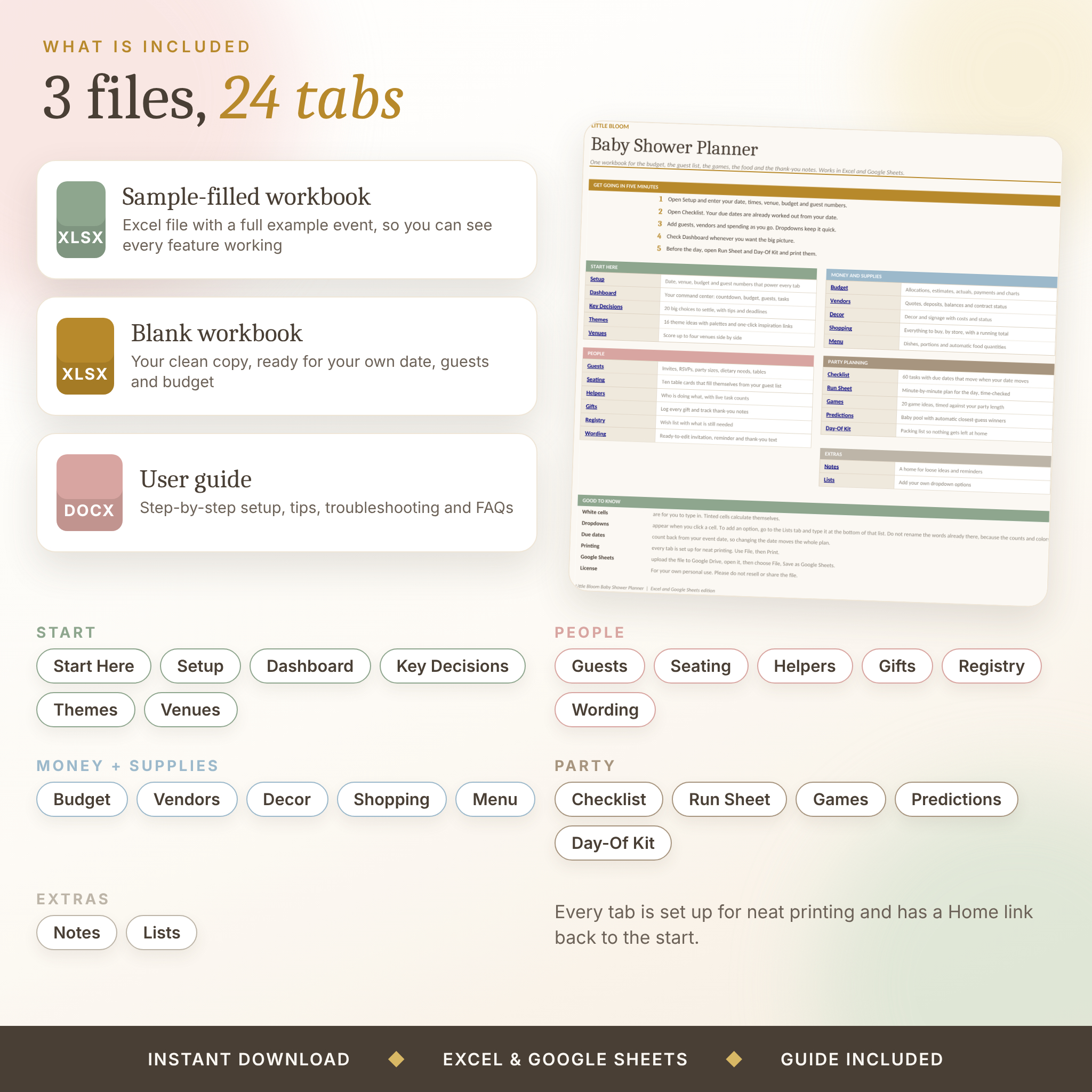
- Sample-filled workbook. A full example event (Emma and Daniel’s shower) so you can see every tab working before you start.
- Blank workbook. A clean copy for your own date, guests and budget.
- Word user guide. A step-by-step guide covering setup, every tab, customizing, tips, troubleshooting and questions.
Features
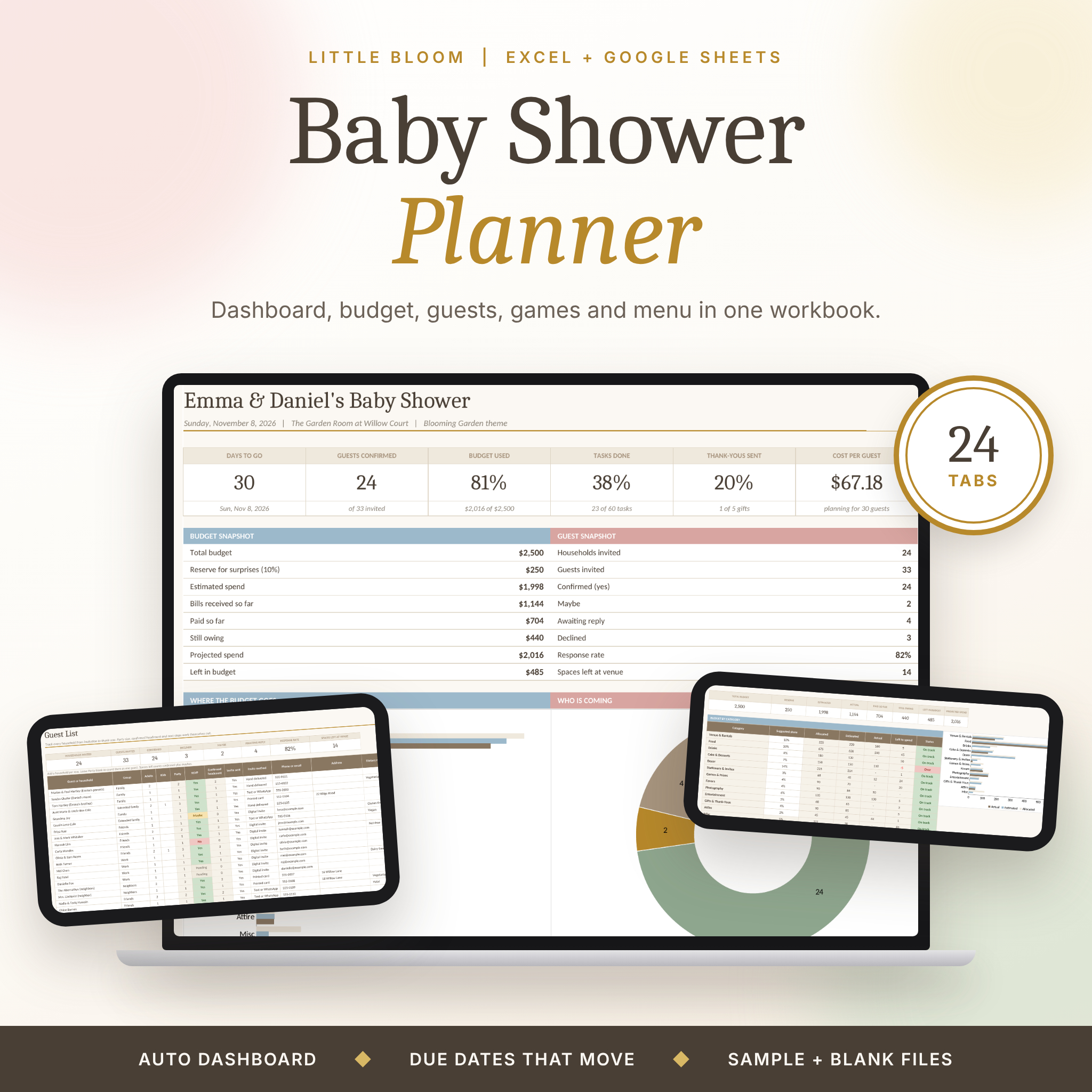
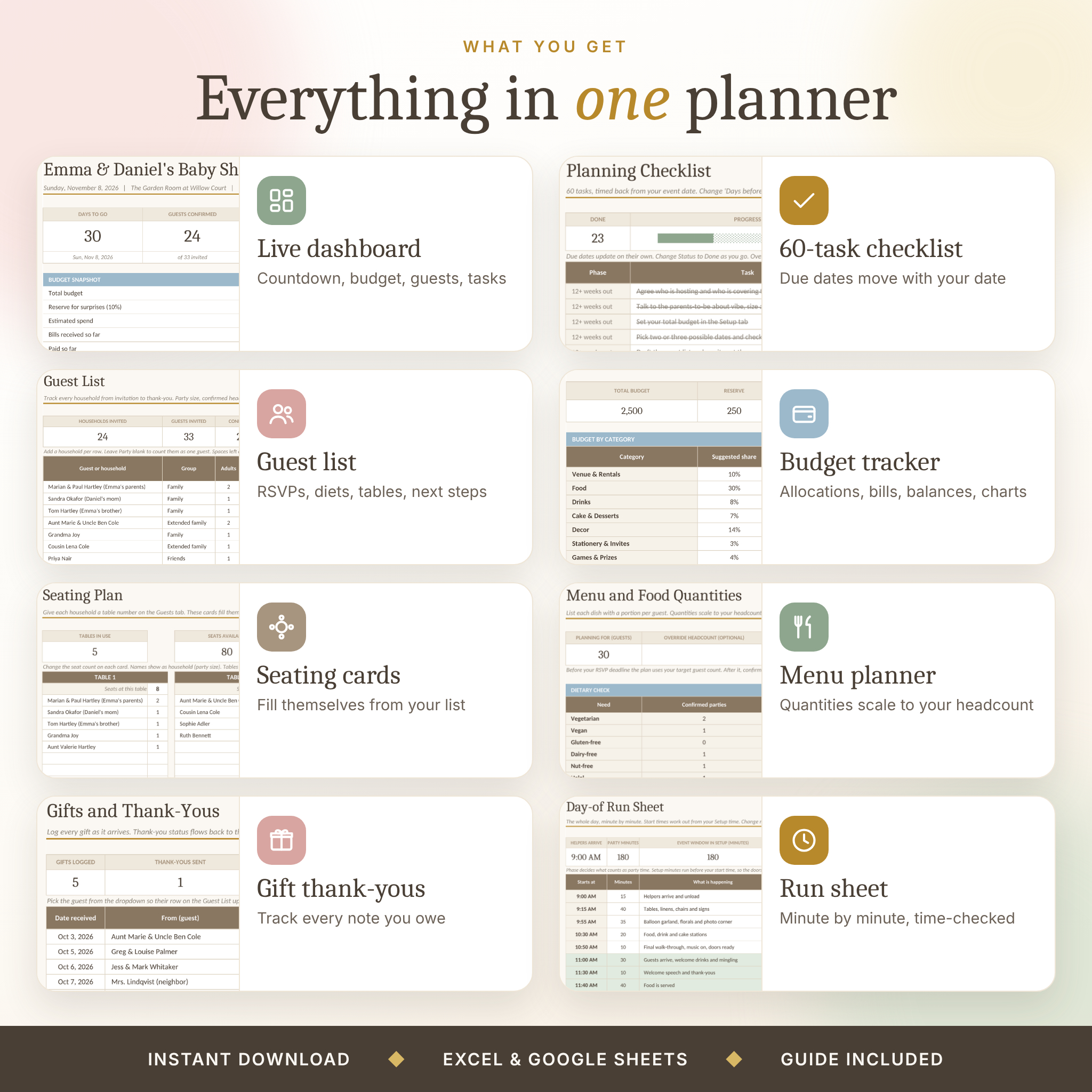
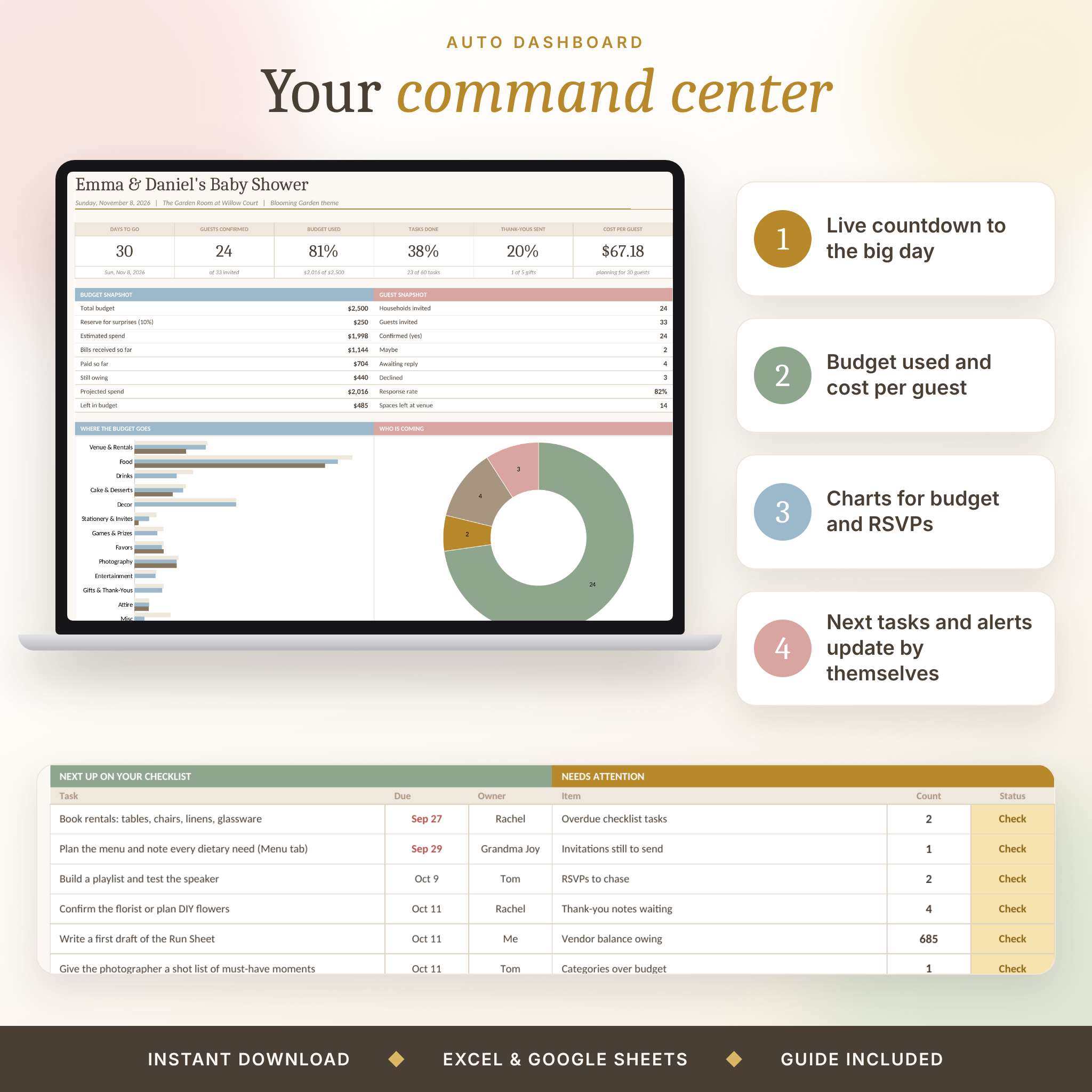
- Dashboard. Days to go, guests confirmed, budget used, tasks done, thank-yous sent and cost per guest, plus budget and RSVP charts and a list of what needs attention.
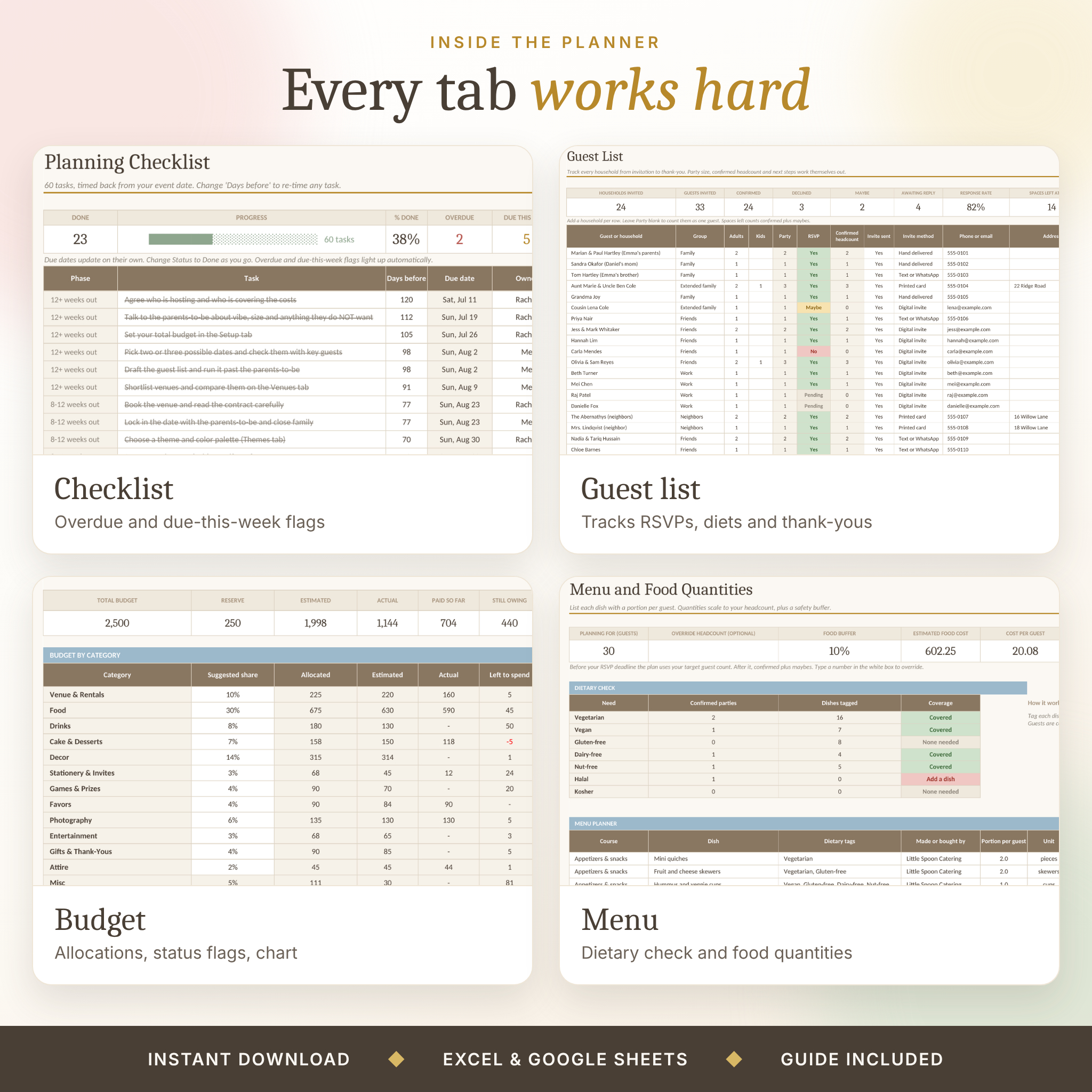
- 60-task checklist. Priority, owner, status and a due date for every task. Overdue and due-this-week flags light up on their own.
- Guest list. One row per household with RSVP, party size, diet, table and a Next step column (Send invite, Chase RSVP, All set).
- Seating cards. Ten table cards that fill themselves once you give guests a table number from 1 to 10.
- Budget tracker. Thirteen categories, every cost on one line, payments, balances and a status flag for each category. Allocations always add up to your budget minus the reserve.
- Vendors, Decor and Shopping tabs. Quotes and deposits, decor items with costs, and a shopping list with a running total.
- Menu planner. Portions per guest scale to your headcount with a food buffer, plus a dietary check that tells you if a guest’s need is not covered.
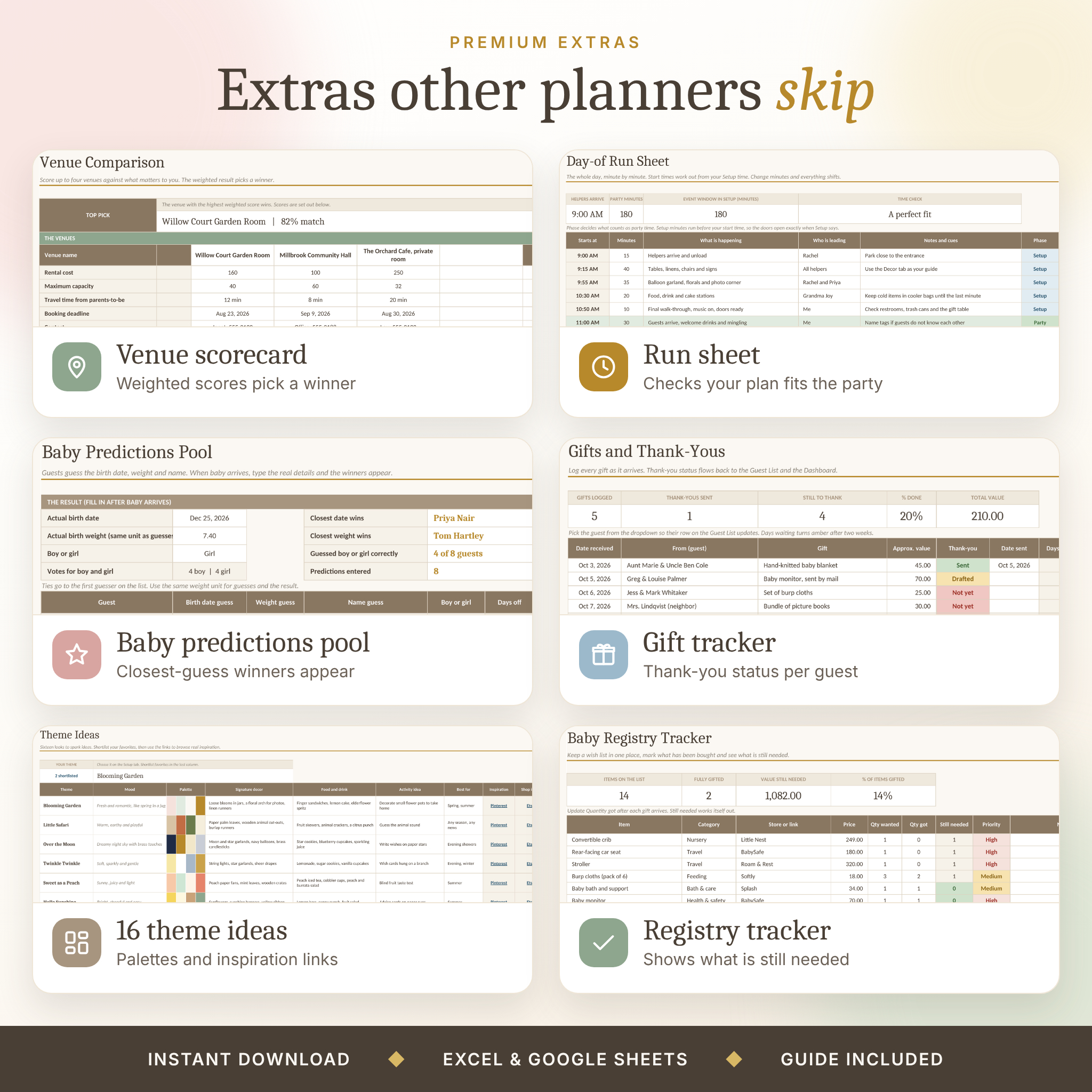
- Games, Predictions and Run Sheet. 20 game ideas with a time check, a baby guessing pool that finds the winners, and a minute-by-minute plan for the day.
- Gifts, Registry and Helpers. Log gifts and thank-you notes, track a wish list, and see how many tasks each helper owns.
- Extras. Venue scorecard, 16 theme ideas with palettes, key decisions, a packing list, ready-to-edit invitation wording and a notes page.
How it works
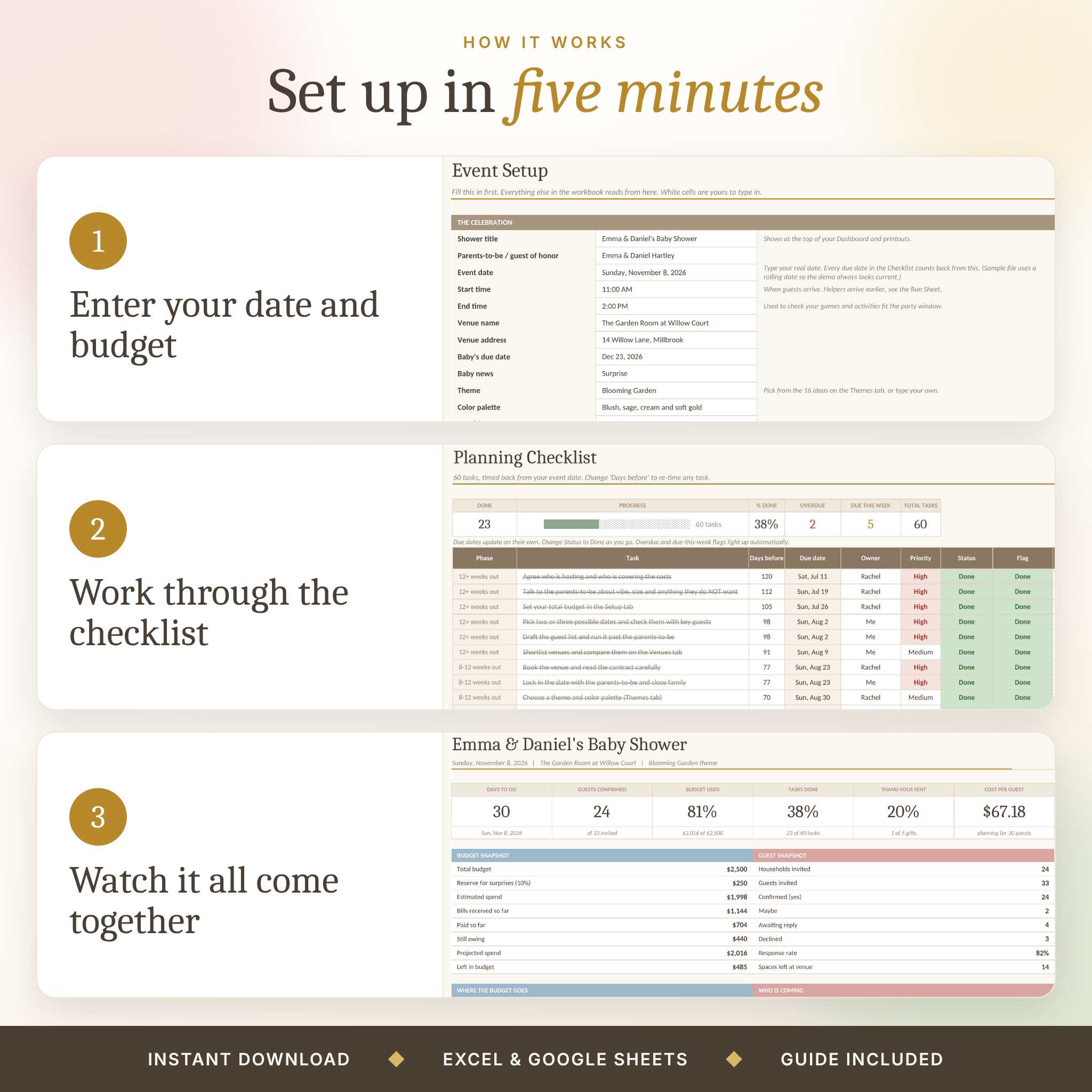
- Open the file and fill in the Setup tab: date, venue, budget, guest target.
- Work through the Checklist. Due dates are already there.
- Add guests, costs, gifts and dishes as you go.
- Check the Dashboard whenever you want the big picture.
File formats and software
- Two Excel files (.xlsx) and one Word guide (.docx).
- Works in Microsoft Excel on Windows and Mac.
- Works in Google Sheets. Upload the file to Google Drive, open it, then choose File, Save as Google Sheets. Charts and fonts may look slightly different there.
- No macros, no add-ins, no subscription.
Customizing
White cells are yours to type in. Tinted cells calculate themselves. Formula cells are locked, so a stray keystroke cannot break the workbook, and there is no password if you want to unlock a sheet. Add your own dropdown options at the bottom of the lists on the Lists tab. Budget shares, task timing, currency symbol, colors and game choices can all be changed. Every tab is set up for printing.
Digital download
This is a digital product. Nothing is shipped. After checkout you can download the files straight away from your order page or confirmation email. Because it is a digital download, please check the file list above before you buy.
For personal use only. Please do not resell, share or redistribute the files.
Please note
The sample names, vendors, addresses and prices are made up for demonstration. Suggested budget shares and food portions are starting points, so check them against your own venue, caterer and guests.

Reviews
There are no reviews yet.