Best Christmas Gift Tracker: Spreadsheets and Apps
The best Christmas gift tracker is the one that keeps a budget for each person and shows each gift's stage, from idea to bought, wrapped and given. If you like spreadsheets, choose Hollyfold, Mistletoe Ledger or Sleigh Ledger. If you'd rather not touch formulas, choose the Tinsel & Tally app.
Gift lists tend to feel manageable in October and overwhelming by the second week of December. We'll go through what actually separates one tracker from another, so you can choose with confidence and stop second-guessing.
Key facts at a glance
- A Christmas gift tracker is a spreadsheet or app that records recipients, gift ideas, budgets, purchases and wrapping progress in one place.
- Most spreadsheet options here work in both Excel and Google Sheets, while the Cranberry Lane planner is built for Excel only.
- Tinsel & Tally is sold as buy once and use every year, and it works offline on your computer, with a web edition for your phone.
- Mistletoe Ledger tracks up to 200 gifts, and Sleigh Ledger uses a five-stage gift pipeline.
- Every product on this page can be reused from one year to the next, so you set it up once and refresh it each autumn.
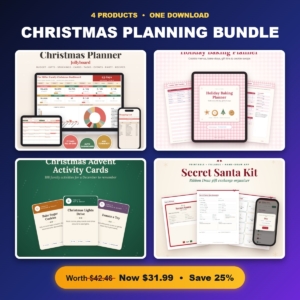 Christmas Planning Bundle | Christmas Planner Spreadsheet, Holiday Baking Planner, Advent Activity Cards & Secret Santa Kit
 Christmas Planner Spreadsheet | Jollyboard Holiday Budget & Gift Tracker with Dashboard, Calendar, Stocking Stuffers, Card List, Party Planner, Recipes & Shopping List | Google Sheets & Excel
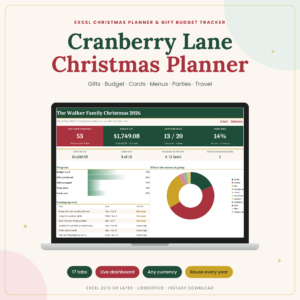 Christmas Planner Spreadsheet for Excel | Cranberry Lane Holiday Planner with Gift Tracker, Budget, Card List, Menu, Guest List & Travel
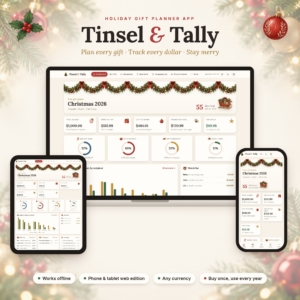 Christmas Gift Tracker App | Tinsel & Tally Holiday Gift Planner & Budget Tracker with Recipient List, Shopping List & Secret Santa
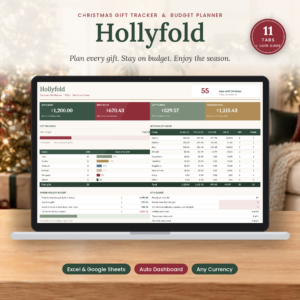 Christmas Gift Tracker Spreadsheet for Excel & Google Sheets | Hollyfold Holiday Gift Budget Planner with Dashboard, Shopping List & Card List
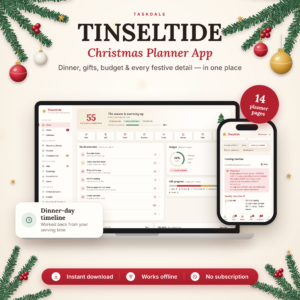 Christmas Planner App | Tinseltide Christmas Dinner Planner, Cooking Timeline, Turkey Calculator, Gift Tracker, Budget & Auto Shopping List
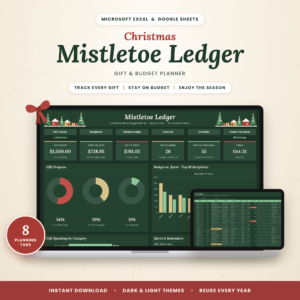
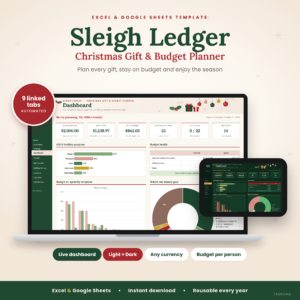
Table of Contents
Toggle
- What should you look for in a Christmas gift tracker?
- How do the best Christmas gift trackers compare?
- Which Christmas gift tracker suits which person?
- How do you use a Christmas gift tracker through the season?
- What mistakes should you avoid with a Christmas gift tracker?
- What affects the price of a Christmas gift tracker?
- How do you choose the best Christmas gift tracker for you?
- Common questions
What should you look for in a Christmas gift tracker?
A good Christmas gift tracker does four jobs: it caps spending per person, shows where each gift stands, warns you about mistakes, and works on the device you already use. Everything else is a bonus. Browse all 8 options below with those four jobs in mind.
A budget for each person, not just one total
A per-person budget is a spending limit set against each name on your list. A single overall figure hides the problem, because you can be well inside the total while still overspending on two or three people.
Hollyfold, Sleigh Ledger, Cranberry Lane and Tinsel & Tally all set budgets per person. Tinsel & Tally's dashboard also shows who is over budget, which saves you scanning a column of numbers.
Gift stages from idea to given
A gift stage is a label showing how far a present has got. The simplest version is Bought, Wrapped, Given, and Mistletoe Ledger and Tinsel & Tally both use it. Sleigh Ledger goes further with a five-stage pipeline.
This is where a tracker earns its place in the second week of December. You can see at a glance that the presents for your sister are wrapped but the ones for your neighbour haven't been bought.
Alerts for duplicates, repeats and late deliveries
Smart alerts are automatic warnings that flag a problem as you enter data. Hollyfold warns about duplicate gifts, repeat gifts and overspending. Mistletoe Ledger has 11 smart alerts. Sleigh Ledger flags repeat gifts and late deliveries.
Cranberry Lane adds an alert for closing return windows, which matters if you order early and keep a receipt-shaped worry in the back of your mind.
Spreadsheet or app?
A spreadsheet is a grid of cells with formulas behind it, and you can see and edit everything. An app hides the formulas and gives you screens to fill in. Spreadsheets suit people who like to adjust things. Apps suit people who want it to simply work.
Tinsel & Tally describes itself as having no spreadsheet formulas to break. Tinseltide opens in your browser with no account and no subscription, and it works offline.
How much of Christmas do you want in one place?
Some trackers handle gifts only. Others take in the whole season. The Jollyboard spreadsheet has 17 tabs covering budget, cards, party, recipes and dinner. Tinseltide adds a seating plan and a cooking timeline that works back from your serving time.
If gifts are your only headache, a focused tracker is calmer to use. More tabs means more to set up.
How do the best Christmas gift trackers compare?
The eight products below differ mainly in format, number of tabs or tools, and the kind of alerts they give you. Prices are shown on the product cards, so the table sticks to features.
Which Christmas gift tracker suits which person?
Each tracker suits a different habit, so the right match depends on how you plan rather than how much you buy.
If you want gifts tracked and nothing else, Hollyfold, Mistletoe Ledger and Sleigh Ledger are the closest fit. Hollyfold is described as beginner friendly and keeps a gift history, which helps you avoid repeating last year's present. Mistletoe Ledger suits a long list, since it holds 200 gifts. Sleigh Ledger suits anyone who likes a more detailed progress trail.
If you'd rather avoid formulas, Tinsel & Tally is the straightforward choice. You set a budget per person, tick off stages and read the dashboard. It also lets you track parcels, which helps if much of your shopping arrives by post.
If you plan the whole day, Jollyboard and Cranberry Lane cover cards, parties, menus and more. Cranberry Lane adds guest lists and travel, so it suits anyone hosting or journeying to family. Tinseltide suits the cook of the household, with its turkey calculator and a timeline that works backwards from the time you want to sit down.
If you also have children to keep busy, the Christmas Planning Bundle adds a baking planner, advent activity cards and a Secret Santa kit alongside the Jollyboard spreadsheet.
How do you use a Christmas gift tracker through the season?
Using a Christmas gift tracker well takes five steps, done in this order, and the first one is the one most people skip.
- List every recipient first. Include the people you only see once a year, such as distant relatives and colleagues.
- Set a budget per person. Decide the figure before you start browsing, not after.
- Add gift ideas as they come. Enter them as ideas rather than purchases, so the list stays honest.
- Move each gift through its stages. Update the status when you buy, wrap and hand it over.
- Check the dashboard weekly. A five-minute look each week shows you what's left and who is over budget.
In January, save a copy of the finished tracker. The gift history in Hollyfold, or a saved copy of any spreadsheet, is useful next year when you can't remember what your brother received.
What mistakes should you avoid with a Christmas gift tracker?
The most common mistake is setting a tracker up in November, once the buying has already begun. By then you've lost the early purchases, and the budget figures are guesses.
Other pitfalls come up again and again:
- Typing over formula cells. In Cranberry Lane, you type in the white cells and the green ones do the sums, so leave the green ones alone. Apply the same caution to any spreadsheet with a dashboard.
- Ignoring alerts. A duplicate-gift warning is only helpful if you act on it.
- Choosing the biggest tracker. A 17-tab planner is wonderful if you'll use the tabs. If you won't, a smaller one is easier to keep up.
- Forgetting delivery dates. Late parcels cause more last-minute panic than overspending does.
- Not sharing the budget. If two of you shop, agree who records purchases, or the totals will drift.
What affects the price of a Christmas gift tracker?
The price of a Christmas gift tracker depends mainly on how much it covers and what format it takes. A tracker for gifts alone costs less than a whole-season planner. A bundle that adds baking planners and activity cards costs more up front than a single spreadsheet.
Format matters too. A spreadsheet is a one-off download. Tinsel & Tally is described as buy once and use every year, so its cost spreads across several Christmases. Tinseltide has no subscription, which keeps the ongoing cost at nothing.
Check the live product cards for current prices, and weigh them against how many Christmases you'll use the tracker.
How do you choose the best Christmas gift tracker for you?
Choose by the way you already work. If you use Excel or Google Sheets daily, pick Hollyfold, Mistletoe Ledger or Sleigh Ledger for gifts, or Jollyboard for the wider season. If you dislike spreadsheets, pick Tinsel & Tally.
A simple rule of thumb:
- Gifts only and a long list: Mistletoe Ledger.
- Gifts only and a gentle start: Hollyfold.
- Gifts with detailed stages: Sleigh Ledger.
- No formulas at all: Tinsel & Tally.
- Hosting the dinner: Tinseltide or Cranberry Lane.
- Whole season with children: the Christmas Planning Bundle.
Common questions
Can I use a Christmas gift tracker on my phone?
Yes, with the right product. Tinsel & Tally has a web edition for your phone, and Tinseltide opens in a browser. Google Sheets-compatible spreadsheets can also be opened through the Sheets app, though a large dashboard is easier to read on a bigger screen.
Will the tracker work in pounds?
Yes. Jollyboard, Hollyfold, Mistletoe Ledger, Sleigh Ledger, Tinsel & Tally and Tinseltide are all described as working in any currency, so you can set your own. Cranberry Lane's description doesn't state this, so check the listing before you buy.
Do I need to know how to use formulas?
No. Hollyfold is described as beginner friendly, and Tinsel & Tally has no formulas to break. In the spreadsheets, you generally type in the input cells and the dashboard updates itself.
Can I reuse the tracker next year?
Yes. Hollyfold, Sleigh Ledger and Tinsel & Tally are all described as reusable every year. Keep a saved copy of this year's list first, then clear the entries, so you can still see what each person received.
What if I only need to track gifts, not the whole of Christmas?
Pick a gift-focused tracker such as Hollyfold, Mistletoe Ledger or Sleigh Ledger. They include a few extras, such as a card list and checklist, but they don't ask you to plan menus or parties. Start there, and move up to a wider planner only if you want it.