A couples budget spreadsheet is a shared workbook where two people enter income, bills, debts and savings once, split costs fairly and see who owes whom. The best choice for most couples is one with flexible bill splitting, a view for each partner and recurring bills that fill themselves in. Three options are compared below.
- Bill splitting should offer at least three modes: 50/50, proportional to income and a custom percentage.
- Hearth & Ledger has 17 tabs and NestShare has 18 connected sheets, and both work in Excel and Google Sheets.
- NestShare needs no macros and runs on Excel 2010 or later.
- The Family Money Bundle adds four further tools to Hearth & Ledger, including a debt payoff planner and a home maintenance tracker.
- Most couples need about 20 minutes to enter their bills the first time and about 10 minutes a month to keep the sheet current.
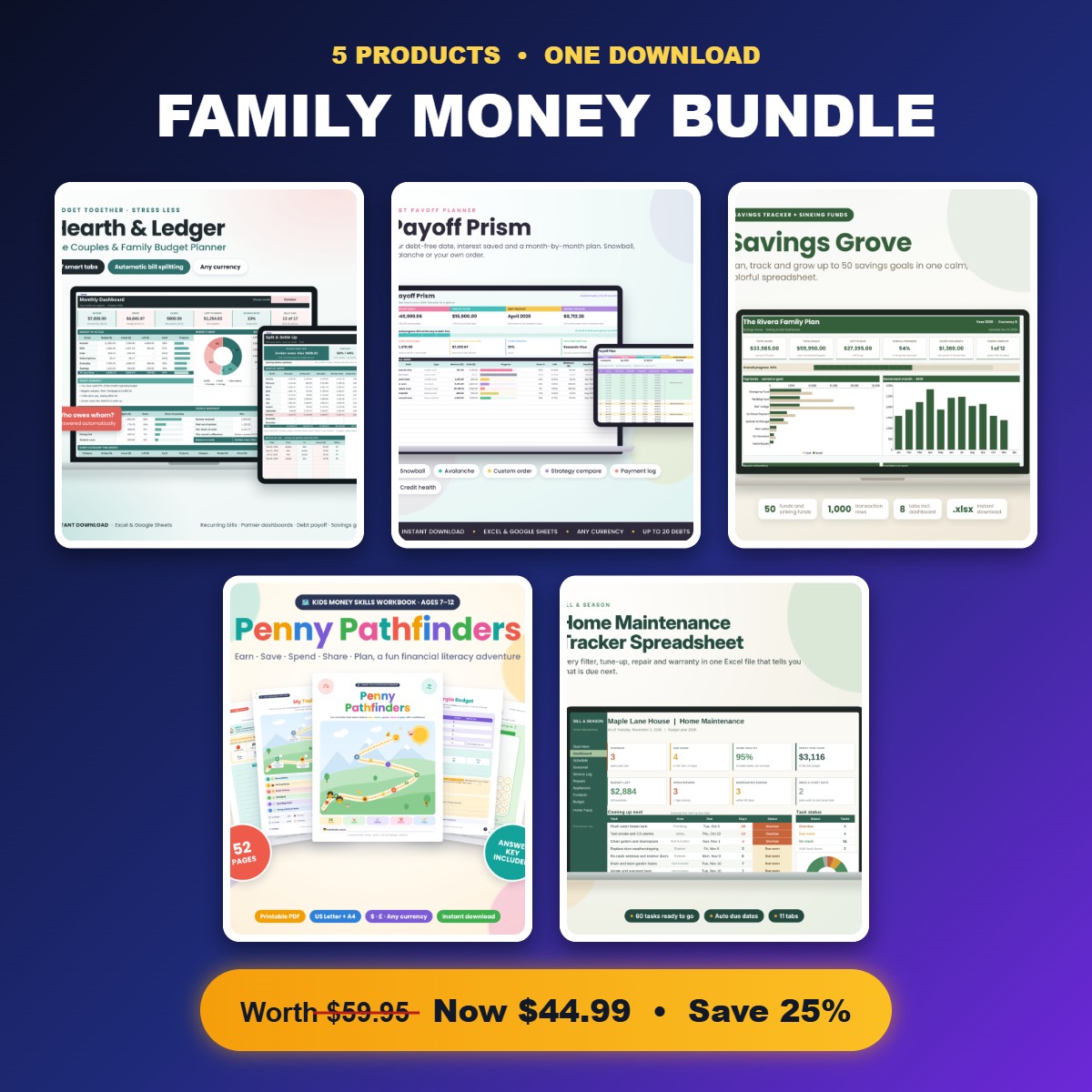 Family Money Bundle | Couples Budget Spreadsheet, Debt Payoff Planner, Savings Tracker, Kids Money Workbook & Home Maintenance Tracker
Table of Contents Toggle
- What makes the best couples budget spreadsheet?
- How do the three couples budget spreadsheets compare?
- Which couples budget spreadsheet suits which household?
- How do you set up a shared budget spreadsheet as a couple?
- What mistakes do couples make with a shared budget spreadsheet?
- What affects the price of a couples budget spreadsheet?
- Which couples budget spreadsheet should you choose?
- Common questions
Sharing money with a partner can feel more tangled than managing it alone. Two incomes, joint bills, personal spending and the odd debt all need to sit in one picture without anyone feeling audited. A good spreadsheet takes the argument out of it by putting the same numbers in front of both of you. The sections below explain what to look for, so you can pick with confidence from the 3 options on this page.
What makes the best couples budget spreadsheet?
The best couples budget spreadsheet is one that both partners will open every month, and that comes down to six practical features. Each is worth checking before you buy, because a missing one is usually what makes couples drift back to guesswork.
Bill splitting that matches how you earn
Bill splitting is the feature that separates a couples spreadsheet from a single-person budget. Look for 50/50, split by income and a custom percentage, because the right method changes if one of you reduces hours or retires first. Hearth & Ledger and NestShare both offer all three.
A clear view for each partner
A partner dashboard shows each person their own share without scrolling through the other's spending. Hearth & Ledger has a dashboard for each partner. NestShare has a Partner View and a Settle Up balance, which states who owes whom in one sentence.
Recurring bills entered once
Rent, council tax, insurance and subscriptions repeat, so you shouldn't retype them. In NestShare you set a repeating bill once and it fills the whole year. Hearth & Ledger asks you to enter paychecks, bills and subscriptions once, then tick them off each month.
Debt payoff and savings goals in the same file
Debt payoff means the plan for clearing balances such as loans or cards. Keeping it beside your budget shows how much you can realistically put towards it. All three products on this page include debt payoff and savings goals.
Compatibility with the software you already use
Cheque the file works where you do. Hearth & Ledger runs in Excel and Google Sheets in any currency. NestShare supports Excel 2010 and later and Google Sheets, uses no macros, and comes in USD, GBP, EUR and ZAR editions plus any-currency editions.
A filled-in example and a user guide
A worked example lets you see what a finished month looks like before you type your own figures. Hearth & Ledger includes a filled-in example and a step-by-step user guide. NestShare includes an illustrated user guide.
How do the three couples budget spreadsheets compare?
The three products share the same core job but differ in size and scope. Hearth & Ledger and NestShare are close rivals as standalone spreadsheets, while the Family Money Bundle widens the toolkit.
| Product | What you get | Bill split options | Works in | Best for |
|---|---|---|---|---|
| Family Money Bundle | Couples Budget Spreadsheet, Debt Payoff Planner, Savings Tracker, Kids Money Workbook & Home Maintenance Tracker | Five products, including Hearth & Ledger, Payoff Prism Debt Payoff Planner and Savings Grove Sinking Funds Tracker | 50/50, by income or custom (via Hearth & Ledger) | Excel and Google Sheets (Hearth & Ledger) | Households with children, a mortgage or rent, and home upkeep |
 Couples Budget Spreadsheet | Hearth & Ledger Family Budget Planner with Bill Splitting, Partner Dashboards, Recurring Bills, Debt Payoff & Savings Goals | Excel & Google Sheets | 17 tabs, filled-in example, step-by-step guide | 50/50, by income or custom percentage | Excel and Google Sheets, any currency | Couples who want one clear, formula-free budget |
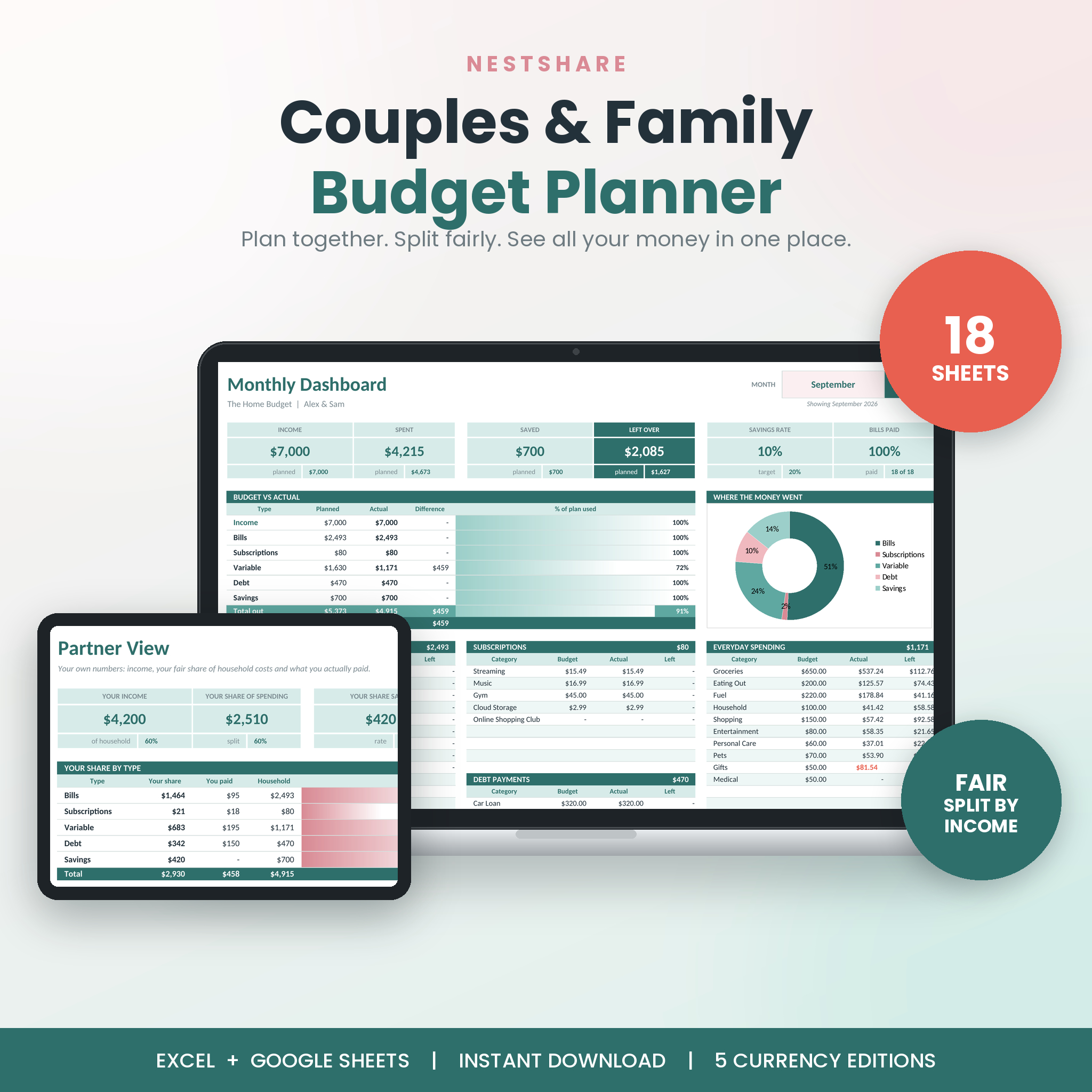 NestShare Couples Budget Spreadsheet | Family Budget Planner for Excel & Google Sheets with Bill Split, Debt Payoff & Savings Tracker | 18 connected sheets, automatic dashboards and charts, illustrated guide | 50/50, by income or custom percentage | Excel 2010+ and Google Sheets, no macros | Couples who want Settle Up balances and charts handled automatically |
The differences are smaller than the product titles suggest. If you only want a budget, the two standalone sheets cover the same ground, and your decision may come down to layout and currency edition.
Which couples budget spreadsheet suits which household?
Each product suits a different stage of shared finances, and matching yours to the right one saves you from paying for tools you won't open.
Hearth & Ledger suits couples who are new to budgeting together. The filled-in example and step-by-step guide make the first month easier, and the 50/30/20 dashboard gives a simple benchmark of needs, wants and savings. It also suits anyone who dislikes writing formulas, since none are required.
NestShare suits couples who want the sheet to do more of the work. Charts and dashboards update automatically, and the Settle Up balance tells you in plain words who owes whom at month end. The no-macros design also helps if your workplace or device blocks them.
The Family Money Bundle suits households with more moving parts. The Payoff Prism Debt Payoff Planner offers snowball and avalanche methods and a debt-free date calculator. The Savings Grove Sinking Funds Tracker has 50 fund cards and the 52-week challenge. The bundle also adds a Kids Money Workbook and a Home Maintenance Tracker for the household.
How do you set up a shared budget spreadsheet as a couple?
You can set up a couples budget spreadsheet in five steps, and doing them together in one sitting works better than splitting the job.
- Open the filled-in example or user guide first, so you both see what a finished month looks like.
- Enter both incomes, including how often each is paid.
- Add every bill and subscription once, marking which are shared and which are personal.
- Choose a split method: 50/50, by income or a custom percentage.
- Set one or two savings goals and, if you have debts, list them with balances.
After that, review the sheet together once a month. Tick off bills as they leave your accounts, cheque the partner dashboards and settle any balance between you.
Agree the split method in conversation before you enter it. A spreadsheet can calculate fairness, but it can't decide what you both consider fair.
What mistakes do couples make with a shared budget spreadsheet?
The most common mistake is treating the spreadsheet as a record of the past rather than a plan for the month ahead. A few others are easy to avoid.
- Leaving out irregular costs. Car servicing, birthdays and boiler repairs arrive without warning. Use a sinking fund, which is money set aside monthly for a known future expense, so they don't land on a credit card.
- Choosing 50/50 by default. An equal split can strain the lower earner. If incomes differ a lot, try the by-income setting and see how the numbers look.
- Letting one person own the file. If only one partner updates it, the other stops looking. Agree a monthly date and review it together.
- Entering estimates and never correcting them. Compare planned figures with real ones after the first month and adjust.
- Ignoring debt until the end. Put debt payoff in the plan from day one, so extra cash has a destination.
What affects the price of a couples budget spreadsheet?
The price of a couples budget spreadsheet depends mainly on how much is included. A single standalone sheet costs less up front than a bundle of several tools, and the live product cards show the current figures.
Three things shape it. The first is scope: the Family Money Bundle contains five products, whereas Hearth & Ledger and NestShare are single spreadsheets. The second is depth, such as the number of tabs, dashboards and charts, and whether a worked example and guide are included. The third is flexibility, such as currency editions and compatibility with both Excel and Google Sheets.
Spreadsheet templates are a one-off purchase in the sense that you set them up and keep using them. Compare the cost against what you'd pay for a monthly app subscription over a year or two, and cheque you'd use every tool in a bundle before choosing it.
Which couples budget spreadsheet should you choose?
Choose the Hearth & Ledger Couples Budget Spreadsheet if you want a guided, formula-free start with a worked example. Choose NestShare if you want automatic dashboards, charts and a Settle Up balance. Choose the Family Money Bundle if you also need debt payoff planning, sinking funds, a kids' workbook and home maintenance tracking.
A simple rule: if your only question is "who owes what," buy a single spreadsheet. If your question is "how do we run the whole household," buy the bundle. Whichever you pick, set a date each month to review it together.
Common questions
Do we need spreadsheet skills to use a couples budget spreadsheet?
No. Hearth & Ledger is described as needing no formulas to write, and NestShare's dashboards and charts update automatically. You enter figures into marked cells. Basic familiarity with Excel or Google Sheets helps, and the included user guides cover the rest.
Will these spreadsheets work in pounds or euros?
Yes. Hearth & Ledger works in any currency. NestShare offers USD, GBP, EUR and ZAR editions plus any-currency editions, so you can pick the one that matches your household. Cheque the edition before you start entering figures.
How often should a couple update their budget spreadsheet?
A quick tick-off of bills once a week and a fuller review once a month suits most couples. The monthly review is where you compare planned and actual spending, settle any balance and adjust savings goals together.
Is a spreadsheet better than a budgeting app for couples?
A spreadsheet gives you full control and no monthly subscription, and both partners see identical numbers. An app may connect to your bank automatically, which saves typing but can cost more over time. Choose a spreadsheet if you value flexibility and ownership of your data.
Should couples combine all their money to use a shared budget?
No. Many couples keep personal accounts and pay into a joint one for shared bills. These spreadsheets handle both, as you can mark costs as shared or personal and use the split method to work out each person's contribution.