


A couples budget spreadsheet that keeps money simple, shared and fair
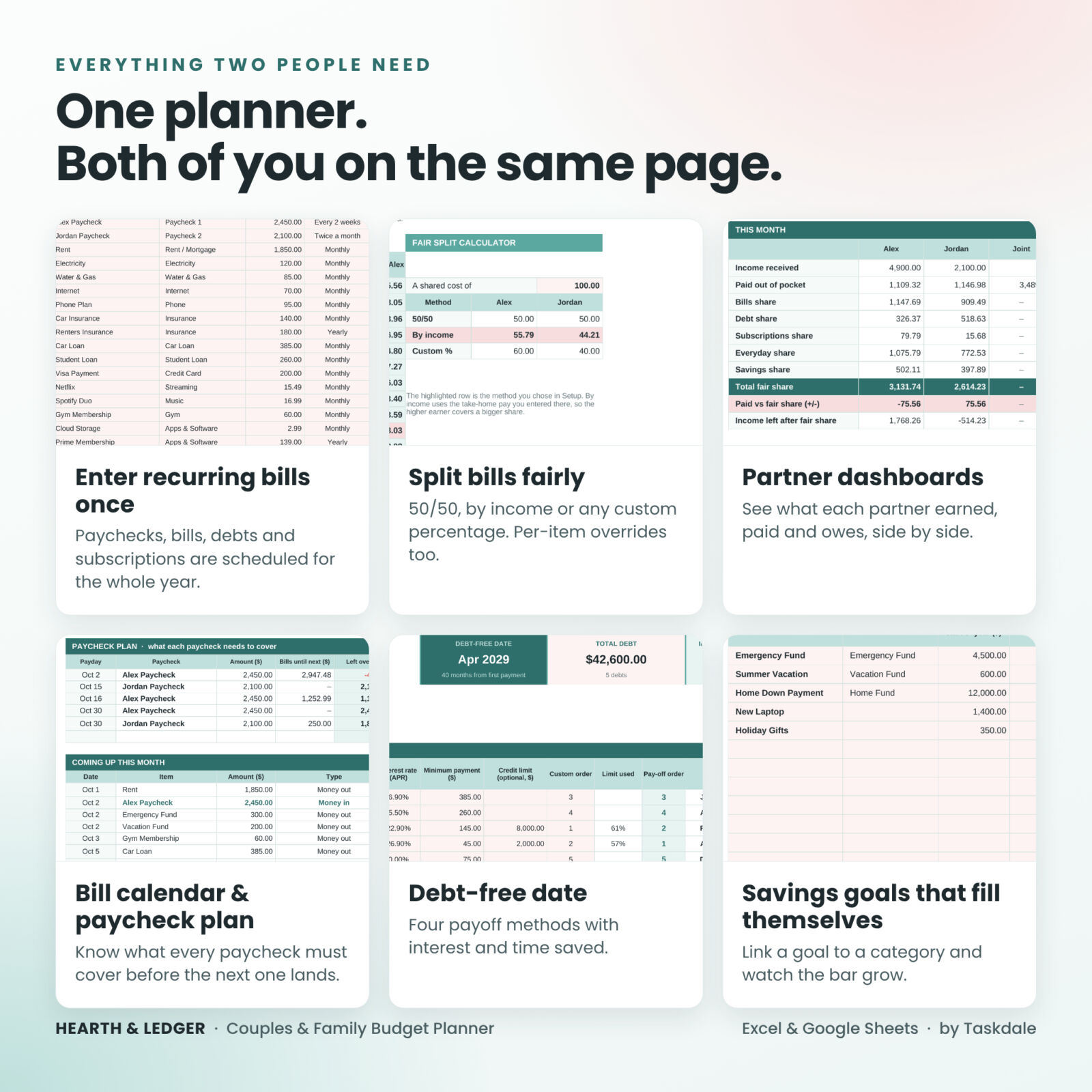
Hearth & Ledger is a couples budget spreadsheet for two people who share bills, goals and a life, whether you keep joint accounts, separate accounts or a mix of both. You enter your recurring bills and paychecks once, type an x when something is paid, and log everyday spending. The planner then builds your budget, your dashboards and a running answer to the question every couple asks: who owes whom?
Every tab is designed for beginners. Blush cells are for typing. Everything else calculates itself.
Who it is for
- Couples who split bills evenly, by income or by a custom percentage
- Newlyweds and partners moving in together who are combining finances for the first time
- Families who want one clear household budget
- Partners with separate accounts who still want a fair way to share costs
- Anyone who finds budgeting apps too rigid and blank spreadsheets too much work
Main benefits
- No more mental math about who paid what. Mark who paid and whether a cost is shared or personal. The balance between you updates automatically.
- Set up once. Recurring items are scheduled for the whole year, including weekly, every 2 weeks, twice a month, monthly, quarterly and yearly.
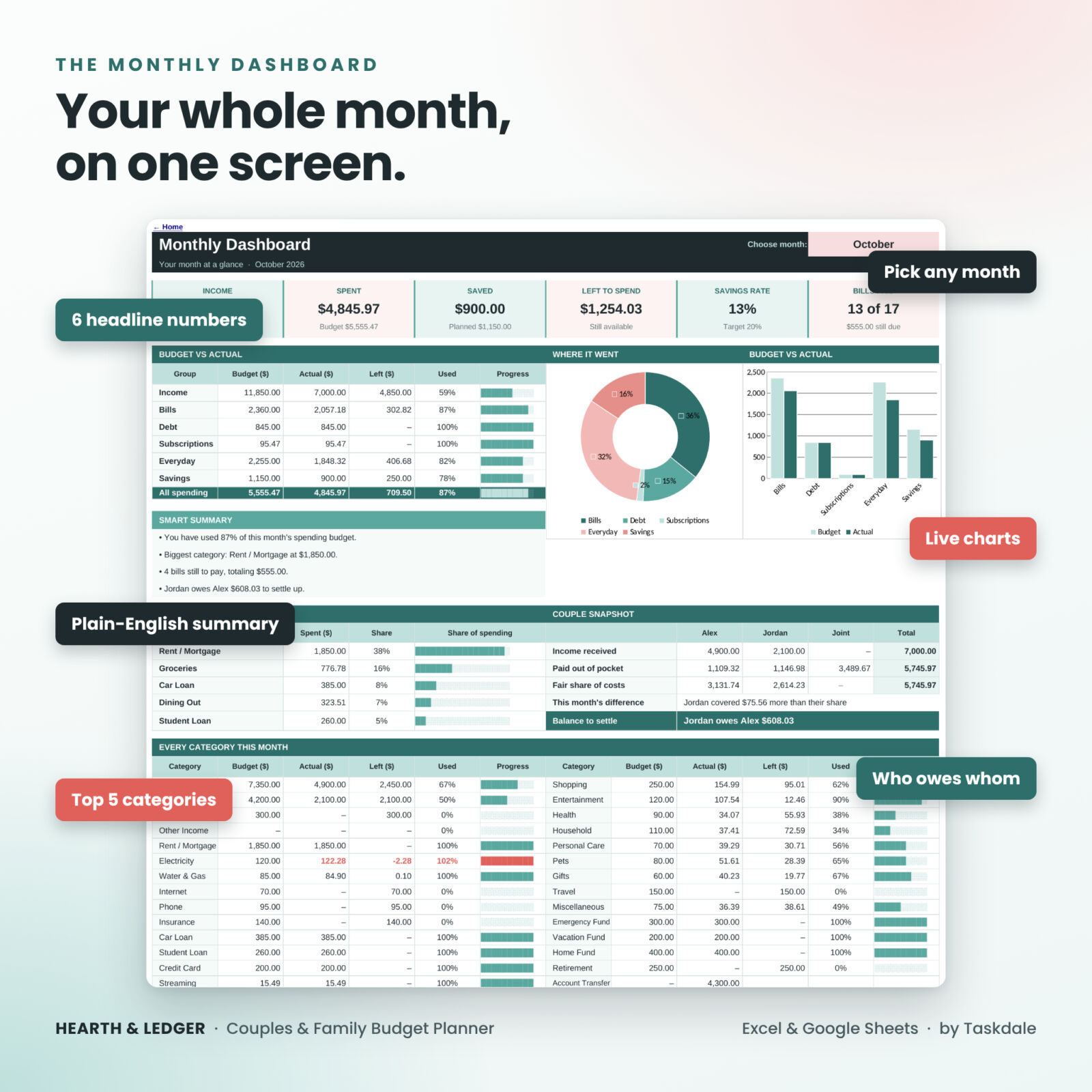
- See the month at a glance. Income, spending, savings, bills still due and a plain-English summary on one screen.
- Plan beyond this month. A debt-free date, savings goals and net worth are built in.
- Catch mistakes early. A Status column turns red and tells you exactly what to fix.
Features of this family budget planner
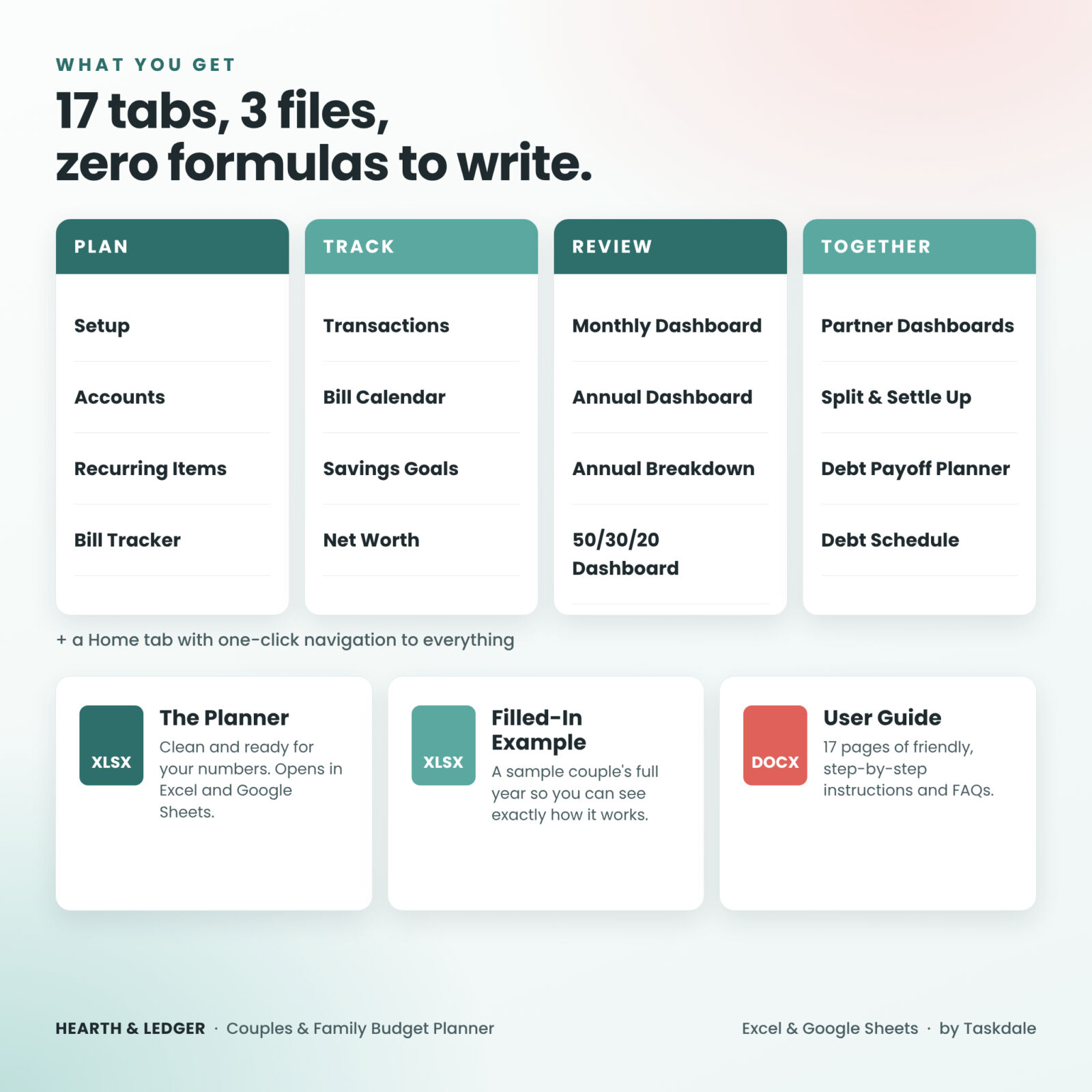
Plan
- Setup: names, currency symbol, budget year, split method, 50/30/20 targets and up to 40 categories
- Accounts: up to 10 bank, card and cash accounts with live balances and transfers
- Recurring: up to 50 paychecks, bills, debt payments, subscriptions and savings transfers with 9 frequency options and optional end dates
- Bill Tracker: a 12-month grid. Type x when paid, or the actual amount if it changed. Due, paid and not-due cells are color coded
Track
- Transactions: room for 1,000 entries a year with dropdowns for category, account, payer and split, plus one-off custom splits and refunds
- Bill Calendar: a month view of everything due, a paycheck plan showing what each paycheck must cover, and a coming-up list
- Savings Goals: 12 goals or sinking funds that fill automatically from your savings categories, with the monthly amount needed to hit each target date
- Net Worth: monthly snapshot of what you own and owe, with a chart
Review
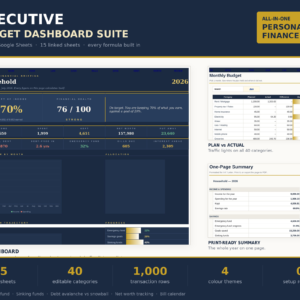
- Monthly Dashboard: six headline numbers, budget vs actual, two charts, smart summary, top five categories and every category with a progress bar
- Annual Dashboard: all twelve months side by side, best month, highest-spend month and charts
- Annual Breakdown: every category for every month with totals, averages and yearly budget
- 50/30/20 Dashboard: needs, wants and savings against targets you can change
Together
- Partner Dashboards: each partner’s income, out-of-pocket spending and fair share, side by side, for the month and the year
- Split & Settle Up: running balance month by month, a settle-up log and a fair split calculator
- Debt Payoff Planner: up to 10 debts with four methods (Avalanche, Snowball, Credit score focus and Custom order), your debt-free date, total interest, and interest and months saved compared with minimum payments
- Debt Schedule: the month-by-month payoff plan
What is included
- Hearth & Ledger Budget Planner (.xlsx), clean and ready for your numbers
- Filled-In Example (.xlsx) showing a sample couple’s year
- User Guide (.docx), 17 pages covering setup, every tab, customizing, troubleshooting and FAQs
How it works
- Setup: add your names, currency, split and categories.
- Recurring: enter each paycheck, bill and subscription once.
- Track: type x on the Bill Tracker when something is paid and log everyday spending on the Transactions tab.
- Review: open the Monthly Dashboard, choose a month and read your numbers together.
Real situations where it helps
- One of you earns more. Choose By income and shared costs are divided in proportion to take-home pay.
- You pay from different cards. Log who paid, and settle up once a month with one transfer instead of dozens of small ones.
- Payday planning. The paycheck plan shows which bills land before the next paycheck and what is left over.
- Paying off cards and loans. Try an extra monthly payment and watch the debt-free date move.
- Saving for a vacation, a wedding or a down payment. Link a goal to a savings category and see how much to set aside each month.
- The weekly money check-in. Ten minutes with the dashboard replaces a long, tense conversation.
File formats and software requirements
- Microsoft Excel: standard .xlsx workbook. No macros and no add-ins.
- Google Sheets: upload the .xlsx file to Google Drive and open it with Google Sheets. A free Google account is all you need.
- The user guide is a .docx file that opens in Word, Google Docs or Pages.
- Best used on a computer. Phones can view the file but entry is easier on a larger screen.
Customization
- Use any currency symbol. Change it in one cell and every tab follows.
- Rename, add or remove categories, accounts, goals and debts.
- Change your split method or 50/30/20 targets at any time.
- Sheets are protected without a password, so you can unlock them in Excel to restyle colors and fonts.
- Reuse it every year by saving a fresh copy.
Digital download information
This is an instant digital download. Nothing is shipped. After payment you can download all three files from your order confirmation and your account. The product is licensed for personal use by one household and may not be resold, shared or redistributed. It is an organizational tool, not financial, tax or legal advice.
Frequently asked questions
Does this budget spreadsheet work in Google Sheets?
Yes. Upload the Excel file to Google Drive and open it with Google Sheets. Dropdowns, charts and color coding carry over. Note that Google Sheets does not lock formula cells for the file owner, so type only in the blush cells.
Can we use it if we keep separate bank accounts?
Yes. That is exactly what the split and settle-up tools are for. Each cost records who paid and whose it is.
Can we split bills by income instead of 50/50?
Yes. Choose By income on the Setup tab and enter each partner’s monthly take-home pay. You can also set any custom percentage or override the split on a single transaction.
Do I need to know Excel formulas?
No. All formulas are built in. You type in the blush cells and choose from dropdowns.
Does it work with pounds, euros or other currencies?
Yes. Type your currency symbol once on the Setup tab.
Does it connect to my bank?
No. There is no bank login and nothing is shared online. You enter your own numbers.
How many transactions can it hold?
Each yearly file holds 1,000 transactions, 50 recurring items, 40 categories, 10 accounts, 12 savings goals and 10 debts.
Can a single person use it?
Yes. Simply ignore the partner tabs and use the budget, bill, debt and savings tools on their own.
Reviews
There are no reviews yet.