Best Daily Planner 2027: How to Pick the Right One
The best daily planner for 2027 is the one whose daily page matches how you plan: hourly blocks, a short priority list, or a link to your phone calendar. Every planner here is a hyperlinked digital PDF with a dated page for each day. Choose by app support, daily layout and extras.
Key facts at a glance
- Every planner on this page is a digital, hyperlinked 2027 planner with 365 daily pages, so you tap between year, month, week and day instead of flipping.
- Wayfold 2027 Digital Planner is the only one that lists Android alongside iPad, and Latte Hours Digital Daily Planner 2027 also names Android.
- Latte Hours is the only one that includes both a dated 2027 version and an undated version.
- Tidework 2027 Digital Work Planner is the only one built around quarterly OKRs, project plans and meeting pages.
- Every option offers a Sunday or Monday week start.
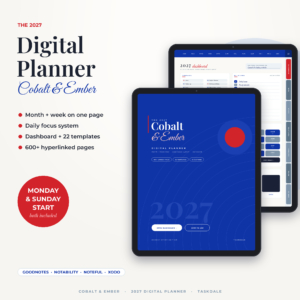 Cobalt & Ember 2027 Digital Planner | Month + Week Hyperlinked GoodNotes & iPad Planner with Dashboard, Daily Focus Pages, 22 Templates & Stickers | Monday & Sunday Start
 Lapis & Ember 2027 Digital Life Planner | Hyperlinked Portrait iPad Planner with Dashboard, Budget, Meal & Habit Trackers | Sunday & Monday Start
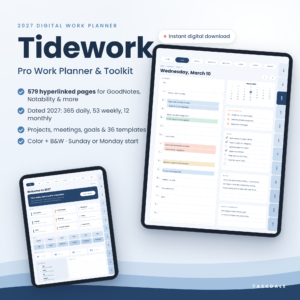 Tidework 2027 Digital Work Planner for GoodNotes & Notability, Hyperlinked Daily, Weekly & Monthly Planner with Project & Meeting Templates

Table of Contents
Toggle
- What should you look for in a daily planner for 2027?
- How do the best daily planners for 2027 compare?
- Which daily planner suits which kind of person?
- How do you get the most from a digital daily planner?
- What mistakes should you avoid when choosing a 2027 planner?
- What affects the price of a digital daily planner?
- Which 2027 daily planner should you choose?
- Common questions
A daily planner can feel like a big commitment, because you are choosing a system you will open every morning for twelve months. The good news is that the choices narrow quickly once you know what you need from a single day's page. We'll keep to the details that separate these planners.
What should you look for in a daily planner for 2027?
Look for five things: the layout of the daily page, the app it runs in, how you move around, your week start and screen orientation, and what surrounds the daily pages. A hyperlinked planner is a PDF in which every tab, date and arrow jumps to another page. Here is how each factor plays out.
The layout of the daily page
The daily page is where you will spend most of your time, so judge it first. Cobalt & Ember 2027 Digital Planner pairs a simple Top 3 focus system with an hourly schedule. Latte Hours adds a to-do list, meals and a quick wellness check to its hourly page and top 3 priorities. Tidework uses time-blocked daily pages, which suit a working day cut into meetings and focus periods.
If you plan in tasks rather than hours, a Top 3 layout keeps the page light. If your day runs on appointments, favour the hourly grid.
The app and device it works with
Check the app list before anything else. Cobalt & Ember names GoodNotes, Notability, Noteful and Xodo. Tidework names GoodNotes, Notability and other PDF apps. Latte Hours names GoodNotes and Notability for iPad and Android, and Wayfold is listed for iPad and Android.
Lapis & Ember 2027 Digital Life Planner is described as a portrait iPad planner. If you use an Android tablet, Wayfold and Latte Hours are the two that say so.
How you move around the pages
Navigation decides whether a planner feels quick or fiddly. Lapis & Ember has close to 30,000 links, so every month, week and day is one tap away. Latte Hours uses tabs, dates and arrows.
Wayfold goes one step further. Its Calendar Connect buttons on every day open Apple Calendar or Google Calendar on that exact date. That suits anyone who writes plans by hand but still wants phone reminders.
Week start and orientation
Pick a Sunday or Monday start before you buy, because switching later means starting a new file. Every planner here offers both. Wayfold gives the widest spread, with 8 versions covering portrait or landscape, light or dark, and Monday or Sunday start.
Landscape suits a stylus on a larger tablet and side-by-side layouts. Portrait feels closer to a paper diary.
What surrounds the daily pages
Daily pages work best when the rest of life has somewhere to go. Cobalt & Ember has monthly money, meal, cleaning and health pages, plus 12 section folders. Lapis & Ember gives every month six pages: Finance, Menu, Clean, Track, Health and Notes.
Wayfold includes a guided True North workbook and goal and project planners. Tidework adds 8 project plans, 24 meeting pages, 24 note pages and a 36-template work library.
How do the best daily planners for 2027 compare?
The five planners differ most in page count, intended use and platform. Wayfold has the most pages at 800, while Lapis & Ember has the fewest at 566, though still 365 daily pages.
| Product | Pages and structure | Daily page | Platform named | Best for |
|---|---|---|---|---|
| Cobalt & Ember 2027 Digital Planner | Month + Week Hyperlinked GoodNotes & iPad Planner with Dashboard, Daily Focus Pages, 5 Templates & Stickers | Monday & Sunday Start | 615 pages, Dashboard, 5 templates | Top 3 focus and hourly schedule | GoodNotes, Notability, Noteful, Xodo | Month and week on one page |
| Lapis & Ember 2027 Digital Life Planner | Hyperlinked Portrait iPad Planner with Dashboard, Budget, Meal & Habit Trackers | Sunday & Monday Start | 566 dated pages, 5 templates | Focus Flow | iPad (portrait) | Home, money and habits |
| Tidework 2027 Digital Work Planner for GoodNotes & Notability, Hyperlinked Daily, Weekly & Monthly Planner with Project & Meeting Templates | 579 pages, 36-template work library | Time-blocked | GoodNotes, Notability, other PDF apps | Work, projects and meetings |
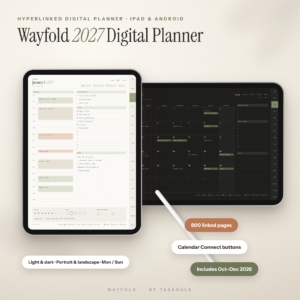 Wayfold 2027 Digital Planner for iPad and Android, Hyperlinked GoodNotes Planner with Calendar Buttons | 800 pages, 5 templates | Daily with Calendar Connect button | iPad and Android | Goals and calendar syncing |
| Latte Hours Digital Daily Planner 2027 + Undated | Hyperlinked GoodNotes & Notability Planner for iPad & Android | Hourly Schedule, 5 Templates & Stickers | 365 daily, 53 weekly, 24 monthly pages | Hourly, top 3, to-do, meals, wellness | GoodNotes, Notability, iPad and Android | One calm page a day |
Which daily planner suits which kind of person?
Each planner suits a different person: Cobalt & Ember for those who want month and week in view, Lapis & Ember for household organisers, Tidework for professionals, Wayfold for goal-setters, and Latte Hours for anyone who wants simplicity.
- Cobalt & Ember 2027 Digital Planner suits you if you want your full month and your week on the same page, so nothing catches you out. The Top 3 system keeps each day short, and 151 stickers and 4 covers cover the decorating side.
- Lapis & Ember 2027 Digital Life Planner suits you if you run a household. The Finance, Menu, Clean, Track, Health and Notes hubs give home admin its own pages every month.
- Tidework 2027 Digital Work Planner suits you if your days are made of meetings and projects. Quarterly OKRs sit above the months, weeks and days. It also includes Colour and Minimal B&W editions, plus printables in US Letter and A4.
- Wayfold 2027 Digital Planner suits you if you set big goals and want phone reminders. It has 558 stickers and 12 covers, and the bonus October to December 2026 mini planner covers the end of this year.
- Latte Hours Digital Daily Planner 2027 suits you if you want a single, uncluttered page for each day. It has 4 colour themes, 222 stickers and 12 covers, and the undated version lets you start whenever you like.
How do you get the most from a digital daily planner?
You get the most from a digital daily planner by choosing one app, setting it up once, and reviewing it at the same time each day. Setup takes about as long as a cup of tea.
- Import the PDF into your chosen app and keep one copy as a clean master.
- Choose your week-start edition and cover, then bookmark the dashboard or home page.
- Fill in fixed commitments for the year first: birthdays, holidays, renewals.
- Each evening, write tomorrow's top priorities on the daily page.
- Once a week, open the weekly page and move unfinished tasks forward.
- Once a month, check the money, meal or goal pages and adjust.
If your planner has a user guide, read it once. Cobalt & Ember, Lapis & Ember, Wayfold and Latte Hours all include one.
What mistakes should you avoid when choosing a 2027 planner?
The common mistakes are buying for the features instead of the daily page, ignoring app compatibility, and choosing the wrong week start. All three are easy to avoid if you check before you buy.
- Choosing the most pages. Wayfold's 800 pages are useful if you will use goals and projects. If you only need a daily page, extra sections become clutter.
- Skipping the app check. A planner built for one app can feel awkward in another. Match the named apps to the one you already use.
- Picking the wrong orientation. Portrait and landscape feel very different on a stylus. Wayfold lets you choose, while Lapis & Ember is portrait only.
- Using a work planner for home life, or the reverse. Tidework's meeting pages do little for a household, and Lapis & Ember's meal hubs do little for a project manager.
- Never using the links. The hyperlinks are the main advantage over paper. Learn the tabs in the first week.
What affects the price of a digital daily planner?
The price of a digital daily planner depends mainly on how many pages and versions it includes, what extras come in the bundle, and whether the planner is aimed at a specialist use. You pay once for a file, and the live product cards show the current price for each.
Planners with more versions, such as Wayfold's 8, usually cost more up front than single-layout files. Bundles with printables, such as Tidework's US Letter and A4 sets, and extra sticker packs also move the price. A specialist layout like Tidework's OKRs and project pages can cost more than a general planner, because it covers a narrower job in more depth. Compare what you will actually use, not the longest feature list.
Which 2027 daily planner should you choose?
Choose by your main daily need. If you want a Top 3 focus plus month and week views, pick Cobalt & Ember. For home, money and habits, pick Lapis & Ember. For work and meetings, choose Tidework. For calendar reminders on iPad or Android, take Wayfold. For one simple page a day, take Latte Hours.
If two seem close, pick the one whose daily page you could picture filling in at 7am next January. Browse all 5 options below and compare the daily pages first.
Common questions
Can I print a digital daily planner?
Some can be printed. Tidework includes fillable printables in US Letter and A4, and Latte Hours includes printable US Letter and A4 inserts. The other planners are described as digital files, so check the product page before assuming you can print them.
What is the difference between a dated and an undated planner?
A dated planner has 2027 dates already printed, so the calendar is set. An undated planner lets you enter dates yourself and begin on any day. Latte Hours includes both versions, which helps if you might start part way through the year.
Can I start before January 2027?
Yes, with the right planner. Wayfold includes a bonus mini planner for October to December 2026, so you can begin using the system before the main year starts. Otherwise, you can still set up your pages and fixed dates in advance.
Are stickers and covers worth caring about?
They are a small bonus rather than a reason to buy. Stickers and covers help you mark appointments or personalise the file, and counts vary from 79 in Lapis & Ember to 558 in Wayfold. Choose the daily layout first, then let extras decide a close call.
Can one planner cover both work and home?
Yes, but one side will be thinner. Latte Hours and Cobalt & Ember cover a mixed day with priorities, hourly slots and health or meal pages. If your work is meeting-heavy, choose Tidework. If household admin dominates, choose Lapis & Ember.