


A calm, fully hyperlinked 2027 digital work planner
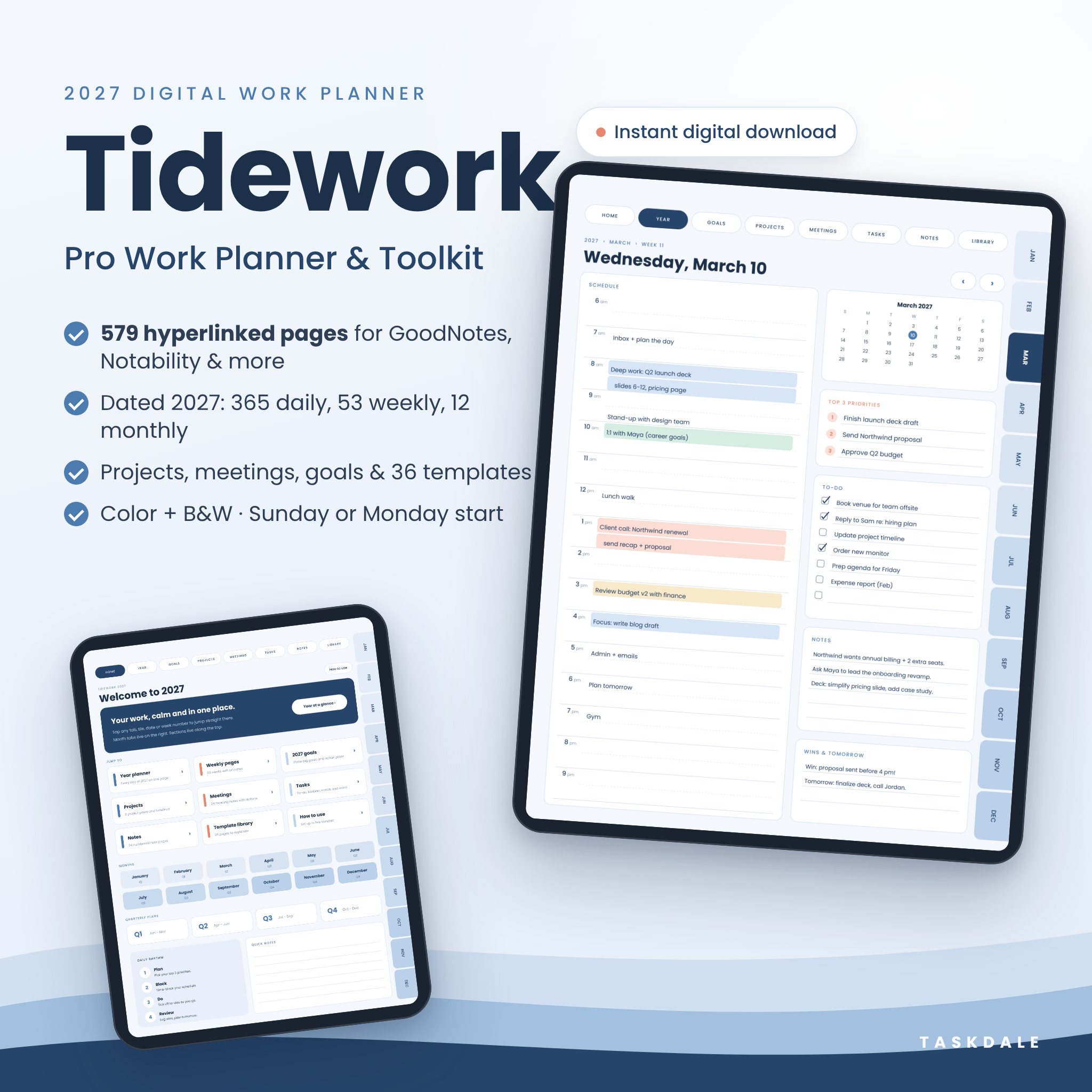
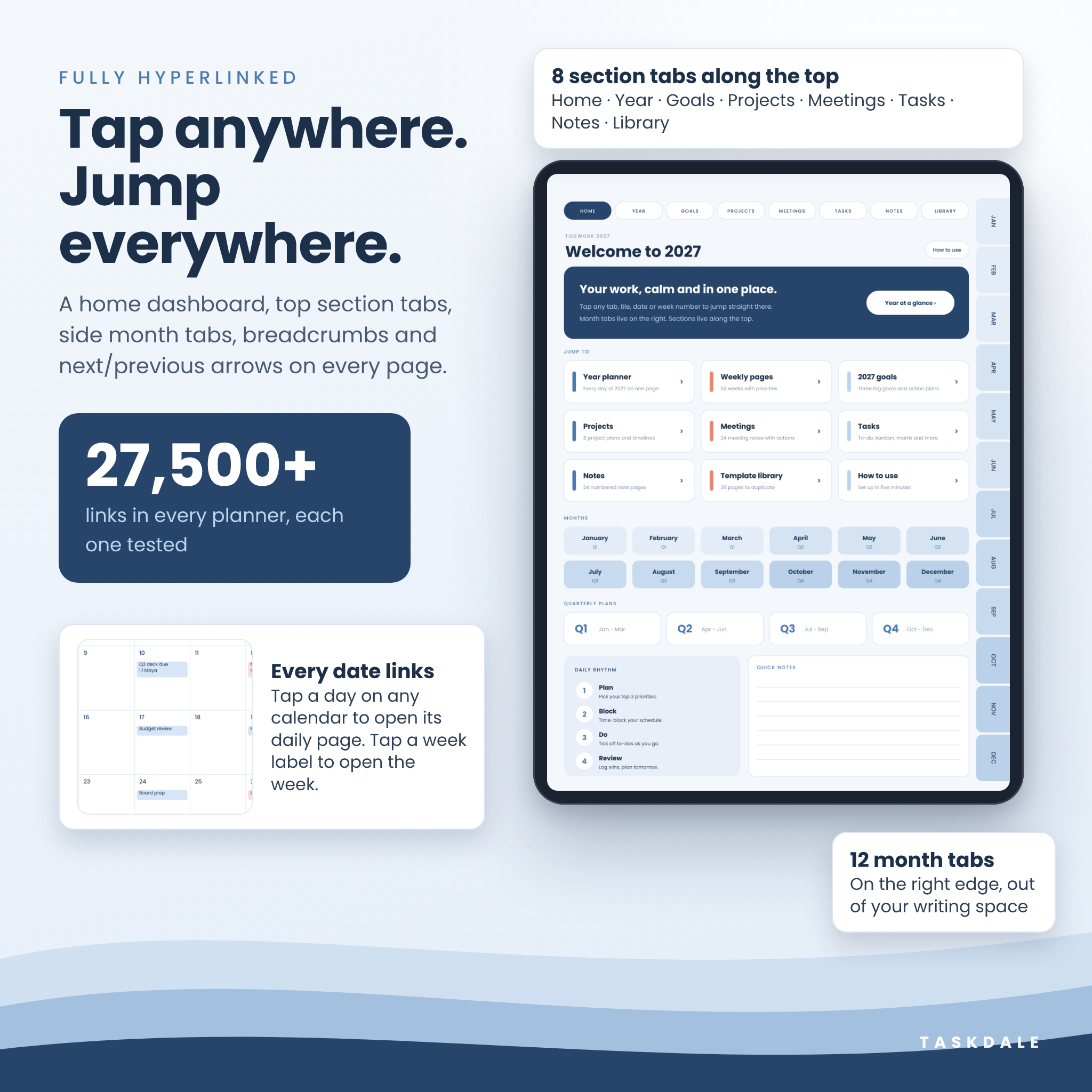
Tidework is a 2027 digital work planner built for people who manage real workloads: meetings, projects, deadlines, clients and goals. Everything sits in one beautifully organized, fully hyperlinked PDF for GoodNotes, Notability, Noteful, Noteshelf, Xodo and other PDF apps. Tap a month tab, a date, a week number or a dashboard tile and you’re there instantly. No more scrolling through hundreds of pages or juggling five different apps.
The soft-blue design is clean and easy on the eyes, with generous writing space. Prefer something simpler? The Minimal B&W edition suits e-ink devices and printing.
Who this work planner is for
- Professionals, managers and team leads who live in meetings and need clear action items
- Freelancers, consultants and small business owners who track leads, clients and budgets
- Remote and hybrid workers who want one place for plans, notes and to-dos
- Students, job seekers and anyone who wants a structured, professional planning system
What’s included
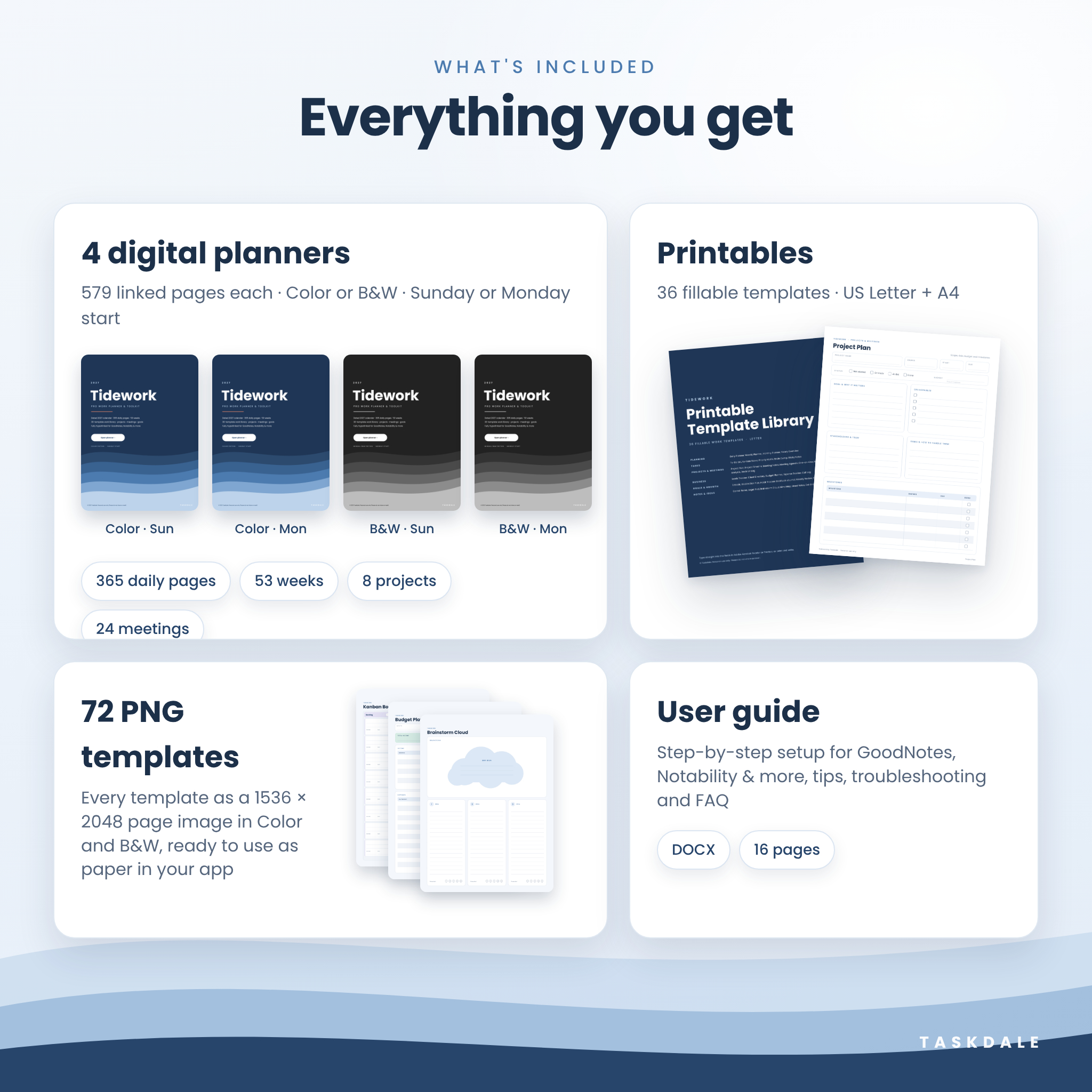
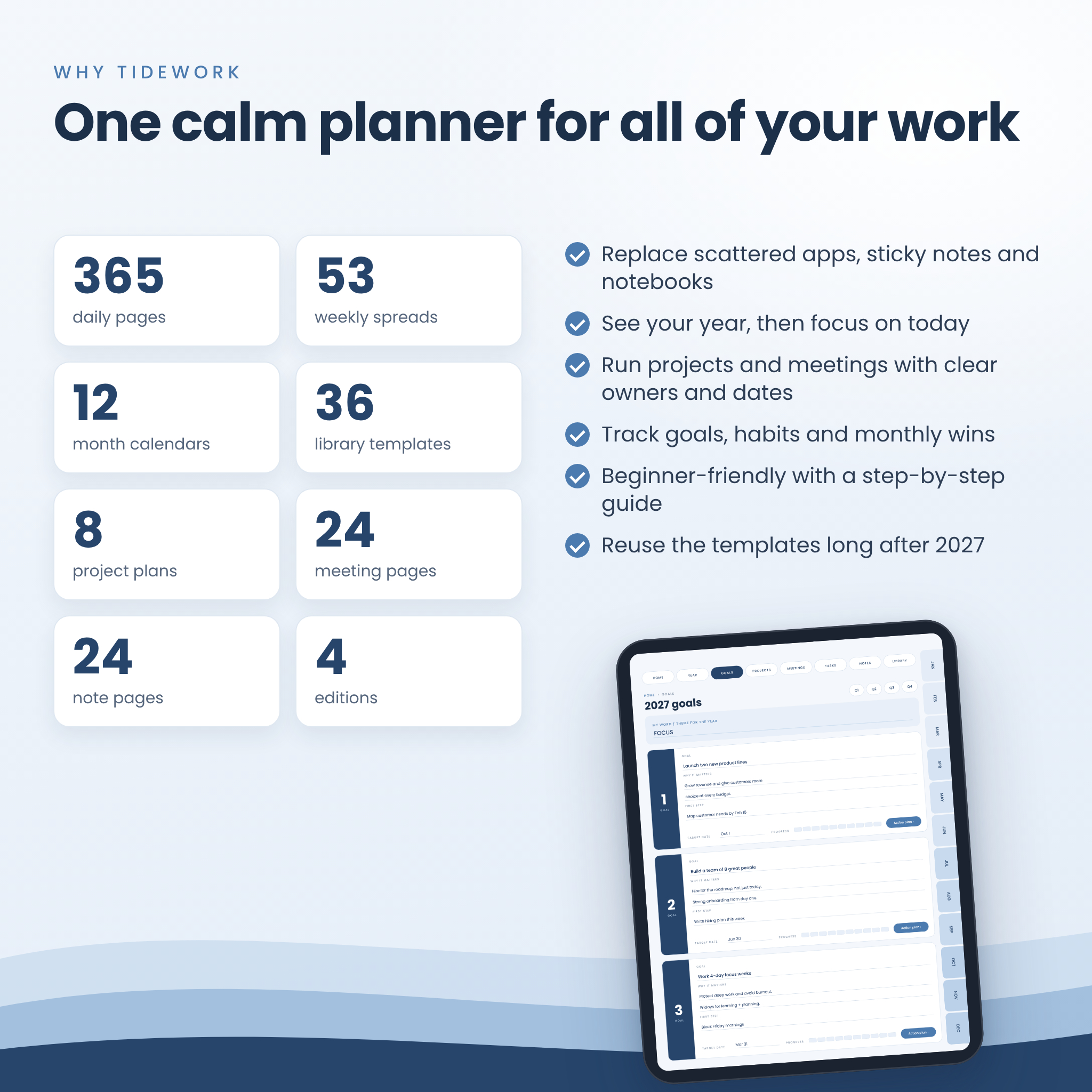
4 hyperlinked digital planners (579 pages each)
- Color edition, Sunday start
- Color edition, Monday start
- Minimal B&W edition, Sunday start
- Minimal B&W edition, Monday start
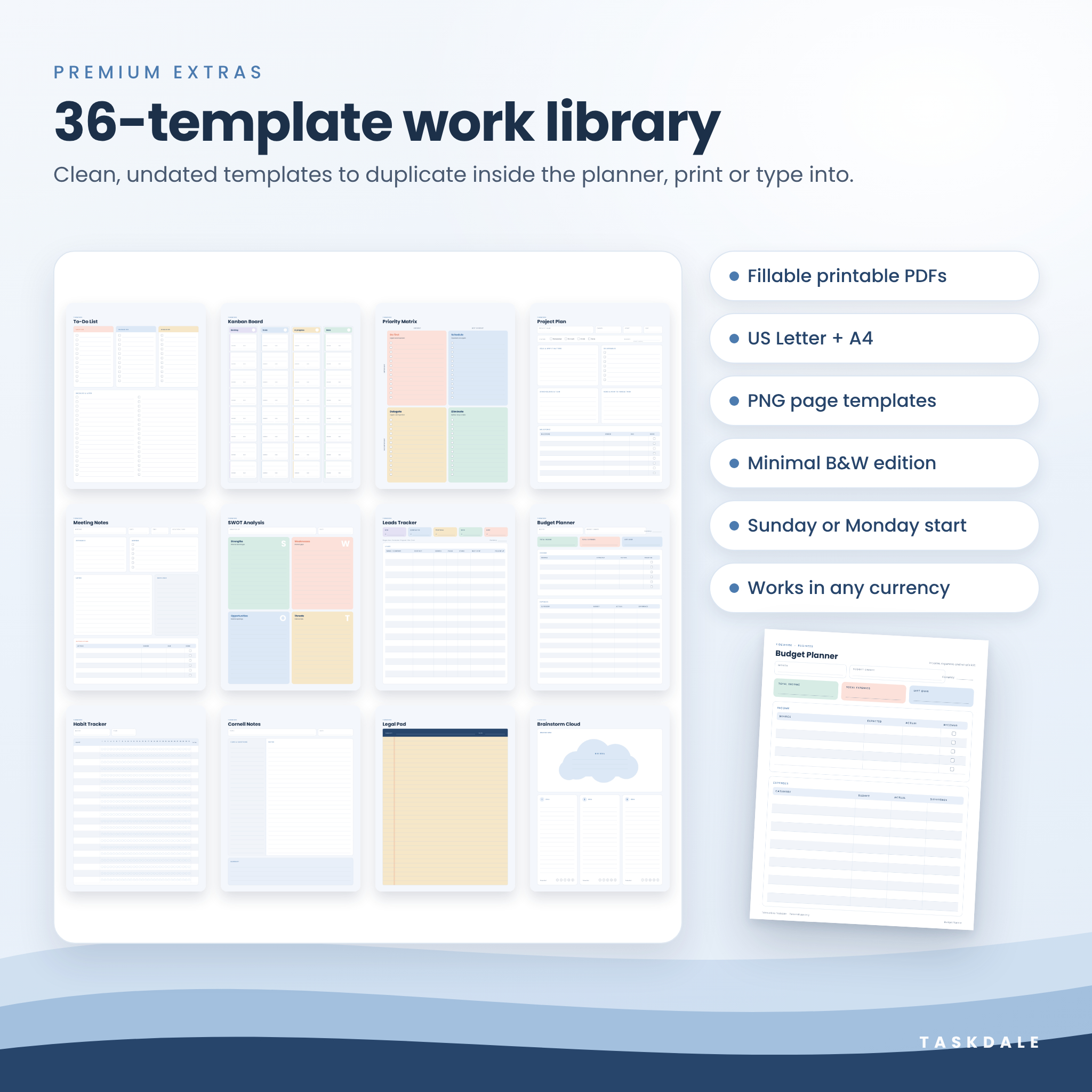
36-template printable library
- Fillable PDFs in US Letter and A4, in Color and Minimal B&W. Type straight into the fields in Adobe Acrobat Reader or Preview, or print and write.
72 PNG page templates
- All 36 templates as 1536 × 2048 px images in both color styles, ready to use as paper templates in your note app.
User guide (DOCX)
- Setup steps for each app, how to use every section, customization ideas, troubleshooting and FAQ.
Inside the 2027 planner
Year, quarters and goals
- 2027 at a glance with every date linked to its daily page
- One-page year planner showing all 365 days, with weekends shaded, for leave and deadlines
- Weekly index listing all 53 weeks with date ranges
- 3 big goals page plus 3 linked goal action plans with milestones, action steps, obstacles and progress trackers
- 4 quarterly plans with objectives and key results (OKRs) and progress bars
Monthly, weekly and daily pages
- 12 monthly calendars with linked dates and week numbers, monthly focus, top priorities and key dates
- 12 monthly habit trackers (up to 22 habits) and 12 monthly reviews with wins, lessons, key numbers and ratings
- 53 weekly spreads with linked day badges, week focus, top priorities, to-do list and wins & lessons
- 365 daily pages with a 6 am to 9 pm time-blocked schedule, top 3 priorities, mini calendar, to-do list, notes and a wins & tomorrow section
Work tools
- 8 project plans covering scope, status, budget, deliverables, stakeholders, risks and milestones, each with a 12-week Gantt-style timeline
- 24 numbered meeting pages with attendees, agenda, notes, decisions and an action items table, plus a meeting index
- 24 numbered note pages with their own index
- Task tools: to-do list (must, should, could), kanban board, priority matrix, brain dump, sticky notes and weekly review
36-template library
Daily, Weekly, Monthly and Yearly planners · To-Do List · Kanban Board · Priority Matrix · Brain Dump · Sticky Notes · Project Plan · Project Timeline · Meeting Notes · Meeting Agenda · One-on-One · Retrospective · SWOT Analysis · Decision Log · Leads Tracker · Client Directory · Budget Planner · Expense Tracker · Call Log · 3 Goals · Goal Action Plan · Habit Tracker · Gratitude Journal · Weekly Review · Focus Sessions · Cornell Notes · Legal Pad · Brainstorm Cloud · Mind Map · Lined · Dot Grid · Graph Grid · Blank
Main benefits
- Fast navigation: more than 27,500 tested links, with section tabs along the top, month tabs on the right, breadcrumbs, and previous and next arrows on every page
- Real work structure: projects, meetings and decisions sit right next to your calendar
- Toolbar-friendly: tabs stay out of your writing area, and every page leaves room for your app’s toolbar
- Any currency: money fields say “Amount” and include a blank currency space, so the budget, expense, lead and project pages work in $ or any other currency
- Long-term value: the 36 templates and printables are undated, so you can keep using them after 2027
How it works
- Buy and download your files instantly.
- Unzip them on your tablet or computer.
- Import the planner PDF into GoodNotes, Notability or your favorite PDF app.
- Tap the Home tab, pick today’s date and start planning.
File formats and requirements
- PDF (hyperlinked planners and fillable printables), PNG (page templates) and DOCX (user guide)
- Planner page size: 3:4 portrait, designed for iPad and also comfortable on Android tablets
- Works with GoodNotes, Notability, Noteful, Noteshelf, CollaNote, Xodo, Adobe Acrobat Reader and other PDF apps that support hyperlinks
- To type into the printables, use Adobe Acrobat Reader (free) or macOS Preview
- A tablet with a stylus is recommended for the digital planner. A computer makes downloading and unzipping easier.
Customization
Type or handwrite anywhere, highlight time blocks, add stickers and photos, and duplicate any library page to add more meetings, notes or projects. Use the Sunday or Monday start edition to match your work week, and choose Color or Minimal B&W.
Digital download
This is an instant digital download. No physical item will be shipped.
Real-life use cases
- Plan your week every Sunday night, then time-block each day around your top 3 priorities
- Take meeting notes during a call and assign action items with owners and due dates
- Run a product launch with the project plan, the 12-week timeline and the kanban board
- Track sales leads and follow-ups as a freelancer, then log monthly expenses
FAQ
Does this digital planner work with GoodNotes and Notability?
Yes. It’s a hyperlinked PDF that you import into GoodNotes, Notability, Noteful, Noteshelf, Xodo and other PDF apps that support links.
Is the planner dated?
Yes. It runs from January 1 to December 31, 2027. The template library and printables are undated.
Can I use it on Android or Windows?
Yes. Open it in a PDF annotation app such as Xodo or Adobe Acrobat Reader.
Can I print it?
Yes. Fillable printables are included in US Letter and A4, and you can print any planner page.
Can I choose Sunday or Monday as the first day of the week?
Yes. Both versions are included in Color and in Minimal B&W.
What if a link doesn’t respond?
Tap it with your finger, or switch to read-only mode in GoodNotes. The user guide covers each app.
Can I add more pages?
Yes. Duplicate any page from the 36-template library and move it where you need it.
Can I share it with my team?
Each purchase is licensed for one person. Please buy one copy for each user.
License
Personal use only. Please don’t share, resell or redistribute the files. © 2026 Taskdale.


Reviews
There are no reviews yet.