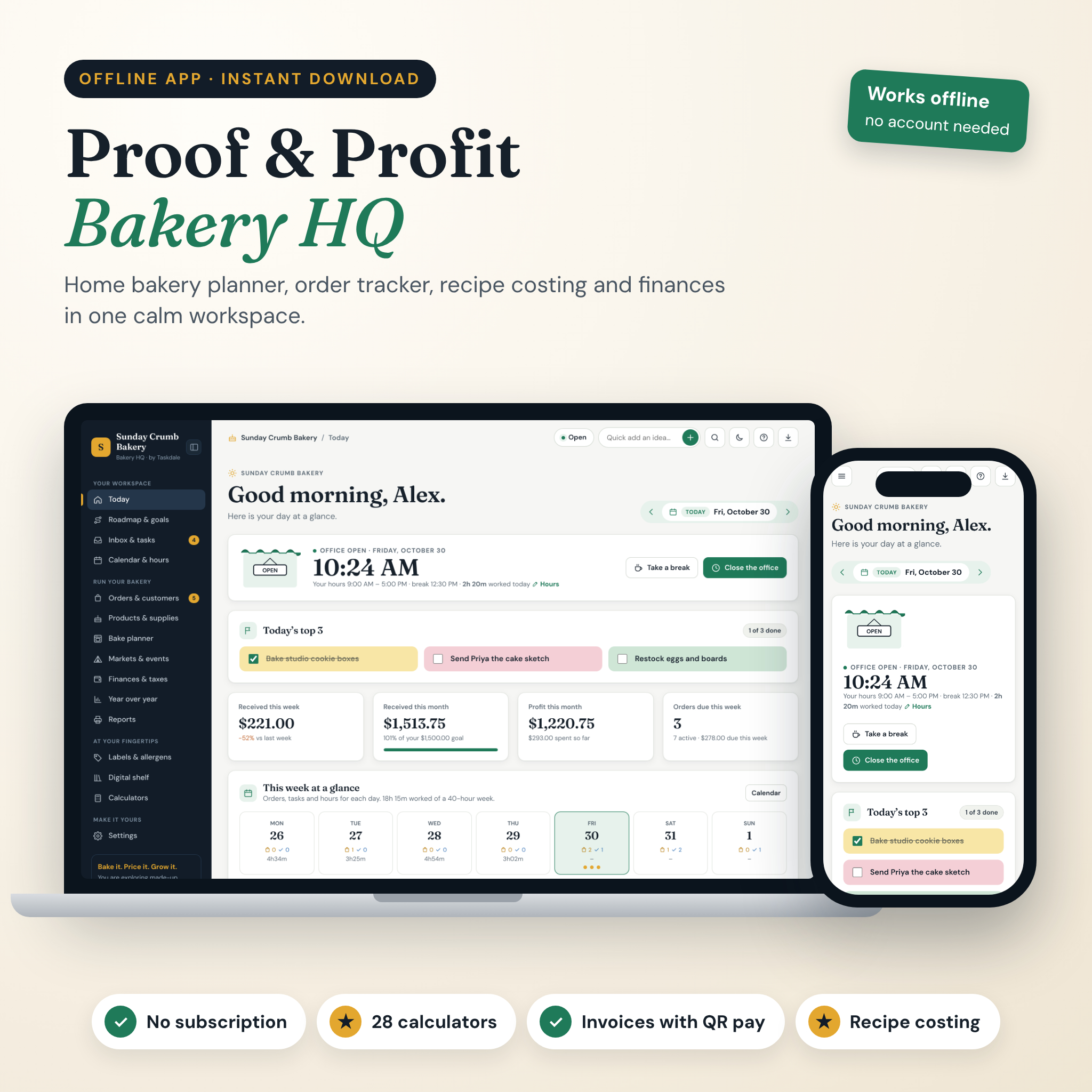
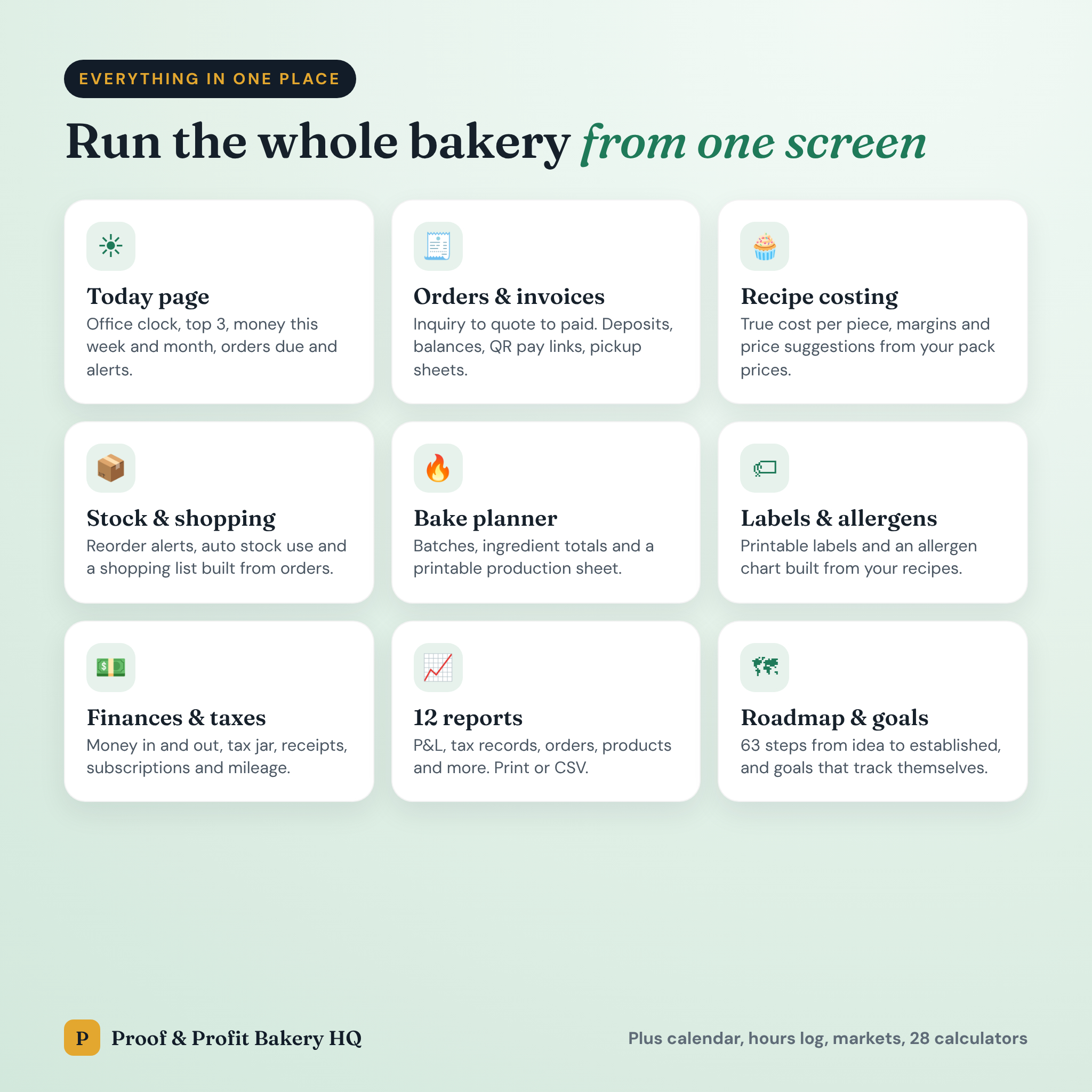




Proof & Profit Bakery HQ is a home bakery business planner that runs your whole bakery from one screen. Orders, recipe costs, stock, money, labels and your working day finally live in the same place. It is an offline app that opens in your browser, so there is no account to create and no monthly fee to pay. Buy it once, and it is yours.
If your orders are in your DMs, your recipe costs are in a notebook and your receipts are in a shoebox, this is for you. You will see what each cookie really costs, who still owes you money and what you need to bake on Saturday. Then you can get back to the fun part.
What this home bakery planner does
Most bakery spreadsheets stop at a price calculator. This one connects everything. A recipe knows what its ingredients cost. An order knows which recipes it needs. A payment on an order lands in your finances on its own. Mark the order complete and your flour and butter go down by the right amount.
- Today page: open and close your “office” with a live clock, plan your top 3, see money in this week and month, orders due and helpful heads-up alerts.
- Order tracker: move orders from inquiry to quote to confirmed to complete on a simple board. Track deposits and balances, print quotes, invoices and pickup sheets.
- Invoices with QR pay links: add your PayPal, Venmo, Cash App, Square or Stripe links and they print as scannable QR codes.
- Recipe cost calculator: enter pack prices once, build each recipe and get the cost per piece, your margin and suggested prices for 50, 60 or 70% margins. Add your own pay per hour if you like.
- Supplies and stock: reorder points, low-stock alerts, one-click restock and a shopping list made from the orders you have coming up.
- Bake planner: pick the days and get batches, ingredient totals, hands-on time and a printable production sheet.
- Labels and allergens: print product labels with ingredients, a “Contains” line, net weight and best-by date, plus an allergen chart for your market table.
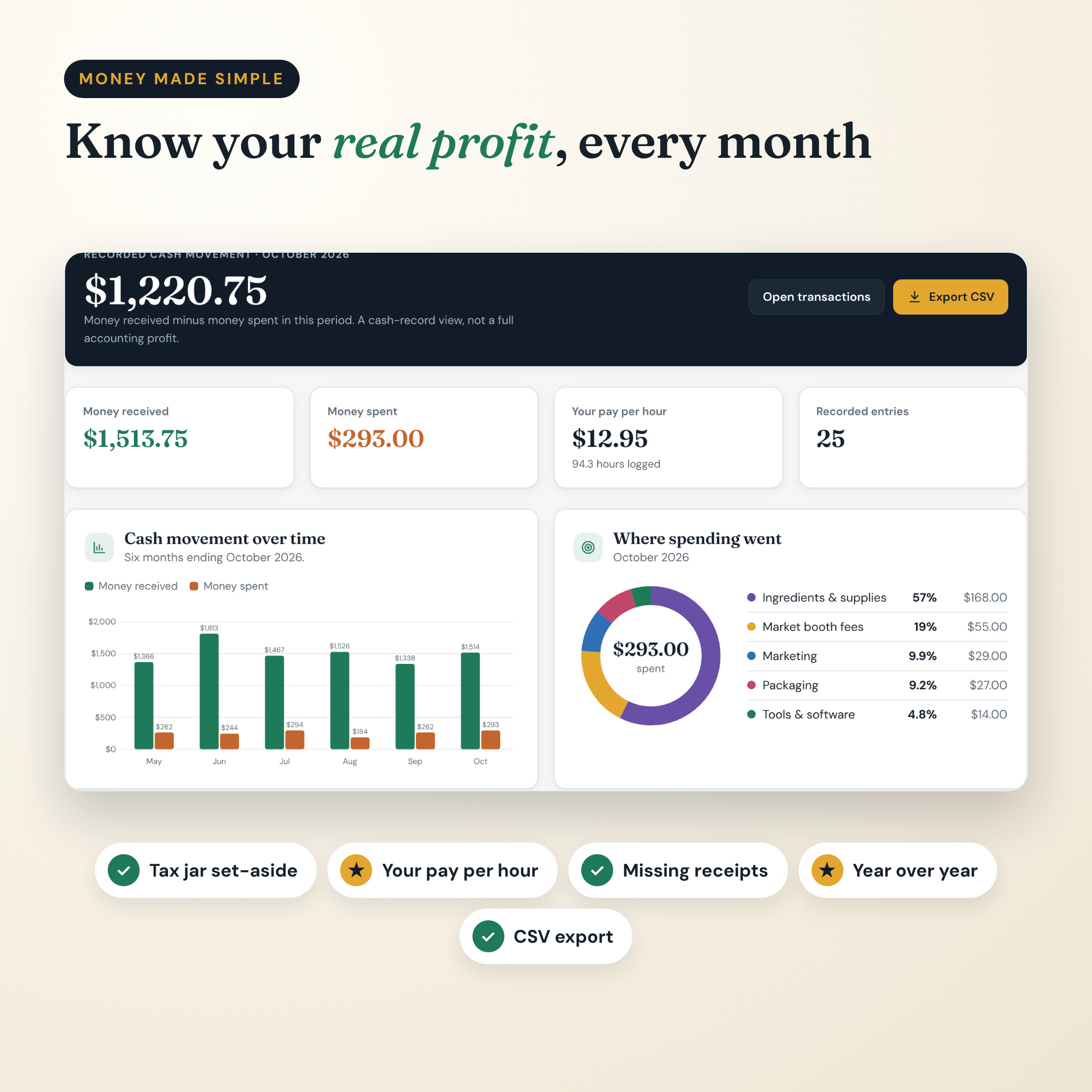
- Finances and taxes: money in and out, a tax jar, missing receipts, a subscription watchdog, mileage and your real pay per hour.
Who it is for
It suits home and cottage food bakers who take custom orders for cookies, cakes, cupcakes, breads, pies and treats. It also works well for farmers market sellers, cake decorators and side-hustle bakers who want to turn a hobby into a proper small business. Beginners get a clear roadmap. Busy bakers get their evenings back.
Features at a glance
Run your bakery
- Order board plus a table view, archive, duplicate and drag-and-drop
- Customers with birthdays, allergy notes, order history and total spend
- Prospects board for cafes, offices and event planners, plus a vendor list
- 8 ready message scripts that fill in the customer name, date, total and balance
- Products with photos, categories, allergens and label details
- Printable price list and menu
- Markets and events tracker with sell-through and profit per event
Plan and grow
- Roadmap with 11 milestones and 63 steps, from idea to your first full year
- Goals that track themselves: money, profit, orders, units, customers or hours
- One-page business plan and 12 guided worksheets
- Inbox for quick ideas and tasks that repeat daily, weekly, monthly or yearly
- Month calendar with drag and drop, an hours log and a calendar file for Google, Outlook or Apple Calendar
Money and records
- Finance overview with charts, transactions with search and CSV export
- Year over year comparison of income, spending, profit, orders and repeat customers
- 12 printable reports: business summary, profit and loss, tax records, orders, product performance, hours, customers, mileage, events, inventory, documents and money
- Digital shelf for permits, insurance and renewal dates, plus a business ID card and brand kit
- 8 printable templates, including a custom cake order form and a fridge temperature log
- 28 calculators for pricing, conversions and baking math
What is included
- Proof & Profit Bakery HQ app (one HTML file)
- 31-page user guide in Word format, with screenshots of every screen
- START HERE quick start guide (PDF)
- License file
A built-in sample bakery lets you explore every page full of example orders before you add your own.
How it works
- Download and unzip the files, then save the app somewhere safe.
- Open it in Google Chrome or Microsoft Edge and bookmark it.
- Answer four quick setup questions: bakery name, currency, what is done and which areas you want.
- Add your supplies, cost your recipes, then start adding orders.
File format and requirements
- File type: HTML app (works offline), DOCX guide, PDF quick start
- Works in: Google Chrome and Microsoft Edge on Windows and Mac computers
- Screen: designed for a laptop or desktop; the layout also adapts to tablet and phone widths
- No internet, account, subscription, Excel or Canva needed
- Your data stays on your device. Download a backup in one click, or link an auto-save file in Chrome or Edge
Make it yours
Pick your currency once and every amount follows, with the dollar as the default. Add your logo and details so they print on invoices, labels and reports. Rename categories, hide areas you do not need, set your workday hours and switch between light and dark mode.
Real ways bakers use it
- A cookie baker checks the Today page each morning, sees two orders due and a low-butter alert, and adds butter to the shopping list.
- A cake decorator sends a quote with a 50% deposit, records the deposit in two clicks and prints a pickup sheet with allergens for the party.
- A market seller compares three Saturday markets and drops the one that barely covered the booth fee.
Instant digital download
This is a digital product. Nothing is shipped. You can download the files right after checkout. The license covers use in your own business; please do not share or resell the files.
Frequently asked questions
Is there a monthly fee?
No. You pay once. There is no account and no subscription.
Does it work on a Mac?
Yes, in Google Chrome or Microsoft Edge on Mac and Windows.
Can I use it on my phone?
The layout adapts to smaller screens, but it is built for a computer. You can move your data between devices with a backup file.
Can I use my own currency?
Yes. Choose it in Settings and every price, invoice and report uses it. US dollars are the default.
Where is my data stored?
Only in your browser on your computer. Nothing is uploaded. Download a backup regularly so you never lose anything.
Will it work for a cottage food business?
Yes. It keeps your permit, label wording and renewal dates handy and prints allergen labels. Check your local rules for exactly what your labels need to say.
Can I try it before adding my own data?
Yes. Click “Explore sample data” to see every page filled with a made-up bakery. Nothing is saved until you return to your own data.
General guidance and record keeping only, not legal, tax, food safety or financial advice.
Reviews
There are no reviews yet.