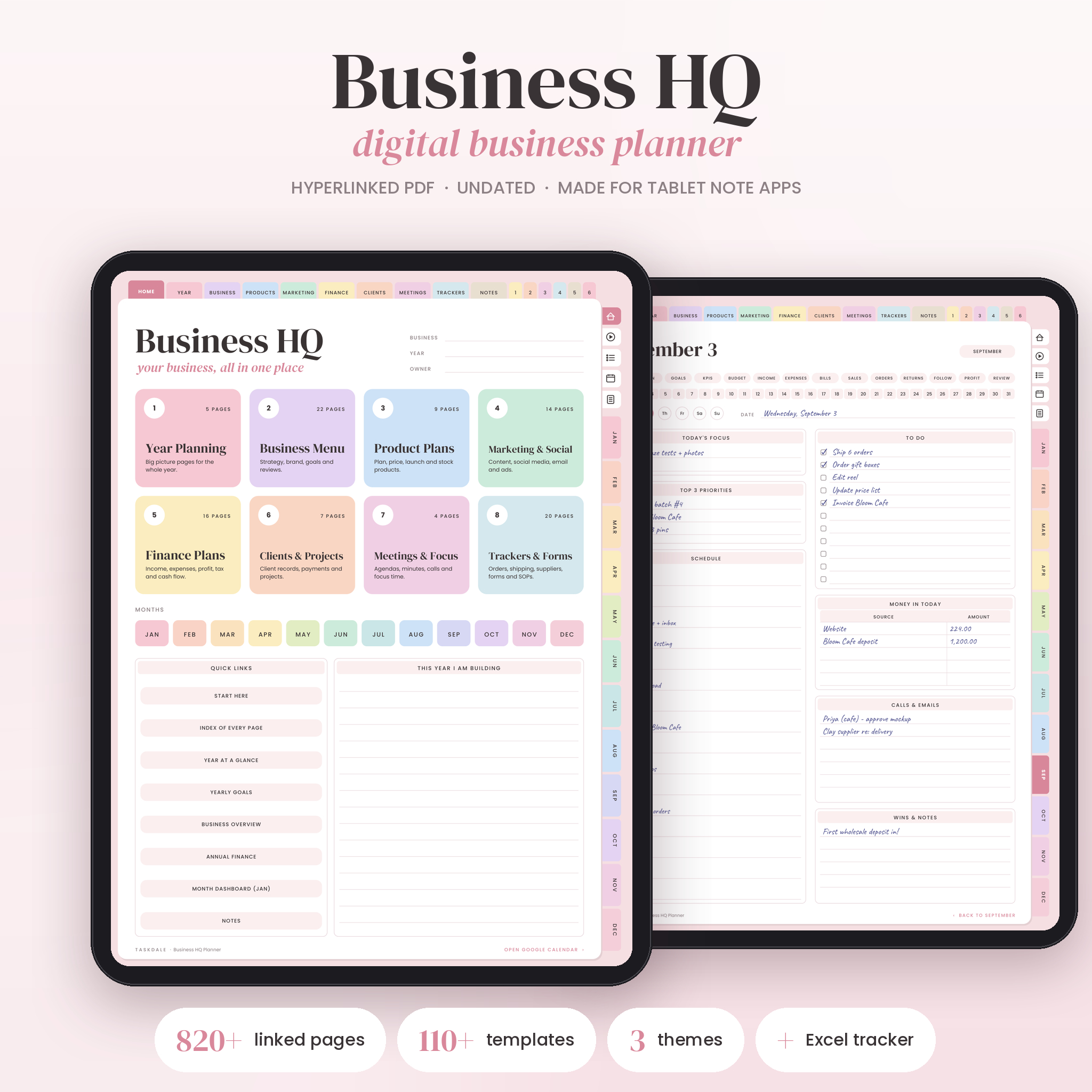


Business HQ is a digital business planner for people who run a small shop, a service business or a side hustle and are tired of keeping plans in five different apps. It’s one undated, hyperlinked PDF that you write in on your tablet. Tap a tab and you’re in Finance. Tap a day number and you’re on that day’s page. Nothing gets lost in a pile of 800 pages.
It also comes with an Excel workbook for the money side, because adding up income by hand at midnight is nobody’s idea of fun.
What the digital business planner does
The planner gives every part of your business a home. Strategy and goals live in the Business menu. Product ideas, pricing and stock live in Products. Content and social media live in Marketing. Income, bills and tax notes live in Finance. Clients and projects have their own section, and so do meetings.
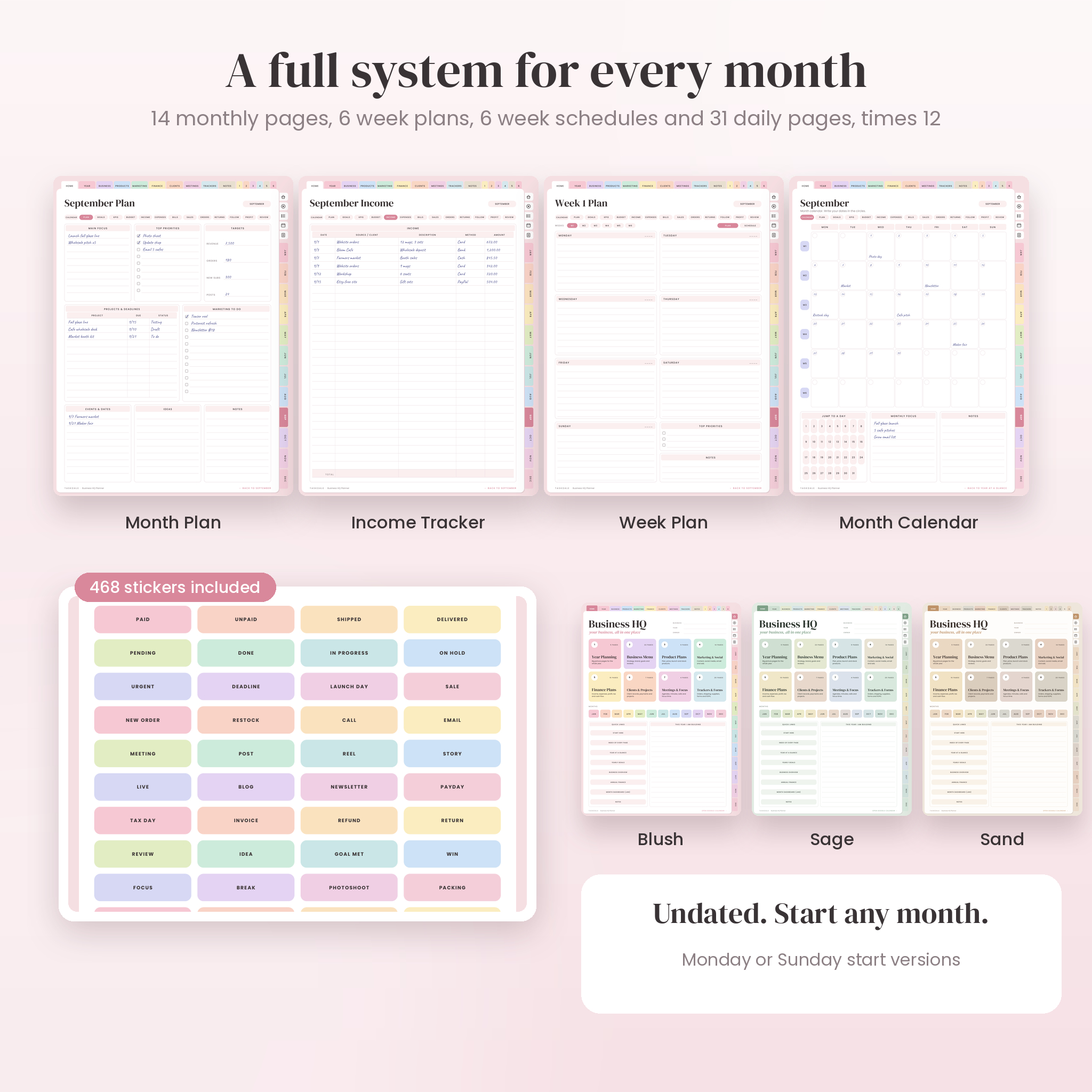
Then there’s the monthly system. Each of the 12 months has a calendar, 13 planning and tracking pages, 6 week plans, 6 week schedules and 31 daily pages. All of it is linked, so moving from your September plan to September 14 takes one tap.
Who it’s for
- Etsy, Shopify and craft market sellers who need to track orders, stock and pricing
- Freelancers, coaches and designers who juggle clients, invoices and projects
- Side hustlers who want a short daily routine that fits around a day job
- New business owners who want prompts and checklists, not blank boxes
Why it’s easier to use than most business planners
A lot of business planners hand you 300 empty tables and wish you luck. Business HQ starts with a Start Here page. It shows you how to move around, sets out a simple rhythm (5 minutes a day, 15 a week, 30 a month), and points you to the right pages whether you sell products or services. Every menu card has a one-line description, so you know what a page is for before you open it.
The pages guide you too. The Product Pricing Worksheet walks through materials, labor, overhead and fees, then gives you the formulas and a quick price check. The Business Health Scorecard has you rate ten areas each quarter and pick one thing to fix.
Features
Navigation
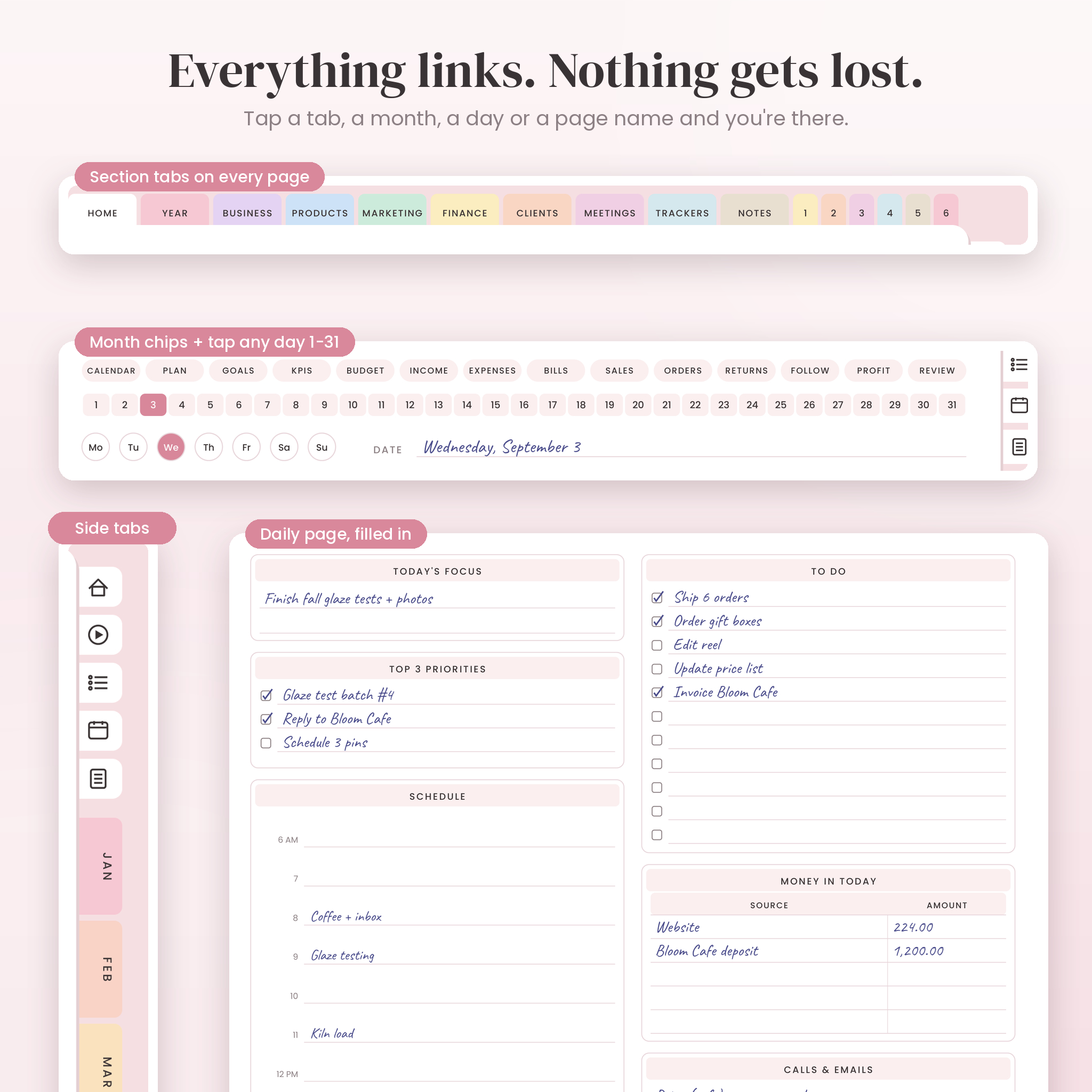
- Section tabs on every page: Year, Business, Products, Marketing, Finance, Clients, Meetings, Trackers, Notes and 6 custom tabs
- Side month tabs, plus Home, Start Here, Index, Year and Notes icons
- Month chips to switch between a month’s 14 pages
- Week buttons and a 1 to 31 day strip on every daily page
- A linked Index of every page, plus PDF bookmarks
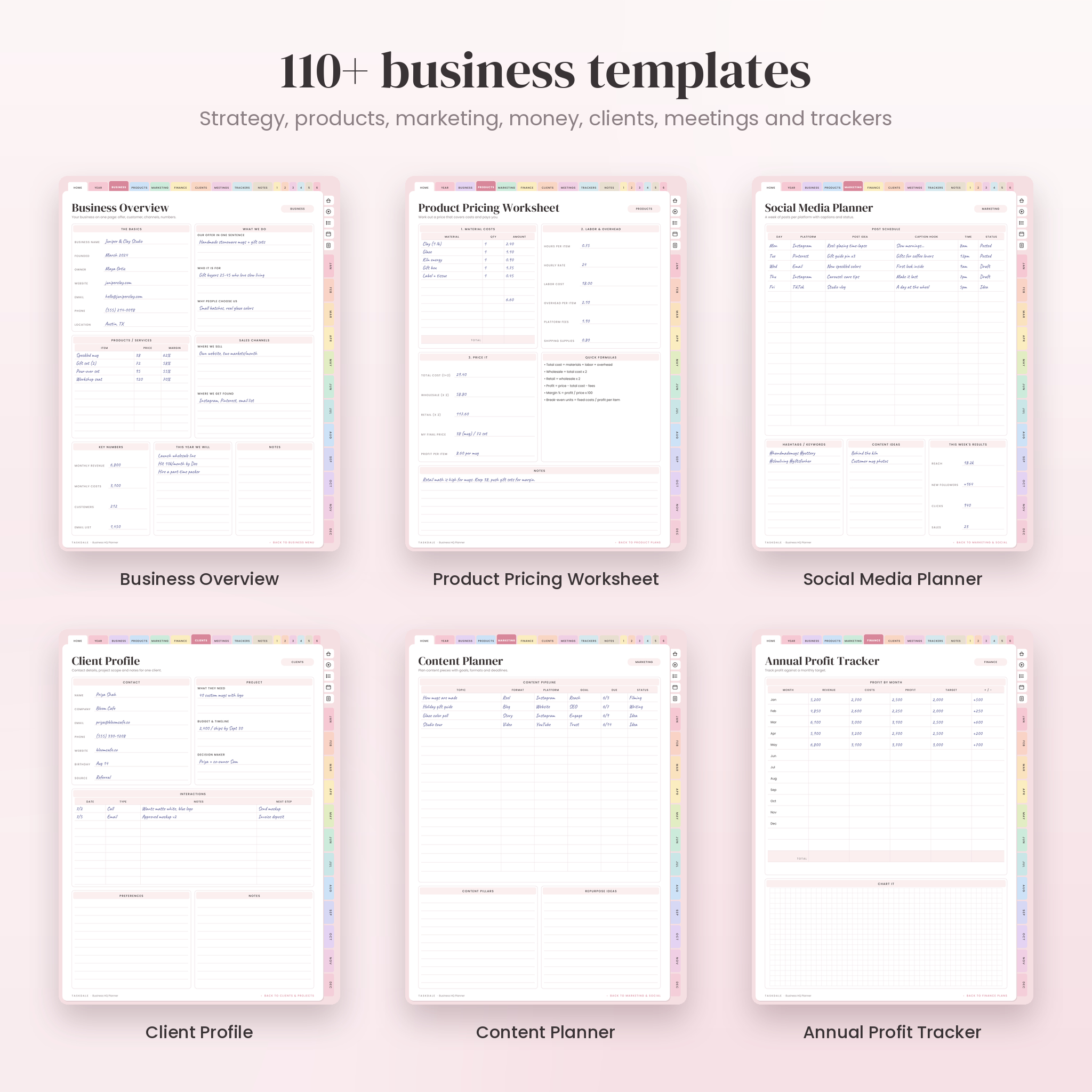
110+ business templates
- Business: overview, mission and vision, brand planning, brand kit, target customer, goal planners, 90-day plan, SWOT, 4 quarter reviews, annual review
- Products: product planner, new product validation, pricing planner, pricing worksheet, inventory, competitor analysis, launch checklist, feedback log
- Marketing: social media planner, weekly social plan, content planner, 30-day content calendar, batch planner, hashtags, ads, email, website and SEO checklist
- Finance: annual finance, profit tracker, income, expenses, bills, ledger, budget, tax deductions, cash flow forecast, break-even worksheet, savings
- Clients: client profile, payments, project planner, onboarding checklist, service packages, project timeline
- Trackers and forms: order form, invoice, orders, returns, shipping, suppliers, time sheet, coupons, mileage, habit tracker, SOP page, task board
Monthly, weekly and daily pages
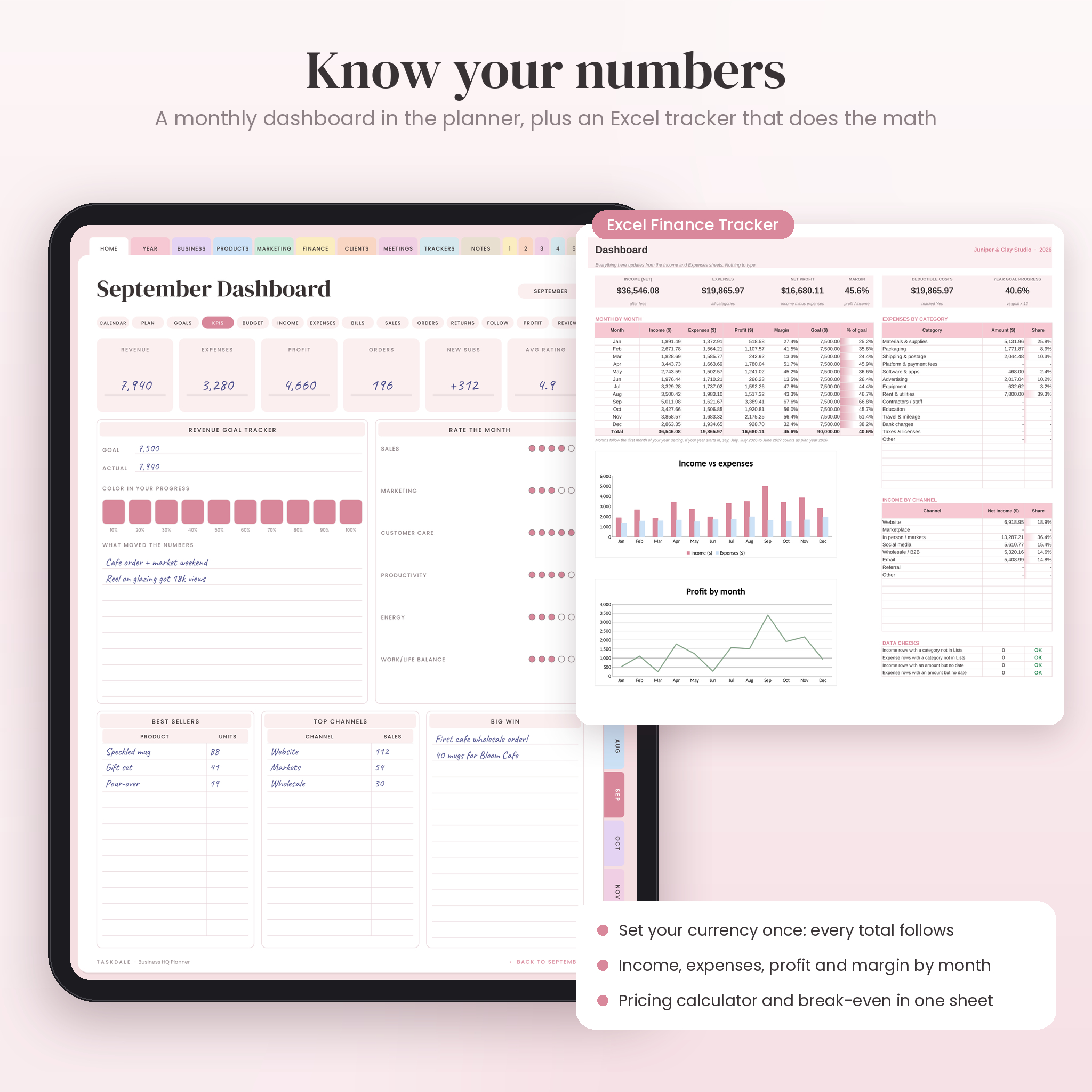
Every month includes a calendar, plan, goals, KPI dashboard, budget, income, expenses, bills, sales, orders, returns, follow-ups, profit and review page. Week plans give each day its own box. Week schedules run 6 AM to 9 PM with a habit tracker. Daily pages cover focus, top 3 priorities, schedule, to-dos, money in, calls and wins.
Excel Finance Tracker
- One currency setting that every money heading and total reads from
- Income and expense logs with dropdown categories you can rename
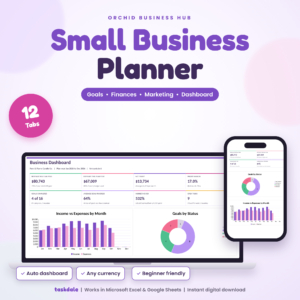
- Dashboard with profit, margin, goal progress, category and channel totals, plus two charts
- Pricing calculator with suggested price, profit per sale and a break-even box
- Formula cells locked (no password) so nothing breaks by accident
What’s included
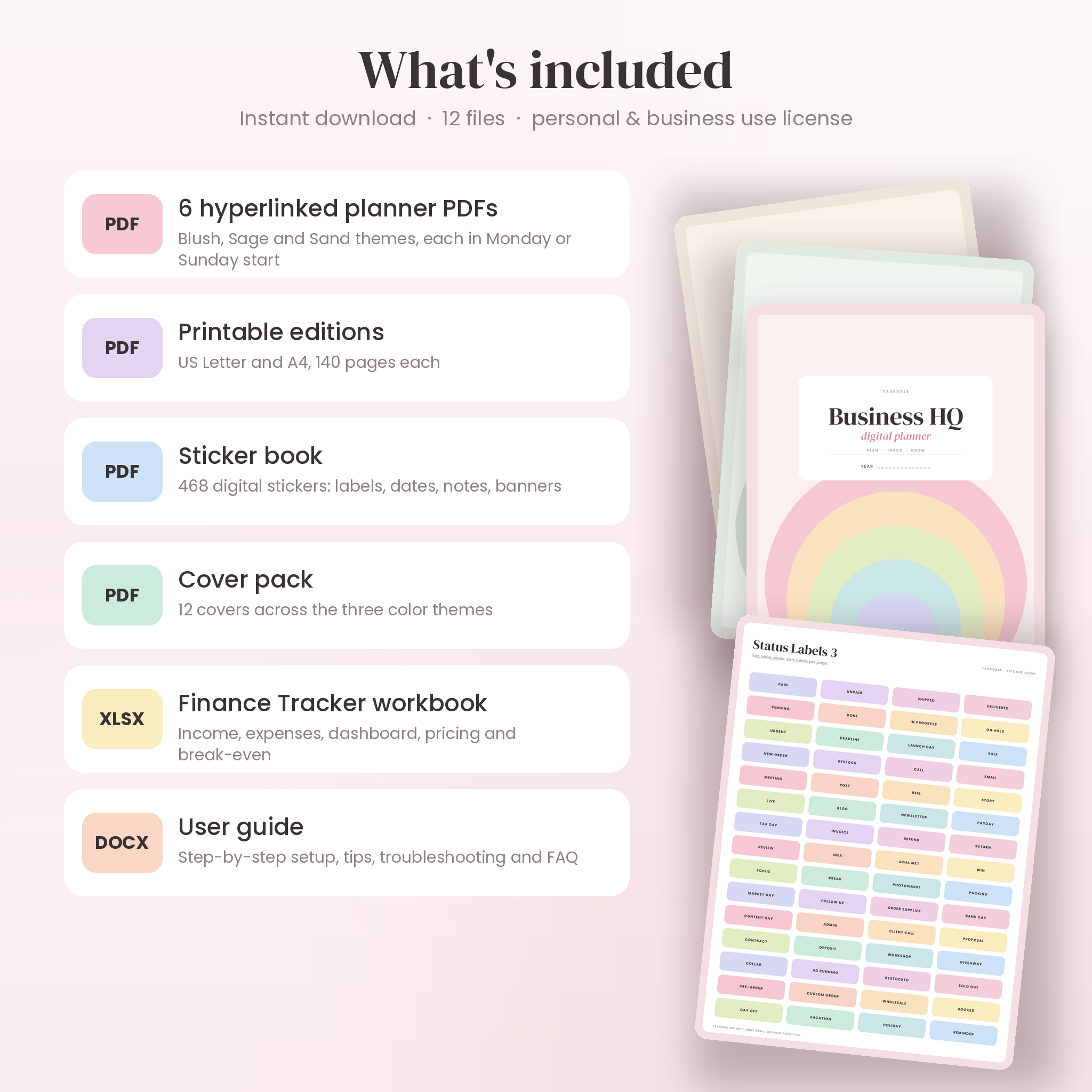
- 6 hyperlinked planner PDFs: Blush, Sage and Sand themes, each in Monday start and Sunday start (824 pages each)
- Printable planner: US Letter and A4, 140 pages each
- Sticker book PDF with 468 digital stickers
- Cover pack with 12 covers
- Business HQ Finance Tracker (.xlsx)
- User guide (.docx) with setup steps, tips, troubleshooting and FAQ
How it works
- Download your files after checkout.
- Pick one planner PDF and import it into your note app.
- Open Start Here, follow the three setup steps, and start planning.
File formats and software
The planner is a standard hyperlinked PDF, sized for tablets. It’s made for note apps that let you write on PDFs and follow links, such as GoodNotes, Notability and Xodo, on iPad, Android tablets or a computer. The Finance Tracker is an .xlsx file built for Microsoft Excel. The guide is a Word .docx file. You’ll need a stylus or a typing tool to write in the planner.
Customization
Choose your color theme and week start. Duplicate any page you need more of. Rename the six custom pages for a client, a launch or a side project. Add stickers, photos or typed notes anywhere. Planner money columns just say Amount, so they suit any currency, and the workbook lets you set your own symbol once.
Use cases
- A candle maker plans a holiday launch, prices a new gift set and tracks market-day sales
- A freelance designer onboards a new client, logs payments and plans next quarter
- A side hustler sets three priorities each morning and reviews the month on the last Sunday
- A new coach maps their offer, sets 90-day goals and batches a month of content
Digital download
This is an instant digital download. Nothing physical is shipped. The license covers personal use and use in your own business. Please don’t share or resell the files.
FAQ
Is this business planner dated?
No. It’s undated, so you can start in any month and use a fresh copy next year.
Does it work with GoodNotes?
Yes. It’s a standard hyperlinked PDF made for GoodNotes, Notability and similar apps. If a link doesn’t respond, switch to read-only mode and tap again.
Can I use it on Android or Windows?
Yes, with a PDF app that supports links and handwriting, such as Xodo.
Can I print it?
Yes. US Letter and A4 printable editions are included.
Does the Excel tracker do the math for me?
Yes. Type in income and expenses, and the dashboard shows totals, profit, margin and goal progress by month.
Can I use my own currency?
Yes. Set your symbol once in the workbook. Planner pages use a neutral Amount column.
Is this a business plan template?
It’s a planner for running the business day to day. It does include a Business Overview, mission, goals and SWOT pages if you want to map out your plan.
Reviews
There are no reviews yet.