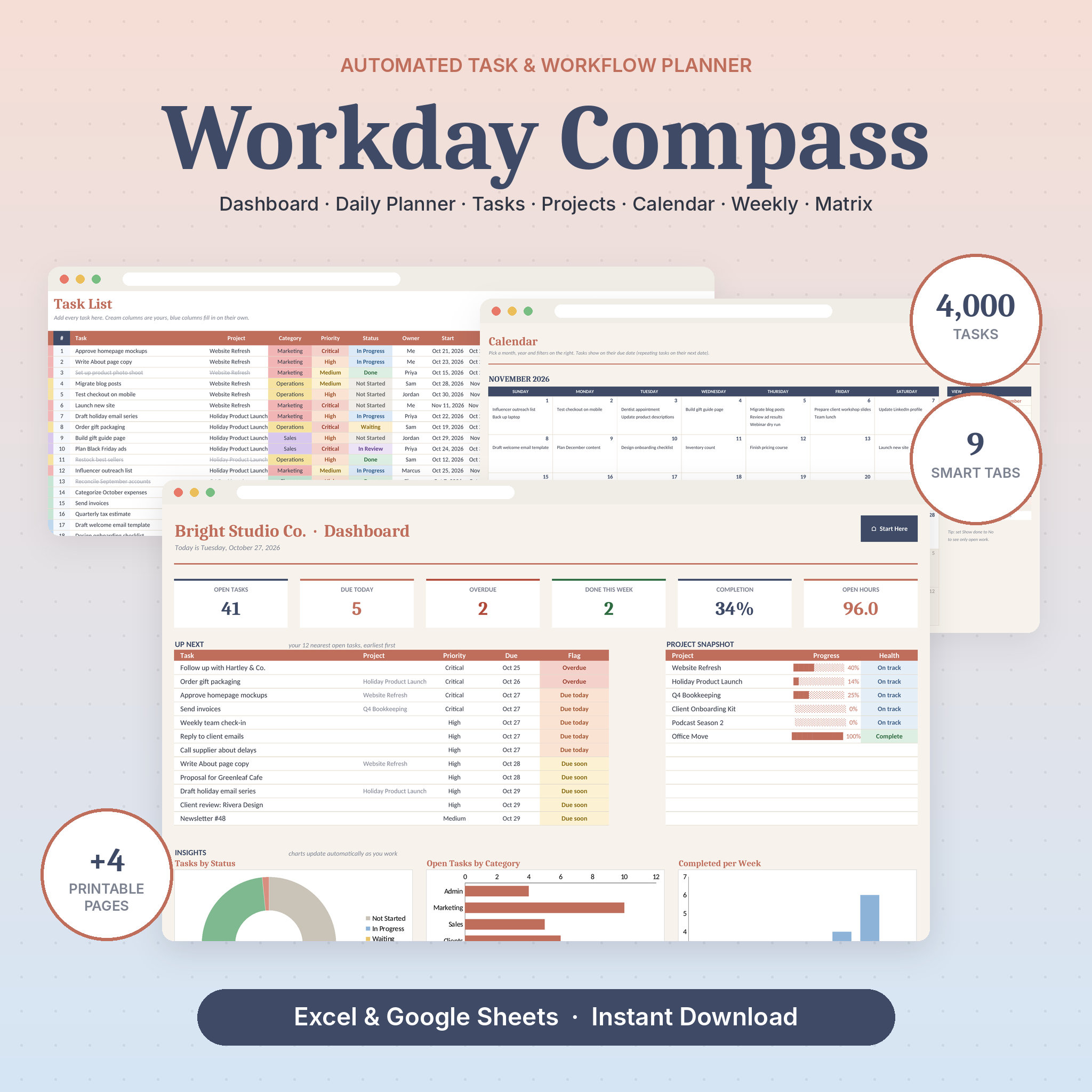
Workday Compass is a task tracker spreadsheet for Excel and Google Sheets that runs your whole workday from one file. You type in tasks. It builds the dashboard, the calendar, the weekly plan and your priority list for you. No macros, no apps to learn, no monthly fee.
It was made for small business owners, freelancers and busy teams who keep losing tasks between sticky notes, inboxes and five half-used apps. Open it on Monday morning and you’ll know exactly what’s late, what’s due today and what can wait.
What This Task Tracker Spreadsheet Does
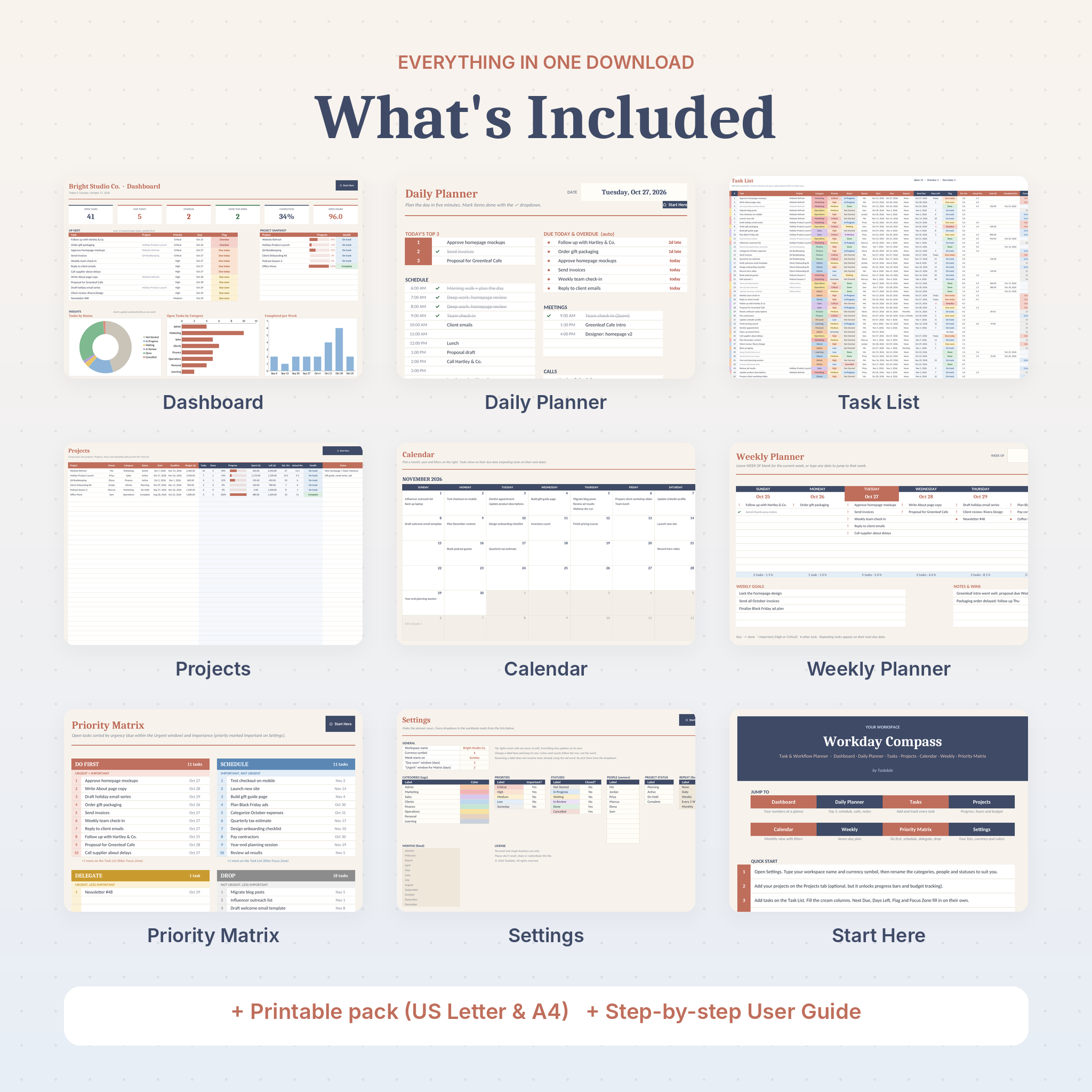
Most to-do lists just hold tasks. This one reads them. Add a task with a due date and Workday Compass works out how many days are left, flags anything overdue, rolls repeating tasks forward, sorts it into a priority box and drops it onto the right day of your calendar. All nine tabs talk to each other, so you only ever type a task once.
Who It’s For
- Solo founders and small business owners juggling clients, admin, sales and marketing
- Freelancers and virtual assistants managing work for several clients at once
- Team leads who need one shared list of who is doing what, and by when
- Anyone who wants a planner they fully own, with no subscription
Main Benefits
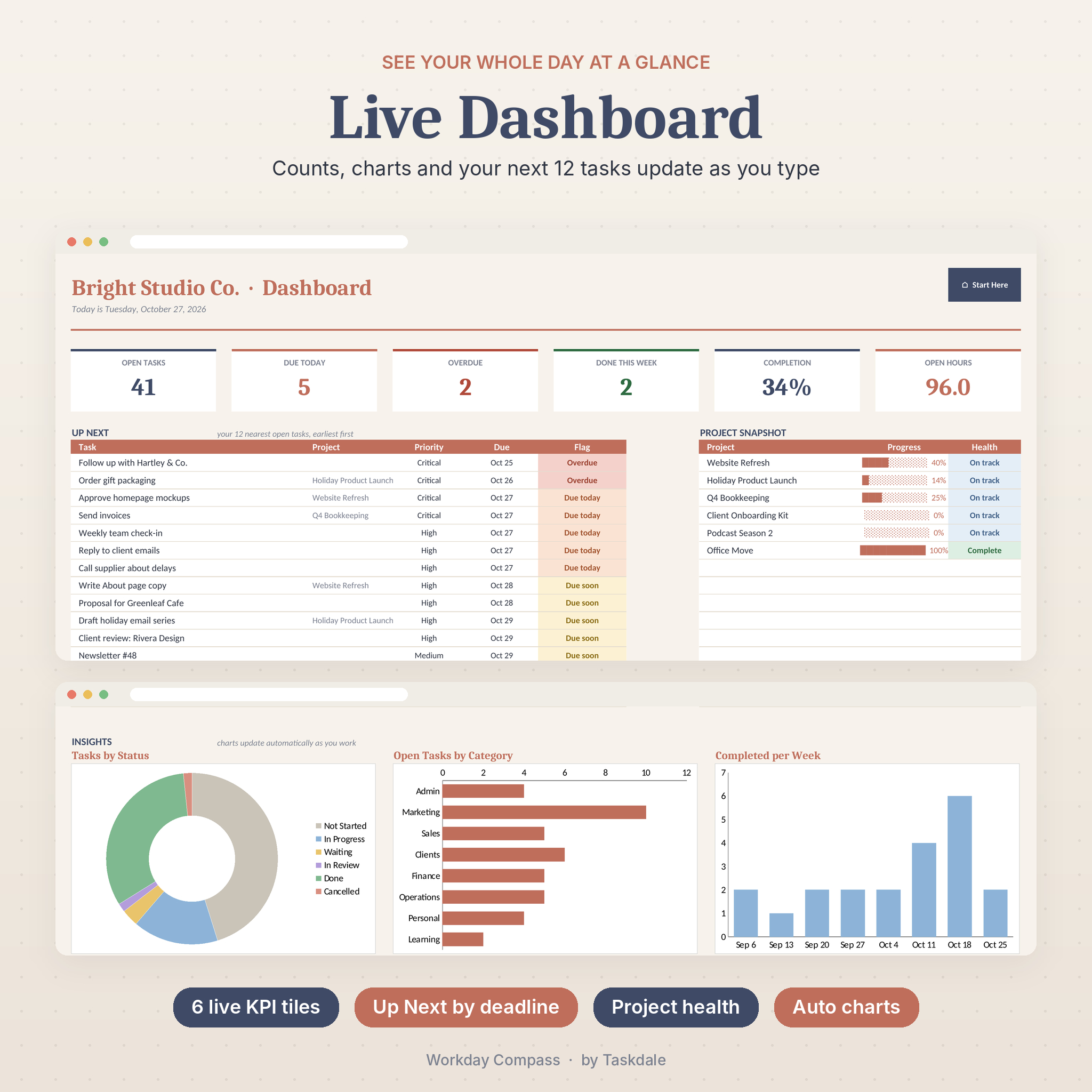
- See your day in seconds. Six live numbers show open tasks, due today, overdue, done this week, completion rate and open hours.
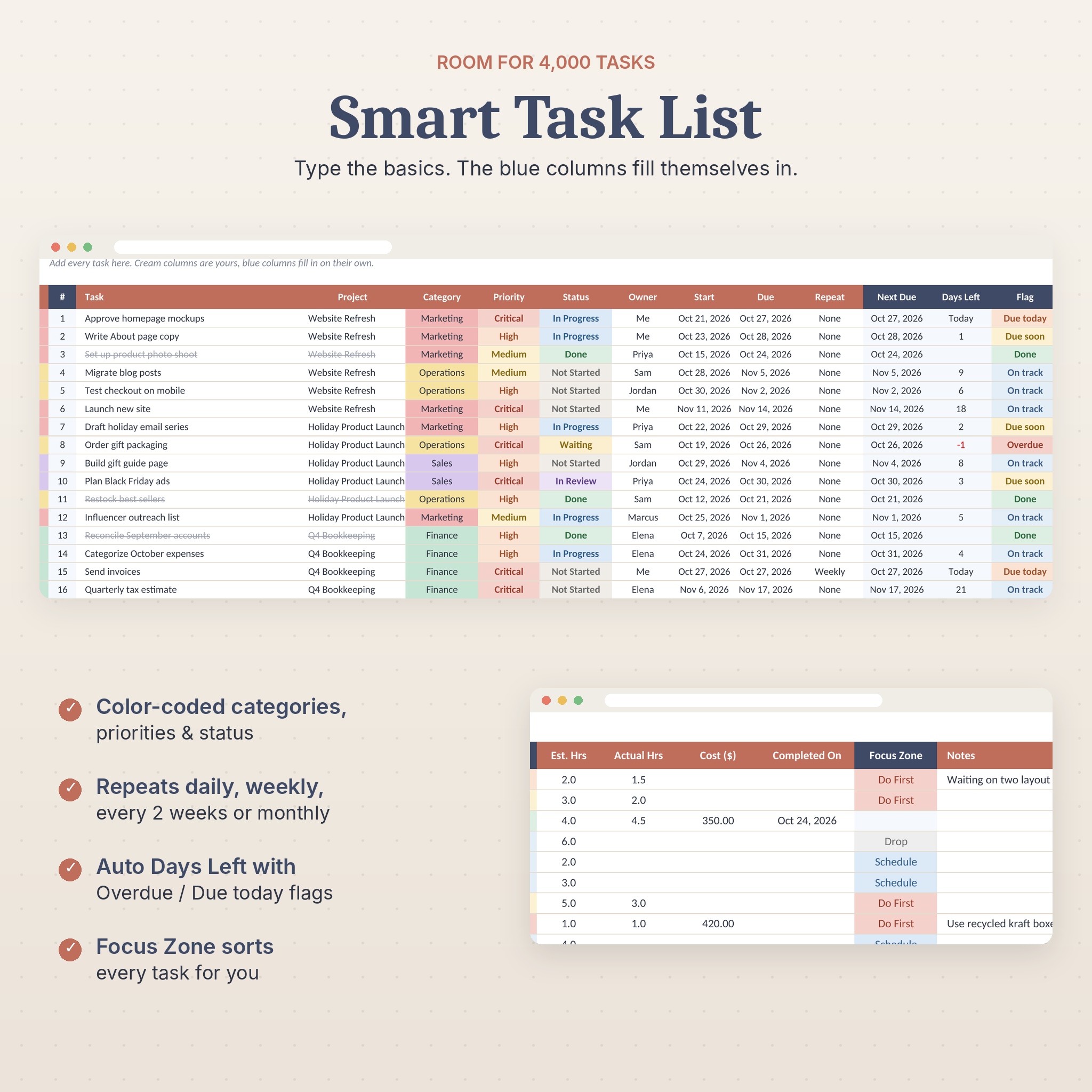
- Stop missing deadlines. Every task gets an automatic flag: Overdue, Due today, Due soon or On track.
- Focus on the right work. The built-in priority matrix splits open tasks into Do First, Schedule, Delegate and Drop.
- Keep projects on budget. Track progress, hours and spending per project, in your own currency.
- Nothing breaks by accident. Formula cells are locked (no password), so you can type freely.
Features
Dashboard
Six KPI tiles, an Up Next list of your 12 nearest open tasks, a project snapshot with progress bars and health, and three charts: tasks by status, open tasks by category and tasks completed per week over the last eight weeks.
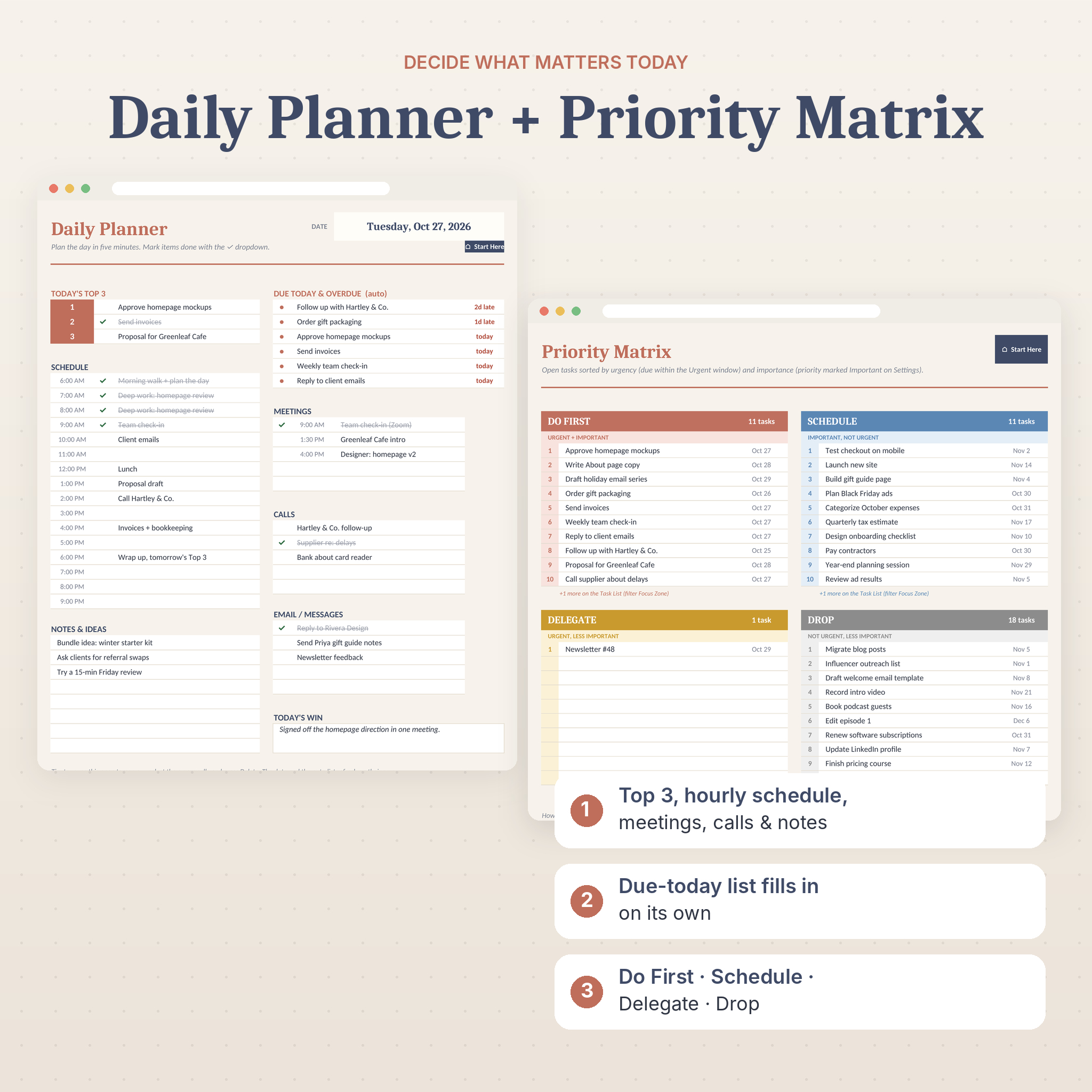
Daily Planner
Today’s Top 3, an hourly schedule from 6 AM to 9 PM, meetings, calls, emails and messages, notes and ideas, and a win of the day. A Due Today and Overdue list fills itself in from your task list and shows how late each item is.
Task List With Room for 4,000 Tasks
Columns for task, project, category, priority, status, owner, start date, due date, repeat, estimated and actual hours, cost, completed date and notes. Automatic columns show next due date, days left, a status flag and a focus zone. Categories get color stripes. Priorities and statuses get their own colors. Filters are built into the header row.
Repeating Tasks
Set a task to repeat daily, weekly, every two weeks or monthly. When the date passes, the next due date rolls forward on its own.
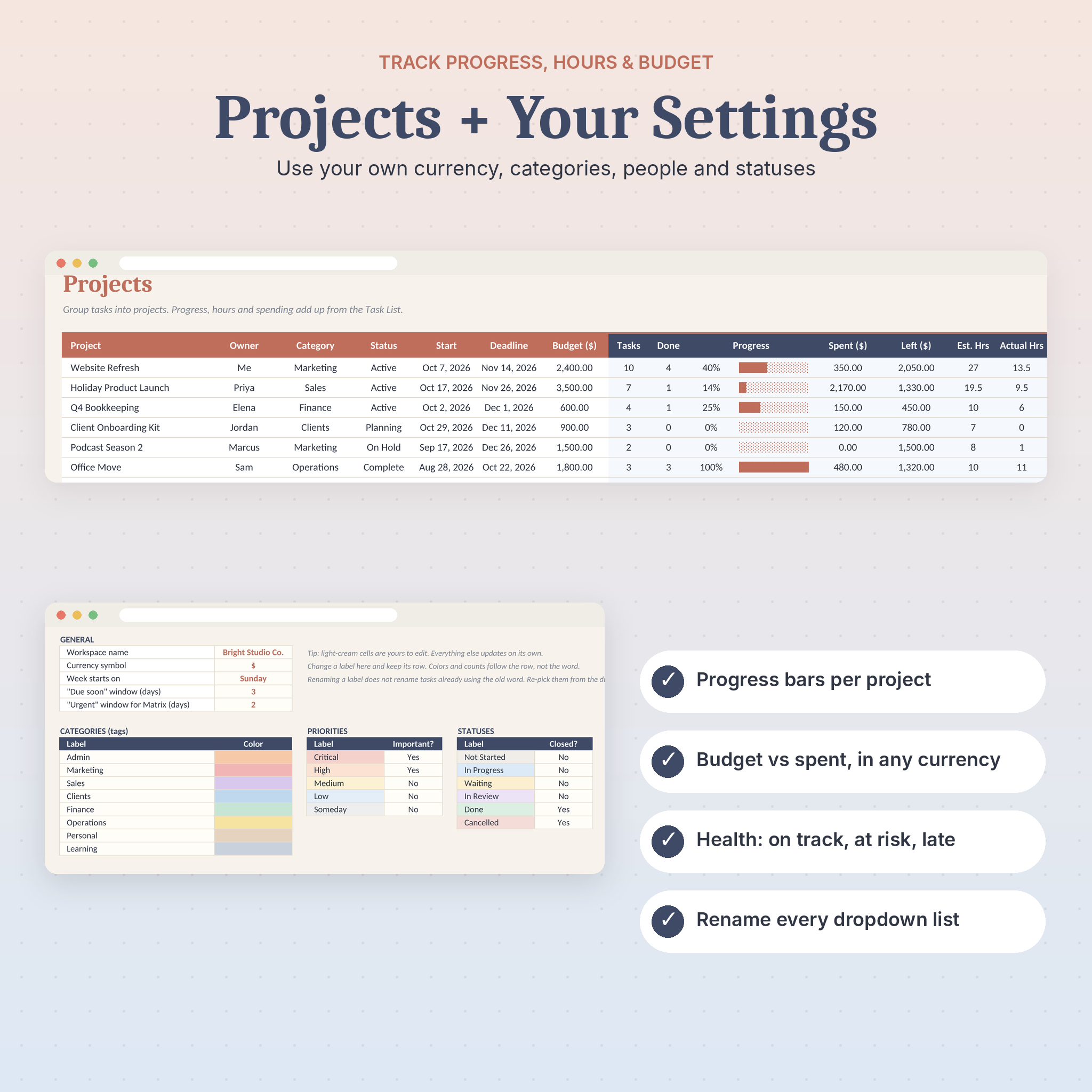
Projects
Up to 40 projects with owner, status, start and deadline. Each one shows tasks done, a progress bar, budget, money spent, budget left, hours and a health flag: Complete, Over budget, Past deadline, At risk or On track.
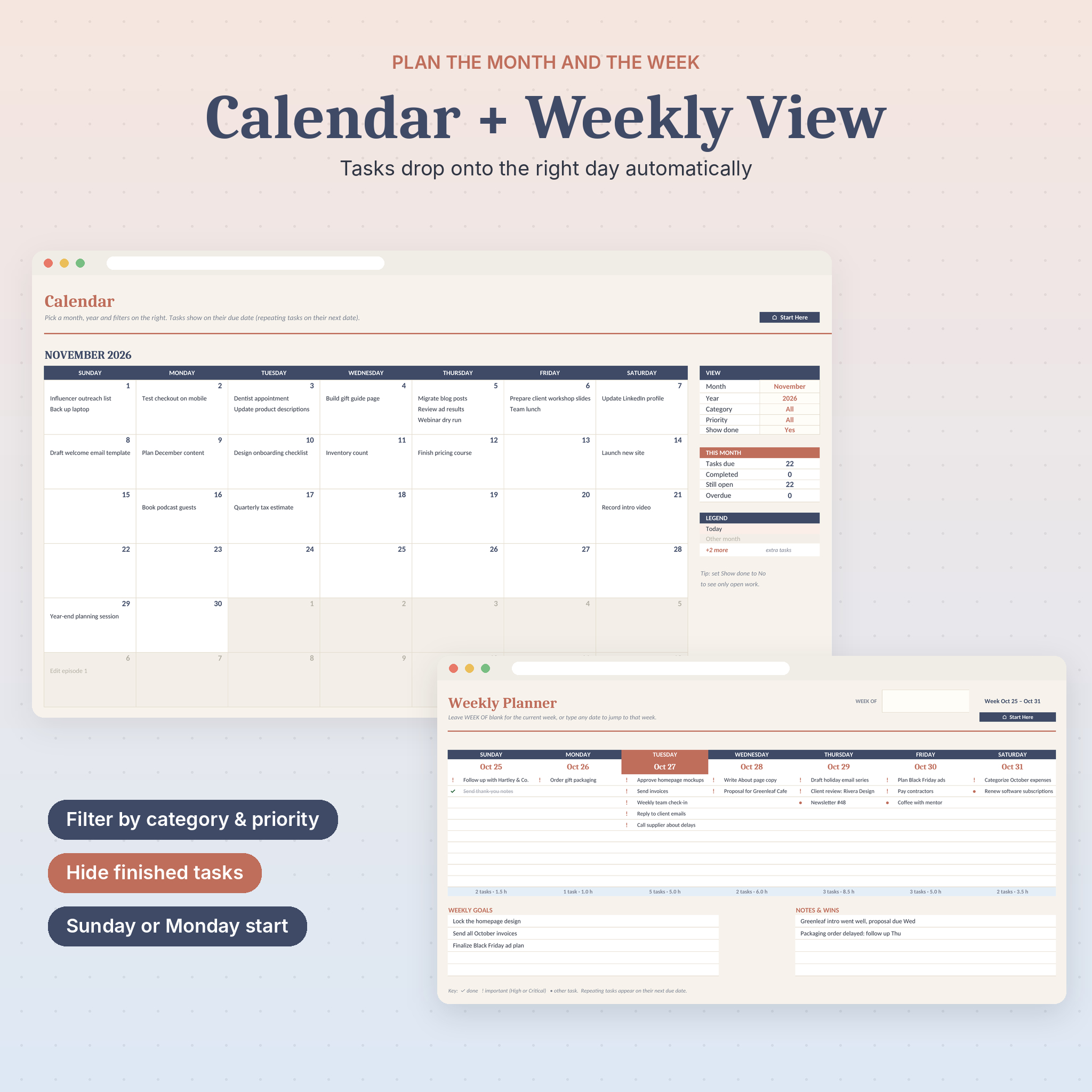
Monthly Calendar
Pick any month and year. Tasks appear on their due dates, with a “+ more” note on busy days. Filter by category or priority, hide finished work, and see a This Month summary beside the grid.
Weekly Planner
A seven-day board with up to 10 tasks a day, marked done, important or other. Each day shows its task count and planned hours. Space for weekly goals and wins sits underneath.
Priority Matrix
An Eisenhower-style matrix filled in automatically, with ten tasks per box and a count of each.
Settings
Your workspace name, currency symbol, Sunday or Monday week start, due-soon and urgent windows, plus editable lists for categories, priorities, statuses, people and project stages.
What’s Included
- Workday Compass Task Planner (.xlsx), nine tabs, starts blank and ready for your tasks
- User Guide (.docx), 17 pages with screenshots, setup steps, troubleshooting and FAQ
- Bonus printable pack (PDF) in US Letter and A4: Daily Focus, Weekly Task Map, Brain Dump Mind Map and Project Planner
- Everything also comes together in one ZIP file
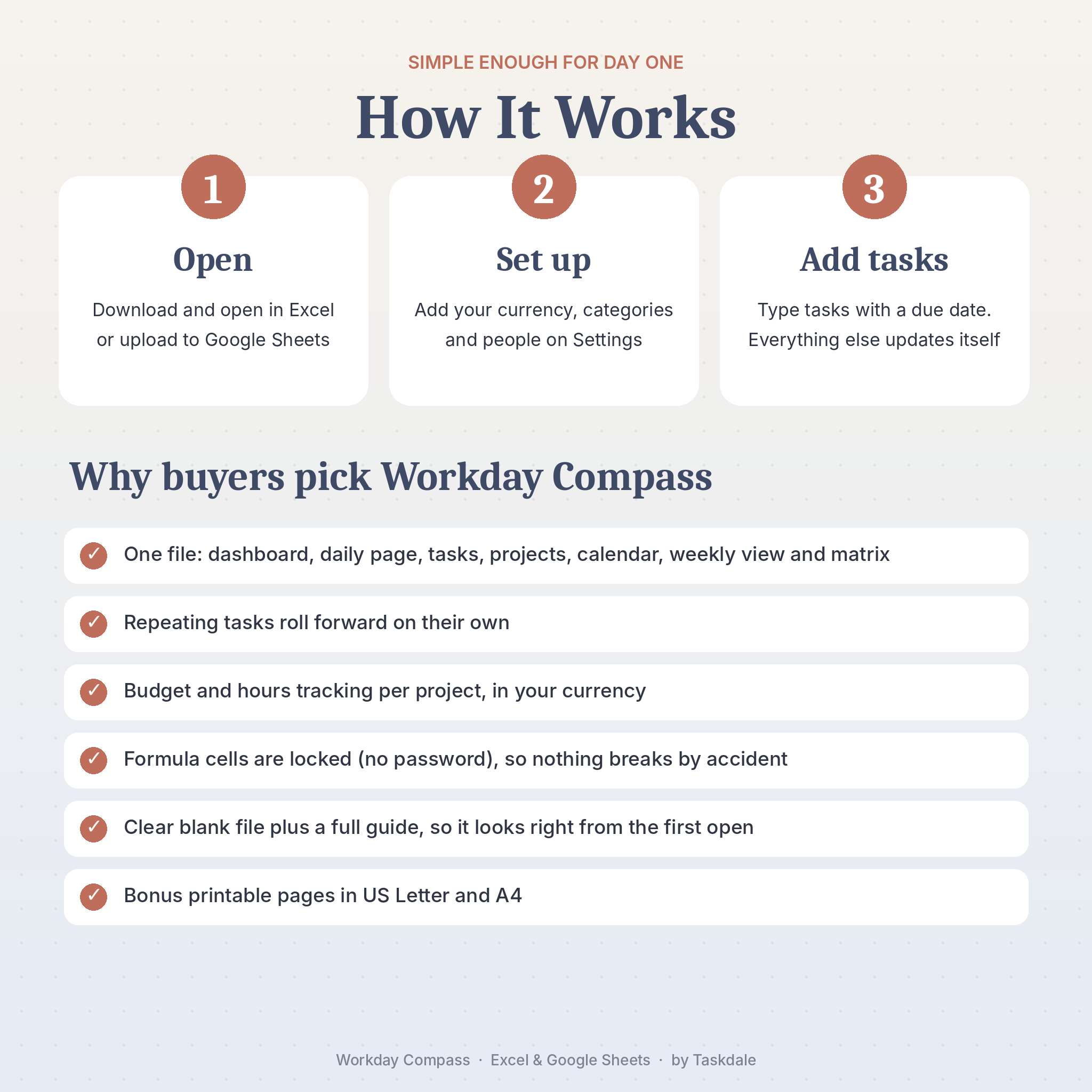
How It Works
- Open. Open the file in Microsoft Excel, or upload it to Google Drive and open it with Google Sheets.
- Set up. On Settings, add your currency, rename the categories and add your team.
- Add tasks. Type tasks with a due date. The dashboard, calendar, weekly view and matrix update by themselves.
File Formats and Software Requirements
- Spreadsheet: .xlsx, works in Microsoft Excel (desktop and Microsoft 365) and free Google Sheets
- Guide: .docx, opens in Word, Google Docs or Pages
- Printables: PDF, US Letter and A4
- No macros, add-ons or scripts. A free Google account is enough for Google Sheets.
- In Google Sheets, move between tabs with the tab bar at the bottom. The jump buttons on the Start Here page work in Excel.
Customization
Change the currency symbol once and every money heading follows it. Rename any dropdown list item. Choose which priorities count as important and which statuses count as finished. Set your week to start on Sunday or Monday. Colors and fonts can be changed after unprotecting a sheet, and there’s no password.
Digital Download
This is a digital product. Nothing will be shipped. Your files are ready to download right after checkout from your order confirmation and your account page.
Use Cases
- A bakery owner tracking orders, supplier calls and weekly bookkeeping in one place
- A freelance designer managing three client projects, each with its own budget and deadline
- A virtual assistant running repeating weekly and monthly tasks for several clients
- A five-person marketing team sharing one Google Sheet to see who owns what
- A side-hustler planning a product launch around a full-time job
FAQ
Does this task tracker work in Google Sheets?
Yes. Upload the .xlsx to Google Drive and open it with Google Sheets. All formulas and charts work there.
Do I need Microsoft 365?
No. It uses standard formulas that work in desktop Excel and in free Google Sheets.
Can my team use it together?
Yes. Share it in Google Sheets or OneDrive and everyone can edit at the same time.
Can I use my own currency?
Yes. Type any symbol on the Settings tab. $ is the default.
How many tasks can it hold?
4,000 tasks and 40 projects per file.
Can I print it?
The Dashboard, Daily Planner, Calendar, Weekly and Priority Matrix tabs are set to print on one page each. You also get four printable planner pages in US Letter and A4.
Can I get a refund?
Because this is an instant digital download, refunds aren’t offered. If something doesn’t work, contact us and we’ll help you get it running.
License
For personal use or use inside your own business. Please don’t resell, share or redistribute the files. Excel is a trademark of Microsoft Corporation and Google Sheets is a trademark of Google LLC. This product isn’t affiliated with either.
Reviews
There are no reviews yet.