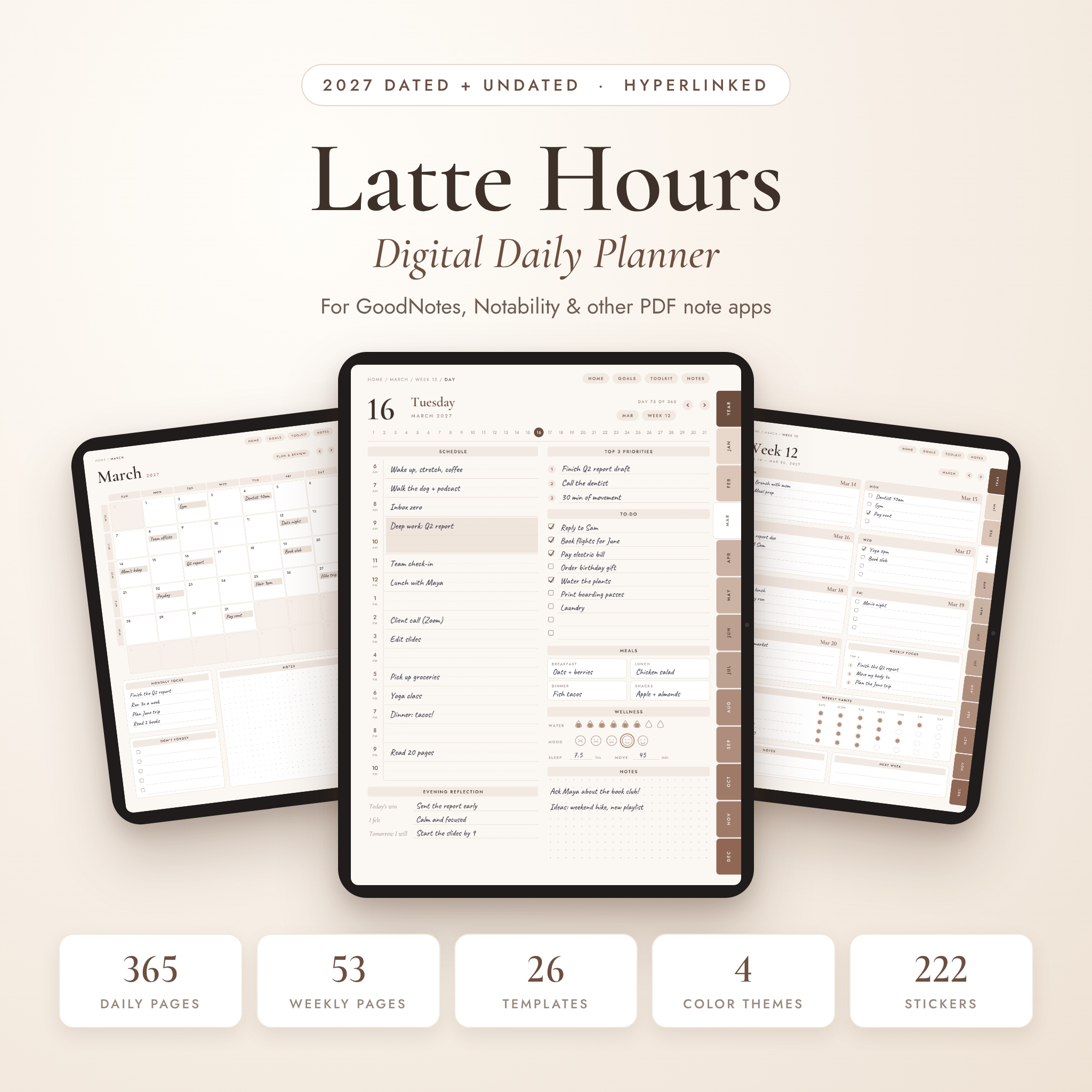
Most days don’t need a complicated system. They need one page that holds the plan, the to-dos and a little room to breathe. Latte Hours is a digital daily planner built around that idea. Open it in GoodNotes, Notability or another PDF note app, tap today’s date, and your whole day is right there.
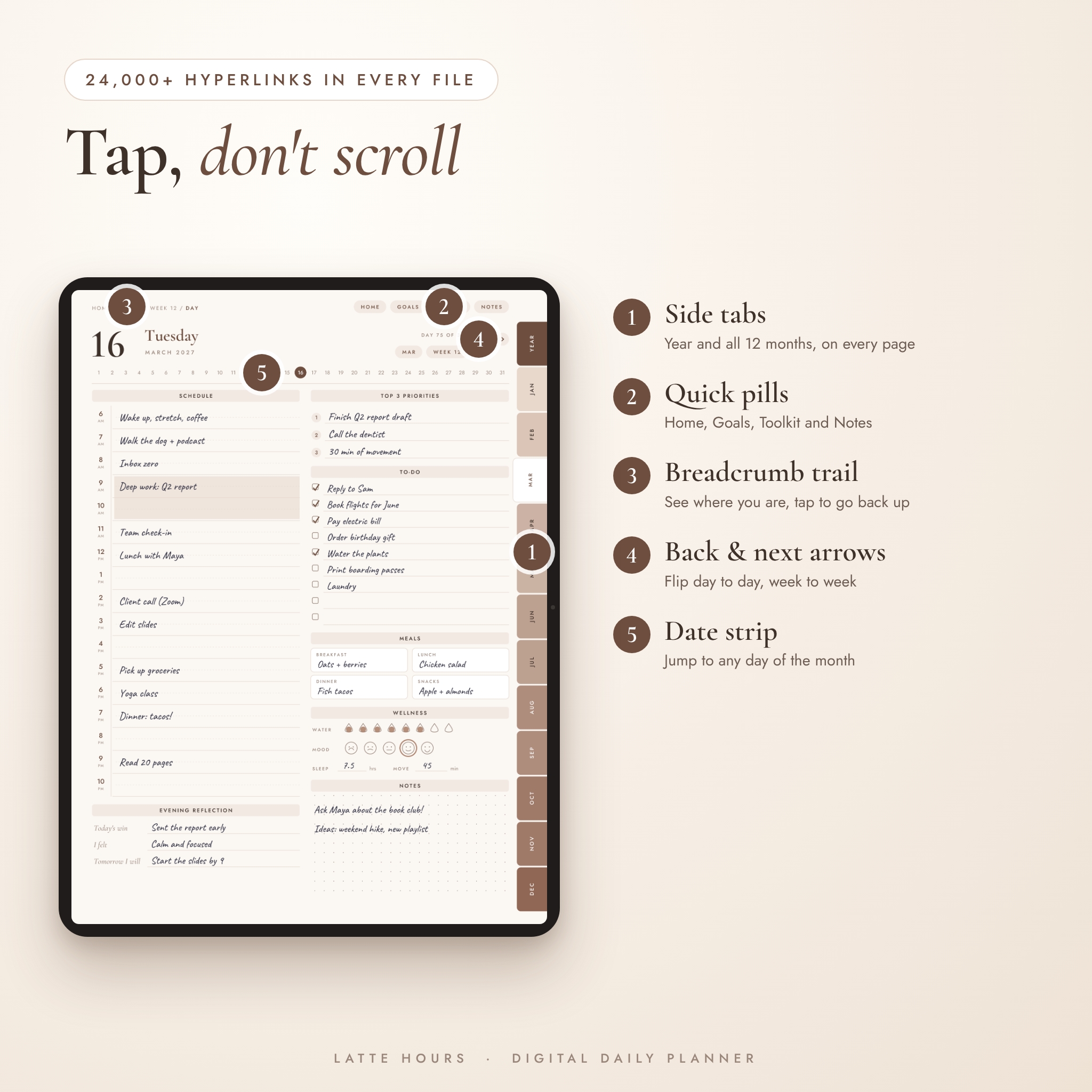
Every page is hyperlinked. Side tabs open the year and each month. Round arrows flip to yesterday or tomorrow. A row of dates under the header jumps to any day of the month. You spend your time planning, not scrolling through almost 500 pages.
What this digital daily planner does for you
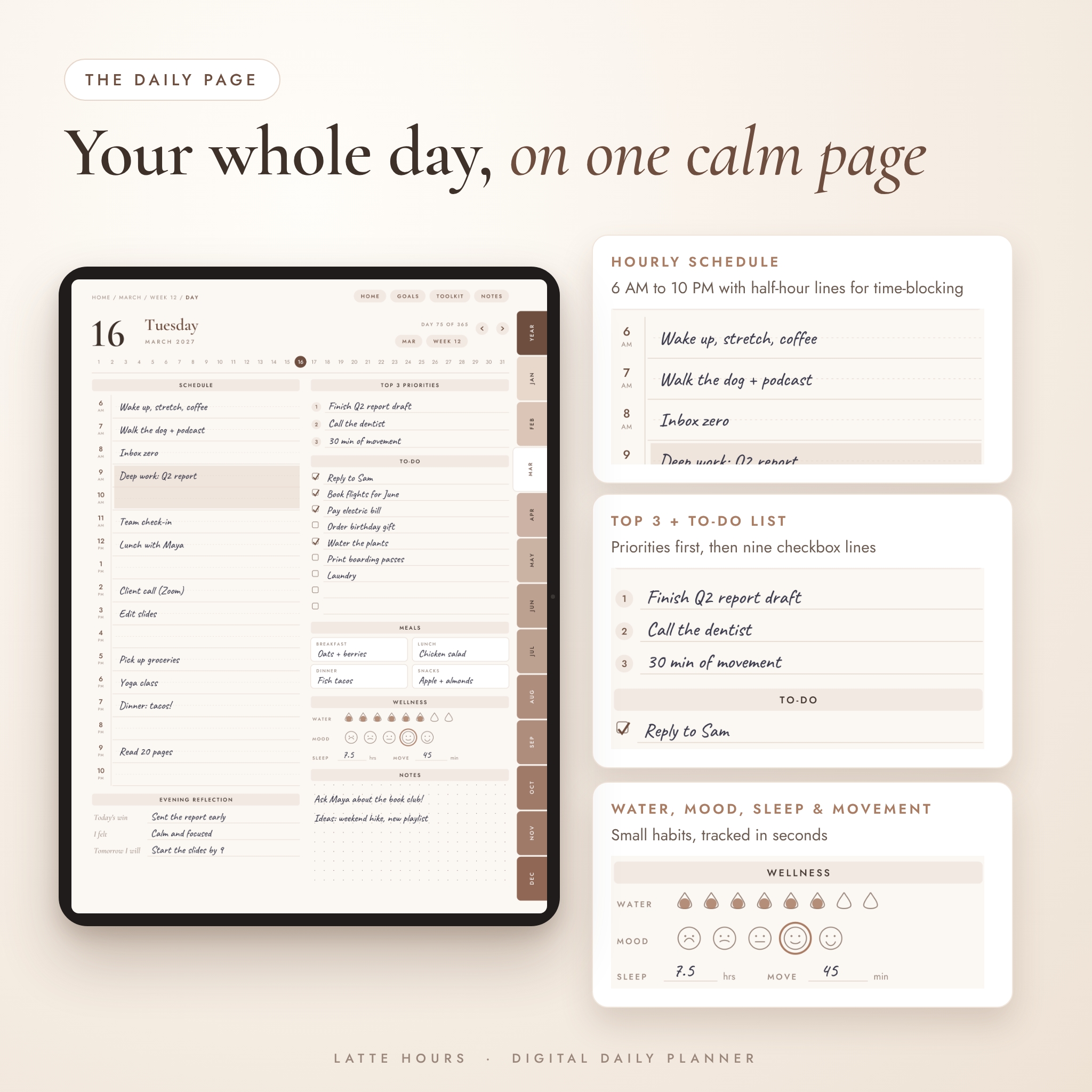
Each daily page has two calm columns. On the left sits an hourly schedule from 6 AM to 10 PM, with faint half-hour lines for time-blocking. On the right you’ll find the things that actually shape a day:
- Top 3 priorities, so the important stuff gets done first
- A 9-line to-do list with checkboxes
- Breakfast, lunch, dinner and snack boxes
- A quick wellness row: 8 water drops, 5 mood faces, sleep hours and minutes of movement
- A dot grid for notes, plus an evening reflection (today’s win, how you felt, tomorrow’s plan)
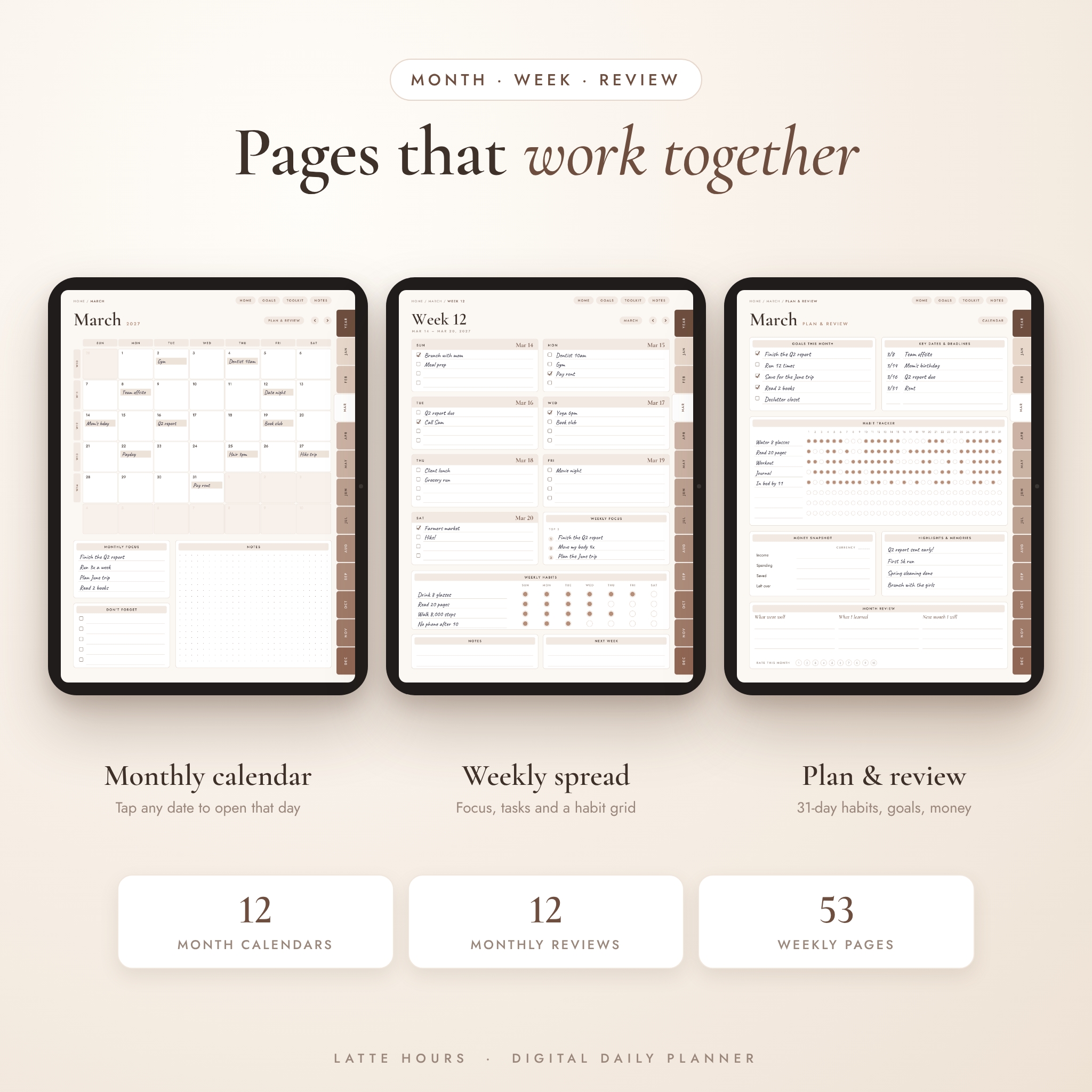
Around the daily pages sit the parts that keep a full year on track. You get a weekly spread for every week, a month calendar for every month and a monthly plan and review page with a 31-day habit tracker. Nothing feels crammed. The soft cream and mocha palette is easy on the eyes, even late at night.
Who it’s for
- Parents juggling school runs, work calls and dinner plans
- Students who want classes, study blocks and deadlines in one place
- Freelancers and remote workers who plan their day hour by hour
- Anyone moving from a paper planner to an iPad or Android tablet
- People who start planning in March or September. The undated version begins whenever you do.
What’s included
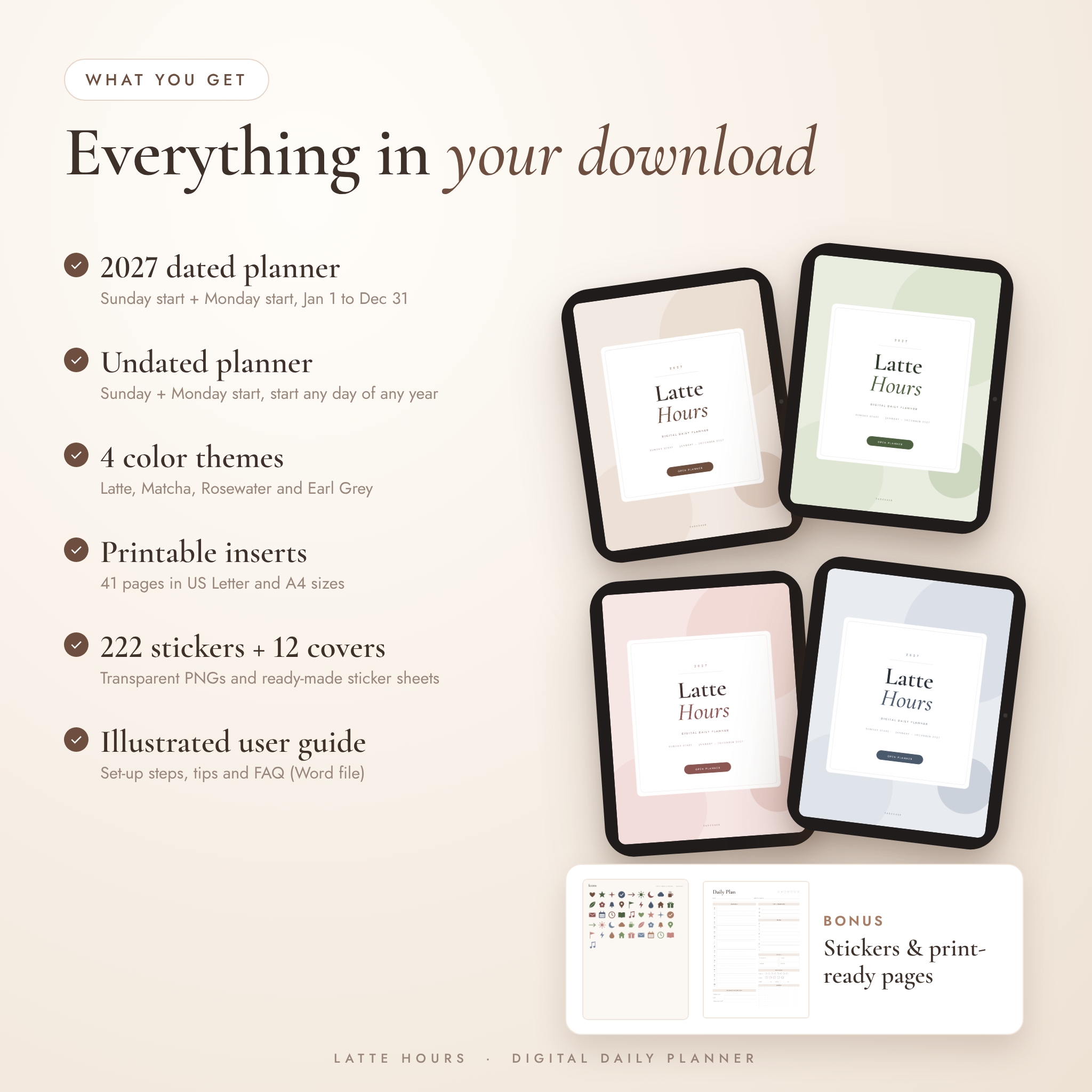
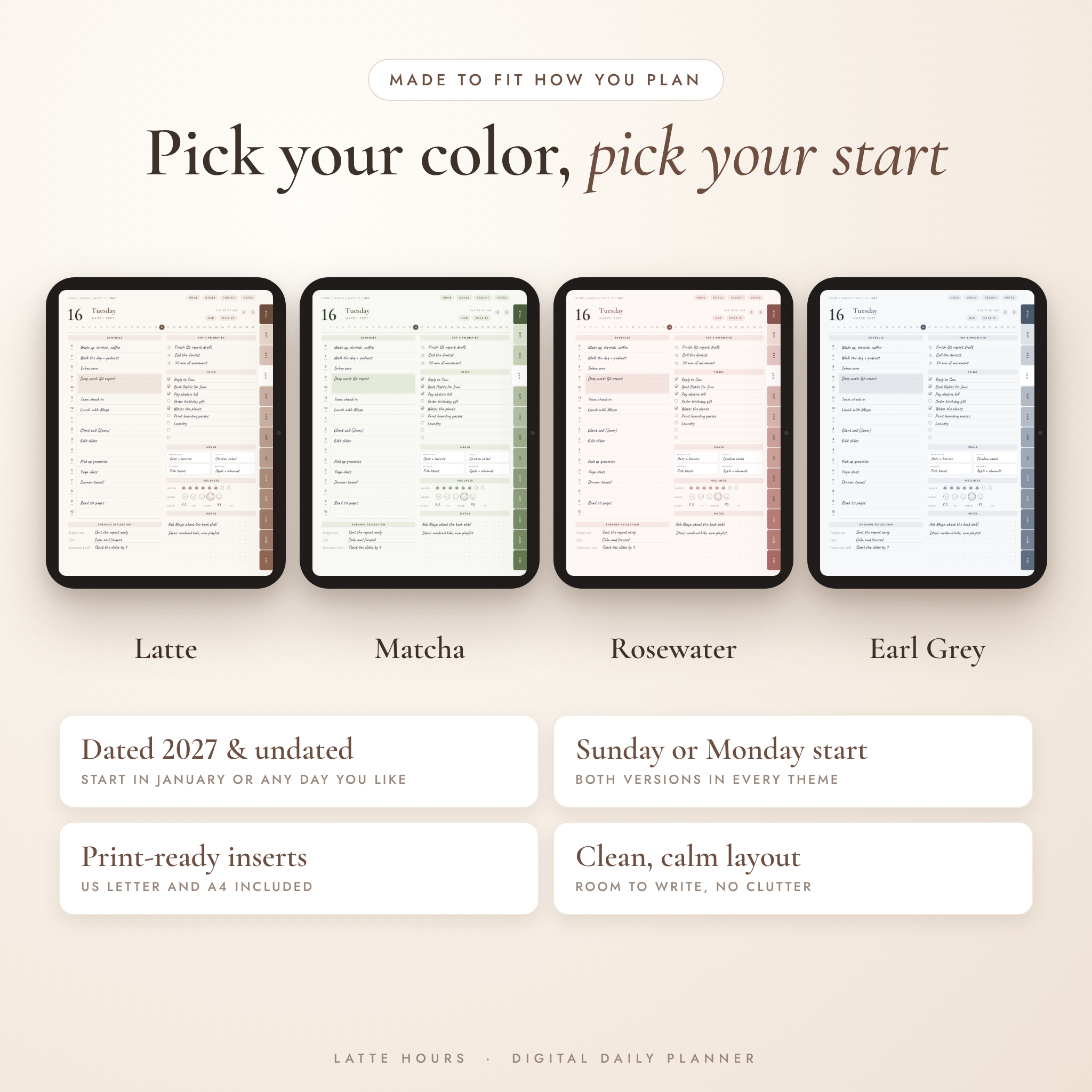
4 color themes
Latte (cream and mocha), Matcha (sage green), Rosewater (blush pink) and Earl Grey (slate blue). Each theme is its own zip with six files:
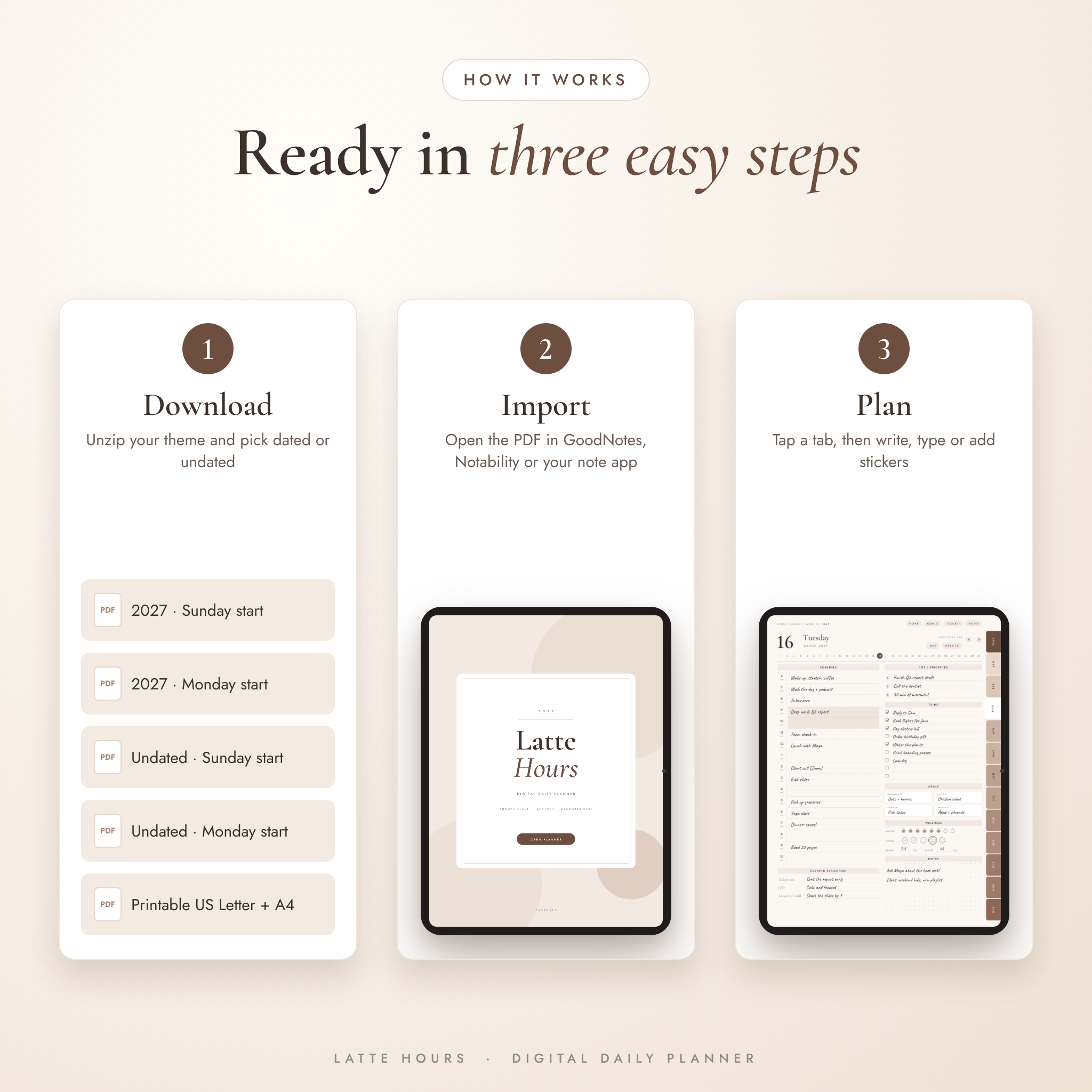
- 2027 dated planner, Sunday start (486 pages)
- 2027 dated planner, Monday start (486 pages)
- Undated planner, Sunday start (494 pages)
- Undated planner, Monday start (494 pages)
- Printable inserts, US Letter (41 pages)
- Printable inserts, A4 (41 pages)
Inside every planner
- Cover, Home dashboard and a built-in how-to page
- Year at a glance, goals across six life areas, a Year in Pixels mood grid and an important dates page
- 12 month calendars and 12 monthly plan and review pages
- 53 weekly pages (60 in the undated version)
- 365 daily pages (366 in the undated version, February 29 included)
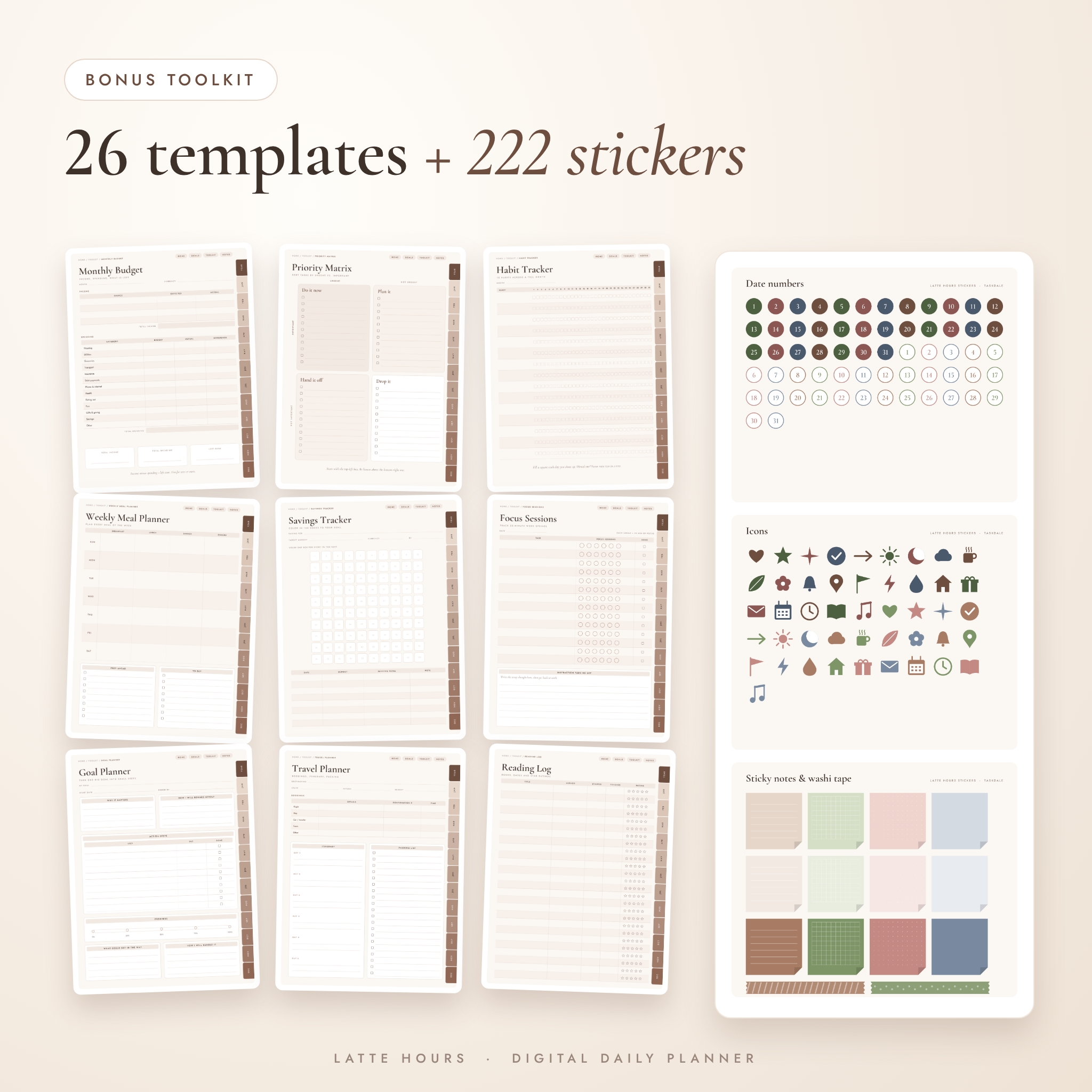
- 26 toolkit templates and 10 notes pages (lined, dot grid, square grid, blank and Cornell)
26 bonus templates
Brain Dump, Goal Planner, Priority Matrix, Focus Sessions, Project Planner, Meeting Notes, Habit Tracker, Mood Tracker, Sleep and Water Log, Workout Log, Self-Care Menu, Gratitude Journal, Journal Page, Weekly Meal Planner, Grocery List, Monthly Budget, Expense Tracker, Savings Tracker, Bill Tracker, Cleaning Schedule, Reading Log, Travel Planner, Birthdays and Gifts, Important Contacts, Bucket List and Vision Board.
Stickers and covers
222 transparent PNG stickers, also laid out on a 7-page sticker sheet PDF. You get 62 date numbers, 14 weekday labels, 12 month banners, 36 word labels (Payday, Bill due, Workout, Date night and more), 12 sticky notes, 12 washi strips, 12 mini planner widgets, 46 icons, 8 highlighter strips and 8 page flags. There are also 12 alternate cover images, three designs in each theme color.
Illustrated user guide
A 17-page Word guide with screenshots. It walks you through setup, navigation, stickers, printing, troubleshooting and common questions.
How it works
- Download the zip for the theme you like (or all four) and unzip it.
- Import the PDF into your note app as a new document.
- Tap Open Planner on the cover. Home links to every section.
- Switch to read or hand mode when you tap links, then pick up your pen and write.
File formats and what you need
- Planners: hyperlinked PDF with portrait 3:4 pages that suit iPads and most Android tablets. Over 24,000 internal links per file.
- Printables: PDF in US Letter (8.5 x 11 in) and A4, with half-inch margins and a white background to save ink.
- Stickers and covers: PNG files plus a PDF sticker sheet.
- Guide: DOCX, which opens in Word, Google Docs or Pages.
- You’ll need: a tablet and a note app that opens PDFs and follows internal links, such as GoodNotes, Notability, Noteshelf, Xodo or Samsung Notes. A stylus is handy but not required. Text boxes work too.
Make your hyperlinked daily planner your own
Pick one theme or mix them, say Matcha for home and Earl Grey for work. Money pages leave the currency blank, so you can write $, £, € or your own symbol once at the top. Need more meeting notes or budget pages? Duplicate any toolkit or notes page in your app. Stickers let you mark paydays, birthdays and appointments at a glance.
Real ways to use it
- Sunday night reset: fill in the weekly spread, then tap each day box to set up the week ahead.
- Morning check-in: write your top 3 and block out your hours before the inbox gets you.
- Workday: keep meeting notes and a project planner one tap away from today’s page.
- Month end: rate the month from 1 to 10, look at your habit streaks and set next month’s goals.
- Away from the tablet: print the daily insert for a trip, a fridge door or a desk.
Digital download
This is an instant digital download. Nothing is shipped. Your files are ready on the order page and in your email right after checkout. The license covers personal use only, so please don’t share or resell the files.
FAQ
Does this daily planner work with GoodNotes?
Yes. It’s a standard hyperlinked PDF, which GoodNotes imports as a new document. The same goes for Notability, Noteshelf, Xodo and Samsung Notes.
Can I use it on an Android tablet?
Yes. Open it in an Android note app that supports PDF links, such as Xodo or Samsung Notes.
Is it dated or undated?
Both. You get a 2027 dated version and an undated version, each in Sunday and Monday start.
Can I print it?
Yes. Every theme includes 41 printable pages in US Letter and A4.
Why aren’t the links working?
Most apps only follow links in read or hand mode. Leave pen mode, then tap.
Can I add more pages?
Yes. Duplicate any page in your note app. Add extra pages at the end so the links stay in place.
Is this a physical planner?
No. It’s a digital file you download. Nothing is mailed.
Reviews
There are no reviews yet.