If you host on Airbnb or VRBO, your payout emails tell you what hit the bank. They don’t tell you how full the calendar really was, what each booking site kept, or whether last month made money once the cleaner and the bills were paid. A simple Airbnb spreadsheet template fixes that in about ten minutes a week. Below you’ll find a free one you can download right now, plus a step-by-step way to set it up and the numbers worth watching.
Download the free Airbnb spreadsheet template
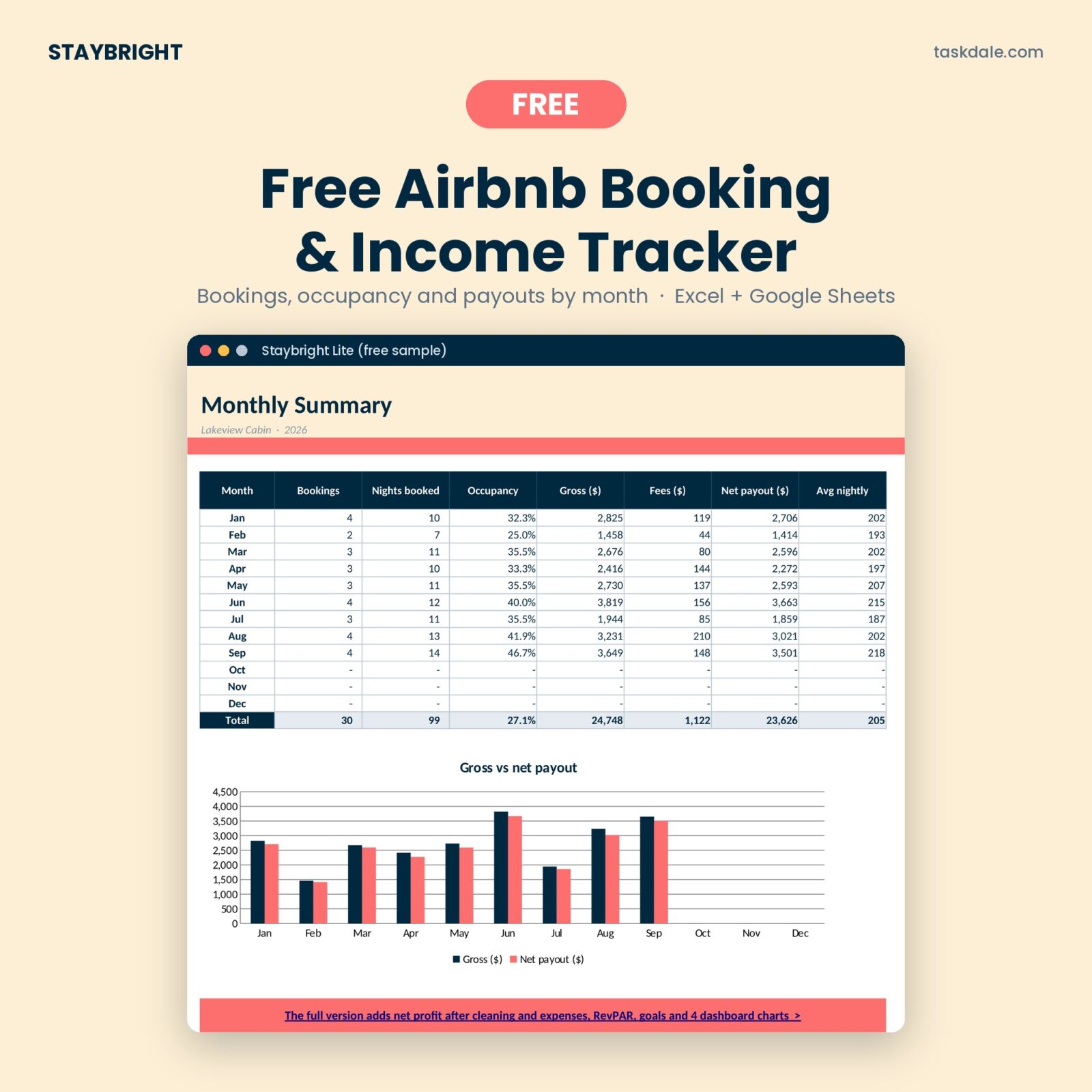
Staybright Lite is a free Excel workbook that also opens in Google Sheets. Enter your stays and it works out nights, guest totals, platform fees, net payouts and your average nightly rate, then rolls everything up into a monthly summary with a chart. Enter your email and the download starts straight away.
Free Airbnb Booking & Income Tracker (Staybright Lite)
A free Excel and Google Sheets tracker for one short-term rental: log up to 30 bookings and see nights booked, occupancy, gross, platform fees and net payout by month, with a chart. Upgrade to the full Staybright tracker for the dashboard, calendar, turnovers, cleaner pay, expenses and 5 properties.
Want everything unlocked?
The free file is a sample. The full version has every page, tab and feature, plus the user guide.
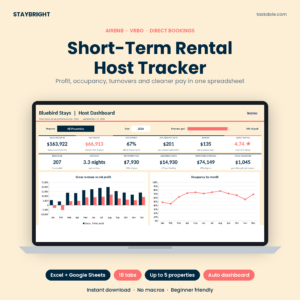
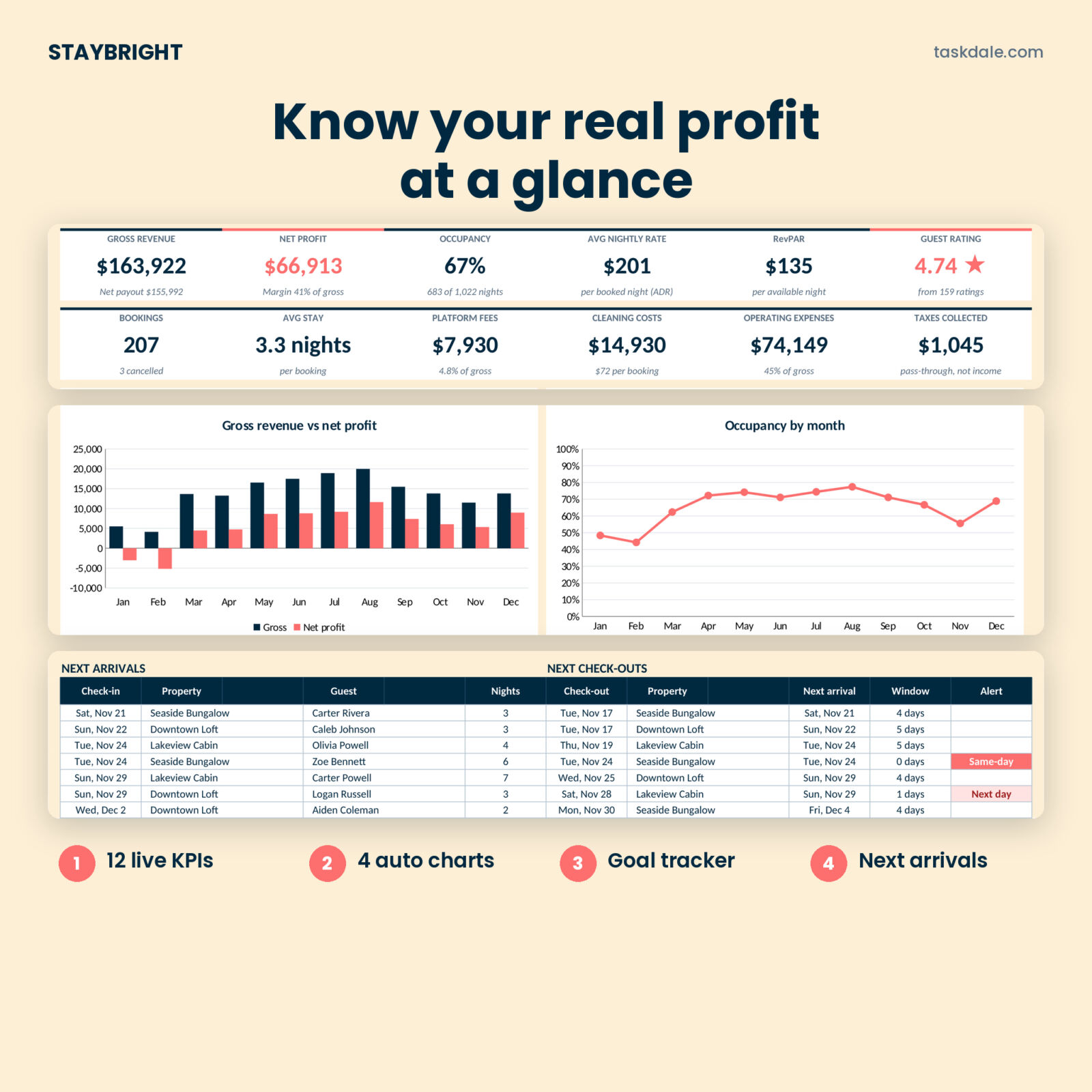
See the full versionRunning more than one listing? The full Staybright STR Host Tracker adds a profit dashboard, booking calendar, turnover planner, cleaner pay, expenses and up to 5 properties.
What a good Airbnb spreadsheet should track
You don’t need fifty columns. You need the few that answer the questions you actually ask. Here’s what matters most for short-term rental hosts:
- Every booking. Channel, guest, check-in, check-out and what the guest paid for the nights, the cleaning fee and any extras.
- Platform fees. Airbnb, VRBO, Booking.com and card processors all take a cut, and the cut differs. Track it per booking so you can compare.
- Net payout. The guest total minus the fee. This is the number to match against your bank.
- Occupancy. Booked nights divided by the nights you were open. A stay from January 30 to February 2 should add two nights to January and one to February.
- Average nightly rate (ADR). What you really earn per booked night, which is rarely your listed price.
- Costs. Cleaning, supplies, utilities, repairs, mortgage or lease. Without these, you’re tracking revenue, not profit.
How to set up the free template in 4 steps
1. Open it in Excel or Google Sheets
In Excel, double-click the file and click Enable Editing if you see the yellow bar. In Google Sheets, upload the file to Google Drive, then right-click it and choose Open with Google Sheets.
2. Fill in Settings
Type your property name and your currency symbol. Then check the fee percentage for each channel against your own account. Fee plans vary by host, country and listing, so it pays to look rather than guess. The template comes with example rates you can overwrite.
3. Log your bookings
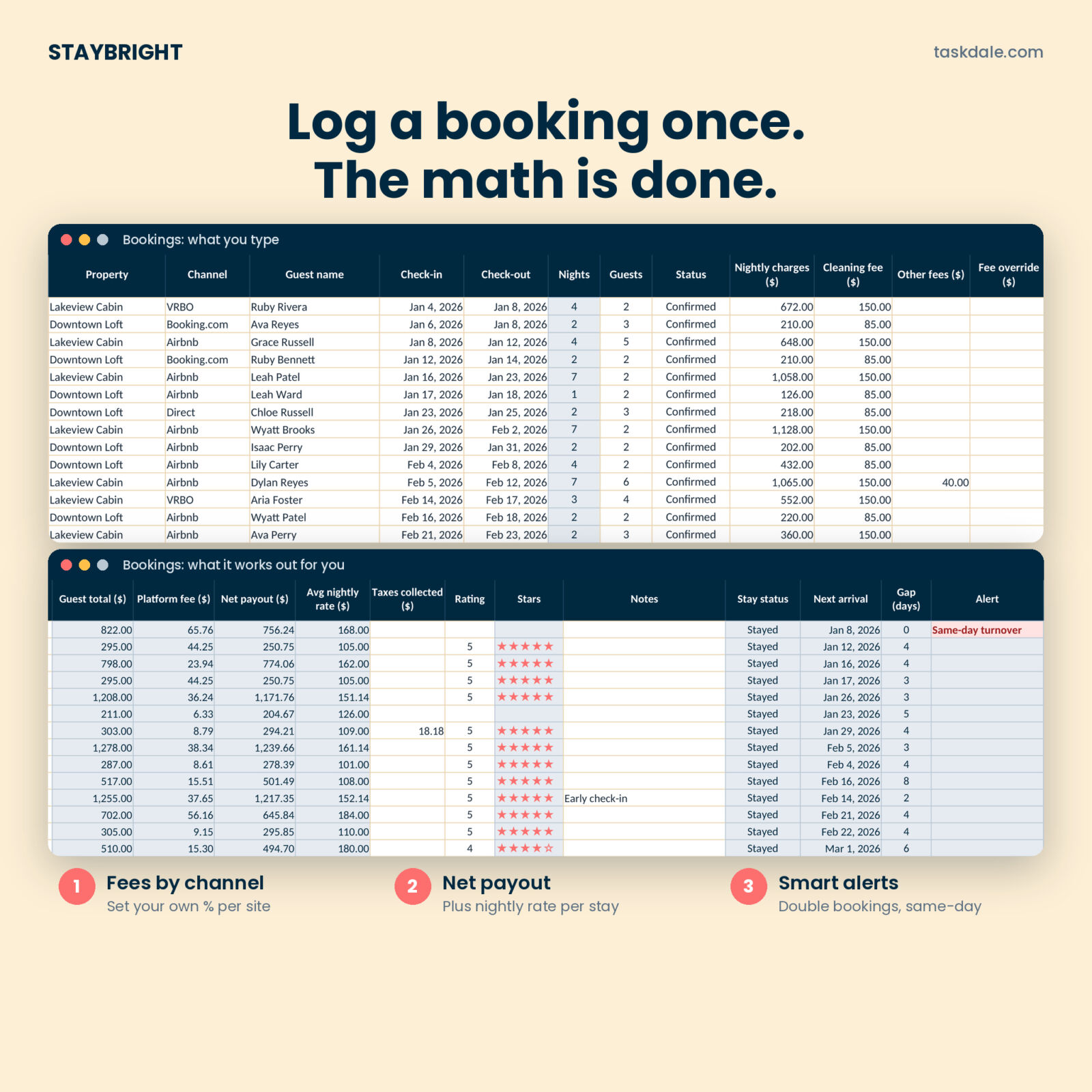
One row per stay. Pick the channel, type the guest name and dates, then the total charged for the nights (not the per-night price) and the cleaning fee. The blue columns fill in: nights, guest total, platform fee, net payout and average nightly rate. They’re locked so a stray keystroke can’t break them.
4. Read the Monthly Summary
The summary groups everything by month: bookings, nights booked, occupancy, gross revenue, fees and net payout. The chart shows gross next to payout, so you can see at a glance which months the fees bit hardest.
Three numbers to check every month
Occupancy vs last month
A drop of ten points in a month you’d normally fill is your signal to look at pricing, photos or minimum stays before the next slow stretch arrives.
Your real fee per channel
Divide total fees by total gross for each booking site. If one site takes three or four times what another does, it may be worth nudging repeat guests to book direct next time.
Average nightly rate vs your listed rate
Discounts for longer stays, last-minute price drops and weekly rates all pull ADR down. Seeing the real number stops you budgeting on the price you hoped for.
Free template vs the full Staybright tracker
The free version is perfect for one listing and up to 30 bookings. Once you’re juggling turnovers, cleaners and bills, the full Staybright STR Host Tracker does the heavy lifting.
| Feature | Free Lite | Full Staybright |
|---|---|---|
| Properties | 1 | Up to 5 |
| Booking rows | 30 | 500 |
| Platform fee and net payout per booking | Yes | Yes, plus per-booking override |
| Monthly summary | Yes | Monthly P&L with goals |
| Dashboard with 12 KPIs and 4 charts | No | Yes |
| Double-booking and same-day turnover alerts | No | Yes |
| Booking calendar and full-year heatmap | No | Yes |
| Turnover planner and cleaning log | No | Yes |
| Cleaner pay: earned, paid and owed | No | Yes |
| Expenses and net profit | No | Yes, 1,000 rows |
| Property and channel comparison | No | Yes |
| Tax-time summary, supplies, maintenance, checklist | No | Yes |
How to keep turnovers from slipping
Missed or rushed turnovers are where hosts lose five-star reviews. A few habits help:
- Log the clean when you log the booking. Put the check-out date in your cleaning schedule the moment a reservation lands.
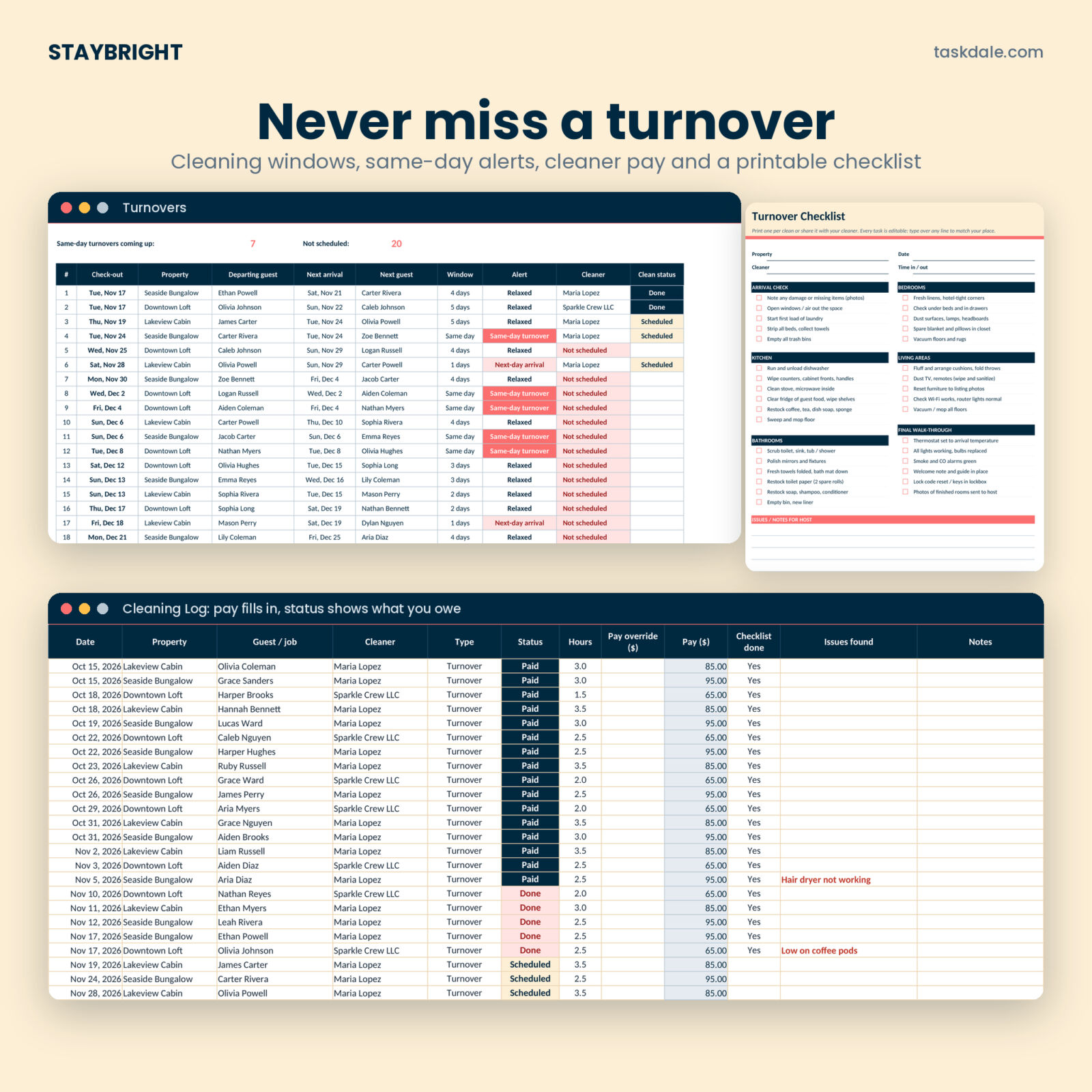
- Flag same-day turnovers. When a guest leaves at 11 and the next arrives at 3, your cleaner needs to know days ahead, not that morning.
- Track what you owe. Mark each clean Done when it happens and Paid when you settle up. End-of-month pay stops being a guessing game.
- Use a checklist. The same list every time means the coffee gets restocked and the smoke alarm gets checked.
The full tracker does all four for you: its Turnovers tab lists your next 25 check-outs with the next arrival at the same place, highlights same-day turnovers in coral, and shows “Not scheduled” until a clean is logged. A printable checklist is included.
Frequently asked questions
Is the Airbnb spreadsheet template really free?
Yes. Enter your email above and the download starts. There’s no trial timer and nothing to cancel.
Does it work in Google Sheets?
Yes. Upload the .xlsx to Google Drive and open it with Google Sheets. It uses standard formulas only.
Does it connect to my Airbnb account?
No. You type or paste your bookings, which keeps your data in your own file.
Can I use it for VRBO and direct bookings?
Yes. Airbnb, VRBO, Booking.com and Direct are set up, each with its own fee percentage you can change.
Get your free template and grow from there
Start with the free Lite version to get your bookings and payouts in one place. When you want your real profit, a calendar that shows every booked night, and a turnover plan your cleaner can follow, step up to the full tracker.
Grab the free Staybright Lite tracker above ↑ (enter your email in the download box near the top of this page)
Staybright STR Host Tracker: 18 tabs, dashboard, calendar, turnovers, cleaner pay, expenses, tax summary and up to 5 properties. Excel and Google Sheets.