A free caregiver schedule template is the fastest way to stop running a parent’s care out of group texts and memory. This guide shows how to set up a family care schedule that answers the questions that actually go wrong: who is leading the visit, who is driving each way, what needs bringing and which question is still open. You can download Kinhand Lite, a free offline family care planner, to try it with your next three visits.
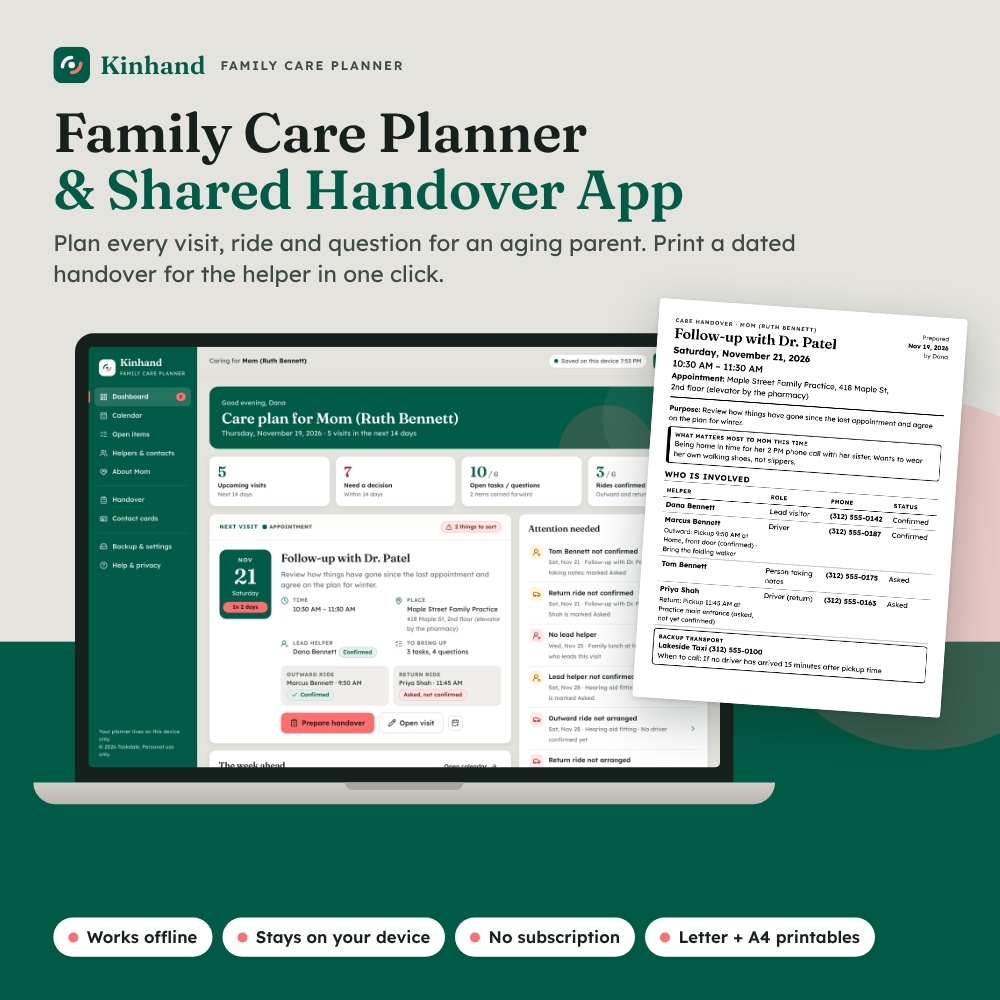
Free Family Care Planner App (Lite): Caregiver Schedule + Printable Handover
The offline Kinhand planner limited to 3 visits and 3 helpers: next-visit dashboard, roles, both rides, tasks, questions and a dated printable handover.
Want everything unlocked?
The free file is a sample. The full version has every page, tab and feature, plus the user guide.
See the full versionThe download is free. You enter your email address to get the file, and free downloads are limited to 3 per day.
What a caregiver schedule needs to do
Most caregiver schedule templates are a grid of days with names written in. That is a start, but care for an aging parent breaks down in the details around each visit, not in the grid. A useful schedule answers five questions for every visit:
- When and where? Date, start and finish time, the place and how to get in or where to park.
- Who leads? One named lead visitor who is responsible for the visit happening.
- How do they get there and back? The ride there and the ride home are two separate arrangements.
- What has to happen? A short checklist, each item assigned to a person.
- What do we need to ask? Questions for the appointment, including the ones your parent wants answered.
If your template can’t show those five things at a glance, someone ends up making phone calls the night before. The Kinhand family care planner was built around exactly these questions.
Step 1: List your helpers once
Start with a directory rather than the calendar. Write down everyone who helps or who you call: family, friends and neighbors, paid caregivers, the doctor’s office, the pharmacy and a taxi company. For each one note the preferred phone number and their availability, such as “weekdays after 4 PM” or “Saturdays only”.
When every visit points to the same directory you never retype a number, and when a number changes you change it once. The free Lite planner holds three contacts; the full Kinhand planner holds your whole circle.
Step 2: Give every visit a type and a lead
Label each entry as a home visit, an appointment or an errand. A grocery run and a clinic follow-up need very different preparation, and the label makes a busy week easy to read.
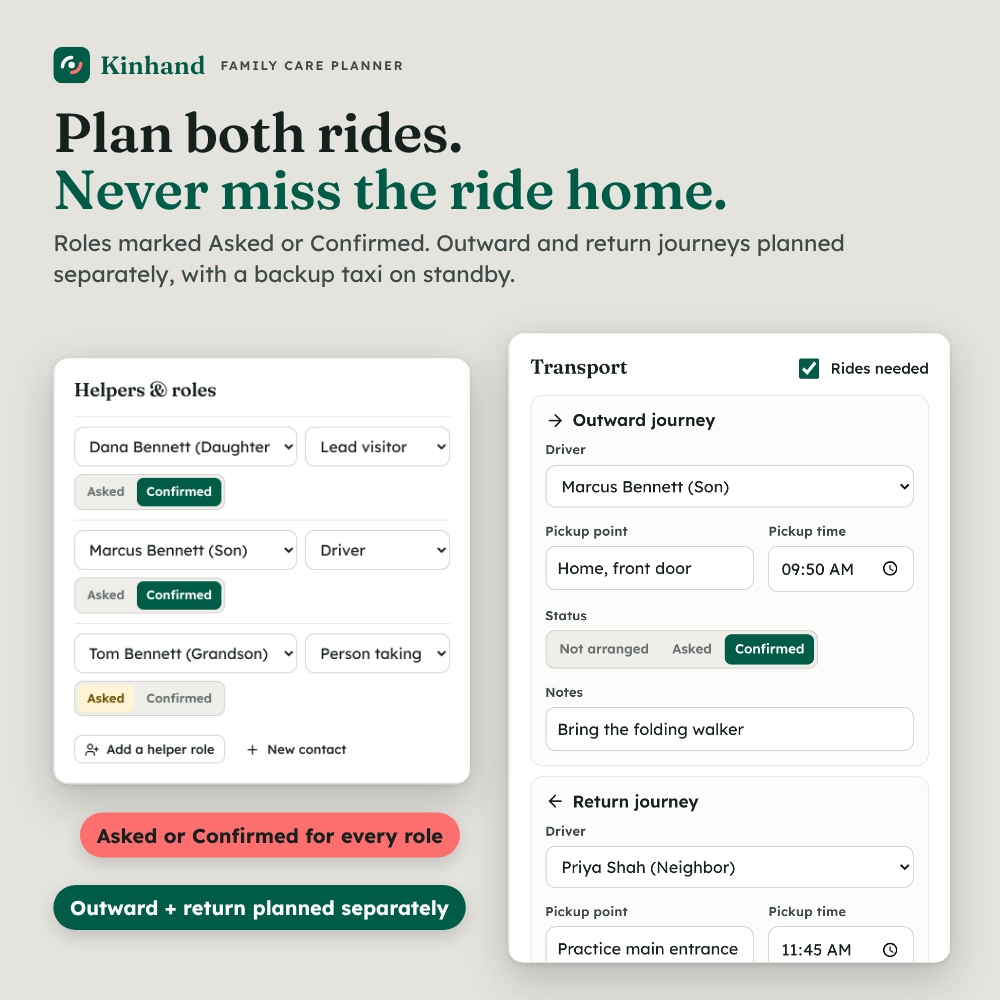
Then assign roles. The most important is the lead visitor. Other useful roles are driver, person taking notes and companion. Mark each person Asked until they actually say yes, then Confirmed. That one habit is the difference between “I thought you were going” and a covered visit.
Step 3: Plan the ride home separately
The most common gap in a family care schedule is the return journey. Someone confirms the drive to the appointment and everyone assumes the trip home is covered. Plan each leg on its own line:
- Driver and phone number
- Pickup point (home front door, clinic main entrance)
- Pickup time
- Status: not arranged, asked or confirmed
Add a backup transport line too: a second driver or a taxi number, and a note on when to call it, such as “if no driver has arrived 15 minutes after pickup time”. In Kinhand the dashboard flags any ride that is not arranged or not confirmed, so you see it days ahead instead of at the curb.
Step 4: Build a short checklist and question list
Keep the checklist to actions someone can tick off: bring the appointment letter, collect new glasses on the way home, charge the phone the night before. Assign each one to a named helper.
For appointments, prepare questions in advance. Good general prompts include:
- What has changed since the last visit?
- Who should we contact if we need clarification?
- What should we watch for before the next visit?
- Is there anything we need to book, bring or send before next time?
- When is the next appointment or review?
Then ask your parent for their own question and write it in their words. It is easy for care logistics to crowd out what the person actually cares about, so it helps to also ask “What matters most this time?” before each visit.
Step 5: Hand over only what the helper needs
When someone else covers a visit, they don’t need the whole family calendar. They need one page: the date, time and destination, what matters most this time, who is involved with phone numbers and pickup details, the tasks still to do and the questions to ask, with space to write the answers.
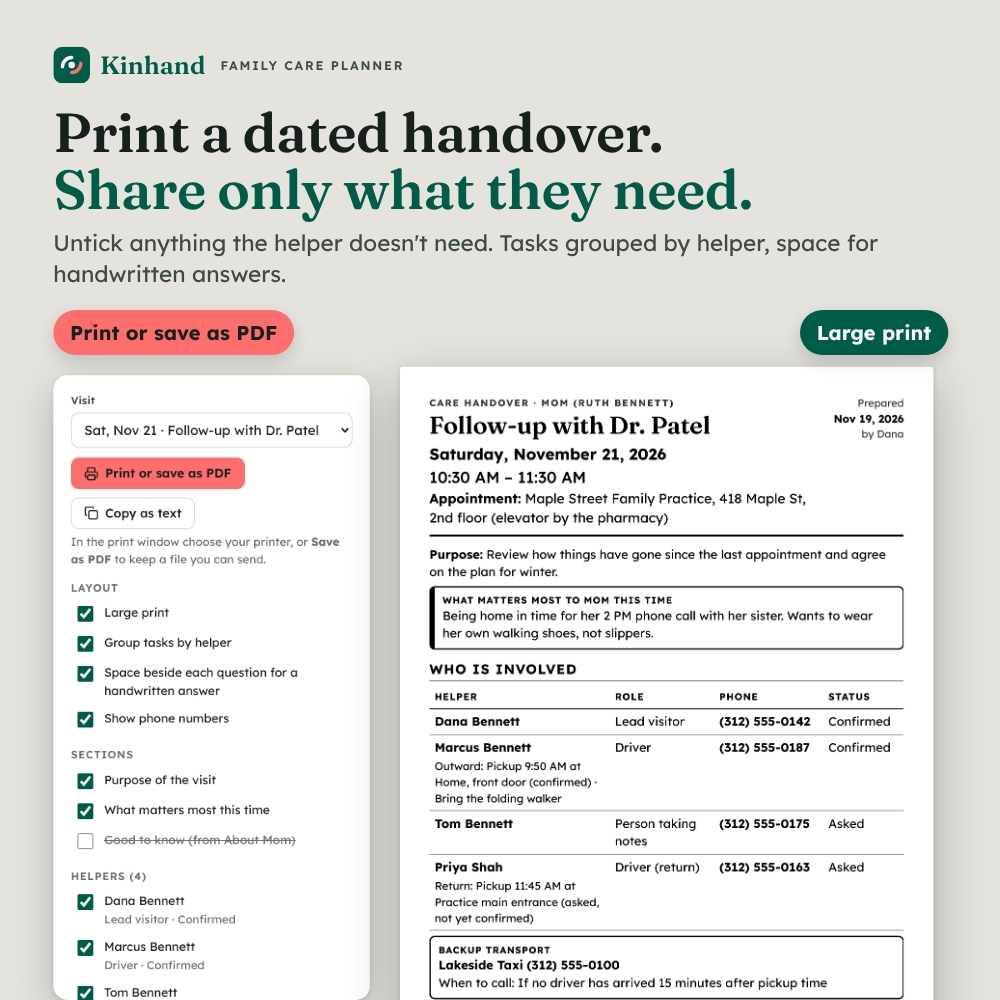
Kinhand builds that page automatically from the visit. Before printing you can untick anything the helper doesn’t need, and those choices change the sheet, not your records. Print it, save it as a PDF to send, or copy it as text into a message. The free Lite version includes the handover too, so you can try it on your next appointment.
Step 6: Carry unfinished items forward
After every visit, some tasks are left over and some questions don’t get answered. If they live only in someone’s head, they vanish. Close each visit and move each unfinished item to the next suitable visit, keeping the date it was first raised. A question marked “first asked Nov 11” tells the next helper this is an outstanding query, not a new one.
In the full Kinhand planner the carry-forward tray lets you carry, leave or retire each item in one step, and anything left behind shows up on the Open items page.
Paper or app?
Both work, and many families use both. Paper is perfect for the fridge and for helpers who prefer a pen. An app is better at the things paper can’t do: flagging unconfirmed rides, filtering by helper, repeating a weekly visit and producing a clean handover. Kinhand is a single file that runs in your browser with no account, and your entries stay on your own device. Because it does not sync, choose one “home” copy and share handovers from it, and export a backup now and then.
| Need | Free Lite | Full Kinhand |
|---|---|---|
| Visits | 3 | Unlimited |
| Helpers and contacts | 3 | Unlimited |
| Dated printable handover | Yes | Yes |
| Repeat visits as a weekly or monthly series | No | Yes |
| Printable 7-day schedule | No | Yes |
| 10-page printable kit, Letter and A4 | No | Yes |
| Illustrated user guide | No | Yes |
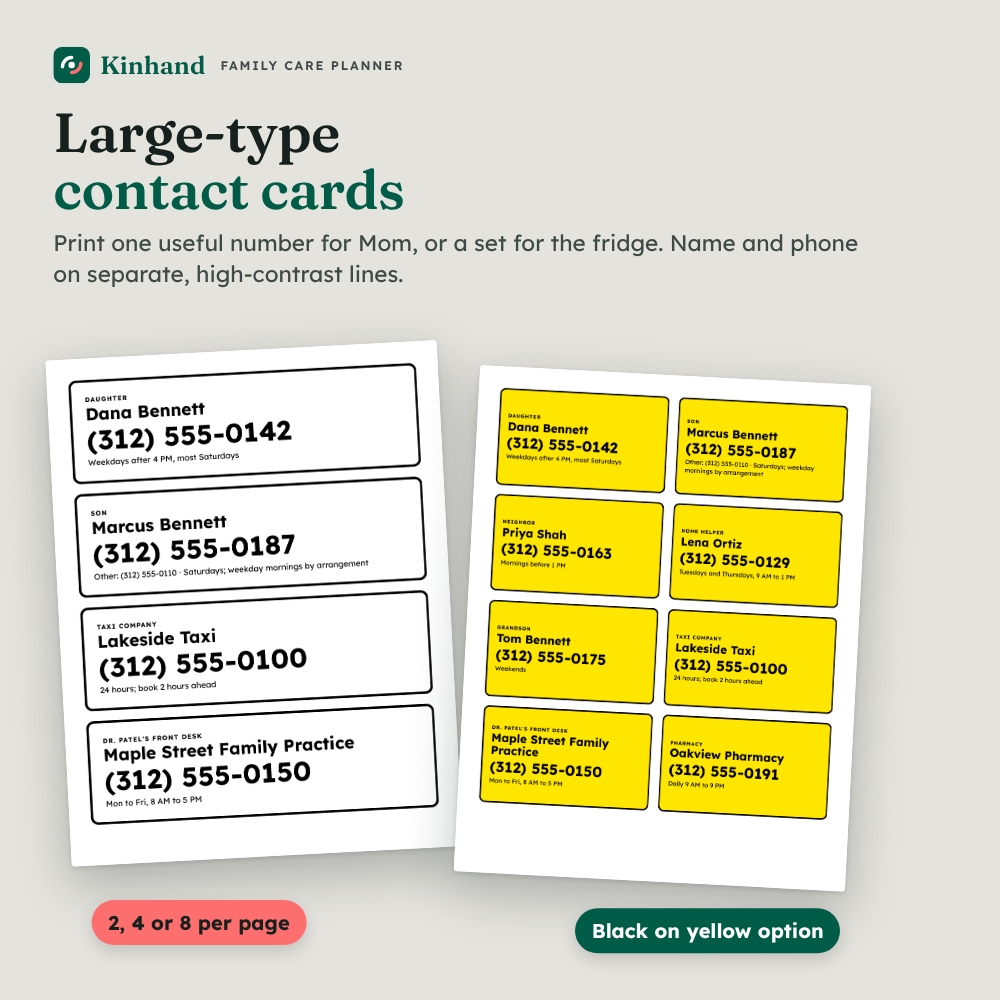
Large-type contact cards for the phone table
One more small thing makes a big difference: a card by the phone with one or two numbers in very large type. The name goes on one line and the number on its own line, in high contrast. The full planner prints any contact as a large-type card, 2, 4 or 8 per page, in black on white, black on yellow or white on black.
Keep it private and keep it to logistics
A family care schedule holds personal details, so keep it on a device you control and leave out door codes, passwords and account numbers. A schedule is also not a medical record: write down questions and answers, but keep medicine instructions on the paperwork from the doctor or pharmacist.
Upgrade to the full Kinhand Family Care Planner
- Unlimited visits, appointments, errands, helpers and contacts
- Repeat regular visits weekly, every 2 weeks or monthly
- Printable 7-day schedule and large-type contact cards for everyone
- 10-page printable care kit in US Letter and A4
- Illustrated user guide
$27.99, instant download, no subscription.
Download your free caregiver schedule planner
Kinhand Lite is the same offline app with room for 3 visits and 3 helpers: enough to plan your next appointment, confirm both rides and print a handover. Unzip it, double-click the file and click “Explore with sample data” to see how it works.
When you outgrow it, export a backup from Lite and restore it in the full family care planner to keep everything you entered.
Kinhand is a planning tool for care logistics, not medical, legal or financial advice.