A family care planner that shows what matters today
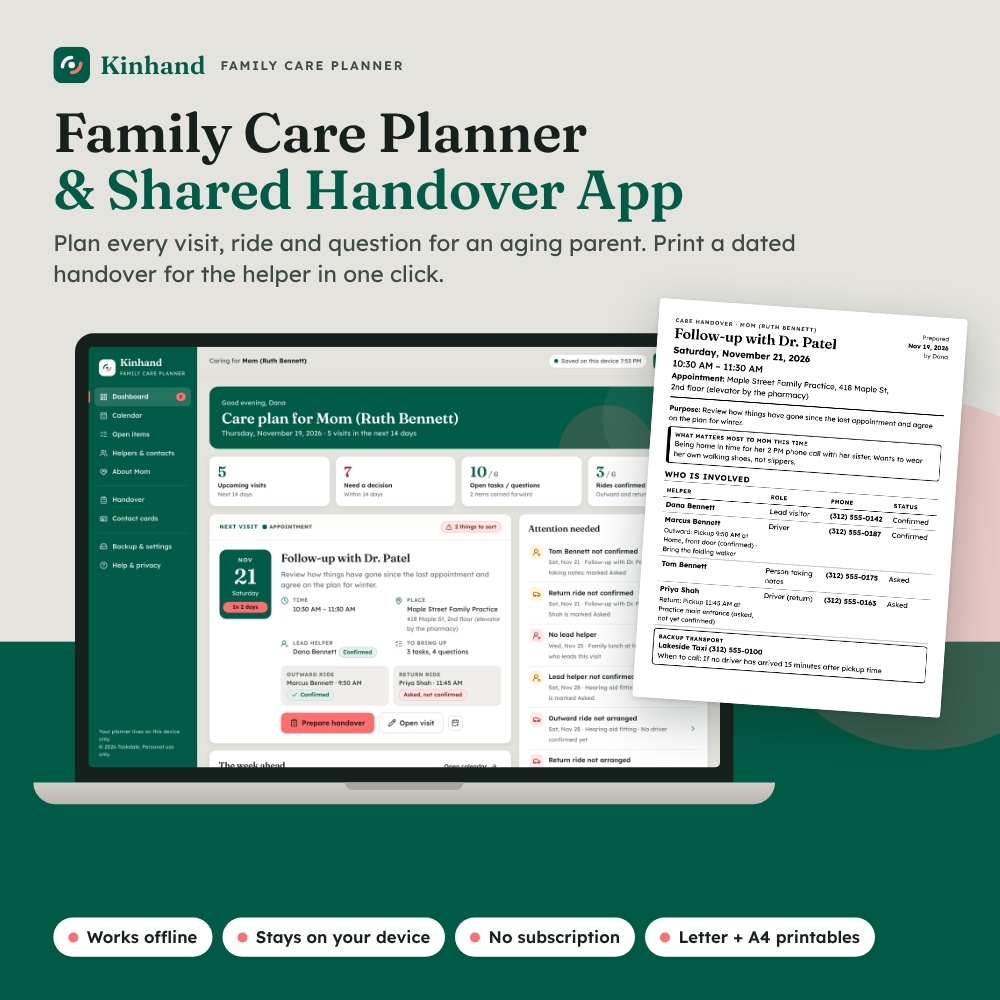
When you are organizing care for an aging parent, the calendar is rarely the hard part. The hard part is knowing which details matter today: who is driving, whether the ride home is actually confirmed, what to bring and which question went unanswered last time. Kinhand is a family care planner and shared handover dashboard that keeps the whole care schedule on one device and turns any visit into a dated, printable handover for the person covering it.
“Shared” here means you choose what to pass on. A helper gets the sheet for their visit, not access to your whole planner, and nothing is uploaded anywhere.
Who it is for
- Adult children and siblings sharing visits, appointments and errands for a parent
- Long-distance relatives who plan from afar and hand a printed or PDF sheet to whoever is going
- Spouses and partners who want a calm, large-print plan for appointments
Main features
Dashboard and Attention needed
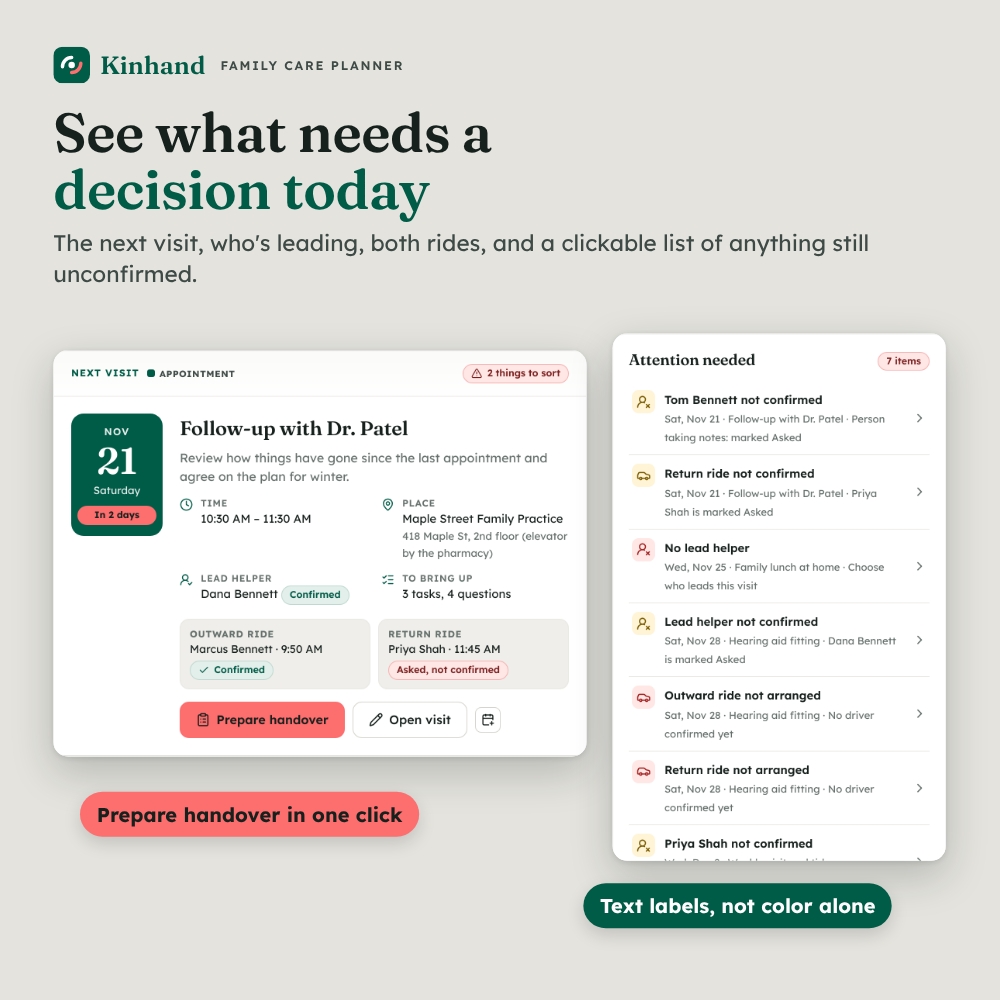
- Next Visit card: date, time, place, lead helper, both rides and a Prepare handover button
- Attention needed panel: flags upcoming visits with no lead helper, a helper still marked Asked, a ride not arranged or not confirmed, no start time, or a past visit not yet closed. Each flag has a text label and opens the exact section that needs a decision
- Tiles for upcoming visits, decisions needed, open tasks and questions, and confirmed ride legs; a week-ahead strip; a “who is helping” chart; recent answers; a backup reminder
Calendar and visit planning
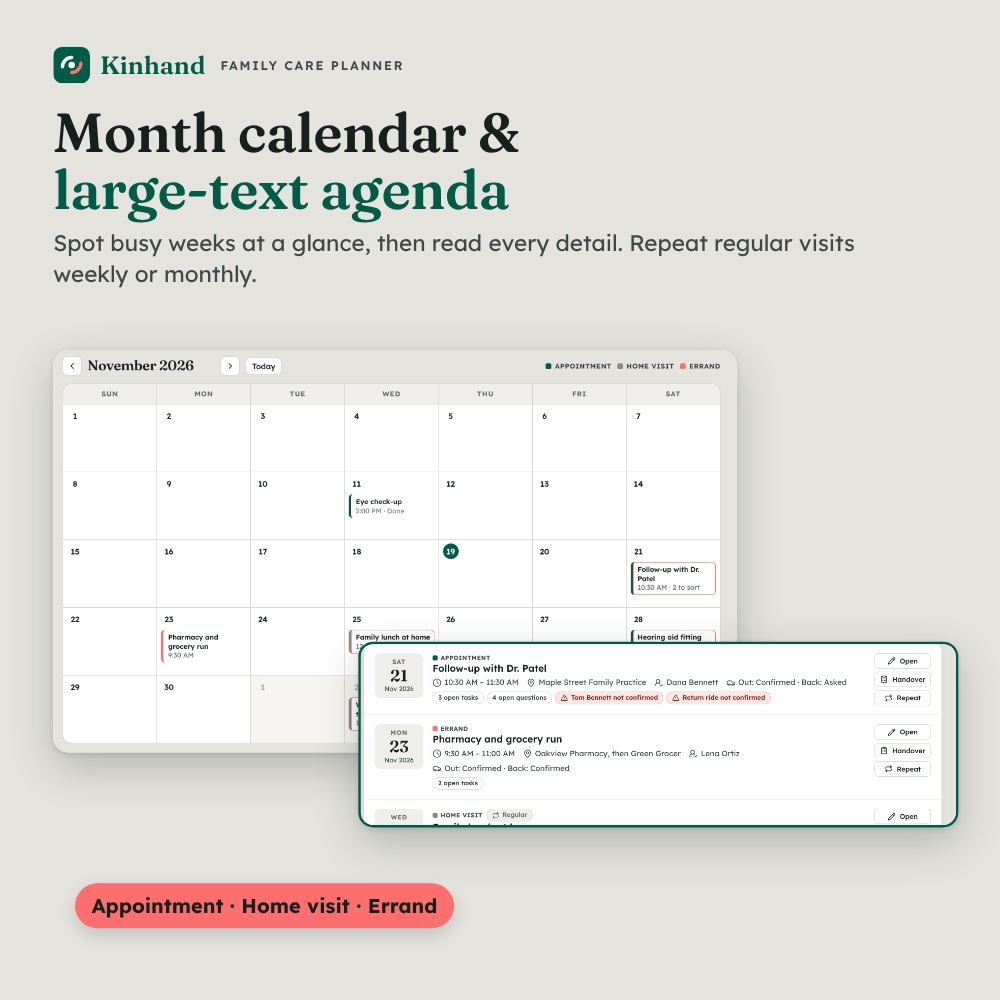
- Month calendar for spotting busy weeks and a large-text agenda with filters and search
- Choose Home visit, Appointment or Errand, with title, times, place, directions and purpose
- Regular visits as templates, and repeat any visit weekly, every 2 weeks or monthly without copying old answers or completion marks
- Download a calendar file (.ics) for any visit to add it to a phone or computer calendar
- Print a large-print 7-day schedule for the fridge
Tasks, questions and carry-forward
- Visit checklist with a named helper and To do / Done for every task; done items never reach the handover
- Editable question prompts such as “What has changed since the last visit?” plus a field for their own question, in their words
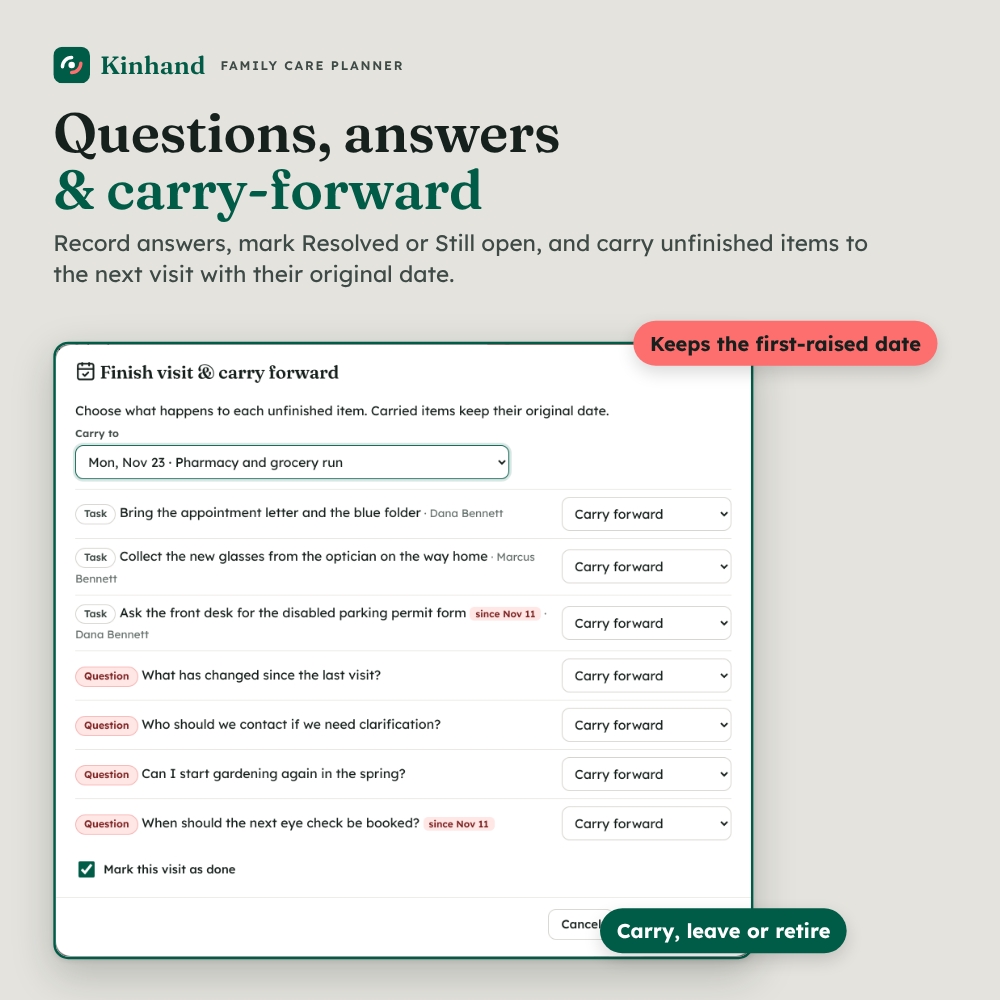
- Answers with Resolved or Still open, and one-click follow-up tasks with the person who will follow up
- “What matters most this time?” priorities card that can become a task
- Carry-forward tray: carry, leave or retire each unfinished item. Carried items keep their first-raised date, so the next helper can tell an old query from a new one
Helpers, roles and transport
- Helper and contact directory: family, friends, paid caregivers, doctor’s office, pharmacy, transport
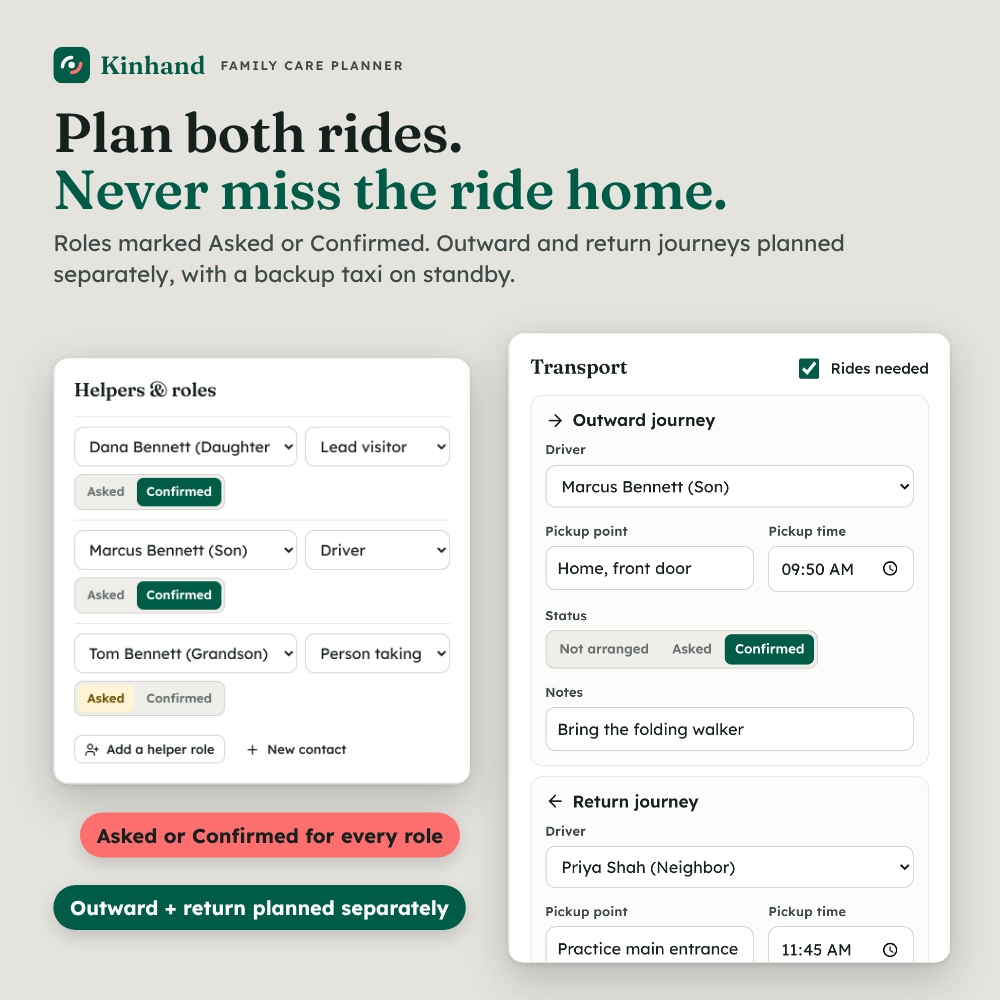
- Roles such as Lead visitor, Driver and Person taking notes, each marked Asked or Confirmed
- Outward and return journeys planned separately (driver, pickup point, time, status), so a confirmed ride there never hides a ride home that still needs arranging
- Backup transport card that stays separate unless you select it for a visit
Printable handover and contact cards
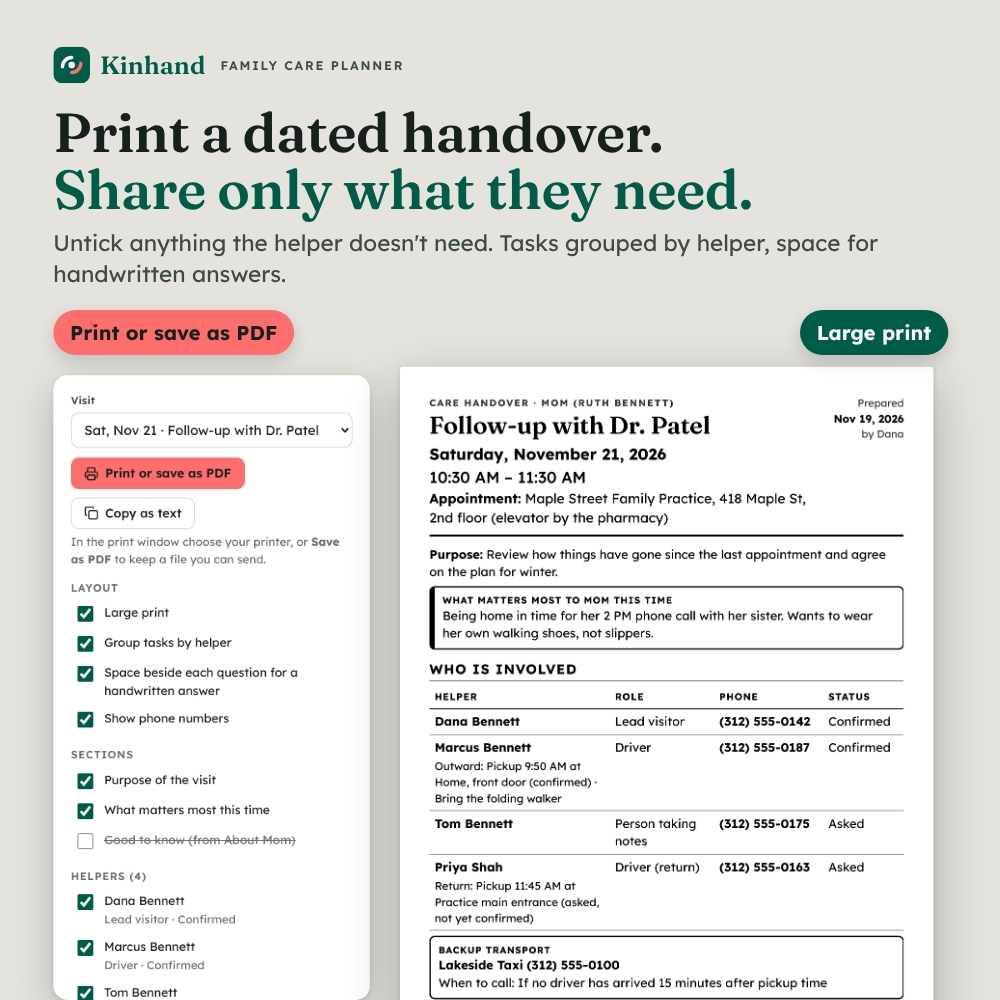
- Dated handover headed with the date, time and destination, listing only unfinished tasks, open questions and the named helpers, with pickup details beside each driver
- Review panel: untick anything the recipient doesn’t need. Your choices change the sheet, not the visit record
- Large print, tasks grouped by helper and space beside each question for a handwritten answer. Print, Save as PDF or copy as text for a message
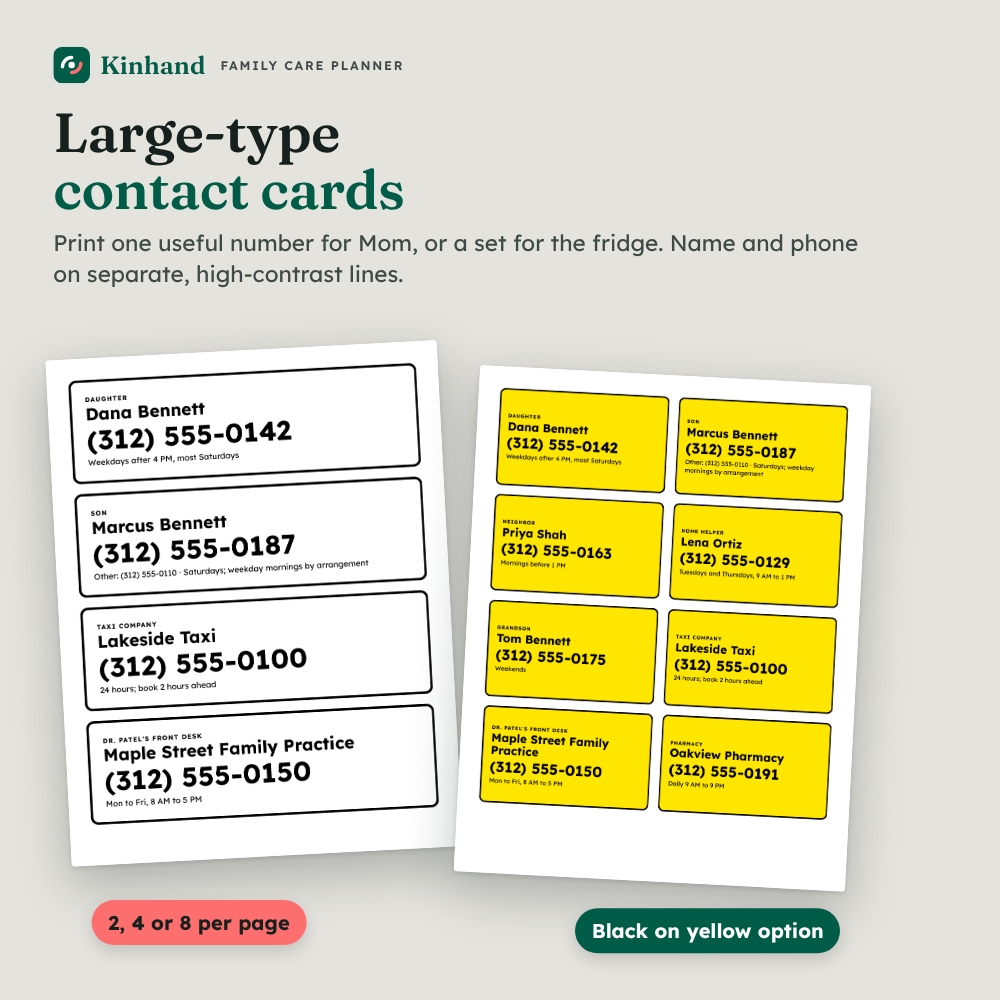
- High-contrast large-type contact cards, 2, 4 or 8 per page, so you can print one useful number without printing the whole directory
Private, on-device storage
- Save indicator and a plain-English notice: entries stay in your browser on this device and do not sync to relatives’ devices
- Export backup downloads the complete planner; Restore backup previews the visit and contact counts before asking to replace anything
What is included
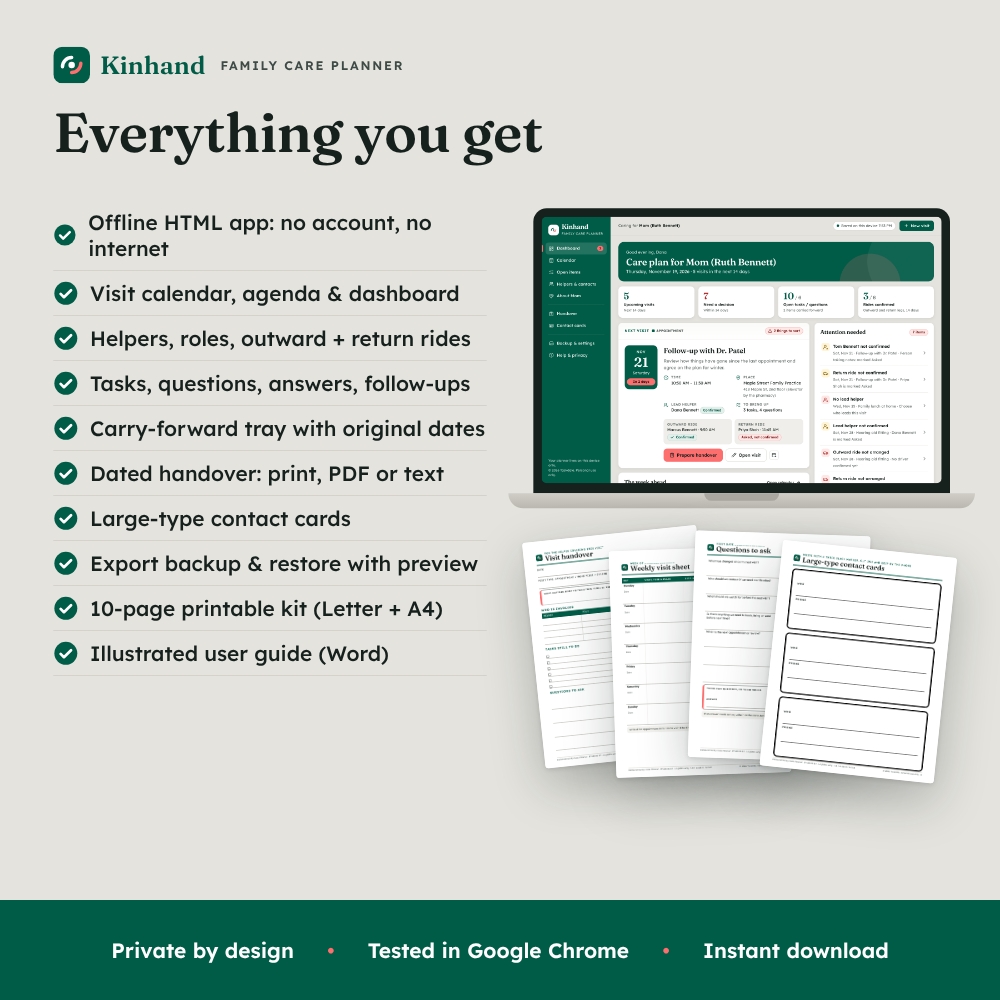
- Kinhand Family Care Planner app (one HTML file in a ZIP): runs offline, no account or subscription
- Printable Care Kit, US Letter and A4 PDFs (10 pages each): weekly visit sheet, visit handover, visit plan and rides, questions to ask, carry-forward log, helpers and contacts, large-type contact cards, good to know, how to use
- Illustrated user guide (Word .docx)
- Built-in fictional sample family so you can explore every feature before entering your own
How it works
- Download and unzip, then double-click the HTML file. It opens in your web browser.
- Add the person you care for, your helpers and key numbers.
- Add visits, assign roles, plan both rides and build the checklist and questions.
- Check the Attention panel, then print or save the handover for whoever is going.
- After the visit, record answers and carry anything unfinished forward.
File formats and requirements
The app is a single self-contained HTML file with no internet connection, plug-ins or account needed. It was tested in Google Chrome on desktop, which we recommend. Your data is stored in the browser you use, so keep using the same browser and file, and export a backup regularly. The printables are PDFs for any PDF reader and printer. The guide is a Word .docx file.
Customization
Change the text size (standard, large, extra large), 12- or 24-hour clock, week start, how far ahead the Attention panel looks, the backup reminder and every question prompt.
Use cases
- A daughter leads Mom’s medical appointments while her brother drives and a neighbor covers the ride home
- A family rotates weekly visits and needs to see at a glance who hasn’t confirmed
- A long-distance son plans the week and emails a PDF handover to a paid helper
Frequently asked questions
Do I need internet access or an account?
No. The family care planner runs offline in your browser. There is no account, subscription or server.
Can several family members edit the same planner?
Not live. Entries stay on the device where they were made. Share a dated handover for one visit, or send a backup file when someone takes over planning.
Which browser should I use?
Kinhand was tested in Google Chrome on desktop, and we recommend it. Use the same browser each time, because your entries are stored there.
Is my information private?
Yes. Nothing leaves your device unless you print, copy or export it. We recommend keeping it to logistics: no door codes, passwords or account numbers.
Is this a medical record or medication tracker?
No. Kinhand plans care logistics: who goes, how they get there, what to bring and what to ask. It gives no medical advice and has no dosing features. Follow your care team’s instructions.
Can I print blank pages too?
Yes. The printable kit includes blank handover, weekly, question, carry-forward and contact card pages in US Letter and A4.
Is there a free version?
Yes. Kinhand Lite is the same app limited to 3 visits and 3 helpers. Export a backup from Lite and restore it in the full planner to keep your entries.
For planning and organizing only; not medical, legal or financial advice. Personal use only. You may not resell, share, or redistribute the files. © 2026 Taskdale.
Reviews
There are no reviews yet.