

What it is
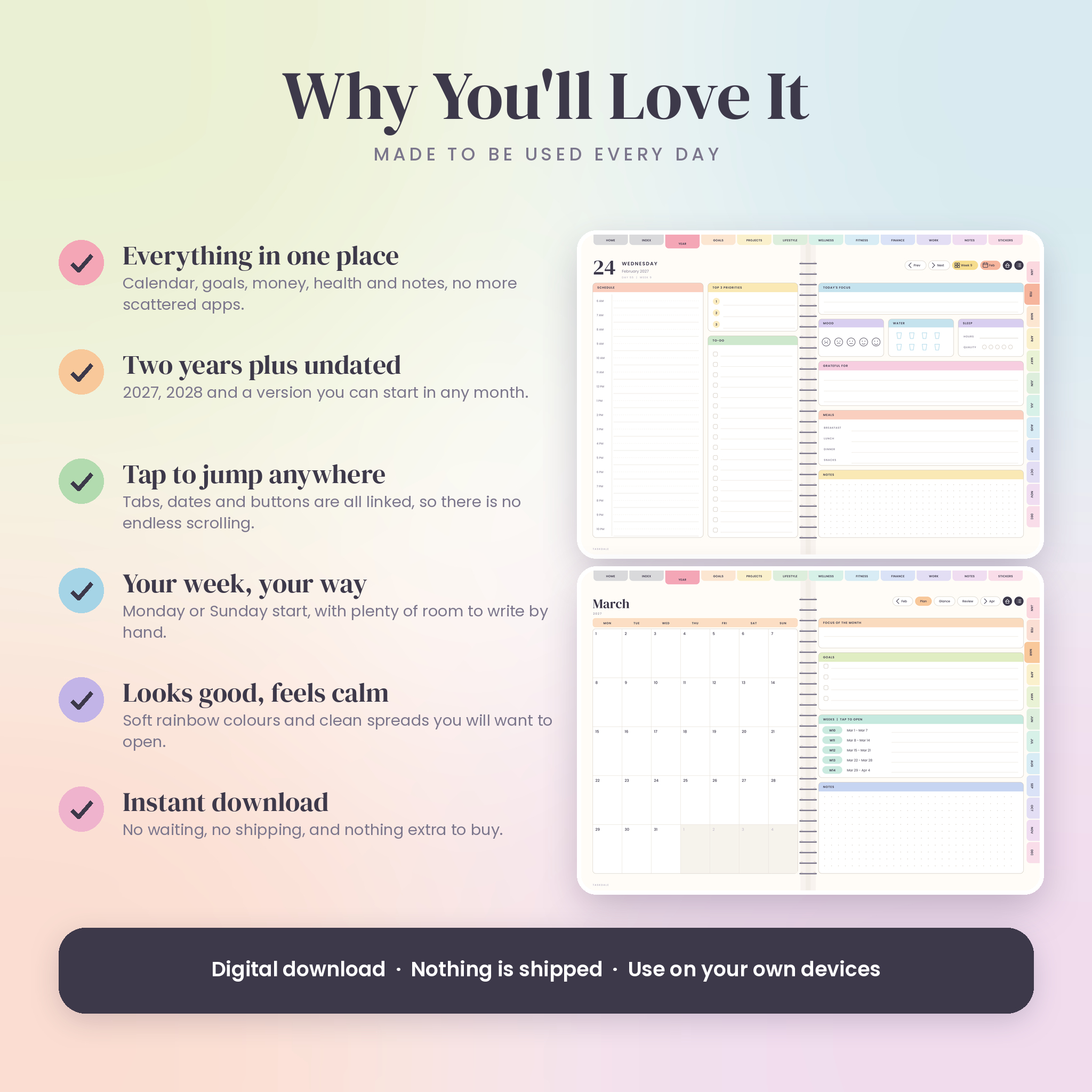
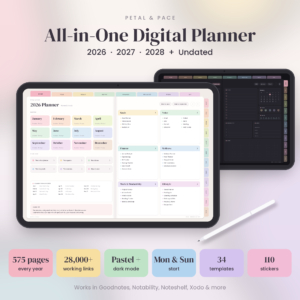
This is a hyperlinked PDF planner you write in with a stylus. Open it in GoodNotes or Notability, tap a tab to jump to a section, tap a date to open that day, and write straight onto the page. No account, no subscription, nothing to sync.
Every page is a two-page spread with a little spiral down the middle, so it feels like a real planner. The colours are soft and rainbow. The layout stays clean, so you can actually find things.
Who it is for
- Students who need classes, deadlines and a study plan in one place
- Busy parents juggling meals, cleaning, birthdays and school runs
- Freelancers and small business owners tracking orders, clients, content and cash
- Anyone who thinks better with a pen in hand but is tired of carrying paper around
What you get
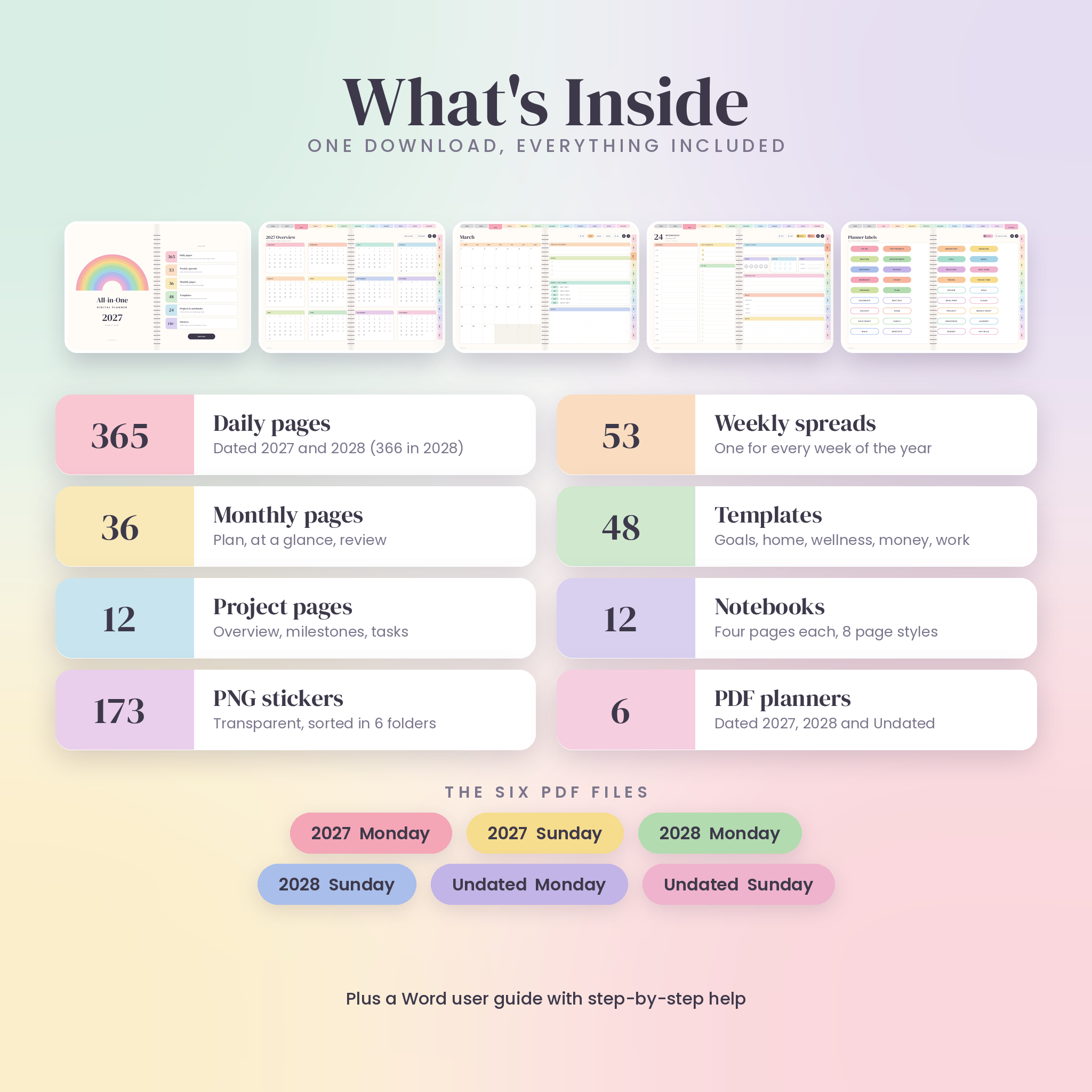
- Six PDF planners: 2027, 2028 and Undated, each in Monday start and Sunday start
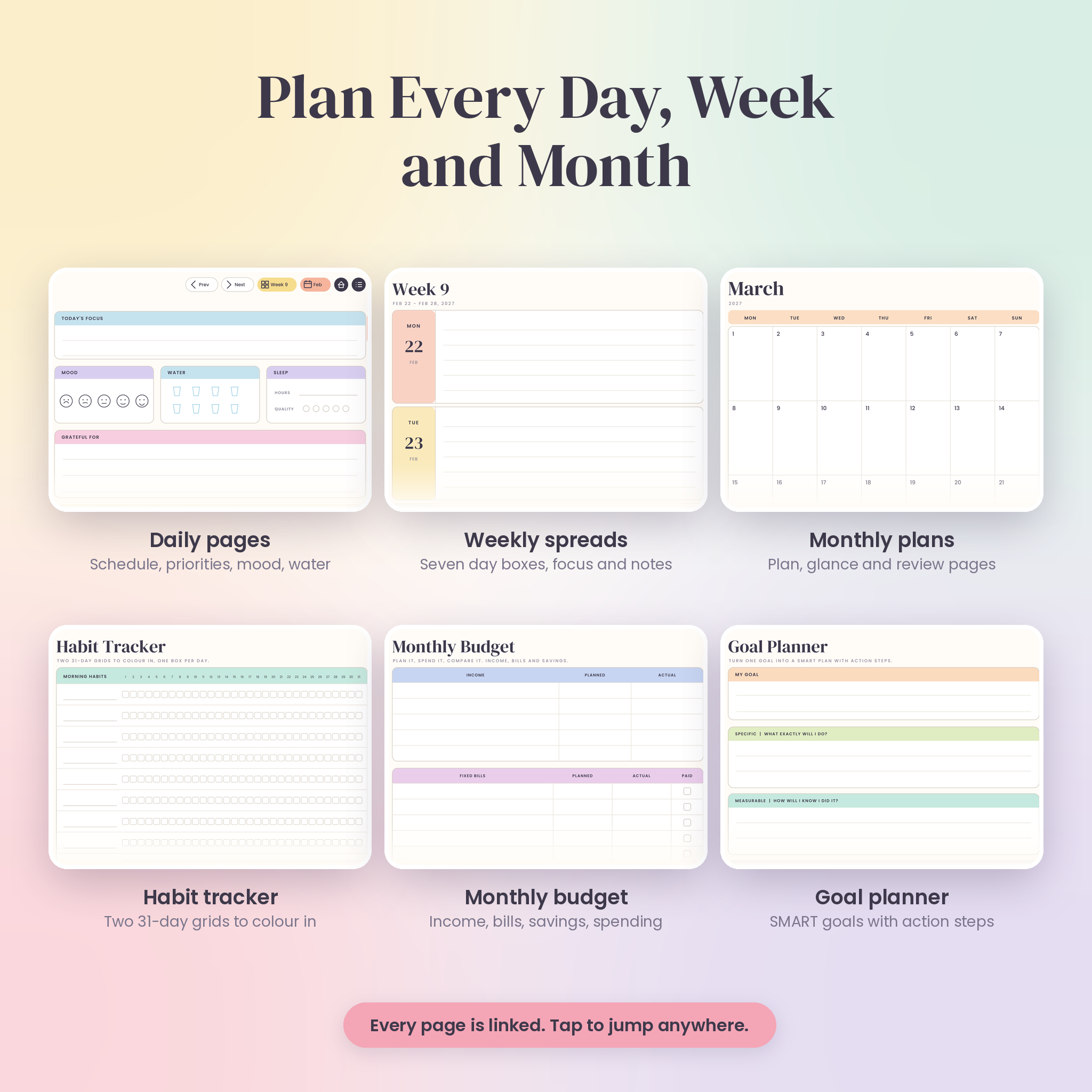
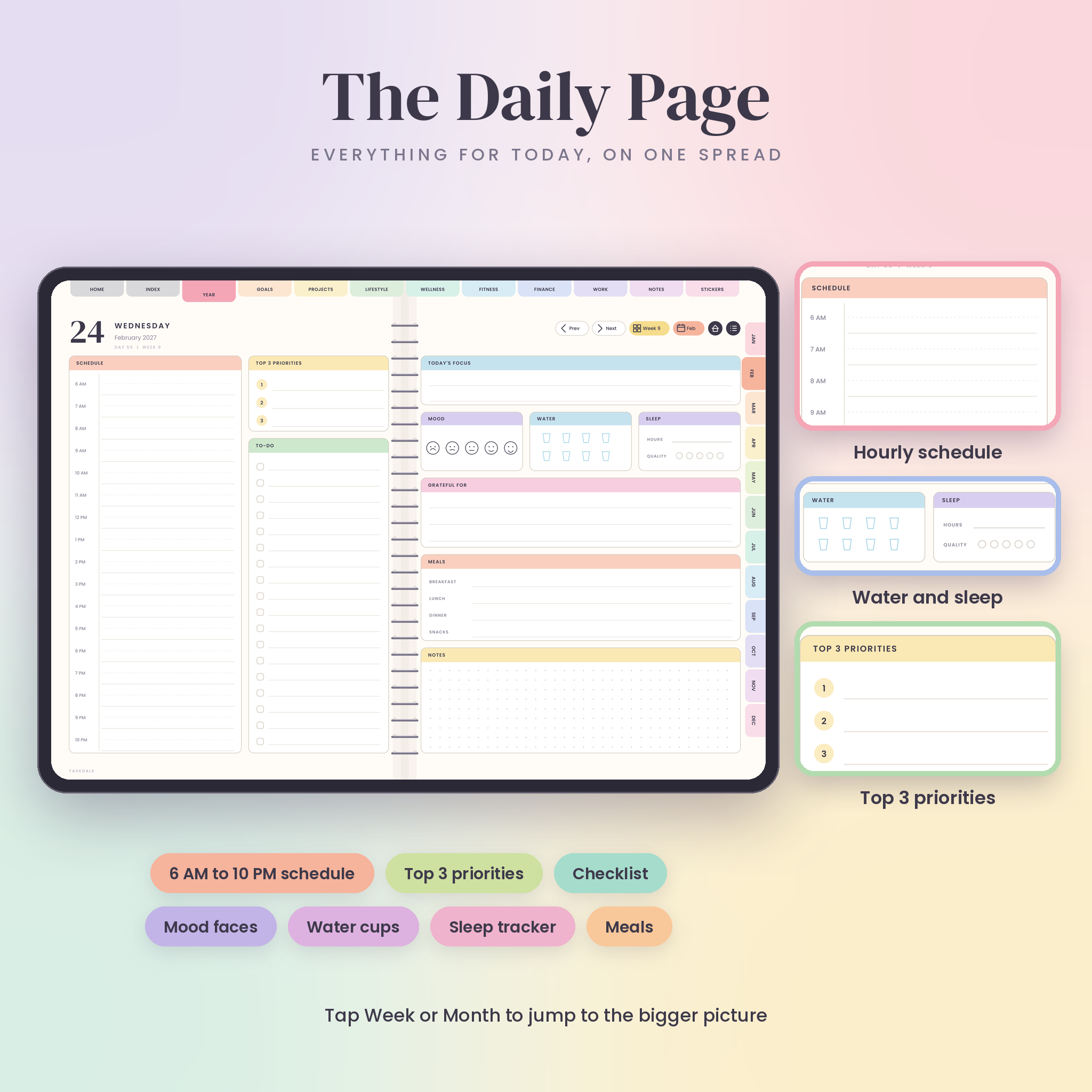
- 365 daily pages (366 in 2028) with an hourly schedule, top 3 priorities, to-do list, mood, water, sleep, gratitude, meals and notes
- About 53 weekly spreads with a box for every day, a focus area, a to-do list and notes
- 36 monthly pages: a plan, an at-a-glance day list and a review and budget page for every month
- 5 year pages: overview, vision and goals, dates and events, year in pixels, and year review
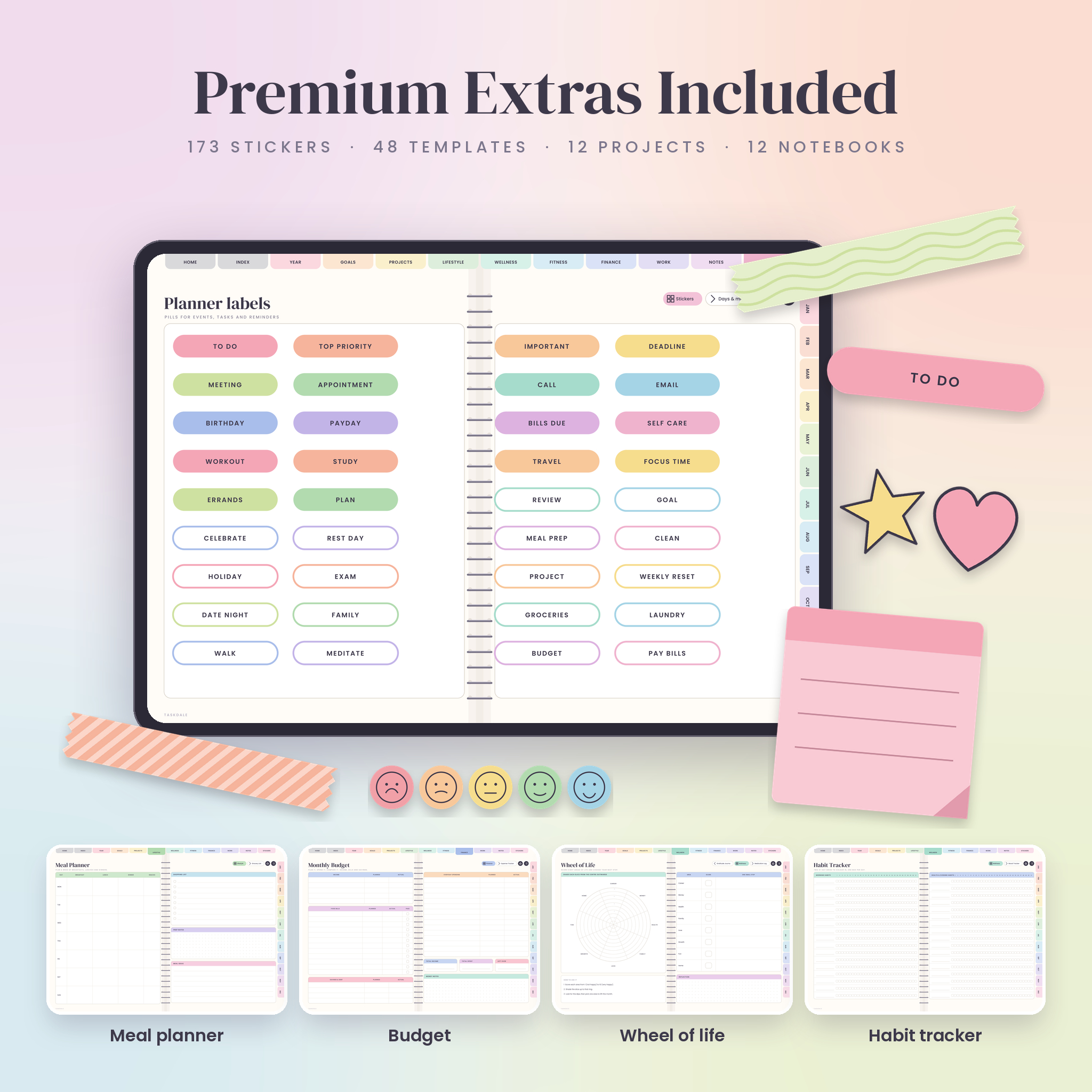
- 48 templates for goals, home, wellness, fitness, finance and work
- 12 project pages with milestones, task tables and notes
- 12 notebooks (four pages each) plus 8 page styles: blank, lined, dotted, grid, Cornell, checklist, two column and sketch
- 6 sticker pages inside the planner, plus a separate pack of 173 transparent PNG stickers
- A Word user guide that walks you through setup and every feature
The templates
- Goals: goal planner, goal tracker, 90-day plan, vision board
- Lifestyle: meal planner, grocery list, recipe card, reading log, watch list, travel planner, packing list, cleaning schedule, gifts and birthdays, bucket list
- Wellness: habit tracker, mood tracker, sleep tracker, water tracker, self-care planner, gratitude journal, wheel of life, medication log
- Fitness: workout planner, workout log, body measurements, running log, 30-day challenge, progress photos
- Finance: monthly budget, expense tracker, bill tracker, debt payoff, savings goals, sinking funds, subscriptions, income tracker, net worth tracker, yearly overview
- Work: to-do list, brain dump, priority matrix, time blocking, weekly review, meeting notes, contacts, study planner, content planner, order and client tracker
Why you will like it
Everything is linked. The top tabs, the month tabs on the right edge, the Prev and Next buttons, the Home button and the Index all work from every page. A typical file holds close to 20,000 tappable links, so you are never more than a tap or two from anywhere.
You also get a lot of choice. Pick dated or undated. Pick Monday or Sunday. Start in January, or start in July with the undated version and skip the empty pages.
And the stickers are yours to move around. Lasso one inside the planner, copy it and paste it anywhere. Or use the PNG files in any app that lets you add images.
How it works
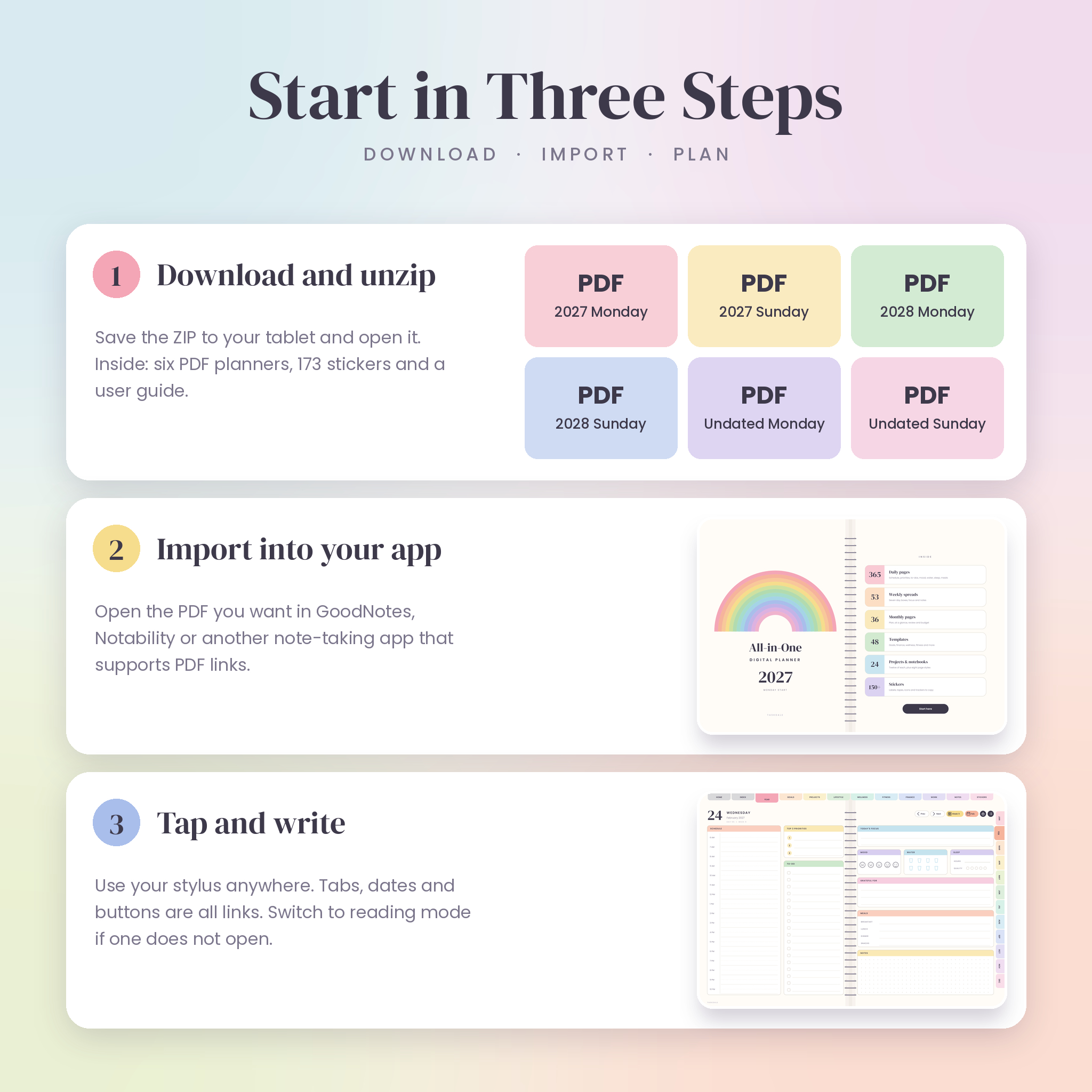
- Buy and download your files. The sticker pack comes as a ZIP, so unzip it on your tablet or computer.
- Import the PDF you want into GoodNotes, Notability or another PDF note-taking app.
- Tap the tabs and dates to move around, and write with your stylus.
File formats
- 6 hyperlinked PDF planners (about 3.5 to 3.9 MB each, 596 to 610 pages)
- 173 sticker files in PNG format with transparent backgrounds, sorted into 6 folders
- 1 user guide in DOCX (Word) format
Software and device requirements
- A tablet or computer with a PDF note-taking app, such as GoodNotes or Notability
- Made for iPad, and any other device that runs an app which opens PDFs and follows standard in-document links
- A stylus such as the Apple Pencil is recommended, but you can also write with your finger
- A way to unzip files (built into iPadOS, iOS, Android file managers, Windows and macOS)
- Microsoft Word, Pages or Google Docs to read the user guide
- Some apps limit the number of notebooks on a free plan. This planner is one notebook.
Customising it
- Duplicate any page in your app when you need more room. The tabs and links keep working on the copy.
- Type into any box with your app’s text tool, or write by hand.
- Colour over any header with a highlighter if you like a different palette.
- Copy stickers from the planner or add the PNG files to any page.
Digital download information
- This is a digital product. Nothing is shipped.
- You get access to your files right after your order is complete.
- Files are for personal use only. Please do not share, resell or upload them.
- Because it is a digital download, returns are not possible. If something is wrong with your files, get in touch and it will be put right.
- This listing does not include a printed planner, an iPad, a stylus or an app.
Reviews
There are no reviews yet.