If you clean houses for a living, the cleaning is the easy part. The hard part is everything around it: pricing a new home over the phone, remembering who still owes you, and working out whether you actually made money last month. A simple cleaning business spreadsheet fixes most of that. This guide shows you how to price cleaning jobs for profit, how to set up a client and job tracker that works, and what to track every week. You can grab our free cleaning business spreadsheet below and use it straight away.
Free Cleaning Business Spreadsheet (Excel & Google Sheets)
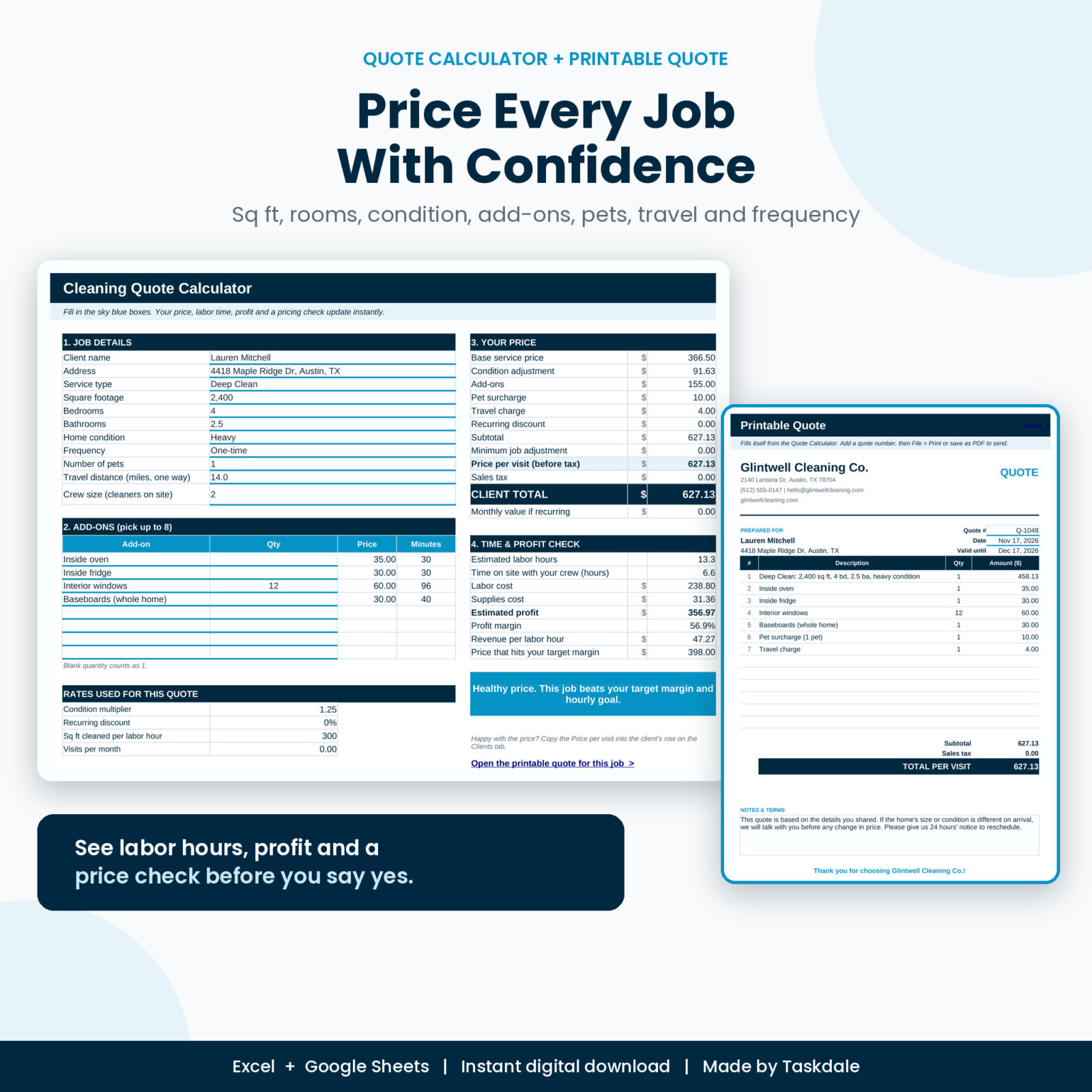
Free sample of the Squeakly Cleaning Business Manager: a cleaning quote calculator with profit check, a 25-client tracker with balances and rebooking alerts, and a 60-row jobs and payments log.
Want everything unlocked?
The free file is a sample. The full version has every page, tab and feature, plus the user guide.
See the full versionWhat a cleaning business spreadsheet should do
Most cleaners start with a notes app and a calendar. It works for five clients. At fifteen it falls apart. A good spreadsheet should answer four questions without any digging:
- What should I charge for this job? Based on size, condition and extras, not a guess.
- Who are my clients and when are they due? Their usual service, price, access notes and next clean.
- Who has paid and who hasn’t? Every job, every payment, every balance.
- Am I making money? Revenue minus expenses, month by month.
The free sample covers the first three. The full Squeakly Cleaning Business Manager adds the fourth, plus your schedule, invoices and team pay.
How to price cleaning jobs for profit
Underpricing is the number one reason cleaning businesses stay small. You get booked solid and still feel broke. Here’s a simple pricing method you can use with the quote calculator in the free spreadsheet.
1. Start with a base fee and room rates
Set a base fee for each service (standard clean, deep clean, move-out and so on), then add an amount per bedroom, per bathroom and per square foot. Bathrooms take the longest, so they should carry the highest rate. A 2,000 sq ft home with 3 bedrooms and 2 bathrooms might come out around the middle of your local range for a standard clean, while the same home as a deep clean should land well above it.
2. Adjust for condition and extras
A home that hasn’t been cleaned in months is not the same job as one cleaned every two weeks. Use a condition multiplier (for example 1.25 for heavy, 1.5 for very heavy) and charge for add-ons like inside the oven, inside the fridge, baseboards and interior windows. Pets and long drives cost you time too, so add a pet surcharge and a travel charge past a set distance.
3. Give recurring clients a fair discount
Weekly and biweekly clients are the backbone of a cleaning business. A 10 to 15% recurring discount keeps them happy and is easy to afford, because recurring homes take less time each visit.
4. Check the profit before you say yes
This is the step most people skip. Estimate the labor hours, multiply by what you pay per hour, add supplies, and see what’s left. The free quote calculator does this for you and shows a color-coded verdict. If a job falls below your target margin, it tells you the price that would hit it.
How to set up your client tracker
Keep one row per client. The columns that matter most:
- Name, phone, email and address
- Property type, square footage, bedrooms, bathrooms and pets
- Usual service, frequency and price per visit
- Access notes: lockbox code, key location, alarm, parking
- Lead source, so you know which marketing works
- Status: Active, Paused, Lead or Former
In the free spreadsheet, the tracker also works out jobs done, total billed, total paid, balance owed, last clean and next due date for each client. A rebooking status flags anyone who is overdue, which is one of the easiest ways to stop recurring clients from quietly drifting away.
How to log jobs and payments
Every clean gets one row: date, start time, client, cleaner, estimated hours, price and status. When the job is done, mark it Completed and enter what the client paid, the paid date and the payment method. The sheet then shows Paid, Partial or Unpaid on its own.
Two habits make this work:
- Update it the same day. It takes thirty seconds after each job and saves an hour of detective work at the end of the month.
- Leave the price blank for regular clients. The spreadsheet uses their usual price, so booking a recurring clean is just date, time and name.
What to review every week
Set a 15-minute slot every Sunday or Monday morning:
- Who is unpaid? Send a friendly payment reminder.
- Who is overdue for a clean? Send a rebooking text.
- Is any day overbooked next week? Move a job before it becomes a problem.
- Did any job take much longer than estimated? Re-quote that client.
The full Squeakly workbook puts all of this on one dashboard, with a weekly schedule that sorts jobs by time and flags overbooked days.
Free sample vs the full Squeakly workbook
| Feature | Free sample | Full version |
|---|---|---|
| Quote calculator with profit check | Yes | Yes, plus a branded printable quote |
| Client tracker | 25 clients | 300 clients |
| Jobs and payments log | 60 jobs | 2,000 jobs |
| Dashboard with 15 KPIs and 4 charts | No | Yes |
| Weekly schedule with workload check | No | Yes |
| Invoice builder that fills in from your jobs | No | Yes |
| Expenses, mileage and monthly profit and loss | No | Yes |
| Team pay calculator | No | Yes |
| Supplies inventory, cleaning checklists, 12 client messages | No | Yes |
| Step-by-step user guide | No | Yes |
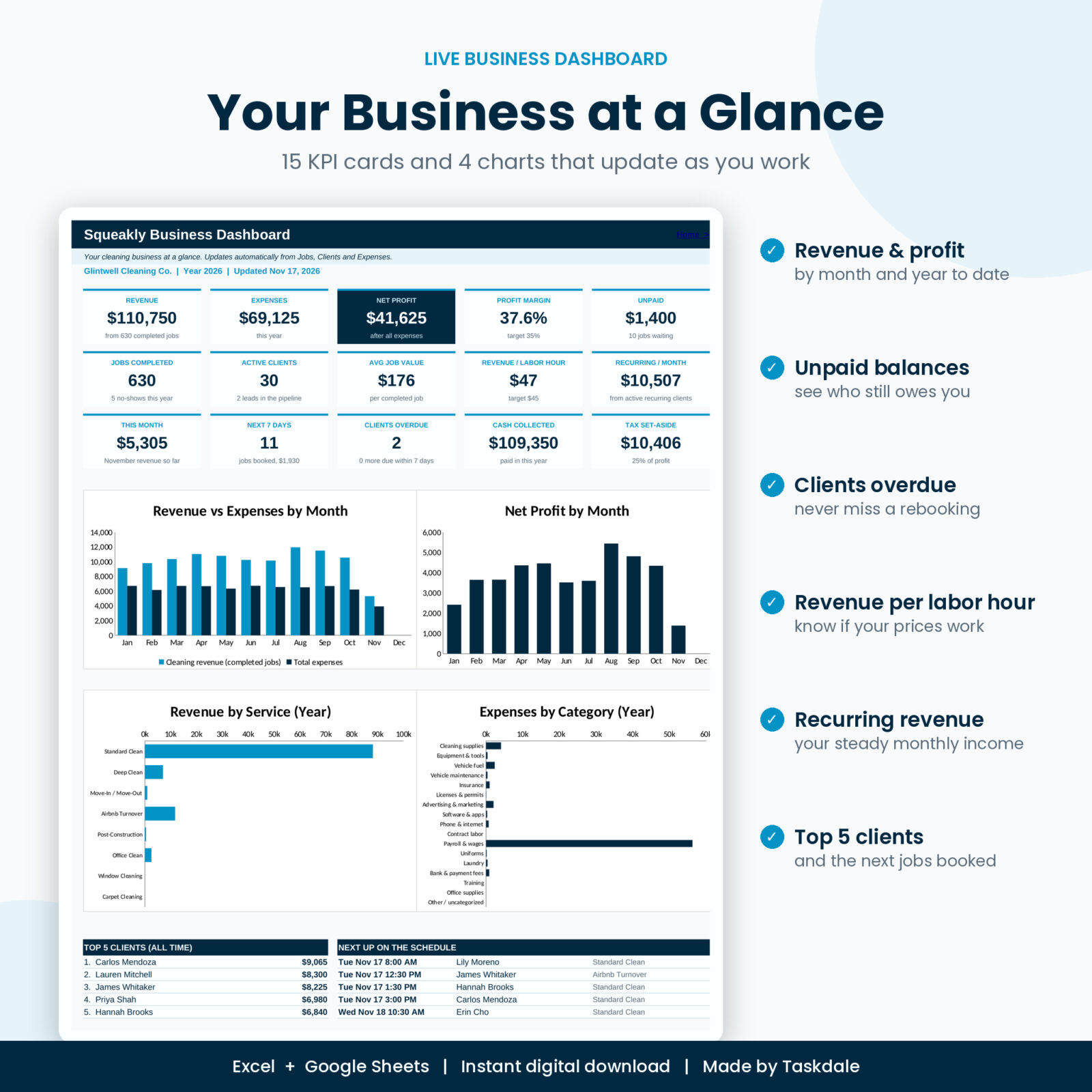
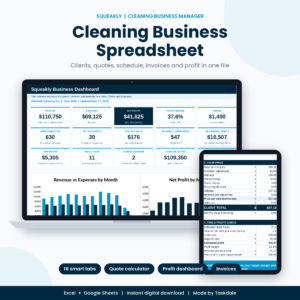
Ready to run the whole business from one file? Get the full Squeakly Cleaning Business Manager for the dashboard, schedule, invoices, P&L and team pay. It works in Excel, or upload it to Google Drive and open it with Google Sheets.
How to open the free spreadsheet
- Excel: download the file and open it. Start on the Start Here tab.
- Google Sheets: upload the file to Google Drive, then open it with Google Sheets.
- Set your currency symbol, service prices and add-ons on the Settings tab first. Every price in the quote calculator reads from there.
FAQ
Is the cleaning business spreadsheet really free?
Yes. Enter your email in the download box and the file is yours. It is free for personal and single-business use.
Can I use it for a maid service or janitorial business?
Yes. The service list is editable, so you can price house cleaning, Airbnb turnovers, move-outs, offices or anything else you offer.
Does it work with my currency?
Yes. Change the currency symbol on the Settings tab.
What happens when I outgrow 25 clients?
Move up to the full Squeakly workbook. It holds 300 clients and 2,000 jobs and uses the same layout, so you’ll know your way around from day one.
Grab your free cleaning business spreadsheet
Head back up to the free download box, enter your email and start pricing your next job in minutes.
Want the dashboard, weekly schedule, invoices, profit and loss and team pay too? Get the full Squeakly Cleaning Business Manager and run your whole cleaning business from one file.