If your grocery receipt keeps creeping up while your cart looks the same, you are not imagining it. The good news: you can fight back with one of the oldest money-saving tools there is, the grocery price book. This guide shows you how to set one up, how to read unit prices like a pro, and how to turn your notes into real savings. You can also grab our free grocery price book template to start today.
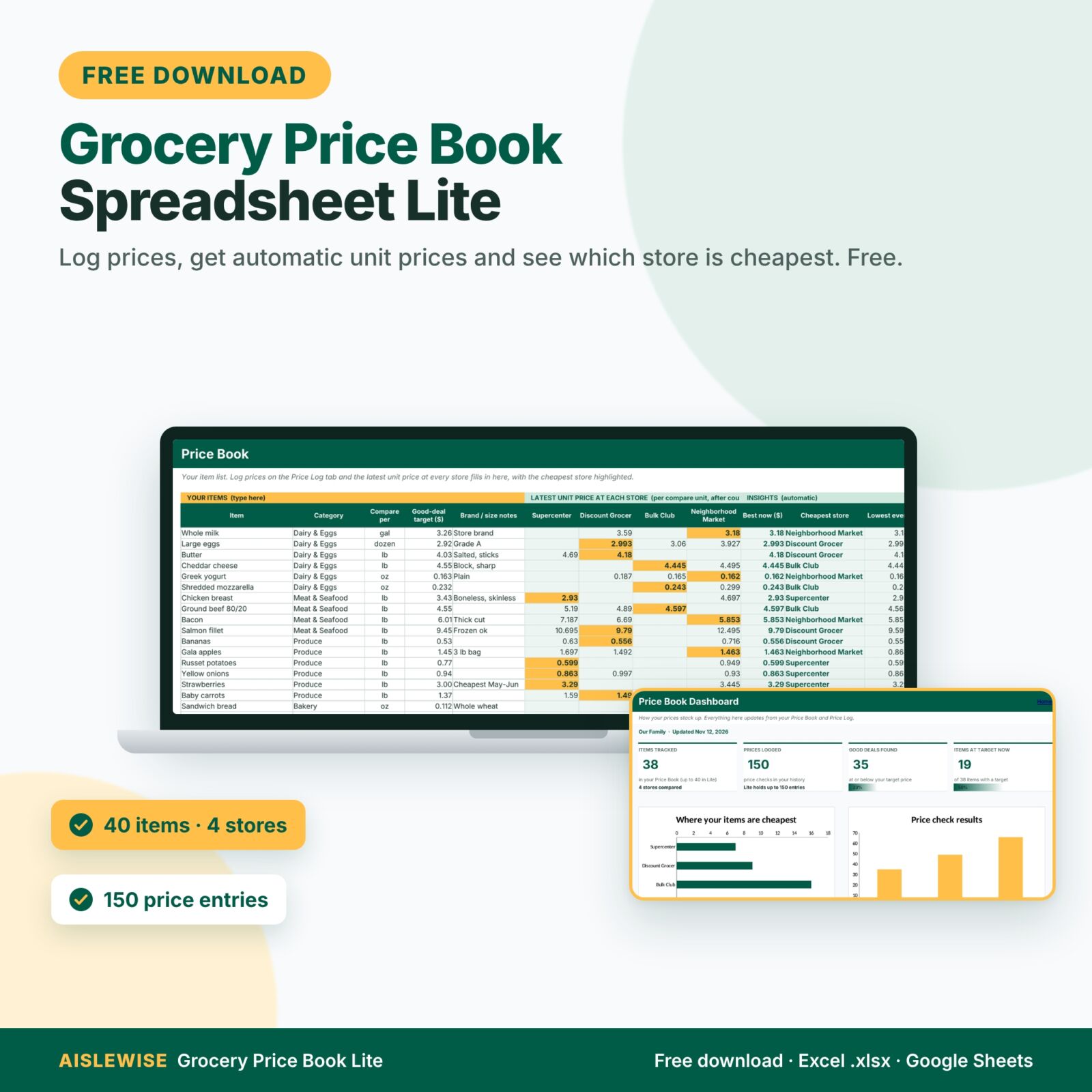
Download the free Aislewise Grocery Price Book Lite. Downloading needs a free Taskdale account, and free downloads are limited to 3 per day.
What is a grocery price book?
A grocery price book is a running record of what you pay for the items you buy most, at each store you shop. Over a few weeks it answers questions that weekly ads never will:
- Which store is actually cheapest for your family’s basket?
- Is this “sale” price really a deal, or is it the normal price in a red tag?
- What price should make you buy extra and stock up?
- Is the bulk pack cheaper than the regular pack once you do the math?
People used to keep price books in a small notebook. A spreadsheet does the same job faster, because it can calculate unit prices, convert between units and highlight the best store for you.
Why unit price is the number that matters
Shelf prices are designed to be compared poorly. One brand sells cereal in 12 oz boxes, another in 18 oz boxes. Chicken comes in 1.5 lb trays at one store and 3 lb family packs at the next. Olive oil is labeled in fluid ounces at one store and liters at another. The only fair comparison is the unit price: the price per ounce, pound, fluid ounce, roll, load or item.
How to calculate unit price
Divide the price you pay (after any coupon) by the pack size in the unit you want to compare:
- A 3 lb pack of chicken for $8.97 costs $8.97 ÷ 3 = $2.99 per lb.
- A 1.5 kg pack for $10.99 is 3.31 lb, so it costs $10.99 ÷ 3.31 = $3.32 per lb.
- A 12-roll pack of paper towels for $13.99 costs $1.17 per roll.
The trick is to always compare in the same unit. Pick one “compare per” unit for each item (per lb for meat and produce, per oz for snacks and cereal, per roll for paper goods, per load for detergent) and convert every price to it.
Common conversions to keep handy
- 1 lb = 16 oz, and 1 oz = 28.35 g
- 1 kg = 1,000 g = about 2.2 lb
- 1 gallon = 4 quarts = 128 fl oz
- 1 quart = 2 pints = 32 fl oz, and 1 cup = 8 fl oz
- 1 liter = about 33.8 fl oz
- 1 dozen = 12 each
Weight (oz) and volume (fl oz) are different measurements, so compare like with like. Our template handles these conversions automatically.
How to set up a grocery price book spreadsheet in 5 steps
1. List the stores you actually shop
Include the supercenter, the discount grocer, the warehouse club, the corner market and any delivery service you use. List them in the order you usually visit them.
2. Start with your top 20 to 40 items
Do not try to track everything. Pull a couple of recent receipts and list the items you buy every week or every month: milk, eggs, bread, chicken, ground beef, rice, pasta, coffee, produce staples, paper goods, detergent, diapers, pet food. These are the items where small savings add up fastest.
3. Choose a compare unit and a target price
For each item, pick the unit you will compare by. Once you have a few prices logged, set a good-deal target near the lowest regular price you have seen. Later, you can add a lower stock-up price for items that store well, like rice, canned goods, coffee, toilet paper and frozen meat.
4. Log prices every time you shop
Write down the date, store, shelf price, any coupon, and the pack size with its unit, straight from the label. Log regular prices too, not only sale prices. Your average price is what tells you whether a sale is genuinely good.
5. Review before you build your list
Before each trip, glance at which store wins for each item on your list and whether anything has hit your stock-up price. That five-minute habit is where the savings come from.
Tips to save more with your price book
- Watch the sale cycle. Many items go on sale in predictable seasons, such as baking staples before the holidays. Note the month next to your best prices so you know when to wait.
- Do not assume bulk is cheaper. Warehouse packs often win, but not always. A sale at a regular grocer can beat the club price, which is why unit prices matter.
- Count coupons and cashback. Log the price after coupons so the unit price reflects what you really pay.
- Stock up only to a limit. Decide how many packs you want on hand so a great deal does not turn into wasted food.
- Check the pantry first. Knowing what you already have prevents duplicate buys and helps you use food before it expires.
- Track the budget, not just prices. A price book saves money per item; a grocery budget with real receipts shows whether those savings reach your bank account.
What the free Lite template includes
The free Aislewise Grocery Price Book Lite is a genuinely useful Excel-format workbook with:
- A Price Book for up to 40 items and 4 stores, showing the latest unit price at each store with the cheapest store highlighted.
- A Price Log for up to 150 price entries with automatic unit price, unit conversion (lb, oz, g, kg, fl oz, gal, L, each, dozen and more) and a GOOD DEAL, FAIR or PRICEY verdict.
- A small dashboard showing which store wins the most items and how your price checks stack up.
- A currency setting, dropdown lists and locked formulas, so it is hard to break.
It works in Microsoft Excel, it was tested in LibreOffice Calc, and it uses standard functions that also work when you open it in Google Sheets.
Free vs Full: when to upgrade
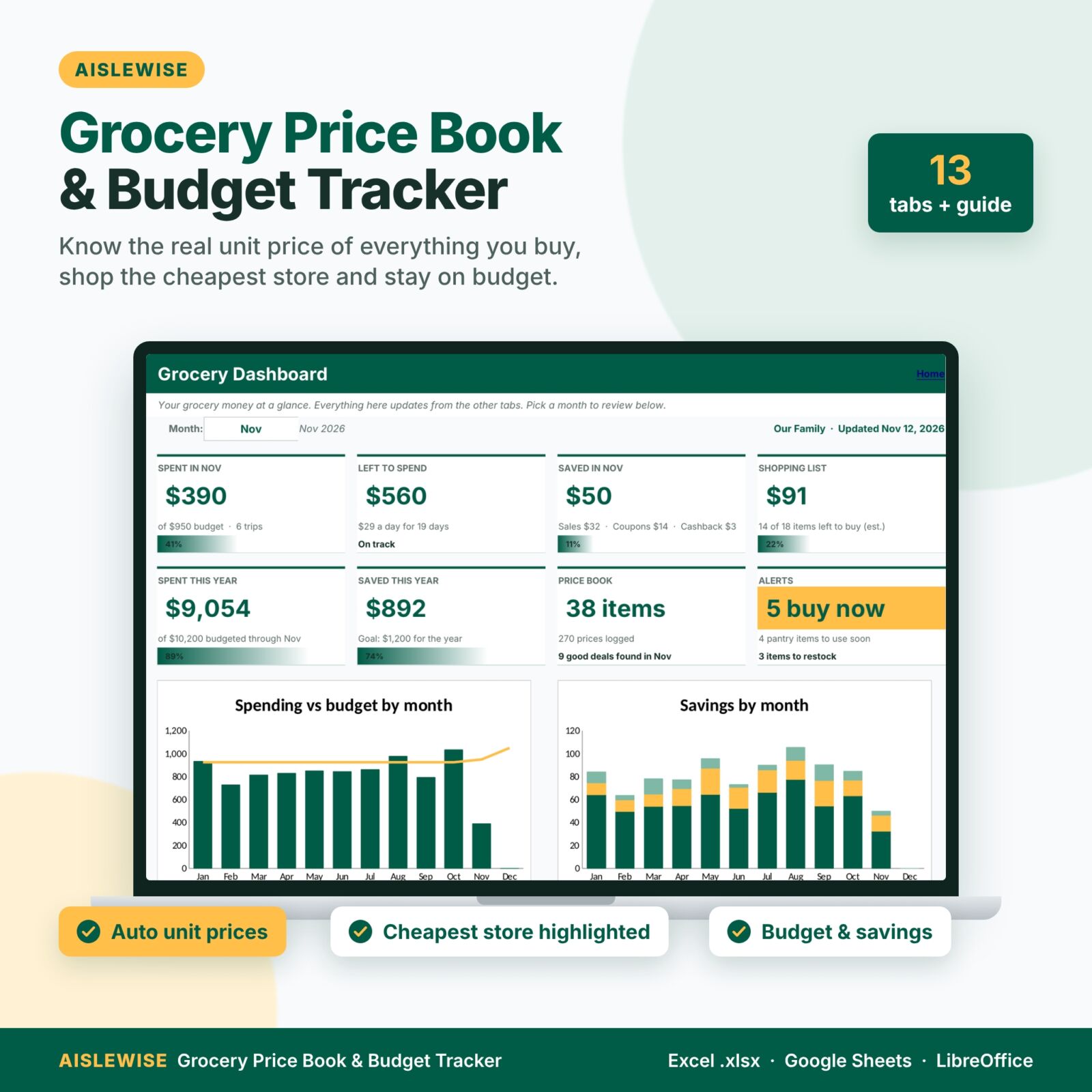
Once your price book proves its worth, the next step is controlling the whole grocery bill. The full Aislewise Grocery Price Book & Budget Tracker adds the budgeting, shopping and pantry tools around the price book.
| Feature | Free Lite | Full version |
|---|---|---|
| Automatic unit price and unit conversions | Yes | Yes |
| Price Book items / stores | 40 / 4 | 300 / 8 |
| Price history entries | 150 | 1,500 |
| Good-deal verdict | Yes | Yes, plus STOCK UP alerts |
| In-store Deal Checker and package-size comparer | No | Yes |
| Smart shopping list by aisle with cheapest store, plus printable trip list | No | Yes |
| Monthly grocery budget and receipt log | No | Yes |
| Savings tracker for sales, coupons and cashback | No | Yes |
| Pantry and freezer inventory with use-by countdown | No | Yes |
| Dashboard | Lite (4 tiles, 2 charts) | 8 tiles, 4 charts, alerts |
| User guide | No | Yes (DOCX) |
What the full version does for a busy family
- Smart shopping list: pick items from your price book and it finds the cheapest store, estimates the cost, and sorts the list by store and aisle so you walk each store once.
- Monthly grocery budget: log receipts with what you saved, see spent, remaining and a per-day allowance, and set custom budgets for holiday months.
- Stock-up list: set your buy-at price and the item flips to BUY NOW the moment any store hits it.
- Pantry and freezer inventory: use-by countdown, restock flags and the value of food on hand.
- Savings tracker: sales, coupons and cashback by month, progress toward a yearly goal, and a store scorecard.
If you already use a meal planner, the full tracker sits next to it nicely: the planner decides what to cook, and Aislewise decides where to buy it and keeps the budget honest. See the full Aislewise Grocery Price Book & Budget Tracker.
Frequently asked questions
Is the grocery price book template really free?
Yes. The Lite version is free to download with a free Taskdale account. Free downloads are limited to 3 per day.
Does it work in Google Sheets?
It is an Excel-format .xlsx file. It was tested in LibreOffice Calc and uses standard functions that also work when you open it in Google Sheets.
How many items should I track?
Start with 20 to 40 items you buy most often. That is usually enough to show you which store is cheapest for your household, and it fits in the free Lite version.
Can I use my own currency and units?
Yes. Change the currency symbol in Settings and every money value follows it. The units list includes common US and metric units, and you can add your own.
What happens to my data if I upgrade?
The full version uses the same Price Book and Price Log layout, so you can copy your items and prices across and keep going.
Is this a meal planner?
No. It focuses on prices and the grocery budget. It works well alongside any meal planner you already use.
Ready to stop overpaying? Download the free Aislewise Grocery Price Book Lite today, or go straight to the full Aislewise Grocery Price Book & Budget Tracker for the complete grocery savings system.