Looking for a free period tracker spreadsheet that keeps your cycle history private? You are in the right place. In this guide you will learn how to set up a simple cycle log, what to track each day, how predictions are worked out, and how to turn a few months of notes into patterns you can actually use. You can also download the free Lunaria Lite period tracker and follow along.
Why track your period in a spreadsheet?
Cycle-tracking apps are convenient, but many people would rather not hand intimate health details to an account, a cloud service or an ad network. A spreadsheet is different. It is a file you own. It works offline, it never asks you to sign in, and you can store it wherever you like, on your laptop, a USB drive or your own backup.
A spreadsheet is also flexible. You can rename symptoms, add notes in your own words and print a clean summary when you need one. And because the math is in plain formulas, you can see exactly how every prediction is made.
What a good period tracker spreadsheet should do
- Store the start and end date of every period in one place.
- Calculate cycle length (start to next start) and period length automatically.
- Average your most recent cycles rather than all of them, so the numbers reflect you now.
- Predict your next period and show how many days are left.
- Stay tidy and readable even before you add any data.
How to set up your free period tracker in 4 steps
Step 1: Download and open the file
Start by grabbing the free Lunaria Lite period tracker spreadsheet. Downloading needs a free Taskdale account, and free downloads are limited to 3 per day. The file is an Excel-format .xlsx for Microsoft Excel; it is tested in LibreOffice Calc and built with standard functions that also work when you open it in Google Sheets.
Step 2: Log your recent periods
Open the Cycle Log tab and type the start date of your last few periods. If you remember when each one ended, add the end date too. The order does not matter, because the formulas sort things out. Three to six cycles are enough to give useful averages. If you only remember one, that is fine: the tracker uses a default cycle length until it has your real data.
Step 3: Check your defaults
In Settings you can change the default cycle length and period length used before you have logged enough data, and choose how many recent cycles go into your averages. Recent cycles usually describe you better than ones from years ago.
Step 4: Read your dashboard
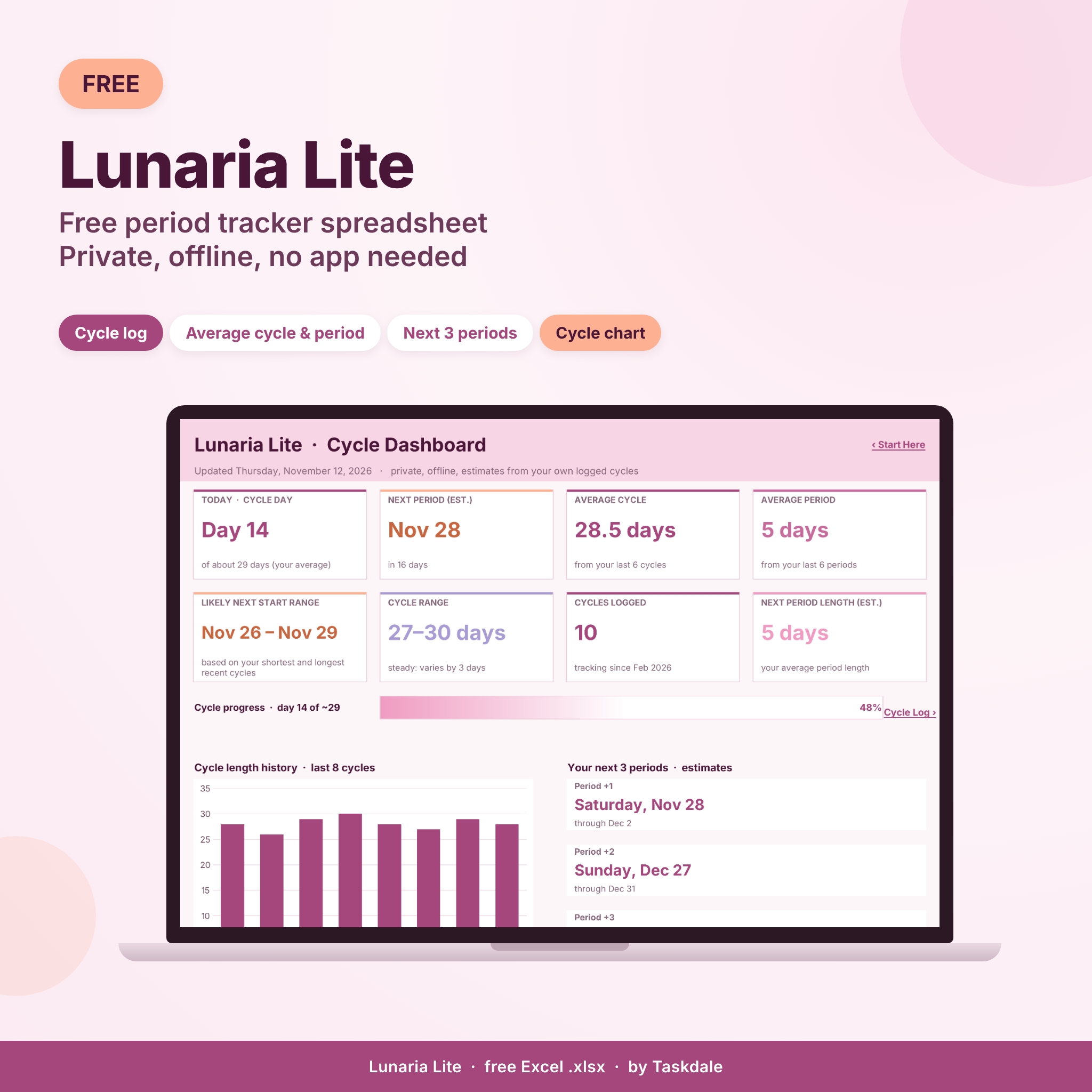
The Dashboard shows today’s cycle day, your next estimated period with a countdown, your average cycle and period length, your shortest and longest recent cycles, and a chart of your cycle lengths. Your next three estimated periods are listed with start and end dates.
How period predictions are calculated
Spreadsheet predictions are simple and transparent. Here is the logic Lunaria uses:
- Cycle length is the number of days from one period start to the next.
- Your average uses only your most recent completed cycles (6 by default).
- Next period = most recent period start + your average cycle length, rounded to a whole day.
- Likely range = most recent start + your shortest and longest recent cycles. This gives a realistic window instead of a single day.
Every body varies from cycle to cycle, so treat predictions as a helpful estimate rather than a promise. Calendar-based estimates are not a method of contraception and are not medical advice. If something about your cycle worries you, talk with a health professional.
What to track each day (and why)
Dates alone tell you when. Daily check-ins tell you how. If you want to understand your cycle rather than just predict it, these are the most useful things to note:
- Flow: spotting, light, medium, heavy or very heavy.
- Mood: one word for the day, such as calm, motivated, sensitive or irritable.
- Energy on a 1 to 5 scale.
- Sleep: hours slept and a quick 1 to 5 quality score.
- Pain on a 0 to 5 scale.
- Symptoms such as cramps, headache, bloating, breast tenderness, acne, cravings, back pain or fatigue, each rated mild, moderate or strong.
Keep it light. A check-in that takes 20 seconds is one you will actually keep doing. Skip days whenever you like; patterns still appear.
Turning check-ins into patterns
The real payoff comes when your daily notes are grouped by cycle phase: menstrual, follicular, ovulatory and luteal. After a couple of cycles you might notice that your energy dips in the days before your period, that headaches cluster in one phase, or that you sleep better mid-cycle. Seeing that in a chart makes it easier to plan workouts, social plans or rest days, and gives you concrete details to share at an appointment.
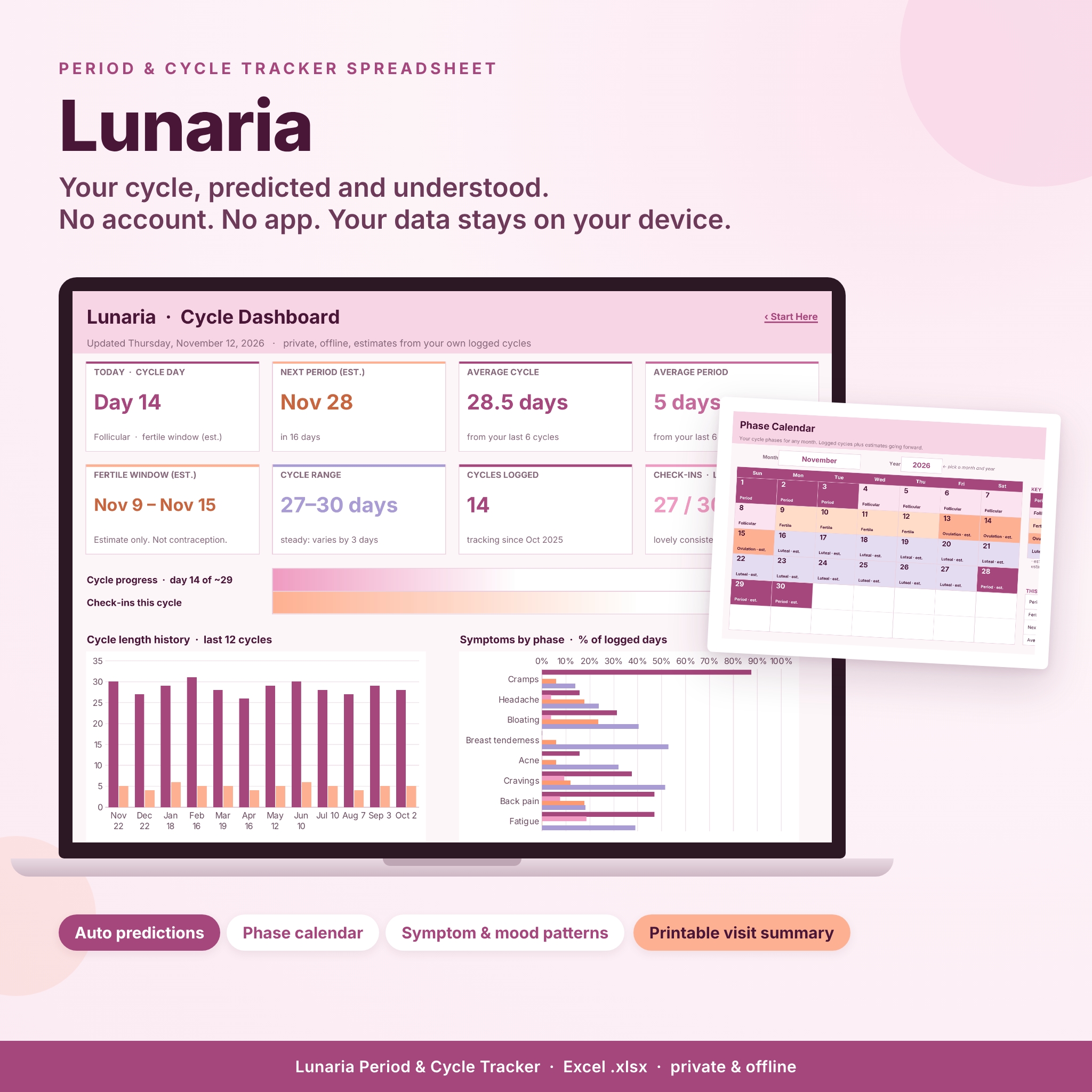
This phase-by-phase view is where the full Lunaria Period & Cycle Tracker shines. Its Daily Tracker fills in your cycle day and estimated phase automatically, and its Insights tab and dashboard charts show symptoms, mood, energy, sleep and pain by phase.
Free vs Full: which Lunaria is right for you?
Lunaria Lite is a genuinely useful free tracker for logging periods and seeing your next dates. The full version adds the daily tracker, phases and everything you need to spot patterns and prepare for appointments.
| Feature | Lunaria Lite (free) | Lunaria (full) |
|---|---|---|
| Cycle Log with automatic cycle and period length | 24 cycles | 120 cycles |
| Average cycle, average period, cycle range | Yes | Yes |
| Next period predictions | Next 3 | Next 6, plus likely range |
| Dashboard charts | 1 | 4 |
| Cycle phases and fertile-window estimate | No | Yes |
| Daily Tracker (mood, energy, sleep, pain, 8 symptoms) | No | 3 years of dated rows |
| Phase Calendar and Year View | No | Yes |
| Insights: patterns by phase | No | Yes |
| Doctor Notes and printable Visit Summary | No | Yes |
| Supplies and spending tracker | No | Yes |
| Designed user guide | No | Yes |
Ready for the complete picture? Get the full Lunaria Period & Cycle Tracker and keep everything you logged in Lite by copying your dates across.
Tips for tracking your cycle privately
- Back it up. Save a copy at the end of each month. Your file is only as safe as the place you keep it.
- Add end dates when you can. They turn the default period length into your real average.
- Leave out unusual cycles. Illness, travel or a medication change can stretch one cycle. In the full version, a “Skip in averages” option keeps that cycle in your history without skewing predictions.
- Write notes in your own words. “Started new vitamin” or “stressful week” is often more useful later than any score.
- Prepare for appointments. Dates, cycle lengths and symptom patterns on one page make a short visit far more productive. The full Lunaria includes a printable Visit Summary for exactly this.
Using a period tracker with irregular cycles
If your cycles vary a lot, predictions will naturally be less precise, but tracking is still worth it. A clear history shows your shortest and longest cycles and how much they vary, which is helpful information to bring to a health professional. Look at the likely range rather than a single predicted date, and keep logging: the more cycles you record, the more meaningful your averages become.
Frequently asked questions
Is the period tracker spreadsheet really free?
Yes. Lunaria Lite is free to download with a free Taskdale account. Free downloads are limited to 3 per day.
Does a spreadsheet period tracker work offline?
Yes. It is a file on your device. There is no app, no sign-in and no cloud sync, so your data stays where you save it.
Can I use it in Google Sheets?
The file is an Excel-format .xlsx for Microsoft Excel, tested in LibreOffice Calc, and built with standard functions that also work when you open it in Google Sheets.
Can a period tracker tell me when I am fertile?
The full Lunaria shows an estimated fertile window based on your averages, clearly labeled as an estimate. It is not contraception and should not be used to plan or prevent pregnancy.
Can I move my data from Lite to the full version?
Yes. Both use the same Cycle Log layout, so you can copy your period dates into the full Lunaria Period & Cycle Tracker in a minute.
Start tracking today
A private, offline period tracker does not need to be complicated. Log a few dates today and let the formulas do the rest. Download the free Lunaria Lite to get started, and when you want phases, daily check-ins, pattern charts and a printable visit summary, upgrade to the full Lunaria Period & Cycle Tracker.