Picking the best Google Sheets habit tracker comes down to how many habits you track and how you like to review them. Streakline suits people with long daily lists. HabitPulse suits anyone who wants sleep and reflection beside their habits. Habit Studio suits those who want a year overview and printable pages.
- Habit limits differ: Streakline allows up to 40 daily and 10 weekly habits, while HabitPulse and Habit Studio each allow up to 30 daily and 15 weekly.
- All three work in Google Sheets and Excel: each listing says so, so you aren't tied to one programme.
- Two are dark mode: HabitPulse offers dark and light modes, and Streakline is a dark-mode tracker.
- Every one includes streaks and a yearly view: the differences are in the extras, such as heatmaps, Year in Pixels and progress rings.
- Printable options vary: Habit Studio includes a 4-page printable pack, and Streakline includes a printable 2027 tracker.
On this page: what to look for, how the three compare, who each suits, setting up, mistakes, price factors, a decision rule and common questions.
A spreadsheet habit tracker can feel like one more system to maintain, which is the opposite of what you want. The good ones remove that worry. You tick a day, and the streaks, charts and totals update themselves. We'll walk through what separates these three so you can choose with confidence. 3 options sit below, and this guide helps you narrow them down.
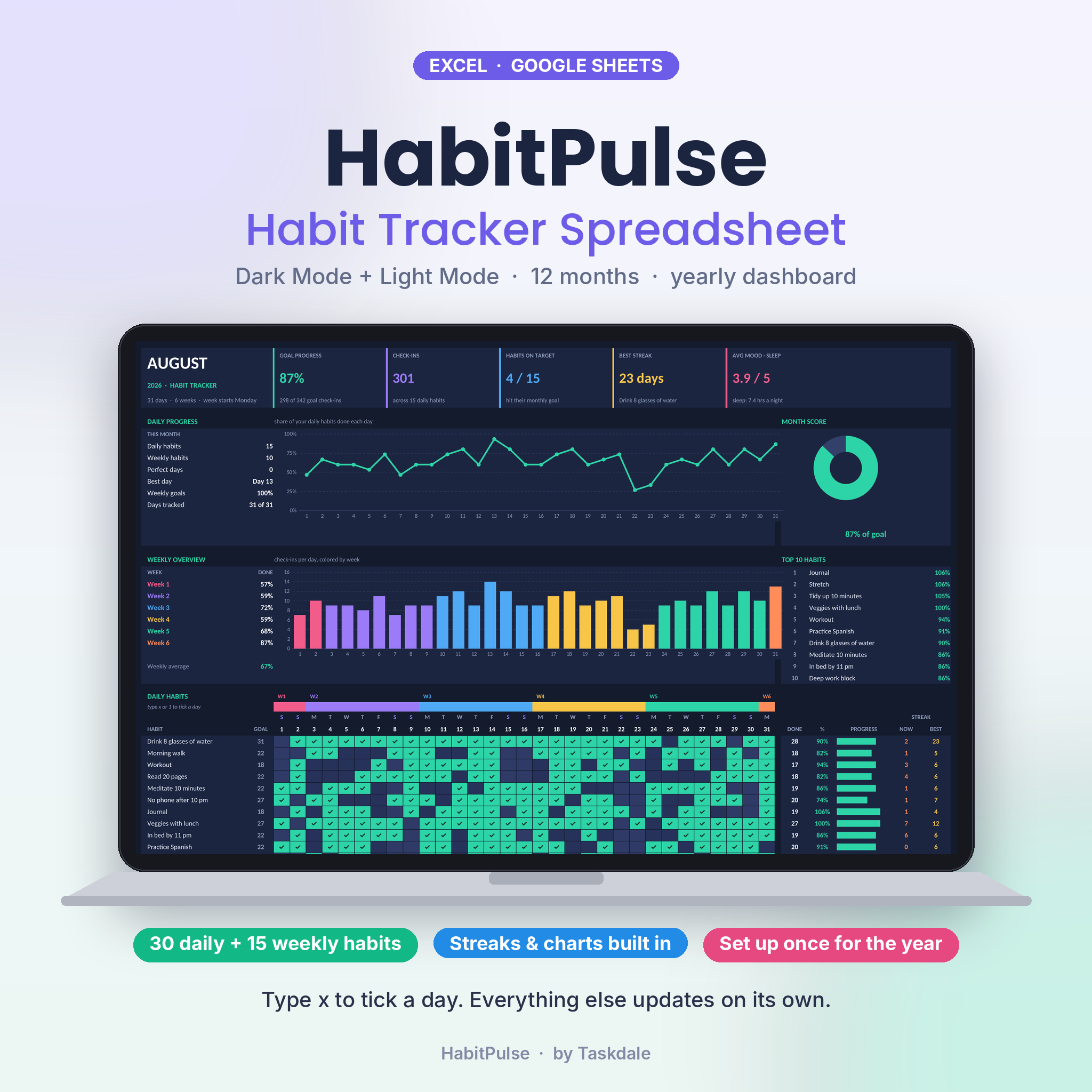 HabitPulse Habit Tracker Spreadsheet | Dark Mode Habit Tracker for Excel & Google Sheets with Daily & Weekly Habits, Streak Tracker, Yearly Dashboard & Mood Tracker
What should you look for in a Google Sheets habit tracker?
A good Google Sheets habit tracker is a ready-built spreadsheet that records your daily and weekly habits and calculates streaks and progress for you. Five factors decide whether one will stay useful past February.
How many daily and weekly habits can it hold?
Cheque the habit limit first, because it is the one thing you can't change later. HabitPulse and Habit Studio each hold up to 30 daily and 15 weekly habits. Streakline holds up to 40 daily and 10 weekly.
Most people track far fewer than the maximum. If your list is mostly daily routines, such as water, walking, reading and medication, Streakline's higher daily count gives you room. If you have many "three times a week" habits, the larger weekly allowance in the other two fits better.
How does it treat weekly goals and streaks?
A streak is the number of consecutive days or weeks you have completed a habit, and how a tracker calculates it matters more than it sounds. HabitPulse sets fair days-per-week goals, so a habit you only aim to do three times a week isn't marked as failing on the other four days.
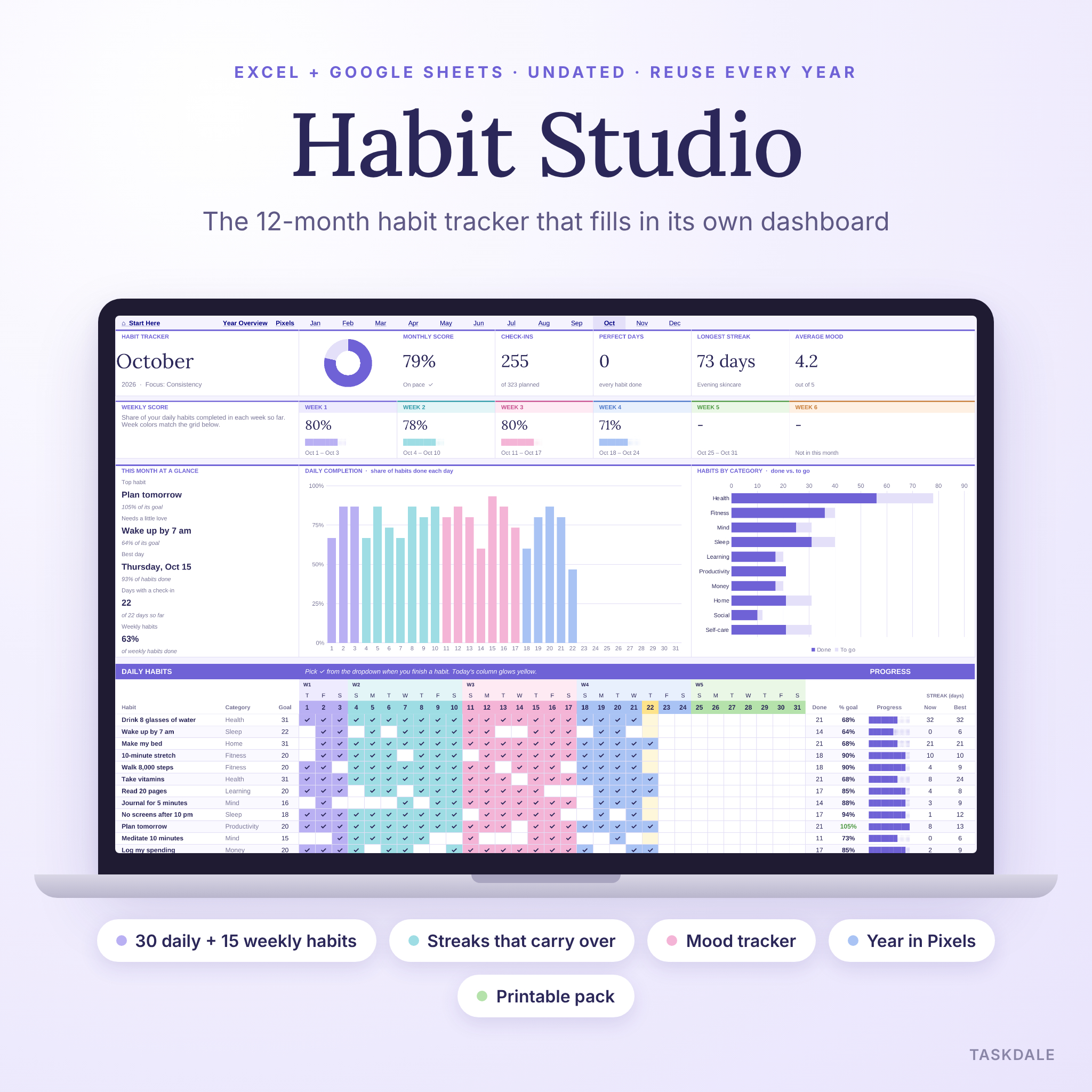
Habit Studio gives each habit its own monthly goal and carries current and best streaks from month to month. That means a good run in March doesn't reset because April has started. Streakline lists streaks and goals among its core features, though its listing says less about how they carry across months.
What does the dashboard show you?
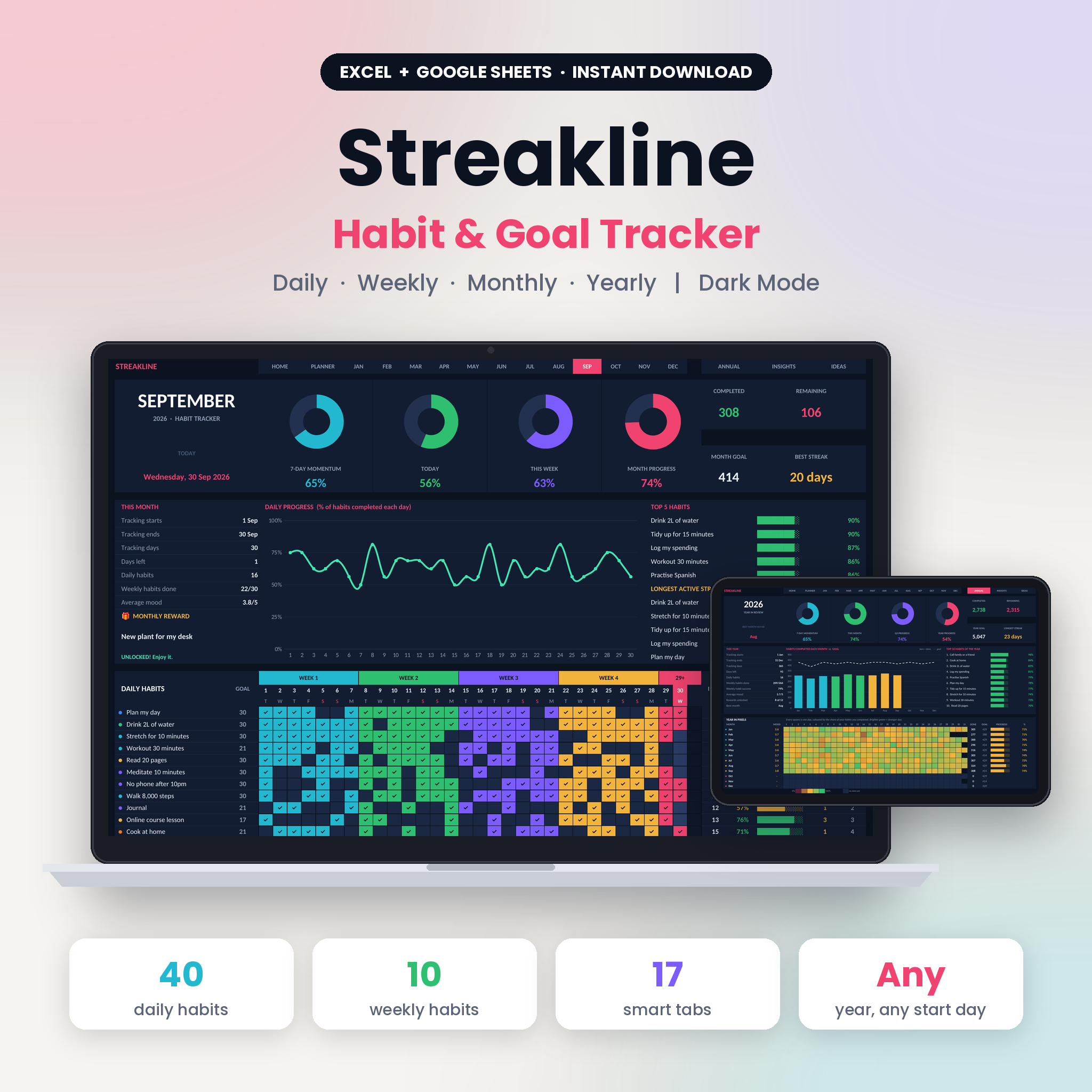
A dashboard is the summary page that turns your ticks into charts and totals. HabitPulse has a yearly dashboard and a day-by-day heatmap. Habit Studio has monthly dashboards, a Year Overview, a habit leaderboard and Year in Pixels. Streakline offers progress rings, charts and a full year review.
Pick the style you will look at. A heatmap or Year in Pixels view rewards visual thinkers. Progress rings suit people who like seeing a percentage close.
Does it track mood, sleep or reflection?
Mood tracking sits inside HabitPulse and Habit Studio. HabitPulse also adds sleep and a monthly reflection. Streakline's listing doesn't mention mood or sleep, so treat it as a pure habit tool.
If you want to learn which habits lift your mood, you need that data in the same file. Adding it later in a separate sheet is awkward.
Is there a guide, a sample file or a printable?
A user guide shortens the first evening of setup. HabitPulse includes an illustrated guide. Streakline includes an 18-page user guide and a sample file, which is handy for seeing a filled-in year before you start. Habit Studio includes a 4-page printable pack in US Letter and A4.
How do the three habit trackers compare?
The three trackers differ mainly in habit limits, extra tracking and bonus files. The table sets out what each listing states.
| Product | Daily habits | Weekly habits | Mood or sleep | Dashboard views | Extras |
|---|---|---|---|---|---|
| HabitPulse Habit Tracker Spreadsheet | Up to 30 | Up to 15 | Mood, sleep, monthly reflection | Yearly dashboard, day-by-day heatmap | Dark and light mode, illustrated user guide |
| Habit Tracker Spreadsheet 2026 for Excel & Google Sheets | Up to 30 | Up to 15 | Mood tracker | Monthly dashboards, Year Overview, leaderboard, Year in Pixels | Undated, 4-page printable pack |
| Streakline Habit Tracker Spreadsheet | Up to 40 | Up to 10 | Not listed | Progress rings, charts, full year review | Dark mode, sample file, 18-page guide, printable 2027 tracker |
The Habit Studio product's full title reads "Habit Tracker Spreadsheet 2026 for Excel & Google Sheets" and its listing calls it undated. Cheque the product card if the year matters to you.
Which habit tracker suits which person?
Each tracker suits a different habit style, and matching it to yours saves time.
HabitPulse suits the reflective tracker. If you want to see how sleep, mood and habits connect, and you like a month-end reflection, this is the best fit. The fair days-per-week goals also help anyone building routines gradually. The dark and light modes are useful if you open the sheet at night and by day.
Habit Studio suits the person who likes the big picture. Streaks that carry across months, a leaderboard ranking your habits and a Year in Pixels grid all reward long-term tracking. The printable pack helps if you want a paper copy for the fridge or a notebook.
Streakline suits the person with a long daily list. Forty daily slots, progress rings and a sample file make it a practical choice for anyone running a detailed morning and evening routine. It has fewer weekly slots, so cheque your own list first.
How do you set up and use a habit tracker in Google Sheets?
You set up a spreadsheet habit tracker by uploading the file to Google Drive, opening it in Google Sheets and listing your habits once. Allow about half an hour the first time.
- Download the file after purchase and upload it to your Google Drive.
- Open it with Google Sheets, and keep an untouched copy as a backup.
- Read the user guide or open the sample file, if one is included, to see how a finished month looks.
- Enter your habits once in the setup area, and set a goal for each.
- Tick each day as you go. HabitPulse, for example, uses an x to mark a day complete.
- Cheque the dashboard once a week, and use any reflection or mood section at month end.
Spreadsheets run in Google Sheets on a phone through the app, though a larger screen is easier for setup. If any feature behaves differently from Excel, the product's own guide is the place to cheque.
What mistakes should you avoid with a habit tracker spreadsheet?
The most common mistake is filling the tracker with too many habits on day one. A sheet with 30 daily rows can feel like a chore by the second week.
- Starting with the maximum. Begin with three to five habits, and add more once ticking becomes automatic.
- Setting goals you can't meet. A weekly habit with a daily target will show constant failure. Use the weekly or days-per-week options.
- Editing formulas by accident. Keep a clean copy, and only type in the cells designed for input.
- Ignoring the review. The dashboard is only useful if you look at it. Put a weekly cheque in your calendar.
- Buying for features you won't use. A mood tracker means nothing if you never fill it in.
What affects the price of a habit tracker spreadsheet?
The price of a habit tracker spreadsheet depends on its habit capacity, the number of views and the extras included. A larger file with many dashboards, a printable pack and a long guide generally costs more than a simple single-sheet tracker.
Two other things matter. A dated product, such as one built for a single year, may need replacing, while an undated one can be reused. And bundled extras, such as a sample file or printable pages, add value only if you use them. The live product cards show the current prices, so compare those against the features you need.
Which Google Sheets habit tracker should you choose?
Choose by your habit list. If you track many daily habits, go for Streakline. If you want mood, sleep and reflection in one file, choose HabitPulse. If you want streaks across months, a Year in Pixels view and a printable pack, choose Habit Studio.
If you're unsure, count your habits first. More than 30 daily habits is unusual, so the limit rarely decides it. Then ask which dashboard you would actually enjoy opening each week, and pick that one.
Common questions
Can these habit trackers be used in Excel as well as Google Sheets?
Yes. All three listings state that the files work in both Excel and Google Sheets. You can pick whichever programme you already use, and you can move between them. For exact setup steps in each, follow the guide that comes with the product.
Is a dark mode habit tracker easier on the eyes?
Many people find a dark background more comfortable in the evening, though it is a matter of preference. HabitPulse offers both dark and light modes, so you can switch. Streakline is a dark-mode tracker, so cheque whether that suits your screen and lighting.
Do I need to print my habit tracker?
No. All three work on screen. Printing is optional. Habit Studio includes a 4-page printable pack in US Letter and A4, and Streakline includes a printable 2027 tracker, which suits you if you like a paper copy beside the screen version.
What if I want to track fewer than three days a week for a habit?
Use the weekly habit slots. HabitPulse and Habit Studio each offer up to 15 weekly habits, and Streakline offers up to 10. HabitPulse's fair days-per-week goals are designed for this, so a three-day habit isn't treated as missed on rest days.
Which tracker is best if I'm new to spreadsheets?
Look for the one with the clearest help. HabitPulse has an illustrated user guide, and Streakline has an 18-page guide and a sample file. Start with either, enter just three habits, and tick for a week before adding more.