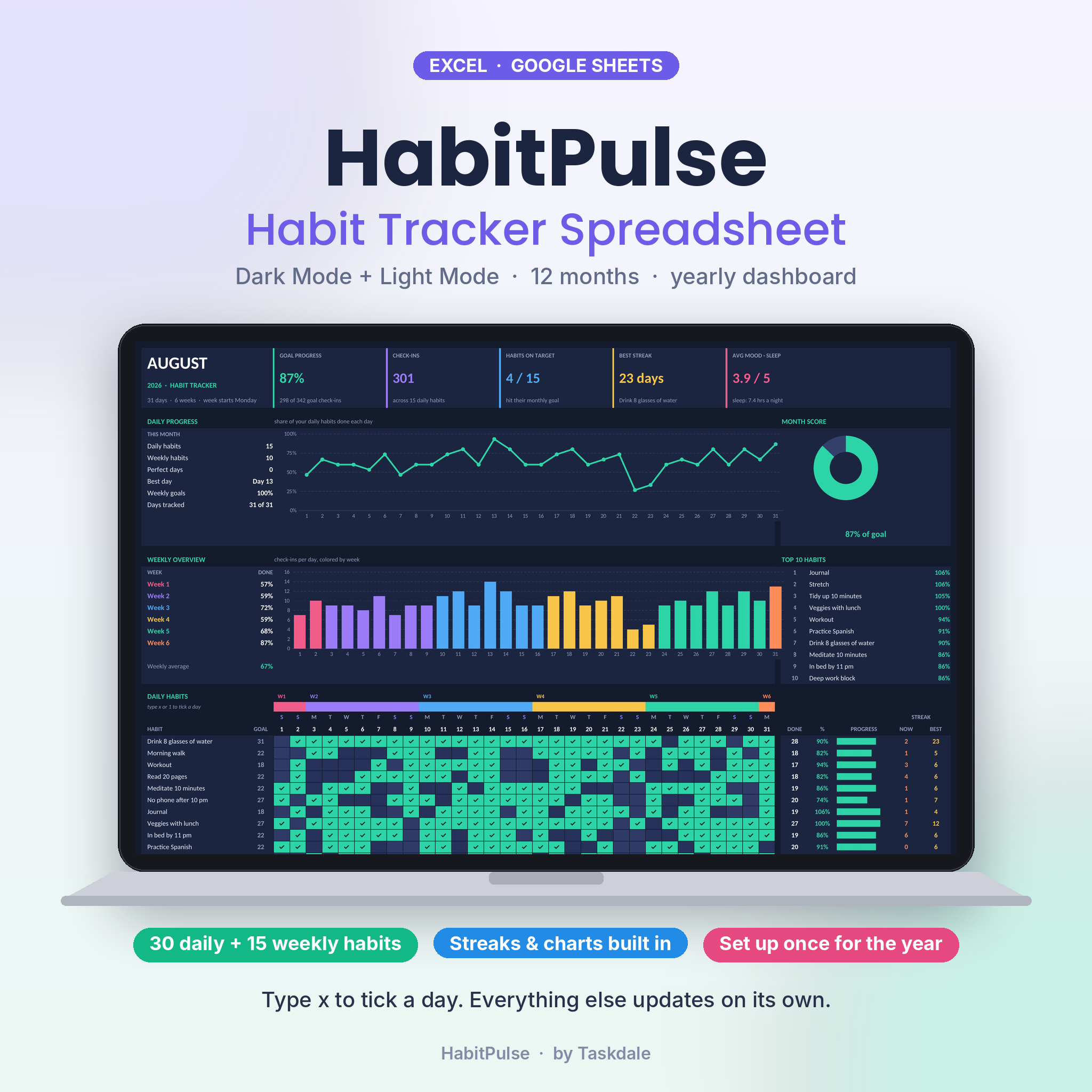
HabitPulse is a habit tracker spreadsheet for Excel and Google Sheets that covers a full year. You type your habits once. Then you tick them off, day by day, on twelve monthly tabs. The math happens on its own: goal progress, streaks, charts, a top 10 list and a yearly dashboard with a heatmap of every day.
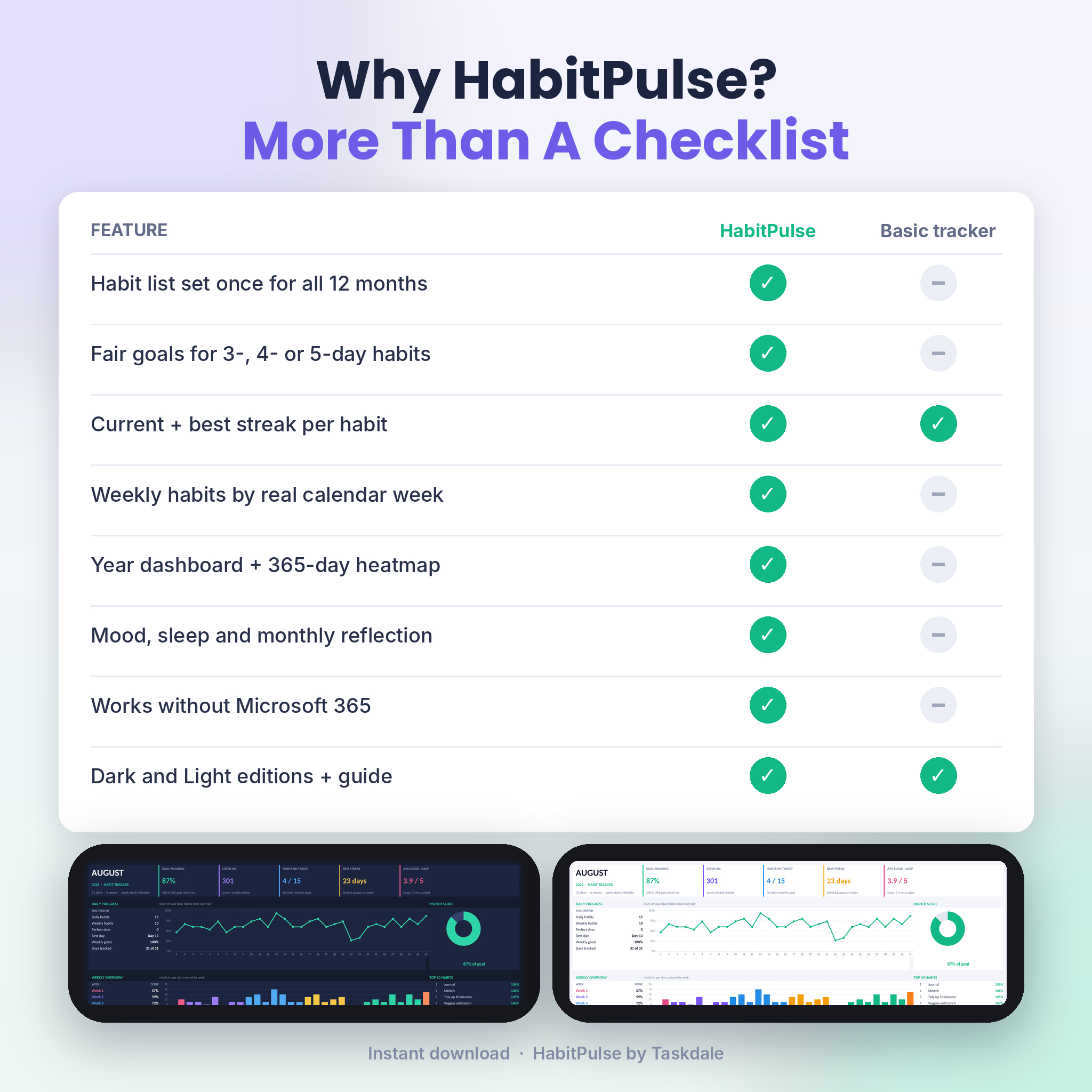
It comes in a Dark edition and a Light edition. Same features, two looks. Pick the one you like and use it all year.
What this habit tracker spreadsheet does
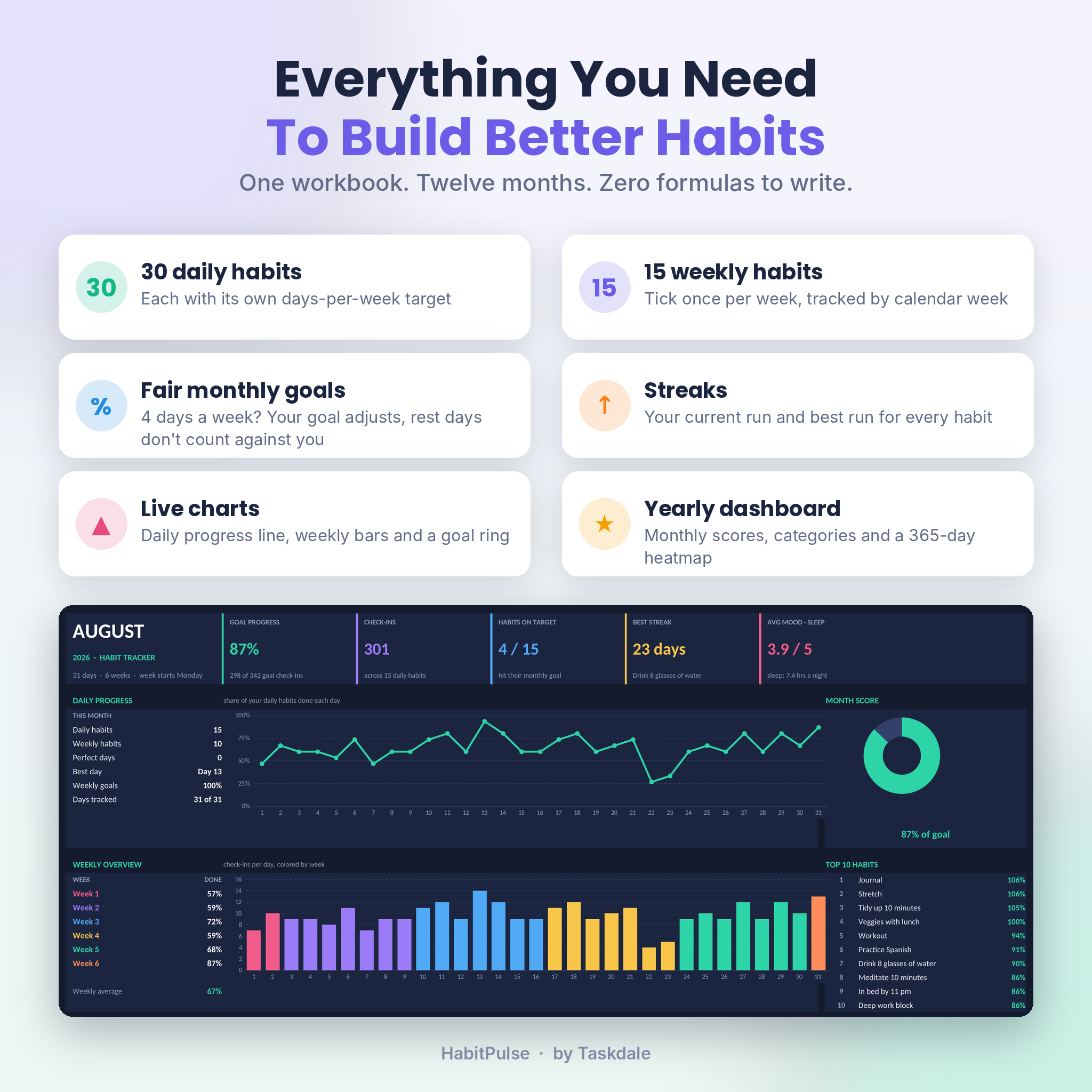
Most trackers give you a grid and a percentage. That’s fine until you add a habit you only want to do three times a week. Suddenly you’re stuck at 43% and feel like you’re failing. HabitPulse fixes that. Each habit gets a days-per-week target, and its monthly goal is worked out from it. A 4-day habit in a 31-day month has a goal of 18, not 31. Rest days stop counting against you.
You also get weekly habits, like meal prep or calling your mom, tracked by real calendar week. A month can have five or six weeks, and the sheet knows which.
Who it’s for
- Anyone building a routine: water, reading, workouts, sleep, journaling
- People who like seeing numbers instead of just ticks
- Beginners. You don’t write a single formula
- Anyone tired of copying a tab every month and retyping their habits
Features
Daily and weekly habit tracking
- Up to 30 daily habits and 15 weekly habits
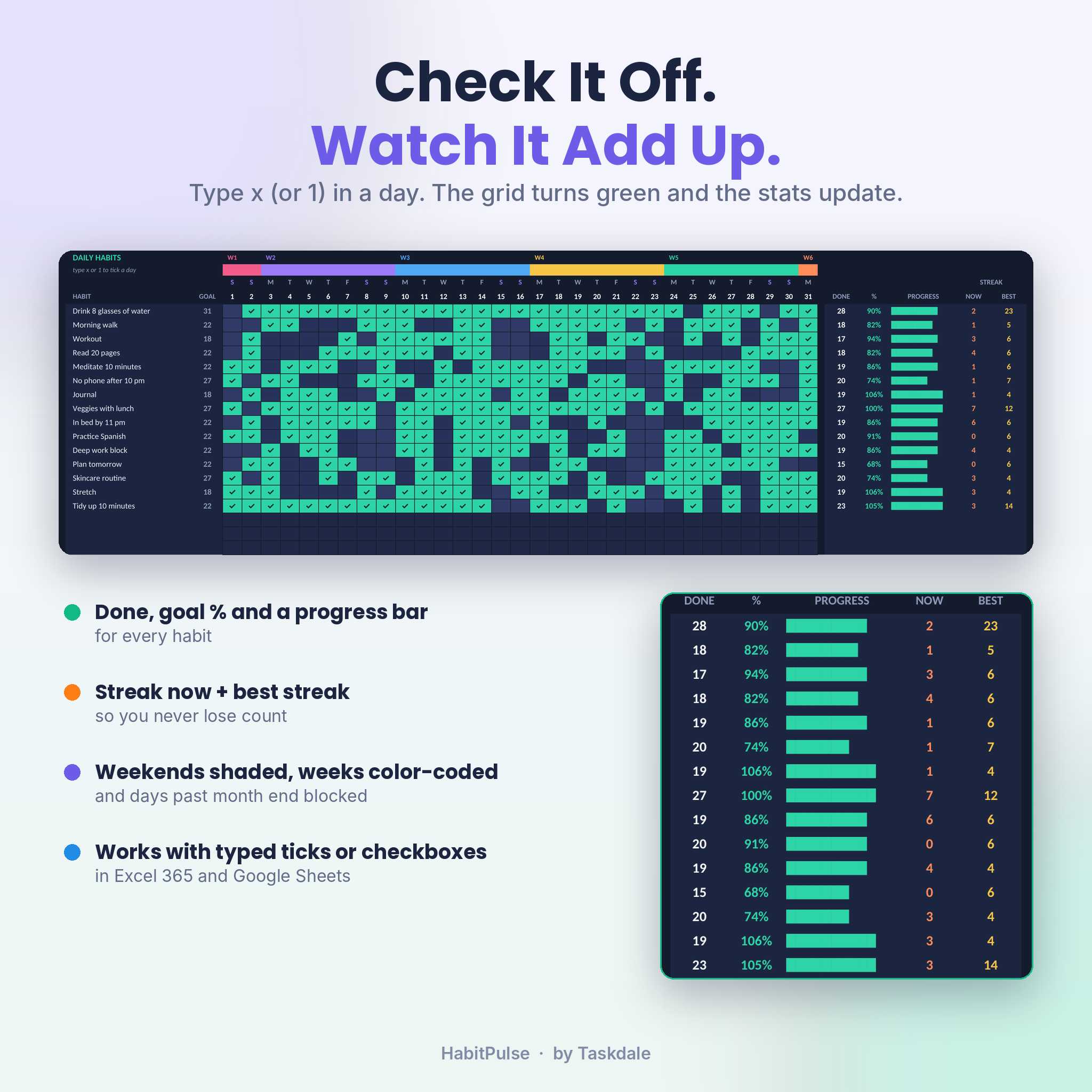
- Type x or 1 in a day and the cell turns green with a check mark
- Prefer checkboxes? Insert cell checkboxes in Excel for Microsoft 365 or Google Sheets and they count too
- Weekends are shaded, each week has its own color, and days past the end of the month are blocked
- Pick Monday or Sunday as your week start
Monthly results that update as you go
- Five cards at the top: goal progress, check-ins, habits on target, best streak, and average mood and sleep
- Daily progress line chart
- Weekly overview bar chart, colored by week, with each week’s completion rate
- Goal ring showing your month score
- Top 10 habits, ranked automatically
- Done, goal %, a progress bar, current streak and best streak for every habit
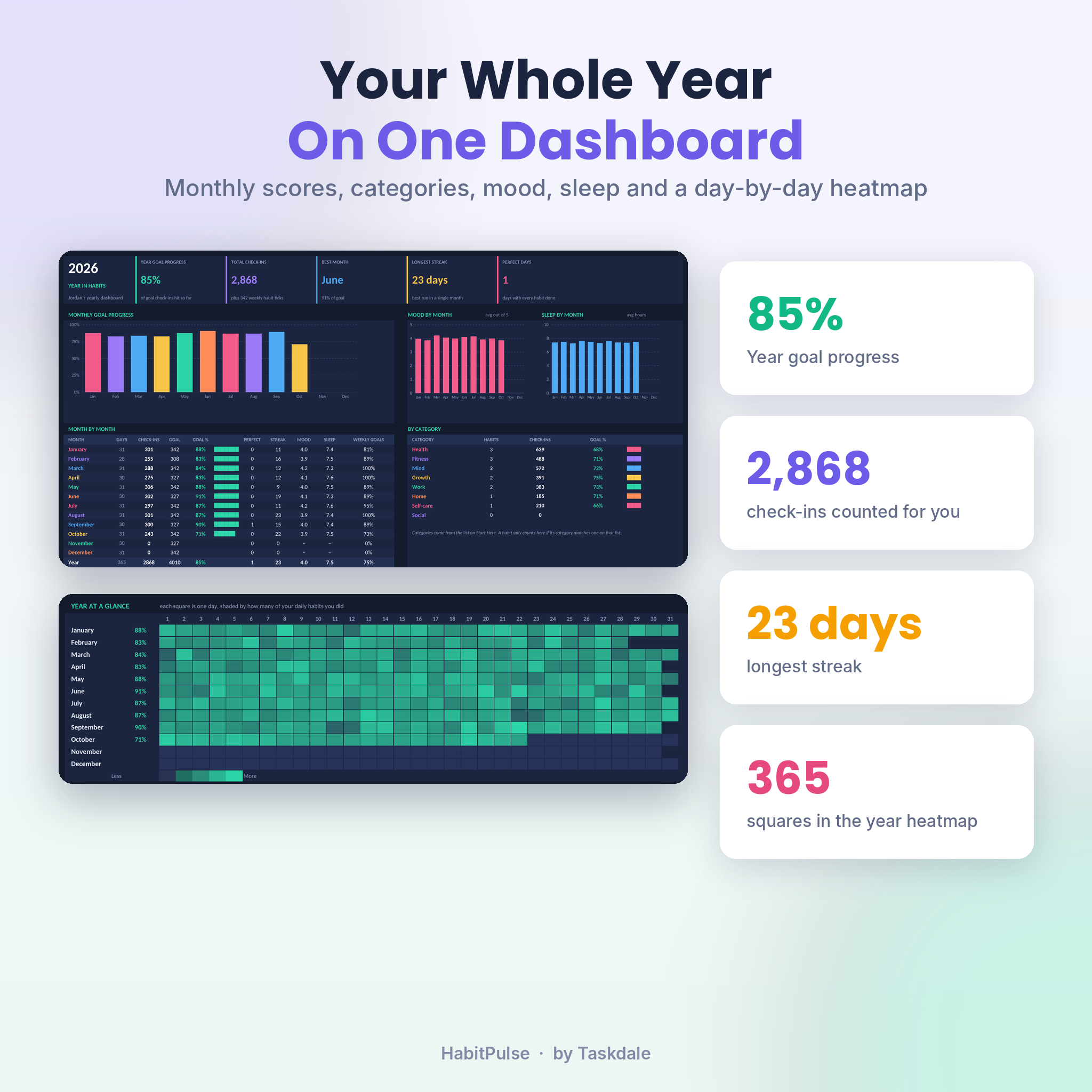
Yearly habit dashboard
- Year goal progress (only counts months that have started), total check-ins, best month, longest streak and perfect days
- Monthly goal progress chart, plus mood and sleep by month
- Month by month table with check-ins, goal %, perfect days, streaks, mood, sleep and weekly goal rate
- Results by category, like Health, Fitness or Mind
- Yearly totals for every daily and weekly habit
- Year at a glance heatmap, one square per day
Small extras that help habits stick
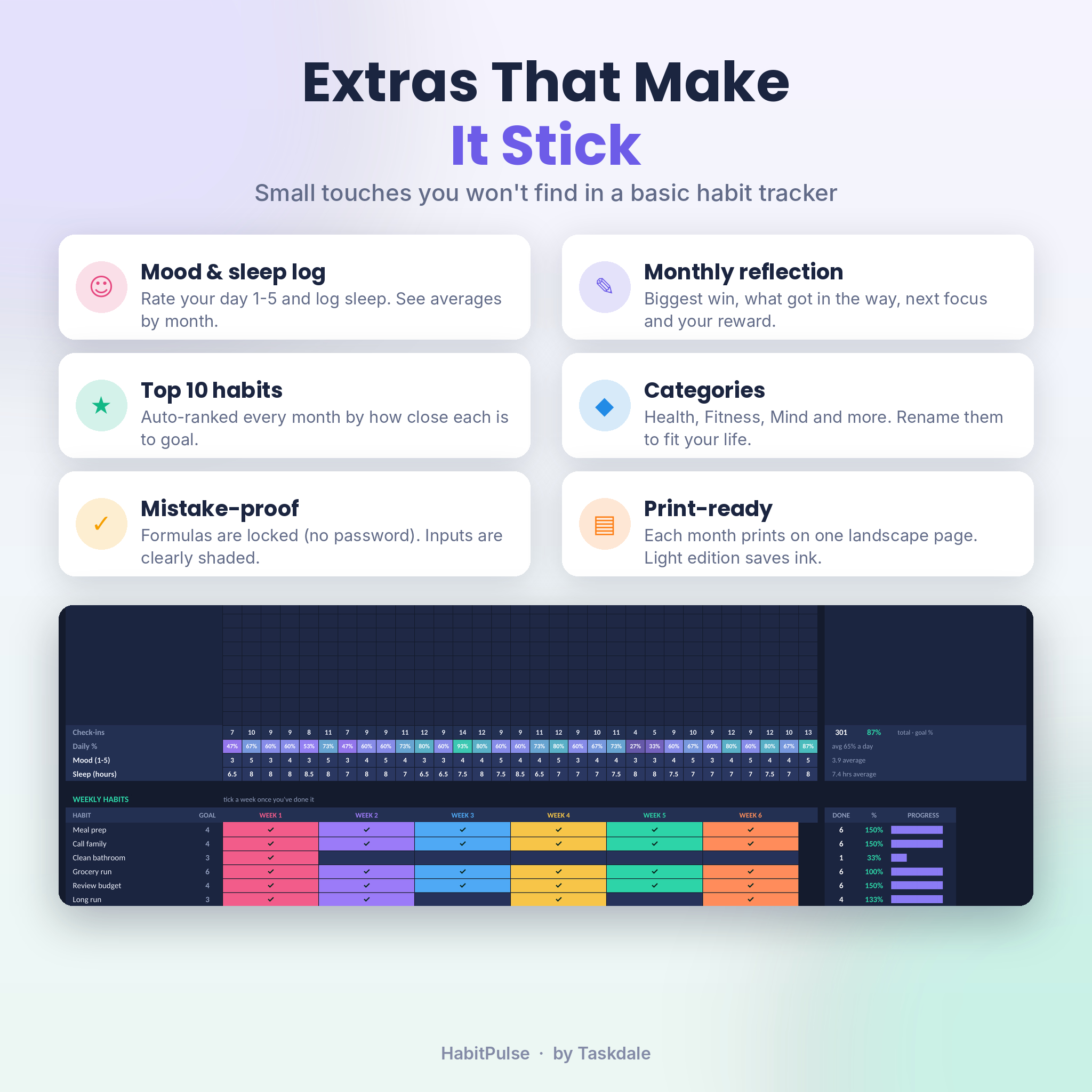
- Mood log (1 to 5) and sleep hours for every day
- Monthly reflection: biggest win, what got in the way, one focus for next month and your reward
- Eight categories you can rename
- Formula cells are locked with no password, so a stray keystroke can’t break anything. Your input cells are clearly shaded
- Each month prints on one landscape page
What’s included
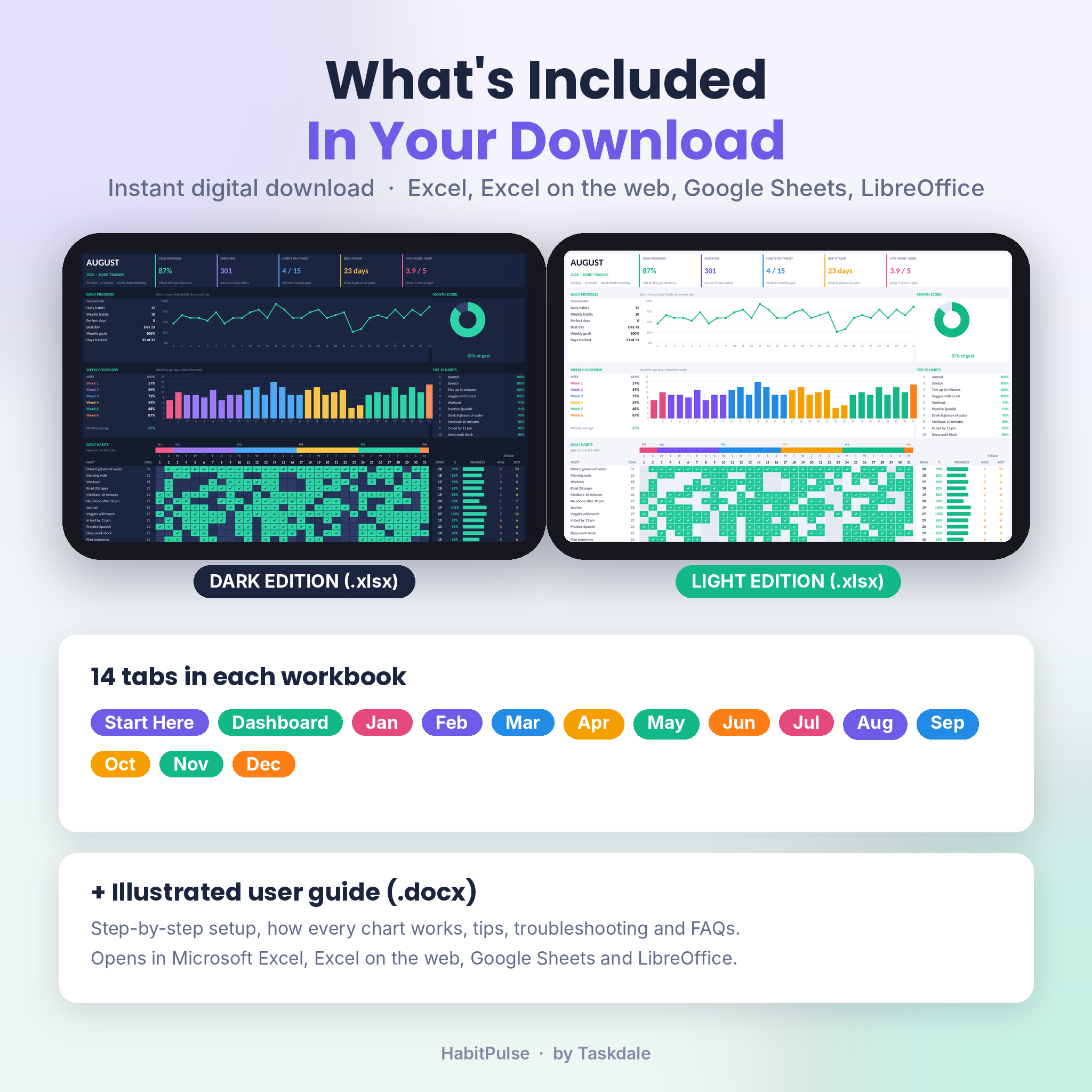
- HabitPulse Habit Tracker, Dark edition (.xlsx)
- HabitPulse Habit Tracker, Light edition (.xlsx)
- Illustrated user guide (.docx): setup, every feature explained, tips, troubleshooting and FAQs
Each workbook has 14 tabs: Start Here, Dashboard, and January through December.
How it works
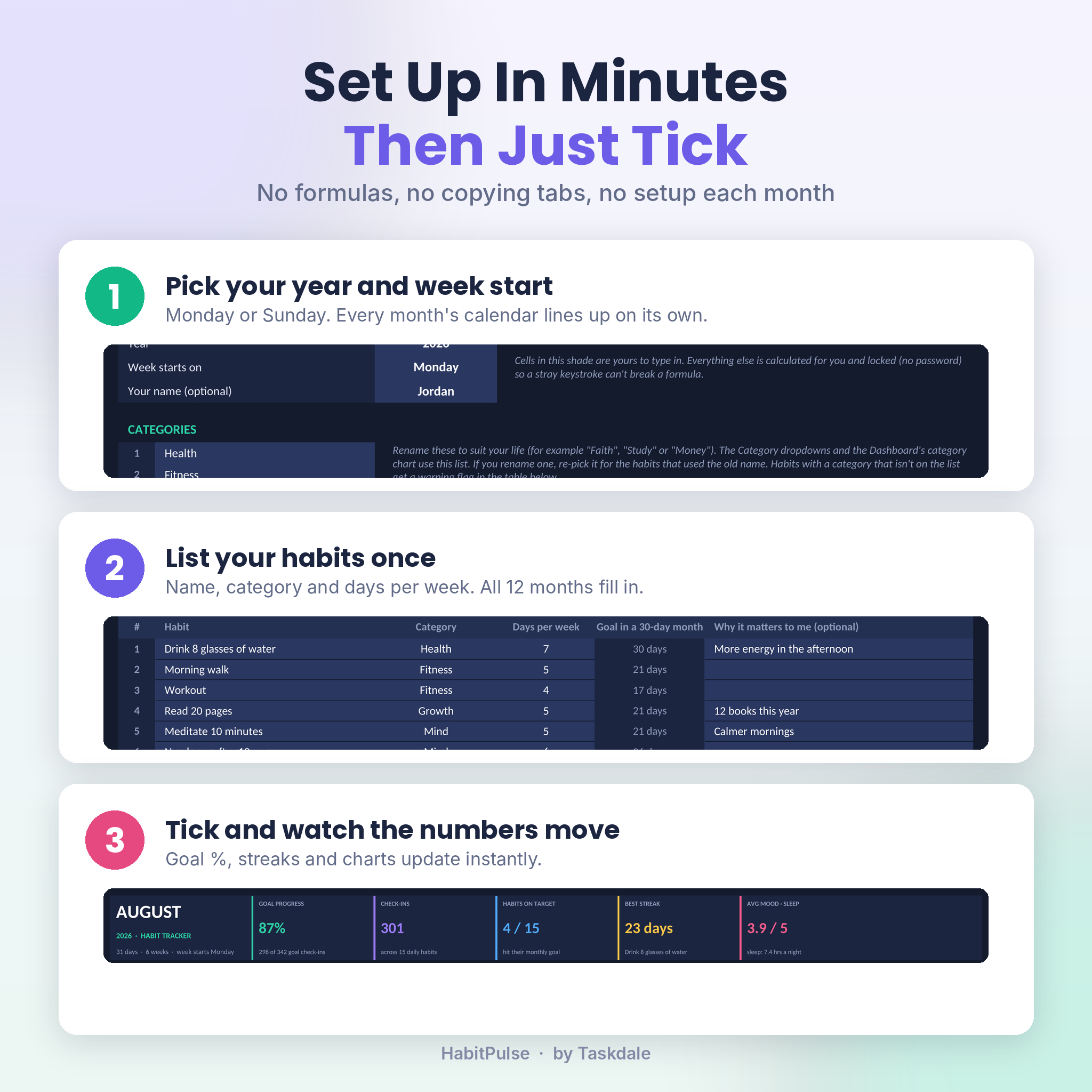
- Set your year and week start on the Start Here tab.
- List your habits once. Add a category and a days-per-week target for each. All twelve months fill in from this list.
- Tick off your days. Open the current month and type x when you do a habit. Charts, streaks and the dashboard update on their own.
Want to swap a habit in July? Type the new name over it on the July tab. Earlier months keep their history.
File formats and software
- Format: Excel workbook (.xlsx) plus a Word user guide (.docx)
- Works in Microsoft Excel, Excel on the web (free with a Microsoft account), Google Sheets (free with a Google account) and LibreOffice Calc
- No macros and no add-ins
- Microsoft 365 is not required. Only the optional cell checkboxes need it
- Designed for a laptop or desktop screen
Customizing it
Rename the categories, change habit names, and set a different goal for any single month by typing over it. You can change fill colors and fonts on your input cells without unlocking anything. To edit more, unprotect a sheet in one click. There’s no password.
Digital download
This is an instant digital download. No physical item ships. Once your payment goes through you can download all three files from your order confirmation and your account. To use it in Google Sheets, upload the .xlsx to Google Drive and choose File, Save as Google Sheets.
License: personal use only. Please don’t resell, share or redistribute the files.
Real ways people use it
- A New Year reset with 6 to 8 habits, tracked all year on one dashboard
- Building a fitness routine with a workout target of 3 or 4 days a week
- Better sleep: track bedtime habits and watch your sleep average by month
- Study or language practice with a daily streak to protect
- Home routines as weekly habits, like laundry, cleaning and grocery runs
FAQ
Does this habit tracker work in Google Sheets?
Yes. Upload the .xlsx to Google Drive, open it and choose File, Save as Google Sheets. Formulas, charts, dropdowns and colors carry over.
Do I need Microsoft 365?
No. It uses standard formulas. The only Microsoft 365 feature is the optional cell checkbox, and typing x works everywhere.
Can I track habits I don’t do every day?
Yes. Set a days-per-week target from 1 to 7 and the monthly goal adjusts. Weekly habits have their own section too.
Which year is it for?
Any year. Type the year on Start Here and every month’s dates and weekdays update. It’s set to 2027 out of the box.
Can I start in the middle of the year?
Yes. Start with the current month. The year score only counts months that have begun.
Is there a dark mode habit tracker and a light one?
Both are included. They work the same way, so pick whichever is easier on your eyes.
How many habits can I track?
30 daily habits and 15 weekly habits. Most people do best with far fewer.
Reviews
There are no reviews yet.