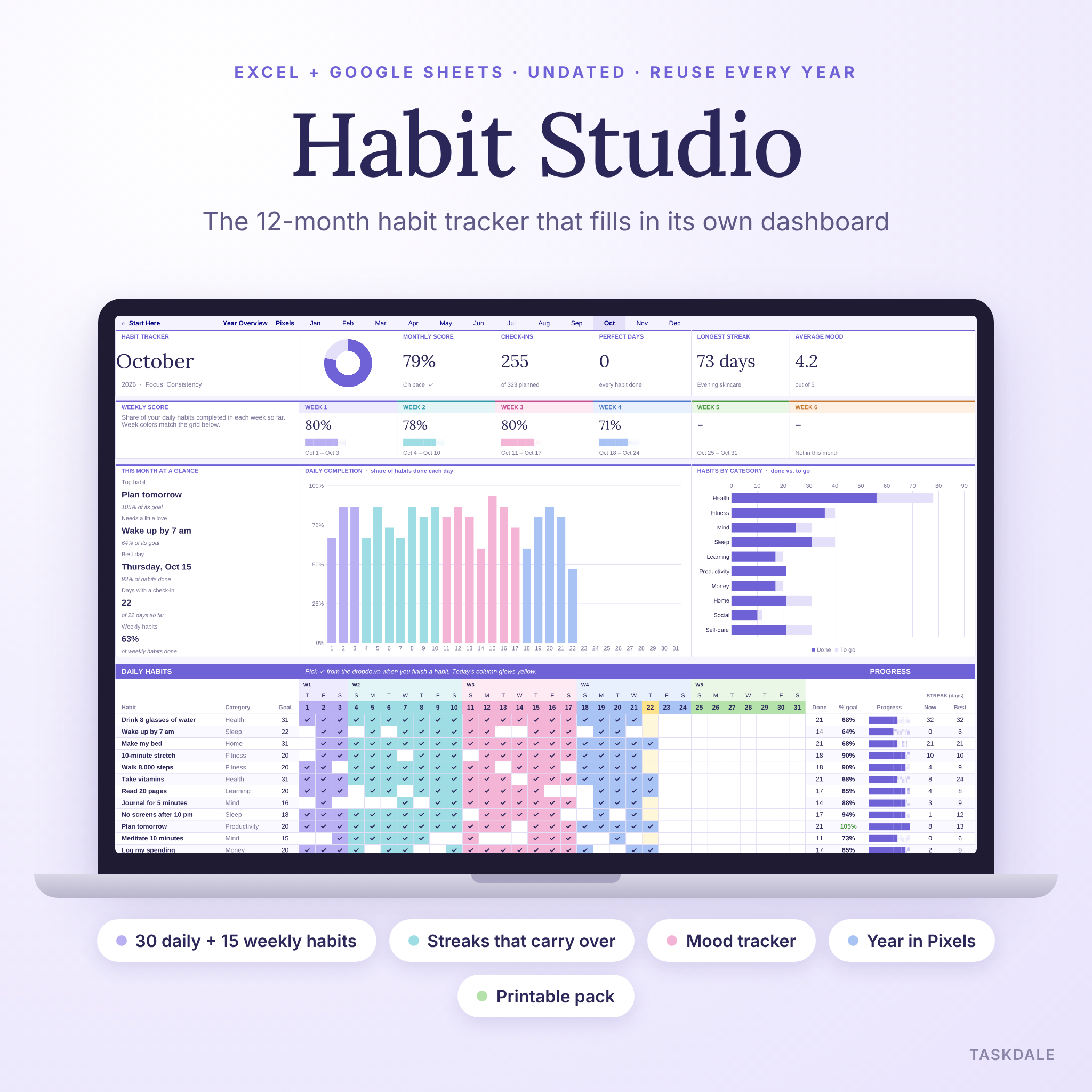
Habit Studio is a habit tracker spreadsheet that covers your whole year in one file. You list your habits once, pick ✓ each day, and the workbook does the adding up. Monthly scores, weekly scores, streaks, charts, a mood tracker and a yearly leaderboard all fill in on their own. It works in Microsoft Excel and Google Sheets, and it’s undated, so you can use it in 2026 and again next year.
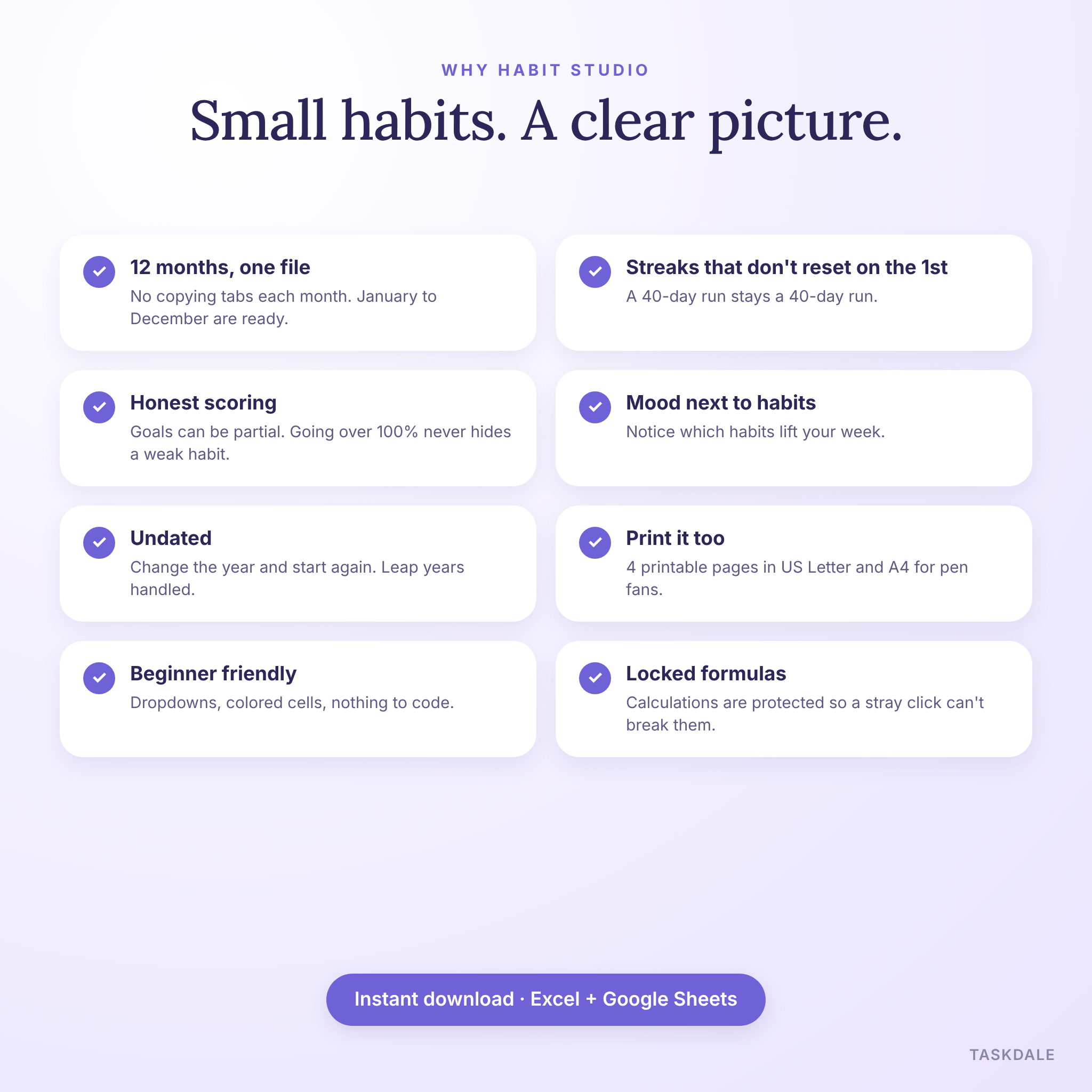
Most habit trackers give you one tab and ask you to copy it every month. This one has twelve. January to December are ready the moment you open the file.
What this habit tracker spreadsheet does
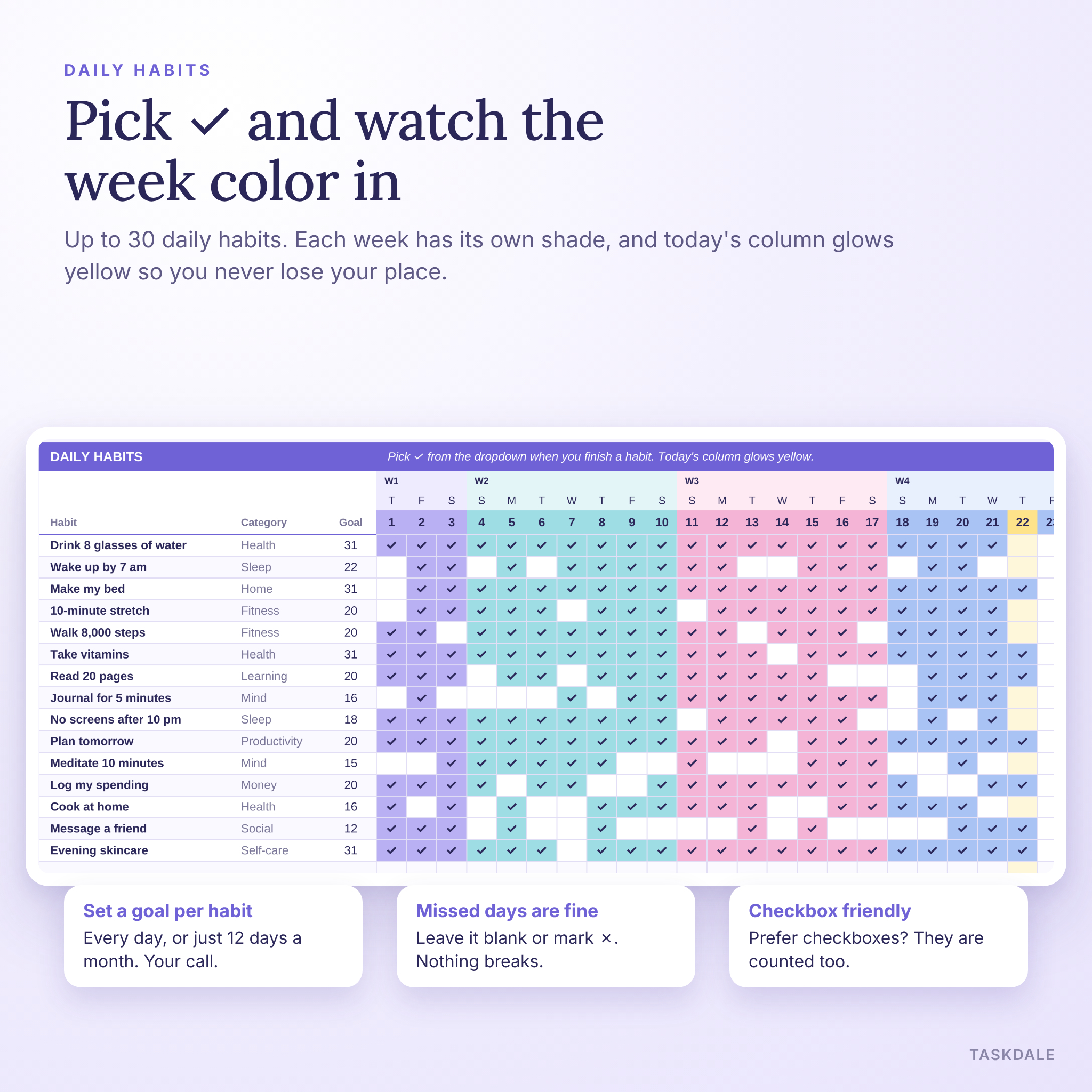
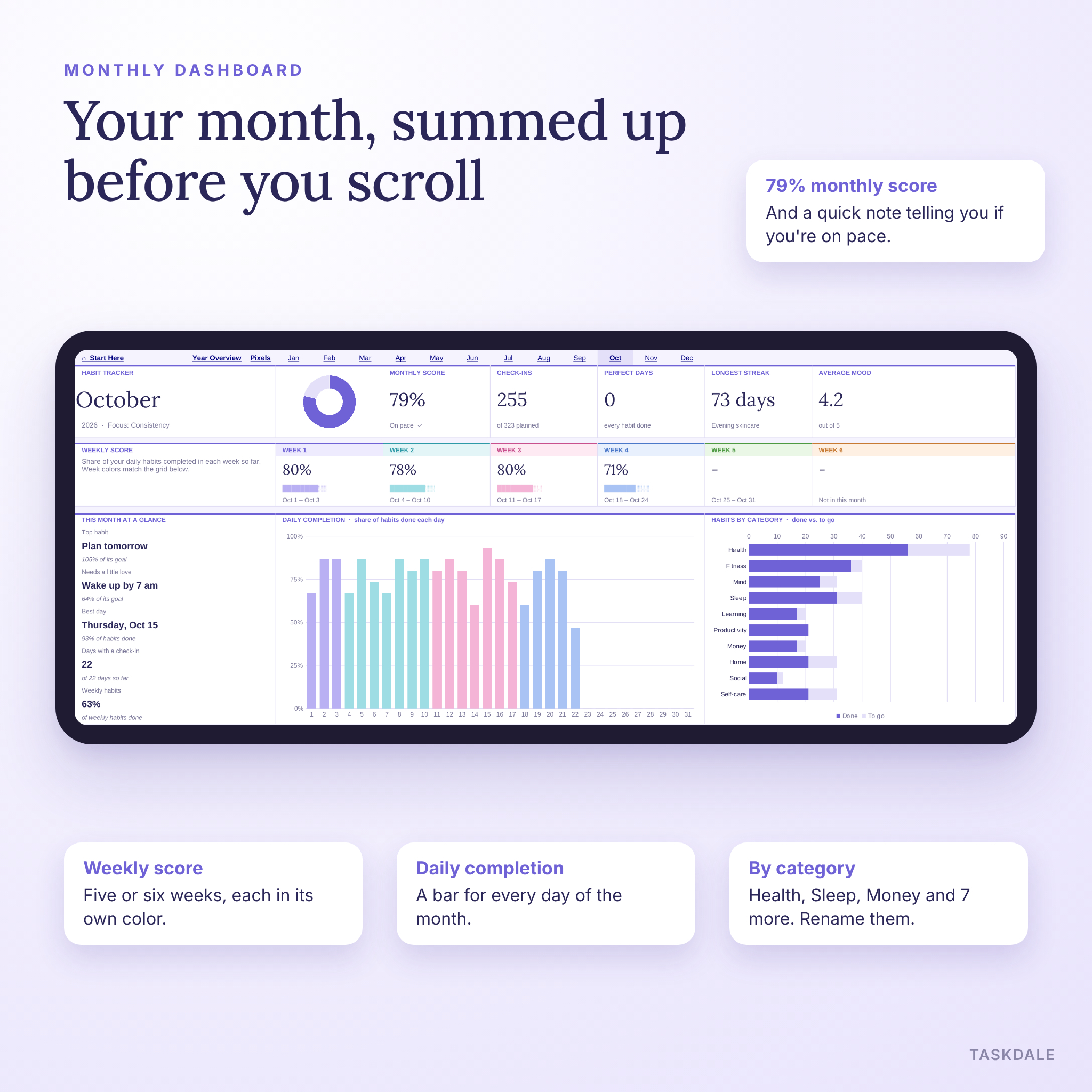
Each month tab has a daily grid for up to 30 habits and a weekly section for up to 15 more. Tick a cell and it fills with that week’s color. Today’s column glows pale yellow, so you always know where you are.
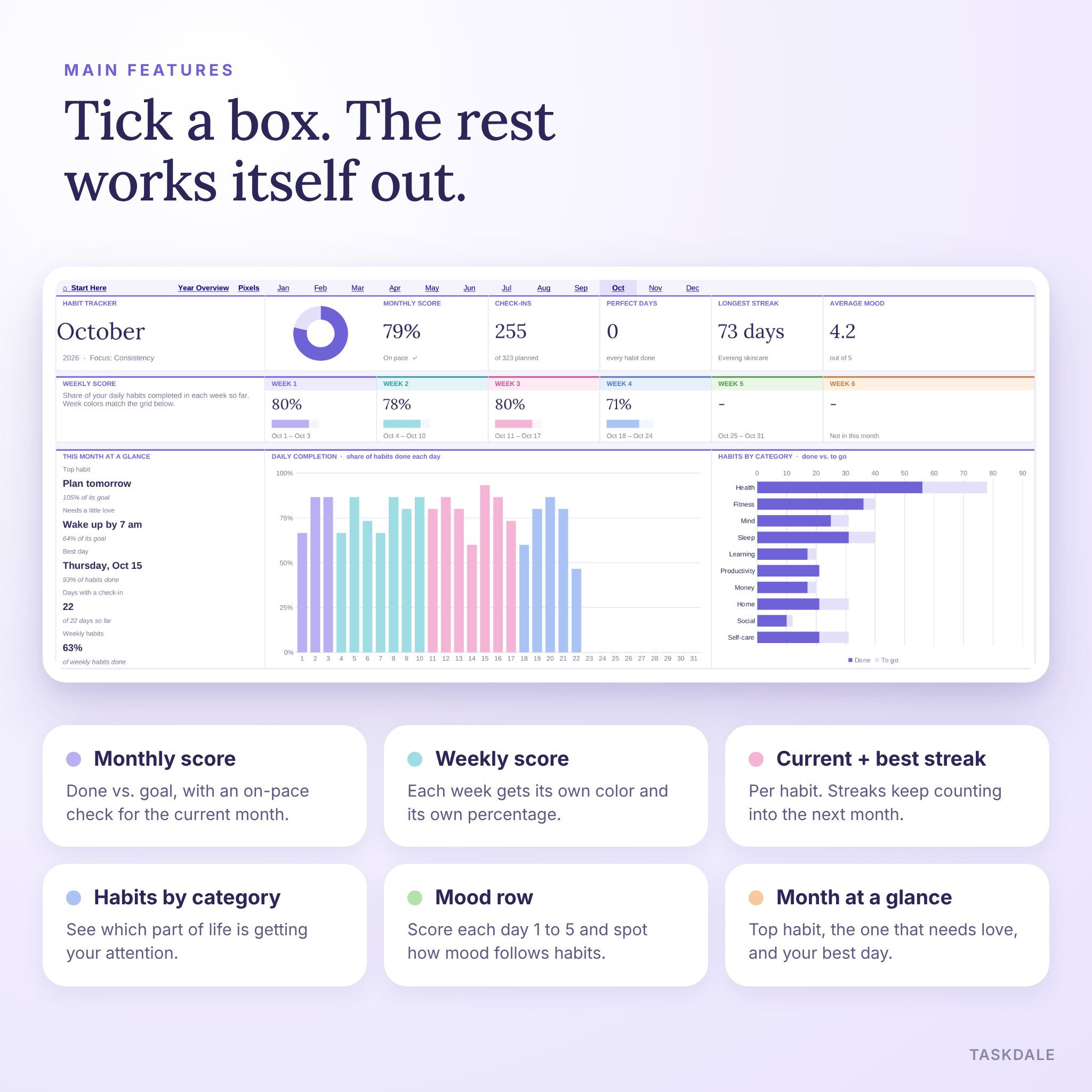
Above the grid sits your monthly dashboard. You get five score tiles (monthly score, check-ins, perfect days, longest streak and average mood), a score for every week, a daily completion chart, a habits-by-category chart and a short “month at a glance” panel. That panel names your top habit, the habit that needs a little love and your best day of the month.
On the right of the grid, every habit shows its done count, its percentage of goal, a progress bar, its current streak and its best streak.
Who it’s for
- Anyone building a morning or evening routine
- Students juggling study, sleep and exercise
- Busy parents who want a quick daily check-in
- People who like a simple, colorful layout that keeps distractions low
- Fitness, self-care and money habit builders who want to see progress over a full year
Main features
Daily and weekly habits
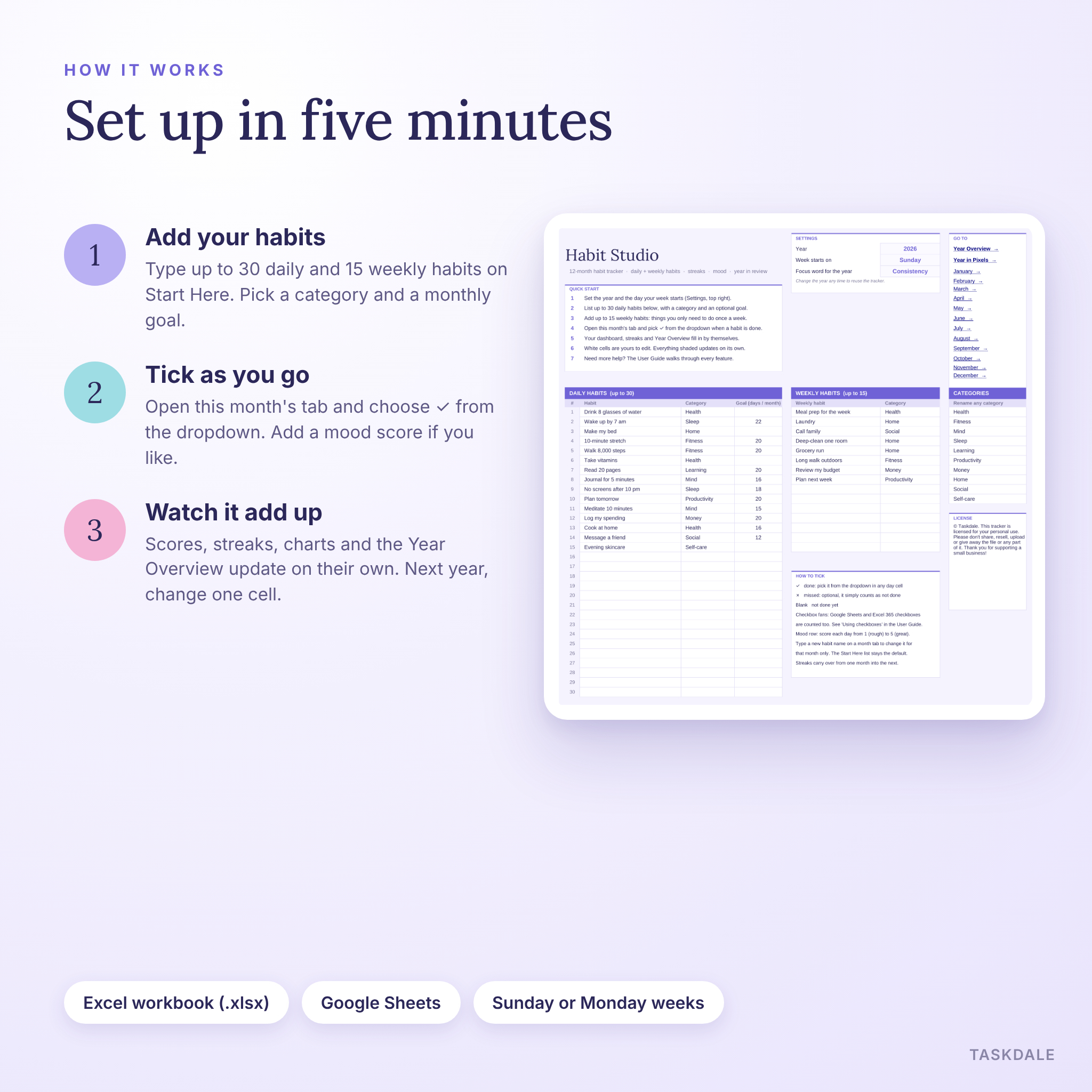
Up to 30 daily habits, each with a category and an optional monthly goal. A habit you want three times a week can have a goal of 12 days instead of 31, so your score stays honest. Up to 15 weekly habits get one tick per week. Think laundry, meal prep or calling family.
Streaks that carry over
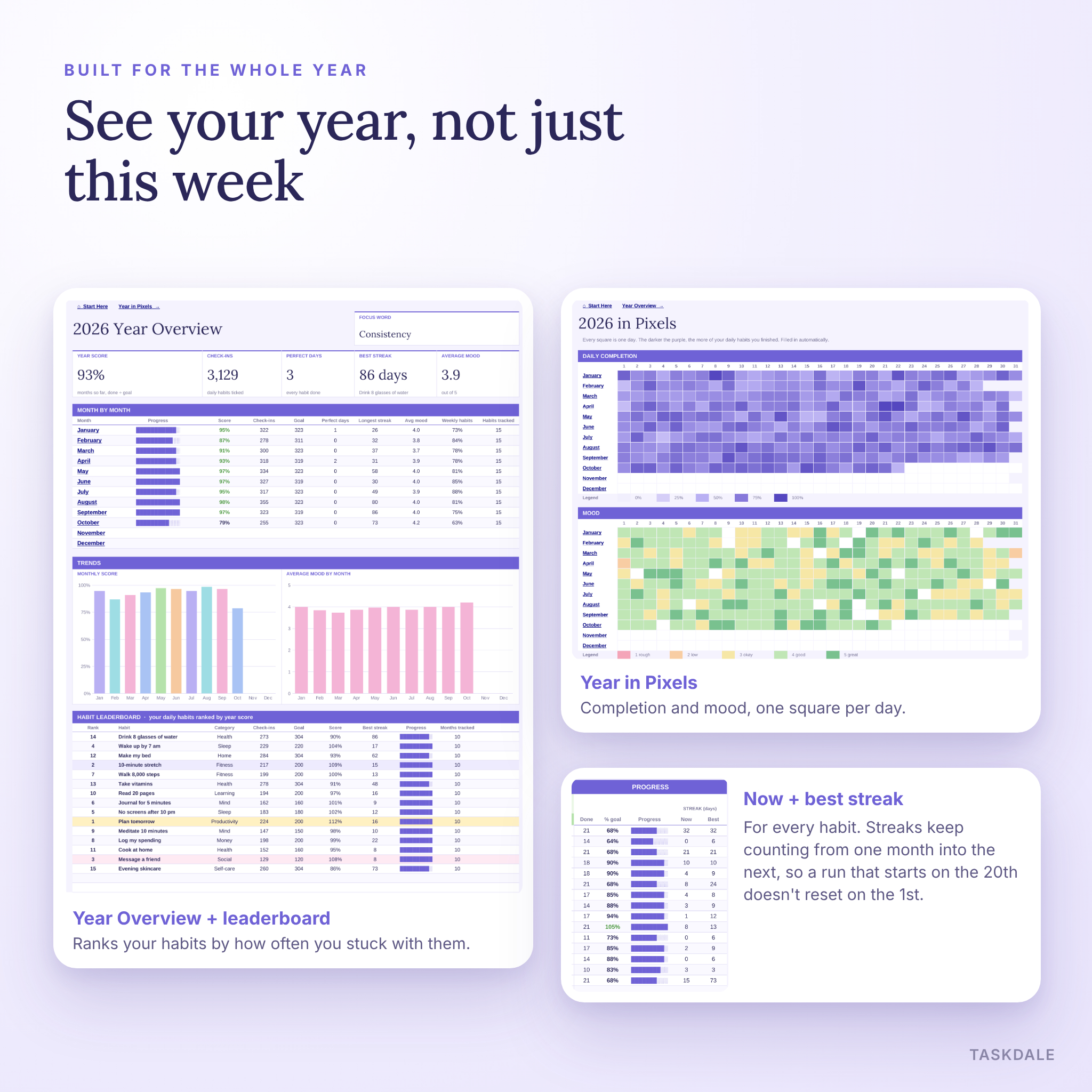
Current and best streak for every habit. A run that starts on March 20 keeps counting into April. If today isn’t ticked yet, the current streak shows yesterday’s number so you can still keep it going.
Monthly and weekly scores
The monthly score compares check-ins with your planned goal, counting each habit up to 100%. One habit you overdo can’t hide another you skipped. In the current month, a small note tells you whether you’re on pace.
Mood tracker
Score each day from 1 to 5. Mood cells turn pink, lavender or green, your monthly average appears on the dashboard and a mood chart builds on the Year Overview.
Year Overview and habit leaderboard
A month-by-month table with score, check-ins, perfect days, longest streak, mood and weekly habit score. Two trend charts sit underneath. The leaderboard ranks every habit on your list by its score for the year, with the top three highlighted.
Year in Pixels
Every day of the year as one colored square. One grid shades days by how many habits you finished. A second grid colors them by mood.
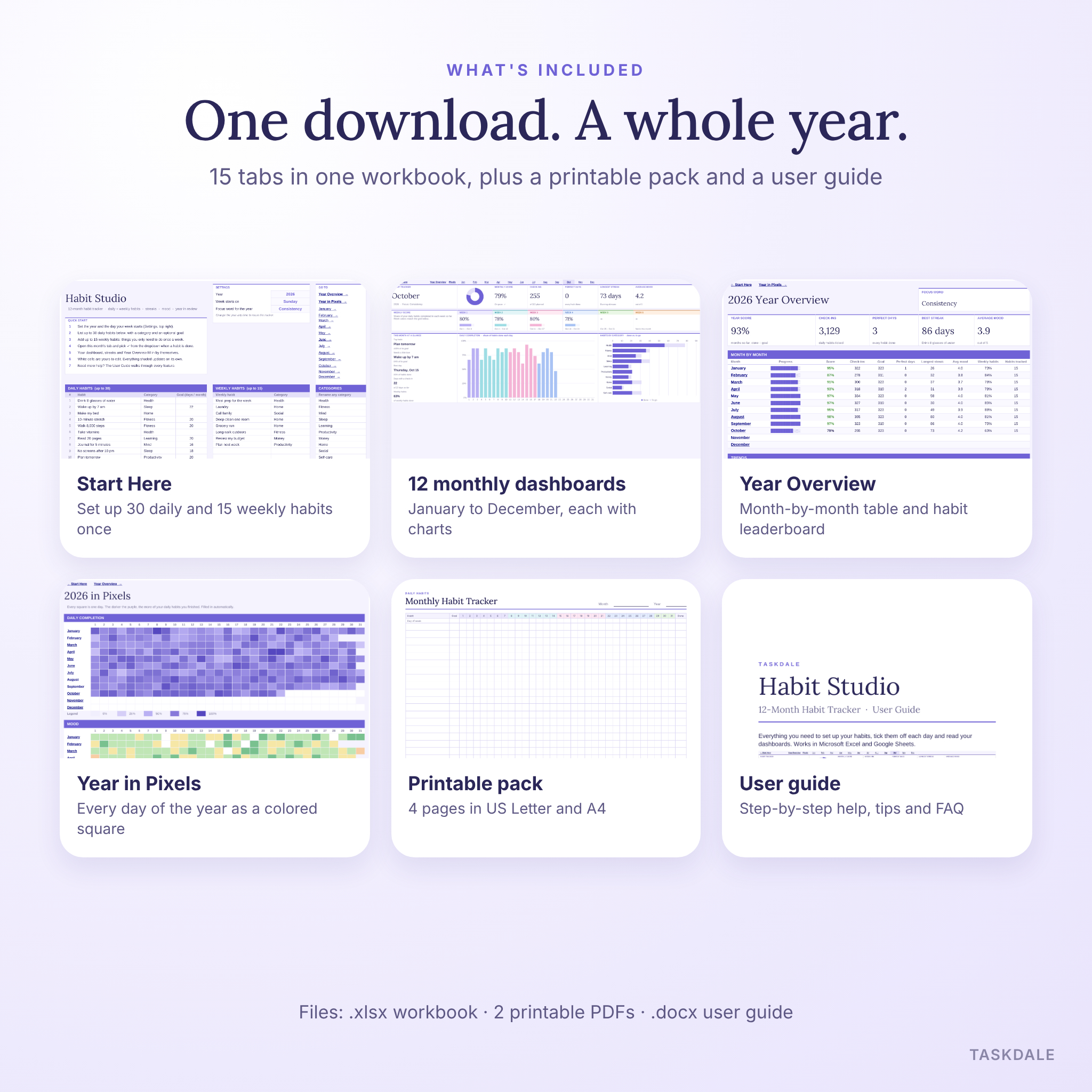
What’s included
- Habit tracker workbook (.xlsx) with 15 tabs: Start Here, Year Overview, Year in Pixels and January to December
- Printable pack, US Letter (PDF): Monthly Habit Tracker, Weekly Habits & Reflection, Year in Pixels and Habit Builder pages
- Printable pack, A4 (PDF): the same 4 pages sized for A4 paper
- User guide (.docx): 19 pages with screenshots, setup steps, tips, troubleshooting and FAQ
How it works
- Download the files after checkout.
- Open the workbook in Excel, or upload it to Google Drive and open it with Google Sheets.
- On Start Here, set the year and pick a Sunday or Monday week start.
- Type your habits, choose a category for each and add a monthly goal if you want one.
- Open this month’s tab and pick ✓ from the dropdown whenever a habit is done.
- Check your dashboard, streaks and Year Overview as they fill in.
File formats and software
- Microsoft Excel workbook (.xlsx). Standard formulas only, with no macros, add-ins or external links.
- Opens in Google Sheets with a free Google account. Upload it to Drive, then open it.
- Printable PDFs in US Letter (8.5 x 11 in) and A4.
- User guide in Word format (.docx).
Customize it your way
Rename any of the 10 categories and the dropdowns and charts follow along. Change the year and every calendar updates, leap years included. Want a different habit for one month only? Type it straight into that month’s tab. Prefer real checkboxes to dropdowns? Insert them in Google Sheets or Excel for Microsoft 365 and the formulas count them too. Calculated cells are locked without a password, so you can unlock them if you want to restyle anything.
Real ways people use it
- A January reset: water, sleep, steps and reading, with a weekly meal prep box
- Exam season: study blocks, screen-free evenings and early nights, scored week by week
- A money month: log spending daily and review the budget every Sunday
- Self-care: skincare, journaling and a mood score to see what lifts your week
- Pen fans: print the monthly page and stick it on the fridge
Digital download
This is an instant digital download. Nothing ships. Your files are ready on the order confirmation page and in your Taskdale account as soon as payment goes through.
FAQ
Does this habit tracker work in Google Sheets?
Yes. Upload the .xlsx to Google Drive and open it with Google Sheets. Dropdowns, colors, charts and links all carry over. Saving it as a Google Sheets file is optional.
Is it dated?
No. Type the year on Start Here and every month rebuilds its calendar, weekdays and leap year.
How many habits can I track?
Up to 30 daily habits and 15 weekly habits at once.
Can I use checkboxes instead of dropdowns?
Yes. Insert checkboxes in Google Sheets or Excel for Microsoft 365 and the formulas count them. The user guide shows the steps.
Do streaks reset at the start of each month?
No. Streaks carry over from one month into the next as long as the habit name stays the same.
Can I print it?
Yes. Each month tab prints on one page width, and the printable pack gives you 4 pen-and-paper pages in US Letter and A4.
Can I fill in days I missed?
Yes. Tick past days any time and your scores and streaks update straight away.
License
Personal use only. Please don’t share, resell, upload or give away the files or any part of them. © Taskdale.
Reviews
There are no reviews yet.