Best Grade Tracker: Printable, Sheets and Notion Options
The best grade tracker depends on who is keeping the grades. College students get the most from a tracker that calculates GPA and tells them what they need on the final. Teachers need weighted categories and a class view. Homeschool parents need grades stored alongside attendance, hours and a transcript. The options below cover all three.
Key facts at a glance
- Students who want grades to calculate themselves should look at Semester Studio (Notion) or the Semester HQ spreadsheet (Excel and Google Sheets).
- Teachers tracking a whole class should look at the GradeMint digital gradebook, which handles up to 40 students and 50 assignments.
- Homeschool families can use Schoolhouse Compass, which pairs a grade tracker with a high school GPA transcript.
- Printable PDFs such as Syllabloom and Brightweek suit people who prefer pen and paper, but you do the arithmetic yourself.
- Every product here is a digital download, so you choose the format before you choose the features.
 Undated Student Planner Printable PDF | Syllabloom College Academic Planner with Assignment Tracker & GPA Worksheet
 Undated Homeschool Planner Printable | Schoolhouse Compass Hyperlinked PDF with Weekly Lesson Plans, Attendance Tracker, Hours Log, Reading Log & High School Transcript | US Letter & A4
 Digital Gradebook for Google Sheets | GradeMint Teacher Grade Tracker with Weighted Grades, Class Dashboard, Student Progress Reports & Parent Contact Log
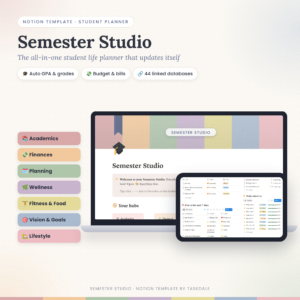 Student Notion Planner | Semester Studio All-in-One Student Life Template with Auto GPA Calculator, Assignment Tracker, Budget & 70+ Linked Pages
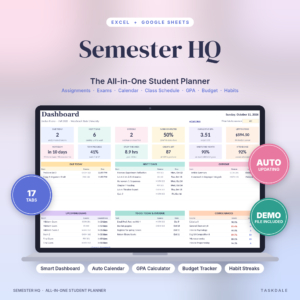
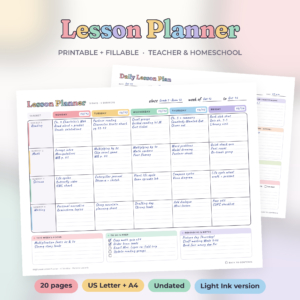
Table of Contents
Toggle
- What should you look for in a grade tracker?
- How do the best grade trackers compare?
- Which grade tracker suits which person?
- How do you use a grade tracker so it stays up to date?
- What mistakes should you avoid when choosing a grade tracker?
- What affects the price of a grade tracker?
- How do you decide on the best grade tracker for you?
- Common questions
Choosing a grade tracker can feel more complicated than it should. Some are planners with a grade page tucked in, others are full gradebooks, and the formats range from paper to spreadsheets to Notion. We'll go through what actually separates them, so you can pick one and get on with tracking.
What should you look for in a grade tracker?
A good grade tracker records every score, works out the running grade for each course or class, and shows where you stand without extra effort. Five factors decide how well that works in practise: the format, how grades are calculated, who the tracker is built for, what else it records, and how much setup it needs.
Format: printable PDF, spreadsheet or Notion
A printable PDF is a set of pages you fill in by hand or type into on screen. It never needs an account or an internet connection, but it cannot recalculate anything. Syllabloom, Schoolhouse Compass and Brightweek are all PDFs, and each includes US Letter and A4 sizes.
Spreadsheets and Notion templates update themselves. GradeMint runs in Google Sheets, Semester HQ in Excel and Google Sheets, and Semester Studio in Notion, where it works on the free plan.
Calculation: automatic or by hand
Automatic calculation means you type a score and the course grade changes immediately. GradeMint calculates final grades, letter grades and missing work as you type. Semester Studio updates course grade, letter grade and semester GPA on its own.
By hand means you use the worksheet and a calculator. Syllabloom has a grade tracker for every class and a GPA worksheet, which suits people who like seeing the working.
Weighted grades and "what do I need" tools
Weighted grading means categories such as homework, quizzes and exams count for different percentages of the final grade. If your course or school uses weighting, check the tracker supports it. GradeMint offers weighted categories or total points.
A "what do I need on the final" calculator works backwards from your target grade. Semester HQ and Semester Studio both include one, and they save a lot of guessing in the last weeks of a term.
What else sits alongside the grades
Grades rarely live alone. Syllabloom adds an assignment tracker, exam planners with a 7-day countdown, Cornell notes and Pomodoro study logs. Schoolhouse Compass adds an attendance tracker, an hours log with a running total and a reading log. GradeMint adds a parent contact log with overdue follow-up alerts.
Extra pages are useful only if you will use them. Pick the set that matches the records you already have to keep.
Setup and learning curve
Every product here includes a user guide. GradeMint has a 20-page illustrated guide, Schoolhouse Compass a 12-page guide, Semester Studio a DOCX guide and Semester HQ an illustrated guide plus a filled sample file. A sample file helps because you can see a working example before you delete it and start your own.
How do the best grade trackers compare?
The six products split into three groups: student planners with grade tracking, teacher and homeschool tools, and a classroom gradebook. The table shows what actually differs.
Which grade tracker suits which person?
Each product suits a different person, and the match depends mostly on whether you are the one earning the grades or the one recording them.
College students who want it automatic. Semester Studio and Semester HQ both calculate as you go. Semester Studio is a Notion system with 44 linked databases and a budget alongside the grades, so it suits someone happy to live inside Notion. Semester HQ is a 17-tab spreadsheet where you type a due date once and it appears on your dashboard and calendar, with late work turning red. It also includes a degree planner, which matters if you are tracking progress across several years.
College students who prefer paper. Syllabloom gives you 8 course pages, 18 weekly planners and a grade tracker for every class. You can type into the PDF or print it, and the Ink Saver version cuts printing costs.
Teachers with a full class. GradeMint is the only product built for a whole class. It tracks up to 40 students and 50 assignments, filters by quarter or semester, and prints a one-click progress report for any student. If you phone or email parents, the contact log reminds you when a follow-up is overdue.
Homeschool parents. Schoolhouse Compass keeps grades with attendance, hours and a reading log, which are the records your state may ask for. The high school GPA transcript is the feature that sets it apart. You can start in any month and print it again each year.
Teachers who want lessons first. Brightweek is a lesson planner with grades and parent contacts as optional add-ons. It comes with six weekly layouts and is the lightest option if grades are a side job.
How do you use a grade tracker so it stays up to date?
A grade tracker works when you enter every score within a day or two of getting it back. The routine is short, and the same steps apply whichever format you pick.
- Set up each course or class first, including its grading categories and weights from the syllabus or your own marking scheme.
- Enter assignments as they are set, not after they are marked, so missing work shows up.
- Add each score the day it comes back.
- Check your running grade once a week and note which category is pulling it down.
- Before an exam, use a "what do I need" calculator or worksheet to see the score required for your target.
With a printable, keep the pages in one folder and fill them in at the same time each week. With a spreadsheet or Notion, bookmark the file so opening it takes one click.
What mistakes should you avoid when choosing a grade tracker?
The most common mistake is choosing a tracker for its page count rather than its calculation method. Others are easy to avoid if you know them.
- Expecting a PDF to calculate. Printable planners are very good for planning, but the maths is yours.
- Ignoring weighting. If exams count for 50 per cent and your tracker averages everything equally, the result will be wrong.
- Buying a classroom tool for personal use. GradeMint is built around students as rows, which is more than one learner needs.
- Forgetting the platform. Semester Studio needs Notion. The spreadsheets need Excel or Google Sheets.
- Skipping the user guide. Each product includes one, and the first ten minutes with it save hours of confusion later.
What affects the price of a grade tracker?
Price depends on how much the tracker does for you rather than how many pages it has. Automatic, formula-driven tools generally cost more than plain printable pages, because someone has built and tested the calculations.
Scope matters too. All-in-one systems such as Semester Studio and Semester HQ include budgets, calendars and habit tracking, so they sit above single-purpose pages. A classroom gradebook with reports and a contact log is priced for professional use. Printables are usually the cheaper route, and you can reprint them every year. Current prices are shown on each product card.
How do you decide on the best grade tracker for you?
The best grade tracker is the one that matches your role and your preferred format, so settle those two things first.
- If you want grades to calculate themselves as a student, choose Semester HQ for a spreadsheet or Semester Studio for Notion.
- If you want paper and a planner around it, choose Syllabloom.
- If you are marking a class, choose GradeMint.
- If you are keeping homeschool records, choose Schoolhouse Compass.
- If lesson plans matter more than grades, choose Brightweek.
Browse all 6 options below and compare the product cards against that list.
Common questions
Can I use a grade tracker without Excel or Google Sheets?
Yes. Syllabloom, Schoolhouse Compass and Brightweek are PDFs that open in any PDF reader and can be printed. Semester Studio runs in Notion instead, and it works on Notion's free plan, so you need no paid software.
What is a weighted grade tracker?
A weighted grade tracker counts categories at different percentages, so an exam can matter more than homework. GradeMint supports weighted categories or total points, so you can match whichever method your course uses.
Which grade tracker works for homeschooling?
Schoolhouse Compass is the closest fit. It includes an attendance tracker, an hours log with a running total, a grade tracker and a high school GPA transcript. Brightweek is a lighter option if you mainly want weekly lesson plans with grades added.
Can one tracker handle several students?
GradeMint handles up to 40 students and 50 assignments, with a class dashboard. Schoolhouse Compass covers weekly lesson plans for one child, two children or the whole family. The student planners are built for one person.
How do I know what score I need on a final exam?
Use a calculator that works backwards from your target. Semester HQ has a "what do I need on the final?" calculator and Semester Studio has a GPA "what I need" calculator. If neither suits, choose the one in the format you already use.