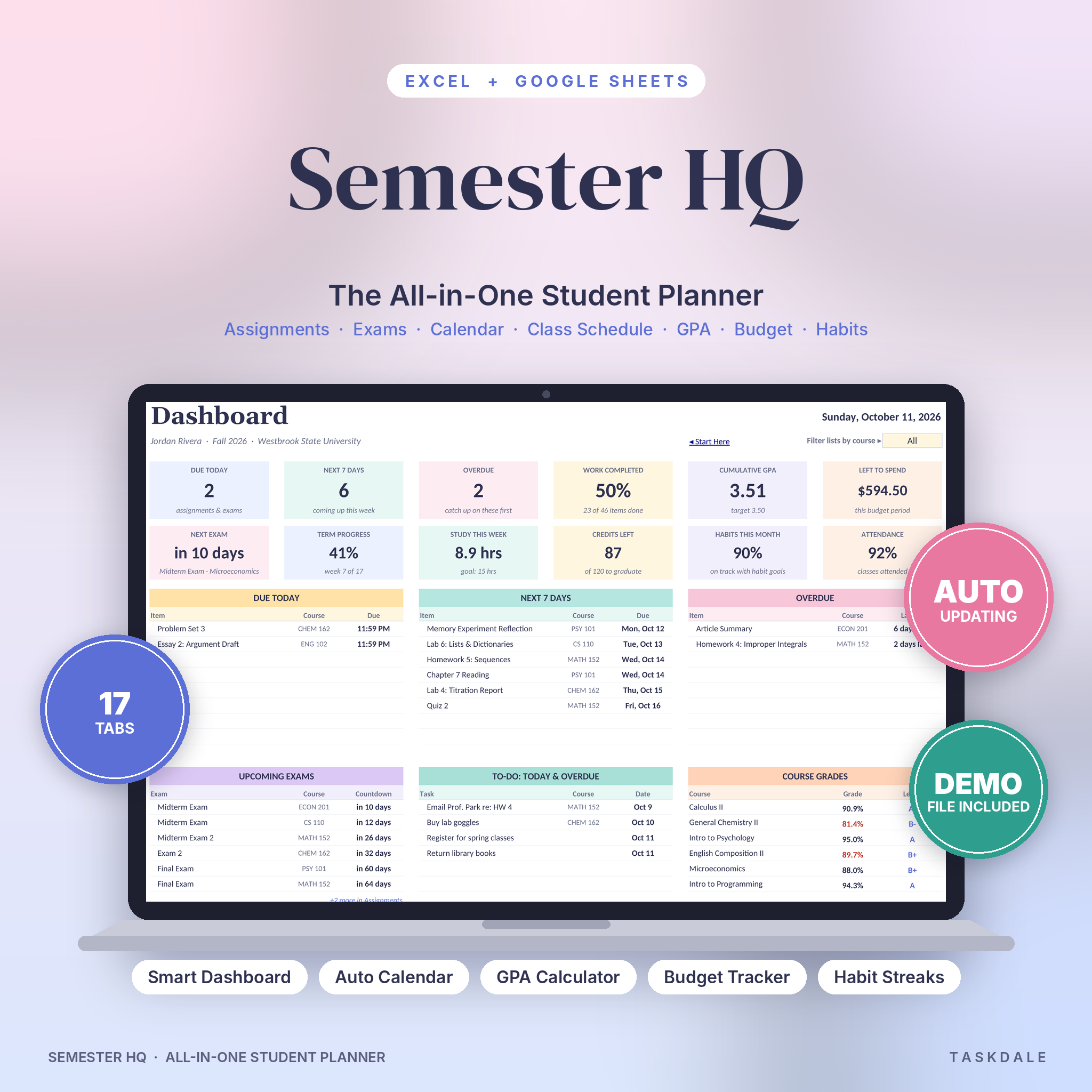
Semester HQ is a student planner spreadsheet for Excel and Google Sheets that keeps your whole college life in one file. Your classes, assignments, exams, grades, GPA, budget, study hours and habits all live here, and most of it updates by itself. You type a due date once. The dashboard, calendar and countdowns take it from there.
It’s built for real semesters, the kind with five syllabi, a part-time job and a group project nobody wants to lead. Open it each morning and you’ll know what’s due, what’s late and how your grades look, in about ten seconds.
What This Student Planner Spreadsheet Does
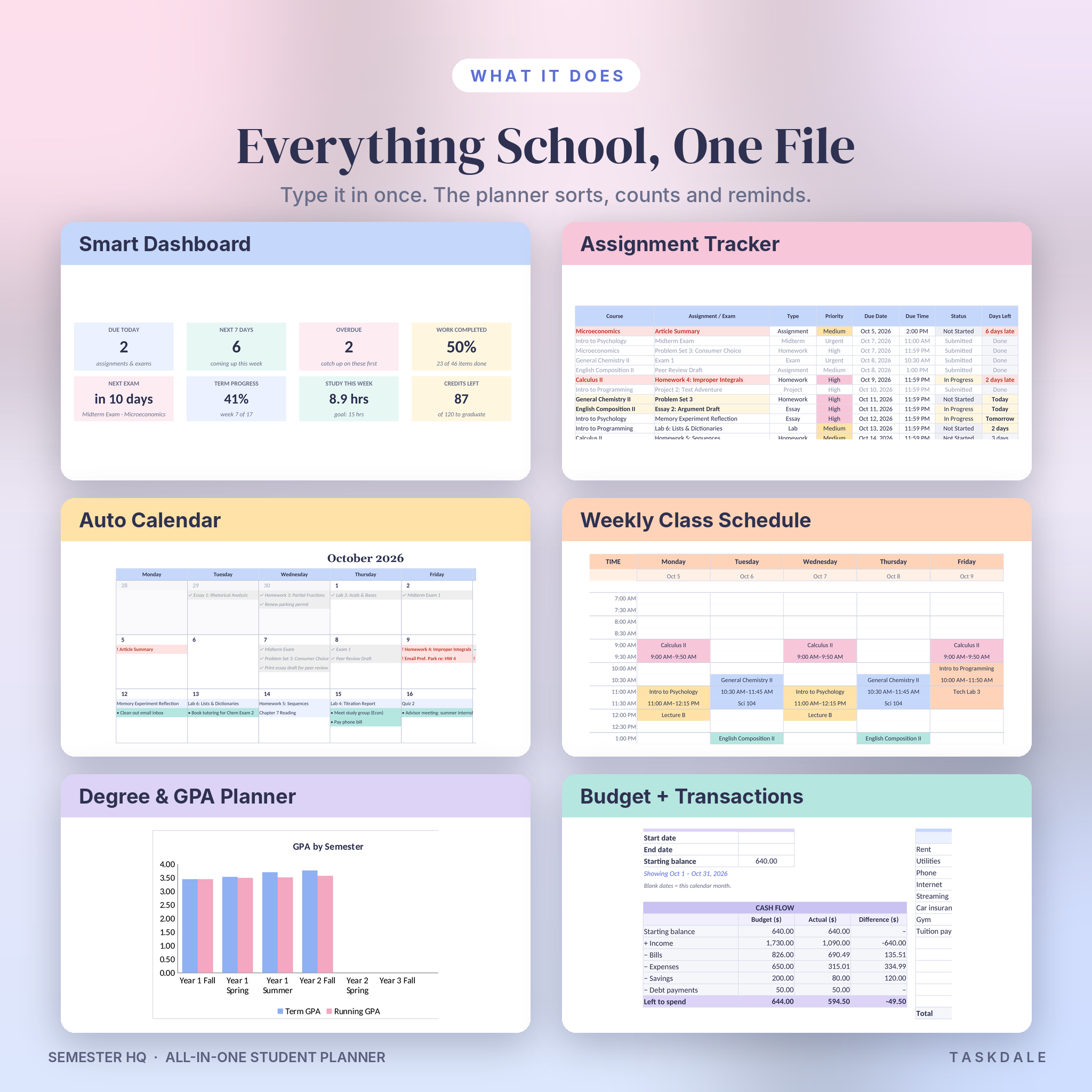
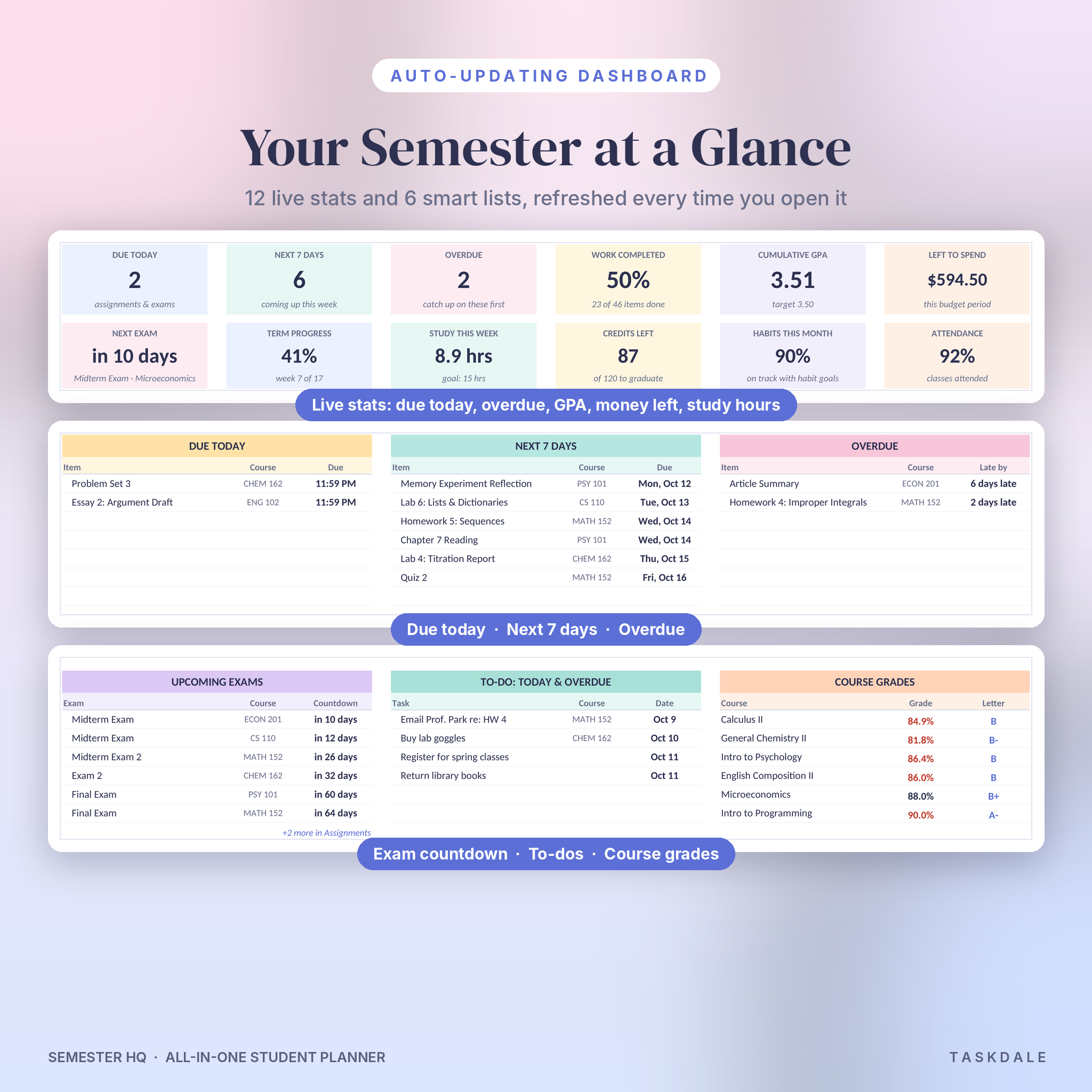
Most student planners give you blank boxes. This one does the math and the sorting. Add an assignment and it shows up on the dashboard, lands on the right day of the calendar and starts counting down. Add your class times and a color-coded weekly schedule draws itself. Enter a score and your course grade, letter grade and GPA move with it.
Main features
- Smart dashboard with 12 live stats: due today, next 7 days, overdue, work completed, GPA, money left, next exam, term progress, study hours, credits left, habits and attendance.
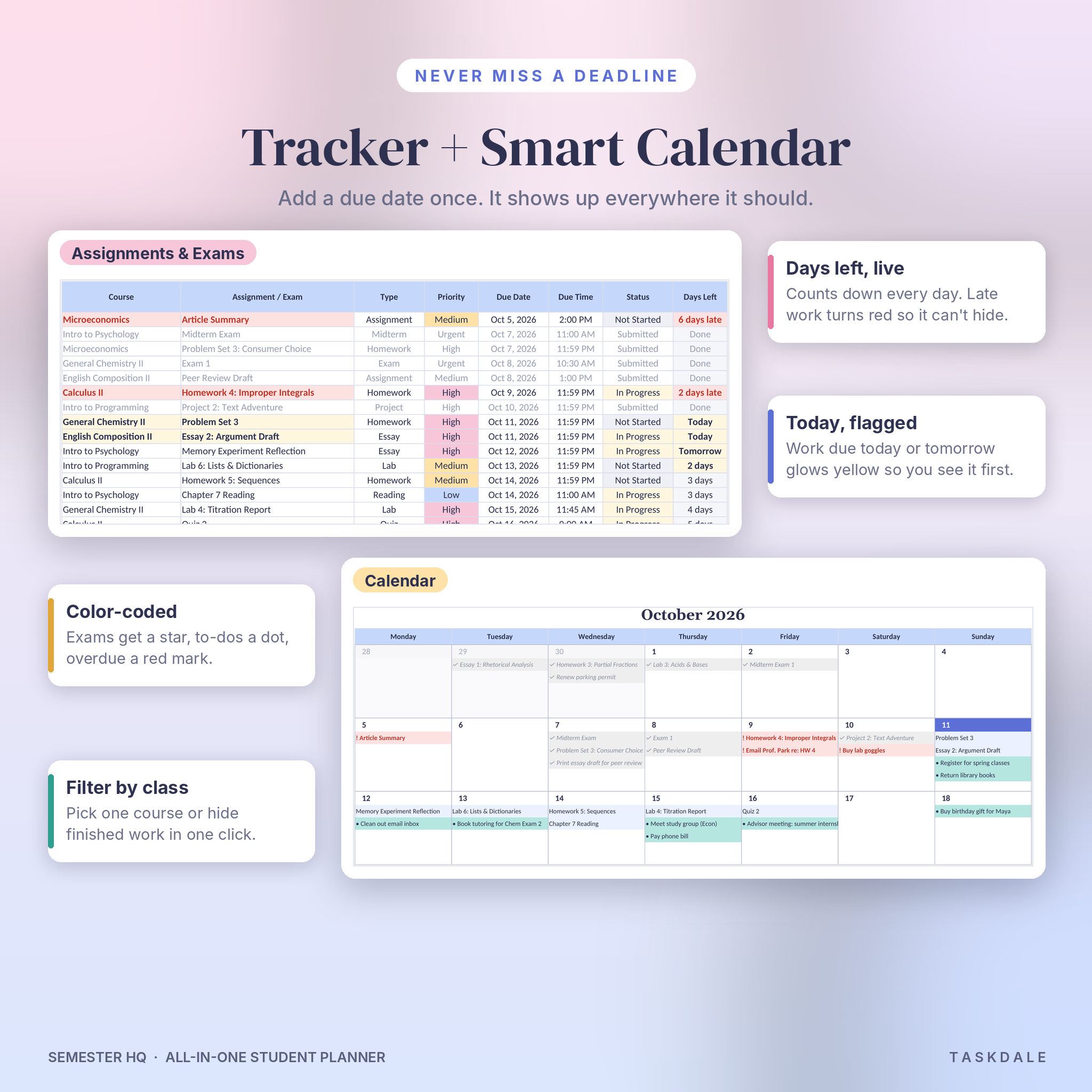
- Assignment and exam tracker with room for 300 items, priorities, status, days left, late warnings and automatic grade % and letter.
- Smart monthly calendar that fills in from your assignments and to-dos. Exams get a star, overdue items turn red and you can filter by course.
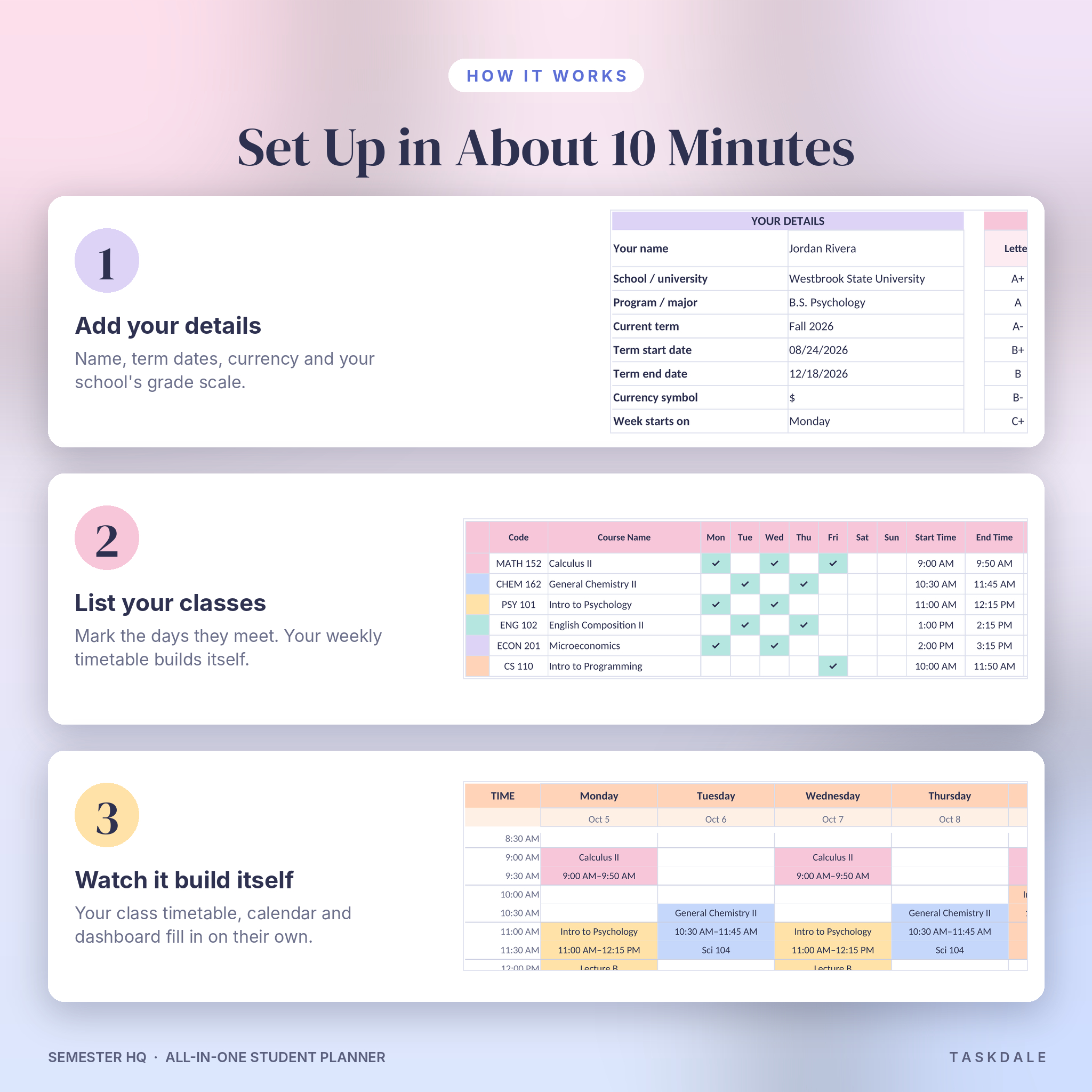
- Weekly class schedule that builds from your course times in half-hour blocks and flags any class clash.
- Courses tab with live course grades, a target grade check, work done and attendance per class.
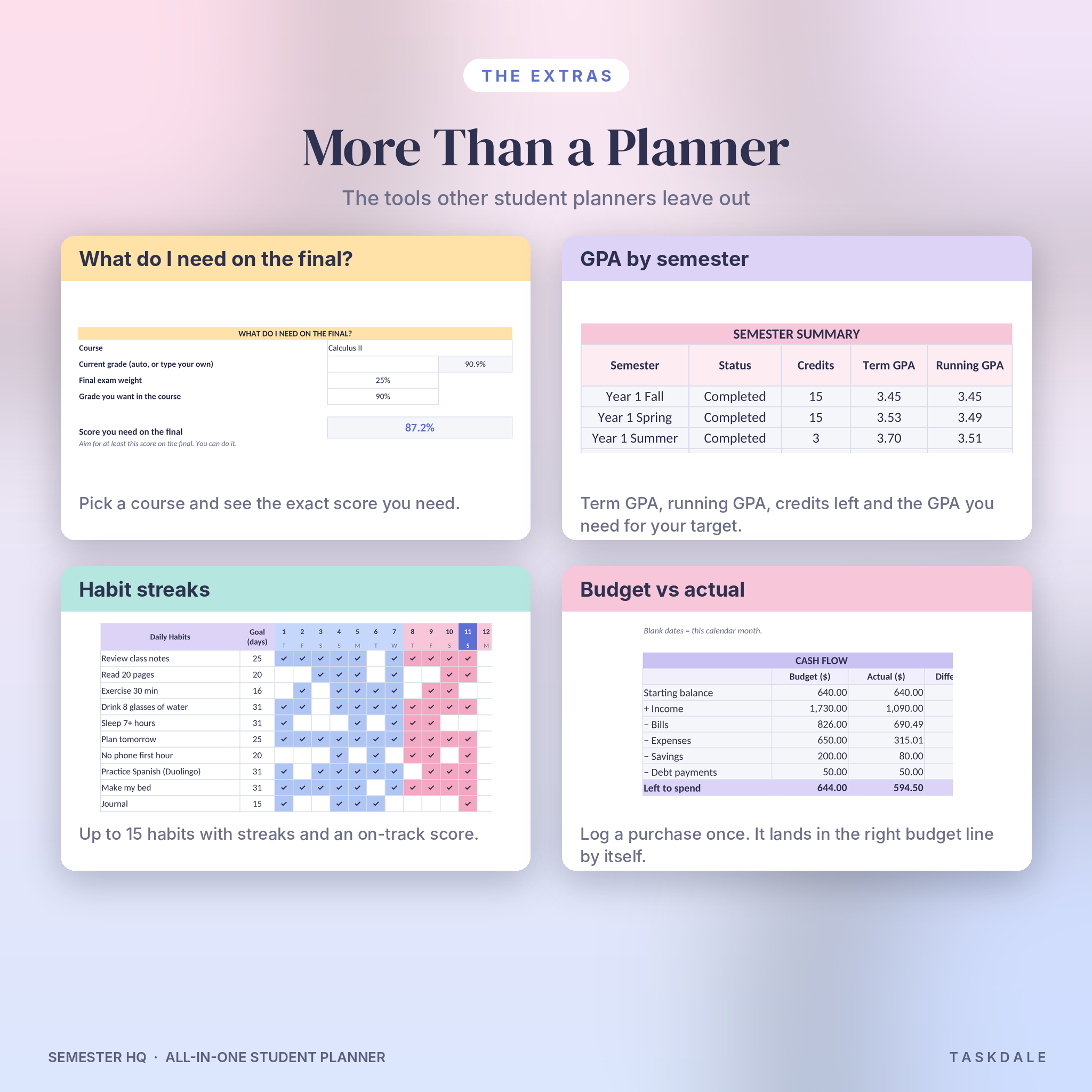
- “What do I need on the final?” calculator. Pick a course, enter the final’s weight and your goal, and see the exact score you need.
- Degree planner and GPA calculator for up to 80 courses: cumulative GPA, projected GPA, credits left and the GPA you need on your remaining credits to hit your target.
- Student budget with income, bills, expenses, savings and debt. Log spending once on the Transactions tab and it adds up in the right budget line.
- Study log with hours per course and a weekly goal, plus an attendance tracker that turns red under 80%.
- Habit tracker for 15 habits with streaks, plus a goal planner, reading list and contacts page.
Who It’s For
College and university students first. It also suits grad students, community college students, nursing and pre-med students juggling labs, homeschool high schoolers and adults going back to school. If you’ve ever found a due date in your syllabus the night before, this is for you.
Why Students Like It
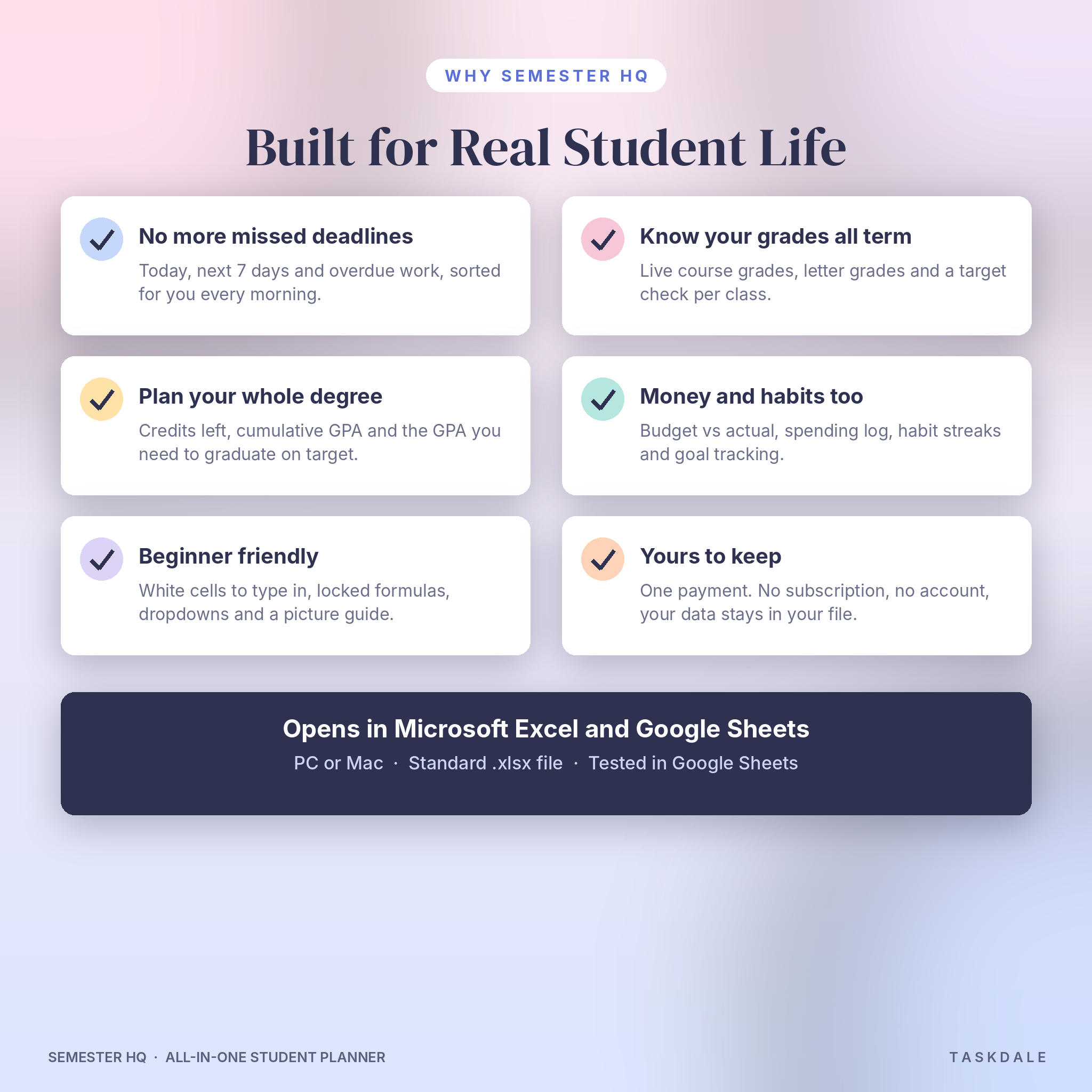
- Nothing slips. Today, the next 7 days and overdue work are sorted for you every time you open the file.
- No grade surprises. You see your running grade in every class all term, not just when the portal updates.
- Your degree, mapped. Credits left and the GPA you need are worked out for you.
- Money stays in check. Budget vs actual for any date range: a month, a paycheck or the whole semester.
- Easy for beginners. White cells are for typing. Gray cells calculate and are locked so you can’t break a formula by accident.
What’s Included
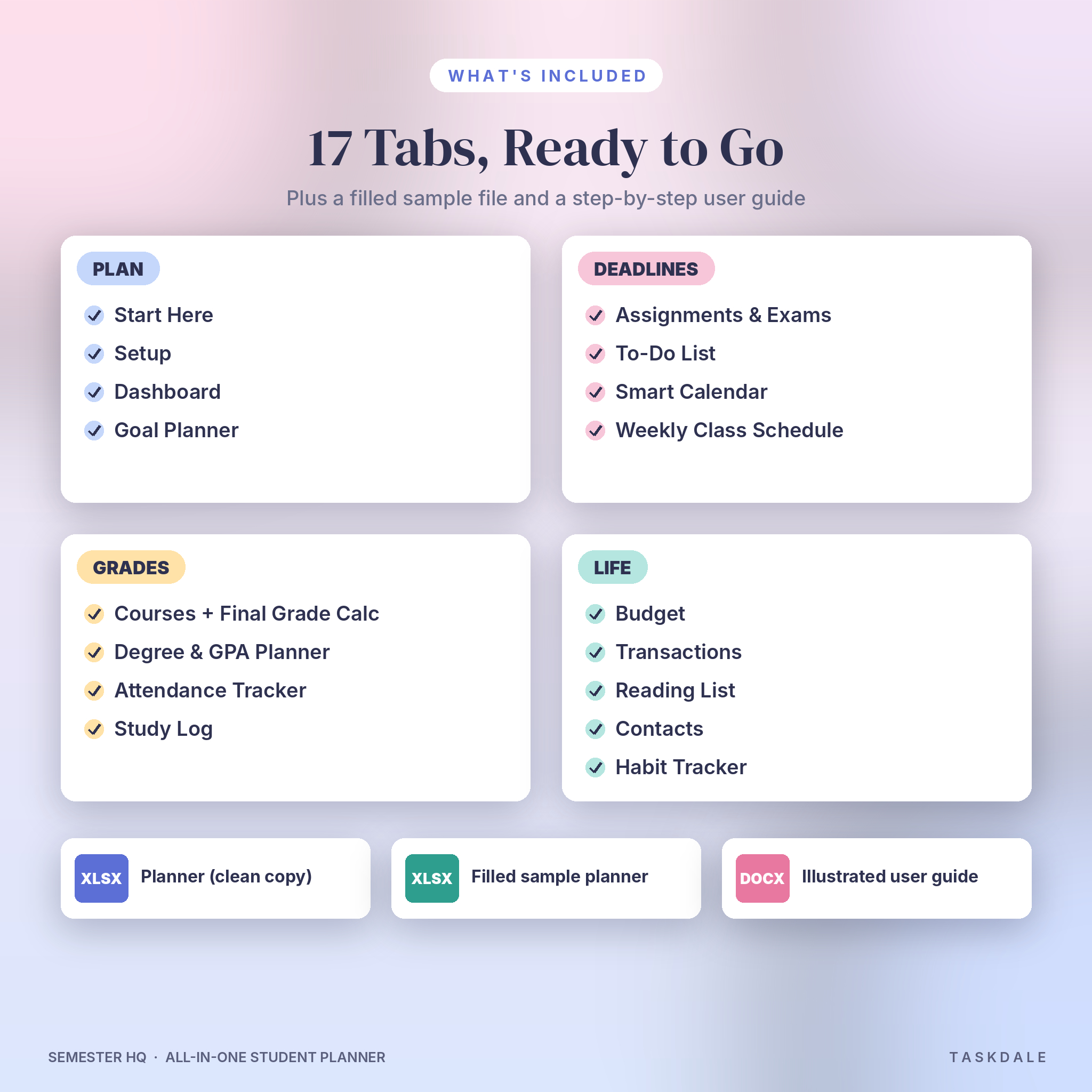
- Semester HQ planner (.xlsx), clean and ready for your own data
- A filled sample planner (.xlsx) so you can see a full semester in action
- An illustrated user guide (.docx) covering setup, every tab, tips, troubleshooting and FAQ
17 tabs: Start Here, Dashboard, Setup, Courses, Assignments & Exams, To-Do List, Calendar, Weekly Class Schedule, Degree & GPA, Study Log, Attendance, Budget, Transactions, Reading List, Contacts, Habit Tracker and Goal Planner.
How It Works
- Download the files right after checkout.
- Open Setup. Add your name, term dates, currency symbol and your school’s grading scale.
- List your classes on the Courses tab and mark the days they meet. Your weekly schedule appears.
- Copy in your syllabus deadlines. Course, type and date come from dropdowns.
- Open the Dashboard each day. That’s the routine.
Setup takes about ten minutes. The Start Here tab walks you through it and links to every page.
File Format and Software
- Format: Microsoft Excel workbook (.xlsx) plus a Word user guide (.docx)
- Google Sheets: fully tested. Upload the file to Google Drive and save it as a Google Sheet. Formulas, dropdowns, charts, the calendar and the class schedule all work.
- Excel: a standard .xlsx built with everyday Excel functions, made for Excel 2010 or newer on Windows or Mac. No macros, no add-ins.
- Also opens in LibreOffice Calc
- US Letter print settings on the main tabs. Switch to A4 in Page Layout if you like.
Make It Yours
Pick any currency symbol (it’s $ by default) and every money label follows it. Change the grade scale to match your school, including plus/minus grades, pass/fail and even a 5.0 scale. Rename assignment types and mark which ones count as exams. Start your week on Sunday or Monday. Recolor anything you like, since formatting stays open even with formulas protected.
Real Ways to Use It
- A first-year student copying five syllabi in during syllabus week, then forgetting about the stress
- A pre-nursing student working out the exact score needed on an A&P final
- A transfer student mapping the remaining credits to graduation and the GPA needed for a program cutoff
- A student with a campus job tracking paychecks against rent, groceries and a spring break fund
- A grad student logging study hours per course to protect time for a thesis
Digital Download
This is a digital product. Nothing ships. You’ll get instant access to the files after payment, from your order email or your account page. Please download on a laptop or desktop for the easiest setup.
Frequently Asked Questions
Does this student planner work in Google Sheets?
Yes. It was tested in Google Sheets. Upload the .xlsx to Google Drive and choose File > Save as Google Sheets.
Do I need Microsoft 365?
No. It uses standard Excel functions, with no macros. The free version of Google Sheets works too.
Can I use it every semester?
Yes. Keep a clean copy, start a fresh one each term and carry your Degree & GPA tab forward.
My school uses a different GPA scale. Will it work?
Yes. Edit the minimum percentages and grade points on the Setup tab. Pass/fail grades are handled too.
Does it work for quarters or trimesters?
Yes. You set your own term dates, and the degree planner includes Fall, Winter, Spring and Summer terms.
Can I use it on my phone?
You can open it in the Excel or Google Sheets app. Setup is much easier on a computer.
Can I share it with friends?
Each purchase is a personal license for one person. Please don’t share, resell or upload the files. Friends can grab their own copy.
License
© Taskdale. Personal use only. You may not resell, share, distribute or upload these files, or use them to create products for sale.
Reviews
There are no reviews yet.