Best HR Forms for Small Businesses: Four Kits Compared
The best HR forms for a small business depend on the job in front of you. For a hire, use the Employment Contract Template | SignedOn kit. For screening applicants, use the Hirelight kit. For a new starter's first 90 days, use the Employee Onboarding Templates Bundle. For writing processes down, use the HR SOP Template Kit | ClearStep.
Choosing can feel more complicated than it should. Every kit promises to help you "hire with confidence", yet they cover different stages of the employee lifecycle. We'll go through what separates them so you can pick with a clear head, and 4 options sit in the grid on this page.
Key facts at a glance
- The Employee Onboarding Templates Bundle has 35 editable Word forms, and a printable PDF of 24 of them.
- The SignedOn kit combines one employment agreement with 9 matching HR documents, filled in from a single Key Terms page.
- The Hirelight kit has a 3-page job application, and its scorecard adds up the total and average for you.
- The ClearStep kit has a 15-section SOP template, a filled New Hire Onboarding example and 7 toolkit forms.
- Every kit here is offered in US Letter and A4, so UK and European printers are covered.
 Employee Onboarding Templates Bundle: 35 Editable HR Forms for Word, New Hire Checklist, Offer Letter, 30-60-90 Plan
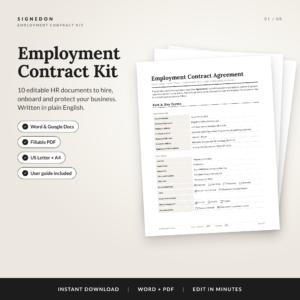 Employment Contract Template | SignedOn Employee Agreement Kit with Offer Letter, NDA, Non-Compete & HR Forms | Word, Google Docs & Fillable PDF
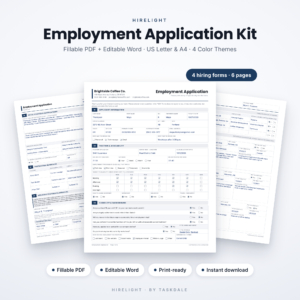
Table of Contents
Toggle
- What should you look for in HR forms?
- How do the best HR forms compare?
- Which HR forms suit which type of business?
- How do you use HR form templates properly?
- What mistakes should you avoid with HR forms?
- What affects the price of HR forms?
- Which HR forms should you choose? A simple decision rule
- Common questions
What should you look for in HR forms?
Good HR forms are editable, consistent from one use to the next, and matched to a single stage of employment. Five factors separate a kit you'll use for years from one you'll abandon after a week.
File formats you can actually edit
An editable HR form is one you can change in software you already own, without retyping the layout. The Employee Onboarding Templates Bundle is built for Microsoft Word, the Hirelight kit offers fillable PDF and Word (.docx), and the ClearStep kit supplies Word .docx files plus printable PDFs. The SignedOn kit is the widest, with Word, Google Docs and fillable PDF. If your team works in shared online documents, that last option removes a lot of friction.
The stage of employment each kit covers
HR forms fall into stages: recruiting, hiring, onboarding, managing and leaving. Hirelight sits at recruiting, SignedOn at hiring, the onboarding bundle at onboarding and beyond (it also includes reviews and offboarding), and ClearStep at process documentation. Buying a kit for the wrong stage is the most common reason people feel a purchase did not help.
How much typing you repeat
A kit that makes you enter the same name, pay rate and start date on five documents invites mistakes. SignedOn tackles this with a single Key Terms page, where you fill in names, pay and dates once. Its clauses also renumber themselves, which matters when you delete a clause and don't want to fix the cross-references by hand.
Branding and print size
Forms handed to staff or candidates reflect on your business. The onboarding bundle puts your logo and company name on every page, and Hirelight comes in 4 colour themes. All four kits come in US Letter and A4, so choose the size your printer uses before you download anything.
Guidance that comes with the templates
A template without instructions leaves you guessing what each field is for. The onboarding bundle includes a 13-page user guide and SignedOn an 8-page one. ClearStep includes a step-by-step guide and a fully filled New Hire Onboarding example, which is useful if you learn better from a finished sample than from blank boxes.
How do the best HR forms compare?
The four kits differ mainly in which stage they serve, how many documents they hold and which file formats they offer. The table sets out what the product data confirms.
| Product | Main stage | What's included | File formats | Sizes |
|---|---|---|---|---|
| Employee Onboarding Templates Bundle: 35 Editable HR Forms for Word, New Hire Checklist, Offer Letter, 30-60-90 Plan | Onboarding to offboarding | 35 forms, including offer letter, new hire checklist (pre-start to day 90), 30-60-90 plan, reviews and offboarding; 13-page guide | Word, plus printable PDF of 24 forms | US Letter, A4 |
| Employment Contract Template | SignedOn Employee Agreement Kit with Offer Letter, NDA, Non-Compete & HR Forms | Word, Google Docs & Fillable PDF | Hiring | Employment agreement plus 9 documents, including offer letter, NDA, non-compete, remote work addendum and termination letter; 8-page guide | Word, Google Docs, fillable PDF | US Letter, A4 |
| Hirelight Employment Application Form Template | Fillable PDF & Word Job Application Kit with Interview Scorecard & Reference Check, US Letter & A4 | Recruiting | 3-page application, interview scorecard, reference check form, applicant tracking log; 4 colour themes | Fillable PDF, Word (.docx) | US Letter, A4 |
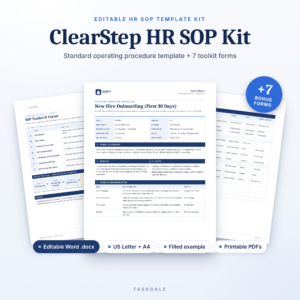 HR SOP Template Kit | ClearStep Editable Standard Operating Procedure Template for Word with SOP Register, RACI & Training Sign-Off | US Letter & A4 | Process documentation | 15-section SOP template, filled New Hire Onboarding example, 7 toolkit forms, user guide | Word .docx, printable PDF | US Letter, A4 |
Which HR forms suit which type of business?
Each kit suits a specific situation, and none of them replaces the others. Matching your next task to the right one saves you from buying a bundle full of forms you'll never open.
The Employee Onboarding Templates Bundle suits a small business that hires a few people a year and wants one consistent set of paperwork. Because it runs from offer letter to offboarding, it works as a general-purpose HR folder. It is the broadest option here, though its Word-first design means Google Docs users will need to convert files.
The SignedOn kit suits an employer making a hire this month. If you're taking on a remote worker, the remote work addendum is already in the pack, and the NDA and non-compete are ready to adapt. For those looking for something to hand a solicitor to review, a clear editable draft is a sensible starting point.
The Hirelight kit suits anyone interviewing several candidates for the same role. The scorecard totals and averages scores automatically, so you can compare people on the same criteria. It also leaves out SSN, birth date and salary history questions, which keeps the form to what you need at the application stage.
The ClearStep kit suits a manager who wants repeatable processes, such as a team of five where only one person knows how onboarding works. The RACI matrix and training sign-off form help you record who does what and who has been trained.
How do you use HR form templates properly?
You use HR form templates properly by customising them once, checking them against your local rules, and storing them where the whole team can find them. A short sequence works for any of the four kits.
- Choose the paper size (US Letter or A4) and save a working copy, leaving the original untouched.
- Add your company name, logo and contact details to the master version.
- Read each clause or question and delete anything that doesn't apply to your business.
- Have a qualified employment adviser or solicitor review any contract, NDA or non-compete before you issue it.
- Save the finished version in a shared folder and note the date, so everyone uses the current copy.
What mistakes should you avoid with HR forms?
The most frequent mistakes are using a form unchanged, skipping legal review, and letting different managers use different versions. Each is easy to avoid once you know it exists.
- Sending a template unedited. Placeholder text and wrong job titles look careless and can cause disputes.
- Assuming a non-compete will hold. Rules on restrictive clauses vary by country and region, so check yours before relying on one. These templates are not legal advice.
- Collecting more than you need. Application forms that ask for sensitive details you won't use create risk for you.
- Letting versions drift. If three people each keep their own copy of the offer letter, terms will start to differ.
- Buying for the wrong stage. An SOP kit won't help you screen applicants, and an application kit won't write a contract.
What affects the price of HR forms?
The price of HR forms mostly reflects how many documents the kit holds, how many file formats it includes, and how much guidance and worked examples come with it. A larger bundle such as the 35-form onboarding set costs more up front than a focused kit, though each form works out cheaper.
Format range also counts. A pack that offers Word, Google Docs and fillable PDF does more work than a single-format file. Extras such as user guides, a filled example or a tracking log add value without adding forms. The live product cards show the current prices, so compare those against the stage you need to cover.
Which HR forms should you choose? A simple decision rule
Choose by the next task you have to complete, not by the largest document count. If you are hiring now, start with the SignedOn kit. If you are advertising a role, start with Hirelight. If someone has already accepted and is about to start, pick the onboarding bundle. If the real problem is that nobody has written the process down, pick the ClearStep kit.
Many small businesses end up with two, typically an application kit and a contract or onboarding kit, because those cover the path from first applicant to first day.
Common questions
Are HR form templates legally binding?
A template is only a draft until you complete it and both parties agree to it. Whether a signed document is enforceable depends on your local employment law and the terms you add. For contracts, have an employment adviser check the final version.
Can I use these forms in Google Docs?
The SignedOn kit is supplied in Google Docs as well as Word and fillable PDF. The onboarding bundle is built for Word, the Hirelight kit has Word and fillable PDF, and the ClearStep kit uses Word .docx, so those may need converting.
Do the forms work for UK and European businesses?
Every kit comes in both US Letter and A4, so they print correctly on UK and European paper. Content such as clauses and legal wording should still be checked against your own country's employment rules before use.
What is the difference between an HR form and an SOP?
An HR form records information about a person or event, such as an application or a sign-off. An SOP, or standard operating procedure, describes how a task is done step by step. The ClearStep kit includes both an SOP template and supporting forms.
Which kit helps most with fair interviewing?
The Hirelight kit is the most direct help, because every candidate completes the same application and gets scored on the same scorecard. It also leaves out SSN, birth date and salary history questions, which keeps the form focused on the role.