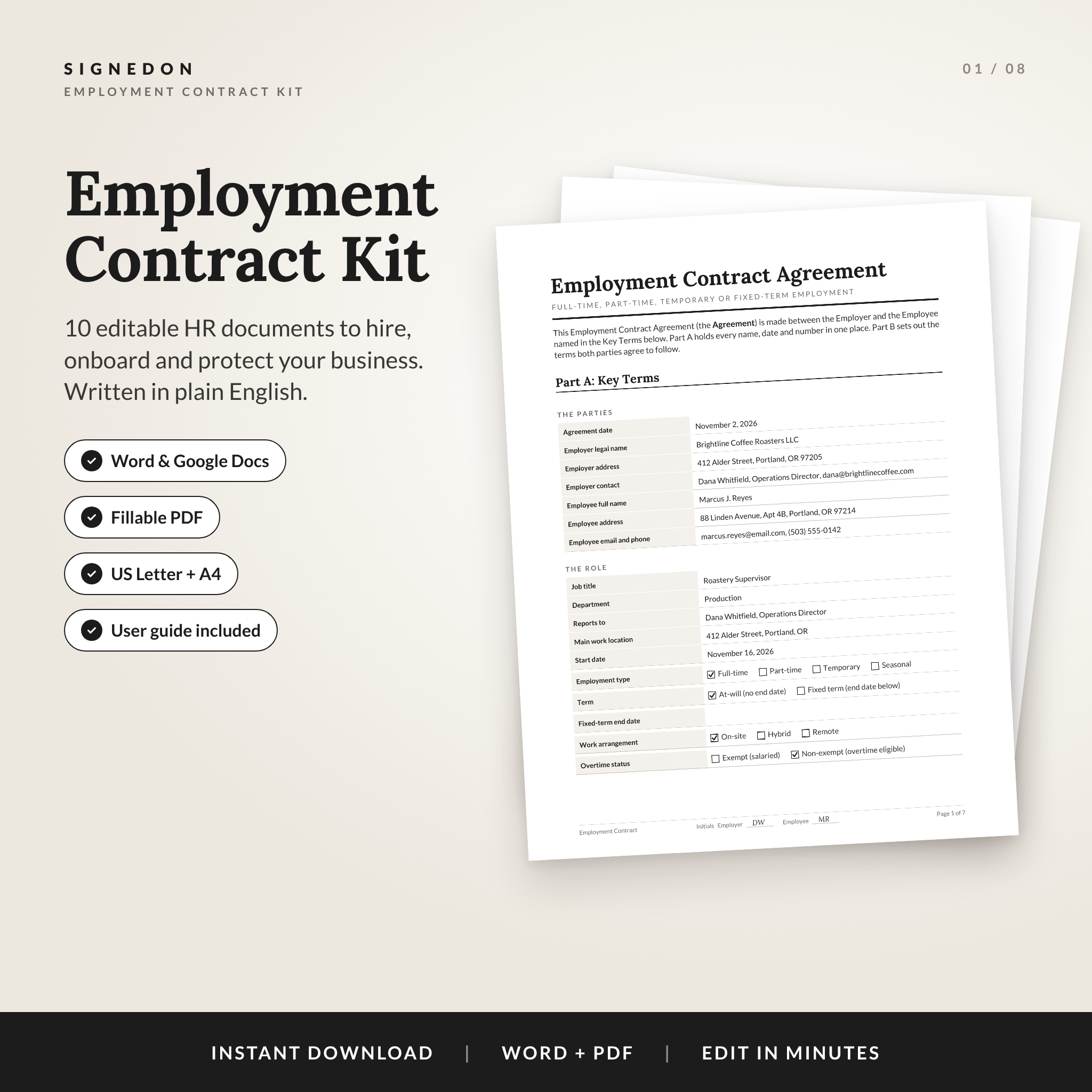
Hiring someone new should feel good. SignedOn makes the paperwork part quick. This employment contract template kit gives you a clear, editable employee agreement plus nine supporting HR documents, all written in plain English and designed in a calm black and white style that prints beautifully. Fill in the names, dates and pay once, tick a few boxes, and you’re ready to sign.
What This Employment Contract Template Kit Does
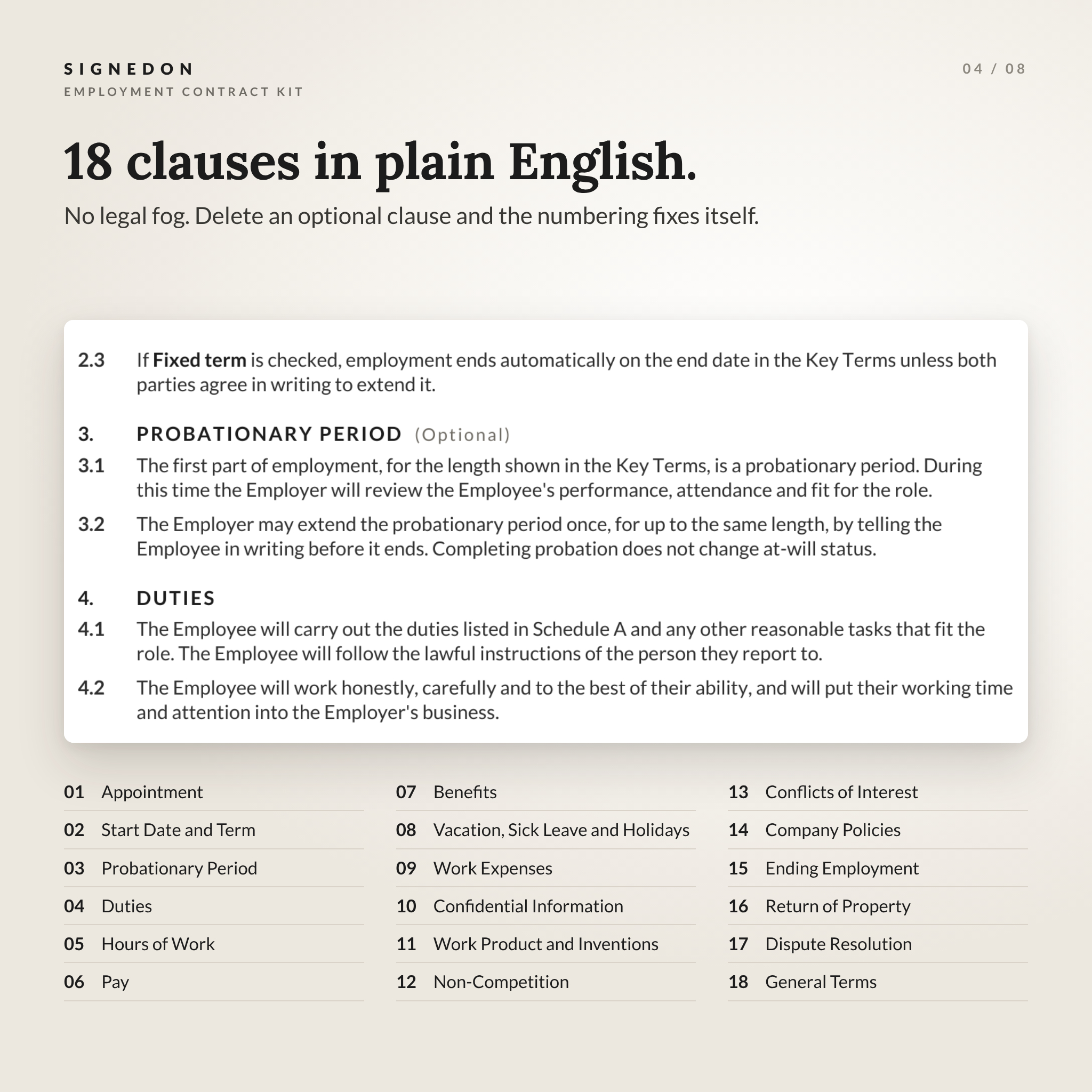
Most contract templates hand you two pages of dense legal text and a lot of blank lines. SignedOn works differently. The main agreement opens with a one-page Key Terms section where every name, date, pay rate and notice period lives. The 18 clauses that follow read from it. So you type each detail once, and nothing gets missed halfway down page five.
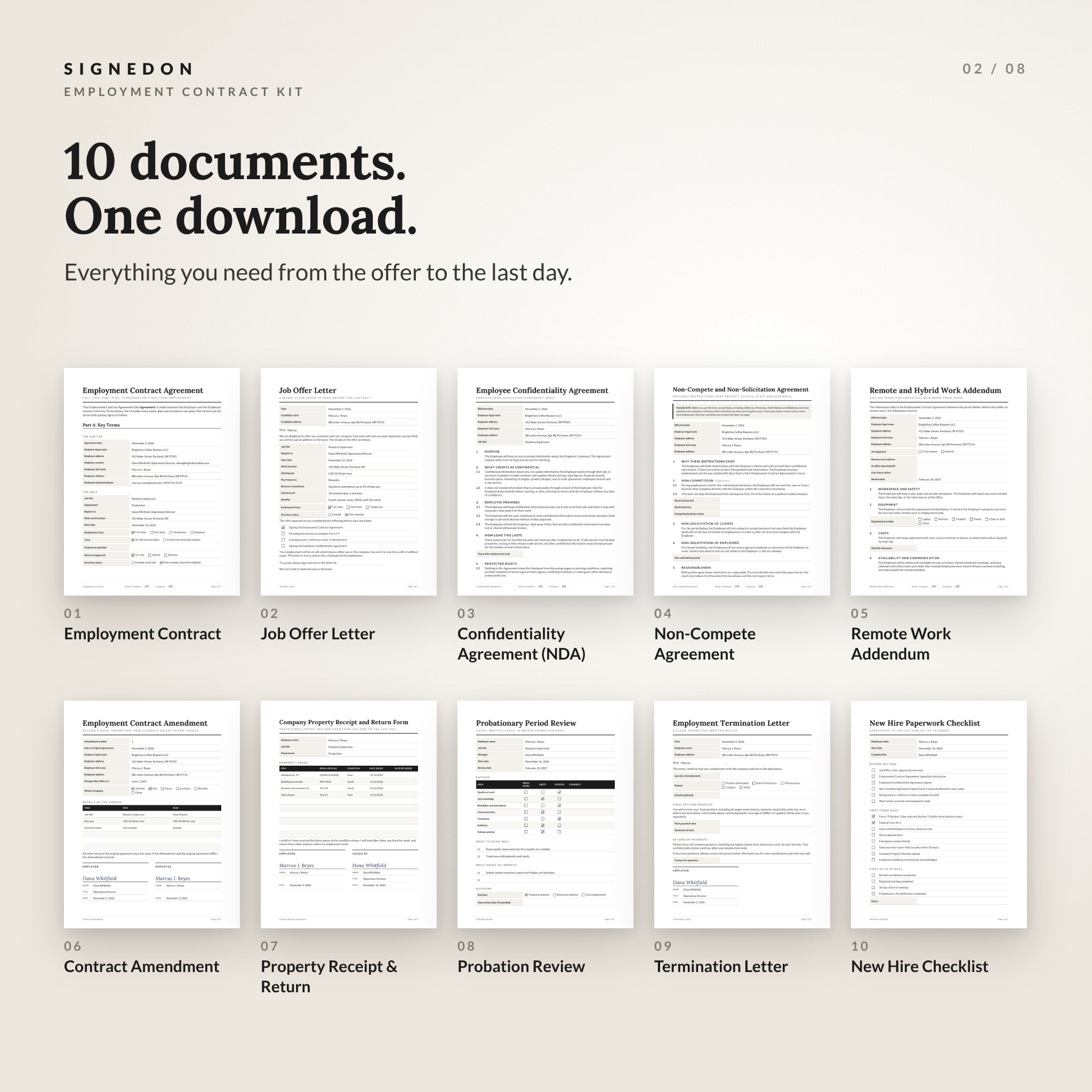
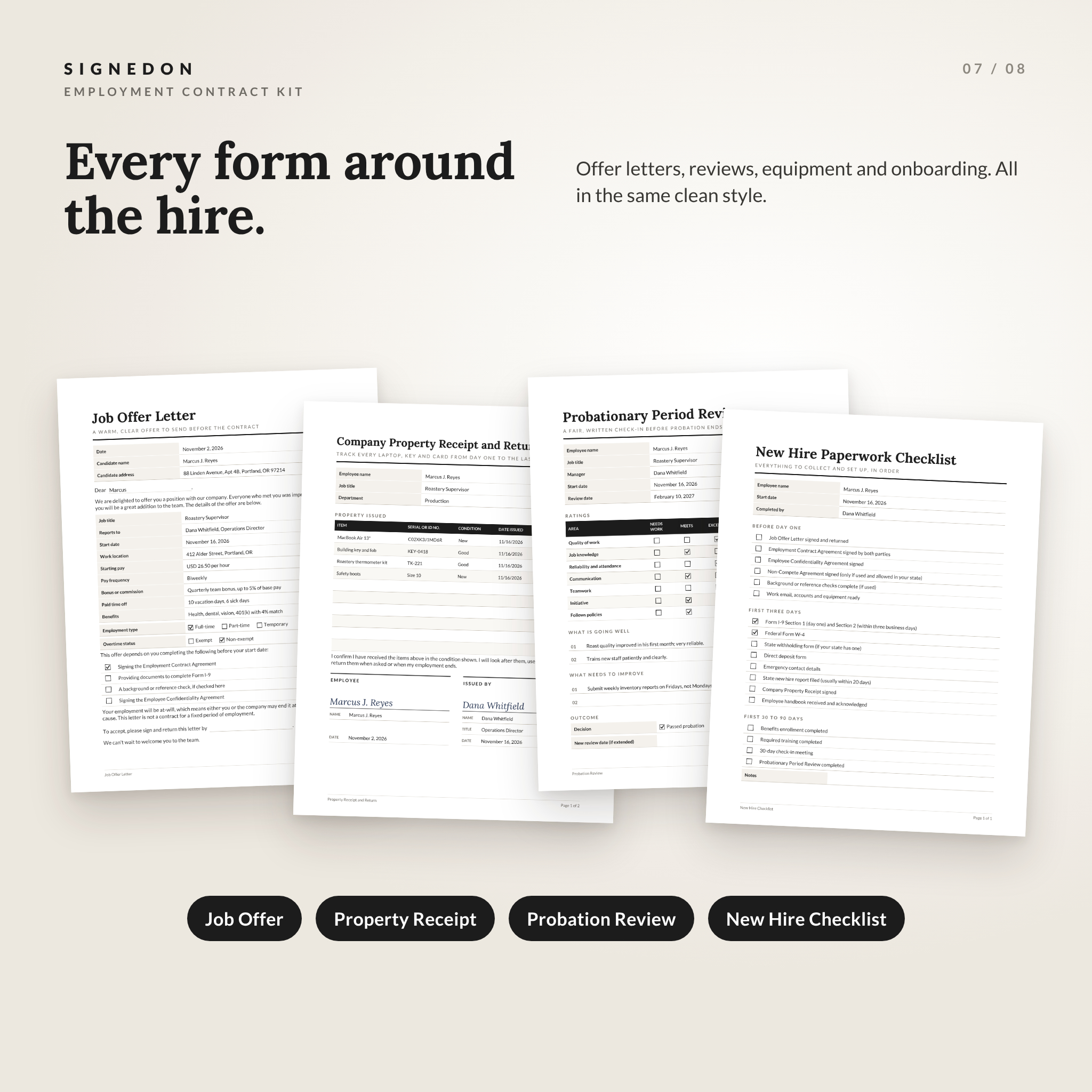
Around that contract you get the documents that usually come with a new hire: an offer letter, an NDA, a non-compete, a remote work addendum, an amendment form, a property receipt, a probation review, a termination letter and a new hire checklist. Ten documents, one consistent look.
Who It’s For
- Small business owners hiring their first employee, or their twentieth
- Office managers and HR generalists who want a solid starting point
- Startups, agencies, salons, clinics, restaurants and retail shops
- Employers hiring full-time, part-time, temporary or seasonal staff
What’s Included
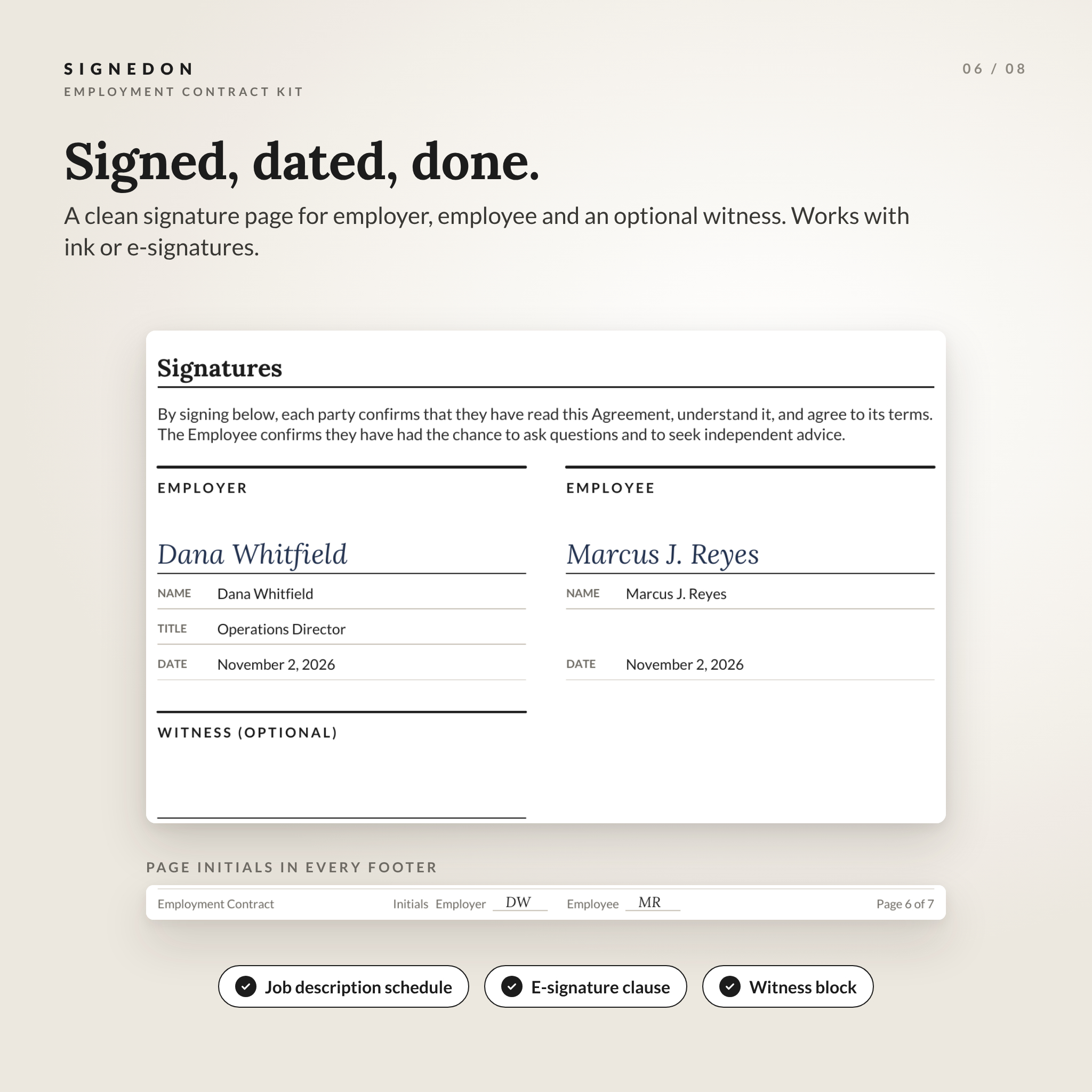
- Employment Contract Agreement (7 pages): Key Terms, 18 auto-numbered clauses, signature page with optional witness, and a Schedule A job description
- Job Offer Letter with pay, start date, conditions and an acceptance block
- Employee Confidentiality Agreement (employee NDA)
- Non-Compete and Non-Solicitation Agreement with a state-law warning note
- Remote and Hybrid Work Addendum covering equipment, allowances, core hours and data security
- Employment Contract Amendment for raises, promotions and schedule changes
- Company Property Receipt and Return Form
- Probationary Period Review with ratings and a decision record
- Employment Termination Letter
- New Hire Paperwork Checklist (offer to Form I-9, W-4 and benefits)
Each document comes as an editable Word file and a fillable PDF, in both US Letter and A4. That’s 40 ready files, plus an 8-page user guide and a one-page Start Here sheet.
Features That Save You Time
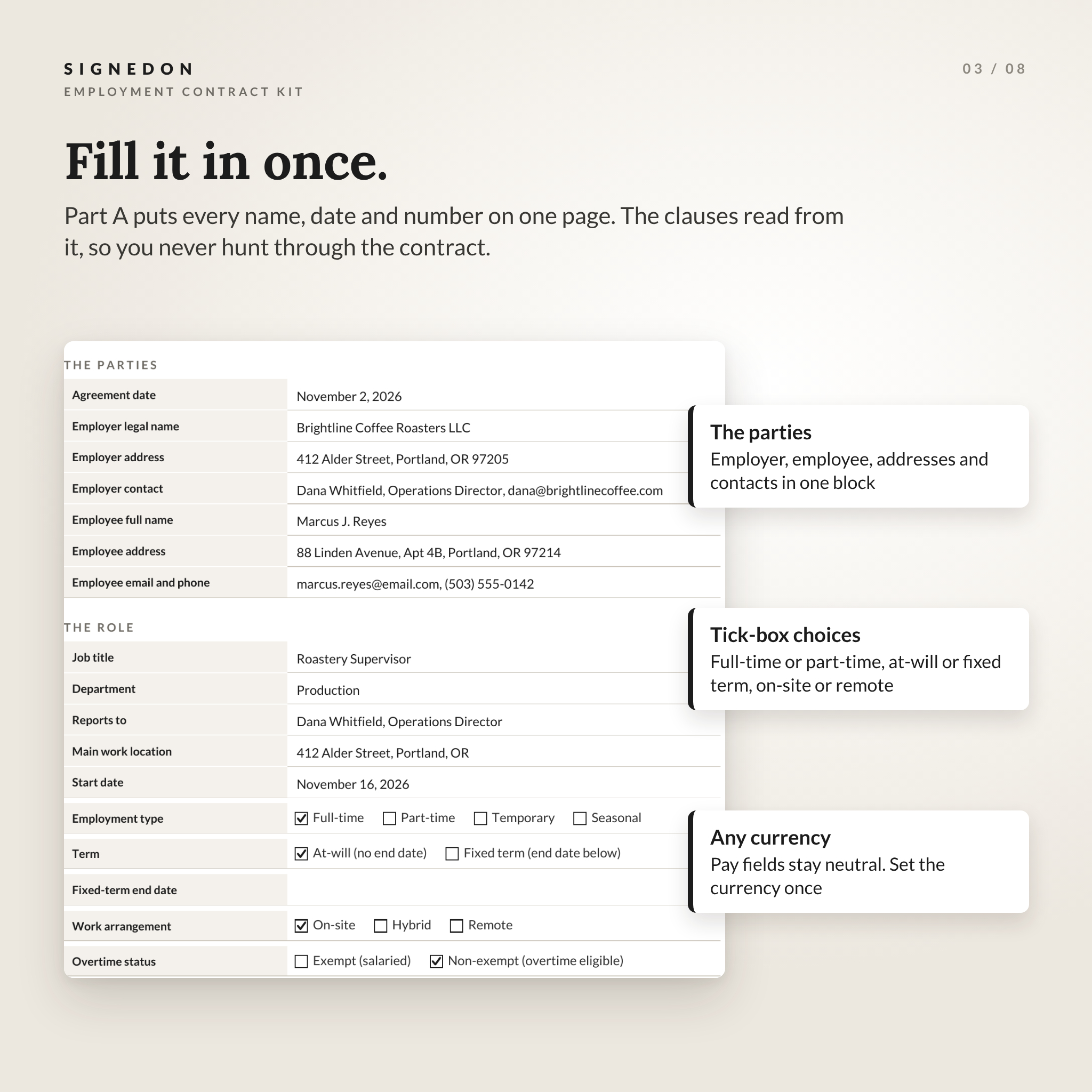
Fill it in once
The Key Terms page holds the parties, role, pay, hours, time off, benefits, notice periods and governing state. Checkboxes cover the choices that trip people up: full-time or part-time, at-will or fixed term, on-site, hybrid or remote, exempt or non-exempt.
Clauses that renumber themselves
Optional clauses are clearly marked. Delete one in Word and every number below it updates. No gaps, no manual fixing.
Fillable PDFs with real checkboxes
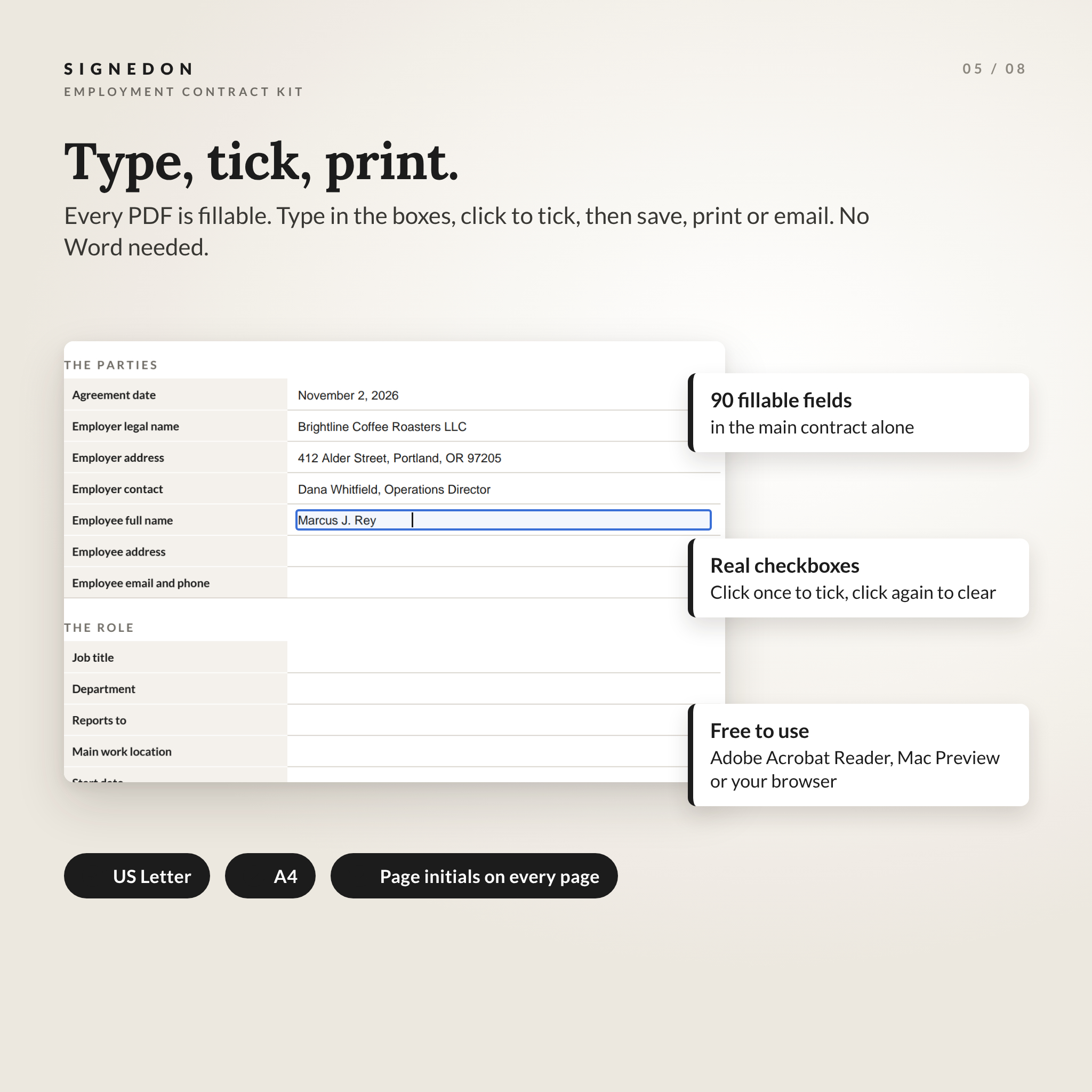
Prefer not to touch the wording? Open the PDF in free Adobe Acrobat Reader, type into the boxes and click to tick. The main contract has 90 fillable fields, including initials on every page.
Any currency
Money fields stay neutral. You enter the currency once in the Key Terms, then type the amount. Works for dollars or anything else.
Easy to brand
Add your company name to the header once and it shows on every page. Drop in your logo. Change the heading font or color through Word styles and the whole document follows.
How It Works
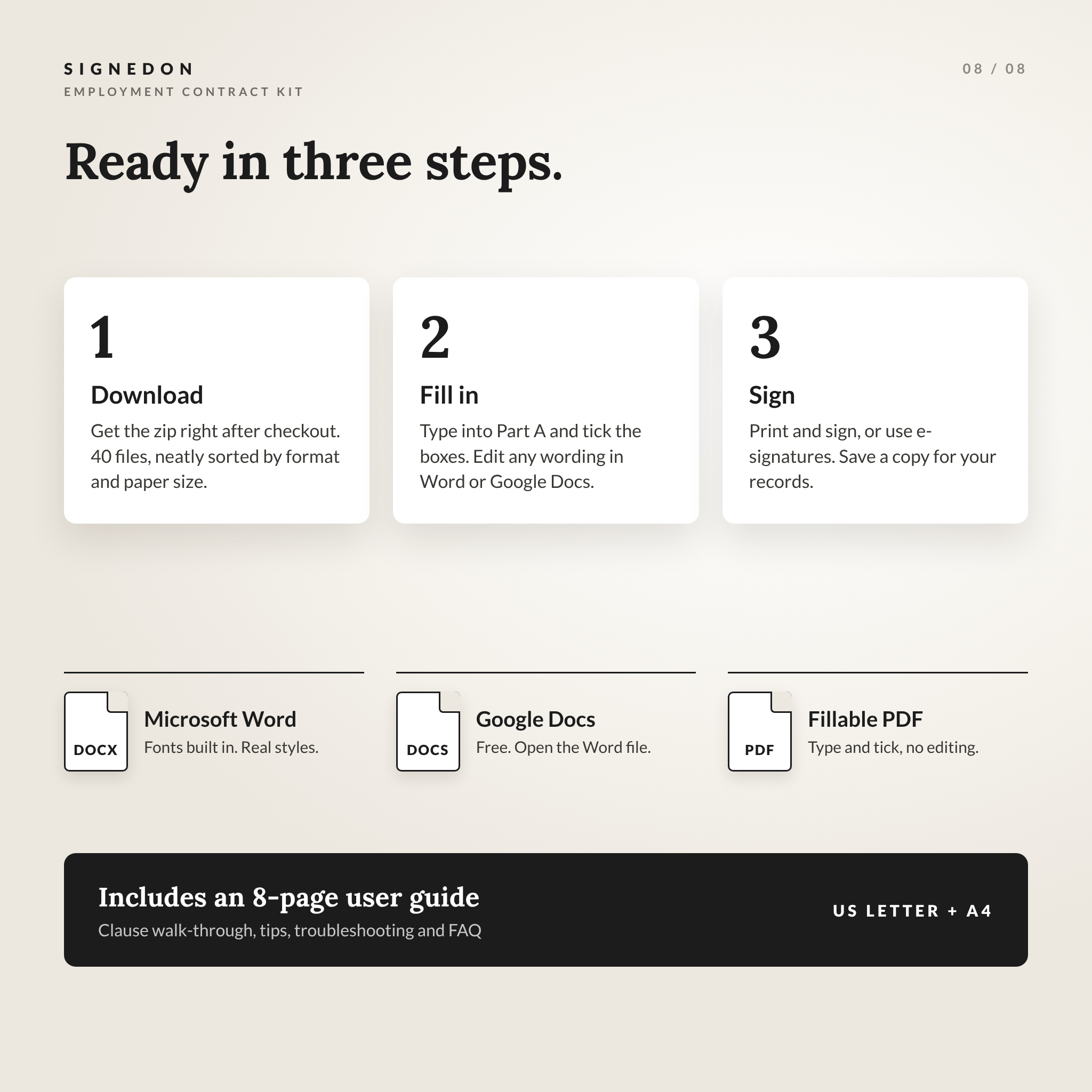
- Download the zip right after checkout and unzip it.
- Choose Word or Google Docs to edit the wording, or the fillable PDF to type into the blanks.
- Fill in Part A: Key Terms, tick your options and remove any clause you don’t need.
- Print and sign, or sign electronically. Save a copy for your records.
File Formats and Software
- Word (.docx): Microsoft Word 2016 or later, Word for Mac and Word for the web. Fonts are built into each file.
- Google Docs: upload the Word file to Google Drive and choose Open with Google Docs. Free with any Google account.
- Fillable PDF: Adobe Acrobat Reader (free), Mac Preview, or Chrome, Edge and Firefox.
- Paper sizes: US Letter (8.5 x 11 in) and A4.
Customizing Your Contract
Everything in the Word and Google Docs versions can be changed. Rewrite a clause, add your own policy, rename a section. The grey bracketed placeholders show you exactly what to replace, and a quick Find for “[” jumps you from one to the next. The user guide walks through each clause and what to check before you sign.
Real Ways to Use It
- A coffee shop owner hiring a part-time barista for weekends
- A marketing agency bringing on a remote designer with a home-office allowance
- A clinic setting a 90-day probation for a new front desk hire
- A growing startup recording a promotion and raise with the amendment form
- A retailer tracking laptops and keys handed to seasonal staff
Digital Download
This is an instant digital download. No physical item ships. You’ll get the zip file and the user guide straight after payment, and you can download them again from your account.
Please note: these are templates, not legal advice. Employment rules differ by state, especially for non-competes, overtime and paid leave. Check your local rules or ask an employment attorney before signing.
Frequently Asked Questions
Can I edit the employment contract in Google Docs?
Yes. Upload the Word file to Google Drive and open it with Google Docs. Fonts, numbering and layout carry over.
Is this employment agreement template valid in every state?
It’s written for general US use. States add their own rules, so check yours or ask a local attorney, especially before using the non-compete.
Does it work for part-time or temporary employees?
Yes. Tick the employment type and term in the Key Terms. Fixed-term contracts have their own end date field.
Do I need Microsoft Word?
No. You can use free Google Docs or type straight into the fillable PDFs with free Adobe Acrobat Reader.
Can I use it for more than one employee?
Yes. Use it for as many hires as your own business needs. Reselling or sharing the templates isn’t allowed.
Can I add my logo?
Yes, in the Word and Google Docs versions. Click into the header and insert your logo image.
Is an A4 version included?
Yes. Every document comes in US Letter and A4, in both Word and fillable PDF.
Reviews
There are no reviews yet.