Best Multi Property Tracker for Landlords: Six Compared
The best multi property tracker is the one that matches how many units you manage and how you report your rental income. For most landlords with several rentals, a spreadsheet such as Lantern Lane or Porchfolio offers the widest coverage. Gablewise suits anyone who would rather use an app that works offline in the browser.
Keeping several rentals straight can feel like a second job, with rent dates, repair receipts, mileage and tax figures all arriving at different times. A good tracker takes that load off you by recording each item once and building the reports from it. We'll go through what to check, how the options differ and which kind of landlord each one fits.
Key facts at a glance
- Five of the six trackers here are spreadsheets for Google Sheets or Excel, and Gablewise is a rental property bookkeeping app that works offline in your browser.
- Stated capacity runs up to 50 properties for the spreadsheets, with unit limits of 150, 250 or 300 depending on the file.
- Every product includes a tenant ledger and a Schedule E style summary, so tax reporting is covered across the board.
- Gablewise, Brick & Ledger, Lantern Lane, Keyward Landlord Suite and Porchfolio all list support for any currency.
- Only Keyward Landlord Suite and Porchfolio list investment measures such as cap rate and a deal analyser, so check that if you are still buying properties.
 Rental Property Bookkeeping App | Gablewise Landlord Income & Expense Tracker with Rent Tracker, Tenant Ledger, Schedule E, Depreciation & 1099s | Works Offline
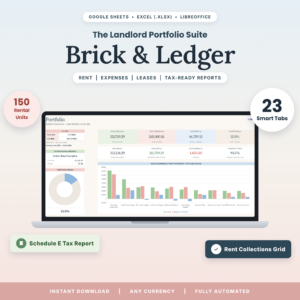 Landlord Spreadsheet for Google Sheets & Excel | Brick & Ledger Rental Property Bookkeeping with Tenant Ledger, Rent Tracker, Schedule E Tax Report & Dashboards
 Rental Property Spreadsheet for Excel & Google Sheets | Lantern Lane Landlord Tracker – Rent Collection, Tenant Ledger, Income & Expenses, Schedule E
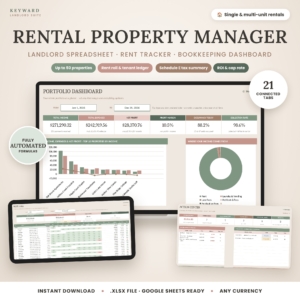 Rental Property Tracker Spreadsheet | Keyward Landlord Suite with Rent Roll, Tenant Ledger, Dashboards, Schedule E Tax Summary & ROI | Google Sheets Landlord Template (.xlsx)
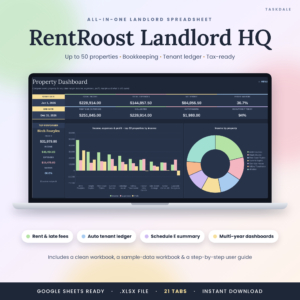
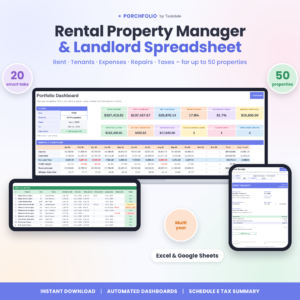
Table of Contents
Toggle
- What should you look for in a multi property tracker?
- How do the best multi property trackers compare?
- Which multi property tracker suits which landlord?
- How do you set up a multi property tracker?
- What mistakes should you avoid with a multi property tracker?
- What affects the price of a multi property tracker?
- Which multi property tracker should you choose?
- Common questions
What should you look for in a multi property tracker?
A multi property tracker should record rent, expenses and tenants for every rental in one place and produce reports per property and for the whole portfolio. These are the seven factors that separate the options.
Capacity: properties, units and leases
Capacity is the number of properties, units and leases a file or app can hold before you outgrow it. The spreadsheets here all cover up to 50 properties. Brick & Ledger allows 150 units and 200 leases, Lantern Lane and Keyward Landlord Suite allow 250 units, and Porchfolio allows 300. RentRoost Landlord HQ lists 50 properties without a unit figure, and Gablewise gives no limit in its description.
If you own a block of flats rather than separate houses, the unit figure matters more than the property figure.
Rent tracking and tenant ledgers
A tenant ledger is a running record of what each tenant has been charged and what they have paid. Look for a view that shows who has paid, who has paid part and who is late at a glance. Lantern Lane separates paid, partial and overdue and suggests late fees. Keyward Landlord Suite adds overdue-rent alerts and a Rent Roll calendar. Gablewise posts rent automatically each month, so a payment takes one click.
Tax reporting
Schedule E is the US tax form on which landlords report rental income and expenses, and every product here builds a summary shaped around it. Porchfolio goes furthest by mapping expenses to IRS Schedule E lines. Gablewise also tracks depreciation and 1099s. If you file outside the US, treat these reports as a tidy income and expense summary and ask your accountant how to map the categories.
Profit and investment returns
Profit per property tells you which rentals earn their keep. Lantern Lane works out true profit by property and unit and splits shared bills automatically. Keyward Landlord Suite shows cap rate, cash-on-cash return, NOI and DSCR for every property. Brick & Ledger and RentRoost Landlord HQ both report returns, and Porchfolio includes a deal analyser for properties you are considering.
Dashboards
Dashboards are summary screens that turn your entries into charts and totals. The count ranges from six in RentRoost Landlord HQ to seven in Brick & Ledger and nine in Lantern Lane. Porchfolio offers 12-KPI dashboards with monthly, 5-year, custom-range and compare views. More dashboards help if you review the portfolio often, but a clear monthly view is enough for many people.
Format and ownership
Format decides where your data lives. A spreadsheet is a file you keep and can open in Excel or Google Sheets. Brick & Ledger needs no Microsoft 365, and Keyward Landlord Suite is an .xlsx file tested in Google Sheets. Gablewise runs in your browser and works offline, with no subscription. Porchfolio is a one-time purchase.
Guidance and sample data
A filled sample file lets you see the finished result before you enter your own figures. Brick & Ledger, Lantern Lane, Keyward Landlord Suite and RentRoost Landlord HQ all include one, and each comes with a step-by-step or 19-page guide. Porchfolio includes a step-by-step DOCX guide. Gablewise lists no guide.
How do the best multi property trackers compare?
The six trackers differ mainly in format, capacity and the extras built around rent and tax. This table uses only the details supplied for each product.
Which multi property tracker suits which landlord?
Each tracker suits a different habit, so match the tool to how you already work rather than to the longest feature list.
Gablewise suits landlords who want something closer to an app than a spreadsheet. Rent posts itself, payments take one click, and it works offline in your browser with no subscription. It also tracks depreciation and 1099s, which helps if you pay contractors.
Brick & Ledger suits the landlord with a mid-sized portfolio who wants every figure to flow from one entry. Its 12-month rent collections grid makes it easy to spot a tenant who pays late every winter.
Lantern Lane suits landlords with shared utilities or multi-unit buildings. It splits shared bills automatically and gives true profit by unit. The move-in and move-out inspection checklist is useful for deposits.
Keyward Landlord Suite suits investors who judge each property by its return. Cap rate, cash-on-cash return, NOI and DSCR sit beside the rent records. The Action Centre and Rent Roll calendar help you see what needs doing.
RentRoost Landlord HQ suits Google Sheets users who want reminders. It has lease renewal reminders and tracks deposits and maintenance, and its comparison dashboard shows properties side by side.
Porchfolio suits the largest portfolios, with room for 300 units. It also suits landlords who drive between properties, because it includes a mileage log and expenses mapped to Schedule E lines.
How do you set up a multi property tracker?
You set up a multi property tracker by entering your fixed details first and your day-to-day records second. This order keeps the reports accurate from the start.
- Open the sample file or guide first and look at a finished example.
- Enter each property and unit, with address and any shared bills.
- Add every tenant and lease, including start dates, rent amounts and deposits.
- Load the current year's rent payments and expenses, working back from the most recent.
- Check the dashboard against your bank statement for one month.
- Settle into a routine of updating once a week.
Back up spreadsheet files after each session, for example by keeping a copy on a second drive or in a cloud folder.
What mistakes should you avoid with a multi property tracker?
The most common mistake is choosing on dashboard count rather than on fit. These are the pitfalls we see most often.
- Ignoring unit limits. A tracker that holds 150 units is fine for a small portfolio, but check the figure if you plan to buy more.
- Mixing personal and rental spending. Keep a separate account or tag every item, or your profit figures will be wrong.
- Assuming the tax summary is a tax return. A Schedule E style report organises your numbers. It does not replace advice from an accountant.
- Skipping the sample file. Seeing a finished set of tabs first saves hours of confusion.
- Leaving receipts until the year-end. Gablewise lets you attach receipt photos, and the spreadsheets work best when you log expenses as they happen.
- Overwriting formulas. In a spreadsheet, type only in the input cells the guide names.
What affects the price of a multi property tracker?
The price of a multi property tracker depends mainly on whether you pay once or on a recurring basis, and on how much it does. You will see the live price on each product card, so use this section to understand the differences.
A one-time purchase costs more up front than a monthly plan but never renews. Porchfolio is a one-time purchase, and Gablewise, Brick & Ledger and the others advertise no subscription or no Microsoft 365 requirement, so ongoing costs stay low.
Capacity and depth also play a part. A file with 32 tabs, nine dashboards and an inspection checklist does more than a simpler one with six dashboards. Guides, sample data and investment measures such as DSCR add value if you use them, and they are wasted if you don't.
Which multi property tracker should you choose?
Choose the tracker whose capacity and reporting match your portfolio today, with some room to grow. A simple decision rule follows.
- Want an app-style tool that works offline: Gablewise.
- Want the most tabs and a clear shared-bill split: Lantern Lane.
- Want investment returns for every property: Keyward Landlord Suite.
- Want the highest unit limit and a mileage log: Porchfolio.
- Want lease renewal reminders in Google Sheets: RentRoost Landlord HQ.
- Want a balanced file with a 12-month collections grid: Brick & Ledger.
Browse all 6 options below, open the guide or sample on the one you like, and test it with a single month of real figures before committing.
Common questions
Can I use these trackers without Microsoft 365?
Yes, for Brick & Ledger, which states it needs no Microsoft 365. The other spreadsheets run in Google Sheets or Excel, and Google Sheets is free with a Google account. Gablewise runs in your browser instead, so it needs neither.
Do these trackers work in pounds, euros or other currencies?
Gablewise, Brick & Ledger, Lantern Lane, Keyward Landlord Suite and Porchfolio all say they work in any currency. RentRoost Landlord HQ does not state this, so check its listing before you buy if you do not report in dollars.
Are Schedule E reports useful for UK landlords?
Schedule E is a US form, so the layout will not match a UK return. The income and expense totals are still useful as a summary. Ask your accountant which categories map to your own tax return.
Do I need to be good with spreadsheets to use one?
No. Each spreadsheet is built so you log data once and the tabs fill themselves. Brick & Ledger, Lantern Lane, Keyward Landlord Suite and RentRoost Landlord HQ include a sample file and a step-by-step guide, and Porchfolio includes a DOCX guide.
How often should I update my tracker?
Update once a week as a minimum. Weekly entries keep the rent status current, so a late payment shows up while it is still easy to chase. A monthly bank check against the dashboard then catches any errors.