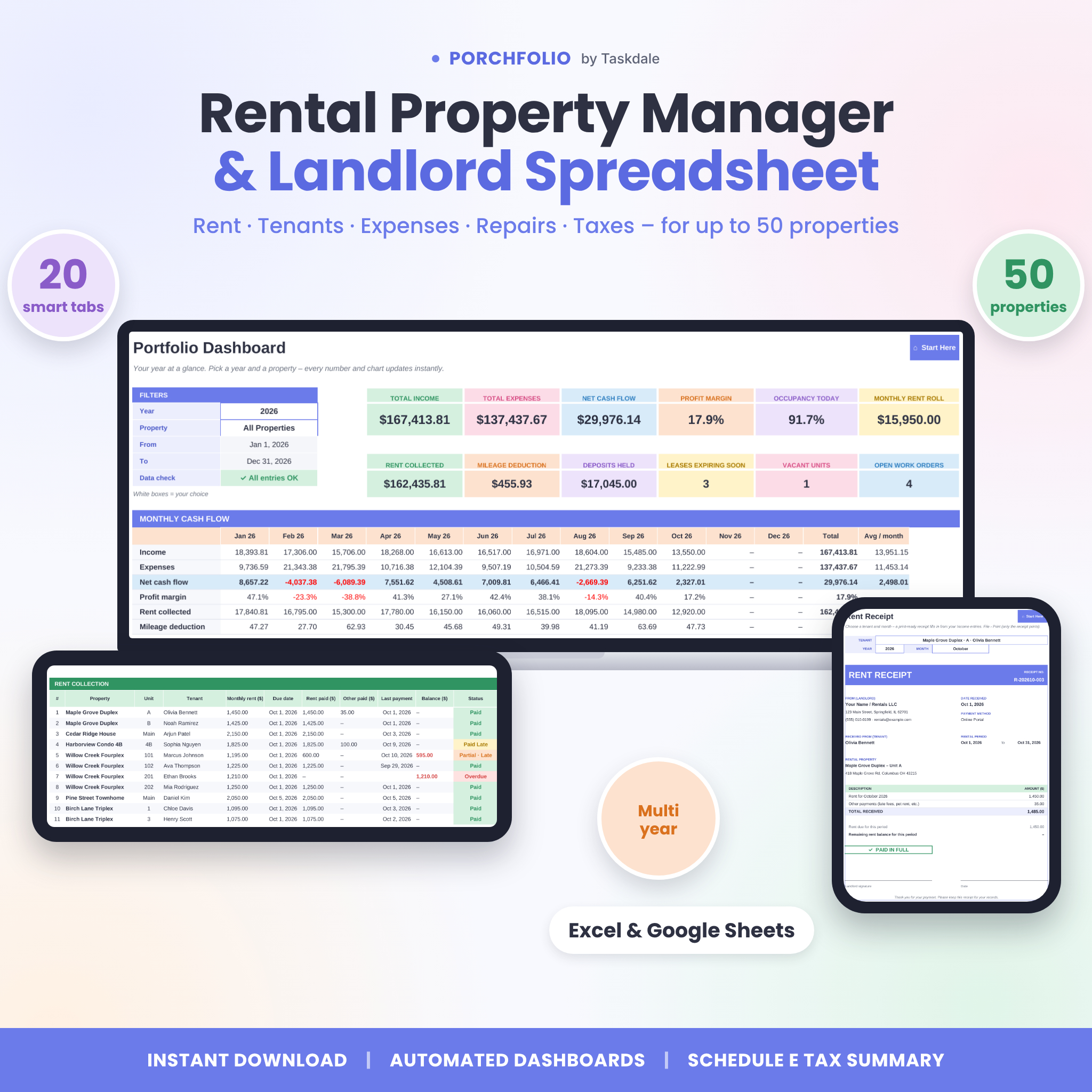
Porchfolio is a rental property tracker spreadsheet that turns scattered rent notes, receipts and bank statements into one clear landlord system. Log your properties, units, leases and day-to-day money in and out, and the workbook does the rest: it shows who has paid this month, builds tenant statements and rent receipts, charts your cash flow and lines up your expenses with IRS Schedule E – ready for tax time. It works in Microsoft Excel and Google Sheets and handles up to 50 properties and 300 units.
A complete landlord spreadsheet for rent, tenants and taxes
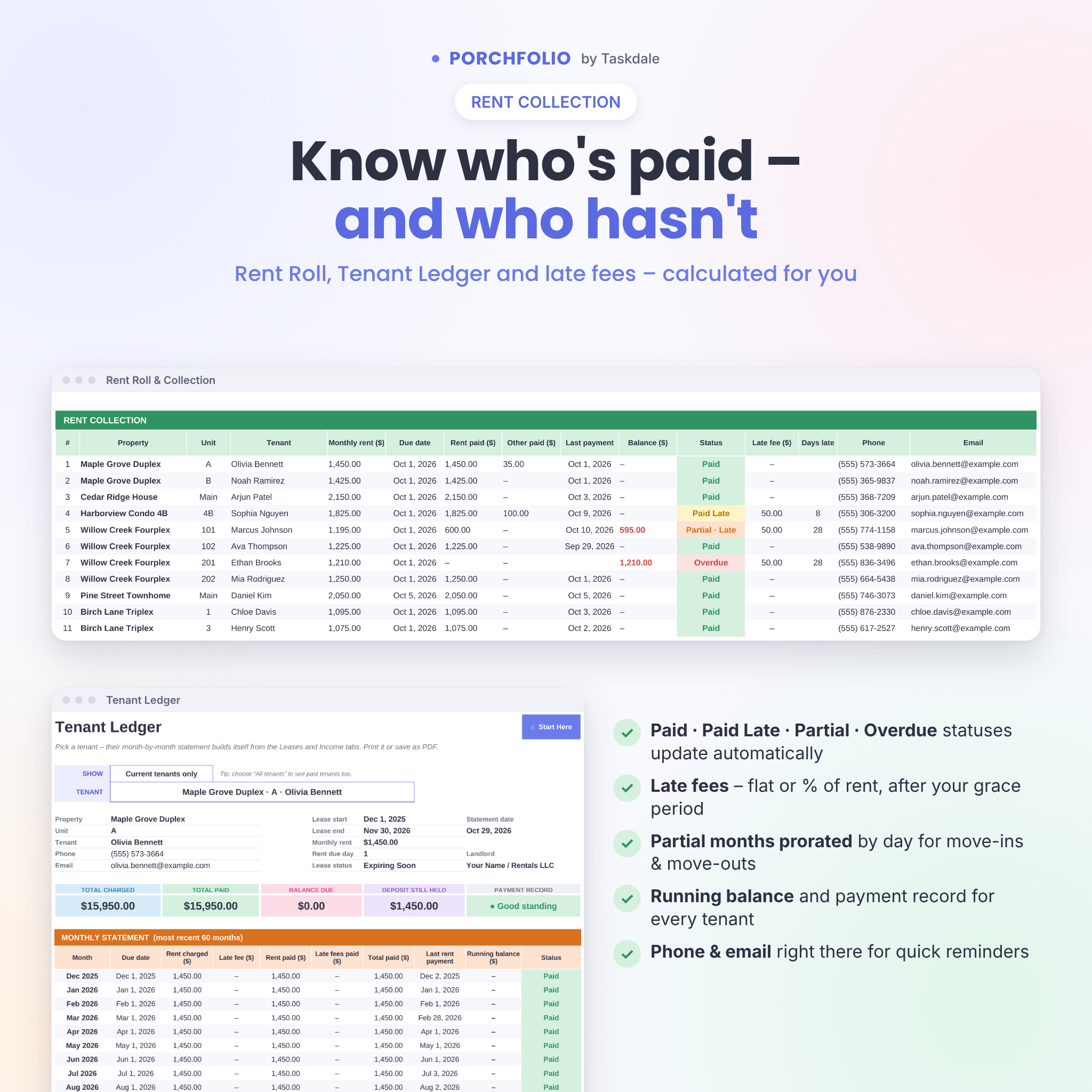
Most rental income and expense trackers stop at totals. Porchfolio tracks rent by tenant, so you always know which unit is paid, partial or overdue – and how much is still owed. Late fees, grace periods and partial-month proration are calculated for you, and a built-in data check flags any entry that would otherwise be left out of your reports.
Who it is for
- Independent landlords with one rental or a growing portfolio of up to 50 properties
- Owners of duplexes, triplexes, fourplexes and small apartment buildings who need unit-level tracking
- House hackers, accidental landlords and new real estate investors
- Anyone who wants tidy rental bookkeeping to hand to a bookkeeper or tax preparer
Features
Set up once
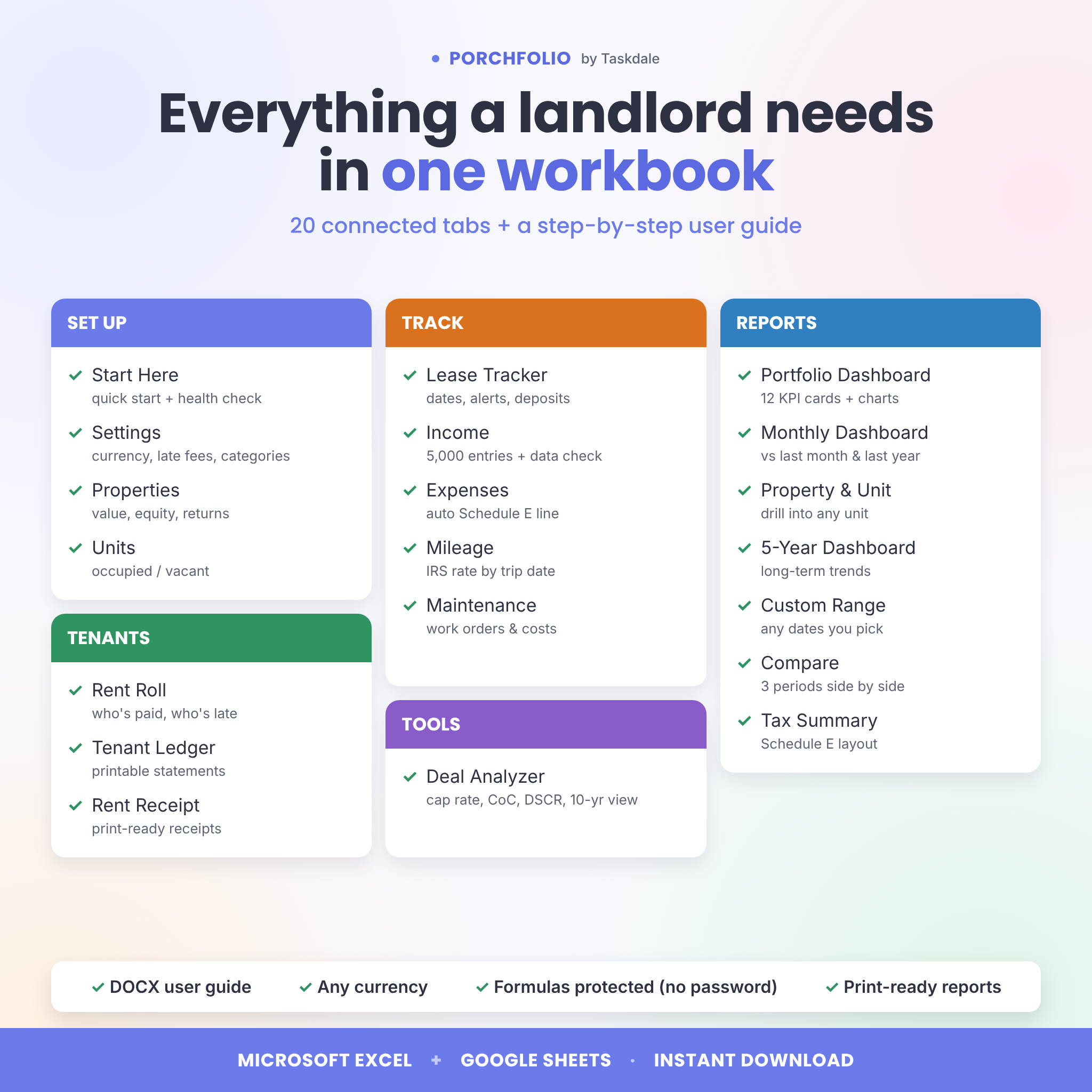
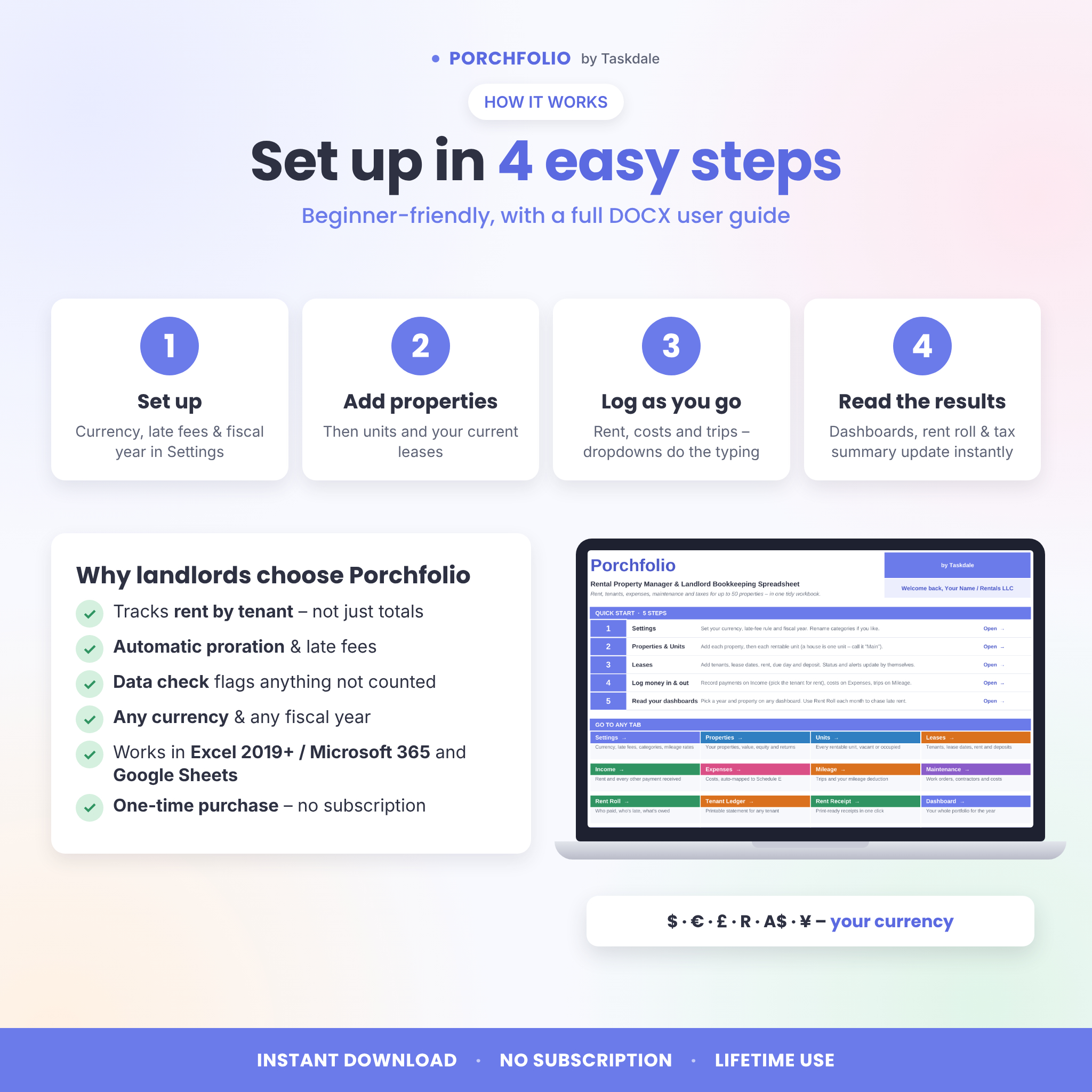
- Start Here – five quick-start steps, links to every tab and a data health check
- Settings – currency symbol, rent grace period, flat or percentage late fee, fiscal-year start month, 15 income and 30 expense categories, payment methods and dated mileage rates
- Properties – purchase price, cash invested, value and loan balance, with automatic units, occupancy, monthly rent roll, equity, loan-to-value, 12-month cash flow, cash-on-cash return and value growth
- Units – beds, baths, square feet and market rent; each unit shows Occupied or Vacant, the current tenant and how far rent is below market
Track day to day
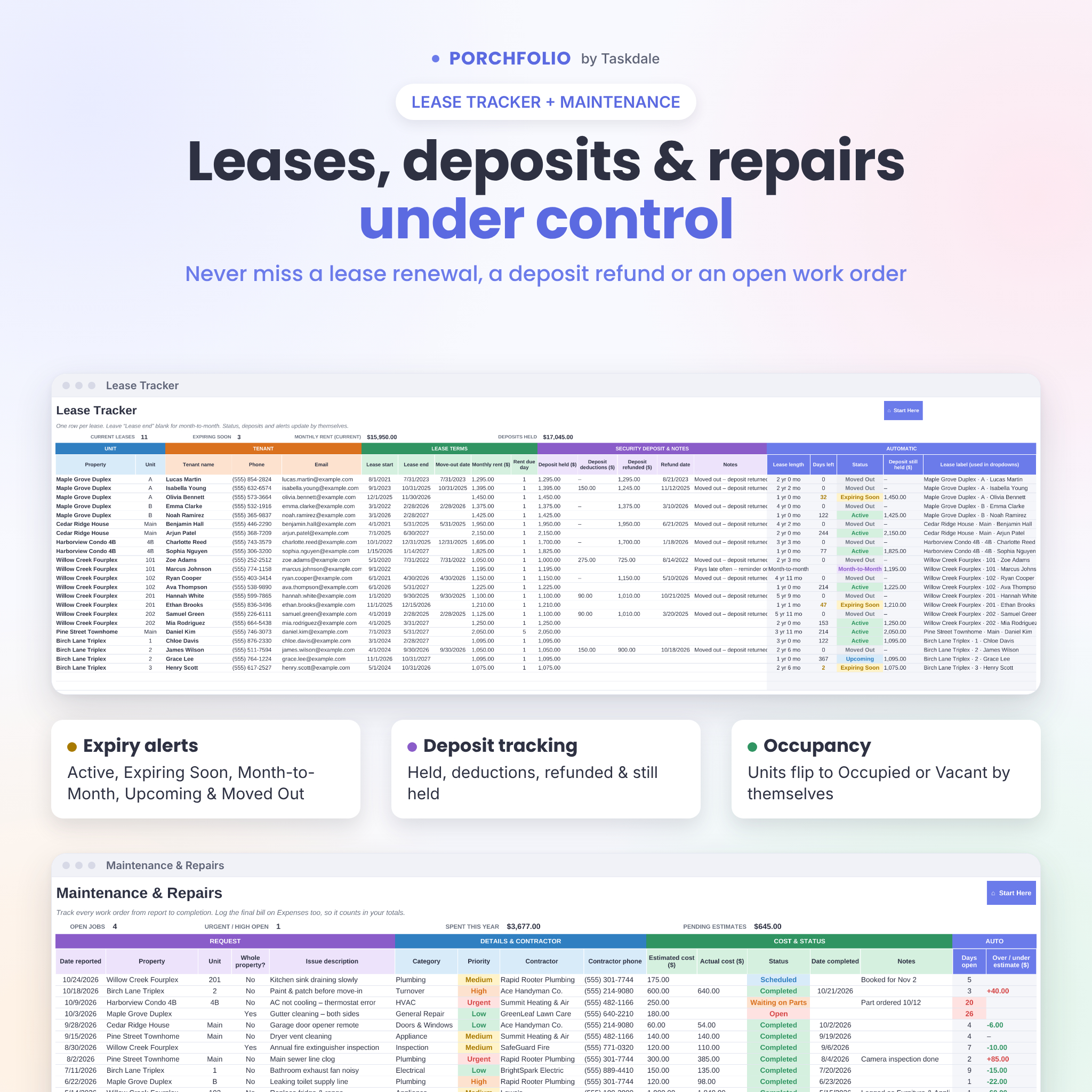
- Lease Tracker – tenant contacts, lease dates, rent, due day and security deposit (held, deductions, refunded, still held), with automatic status: Active, Expiring Soon, Month-to-Month, Upcoming, Expired or Moved Out
- Income – up to 5,000 payments with dropdowns and an optional “rent for month” field for early or late payments
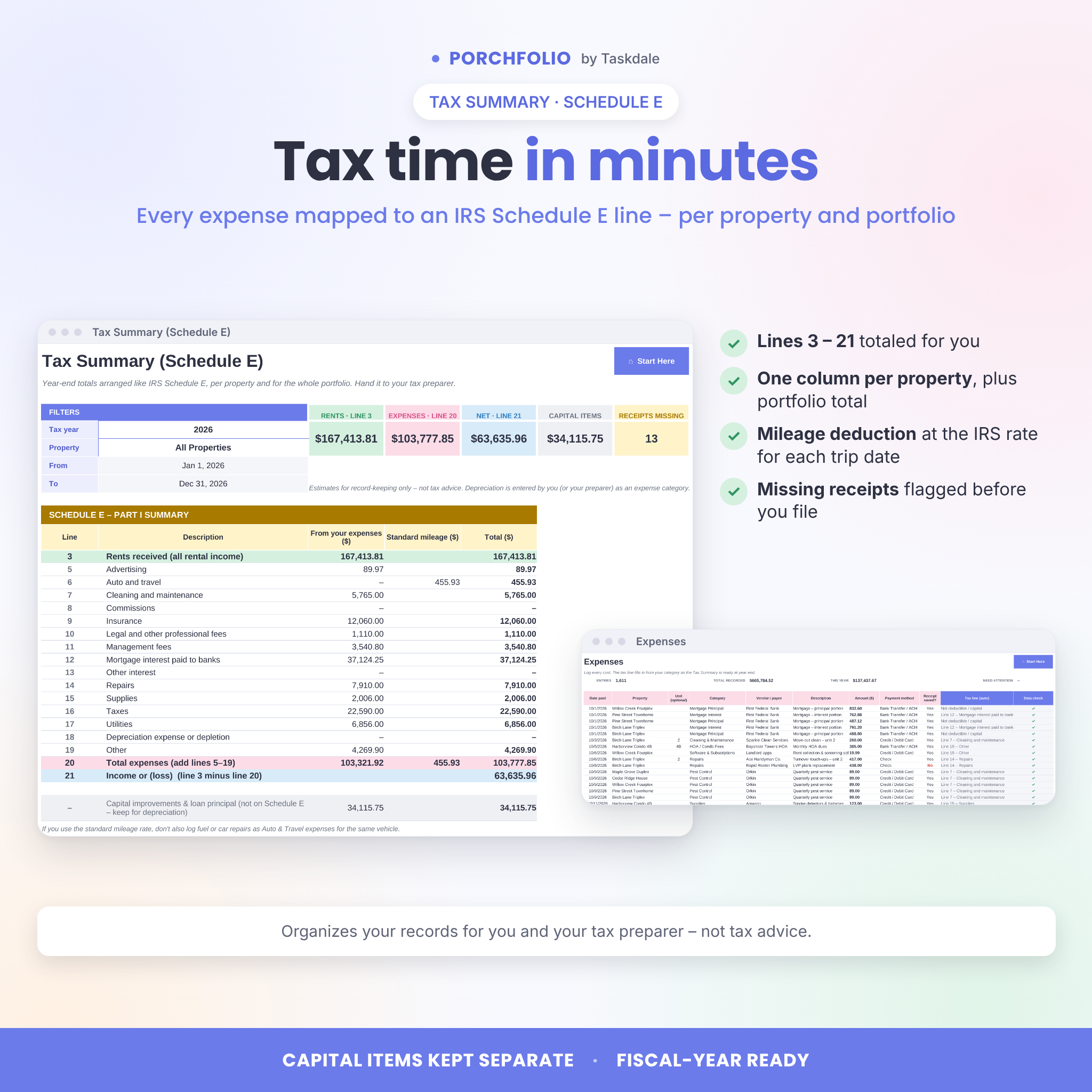
- Expenses – up to 5,000 costs; each category maps to a Schedule E line automatically, and a “receipt saved?” column shows what is missing
- Mileage log – round-trip option and the correct rate for each trip date (IRS business rates for 2022–2026 included, including the July 2026 change)
- Maintenance – work orders with priority, contractor, estimated vs. actual cost, status and days open
Tenants
- Rent Roll – pick any month to see rent due, paid, balance, status (Paid, Paid Late, Partial, Overdue), late fee and days late, plus phone and email for reminders
- Tenant Ledger – a printable month-by-month statement with a running balance and payment record for current or past tenants
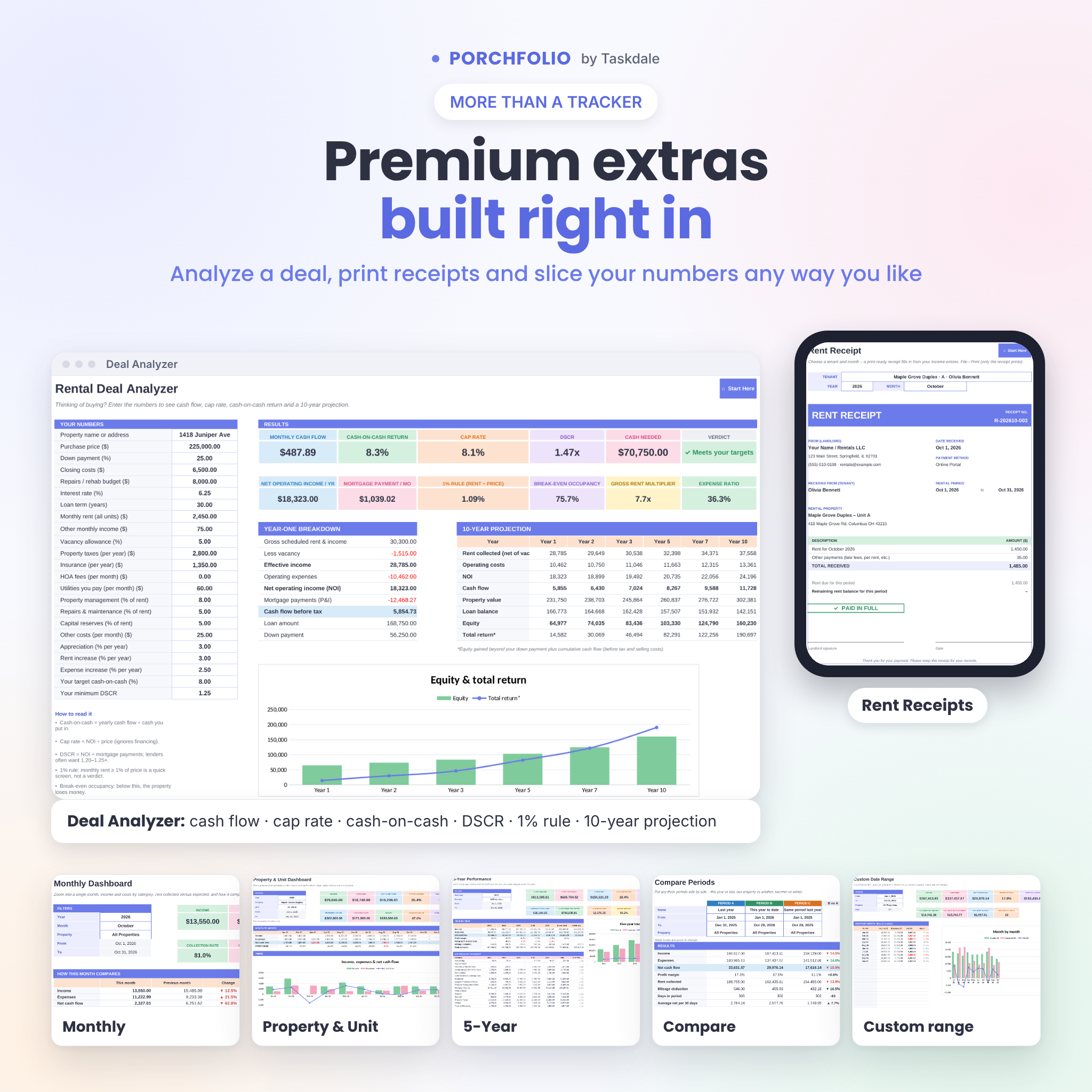
- Rent Receipt – a print-ready receipt for any tenant and month
Reports and dashboards
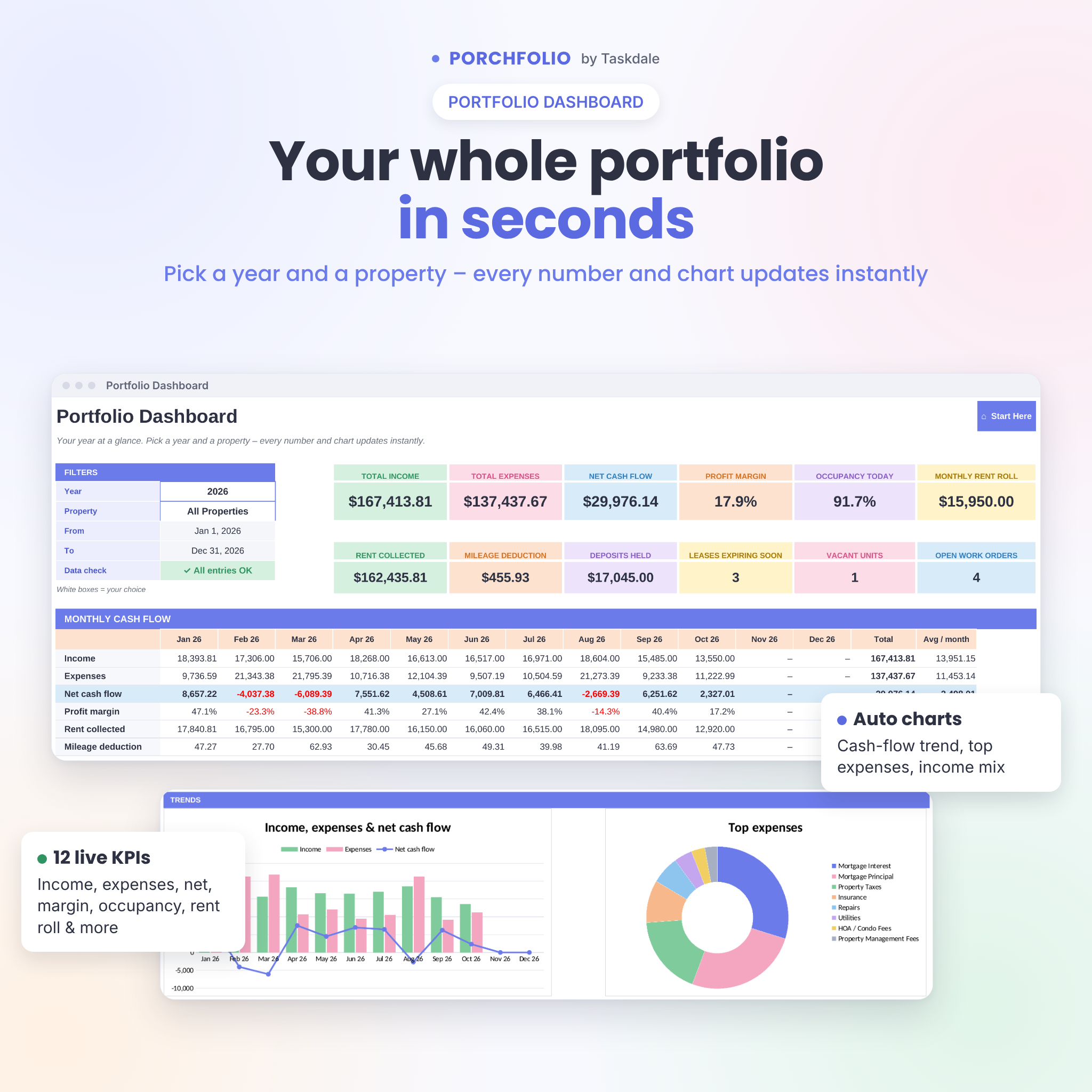
- Portfolio Dashboard – 12 KPI cards, monthly cash flow table, income vs. expense chart, sorted category breakdowns, top properties and a property overview
- Monthly Dashboard – one month by category, rent expected vs. collected, and changes vs. last month and last year
- Property & Unit Dashboard – one property or one unit in depth, including value, equity and every unit
- 5-Year, Custom Range and Compare – long-term trends, any dates you choose, and three periods side by side
- Tax Summary – rents received, expenses for Schedule E lines 5–19, total expenses and income or loss, for the portfolio and for each property, with capital items kept separate
Bonus tool
- Deal Analyzer – mortgage payment, NOI, cash flow, cap rate, cash-on-cash return, DSCR, the 1% rule, break-even occupancy and a 10-year projection, with a verdict against your own targets
Why choose this rental property spreadsheet
- Tracks rent by tenant and unit – not just monthly totals
- Automatic proration, late fees and payment statuses
- Data check catches typos and renamed categories before they skew your numbers
- One currency setting for $, €, £, R or any symbol; any fiscal year
- Formulas are protected (no password) so nothing breaks by accident, while every input cell stays open
- One-time purchase – no subscription, no monthly software fees
What is included
- Porchfolio Rental Property Manager workbook (.xlsx, 20 tabs, ready for your data)
- Porchfolio User Guide (.docx) – setup, every tab explained, customizing, tips, troubleshooting and FAQ
How it works
- Download the files right after purchase.
- Open the workbook in Excel, or upload it to Google Drive and choose File › Save as Google Sheets.
- Enter your settings, properties, units and leases.
- Log rent, expenses and trips as they happen – dropdowns do most of the typing.
- Pick a year, month or property on any dashboard and everything updates instantly.
File formats and software requirements
- Format: Microsoft Excel workbook (.xlsx) plus a Word user guide (.docx)
- Microsoft Excel 2019, 2021, 2024 or Microsoft 365 (Windows or Mac)
- Google Sheets with a free Google account (the in-sheet “go to” shortcut links are Excel-only; use the sheet tabs in Google Sheets)
- Best set up on a computer; Excel and Google Sheets mobile apps work for quick entries
Customization
Change the currency symbol, late-fee rule, grace period, lease-expiry warning and fiscal-year start in Settings. Rename or add income and expense categories and choose their Schedule E line – every dashboard updates automatically. Colors and fonts can be changed with normal formatting tools, and the guide shows how to add more rows.
Digital download
This is an instant digital download – no physical item is shipped. Your files are available as soon as payment is confirmed. Personal-use licence: use it for your own rental properties; reselling or sharing the files is not permitted.
Use cases
- Checking on the 5th of the month which tenants still owe rent, then texting them from the listed phone numbers
- Printing a tenant ledger for a security deposit dispute or a rental reference
- Sending a rent receipt to a tenant who pays cash
- Handing the Tax Summary and expense list to your CPA in January
- Running the numbers on a fourplex before you make an offer
FAQ
How many properties can I track?
Up to 50 properties, 300 units and 300 leases, with 5,000 income and 5,000 expense entries.
Does it work in Google Sheets?
Yes. Upload the .xlsx to Google Drive and save it as a Google Sheet; formulas, dropdowns, dashboards and charts work there.
Is this a subscription?
No. You pay once and can use it for as many years as you like.
Can I use my own currency?
Yes. One setting changes the symbol on every money label, card and receipt.
Does it handle partial months and month-to-month leases?
Yes. Leave the lease end date blank for month-to-month; first and last partial months are prorated by day.
Does it track late fees?
Yes. Choose a flat fee or a percentage of rent and a grace period; the Rent Roll calculates fees and ledgers can add them automatically.
Is the tax summary tax advice?
No. It organizes your records in a Schedule E layout for you and your tax preparer. Always confirm figures with a qualified professional.
Reviews
There are no reviews yet.