Best Printable Homeschool Planner: 4 Options Compared
The best printable homeschool planner is the one that matches how you actually plan. Choose the Thistlewood Hyperlinked GoodNotes Planner if you want weekly spreads on paper or a tablet. Choose Little Oak Command Centre, Brightpath or Hearthside Command Centre if you want an Excel workbook that fills in attendance, hours, grades and a transcript from lessons you type once.
Choosing can feel bigger than it should, because a planner is something you'll open every school day for a year. We'll keep this practical: what to check, how the four options differ, and a simple rule at the end for picking one.
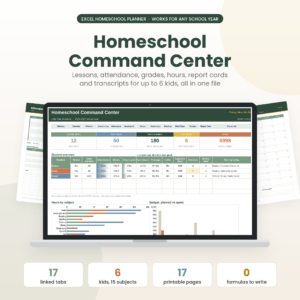
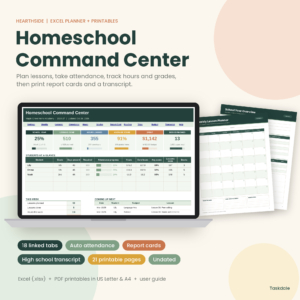
Key facts at a glance
- Thistlewood is the only planner here built for GoodNotes and Notability, and it covers up to four students.
- Little Oak Command Centre, Brightpath and Hearthside Command Centre are Excel workbooks that each cover up to six children.
- All four list a high school transcript and come as printable files in US Letter and A4.
- Thistlewood has dated months from July 2026 to June 2028, while Hearthside and Brightpath have undated printable pages.
- Little Oak Command Centre counts toward 180 days or your state's hours, and Brightpath counts school days and hours with breaks skipped.
Table of Contents Toggle
- What to look for
- Comparison table
- Who each suits
- Setting up and using one
- Mistakes to avoid
- What affects price
- Common questions
What should you look for in a printable homeschool planner?
A good printable homeschool planner matches your format, your number of children, the records you must keep and the way you like to plan. Five checks cover most of the decision, and each one rules some options in or out quickly.
Format: tablet, paper or spreadsheet
Format decides how the planner feels on a Monday morning. Thistlewood is a linked digital file for GoodNotes and Notability, so you can write on a tablet or print the pages. The other three are Excel workbooks with printable pages alongside.
A spreadsheet is the better choice if you'd rather type than handwrite. Typed entries are what let the dashboards and report cards fill themselves in.
Number of students and subjects
Thistlewood keeps records for up to four students. Little Oak Command Centre covers up to six kids, Brightpath up to six students and 12 subjects, and Hearthside Command Centre one to six children from Pre-K to 12th grade.
Count the children you're teaching now, then add anyone you expect to start within the year. Moving from a four-student planner to a six-student one mid-year means re-entering records.
Records: attendance, hours, grades and transcript
A homeschool record is the paper trail that shows what was taught, when, and how well. All four planners include attendance and a high school transcript, and the three spreadsheets add automatic hours and grades.
If your state asks for a set number of days or hours, check how each one counts them. Little Oak Command Centre counts toward 180 days or your state's hours. Brightpath skips breaks when counting school days and hours.
Dated or undated pages
Dated pages save you writing in dates. Undated pages let you start in any month and skip a week without leaving blank squares behind.
Thistlewood is dated from July 2026 to June 2028 and also includes 12 undated months. Hearthside's 21 printable pages and Brightpath's 14 are undated. Little Oak Command Centre dates itself for 2026-2027 or any school year you choose.
Paper size and printable page count
Every planner here supplies US Letter and A4 files, so UK and European printers are covered. Page counts differ. Little Oak has 17 printable pages, Brightpath has 14 and Hearthside has 21.
More pages means more printed forms to file. Fewer pages means more of the work lives in the workbook.
How do the four printable homeschool planners compare?
The four planners split into one tablet-and-print planner and three Excel workbooks that differ mainly in printable page count, subject limits and how they track pace.
| Product | Format | Students | Printable pages | Dating | Standout feature |
|---|---|---|---|---|---|
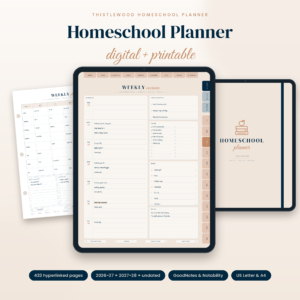 Homeschool Planner 2026-2027 Digital & Printable | Thistlewood Hyperlinked GoodNotes Planner with Lesson Plans, Attendance Tracker, Reading Log & Transcript | US Letter & A4 | GoodNotes and Notability, printable | Up to 4 | Printable US Letter and A4 files | Dated July 2026 to June 2028, plus 12 undated months | Two-page weekly spreads with menu and subject grid |
| Homeschool Planner Spreadsheet for Excel | Little Oak Command Centre | Excel | Up to 6 | 17, plus a 20-page user guide | Dates itself for any school year | Counts toward 180 days or state hours |
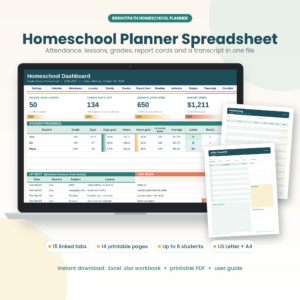 Brightpath Homeschool Planner Spreadsheet & Printable Pages | Excel | Up to 6, with 12 subjects | 14 | Undated | 15 linked tabs, breaks skipped in counts |
| Hearthside Homeschool Command Centre | Excel Homeschool Planner with Lesson Planner, Attendance, Gradebook, Report Cards & Transcript + 21 Printable Pages | US Letter & A4 | Excel | 1 to 6, Pre-K to 12th | 21 | Undated | Weighted gradebook and curriculum pace |
Who does each printable homeschool planner suit?
Each planner suits a different household, and the difference is mostly about how you like to work rather than how much each can store.
Thistlewood Hyperlinked GoodNotes Planner suits a family of up to four students who plan by hand. The weekly spread has a schedule, to-do list, menu and subject grid. It also has reading log, unit study, loop schedule, meal and chore pages, plus stickers. It's the most like a traditional planner, and it comes with 12 undated months if your year doesn't follow the calendar.
Little Oak Command Centre suits a larger family that must show days or hours to an authority. Each lesson is typed once, and the weekly planner, gradebook, hours tracker and dashboard update. It also has a budget page, which the others don't list.
Brightpath suits someone with many subjects. Its limit of 12 subjects across up to six students is the most specific in this group, and the 15 linked tabs keep everything in one workbook. Its 14 printable pages are the fewest, which suits people who print little.
Hearthside Command Centre suits families who want the most detail about progress. A weighted gradebook, hours by subject and curriculum pace all update when you plan a lesson once. With 21 printable pages and an illustrated user guide, it's also the best fit if you want a thick printed binder.
How do you set up and use a printable homeschool planner?
A printable homeschool planner works best when you set it up once in a short session, then spend a few minutes on it each day. For the spreadsheets, follow these steps.
- Open the workbook and read the user guide first. Little Oak includes a 20-page guide, Brightpath a step-by-step one and Hearthside an illustrated one.
- Enter your children, their grade levels and your subjects before anything else.
- Set your school year dates and your target days or hours.
- Type each lesson once. The weekly view, hours and dashboard should fill in from that entry.
- Print the pages you'll actually write on, such as a weekly overview or reading log, and leave the rest on screen.
- Review attendance and hours at the end of each week, while your memory is fresh.
For Thistlewood, import the file into GoodNotes or Notability, or print the US Letter or A4 pages, then use the hyperlinks to jump between months, weeks and records.
What mistakes should you avoid when choosing a printable homeschool planner?
The most common mistake is buying for the planner you wish you'd use rather than the one you will. Four others cause regret later.
- Choosing handwriting-only pages when you need totals. If you must report hours or days, a planner that counts them for you removes a manual task.
- Ignoring the student limit. Thistlewood stops at four students, so a family of five needs one of the six-student workbooks.
- Printing every page on day one. Print what you'll write on and keep the rest digital.
- Skipping the user guide. The spreadsheets fill in automatically only when data goes in the right place, and the guide shows where.
What affects the price of a printable homeschool planner?
The price of a printable homeschool planner depends on how much it automates, how many records it covers and what extra pages it adds. A simple dated planner usually costs less up front than a workbook with a gradebook, dashboard and transcript.
Differences you can see in this group include the number of students, printable pages and the included guide. Because these are digital files, you pay once for the file rather than for shipping. Check the live product cards for current prices.
Which printable homeschool planner should you choose?
Choose Thistlewood if you teach up to four students and want to write plans by hand or on a tablet. Choose Little Oak Command Centre if you need to count days or hours towards a requirement. Choose Brightpath if you teach many subjects and print little. Choose Hearthside Command Centre if you want the weighted gradebook, curriculum pace and the most printable pages. Browse all 4 options below to compare them side by side.
Common questions
Do these planners include A4 as well as US Letter?
Yes. All four list printable files in both US Letter and A4, so you can print them on UK or European paper without resizing. Check each product card for the exact file details before buying.
Do I need to be good with spreadsheets to use them?
No. In the three Excel workbooks you type each lesson once and the weekly planner, hours and dashboard fill in for you. Each also includes a user guide, so you can follow the steps rather than build formulas yourself.
Can one planner cover children of different ages?
Yes. Hearthside Command Centre is made for one to six children from Pre-K to 12th grade. Little Oak Command Centre and Brightpath each cover up to six, while Thistlewood covers up to four students.
Is a high school transcript included?
Yes. All four planners list a high school transcript. Thistlewood includes a transcript alongside its report card and grade records, and the three Excel workbooks fill their transcripts in from the grades you enter.
Can I start the planner part-way through the year?
It depends on the planner. Hearthside and Brightpath have undated printable pages, and Little Oak dates itself for any school year. Thistlewood also includes 12 undated months, so a mid-year start works with all four.