


A homeschool planner spreadsheet that does the adding up for you
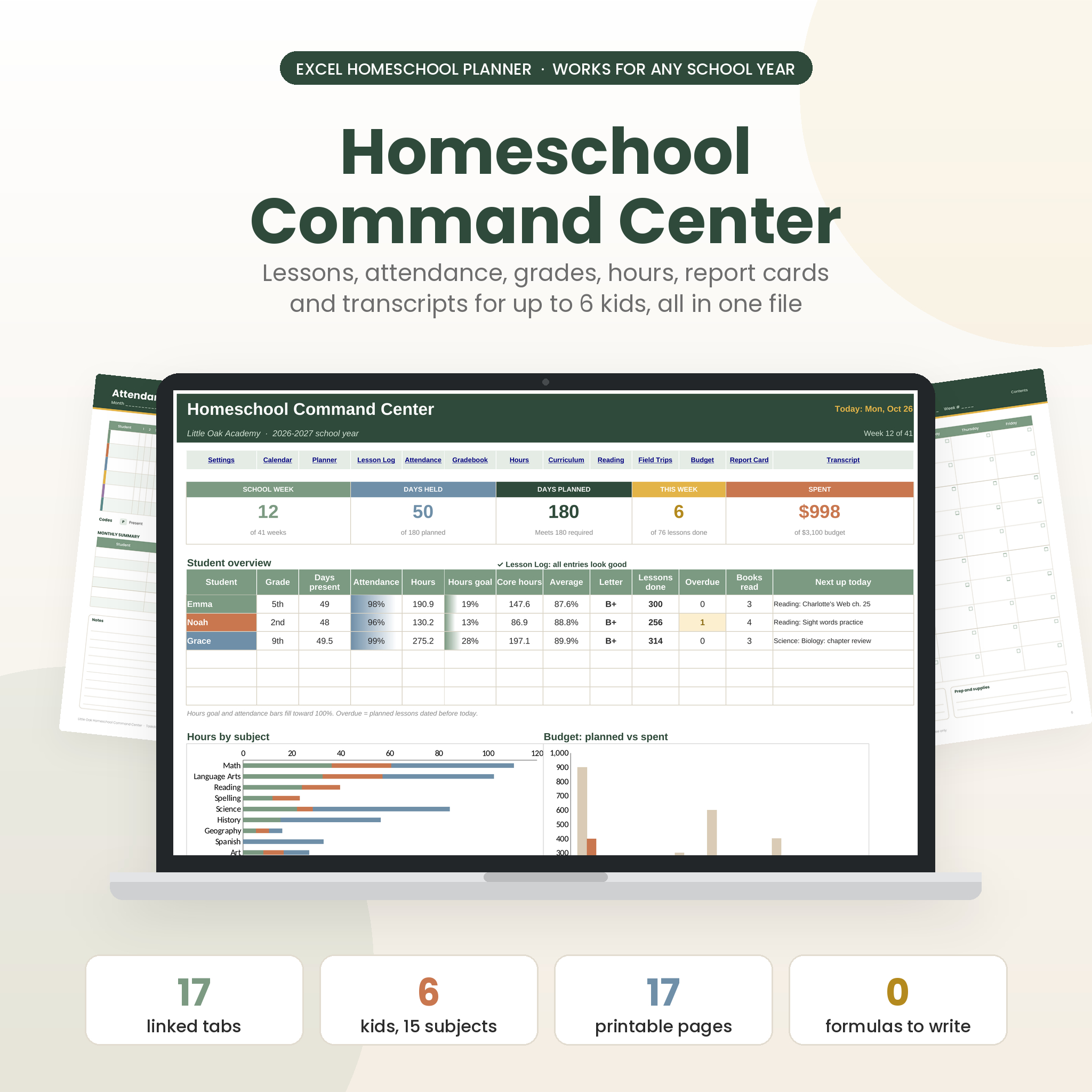
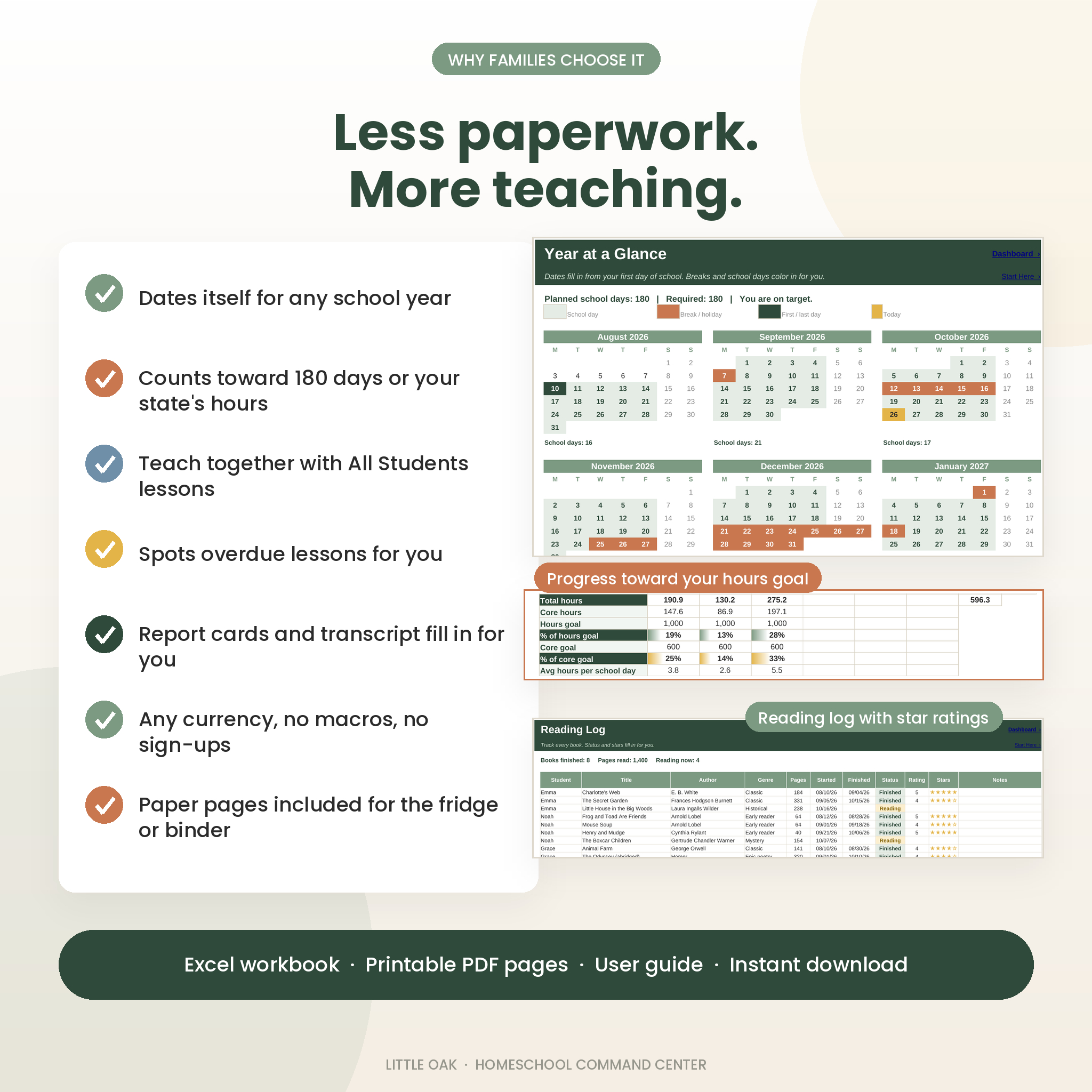
Little Oak Homeschool Command Center is a homeschool planner spreadsheet for Microsoft Excel. It keeps your whole school year in one tidy file: lesson plans, attendance, grades, hours, curriculum, reading, field trips, spending, report cards and a high school transcript. You enter each lesson once. The workbook fills in a weekly plan for each child, counts the days, works out the grades and hours, and shows everything on one dashboard.
It is built for real family homeschooling. Teach history or art to everyone at once? Log it one time for All Students and it counts for every child. Need 180 days, or 1,000 hours with 600 core? Type your numbers once and watch the progress bars fill.
Who it is for
- Homeschool parents teaching one child or up to six
- Families who mix together subjects with one-on-one subjects
- Parents in states that ask for attendance, hours or an end-of-year portfolio
- Parents of high schoolers who need credits, GPA and a transcript
- Co-op teachers, tutors and micro-school leaders with a small group
What you get
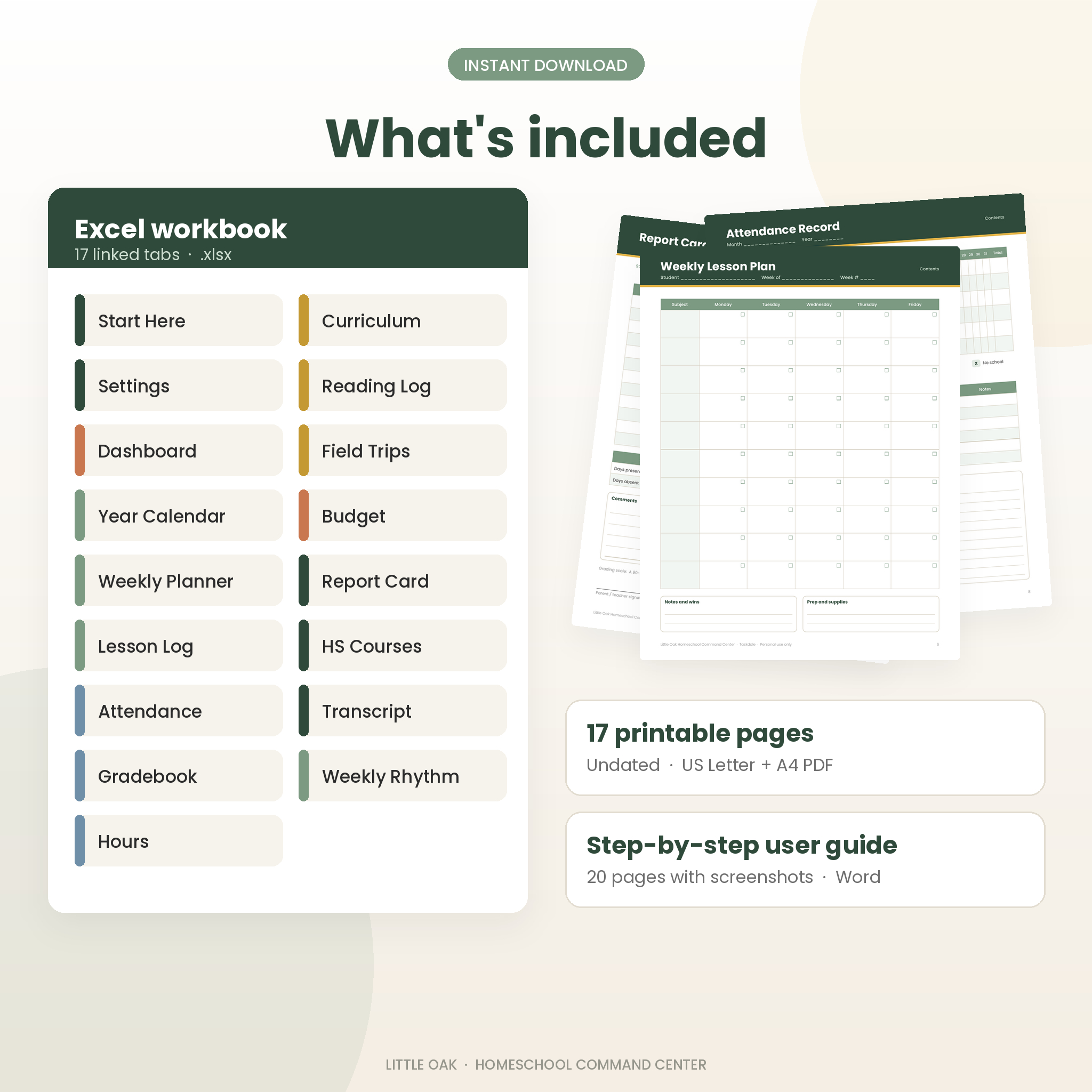
- Excel workbook with 17 linked tabs (.xlsx)
- 17 printable planner pages, undated, in US Letter and A4 PDF
- 20-page user guide in Word with screenshots, tips, troubleshooting and FAQ
Features of the homeschool planner
Dashboard
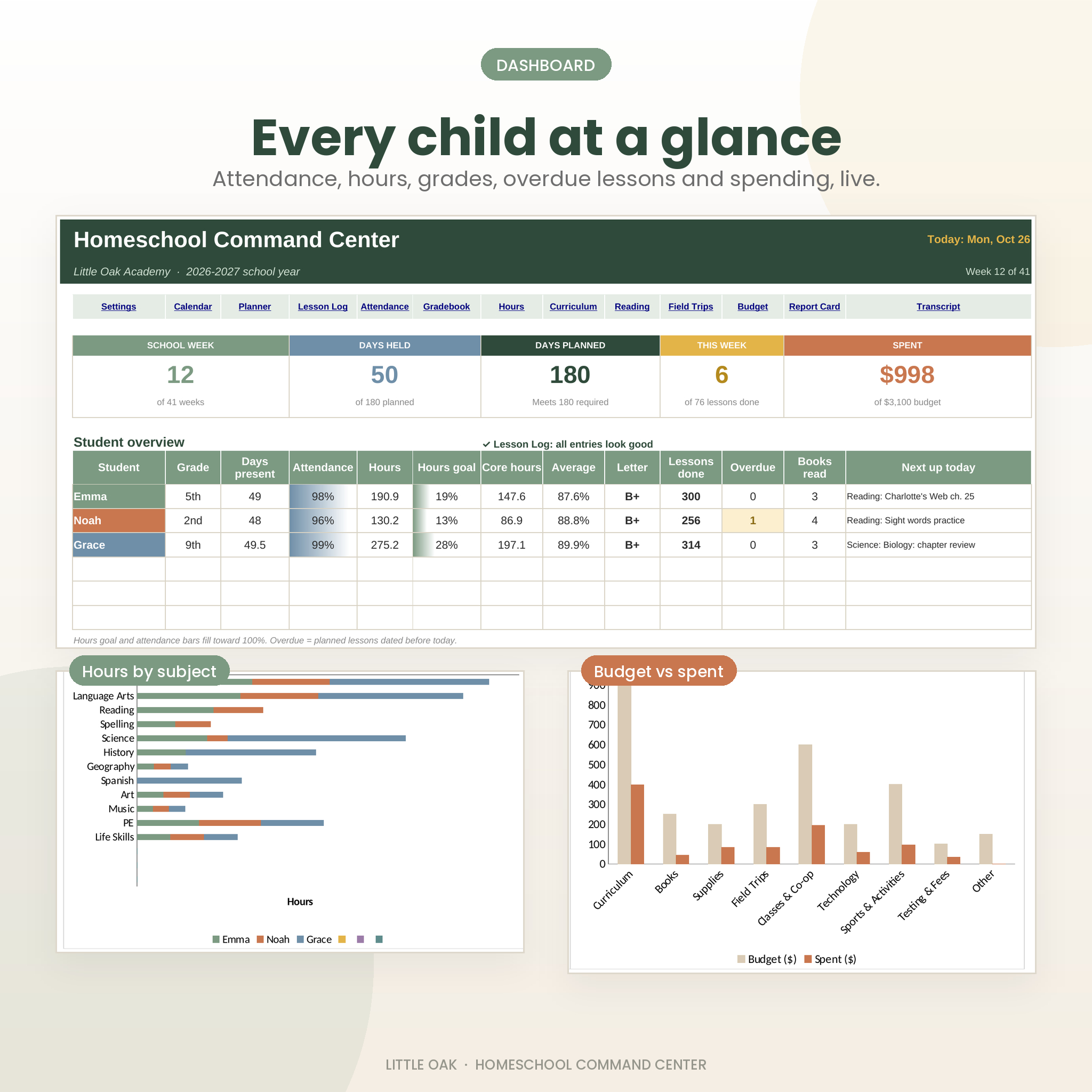
Five summary cards show the school week, days held, planned days against your requirement, lessons done this week and money spent. Below them, each child gets a row with days present, attendance rate, hours, hours goal progress, core hours, average, letter grade, lessons done, overdue lessons, books read and the next lesson planned for today. Two charts show hours by subject and budget against spending.
Year Calendar
Twelve months dated from your first day. School days, breaks, first and last day and today color in on their own. Each month shows its school day count, and a banner tells you if you have planned enough days.
Lesson Log and Weekly Planner
The Lesson Log holds up to 3,000 lessons with date, student, subject, type, status, minutes and optional scores. A Check column flags anything that needs fixing, like a misspelled subject. Pick a child and a week on the Weekly Planner and the Monday to Friday grid fills in from the log, with check marks for finished work, family lessons labeled, and minutes per day.
Attendance that counts itself
Every date of your school year is already listed. Turn on auto-present and blank school days count as present, so you only type a code for sick days, half days, field trips or days off. Totals and attendance rates update for each child.
Gradebook, Hours and Curriculum
- Grades by subject for every child, by term or full year, using total points earned
- Letter grades from a grading scale you can edit
- Hours by subject and by month, core vs non-core, and progress toward your goals
- Curriculum list with a progress bar that fills as lessons get marked Done
Report cards and transcript
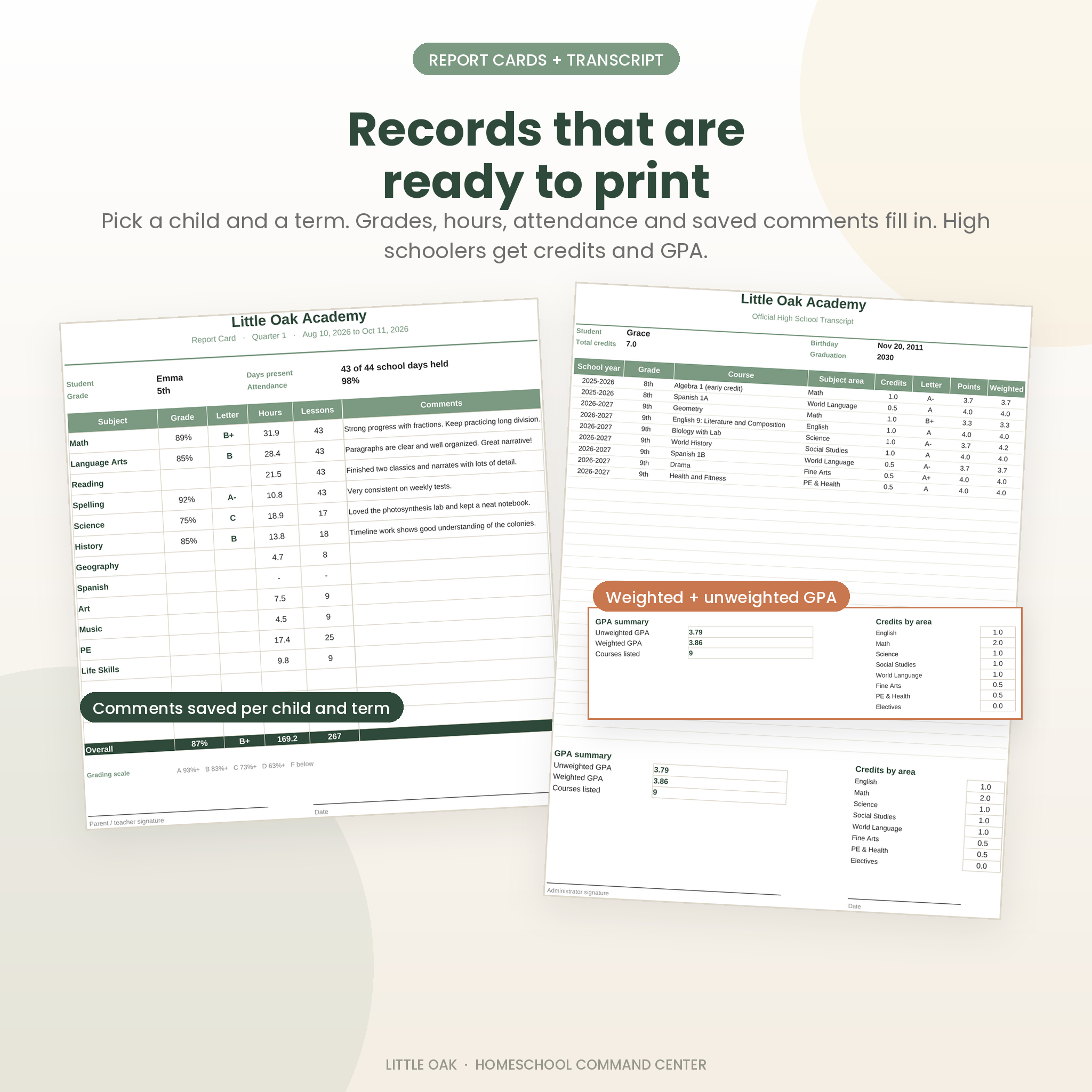
Pick a child and a term. The report card fills in grades, letters, hours, lessons and attendance, plus comments from a comments bank that saves every child and term. High school courses feed a one-page transcript with total credits, weighted and unweighted GPA, and credits by subject area.
Reading Log, Field Trips, Budget and Weekly Rhythm
Track books with star ratings, log outings whose hours count toward the Hours tab, compare spending to a yearly budget by category, and plan your usual day on a simple time-block grid.
Printable homeschool pages
For the paper side of your week, the PDF pack includes: Our Homeschool info page, Year at a Glance, Monthly Calendar, Weekly Lesson Plan, Daily Plan, Attendance Record, Hours Log, Curriculum Planner, Reading Log, Field Trip Log, Budget Tracker, Report Card, High School Transcript, Term Goals and Notes. A clickable contents page jumps to each one. Pages are undated, and money fields leave a blank space for your currency.
How it works
- Open the workbook in Excel and fill in Settings: school name, first and last day, required days or hours, kids, subjects, terms and breaks.
- Add lessons to the Lesson Log and mark them Done as you go. Type an attendance code only when a day is different.
- Open the Weekly Planner, Dashboard, Report Card or Transcript. They are already filled in.
File format and software
- Microsoft Excel 2016 or newer, or Microsoft 365, on Windows or Mac
- No macros, add-ins, accounts or internet connection needed
- Any PDF reader to view and print the printable pages
- Formula cells are locked without a password, so nothing breaks by accident and you can still unprotect them
Make it yours
Rename subjects, terms, grade letters and budget categories. Set your own grading scale and GPA points. Choose which days of the week you teach, including Saturdays or a four-day week. Set your currency symbol once and every money heading and total uses it, with the dollar sign as the default. Change cell colors any time.
Instant digital download
This is a digital product. After checkout you get one ZIP file with the workbook, both PDF sizes and the user guide. Nothing is shipped.
Ways families use it
- A mom of three plans Monday to Friday on Sunday night, then prints each child’s Weekly Planner for the fridge.
- A family in an hours state checks the Hours tab in March to see if they are on pace for 1,000 hours.
- A parent prints Quarter 1 report cards for grandparents and saves them as PDFs for the portfolio.
- A parent of a 10th grader builds the transcript as courses finish, ready for college applications.
- A co-op teacher tracks a small group’s reading and field trips in one place.
FAQ
Is this homeschool planner dated?
It dates itself. Type your first and last day and the calendar, attendance dates and week numbers fill in for 2026-2027 or any other year. The printable pages are undated.
How many kids and subjects can I track?
Up to 6 students and 15 subjects, with room for 3,000 lessons per school year.
Does it work in Google Sheets?
It is made for Microsoft Excel. Google Sheets can open .xlsx files, but sheet protection, some colors and charts may look different there, so Excel is recommended.
Will it track required days and hours for my state?
Yes. Enter your required days, total hours and core hours, and the Dashboard and Hours tab show progress. Please check your own state’s rules, since this planner is a record keeping tool and not legal advice.
Can I print report cards and a transcript?
Yes. Both print on one page each, and the PDF pack includes paper versions too.
Can I use my own currency?
Yes. Change one Currency symbol cell on the Settings tab.
Is there a password on the sheets?
No. Tabs are protected without a password so formulas stay safe, and you can unprotect them any time.
License
Personal use license for your own family, classroom or co-op group. Please do not resell, share or upload the files. © Taskdale.
Reviews
There are no reviews yet.