Most reading logs stop at a table: title, author, date finished. That works until you try to remember why you loved a book in March, or who you lent your favorite one to. A good printable reading journal follows a book from the day it lands on your pile to the day it wins your personal awards in December. This guide covers what belongs in a reading journal, how to keep one without it turning into homework, and how the Pagewren printable reading journal and book tracker puts a full year of reading into 63 pages.
| Product | Best for | Format | Link |
|---|---|---|---|
| Pagewren Printable Reading Journal | Readers who like to print, color and write by hand | Fillable and printable PDF, US Letter and A4 | View product |
| Shelfbloom Reading Journal App | Readers who want an app that tracks books and streaks | Reading journal and book tracker app | View product |
| Shelvery Digital Reading Journal | iPad readers who want a hyperlinked journal in GoodNotes | Hyperlinked PDF, plus printable Letter and A4 | View product |
| Spinewood Cozy Bookshop Coloring Book | Book lovers who want a relaxing bookish coloring break | Printable PDF, US Letter and A4 | View product |
Why keep a reading journal at all
Books blur. Ask someone what they read last spring and you will get a shrug and maybe two titles. A year later, the plot of a novel you loved is a hazy feeling and a cover color.
A journal fixes that. Not by turning reading into a chore, but by giving you a few minutes after each book to catch what it meant. A star rating. A favorite quote. A note about what you would tell a friend.
It also answers practical questions. Did I already read this author? Who has my copy of that book? What was the title of that thriller a coworker recommended? A reading journal is partly a memory and partly a filing system.
What a good reading journal should hold
Skim this list before you pick or build one.
- A yearly log. One place that lists every book you finish.
- Review pages. Room for a rating and a short reaction, not an essay.
- A to-be-read list. Books you want, kept separate from books you own.
- Lending and library tracking. Due dates, holds and who has what.
- Goals and challenges. A reason to pick up the next book.
- A year-end review. Something that rewards you for the whole twelve months.
Pagewren covers every one of those in a single PDF with 63 undated pages, ten sections and room for up to 100 books.
How Pagewren is organized
Every page links to the next. A number on the Yearly Log matches a spine on the bookshelf page, and your monthly trackers feed the Monthly Reading Stats page. So an entry you write once shows up in more than one place.
The ten sections run in a sensible order: Start, Goals, Logs, Trackers, Reviews, Lists, Challenges, Club, Stats and Notes. You can print only the sections you want, or open the file in a fillable PDF reader and type straight in.
The palette is soft sand, mocha green and a pop of watermelon pink. Large areas stay light, which helps the pages print well on a home printer.
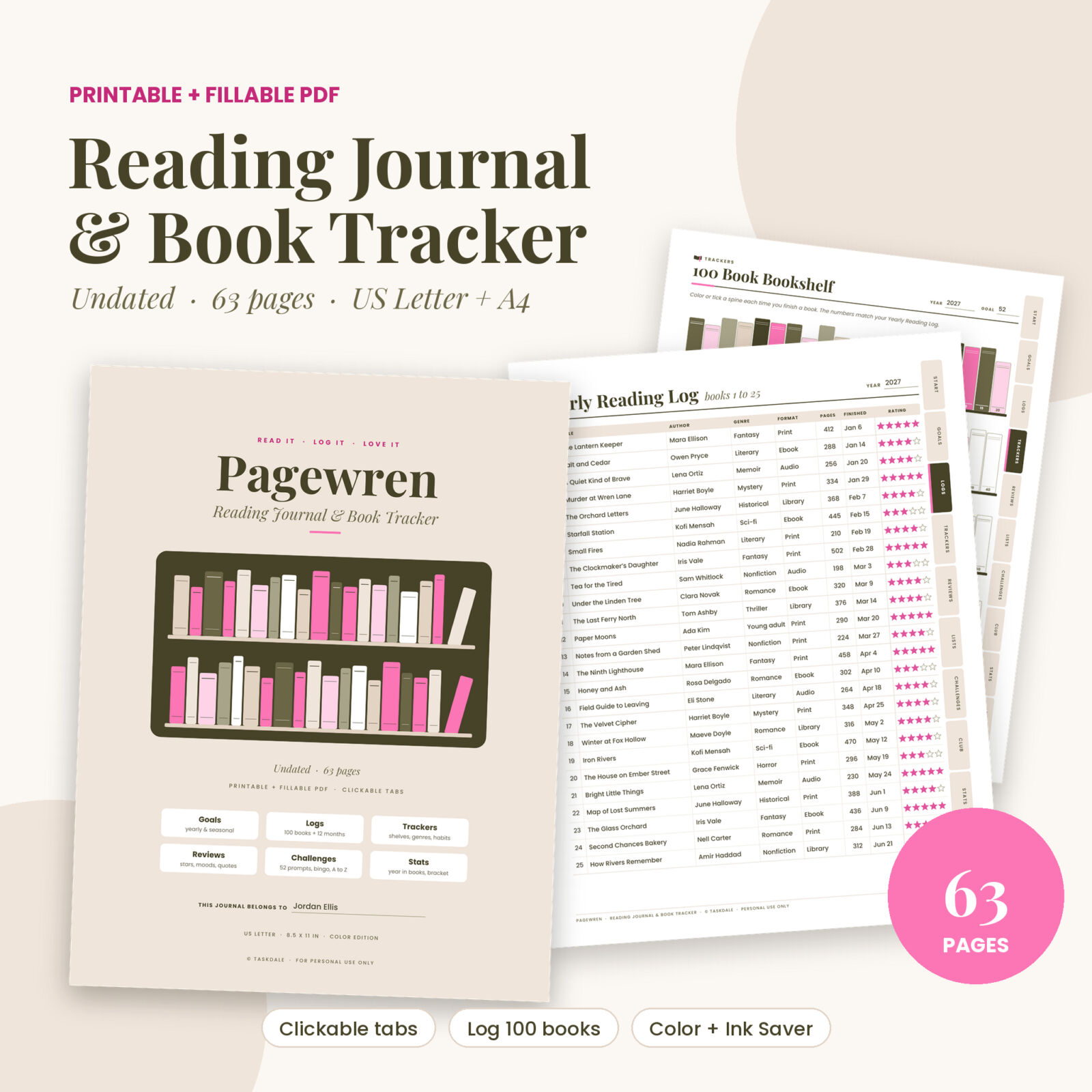
Pagewren Printable Reading Journal and Book Tracker
Best for: readers with a yearly goal, from 12 books to 100, who like to print and color
Pagewren has 63 undated pages, a 100 book log, a 100 Book Bookshelf, 6 review pages, a 52 book challenge and book club pages. It comes as four PDFs: US Letter and A4, each in a Color edition and an Ink Saver edition, with a 13 page guide. To type into it you need a PDF reader that supports fillable forms. To print, any reader works.
The yearly log and the bookshelf
The Yearly Reading Log spans four pages and holds 100 books. Each time you finish one, you write a line. Then you turn to the 100 Book Bookshelf and color in a spine.
That second step sounds like a small thing. It is the part people remember. A shelf slowly filling with color is a picture of your year, and it is oddly satisfying. A Year of Shelves page gives each month its own shelf, so you can see which months you read a lot and which were thin.
Then there is the Genre Wheel. You color it from the center out. By June you might see you have read eight fantasy books and only one thriller. That is information you would never get from a plain list.
Monthly trackers
Each month gets a full page. There are seven book rows, a 31 day strip to tick the days you read and note pages or minutes, a 12 spine shelf, the month in numbers, your book of the month and plans for next month.
The day strip is a quiet habit builder. Ticking a box for every day you read makes skipping a day feel a little more noticeable. It does not shame you. It just shows you.
There is also a Reading Habit Tracker, a Format and Source Tracker for paper, ebooks, audiobooks and library, and a Ratings and Pages Tracker. Together they answer questions like “do I read more in winter?” and “how many of my books came from the library?”
Book review pages that do not feel like homework
Each of the six Book Review pages has a box to sketch the cover, space for the book details, a five star rating, the pace, and ten mood boxes such as cozy, dark and hopeful. You also get 1 to 5 scores for plot, characters, writing, setting and ending. Then there is room for a short summary, what you loved and what you did not.
On the fillable version, you tap a star to fill it. On paper, you color it in.
For books that do not deserve a full page, two Quick Reviews pages hold eight books. Two Favorite Quotes pages hold twelve quotes. Character Notes and a Series Tracker help with long, tangled sagas, where you need to remember who is whose cousin.
Lists that save money and stress
Four small lists can save you real hassle.
- Library Loans and Holds: due dates and what you are waiting for.
- Books Lent and Borrowed: who has your copy and whose copy you have.
- Book Wish List: good for birthdays, with a blank Amount column for any currency.
- Did Not Finish List: a no-guilt place for books you gave up on.
There are also two To Be Read pages, a Favorite Authors page and a seasonal reading bucket list. The did-not-finish list deserves a mention. Quitting a book that is not working is a skill. Writing it down makes it official, and it frees you for the next one.
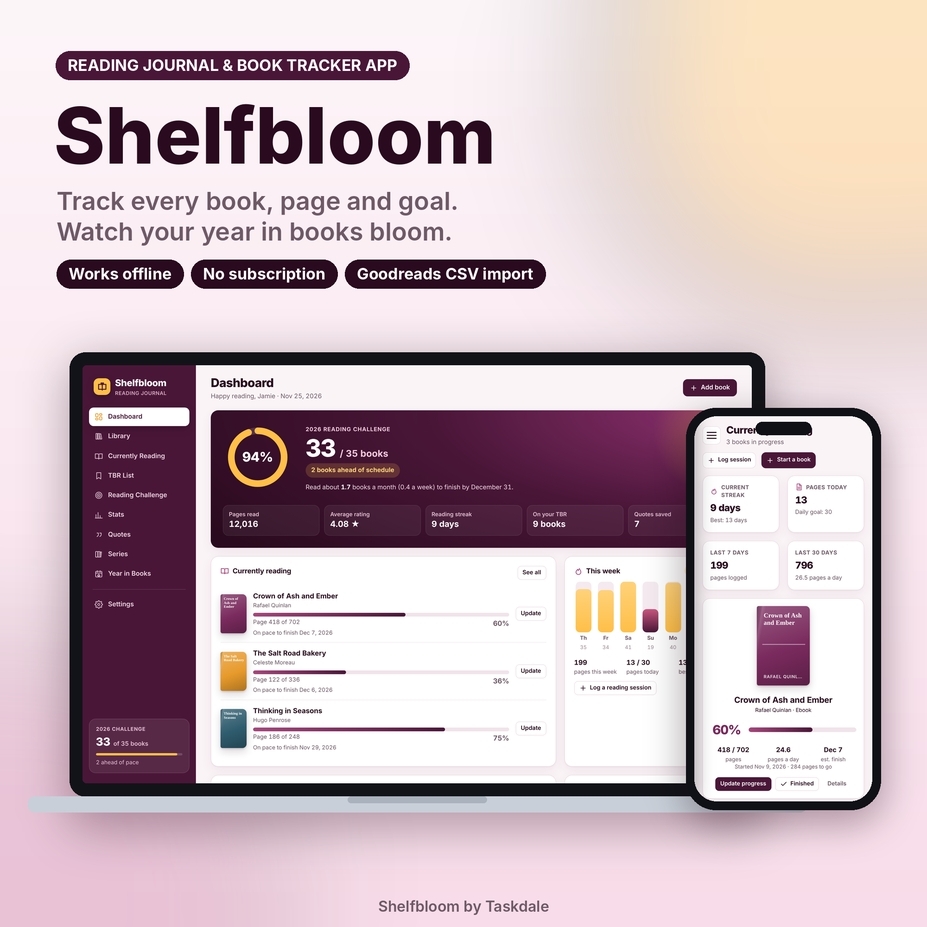
Shelfbloom Reading Journal and Book Tracker App
Best for: readers who would rather tap than write and want their stats worked out for them
Shelfbloom is a reading journal and book tracker app. It suits people who prefer a screen to a printed page and want their reading logged without handwriting. It is the opposite of a print and color journal, so it is not the right pick if you enjoy filling in pages by hand.
Challenges and book club pages
Pagewren includes a 52 Book Challenge with 52 original prompts, two Book Bingo cards with 24 prompts each, an A to Z Reading Challenge and a Readathon Planner. Pick the one that suits your pace. A 52 book challenge is ambitious. A bingo card is gentler.
Book club hosts get a Book Club Planner with a 12 month schedule and members list, two Meeting Notes pages and 14 discussion questions that work for almost any book. If you host, the discussion questions alone save an evening of prep.
End the year with your own awards
In December, you fill in My Year in Books, run the Best Book Bracket and hand out your Book Awards. The bracket is a small tournament: pit your favorite reads against each other until one wins.
It turns the year into a story with an ending. And it gives you something to share. A photo of the finished bracket makes a nice post, or a good conversation with a friend over coffee.
Which edition should you print?
Pagewren comes in four PDFs. All hold the same 63 pages.
| Edition | Paper size | Best for |
|---|---|---|
| US Letter Color | 8.5 x 11 in | Readers in the US and Canada who want the full look |
| US Letter Ink Saver | 8.5 x 11 in | Readers who print a lot and want to save ink |
| A4 Color | 210 x 297 mm | Readers elsewhere who want the full look |
| A4 Ink Saver | 210 x 297 mm | Readers elsewhere who want to save ink |
All content sits inside a 0.4 inch safe margin, so home printers should not clip the edges. The PDFs are undated, so you can start in any month of any year and reprint pages as you need them for your own use.

Shelvery Digital Reading Journal for GoodNotes and iPad
Best for: iPad readers who want a hyperlinked journal with stickers
Shelvery is a hyperlinked book tracker for GoodNotes with 100 book reviews, a TBR jar, a series tracker, reading challenges and 132 stickers. It is undated and includes printable Letter and A4 versions. It needs a PDF note app that supports links.
A simple reading routine
- At the start of the year, fill in My Reader Profile and your reading goals.
- When you finish a book, spend about two minutes logging it.
- Color a spine on the bookshelf and tick the month tracker.
- Once a month, glance at Monthly Reading Stats.
- In December, run the bracket and hand out your awards.
Two minutes per book is the whole commitment. If a journal takes longer than that, you will skip it by February. Keep it light.
Who should skip it
If you read mostly on a phone and want your stats worked out automatically, an app suits you better. If you do not own a printer, you can still type into the fillable PDF, but you need a PDF reader that supports fillable forms.
It is also a print-and-fill product. Nothing in it calculates your totals for you, so you count your own pages and books. For many readers, that counting is part of the fun.
It suits readers with a yearly goal, book club members, people who borrow and lend a lot, and anyone who has started a reading log three times and given up. The structure helps.
Make the habit stick
Keep the journal where you read. If it lives in a drawer, it will stay in the drawer. Put it on the bedside table or tuck it into your bag next to your current book, so logging a finished book takes no effort at all.
Be kind to yourself about gaps. Everyone has a month where they read nothing. The journal is not a report card. Leave that month’s shelf empty, and pick up again when life settles. An honest record with gaps beats a perfect one you abandoned in February.
Keep reading
- Free Reading Journal Template (Digital, Hyperlinked for GoodNotes and iPad) and How to Keep One All Year
- Free Book Tracker App: Log Books, Pages and Your Reading Streak Offline
- Free Book Club Printables: Voting Ballots, Meeting Planner and Discussion Questions
Frequently asked questions
How many books can I log?
Up to 100 on the Yearly Reading Log, with a matching 100 Book Bookshelf to color in.
Can I type into it or do I have to print it?
Both work. You can print it, or open the PDF in a reader that supports fillable forms and type, tick and tap stars on screen.
Is it dated?
No. It is undated, so you can start in any month of any year.
What paper sizes are included?
US Letter and A4, each in a Color edition and an Ink Saver edition.
Is there a guide?
Yes. A 13 page DOCX guide covers setup, printing, filling pages on screen, a monthly rhythm, troubleshooting and FAQs.
Can I reprint pages?
Yes, for your own use. Print extra review or monthly pages whenever you need them.
A reading journal does not need to be fancy. It needs to be easy enough to keep and rewarding enough to open. If that sounds right, take a look at Pagewren and start by filling in your reader profile.