Best Process Documentation: SOP Templates Compared
Process documentation is the written record of how a task is done, by whom and to what standard, and the best option for most teams is an editable standard operating procedure (SOP) template with worked examples and a review tracker. The five kits below differ mainly in how many sections they have, what extras they bundle and which page sizes they cover.
- Section count ranges from 8 to 15, and more sections means more detail to fill in per procedure.
- Two kits include a filled-in example: StepSure SOP Kit has two written SOPs, and the ClearStep HR kit has a New Hire Onboarding example.
- Two kits include a register that tracks reviews: StepSure's tracker flags overdue reviews and retraining automatically, and the ClearStep kit includes an SOP register with a review checklist.
- SOP Template Pro A4 is A4 only, while StepSure and ClearStep cover both US Letter and A4.
- RACI (who is Responsible, Accountable, Consulted and Informed) appears in four of the five kits.
Writing down how your work gets done can feel bigger than it is. Most people picture a thick manual nobody reads. A good template shrinks the job to one structured page per task, and this guide explains how to pick between the five kits and avoid the usual stumbling blocks.
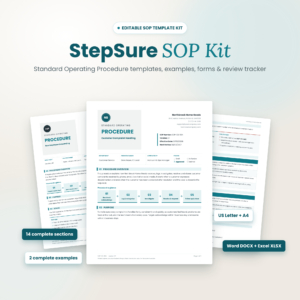 StepSure SOP Kit – Editable SOP Template with Examples, Forms & Review Tracker (DOCX, XLSX, US Letter & A4)
Table of Contents Toggle
- What should you look for in the best process documentation?
- How do the five process documentation templates compare?
- Which process documentation template suits which team?
- How do you use a process documentation template well?
- What mistakes should you avoid when documenting processes?
- What affects the price of process documentation templates?
- How do you choose the best process documentation with confidence?
- Common questions
What should you look for in the best process documentation?
The best process documentation gives you a fixed structure for each procedure, shows you what a finished one looks like and helps you keep it current. Six factors separate the kits on this page, and each one changes how much work you do after downloading.
Structure and number of sections
A standard operating procedure template is a pre-built document with set headings, such as purpose, scope, roles and steps, so every procedure is written the same way. SOP Template Pro A4 uses 8 sections. StepSure uses 14 and the ClearStep HR kit uses 15.
Fewer sections suit short, repeatable tasks. More sections suit work where someone might later ask why a step exists, who approved it or what changed.
Worked examples
A filled-in example shows you the level of detail expected, which is the part most people find hardest. StepSure includes two fully written example SOPs. The ClearStep kit includes a completed New Hire Onboarding SOP.
The other three descriptions don't mention examples, so assume you start from a blank structure.
Registers and review tracking
An SOP register is a single list of every procedure you have, with owner, version and review date. Without one, documents drift out of date unnoticed.
StepSure's SOP Register & Review Tracker flags overdue reviews and retraining automatically. The ClearStep kit includes an SOP register plus a review checklist and a training sign-off form. If you expect to maintain more than a handful of procedures, this factor matters more than section count.
Roles and RACI
A RACI matrix is a simple grid that names who does, owns, advises on and is told about each step. The ClearStep kit, the Standard Operating Procedure Template SOP Toolkit and SOP Template Pro A4 all build RACI into the template. The ClearStep kit also adds a standalone RACI matrix form.
Roles matter most when work passes between people or departments, because that is where tasks tend to go missing.
Page size and file format
US Letter and A4 are the two common page sizes, and printing on the wrong one causes clipped margins. StepSure and the ClearStep HR kit supply both. SOP Template Pro A4 is A4 only, which is fine if you print in the UK, Europe or Australia.
StepSure supplies DOCX, XLSX and PDF. The ClearStep kit supplies Word .docx files and printable PDFs. For the other three, check the format details on each product card before buying.
Compliance and approval fields
Approval fields record who signed a procedure off and when. The Standard Operating Procedure Template SOP Toolkit covers compliance, approvals and review history. The Standard Operating Procedure Template for Teams covers quality checks, compliance, approvals and distribution. These suit work that may be audited, such as food handling, finance or HR.
How do the five process documentation templates compare?
The five kits split into two groups: bundled kits with examples and forms (StepSure and ClearStep), and single structured templates (the other three). The table shows what each description confirms.
| Product | Template structure | Extras confirmed | Page sizes | Best for |
|---|---|---|---|---|
| StepSure SOP Kit – Editable SOP Template with Examples, Forms & Review Tracker (DOCX, XLSX, US Letter & A4) | 14 sections | 2 example SOPs, 6 printable forms, SOP Register & Review Tracker | US Letter and A4 | Teams who want to maintain many SOPs |
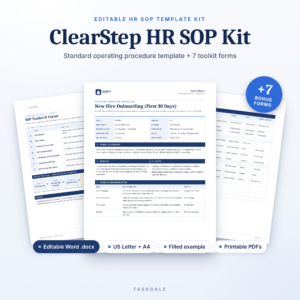 HR SOP Template Kit | ClearStep Editable Standard Operating Procedure Template for Word with SOP Register, RACI & Training Sign-Off | US Letter & A4 | 15 sections | New Hire Onboarding example, 7 forms, user guide | US Letter and A4 | HR and people-process documentation |
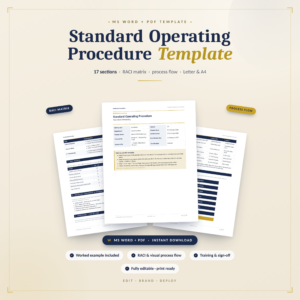 Standard Operating Procedure Template SOP Toolkit | Roles, RACI, workflow steps, compliance, approvals, review history | Not listed | Not stated | Audit-minded teams wanting one structured file |
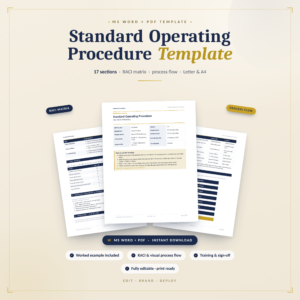 SOP Template Pro A4 – Editable SOP System | 8 sections | Action planning section | A4 | Quick, lighter procedures on A4 |
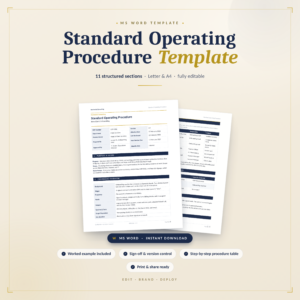 Standard Operating Procedure Template for Teams | Purpose, scope, roles, steps, quality checks, compliance, approvals, distribution | Not listed | Not stated | Team procedures needing quality checks |
Which process documentation template suits which team?
Each kit suits a different starting point, so match the template to the number of procedures you expect to write and who will read them.
StepSure SOP Kit suits a small business or department that needs to document many processes and keep them current. The review tracker and six companion forms do the upkeep work, so it asks the most of you at setup but the least afterwards.
The ClearStep HR SOP Template Kit suits HR managers, office managers and anyone documenting people processes. The New Hire Onboarding example is directly usable, and the change request and training sign-off forms cover the paperwork that usually gets skipped. The 15-section template is also detailed enough for non-HR procedures.
Standard Operating Procedure Template SOP Toolkit suits someone who wants a single document covering roles, RACI, workflow, compliance, approvals and review history without extra forms. It is the sensible middle ground if you find bundles more than you need.
SOP Template Pro A4 suits a sole trader or small team in an A4 country who wants something short. Eight sections is quick to complete, and the action planning section helps you turn gaps into tasks.
Standard Operating Procedure Template for Teams suits groups where quality checks and distribution matter, for example when a procedure must be circulated to several people after sign-off.
How do you use a process documentation template well?
You use a process documentation template by writing one procedure at a time, testing it with someone else and logging it. Follow these steps for each procedure.
- Pick one task that is done often or goes wrong often. Starting with your most painful process gives the quickest payoff.
- Watch it being done, ideally by the person who does it daily, and note each step as it really happens rather than as it should.
- Fill in the template with purpose, scope, roles and numbered steps. Keep each step to a single action.
- Ask someone unfamiliar with the task to follow the document without help. Wherever they hesitate, add detail.
- Get it approved using the approval fields, then record it in your register with a review date.
- Train and sign off the people affected, and keep the record.
Set review dates when you log each procedure. If you use StepSure, the tracker flags overdue ones for you. Otherwise a calendar reminder does the same job.
What mistakes should you avoid when documenting processes?
The most common mistake is writing procedures nobody can follow because they describe the ideal rather than the actual process. A few others are worth watching for.
- Documenting everything at once. Ten half-finished SOPs help nobody. Finish three first.
- Writing for yourself. If a new starter can't follow it unaided, it isn't finished.
- Skipping version and review dates. An undated procedure is one you can't trust.
- Leaving roles vague. "The team checks the invoice" means nobody does. Name a role.
- Storing copies in several places. Keep one master and distribute from it, otherwise people use old versions.
- Overbuilding the template. Using a 15-section structure for a three-step task creates busywork. Choose the lighter kit, or delete sections you don't need.
What affects the price of process documentation templates?
The price of a process documentation template mainly reflects how much is bundled with it. Kits that include example SOPs, several forms, a register and a user guide generally cost more than a single structured template, because you are getting more finished material.
Other factors include file formats, since a spreadsheet tracker takes more building than a Word file, and whether both US Letter and A4 versions are supplied. Because all are digital downloads, there is no running cost after purchase, but your own time filling them in is the larger expense. A cheaper template that fits your work can cost less overall than a larger kit you only half use. Current prices appear on the product cards.
How do you choose the best process documentation with confidence?
Choose by how many procedures you will maintain and how formal your sign-off needs to be. These rules cover most cases.
- If you will keep more than a handful of SOPs and want reminders, pick StepSure SOP Kit.
- If you are documenting HR or onboarding, pick the ClearStep HR SOP Template Kit.
- If you want one audit-ready file with approvals and review history, pick the Standard Operating Procedure Template SOP Toolkit or the Teams template.
- If you want something short on A4, pick SOP Template Pro A4.
Before buying, check the format and page size on the product card matches your software and printer.
Common questions
What is the difference between an SOP and process documentation?
Process documentation is the wider term for any written description of how work gets done, including flowcharts and checklists. An SOP is one formal type, with fixed sections, named roles and approvals. The templates on this page are all SOP templates, so they are process documentation in its most structured form.
Do I need Microsoft Word to edit these templates?
The ClearStep kit supplies editable Word .docx files, and StepSure supplies DOCX and XLSX files. Word-compatible editors can usually open .docx files, though layout may shift slightly. For the other three kits, check the file format on the product card before you buy.
How many procedures should I write first?
Start with three: the task done most often, the one that causes the most errors and the one that depends on a single person. Finishing these shows you how long a procedure really takes and whether your chosen template fits your work.
How often should an SOP be reviewed?
There is no single rule, but once a year is a common starting point, with sooner reviews after any change in tools, staff or regulations. Record the review date in a register. StepSure's tracker flags overdue reviews, and the ClearStep kit includes a review checklist.
Can one template cover different departments?
Yes, if the headings are general enough. The Standard Operating Procedure Template for Teams and the SOP Toolkit use broad headings such as purpose, scope, roles and approvals, so they suit most departments. Choose the ClearStep kit if most of your procedures sit in HR.