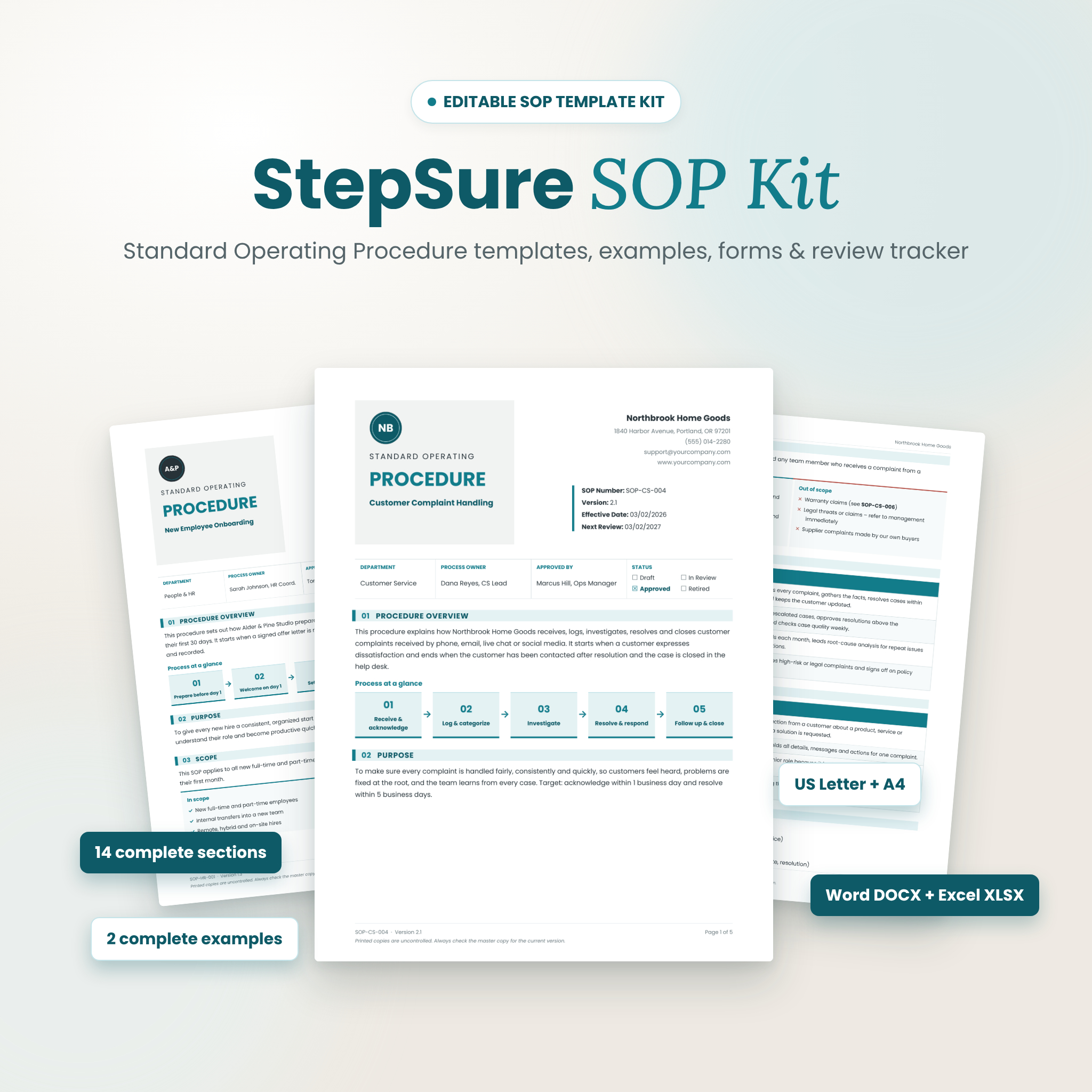
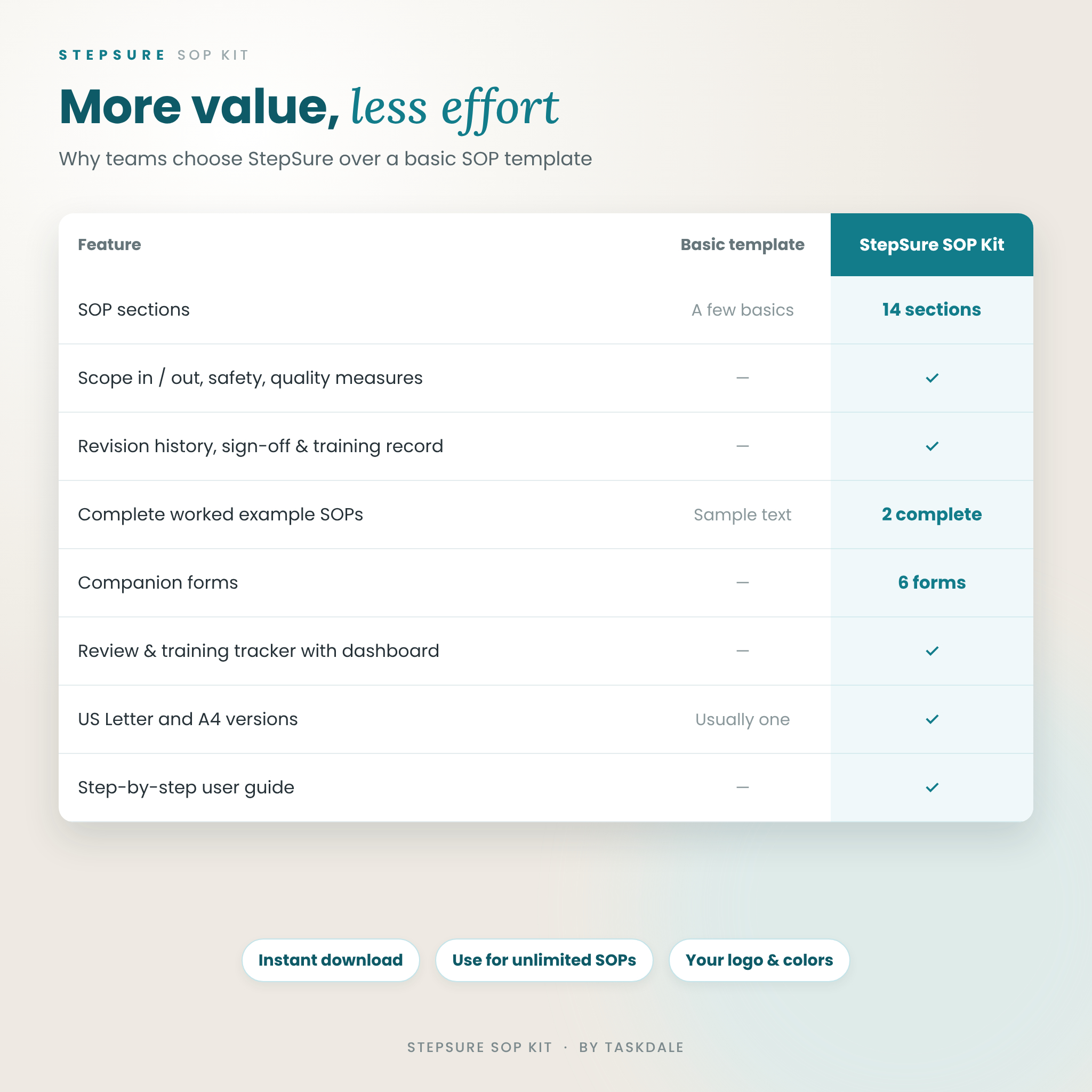
The StepSure SOP Kit is an editable standard operating procedure template system that helps you document how your business really works, get it approved, and keep your team trained on it. Instead of a single blank form, you get a complete 14-section SOP template, two fully written example SOPs, six printable companion forms and a review tracker that tells you when every procedure is due for review.
It is built for small business owners, operations and HR managers, quality leads, virtual assistants and consultants who want clear, consistent procedures without starting from a blank page.
What the StepSure SOP template does for you
Good SOPs save time, reduce mistakes and make training faster. The hard part is knowing what to include and keeping documents current. StepSure gives you a proven structure for every procedure and a simple system for reviews and training, so your SOPs stay accurate long after you write them.
- Write faster: clear prompts in every section show you exactly what to write.
- Train with confidence: step tables show who does what and what record each step creates.
- Stay audit-ready: revision history, sign-off and training acknowledgment are built in.
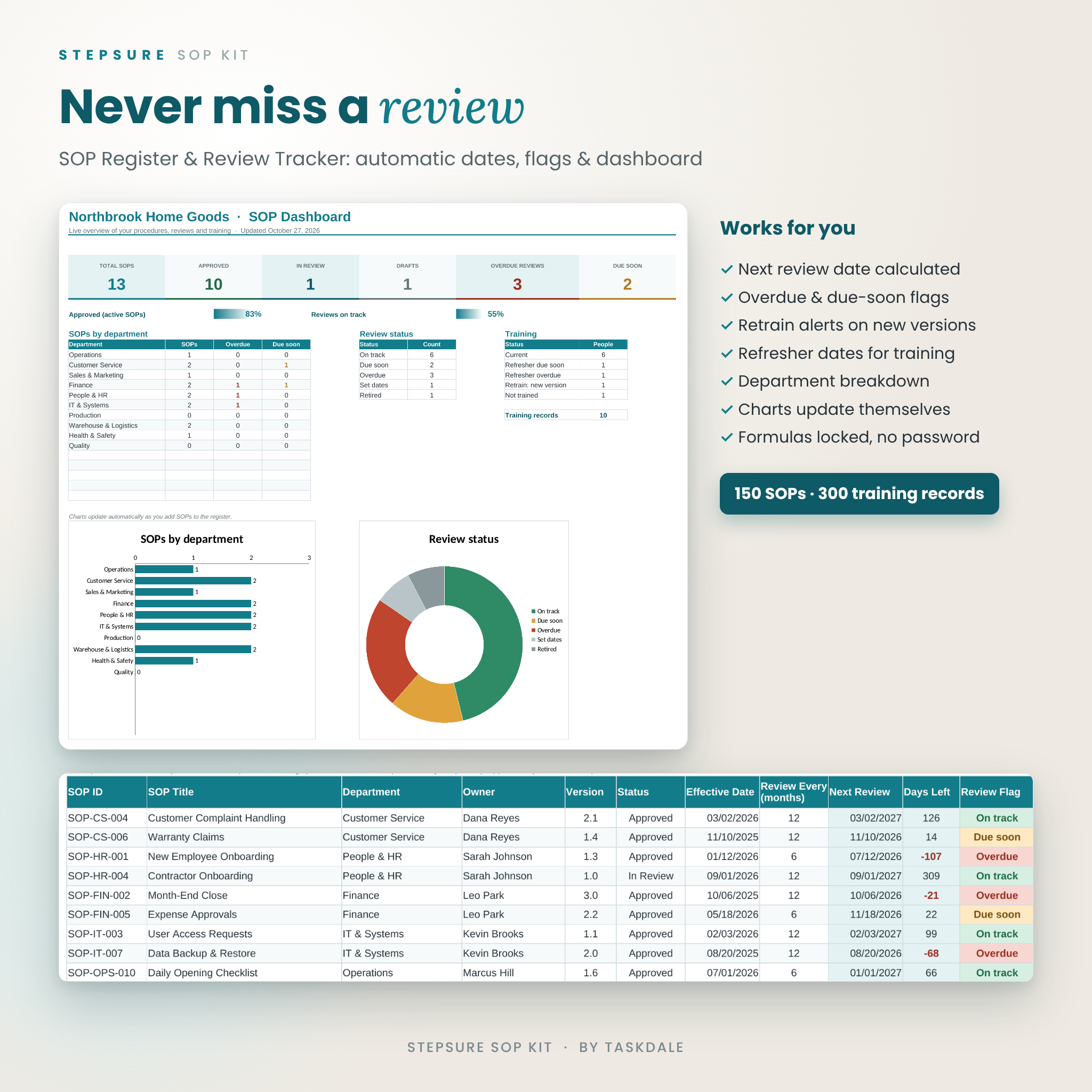
- Never miss a review: the tracker calculates next review dates and flags anything overdue.
Features
14-section editable SOP template
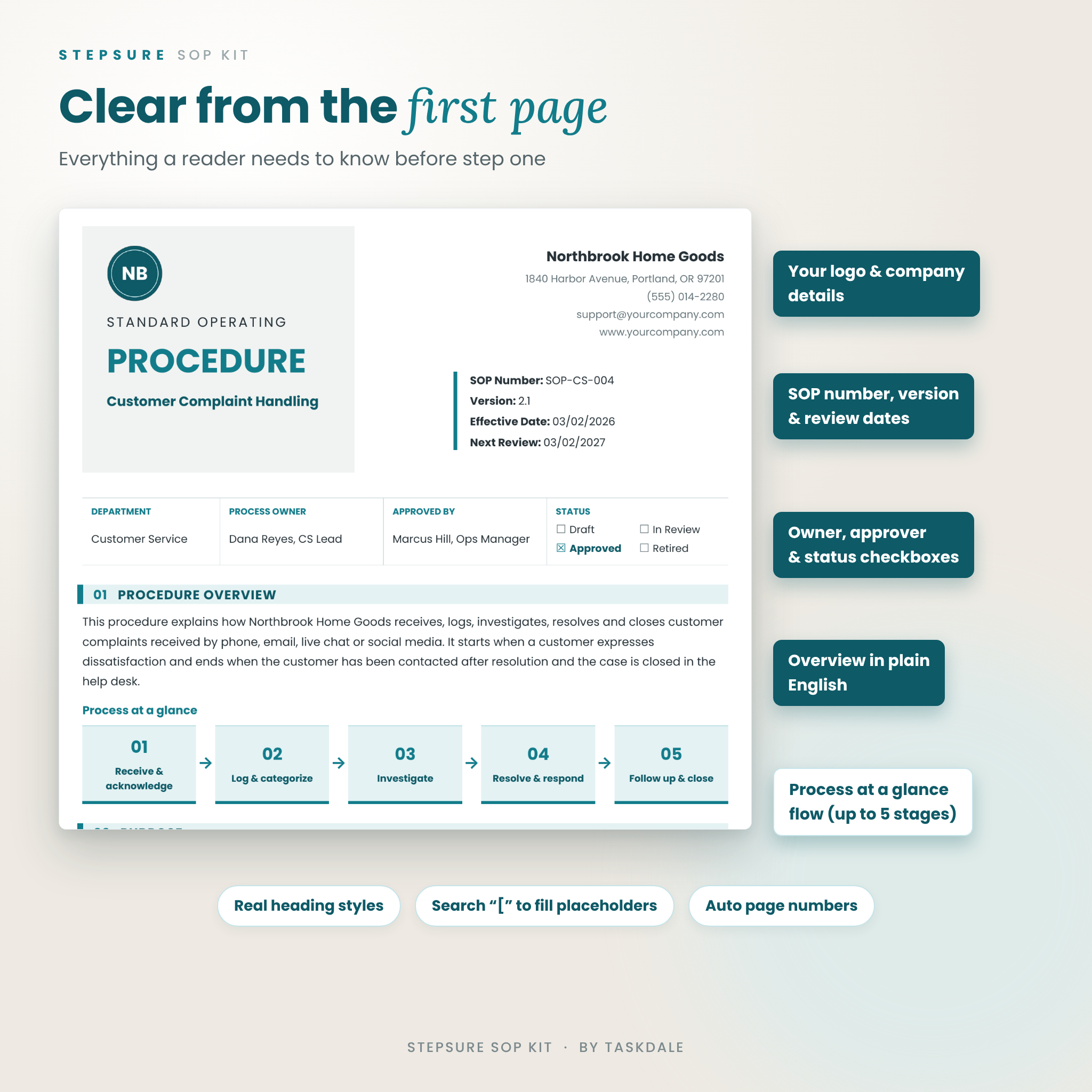
A professional first page with your logo, company details, SOP number, version, effective date, next review date, department, process owner, approver and status checkboxes, followed by a “Process at a glance” flow that shows the whole procedure in up to five stages.
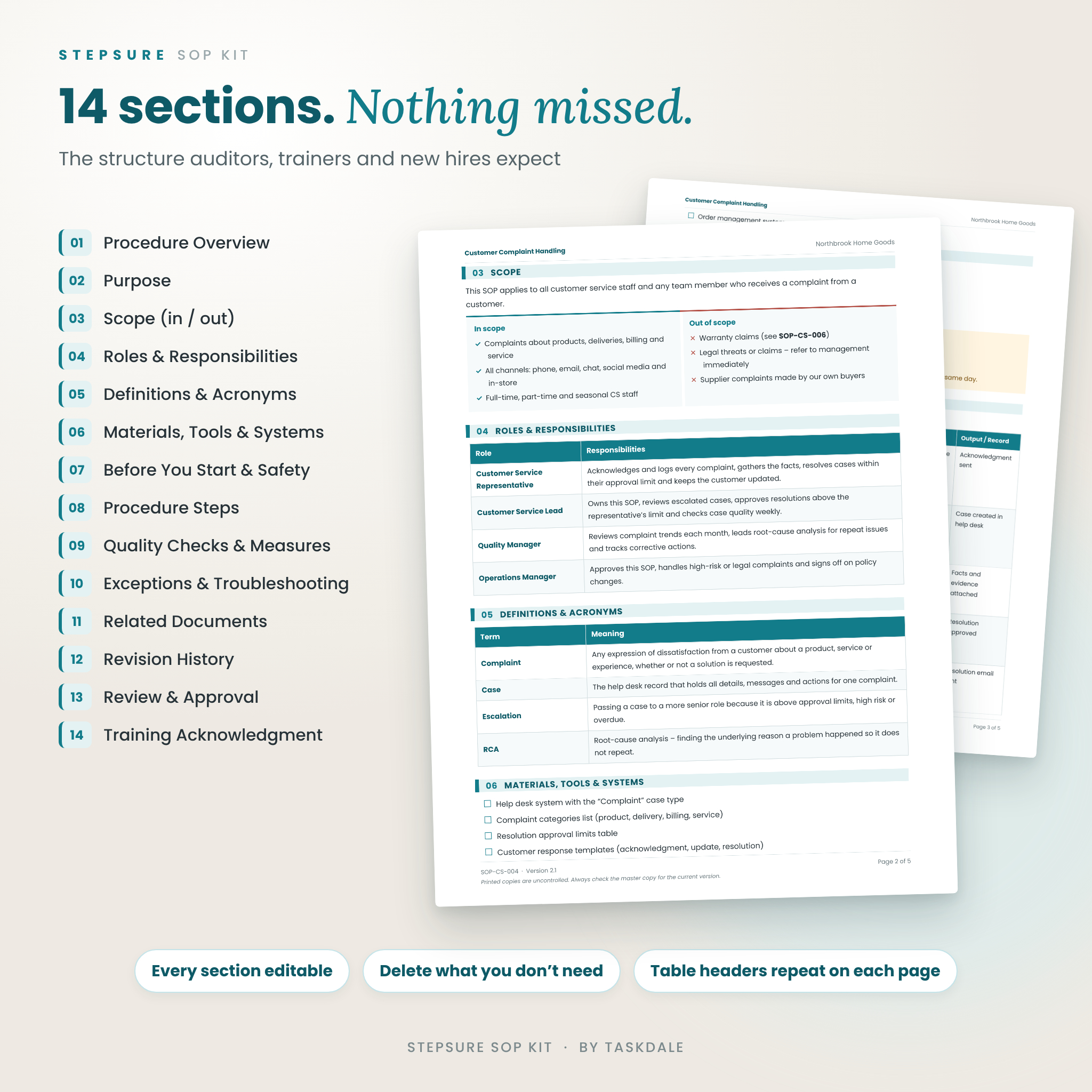
The sections cover: Procedure Overview, Purpose, Scope (in and out), Roles & Responsibilities, Definitions & Acronyms, Materials, Tools & Systems, Before You Start & Safety Notes, Procedure Steps, Quality Checks & Success Measures, Exceptions & Troubleshooting, Related Documents, Revision History, Review & Approval, and Training Acknowledgment.
Two complete example SOPs
See exactly what a finished SOP looks like with a Customer Complaint Handling SOP and a New Employee Onboarding SOP. Use them as writing guides or adapt them for your own business.
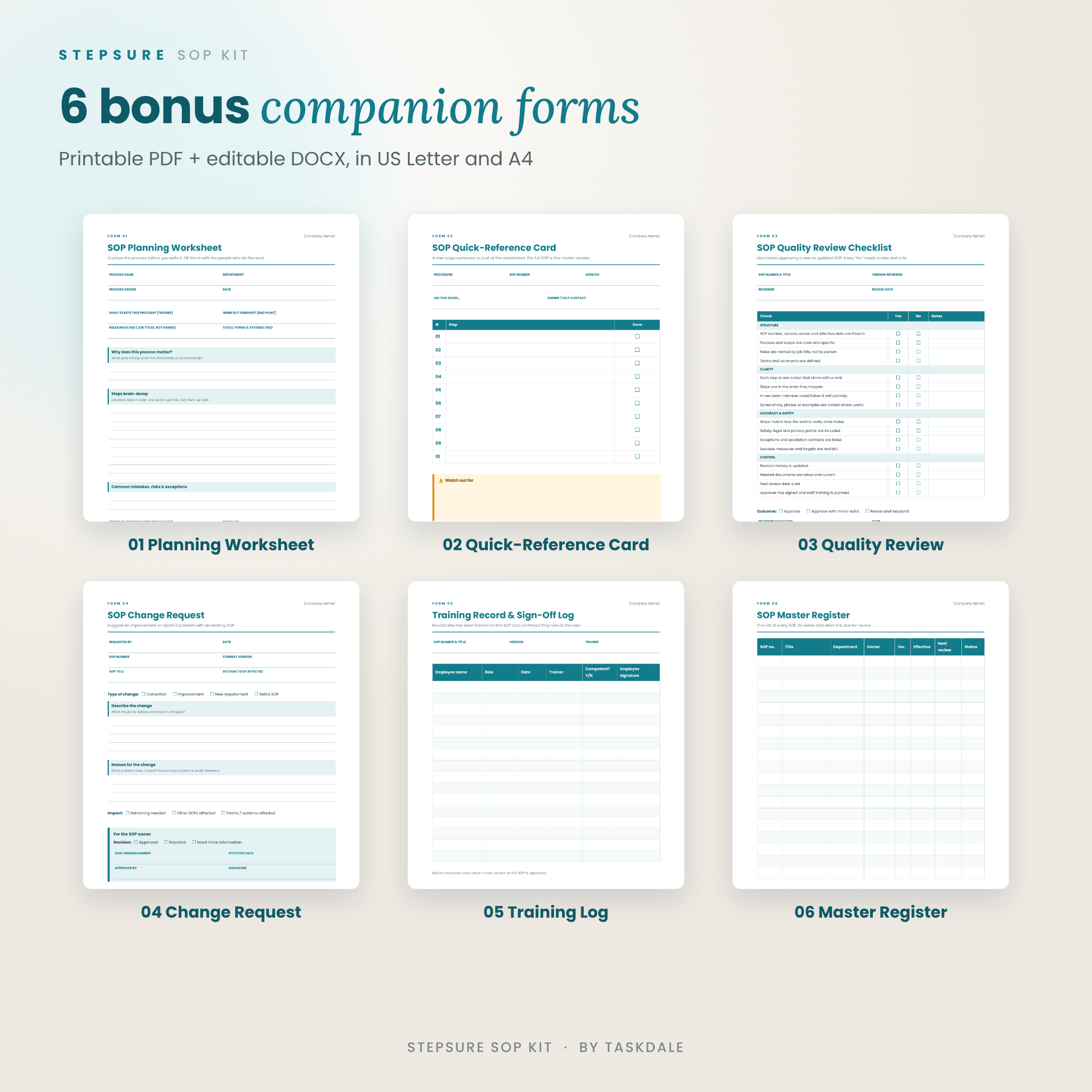
Six companion forms
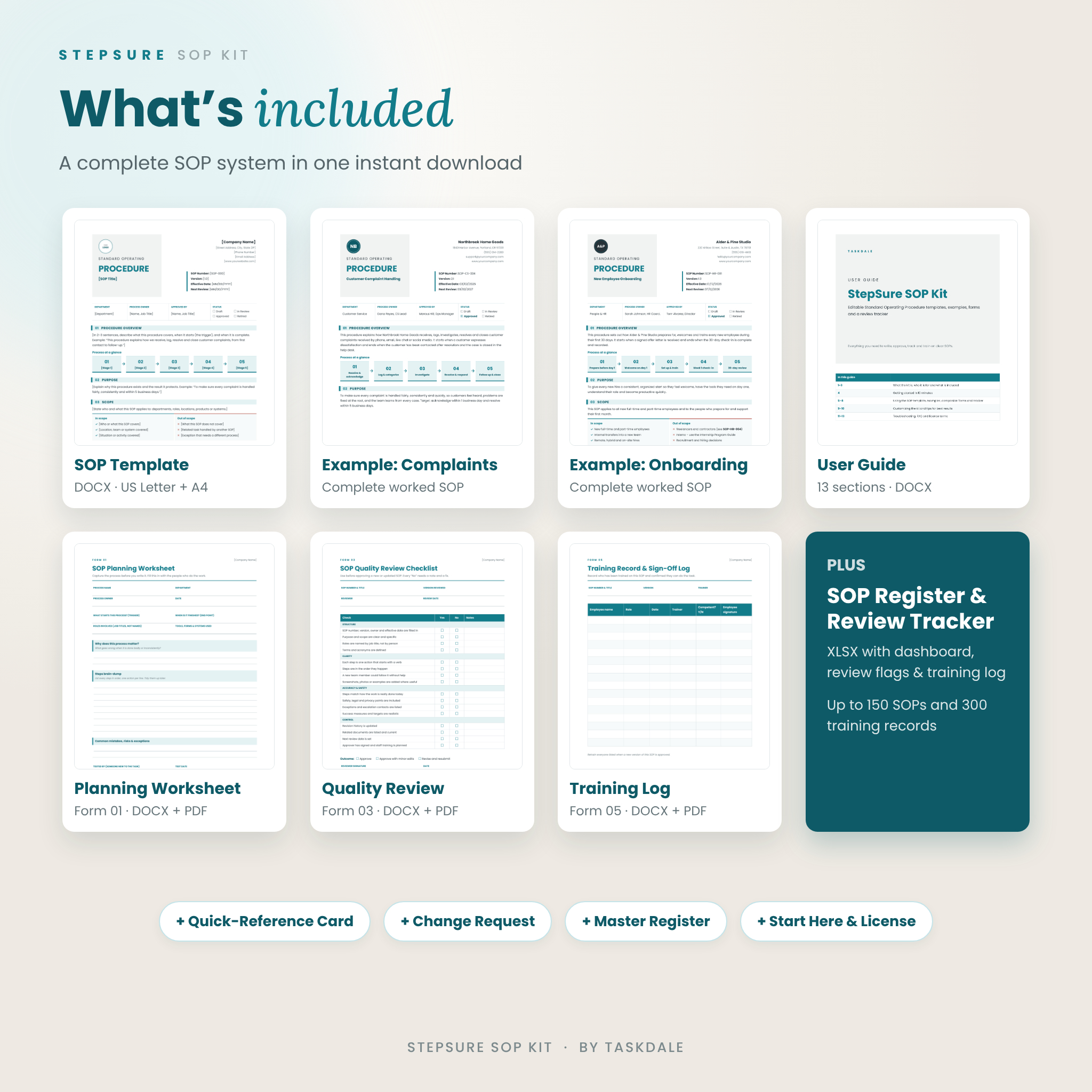
- SOP Planning Worksheet to capture a process before you write it
- SOP Quick-Reference Card to post at the workstation
- SOP Quality Review Checklist with 16 checks before approval
- SOP Change Request form
- Training Record & Sign-Off Log
- SOP Master Register (printable)
SOP Register & Review Tracker spreadsheet
Log up to 150 SOPs and 300 training records. The tracker calculates each next review date and days left, shows color-coded flags (On track, Due soon, Overdue, Retired), sets training refresher dates and flags anyone who needs retraining when an SOP version changes. A dashboard summarizes totals, approval rate, department counts and training status, with charts that update automatically. Formula cells are locked (no password) so they cannot be overwritten by accident.
What is included
- SOP Template – US Letter and A4 (DOCX)
- Example SOP: Customer Complaint Handling – US Letter and A4 (DOCX)
- Example SOP: New Employee Onboarding – US Letter and A4 (DOCX)
- SOP Companion Forms – US Letter and A4 (DOCX to edit, PDF to print)
- SOP Register & Review Tracker (XLSX)
- User Guide (DOCX) and Start Here & License (PDF)
How it works
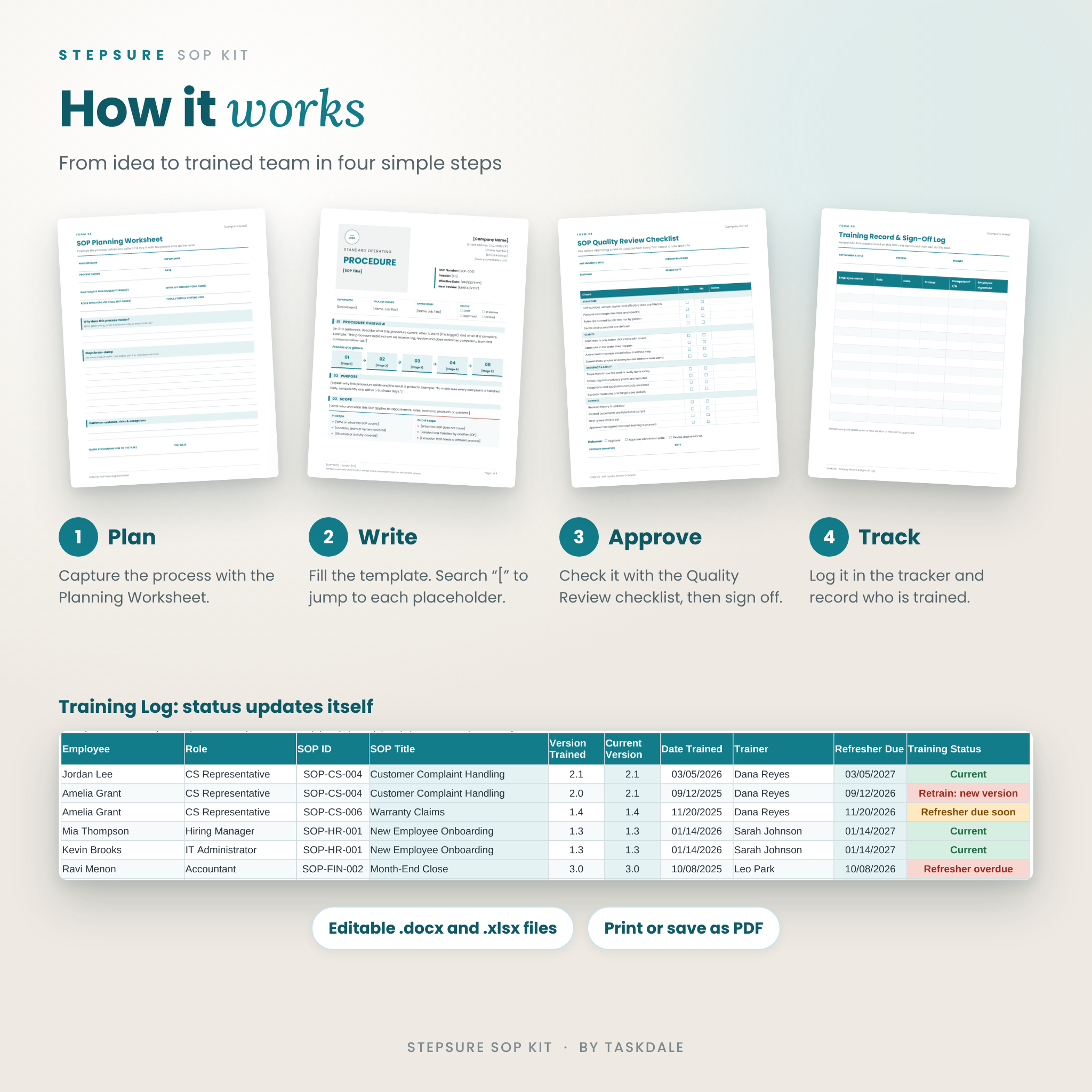
- Plan: fill in the Planning Worksheet with the people who do the work.
- Write: open the SOP template, add your logo and search for “[” to jump to each placeholder.
- Approve: check the draft with the Quality Review Checklist, then sign it off.
- Track and train: add the SOP to the tracker and record who has been trained.
File formats and software requirements
- DOCX, XLSX and PDF files in standard Microsoft Office and PDF formats
- Tested in LibreOffice Writer and Calc (free for Windows, Mac and Linux)
- Page sizes: US Letter (8.5 × 11 in) and A4 (210 × 297 mm)
- The Poppins font (free, open license) is embedded in the DOCX files
- A computer is recommended for editing
Customization
Everything is editable. Replace the logo placeholder, type over any text, add or remove table rows and delete sections you do not need. Headings use real heading styles, so you can change the color or font of every heading at once. The templates use no currency symbols, so they work in any country; write amounts such as approval limits in your own currency. In the tracker, rename departments and set your own review window and refresher period on the Settings tab.
Digital download
This is an instant digital download. No physical item will be shipped. After purchase, download the ZIP file and the user guide from your account. Unzip the files and open the Start Here page to begin.
Use cases
- Documenting daily operations so the business can run without you
- Onboarding and training new employees consistently
- Preparing for an audit, certification, franchise or business sale
- Standardizing customer service, finance, warehouse or safety tasks
- Writing SOPs for clients as a virtual assistant or consultant
Frequently asked questions
What is an SOP template?
A standard operating procedure (SOP) template is a ready-made document structure for writing step-by-step instructions so a task is done the same way every time.
Can I use it for more than one SOP?
Yes. Save a new copy of the template for each procedure in your business or organization.
Can I print it?
Yes. Layouts are set up for US Letter and A4, and the companion forms include print-ready PDFs.
Do I need special software?
You need an app that edits DOCX and XLSX files. The kit was tested in LibreOffice, which is free.
Can I add my logo and brand colors?
Yes. Swap in your logo and change the heading style color to match your brand.
Is this legal or compliance advice?
No. It gives you a professional structure. Check industry or legal requirements with a qualified advisor.
Can I resell or share the template?
No. The license covers personal use and internal use in your business. You can share completed SOPs with your team and clients, but not the template files.
Reviews
There are no reviews yet.