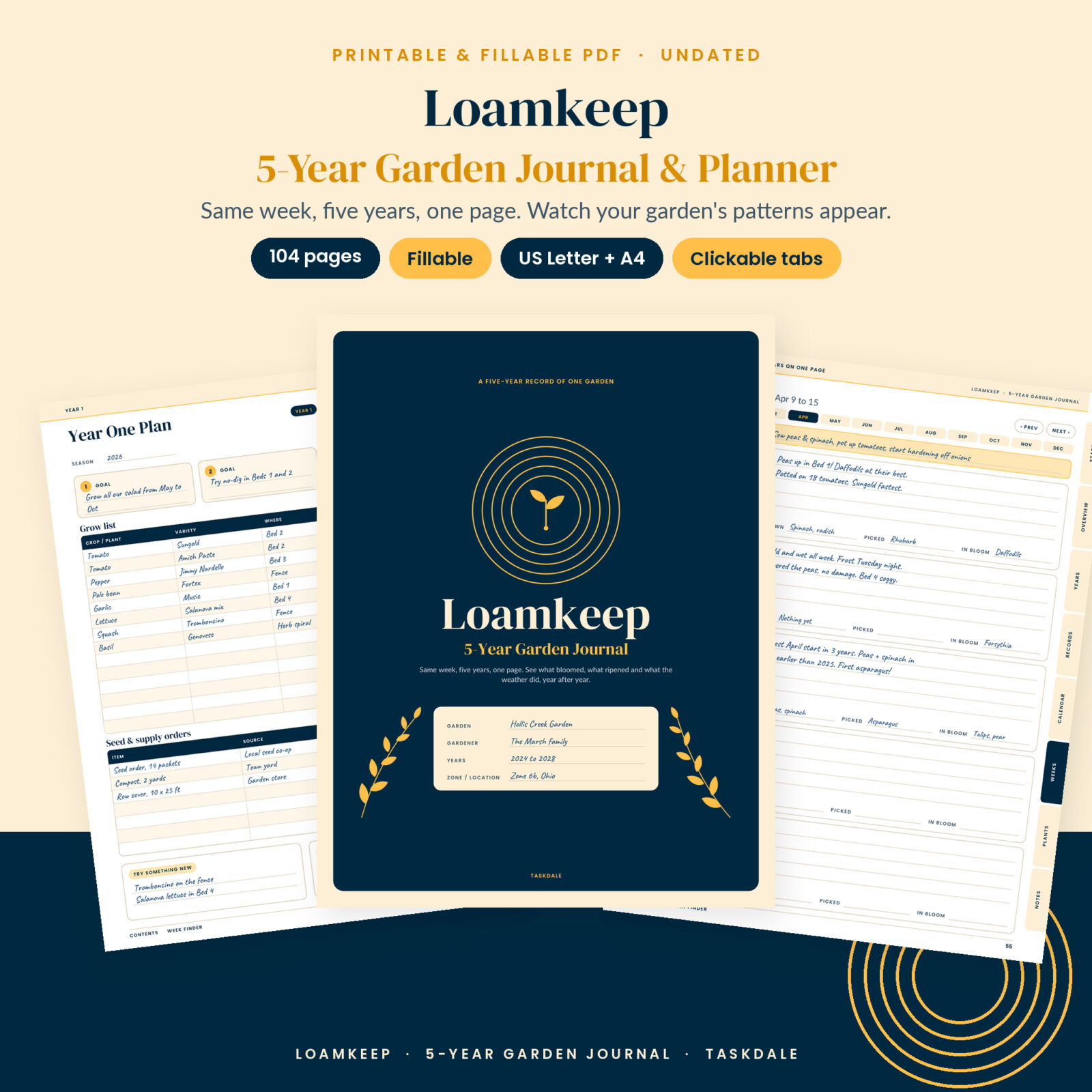




A 5-year garden journal that remembers for you
Every gardener has said it: “I’m sure the tomatoes were ripe earlier last year.” Loamkeep is a 5-year garden journal built to answer that. Each weekly page holds the same week of the year five times, one row per year. Write a few lines this April, and next April you open the same page and read exactly what happened: the cold snap, the first asparagus, the day the peas went in.
After two or three seasons the patterns start to show. You stop guessing at planting dates and start using your own. That is the whole point of this printable garden journal, and it is why it is laid out differently from a one-season planner.
What this garden journal printable does
Loamkeep has three layers that work together.
- Weekly pages. 52 pages, one per week of the calendar (Week 1 is January 1 to 7, Week 52 is December 24 to 31). Each page has five year rows with weather ticks (sun, cloud, rain, frost), high, low and rain boxes, four ruled lines for notes, and quick “Sown”, “Picked” and “In bloom” tags. A strip across the top holds reminders that come round every year.
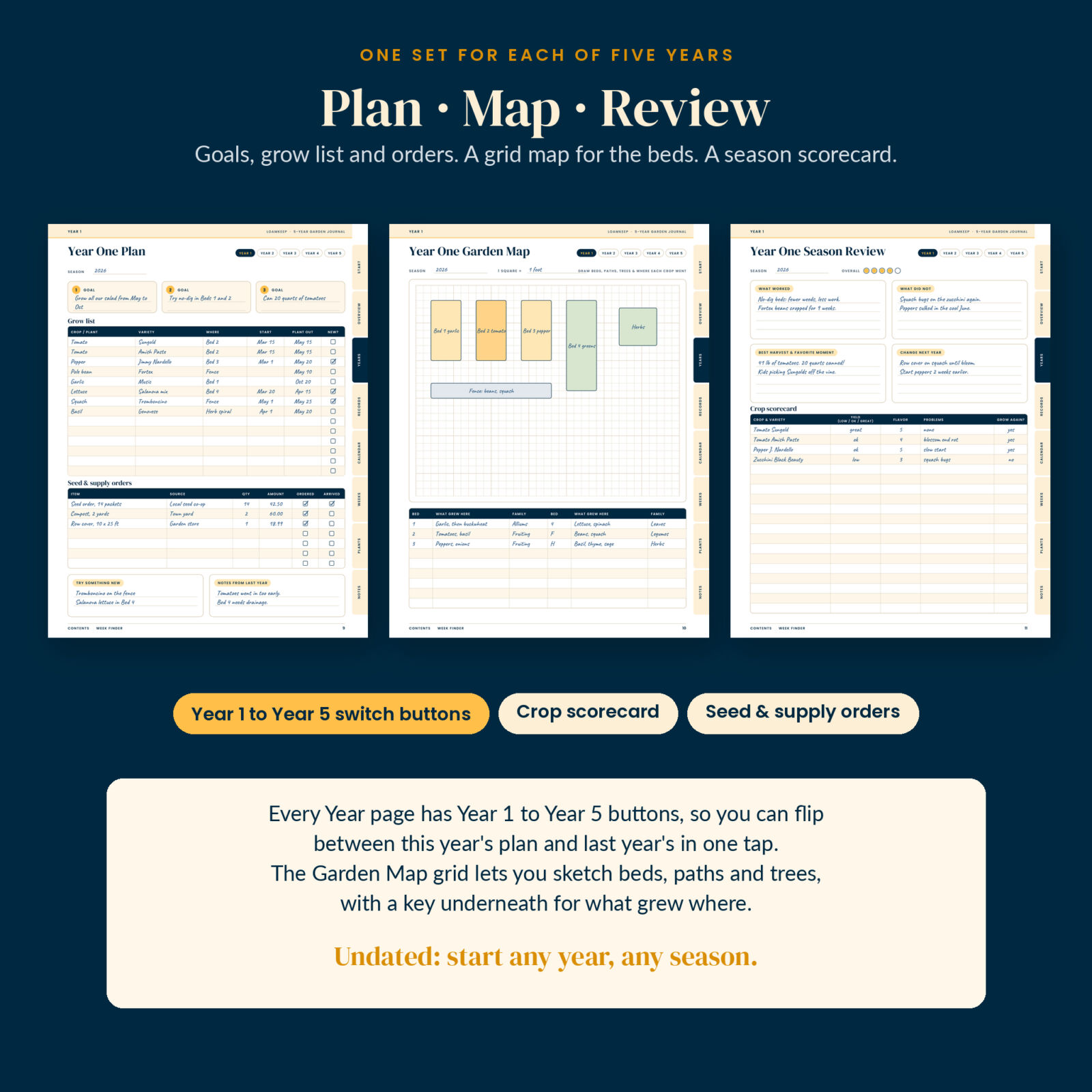
- Year pages. For each of the five years: a Year Plan (goals, grow list, seed and supply orders), a Garden Map on a grid with a bed key, and a Season Review with a crop scorecard.
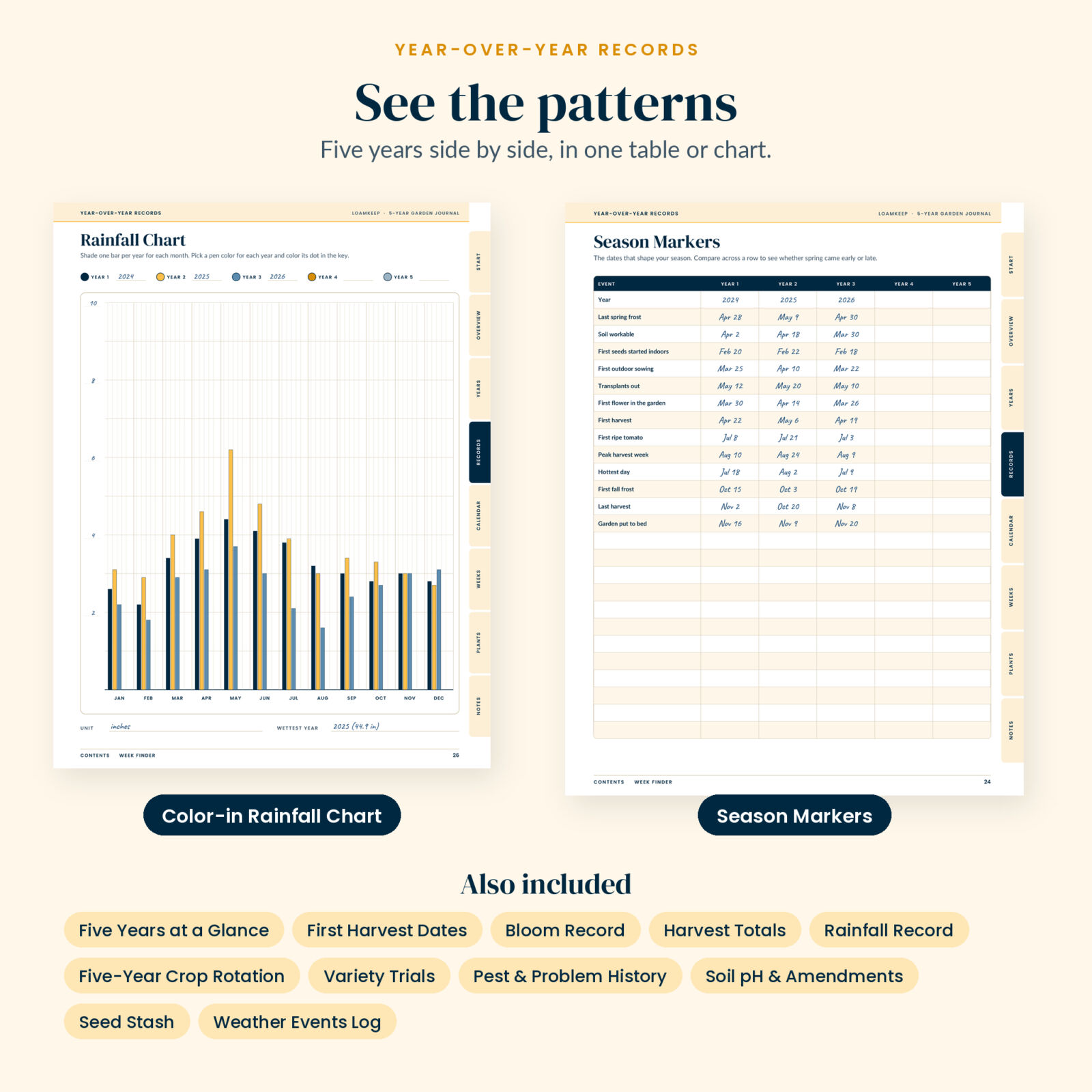
- Year-over-year records. Tables and charts that put five years side by side, so you can read your garden’s story across one row.
Who it is for
- Vegetable gardeners who want to know when to sow and plant out in their own yard, not just what a seed packet says
- Flower, bulb and perennial growers who track bloom times and plant care
- Raised bed and allotment gardeners who rotate crops and want five years of beds in one table
- Seed savers and variety collectors who want to know which tomato really wins
What is included
- Loamkeep 5-Year Garden Journal, US Letter (8.5 x 11 in), color, 104 pages
- US Letter Ink Saver, the same pages with large color fills removed
- A4 (210 x 297 mm), color, 104 pages
- A4 Ink Saver
- User Guide (DOCX): set-up steps, how every page works, printing tips, troubleshooting and FAQs
The 104 pages, section by section
- Start (5): cover with garden name, gardener, years and zone; clickable Contents; How to Use; Week Finder; License and Printing.
- Overview (3): Garden Profile (zone, soil, sun, average frost dates, 12 beds), Five Years at a Glance, Five-Year Dreams and Projects.
- Years (15): Plan, Garden Map and Season Review for Year 1 to Year 5.
- Records (14): Season Markers, Rainfall Record, color-in Rainfall Chart, Weather Events Log, Five-Year Crop Rotation, First Harvest Dates, Bloom Record, Harvest Totals, Variety Trials (2), Pest and Problem History, Soil pH and Amendments, Seed Stash (2).
- Calendar (3): a perpetual garden calendar, four months per page, for the jobs you do every year.
- Weeks (52): five years on every page.
- Plants (6): 12 records for perennials, shrubs and fruit trees, each with a growth log.
- Notes (6): lined pages, two garden sketch grids and a dot grid.
Features that make it easy to keep up
Find any week in one tap
The Week Finder lists all 52 weeks with their dates. Every weekly page has Prev and Next buttons and a month strip that jumps to the first week of any month. Eight side tabs on every page take you to Start, Overview, Years, Records, Calendar, Weeks, Plants and Notes, and the footer links back to Contents.
Year 1 to Year 5 buttons
On the Plan, Map and Review pages, small buttons let you flip between years. Planning Year 3? Tap Year 2 to see last year’s grow list and review, then tap back.
Fillable or printable
More than 8,000 form fields and checkboxes. Type on a computer or tablet in a PDF app that supports forms, or print and write by hand. The pages are undated, so you can start in any month of any year.
Records you will actually use
Season Markers covers last spring frost, soil workable, first indoor sowing, transplants out, first harvest, first ripe tomato, first fall frost and more, with blank rows for your own. The Variety Trials page scores each variety 1 to 5 every year with a Keep or Drop box. The crop rotation table gives each bed a row and each year a column, with a simple four-group rotation guide underneath.
How it works
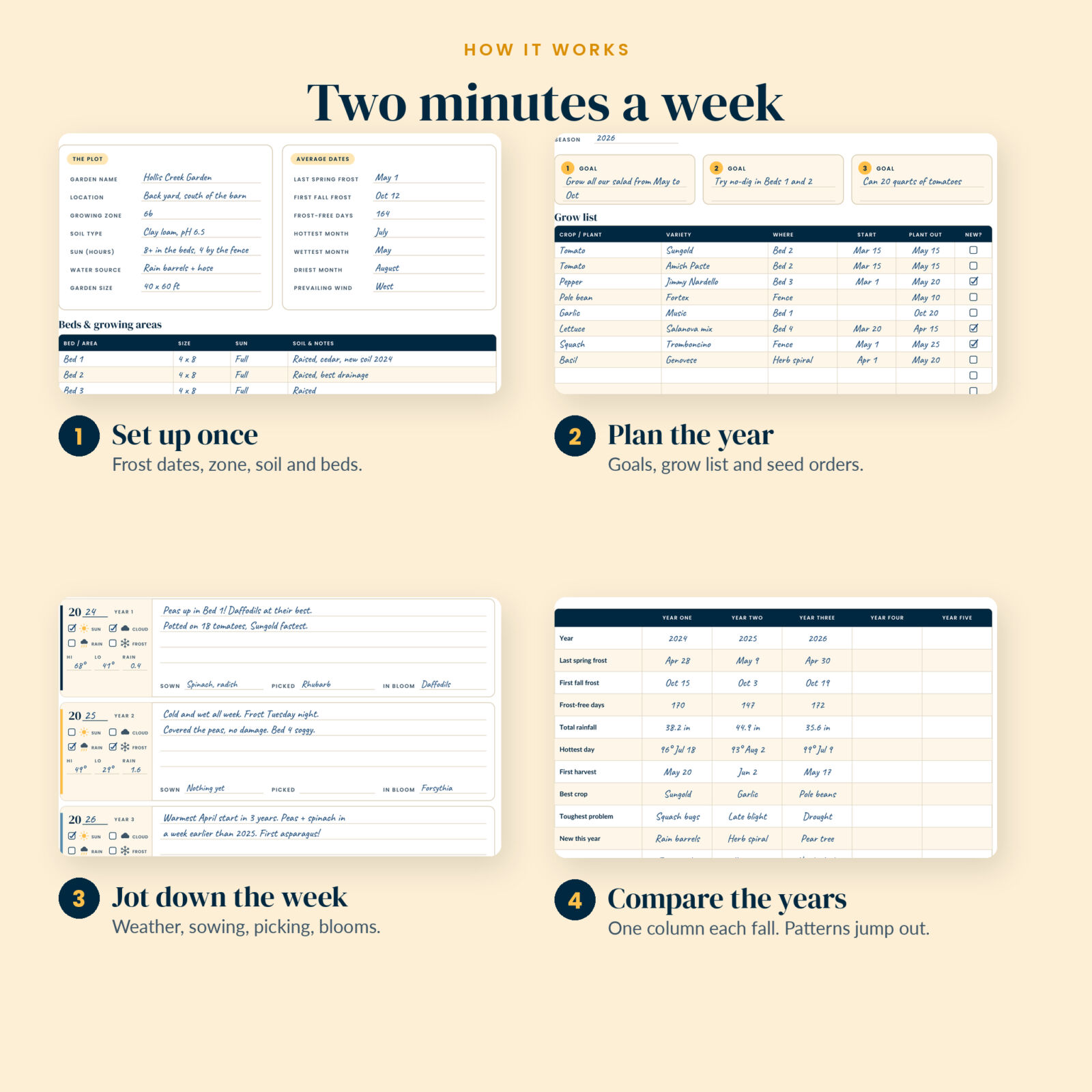
- Fill in the Garden Profile once: zone, soil, average frost dates and bed names.
- Start Year One: three goals, a grow list and a sketch of the beds.
- Each week, open the page from the Week Finder and write two or three lines in your year’s row.
- In the fall, fill the Season Review, Season Markers and Five Years at a Glance.
- Next spring, read last year’s weeks before you plant. Repeat for five years.
File formats and software
PDF files with embedded fonts, clickable links, bookmarks and fillable form fields. Tested for form filling and saving, internal links and print layout. To type in the pages, use a PDF app that supports forms, such as Adobe Acrobat Reader (free). Any printer works; print at “Actual size”. Units are up to you: write °F or °C, inches or millimeters, pounds or kilograms. Money fields say “Amount” so any currency works.
Real ways to use it
- Check last year’s Week 10 before starting pepper seeds, and see that they were three weeks late.
- Look across the Season Markers row and spot that your last frost has landed between April 28 and May 9 for three years.
- Use the Pest History ticks to put row covers on the squash before the bugs arrive, not after.
- Track a young pear tree from planting to its first fruit on a Plant Record.
Digital download
This is an instant digital download. No physical item ships. After checkout you can download all five files from your account and order email. Licensed for personal use: print as many copies as you like for your own garden and household. Please do not share, resell or distribute the files.
FAQ
Is this garden journal dated?
No. Weekly pages follow calendar dates (January 1 to 7, and so on), so they work for any five years.
How is this different from a garden planner?
A planner covers one season. This 5-year garden journal keeps five seasons on the same pages, so you can compare years at a glance.
Can I fill it in on an iPad or tablet?
Yes, in a PDF app that supports forms and links, such as Adobe Acrobat Reader. You can also write on it by hand in an annotation app.
Does it work for flower gardens?
Yes. The Bloom Record, weekly “In bloom” tags and Plant Records are made for flowers, bulbs, shrubs and trees.
What paper sizes are included?
US Letter and A4, each in color and Ink Saver.
Does it include planting dates for my zone?
No. It is built around your own dates, which are more accurate for your garden than any general chart. Within a year or two you will have your own planting calendar.
Reviews
There are no reviews yet.